
Bookmark
| Pengembang: | Catbee (1) | ||
| Harga: | Gratis | ||
| Skor: | 1.190 Perak | ||
| Peringkat: | 0 | ||
| Komentar: | 0 Kirimkan komentar | ||
| Daftar: | 0 0 | ||
| Poin: | 0 | ||
| +1 Poin | |||
Ringkasan
Kenalan dulu dengan Catbee Container Studio, aplikasi buatan Catbee di kategori Alat pengembang.
Rilis , masih cukup segar.
Gratis, tanpa iklan, tanpa pembelian dalam aplikasi. Cuma kamu dan aplikasinya.
Microsoft Store sudah jadi bawaan Windows, jadi bisa dipasang dalam beberapa klik.
Skor AppAgg-nya 1.190. Perak, dan itu sama sekali tidak buruk.
Rating usia “EVERYONE”, jadi aman juga untuk anak-anak.
Cuma bisa satu bahasa, dan itu bukan bahasa Indonesia.
Masih sunyi senyap di sini, belum ada nilai, belum ada komentar. Yuk, pecahkan keheningannya.
Ini satu-satunya aplikasi dari pengembang ini di AppAgg. Untuk sekarang.
Mau jadi yang pertama tahu soal pembaruan dan aplikasi baru? Ikuti pengembang atau berlangganan lewat Umpan RSS. Notifikasi push dikirim lewat aplikasi AppAgg Alerts untuk Android dan iOS.
Platform lain 0
Riwayat harga 0
- Harga saat ini: Gratis
- Minimum: Gratis
- Maksimum: Gratis
Feed Anda sendiri di beranda
Jepretan layar 10
Deskripsi

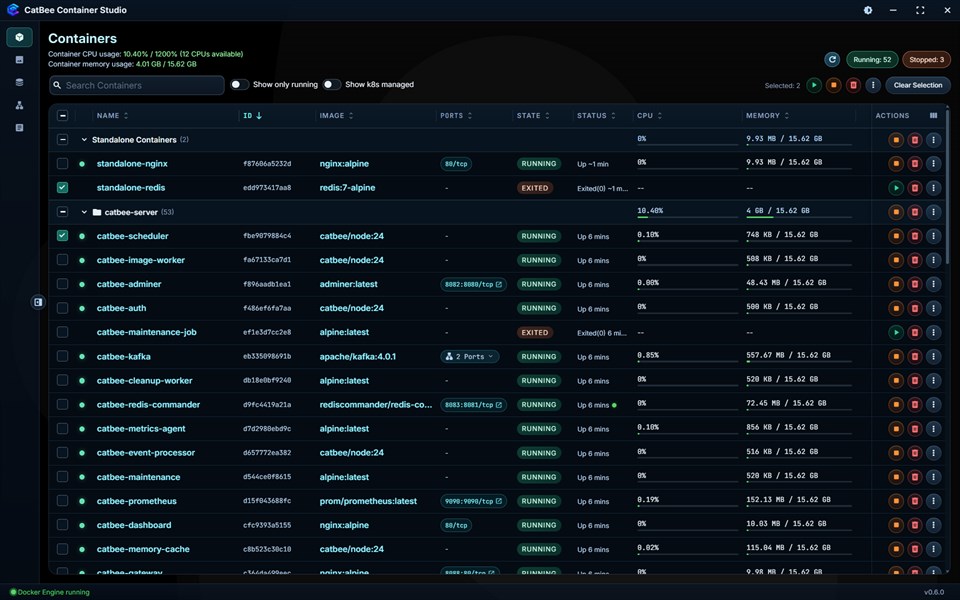
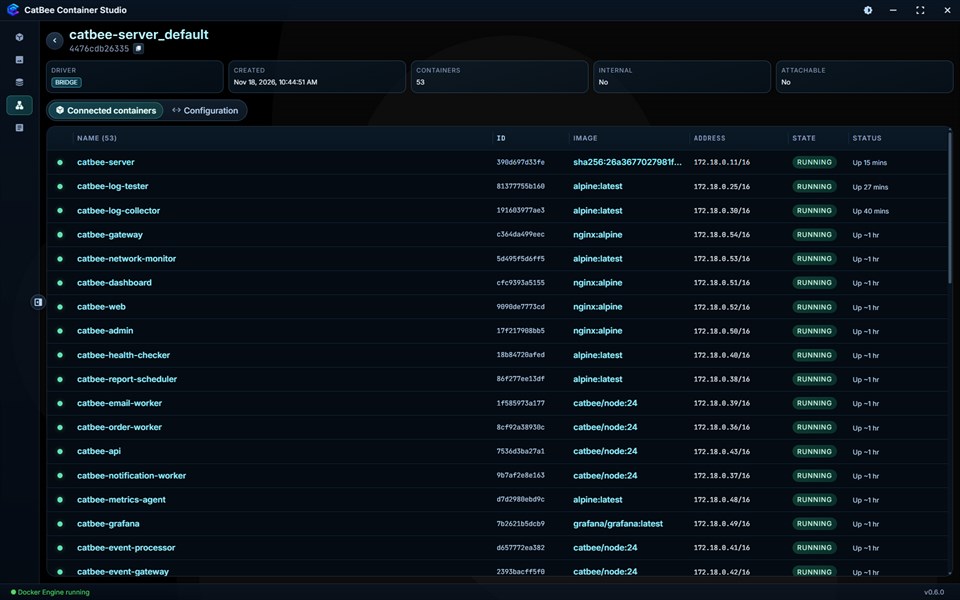
View and manage Docker containers, images, volumes, networks, logs, and files through a focused graphical interface without relying exclusively on the command line.
PREREQUISITES
• Requires Docker Desktop or Docker Engine installed and running locally on Windows.
• Requires Docker Compose CLI for Compose-based project recreation.
KEY CAPABILITIES
Container & Compose Management
• View, start, stop, restart, pause, unpause, and delete containers individually or in bulk
• Force recreate individual containers, multi-selected containers, or entire Docker Compose projects
• Automatically group containers by Docker Compose project with collective status summaries
• Perform bulk lifecycle actions across entire Compose projects
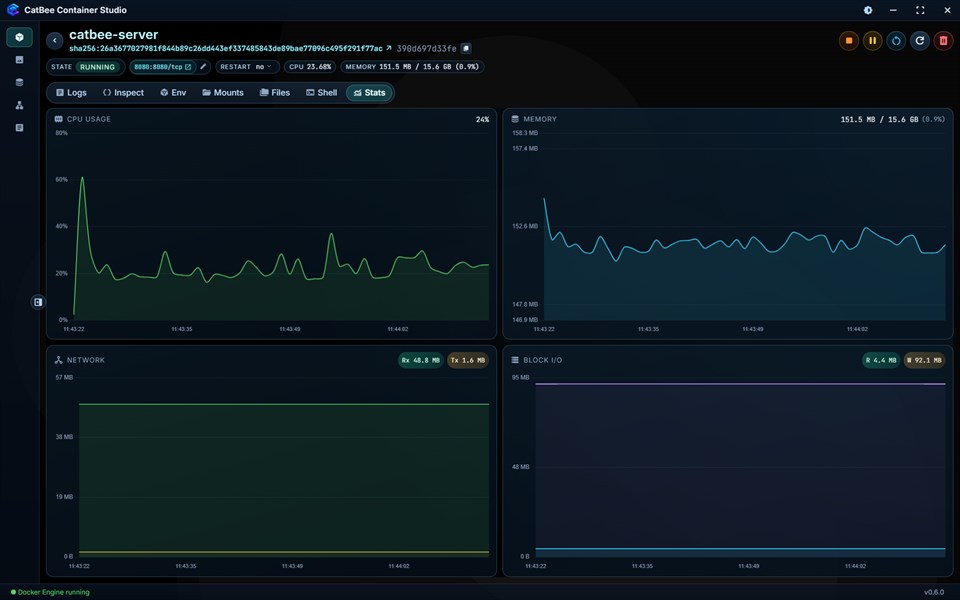
• Monitor aggregate real-time CPU, memory, disk I/O, and network I/O metrics across Compose groups
• Filter containers by name, ID, or image, with quick toggles for running state and Kubernetes-managed containers
• Inspect container health, state, published ports, entrypoints, and raw configuration JSON
Live Reconfiguration & Editing
• Edit environment variables on existing containers with direct .env file paste support
• Add, modify, or remove port mappings with instant duplicate and port-range validation
• Edit container mounts (host paths and volume bindings)
• Modify container restart policies directly from the container overview
• Safely apply configuration edits with automatic container recreation and rollback protection
• One-click launch to open published container ports directly in your default web browser
Files Browser & Interactive Terminal
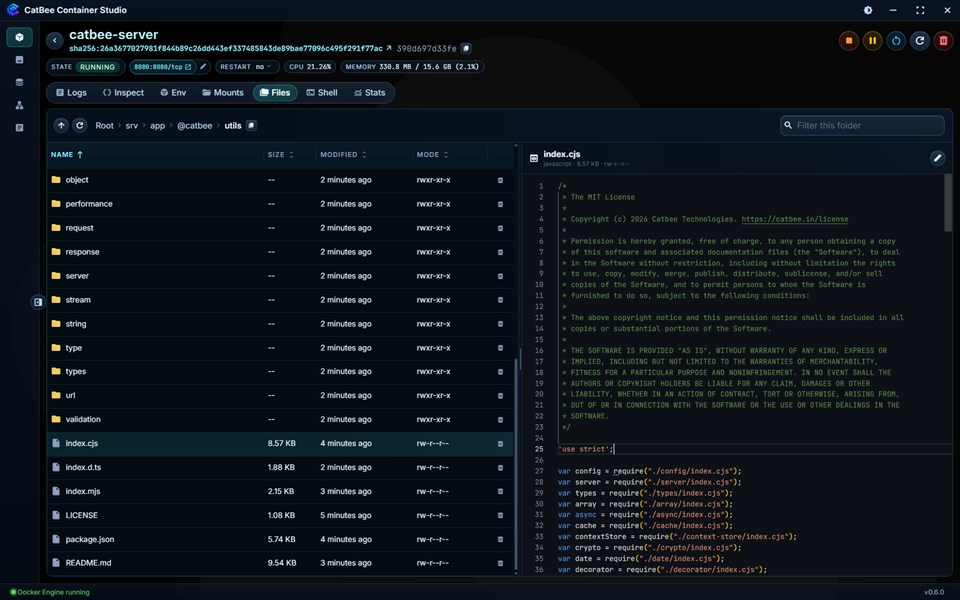
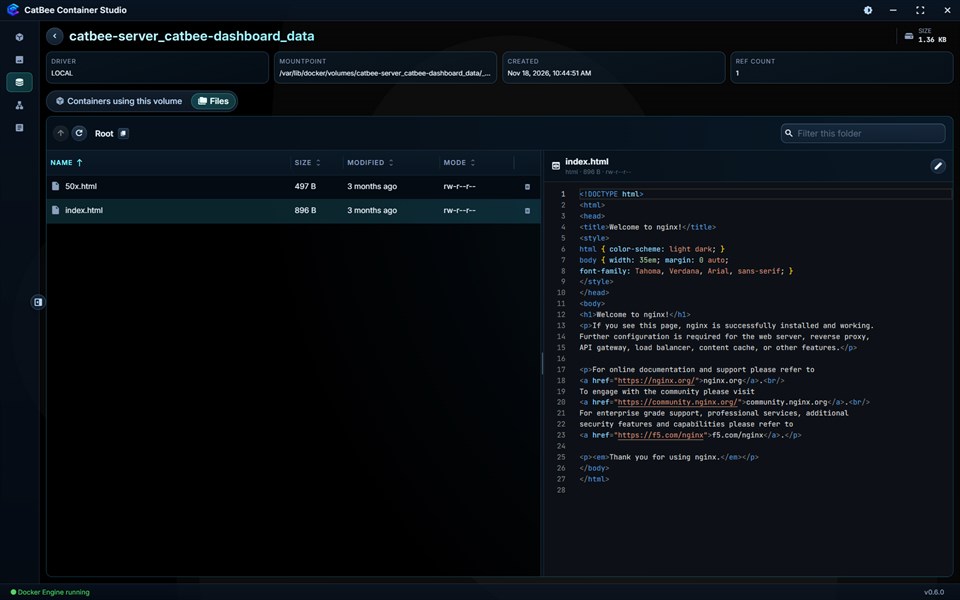
• Browse container and volume filesystems with path breadcrumbs
• View, edit, and save files inside containers and volumes using the integrated Monaco Editor
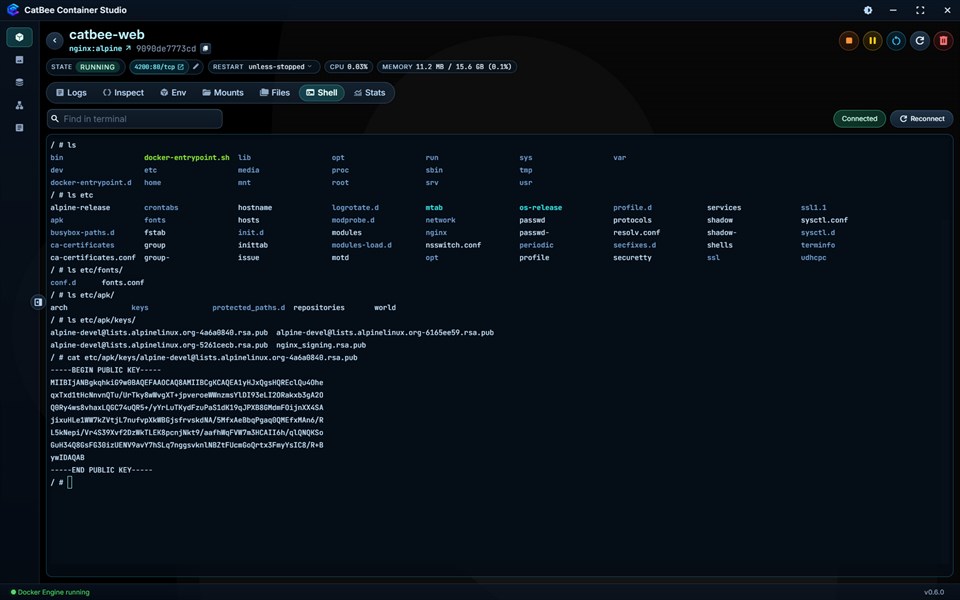
• Built-in interactive shell terminal powered by xterm.js with search and full TTY emulation
• Safely delete files and directories inside containers and volumes
Images, Volumes & Networks
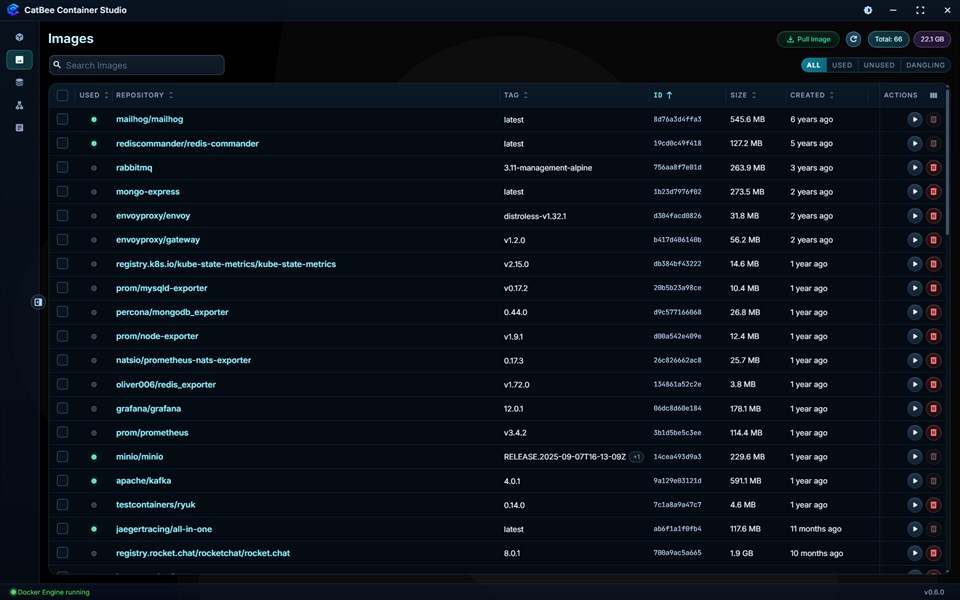
• Browse, pull, inspect, and bulk-delete Docker images
• Inspect image layers, command history, and active containers in use
• Prune dangling images, unused volumes, and unused networks
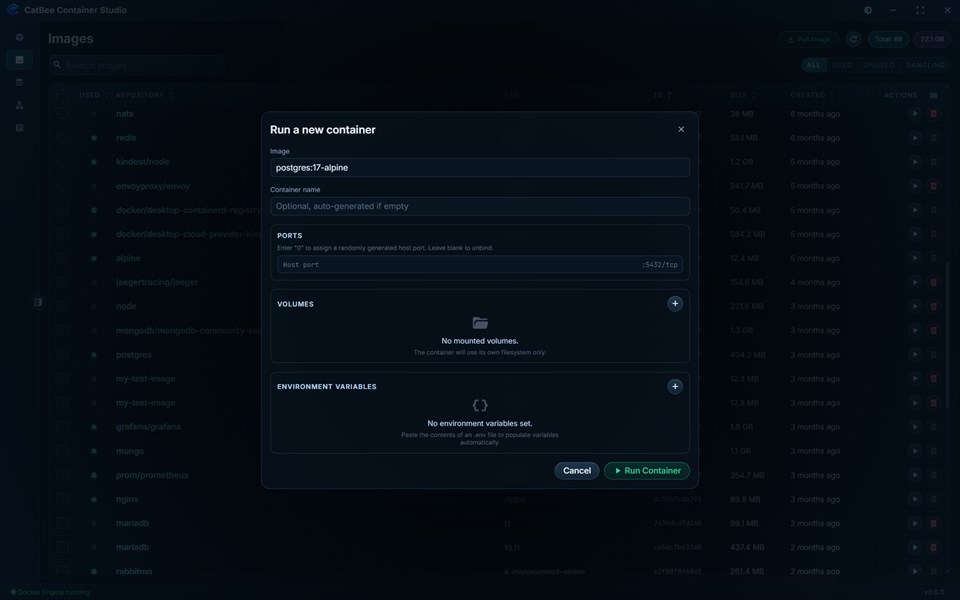
• Create and run new containers directly from Docker images with port, volume, and env configuration
• Create named Docker volumes with custom drivers and optional host directory binding
• Calculate and view total volume disk usage
• Create and inspect custom Docker networks, IPAM configurations, and connected container IP/MAC addresses
Logs Hub & Monitoring
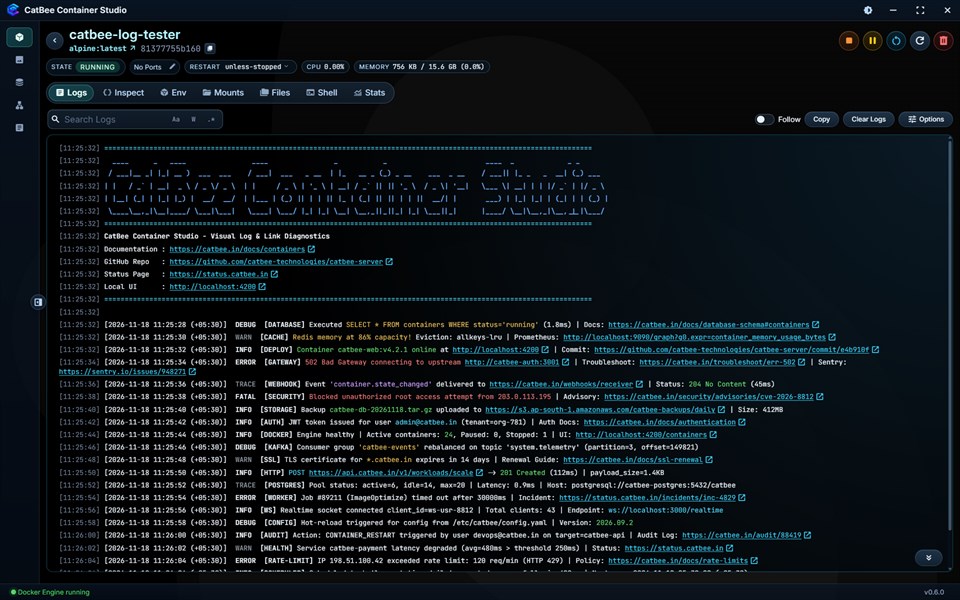
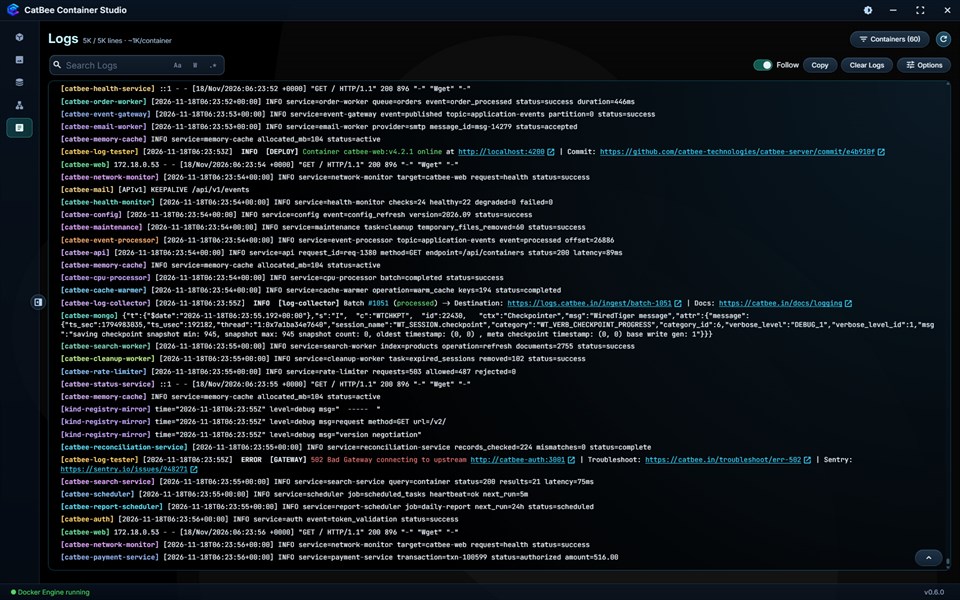
• Centralized multi-container Logs Hub to stream and compare logs concurrently
• High-performance virtualized log scrolling capable of handling heavy output buffers
• Advanced log search with regex, case matching, whole-word matching, and timestamps toggle
• Real-time streaming charts for CPU, memory limits, network I/O, and block I/O
Native Desktop Experience
• 100% local: connects directly to your local Docker daemon without third-party cloud accounts or tracking
• Curated dark and light themes with instant switching
• Resizable table columns with state persistence and shift-click multi-selection
• Draft protection to prevent accidental loss of unsaved changes
CatBee Container Studio makes everyday Docker management effortless while keeping the workflow familiar, fast, and transparent to developers.
Dari developer
Daftar 0
-
 Catbee Container Studio
Poin 0
-

- +1 Poin

Peringkat 0
-
- Rating Anda
Pengembang 1
- Catbee
- Pengikut: 0
- Platform: Windows Aplikasi (1)
- Diskon: 0
- Daftar: 0 0
- Poin: 0
- Peringkat: 0
- Komentar: 0
- Video: 0
- RSS: Berlangganan
Yang Baru
- Versi: PC
- Terakhir diperbarui:
- We regularly update CatBee Container Studio to bring you new features, improvements, and performance enhancements.
For detailed release notes and source code, visit: https://github.com/catbee-technologies/catbee-container-studio/releases
- This release brings improved container management, clearer resource monitoring, and a smoother desktop experience.
• Added aggregated CPU, memory, disk, and network metrics for container groups
• Improved container lifecycle controls with synchronized Start, Stop, Pause, and Unpause states
• Improved handling of partially started and partially paused container groups and bulk selections
• Added container deletion directly from Container Details
• Improved container status display with compact durations and health indicators
• Enhanced tab navigation with a sliding indicator
• Improved input fields and buttons throughout the application
• Enhanced tables with frozen action columns and improved group actions
• Improved global log clearing feedback
• Fixed edge-hover jitter on buttons
Info tambahan
- Tanggal rilis:
- Kategori:
Aplikasi Windows›Alat pengembang - OS:
PC - Ukuran:
159 Mb - Bahasa yang didukung:
Inggris - Rating Konten:
EVERYONE - Windows Store Rating: ¡
0 - Situs Web:
 https://catbee.in/catbee-container-studio
Skor AppAgg
Perkiraan Skor AppAgg untuk
Catbee Container Studio
Pengembang: Catbee
Skor yang lebih tinggi biasanya menunjukkan indikator yang lebih kuat di AppAgg.
Berdasarkan: popularitas · rating pengguna · kebaruan · promo · data toko · aktivitas komunitas
Dihitung ulang setiap hari dari data AppAgg terbaru.
Komentar 0 ¡
Bagikan
Catbee Container Studio URL singkat: Disalin!- Windows Store

