
북마크
이 북마크의 제목을 입력하세요.
북마크가 저장되었습니다
요약
소개합니다. Catbee에서 만든 ‘개발자 도구’ 카테고리 앱, Catbee Container Studio.
에 출시됐어요. 아직 꽤 따끈따끈해요.
무료. 광고도 인앱 구매도 없어요. 앱에만 집중하면 돼요.
Microsoft Store는 Windows에 기본으로 들어 있어서 클릭 몇 번이면 설치돼요.
AppAgg 점수는 1,190. 실버 등급, 이 정도면 꽤 괜찮아요.
연령 등급은 ‘EVERYONE’, 아이들에게도 괜찮아요.
지원 언어는 딱 하나, 그런데 한국어는 아니에요.
아직 여기는 조용해요. 평점도, 댓글도 없어요. 침묵을 깨 주세요.
AppAgg에 있는 이 개발자의 유일한 앱이에요. 아직까지는요.
업데이트와 새 앱 소식을 가장 먼저 받고 싶나요? 개발자를 팔로우하거나 RSS 피드를 구독하세요. 푸시 알림은 Android와 iOS용 AppAgg Alerts 앱으로 받을 수 있어요.
광고
다른 플랫폼 0
가격 기록 0
- 현재 가격: 무료
- 최소: 무료
- 최대: 무료
홈 화면의 나만의 피드
“신규 및 업데이트” 피드의 플랫폼을 선택하면 홈 화면에 필요한 앱과 게임만 표시됩니다.
스크린샷 10
설명

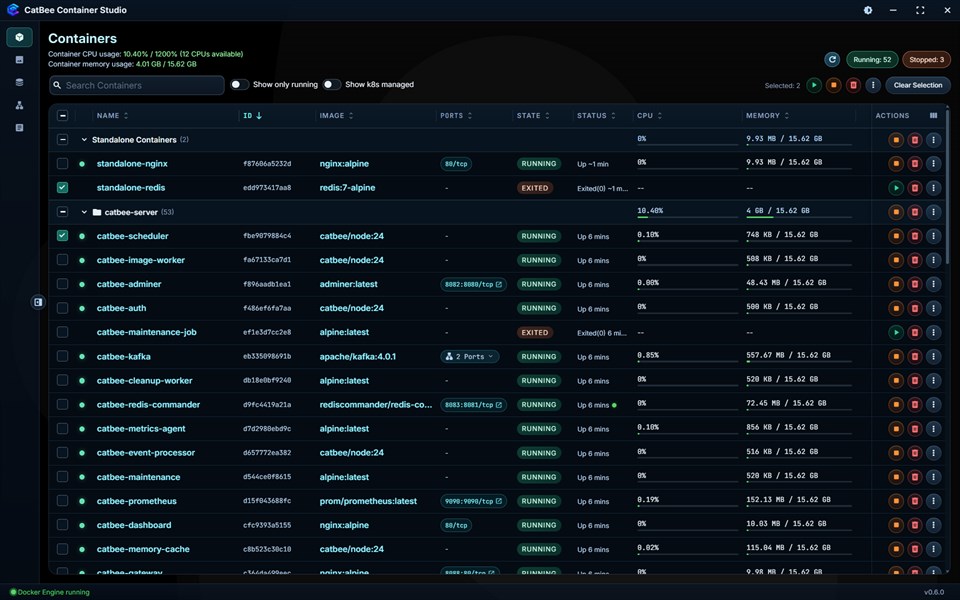
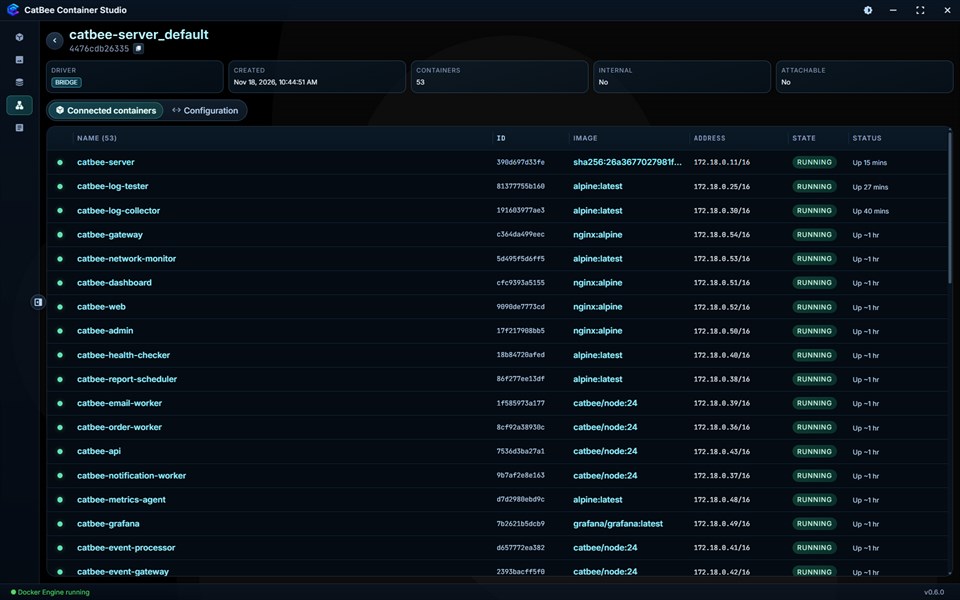
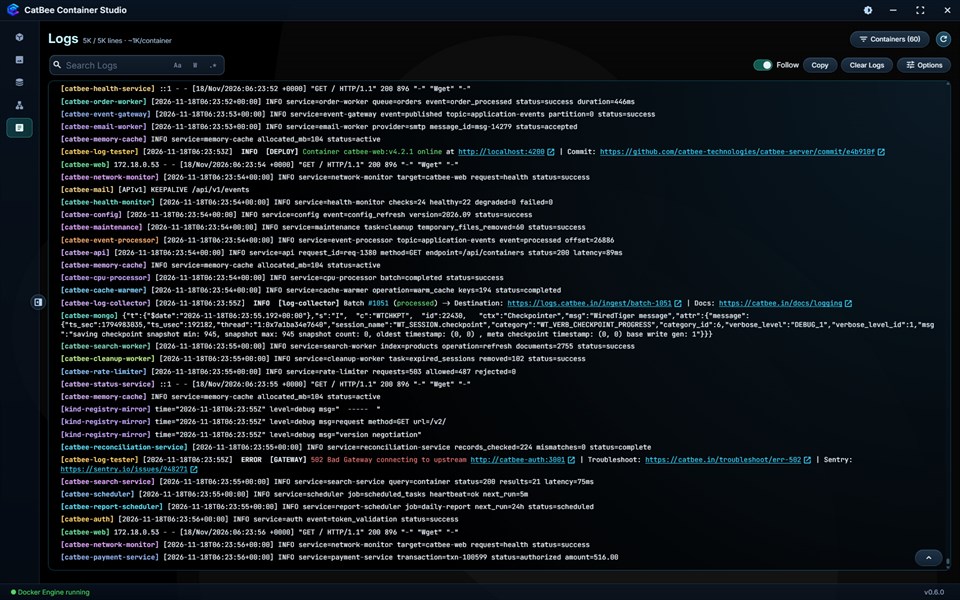
View and manage Docker containers, images, volumes, networks, logs, and files through a focused graphical interface without relying exclusively on the command line.
PREREQUISITES
• Requires Docker Desktop or Docker Engine installed and running locally on Windows.
• Requires Docker Compose CLI for Compose-based project recreation.
KEY CAPABILITIES
Container & Compose Management
• View, start, stop, restart, pause, unpause, and delete containers individually or in bulk
• Force recreate individual containers, multi-selected containers, or entire Docker Compose projects
• Automatically group containers by Docker Compose project with collective status summaries
• Perform bulk lifecycle actions across entire Compose projects
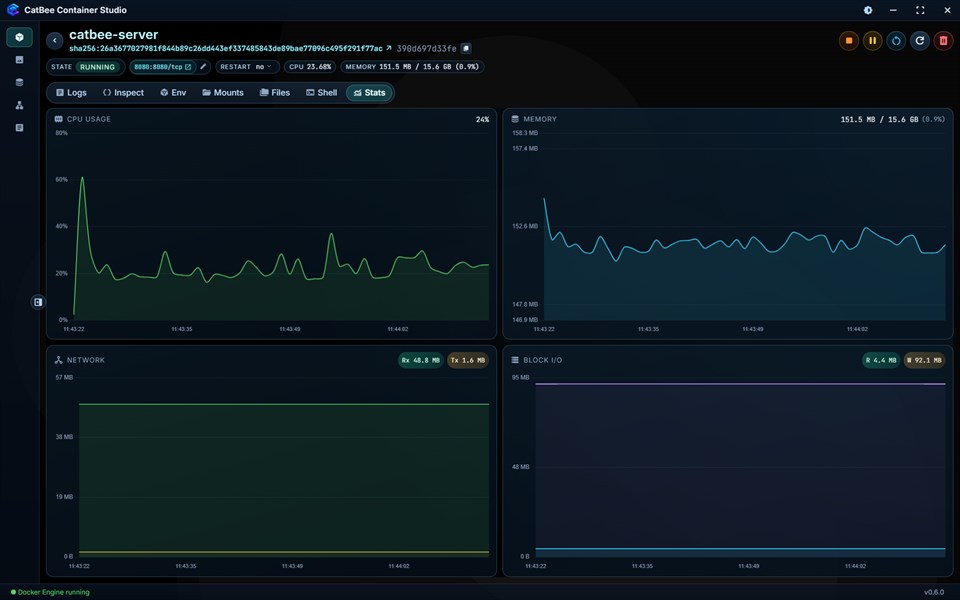
• Monitor aggregate real-time CPU, memory, disk I/O, and network I/O metrics across Compose groups
• Filter containers by name, ID, or image, with quick toggles for running state and Kubernetes-managed containers
• Inspect container health, state, published ports, entrypoints, and raw configuration JSON
Live Reconfiguration & Editing
• Edit environment variables on existing containers with direct .env file paste support
• Add, modify, or remove port mappings with instant duplicate and port-range validation
• Edit container mounts (host paths and volume bindings)
• Modify container restart policies directly from the container overview
• Safely apply configuration edits with automatic container recreation and rollback protection
• One-click launch to open published container ports directly in your default web browser
Files Browser & Interactive Terminal
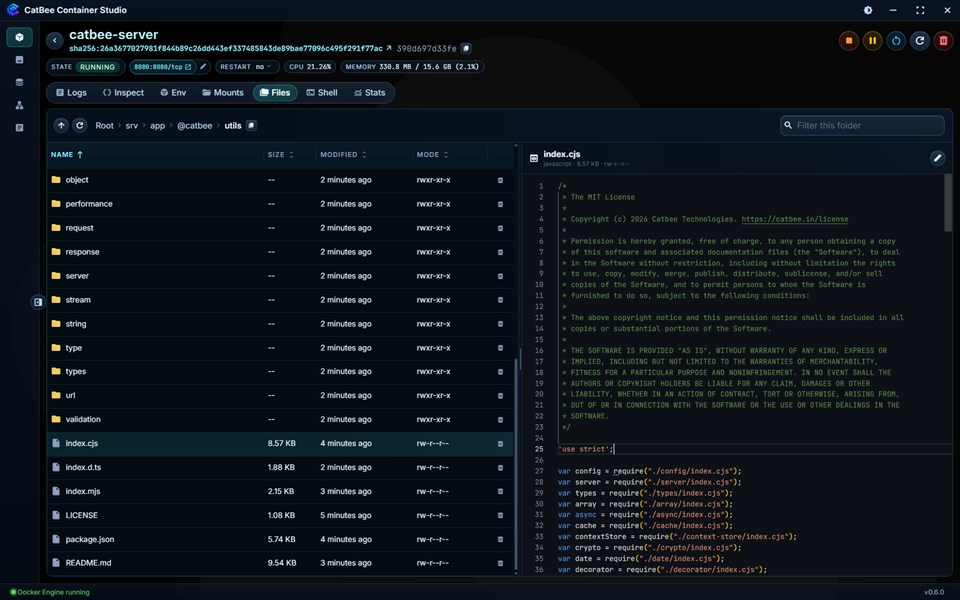
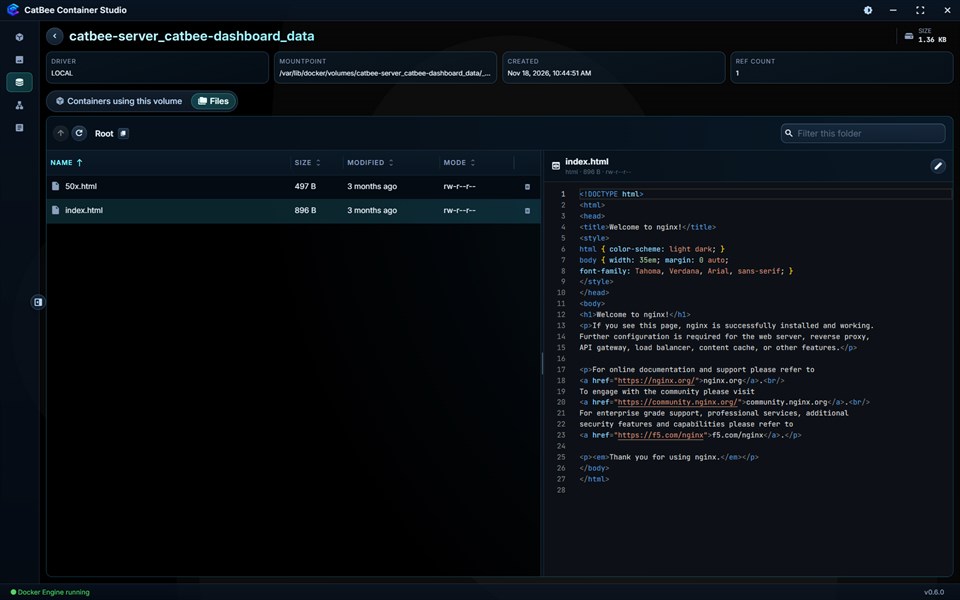
• Browse container and volume filesystems with path breadcrumbs
• View, edit, and save files inside containers and volumes using the integrated Monaco Editor
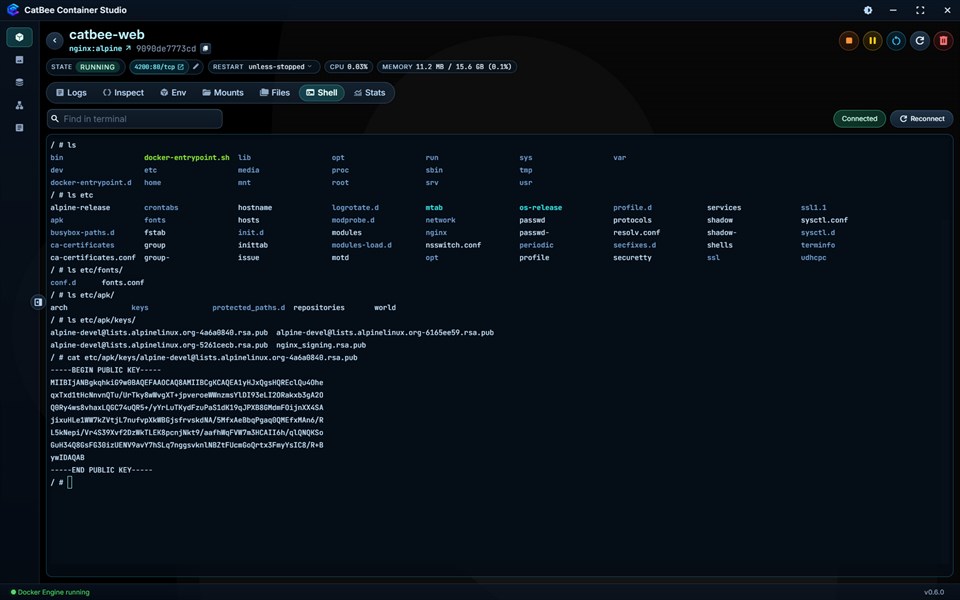
• Built-in interactive shell terminal powered by xterm.js with search and full TTY emulation
• Safely delete files and directories inside containers and volumes
Images, Volumes & Networks
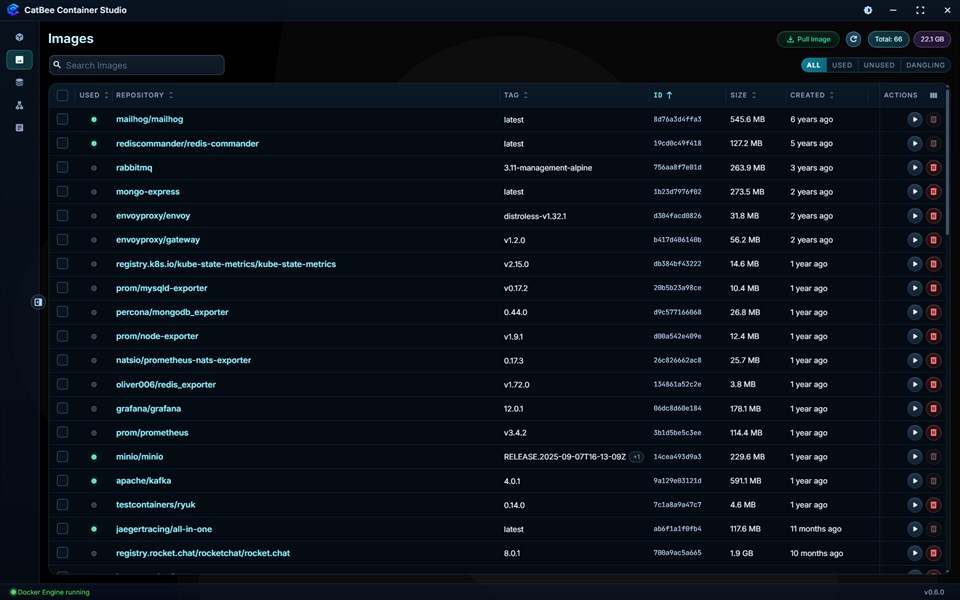
• Browse, pull, inspect, and bulk-delete Docker images
• Inspect image layers, command history, and active containers in use
• Prune dangling images, unused volumes, and unused networks
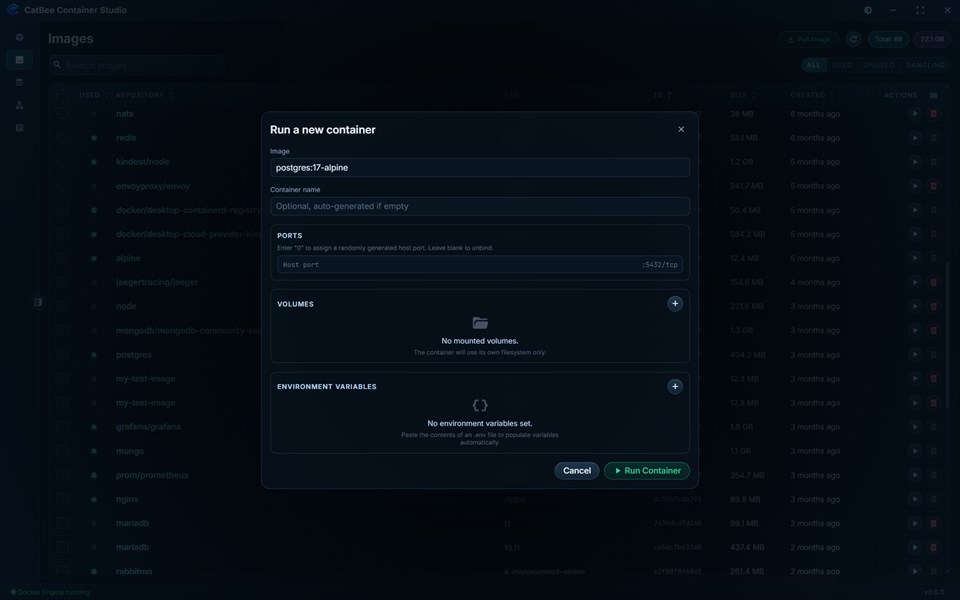
• Create and run new containers directly from Docker images with port, volume, and env configuration
• Create named Docker volumes with custom drivers and optional host directory binding
• Calculate and view total volume disk usage
• Create and inspect custom Docker networks, IPAM configurations, and connected container IP/MAC addresses
Logs Hub & Monitoring
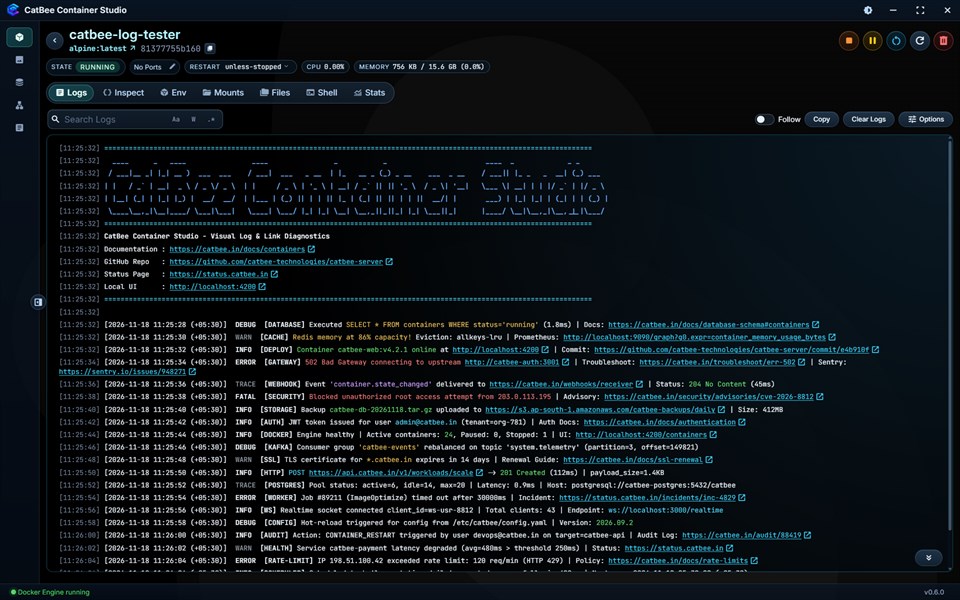
• Centralized multi-container Logs Hub to stream and compare logs concurrently
• High-performance virtualized log scrolling capable of handling heavy output buffers
• Advanced log search with regex, case matching, whole-word matching, and timestamps toggle
• Real-time streaming charts for CPU, memory limits, network I/O, and block I/O
Native Desktop Experience
• 100% local: connects directly to your local Docker daemon without third-party cloud accounts or tracking
• Curated dark and light themes with instant switching
• Resizable table columns with state persistence and shift-click multi-selection
• Draft protection to prevent accidental loss of unsaved changes
CatBee Container Studio makes everyday Docker management effortless while keeping the workflow familiar, fast, and transparent to developers.
개발자 소식
개발자이신가요?
페이지 맨 위에 소식을 올리면 팔로워에게 이메일로 전달됩니다. YouTube 동영상을 추가하면 “동영상” 블록 맨 앞에 표시됩니다.
목록 0
-
 Catbee Container Studio
포인트 0
-

- +1 포인트

순위 0
-
- 내 평점
새로운 기능
- 버전: PC
- 마지막 업데이트:
- We regularly update CatBee Container Studio to bring you new features, improvements, and performance enhancements.
For detailed release notes and source code, visit: https://github.com/catbee-technologies/catbee-container-studio/releases
버전 기록
- This release brings improved container management, clearer resource monitoring, and a smoother desktop experience.
• Added aggregated CPU, memory, disk, and network metrics for container groups
• Improved container lifecycle controls with synchronized Start, Stop, Pause, and Unpause states
• Improved handling of partially started and partially paused container groups and bulk selections
• Added container deletion directly from Container Details
• Improved container status display with compact durations and health indicators
• Enhanced tab navigation with a sliding indicator
• Improved input fields and buttons throughout the application
• Enhanced tables with frozen action columns and improved group actions
• Improved global log clearing feedback
• Fixed edge-hover jitter on buttons
추가 정보
 https://catbee.in/catbee-container-studio
AppAgg 점수
1,190
AppAgg 예상 점수:
Catbee Container Studio
개발자: Catbee
1,190 실버
점수가 높을수록 대체로 AppAgg의 여러 지표에서 좋은 결과를 보인다는 뜻입니다.
기준: 인기 · 사용자 평점 · 최신성 · 할인 · 스토어 데이터 · 커뮤니티 활동
최신 AppAgg 데이터를 바탕으로 매일 다시 계산됩니다.
웹사이트용 배지:  복사됨!
댓글 0 ¡
가장 먼저 댓글을 남겨주세요
공유하기
Catbee Container Studio 단축 URL: 복사됨!- Windows Store


