
保存済み
保存済みメニューに表示する名前を選択してください。
完了
| デベロッパー: | Wojciech Charysz (1) | ||
| 価格: | * フリー | ||
| 評価: | 810 シルバー | ||
| ランキング: | 0 | ||
| コメント: | 0 コメントを投稿する | ||
| リスト: | 0 + 0 | ||
| ポイント: | 0 + 0 ¡ | ||
| +1 ポイント | |||
説明

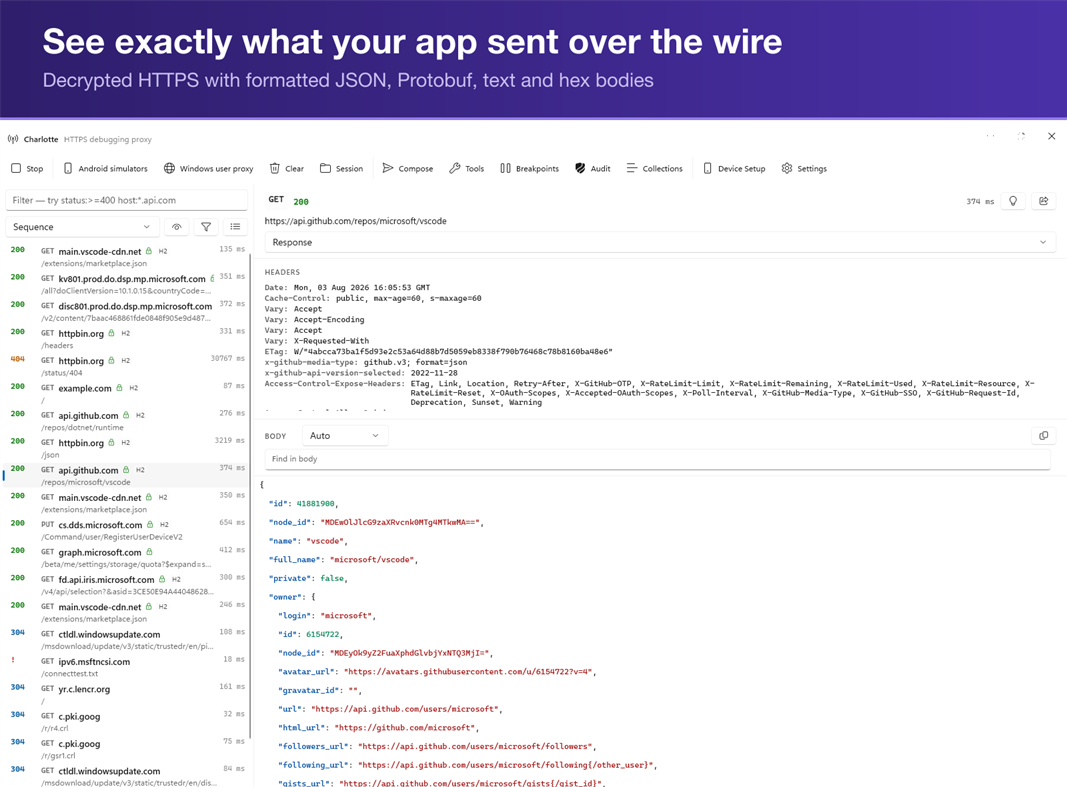
Charlotte.Pro shows you what actually went over the wire.
It runs as a proxy on your own machine, decrypts HTTPS from any client you point at it, and lays out every request and response so you can read them properly: headers, status codes, timings, formatted bodies. Nothing leaves your computer.
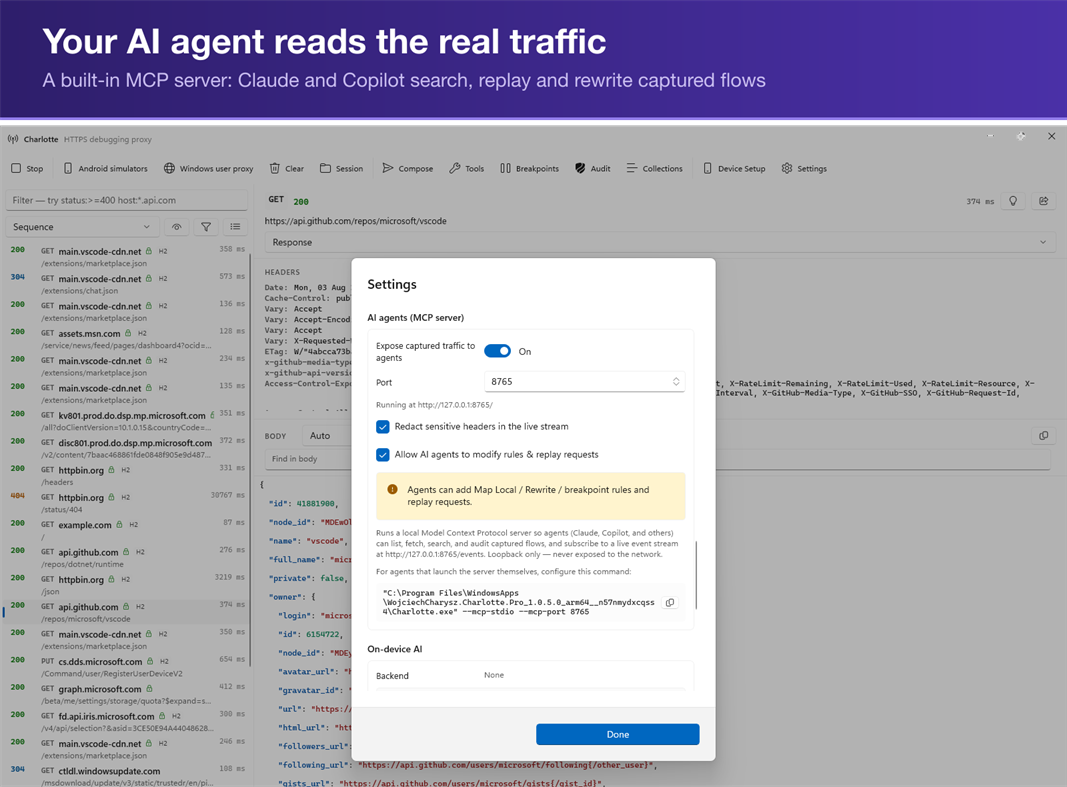
YOUR AI AGENT, PLUGGED INTO REAL TRAFFIC
Charlotte.Pro is an MCP server. Connect Claude Code, or any MCP-capable agent, and it works from your actual captured traffic instead of your description of it:
• list_flows / get_flow — read any request and its decoded body
• search_flows — a real query language: status:>=400, host:*.stripe.com, body:"token", with globs, ranges, OR and NOT
• stats — totals, hosts and status codes across the session
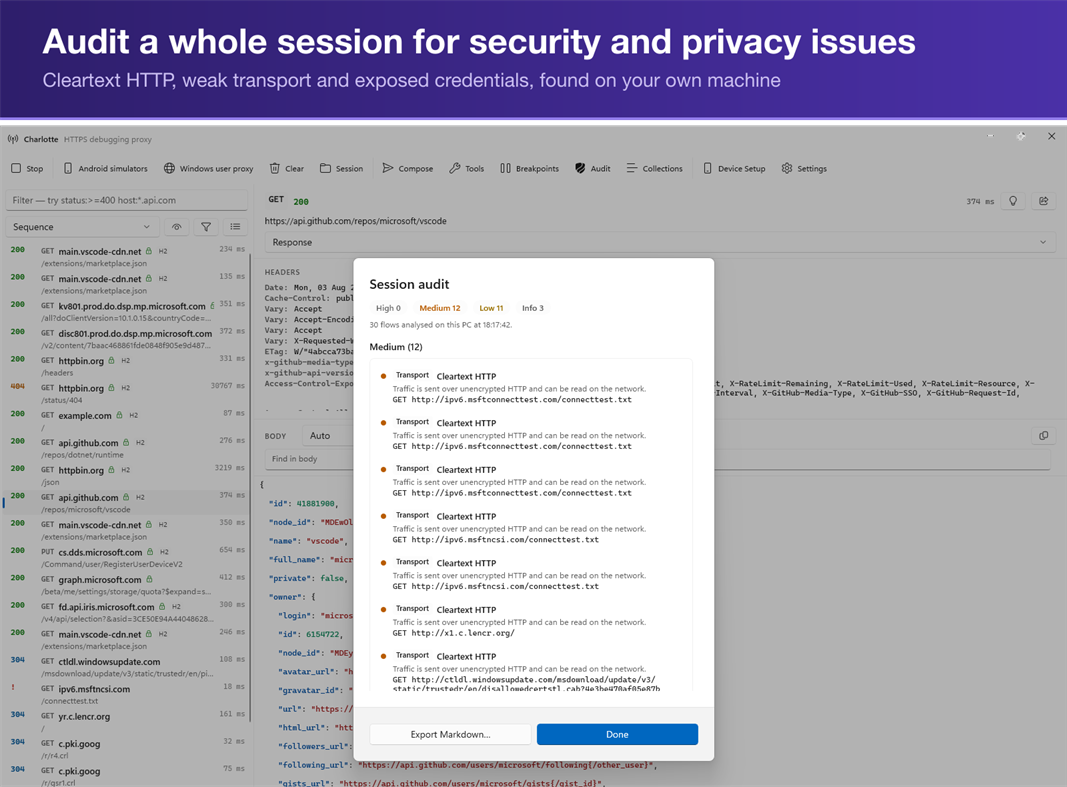
• audit_session — Charlotte's own security and privacy audit, returned as Markdown
• replay_flow, create_rewrite, create_map_local, set_breakpoint — your agent can change traffic, not just read it
Stop pasting curl output into a chat window and hoping you copied the right header. Ask the agent why the request failed, and it reads the request.
Write actions stay off until you enable them. The server binds to loopback only, and every client must present an access token you copy from Settings — no other program on your PC can connect without it. Passwords, tokens and cookies are hidden from agents by default. Your agent sees your traffic; nothing else does. The server binds to loopback only. Your agent sees your traffic; nothing else does.
INSPECT
• Live capture with filtering and full request and response history
• Body viewers for JSON, Protobuf, plain text, and hex
• Automatic gzip and deflate decompression
• HTTP/3 (QUIC) with fallback to HTTP/2 and HTTP/1.1
INTERVENE
• Breakpoints that pause traffic in flight so you can edit it before it continues
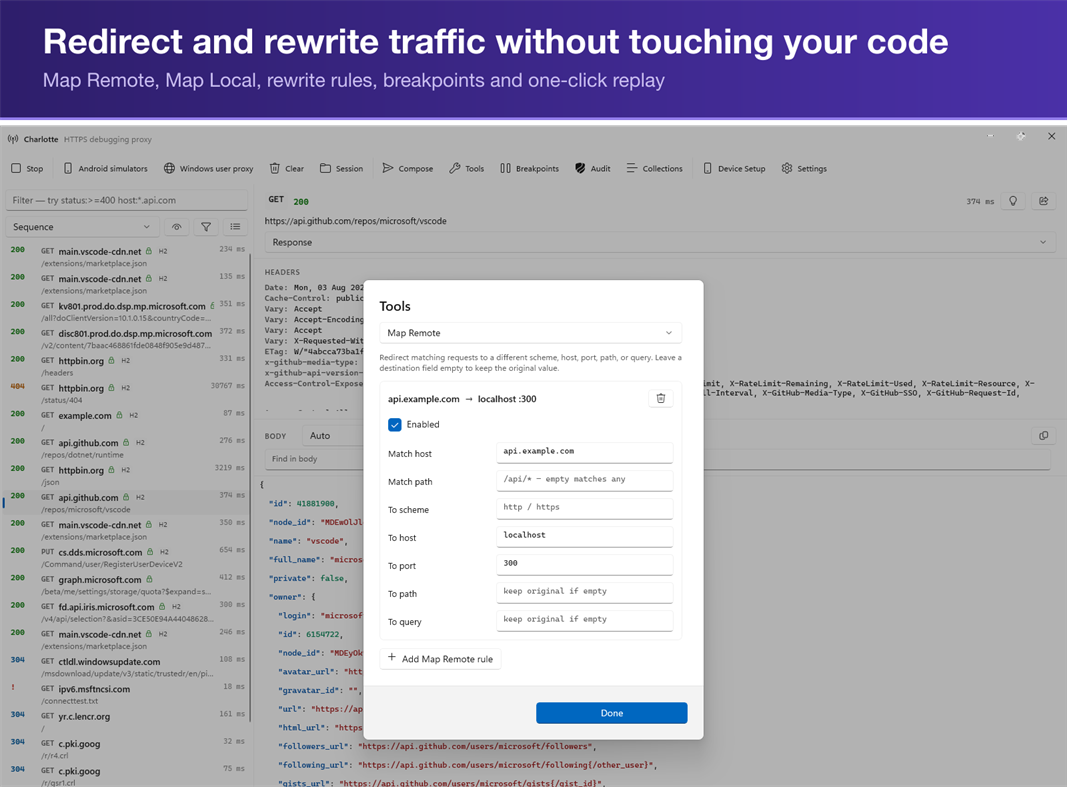
• Map Remote and Map Local to point requests at a different target or a file on disk
• Rewrite rules for headers, bodies, and status codes
• Replay any captured request, with or without changes
TEST THE UNHAPPY PATH
• Throttle bandwidth and inject latency to reproduce slow-network bugs
• Fault injection for timeouts, dropped connections, and error responses
CONNECT YOUR DEVICES
• QR-code setup for iOS and Android handsets on the same network
• Proxy configuration for simulators and emulators
• Per-host leaf certificates so pinned clients can be inspected during development
ON-DEVICE AI
• Explain and summarise captured traffic with a model that runs locally: Phi Silica on Copilot+ PCs, a local ONNX model everywhere else
• No cloud inference. Your traffic is never sent to an AI service, ours or anyone's
PRIVACY AND PERMISSIONS
Charlotte.Pro has no backend. No telemetry, no analytics, no account, nothing transmitted to the developer. There is no server to send it to.
Your root certificate authority's private key is encrypted with Windows DPAPI and never leaves the machine. The root certificate goes into your own user's trust store, and Windows shows its standard consent dialog, which the app does not suppress. Captures stay in memory unless you export them yourself.
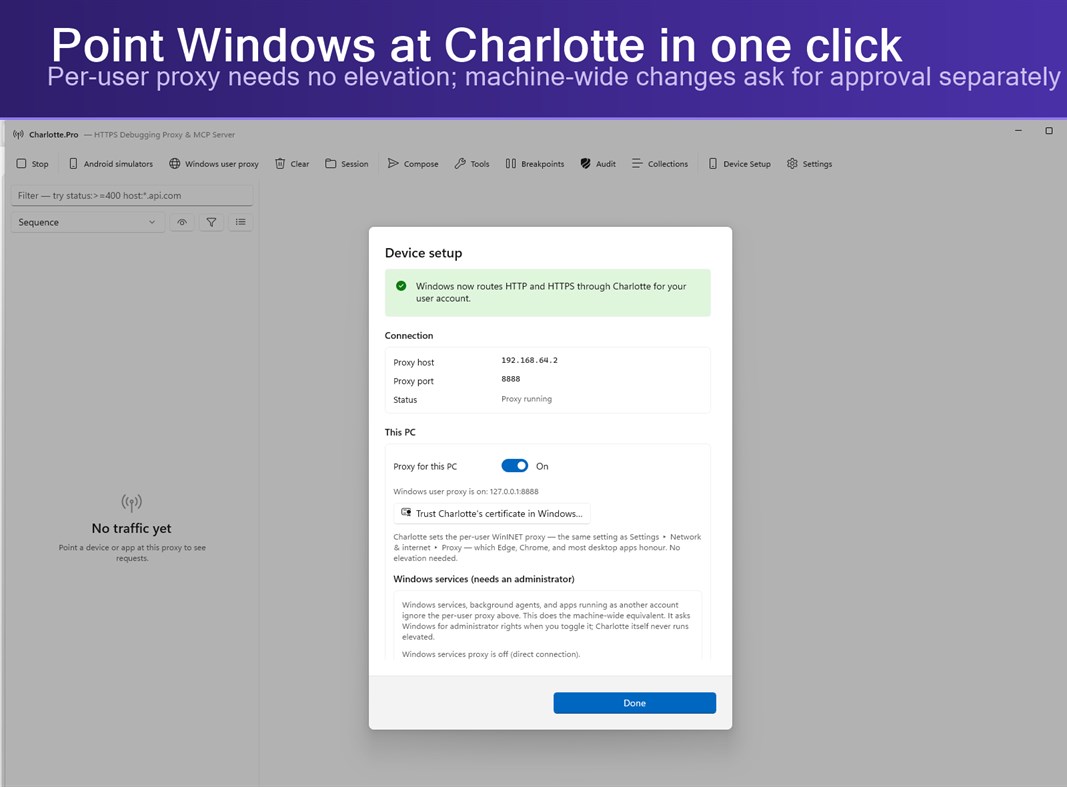
Charlotte.Pro runs as a normal user and never asks for administrator rights to start. Two optional features — routing Windows services through the proxy, and trusting the certificate for all users — change machine-wide settings, and each asks for approval at the moment you use it.
TRY IT PROPERLY FIRST
Free for 14 days with every feature unlocked. No account, no card, no sign-up — install it and go.
After that, one payment unlocks it permanently. Not a subscription. Buy it once and it stays yours.
REQUIREMENTS
Windows 10 version 1903 or later, or Windows 11. Native on x64 and ARM64.
Charlotte.Pro is for inspecting traffic you are authorised to inspect: your own applications and devices, or systems you have permission to test.
広告
スクリーンショット
価格履歴
-
* アプリ内購入あり - 現在の価格: フリー
- 最小値: フリー
- 最大: フリー
AppAgg評価
810
AppAgg推定評価:
Charlotte.Pro — HTTPS Debugging Proxy & MCP Server
デベロッパー: Wojciech Charysz
810 シルバー
評価が高いほど、AppAgg 上のシグナルが強い傾向があります。
基準: 人気 · ユーザー評価 · 新しさ · セール · ストアデータ · コミュニティ活動
最新のAppAggデータに基づいて毎日再計算されます。
短縮 URL: コピーしました!
新機能
- バージョン: PC
- 最終更新:
情報
 https://wcharysz.github.io/Charlotte/support.html
デベロッパー
- Wojciech Charysz
- フォロワー: 0
- プラットフォーム: Windows アプリ (1)
- 割引: 0
- リスト: 0 + 0
- ポイント: 0 + 0 ¡
- ランキング: 0
- コメント: 0
- 動画: 0
- RSS: 購読する
リスト (0)
0
- Charlotte.Pro — HTTPS Debugging Proxy & MCP Server
ポイント (0)
0
ランキング (0)
0
コメント (0)
最初にコメントしてください
概要
Charlotte.Pro — HTTPS Debugging Proxy & MCP Server 短縮 URL: コピーしました!- シェア
- Windows Store
「Charlotte.Pro — HTTPS Debugging Proxy & MCP Server」は、Windows向けの開発者ツールカテゴリーのアプリです。このアプリは「Wojciech Charysz」が開発し、に初めてリリースされ、に最終更新されました。 このアプリは現在無料です。 このアプリはまだAppAggで評価されていません。 このアプリは次の言語に対応しています:English。 AppAggはアプリ「Charlotte.Pro — HTTPS Debugging Proxy & MCP Server」の価格履歴、評価、ユーザーレビューを追跡しています。 AppAggはこのアプリをホストまたは配布していません。 このアプリに関連する商標、ロゴ、スクリーンショットはすべて各権利者に帰属します。 このアプリの今後のセールや更新はRSS フィードで確認できます。
類似
-
- Server Creator
- Windows アプリ: 開発者ツール 作者: portwarp.com
- フリー
- リスト: 0 0 0
- ポイント: 0 + 0 600 · シルバー バージョン: PC Server Creator makes it easy to create and manage your own game servers in just a few clicks. Launch servers for Minecraft (Java & Bedrock), FiveM, and other supported games without ...
-
- Proxy Checker
- Windows アプリ: 開発者ツール 作者: TrustedClicks Technology
- フリー
- リスト: 0 0 0
- ポイント: 0 + 0 630 · シルバー バージョン: PC Check, bulk verify, and test your proxies with Pixelscan Proxy Checker! Pixelscan is a powerful proxy checker. Our comprehensive algorithms easily test, analyze, and validate your ...
-
- Server Express
- Windows アプリ: 開発者ツール 作者: ZhouCheng
- フリー
- リスト: 0 0 0
- ポイント: 0 + 0 500 · ブロンズ バージョン: PC An SFTP client for file management on remote servers
- 新着
- Mako Server
- Windows アプリ: 開発者ツール 作者: Real Time Logic LLC
- フリー
- リスト: 0 0 0
- ポイント: 0 + 0 570 · ブロンズ バージョン: PC Mako Server Developer Edition Mako Server is a compact, ready-to-run Lua application server for building web, content-management, IoT, and embedded-device applications on Windows. This
-
- SRT Redundancy Proxy
- Windows アプリ: 開発者ツール 作者: VideoSupporterSoft
- フリー
- リスト: 0 0 0
- ポイント: 0 + 0 570 · ブロンズ バージョン: PC SRT Redundancy Proxy receives one SRT stream and forwards it to up to two SRT destinations on Windows. It is designed for redundant contribution and monitoring workflows where the same
-
- WebSocket Debug Tools: Client & Server
- Windows アプリ: 開発者ツール 作者: YH Software
- * フリー
- リスト: 1 + 1 0 0
- ポイント: 1 + 0 1K · シルバー バージョン: PC This is a testing and debugging UWP app for WebSocket that helps you debug WebSocket connections! Both client and server debugger are included and you can view and copy detail message ...
-
- SQL Server Description Editor
- Windows アプリ: 開発者ツール 作者: Eden Wu
- フリー
- リスト: 0 0 0
- ポイント: 0 + 0 500 · ブロンズ バージョン: PC 1. The "Description" comment on Table or Field in SQL Server. 2. Can be exported into Excel file for easy editing, and import after the updated the Excel file. 3. Native mode app. ...
-
- SSH Proxy
- Windows アプリ: 開発者ツール 作者: XSoft Studio
- $1.19
- リスト: 0 0 0
- ポイント: 0 + 0 610 · シルバー バージョン: PC SSH Proxy is applications help to create proxy or local port forwarding to access blocked websites and servers over an encrypted SSH connection easily. It is able to create socks5 ...
-
- BanglaHost Local Web Server
- Windows アプリ: 開発者ツール 作者: IT Amadersomaj Inc
- フリー
- リスト: 0 0 0
- ポイント: 0 + 0 1K · シルバー バージョン: PC BanglaHost Local Web Server is a modern, free, and open-source local development environment for Windows. It provides developers with everything needed to build, test, and manage web ...
-
- Halo 5: Guardians Local Server
- Windows アプリ: 開発者ツール 作者: Microsoft Studios
- フリー
- リスト: 0 + 1 0 0
- ポイント: 1 + 16 5K · ゴールド バージョン: PC REQUIRES HALO 5: GUARDIANS ON XBOX ONE. THIS IS A TOOL FOR HOSTING LOCAL MULTIPLAYER MATCHES AND DOES NOT CONTAIN ACTUAL GAME CONTENT Halo 5: Guardians Local Server provides a new way ...
-
- Multi-Model AI Proxy for GitHub CoPilot and Visual Studio 2026 / Code
- Windows アプリ: 開発者ツール 作者: hayman.dev LTD
- フリー
- リスト: 0 0 0
- ポイント: 0 + 0 1K · シルバー バージョン: PC Use models from OpenRouter, DeepSeek v4, Mimo (Xiaomi),, x.AI, Qwen and Z.ai (ZhiPu GLM), natively in Visual Studio's 2026 / Code's GitHub CoPilot chat window! The Multi-Model AI Proxy
-
- X410 - X Server for Windows
- Windows アプリ: 開発者ツール 作者: Choung Networks
- * フリー
- リスト: 1 0 0
- ポイント: 0 + 24 7K · ゴールド バージョン: PC Do you want to seamlessly use Linux GUI apps side by side with Windows apps? Simply start X410 and adjust a few settings; your Linux GUI apps then suddenly appear in Windows and you ...
-
- Personal DNS Server
- Windows アプリ: 開発者ツール 作者: Psalmsoft Solutions
- $3.34
- リスト: 0 0 0
- ポイント: 0 + 0 580 · ブロンズ バージョン: PC Take control of your network with Personal DNS Server a lightweight, privacy-focused DNS server that runs entirely on your Windows PC. No cloud services, no subscriptions, no data ...
-
- Simple HTTP Server
- Windows アプリ: 開発者ツール 作者: Firefly
- フリー
- リスト: 0 0 0
- ポイント: 0 + 15 570 · ブロンズ バージョン: PC A simple HTTP server application, it can let your device as a simple HTTP server.

