
Σελιδοδείκτες
| Προγραμματιστής: | SlnU (7) | ||
| Τιμή: | Δωρεάν | ||
| Βαθμολογία: | 600 Ασημένιο | ||
| Κατατάξεις: | 0 | ||
| Σχόλια: | 0 Δημοσίευση σχολίου | ||
| Λίστες: | 0 0 | ||
| Πόντοι: | 0 | ||
| +1 Πόντος | |||
Σύνοψη
Γνώρισε το Clowder, μια εφαρμογή από SlnU στην κατηγορία «Εργαλεία προγραμματισμού».
Κυκλοφόρησε , ακόμα αρκετά φρέσκια.
Δωρεάν, χωρίς διαφημίσεις, χωρίς αγορές μέσα στην εφαρμογή. Μόνο εσύ και η εφαρμογή.
Το Microsoft Store είναι ενσωματωμένο στα Windows, οπότε η εγκατάσταση γίνεται με δυο κλικ.
Η Βαθμολογία AppAgg είναι 600. «Ασημένιο», και αυτό δεν είναι καθόλου άσχημο.
Μόνο 5 megabyte, χωράει ακόμα και σε γεμάτο δίσκο.
Ηλικιακή κατάταξη «EVERYONE»: ταιριάζει και σε παιδιά.
Ξέρει 2 γλώσσες, αλλά ελληνικά δεν έμαθε ακόμα.
Απόλυτη ησυχία εδώ μέχρι στιγμής. Ούτε βαθμολογίες, ούτε σχόλια. Σπάσε τη σιωπή.
Ο προγραμματιστής έχει ακόμα 6 εφαρμογές στο AppAgg. Αξίζει μια ματιά.
Μάθε πρώτος για ενημερώσεις και νέες εφαρμογές. Ακολούθησε τον προγραμματιστή ή κάνε εγγραφή στη ροή RSS. Οι ειδοποιήσεις push έρχονται μέσω της εφαρμογής AppAgg Alerts για Android και iOS.
Στιγμιότυπα οθόνης 4
Άλλες πλατφόρμες 0
Ιστορικό τιμών 0
- Τρέχουσα τιμή: Δωρεάν
- Ελάχιστο: Δωρεάν
- Μέγιστο: Δωρεάν
Η δική σας ροή στην αρχική σελίδα
Περιγραφή

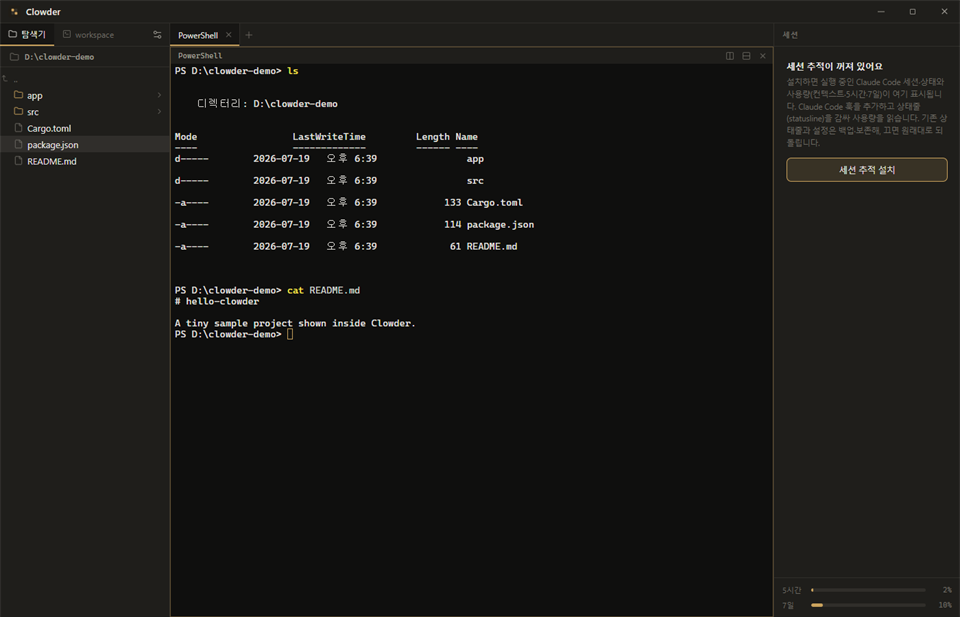
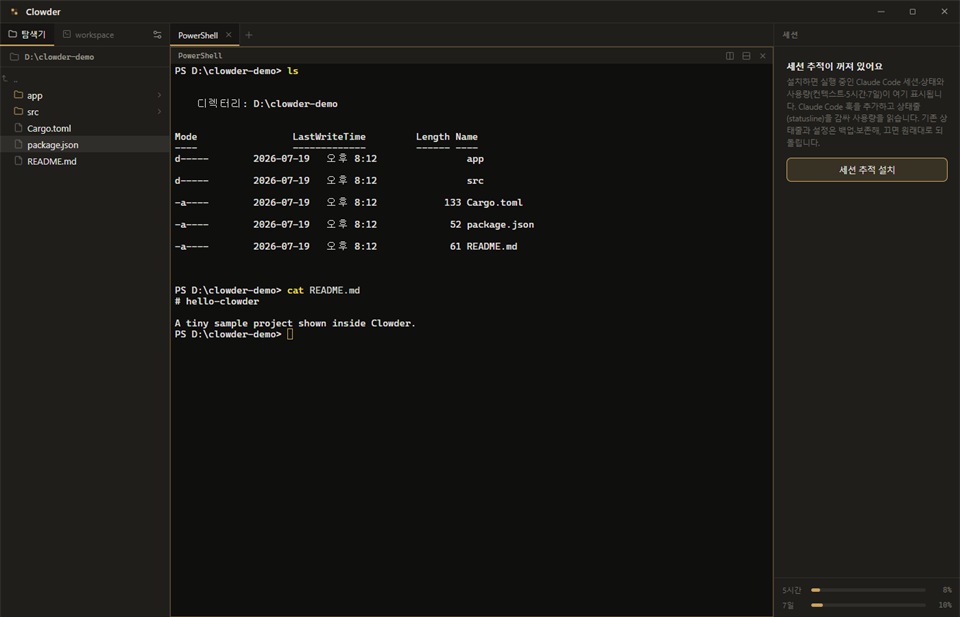
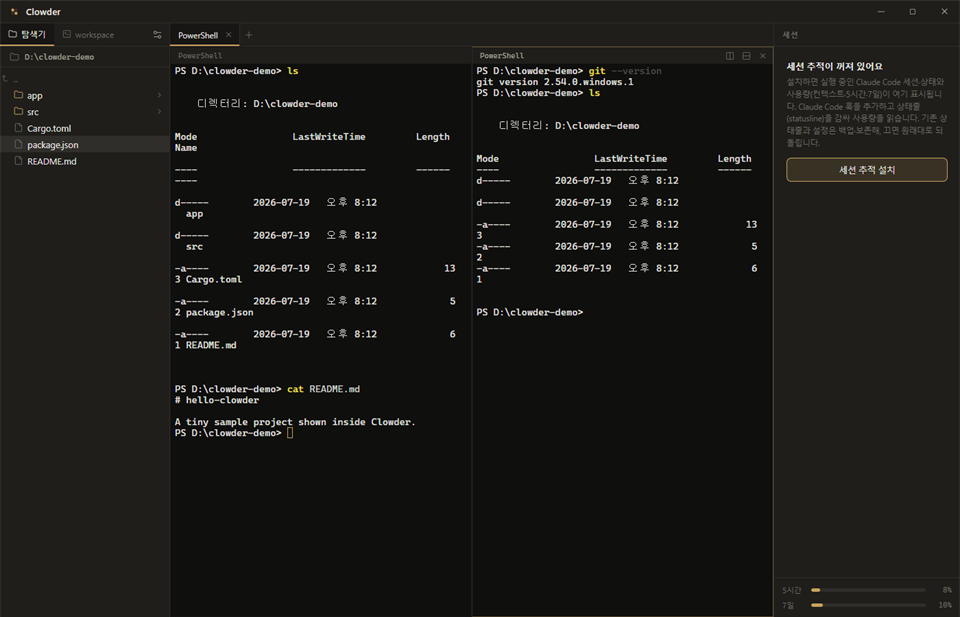
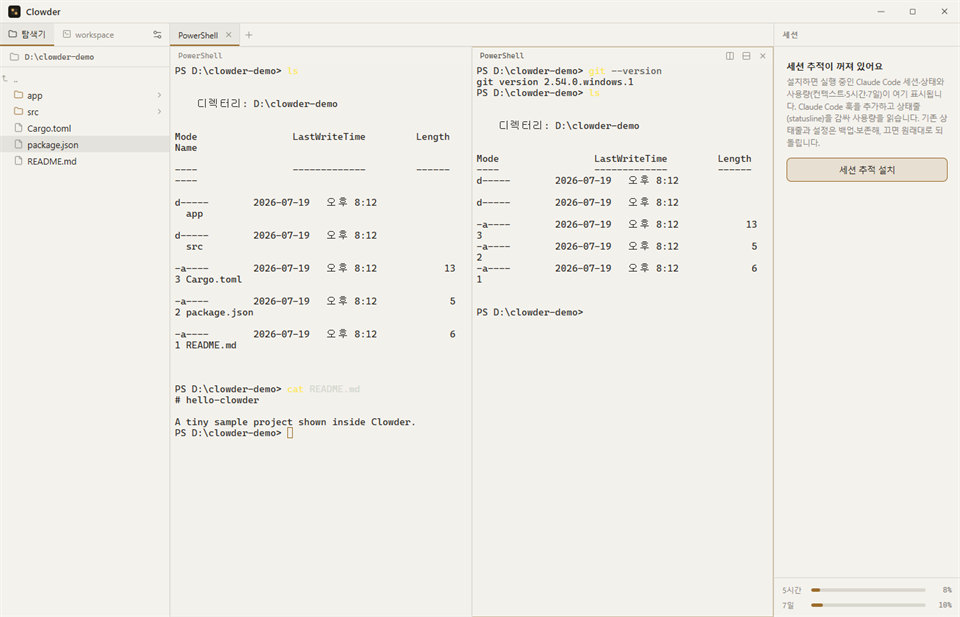
Open a terminal straight from a folder and split panes to lay work out side by side (PowerShell or bash). Terminals live in a keep-alive pool, so they survive tab switches, and CJK output stays intact. Ctrl+V pastes, Shift+drag selects part of the screen — and copy works even in a fullscreen TUI.
VS Code’s explorer is tied to the folder you opened; Clowder’s full file explorer isn’t. Browse anywhere with a single-folder navigator, while the workspace tree follows wherever your active terminal is.
The right rail is a space you fill with the panels you need. Check which ports are listening and kill one with a click (fixes “port 3000 already in use”), read the git status of the active terminal’s folder, connect to an SSH host, work with Docker containers and Kubernetes pods, run a folder’s npm / Make / just scripts, or save commands you use often and re-run them. Every panel’s action leads back to a terminal — connecting, exec’ing, and running all open in a new terminal pane. Panels for tools you don’t have installed hide themselves.
Install the sessions panel to see each running Claude Code session’s status (awaiting permission · waiting · working · idle), its subagents, and context / usage at a glance. It’s one click to install, and your Claude Code settings are backed up and fully restorable at any time. Each card shows the session’s name, and a session that was killed — or any recent session — resumes right where it left off with one click. The recent list works even without session tracking installed.
Read local Markdown and HTML (with math and diagrams) in the built-in viewer — it holds your reading position across tab switches — and work comfortably with deep-dark and light themes and an accent color. The terminal palette is its own setting, separate from the app theme. The UI is available in English and Korean — it follows your system language and switches instantly in settings, with no restart.
It starts fast, stays out of your way, and keeps your data entirely on your device — free for personal and commercial use alike.
Από τον προγραμματιστή
Λίστες 0
-
 Clowder
Πόντοι 0
-

- +1 Πόντος

Κατατάξεις 0
-
- Η βαθμολογία σας
Προγραμματιστής 7
- SlnU
- Ακόλουθοι: 0
- Πλατφόρμες: Windows Εφαρμογές (7)
- Προσφορές: 0
- Λίστες: 0 0
- Πόντοι: 0
- Κατατάξεις: 0
- Σχόλια: 0
- Βίντεο: 0
- RSS: Εγγραφή
Τι νέο υπάρχει
- Έκδοση: PC
- Τελευταία ενημέρωση:
- Resume sessions — a Claude Code session that was killed can be picked up again from the sessions panel. Click “Resume” on an ended card, or any entry under “Recent sessions”, and the conversation continues in a new tab in its original folder.
Session names — session cards and the recent list show each session’s name: the one you gave it, or else the title Claude Code generated.
- A crashed program no longer leaves the terminal broken — when a fullscreen program such as Claude Code was killed, moving the mouse could type characters, push CPU up, and leave the screen stuck. The terminal now puts itself back to normal as soon as the shell prompt returns.
Reset terminal — if anything still looks wrong, “Reset terminal” in the terminal’s right-click menu clears the screen, terminal modes and the input line at once.
Open in File Explorer — from the explorer’s right-click menu, a folder opens straight in Windows File Explorer, and a file opens its folder with the file selected.
Πρόσθετες πληροφορίες
- Ημερομηνία κυκλοφορίας:
- Κατηγορία:
Εφαρμογές για Windows›Εργαλεία προγραμματισμού - Λειτουργικό σύστημα:
PC - Μέγεθος:
5 Mb - Υποστηριζόμενες γλώσσες:
Αγγλικά,Κορεατικά - Αξιολόγηση περιεχομένου:
EVERYONE - Windows Store Βαθμολογία: ¡
0
Βαθμολογία AppAgg
Εκτιμώμενη βαθμολογία AppAgg για
Clowder
Προγραμματιστής: SlnU
Η υψηλότερη βαθμολογία συνήθως αντανακλά ισχυρότερους δείκτες στο AppAgg.
Βασισμένο σε: δημοτικότητα · αξιολογήσεις χρηστών · επικαιρότητα · προσφορές · δεδομένα καταστημάτων · δραστηριότητα κοινότητας
Υπολογίζεται εκ νέου καθημερινά με βάση τα πιο πρόσφατα δεδομένα του AppAgg.
Σχόλια 0 ¡
Κοινή χρήση
Clowder Σύντομο URL: Αντιγράφηκε!- Windows Store

