
Bookmark
| Pengembang: | SlnU (7) | ||
| Harga: | Gratis | ||
| Skor: | 600 Perak | ||
| Peringkat: | 0 | ||
| Komentar: | 0 Kirimkan komentar | ||
| Daftar: | 0 0 | ||
| Poin: | 0 | ||
| +1 Poin | |||
Ringkasan
Kenalan dulu dengan Clowder, aplikasi buatan SlnU di kategori Alat pengembang.
Rilis , masih cukup segar.
Gratis, tanpa iklan, tanpa pembelian dalam aplikasi. Cuma kamu dan aplikasinya.
Microsoft Store sudah jadi bawaan Windows, jadi bisa dipasang dalam beberapa klik.
Skor AppAgg-nya 600. Perak, dan itu sama sekali tidak buruk.
Cuma 5 megabyte, muat bahkan di penyimpanan yang sudah penuh.
Rating usia “EVERYONE”, jadi aman juga untuk anak-anak.
Menguasai 2 bahasa, tapi bahasa Indonesia belum termasuk.
Masih sunyi senyap di sini, belum ada nilai, belum ada komentar. Yuk, pecahkan keheningannya.
Pengembang ini punya 6 aplikasi lagi di AppAgg. Layak dilihat.
Mau jadi yang pertama tahu soal pembaruan dan aplikasi baru? Ikuti pengembang atau berlangganan lewat Umpan RSS. Notifikasi push dikirim lewat aplikasi AppAgg Alerts untuk Android dan iOS.
Jepretan layar 4
Platform lain 0
Riwayat harga 0
- Harga saat ini: Gratis
- Minimum: Gratis
- Maksimum: Gratis
Feed Anda sendiri di beranda
Deskripsi

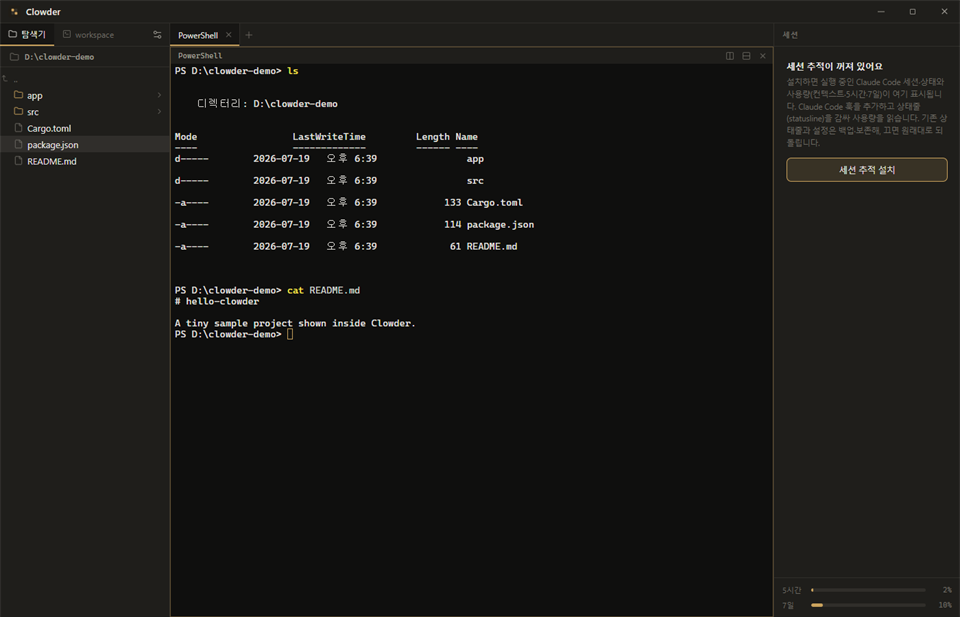
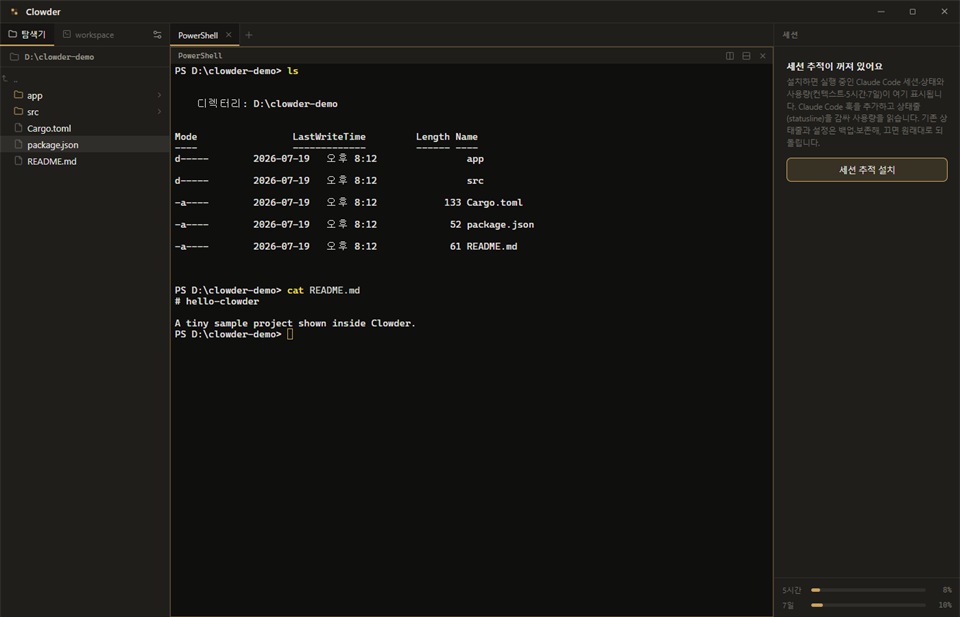
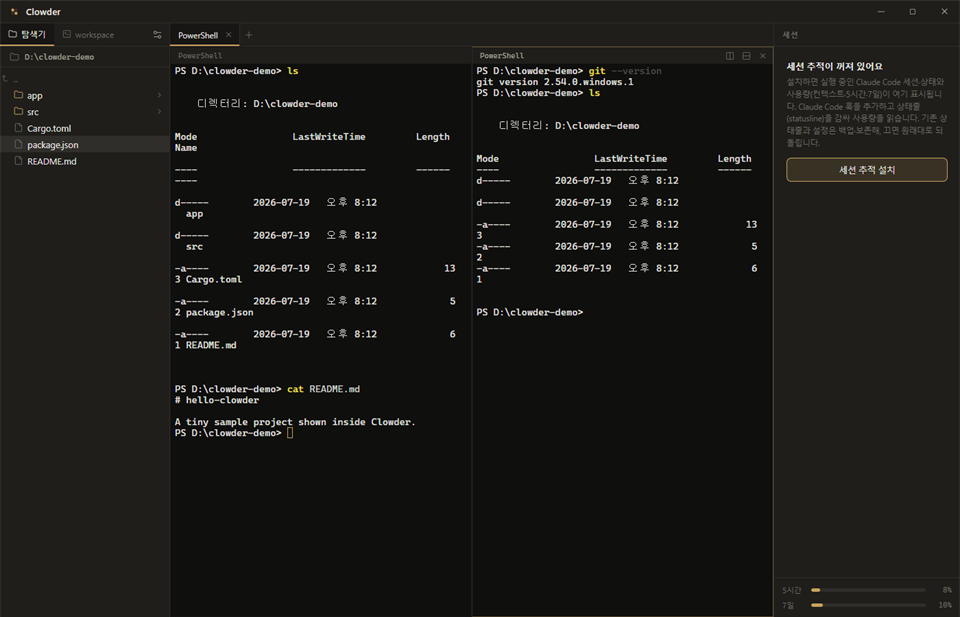
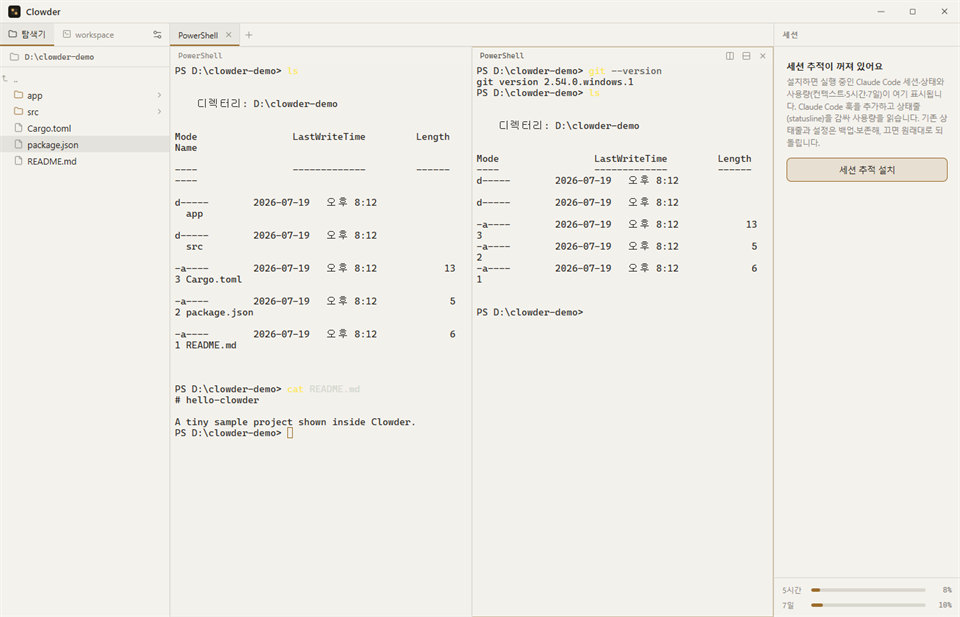
Open a terminal straight from a folder and split panes to lay work out side by side (PowerShell or bash). Terminals live in a keep-alive pool, so they survive tab switches, and CJK output stays intact. Ctrl+V pastes, Shift+drag selects part of the screen — and copy works even in a fullscreen TUI.
VS Code’s explorer is tied to the folder you opened; Clowder’s full file explorer isn’t. Browse anywhere with a single-folder navigator, while the workspace tree follows wherever your active terminal is.
The right rail is a space you fill with the panels you need. Check which ports are listening and kill one with a click (fixes “port 3000 already in use”), read the git status of the active terminal’s folder, connect to an SSH host, work with Docker containers and Kubernetes pods, run a folder’s npm / Make / just scripts, or save commands you use often and re-run them. Every panel’s action leads back to a terminal — connecting, exec’ing, and running all open in a new terminal pane. Panels for tools you don’t have installed hide themselves.
Install the sessions panel to see each running Claude Code session’s status (awaiting permission · waiting · working · idle), its subagents, and context / usage at a glance. It’s one click to install, and your Claude Code settings are backed up and fully restorable at any time. Each card shows the session’s name, and a session that was killed — or any recent session — resumes right where it left off with one click. The recent list works even without session tracking installed.
Read local Markdown and HTML (with math and diagrams) in the built-in viewer — it holds your reading position across tab switches — and work comfortably with deep-dark and light themes and an accent color. The terminal palette is its own setting, separate from the app theme. The UI is available in English and Korean — it follows your system language and switches instantly in settings, with no restart.
It starts fast, stays out of your way, and keeps your data entirely on your device — free for personal and commercial use alike.
Dari developer
Daftar 0
-
 Clowder
Poin 0
-

- +1 Poin

Peringkat 0
-
- Rating Anda
Pengembang 7
- SlnU
- Pengikut: 0
- Platform: Windows Aplikasi (7)
- Diskon: 0
- Daftar: 0 0
- Poin: 0
- Peringkat: 0
- Komentar: 0
- Video: 0
- RSS: Berlangganan
Yang Baru
- Versi: PC
- Terakhir diperbarui:
- Resume sessions — a Claude Code session that was killed can be picked up again from the sessions panel. Click “Resume” on an ended card, or any entry under “Recent sessions”, and the conversation continues in a new tab in its original folder.
Session names — session cards and the recent list show each session’s name: the one you gave it, or else the title Claude Code generated.
- A crashed program no longer leaves the terminal broken — when a fullscreen program such as Claude Code was killed, moving the mouse could type characters, push CPU up, and leave the screen stuck. The terminal now puts itself back to normal as soon as the shell prompt returns.
Reset terminal — if anything still looks wrong, “Reset terminal” in the terminal’s right-click menu clears the screen, terminal modes and the input line at once.
Open in File Explorer — from the explorer’s right-click menu, a folder opens straight in Windows File Explorer, and a file opens its folder with the file selected.
Info tambahan
- Tanggal rilis:
- Kategori:
Aplikasi Windows›Alat pengembang - OS:
PC - Ukuran:
5 Mb - Bahasa yang didukung:
Inggris,Korea - Rating Konten:
EVERYONE - Windows Store Rating: ¡
0
Skor AppAgg
Perkiraan Skor AppAgg untuk
Clowder
Pengembang: SlnU
Skor yang lebih tinggi biasanya menunjukkan indikator yang lebih kuat di AppAgg.
Berdasarkan: popularitas · rating pengguna · kebaruan · promo · data toko · aktivitas komunitas
Dihitung ulang setiap hari dari data AppAgg terbaru.
Komentar 0 ¡
Bagikan
Clowder URL singkat: Disalin!- Windows Store

