
북마크
이 북마크의 제목을 입력하세요.
북마크가 저장되었습니다
요약
소개합니다. SlnU에서 만든 ‘개발자 도구’ 카테고리 앱, Clowder.
에 출시됐어요. 아직 꽤 따끈따끈해요.
무료. 광고도 인앱 구매도 없어요. 앱에만 집중하면 돼요.
Microsoft Store는 Windows에 기본으로 들어 있어서 클릭 몇 번이면 설치돼요.
AppAgg 점수는 600. 실버 등급, 이 정도면 꽤 괜찮아요.
겨우 5메가바이트. 꽉 찬 드라이브에도 쏙 들어가요.
연령 등급은 ‘EVERYONE’, 아이들에게도 괜찮아요.
2개 언어를 지원하고, 한국어도 있어요.
아직 여기는 조용해요. 평점도, 댓글도 없어요. 침묵을 깨 주세요.
이 개발자의 앱이 AppAgg에 6개 더 있어요. 한번 둘러보세요.
업데이트와 새 앱 소식을 가장 먼저 받고 싶나요? 개발자를 팔로우하거나 RSS 피드를 구독하세요. 푸시 알림은 Android와 iOS용 AppAgg Alerts 앱으로 받을 수 있어요.
광고
스크린샷 4
다른 플랫폼 0
가격 기록 0
- 현재 가격: 무료
- 최소: 무료
- 최대: 무료
홈 화면의 나만의 피드
“신규 및 업데이트” 피드의 플랫폼을 선택하면 홈 화면에 필요한 앱과 게임만 표시됩니다.
설명

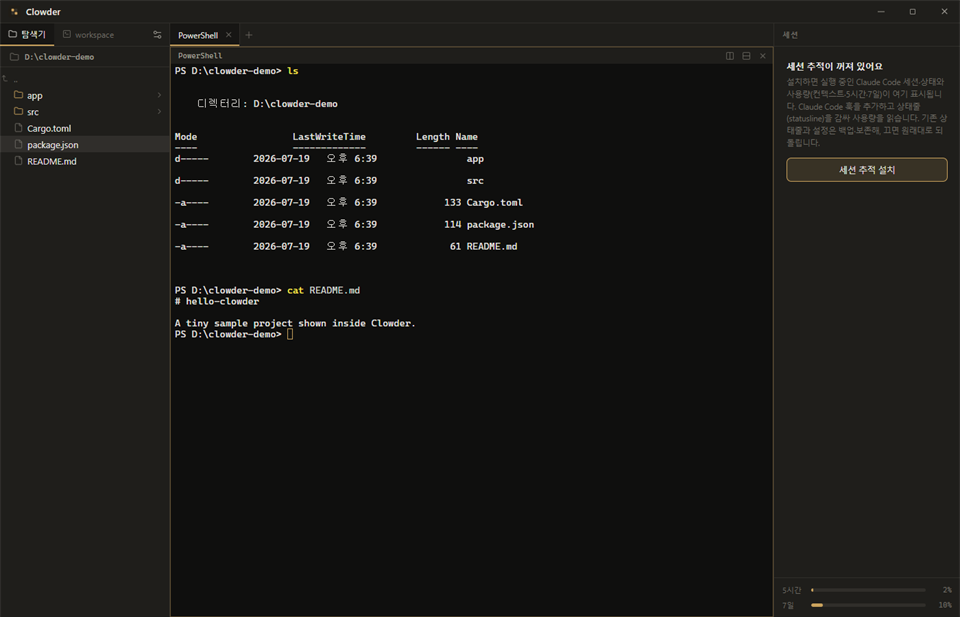
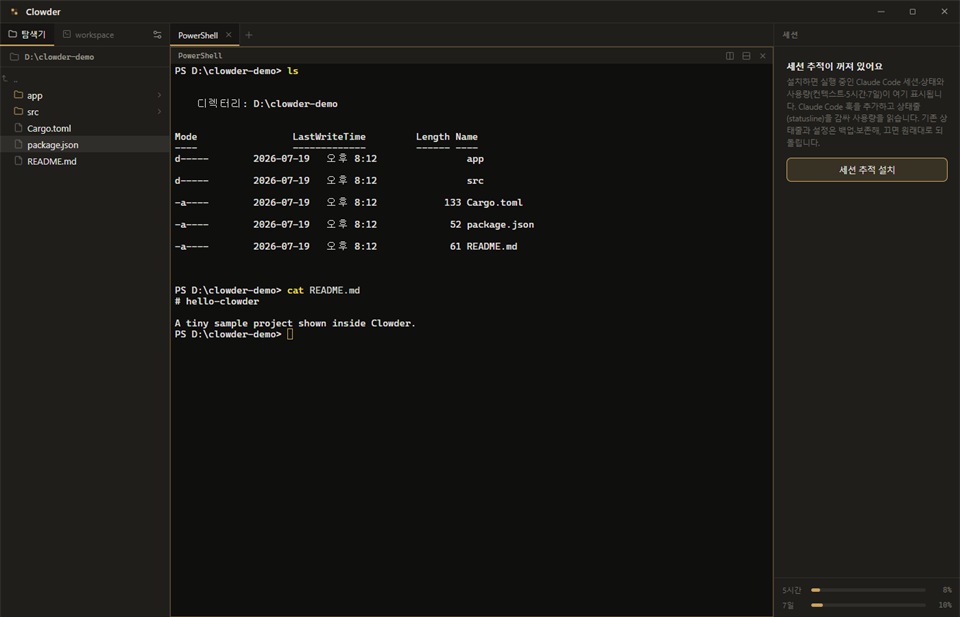
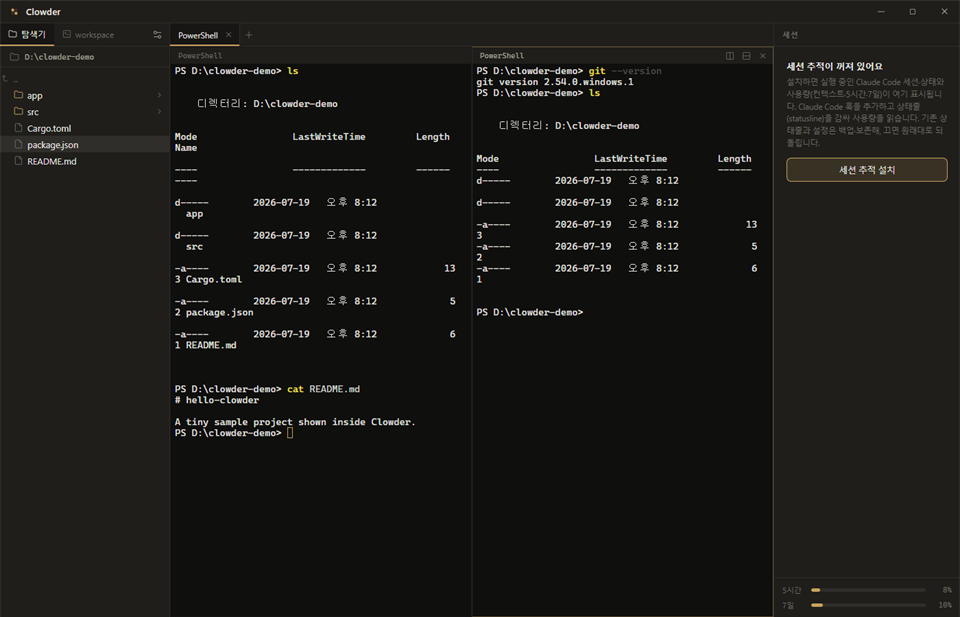
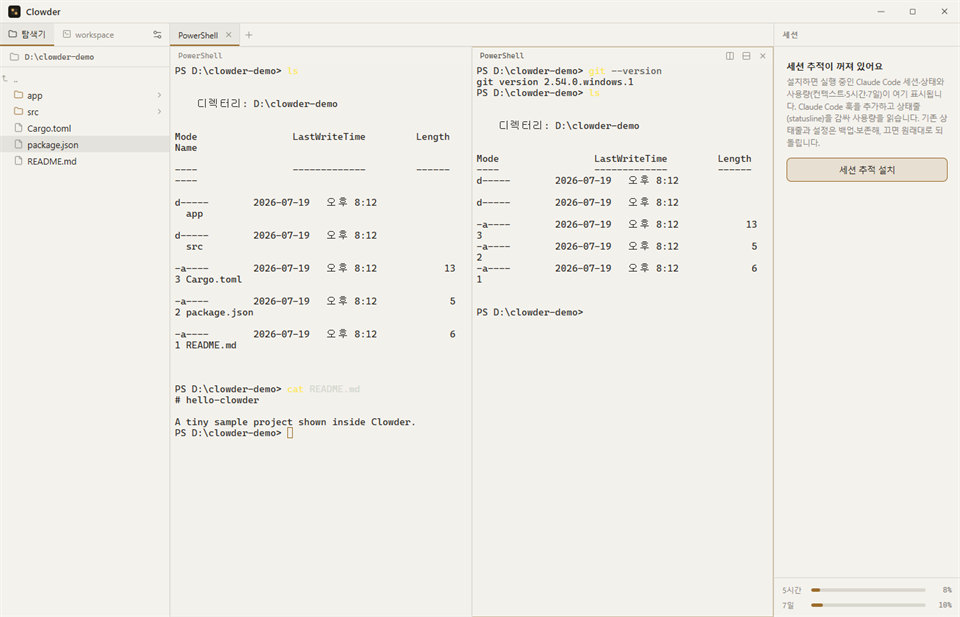
Open a terminal straight from a folder and split panes to lay work out side by side (PowerShell or bash). Terminals live in a keep-alive pool, so they survive tab switches, and CJK output stays intact. Ctrl+V pastes, Shift+drag selects part of the screen — and copy works even in a fullscreen TUI.
VS Code’s explorer is tied to the folder you opened; Clowder’s full file explorer isn’t. Browse anywhere with a single-folder navigator, while the workspace tree follows wherever your active terminal is.
The right rail is a space you fill with the panels you need. Check which ports are listening and kill one with a click (fixes “port 3000 already in use”), read the git status of the active terminal’s folder, connect to an SSH host, work with Docker containers and Kubernetes pods, run a folder’s npm / Make / just scripts, or save commands you use often and re-run them. Every panel’s action leads back to a terminal — connecting, exec’ing, and running all open in a new terminal pane. Panels for tools you don’t have installed hide themselves.
Install the sessions panel to see each running Claude Code session’s status (awaiting permission · waiting · working · idle), its subagents, and context / usage at a glance. It’s one click to install, and your Claude Code settings are backed up and fully restorable at any time. Each card shows the session’s name, and a session that was killed — or any recent session — resumes right where it left off with one click. The recent list works even without session tracking installed.
Read local Markdown and HTML (with math and diagrams) in the built-in viewer — it holds your reading position across tab switches — and work comfortably with deep-dark and light themes and an accent color. The terminal palette is its own setting, separate from the app theme. The UI is available in English and Korean — it follows your system language and switches instantly in settings, with no restart.
It starts fast, stays out of your way, and keeps your data entirely on your device — free for personal and commercial use alike.
개발자 소식
개발자이신가요?
페이지 맨 위에 소식을 올리면 팔로워에게 이메일로 전달됩니다. YouTube 동영상을 추가하면 “동영상” 블록 맨 앞에 표시됩니다.
목록 0
-
 Clowder
포인트 0
-

- +1 포인트

순위 0
-
- 내 평점
새로운 기능
- 버전: PC
- 마지막 업데이트:
- Resume sessions — a Claude Code session that was killed can be picked up again from the sessions panel. Click “Resume” on an ended card, or any entry under “Recent sessions”, and the conversation continues in a new tab in its original folder.
Session names — session cards and the recent list show each session’s name: the one you gave it, or else the title Claude Code generated.
버전 기록
- A crashed program no longer leaves the terminal broken — when a fullscreen program such as Claude Code was killed, moving the mouse could type characters, push CPU up, and leave the screen stuck. The terminal now puts itself back to normal as soon as the shell prompt returns.
Reset terminal — if anything still looks wrong, “Reset terminal” in the terminal’s right-click menu clears the screen, terminal modes and the input line at once.
Open in File Explorer — from the explorer’s right-click menu, a folder opens straight in Windows File Explorer, and a file opens its folder with the file selected.
추가 정보
AppAgg 점수
600
AppAgg 예상 점수:
Clowder
개발자: SlnU
600 실버
점수가 높을수록 대체로 AppAgg의 여러 지표에서 좋은 결과를 보인다는 뜻입니다.
기준: 인기 · 사용자 평점 · 최신성 · 할인 · 스토어 데이터 · 커뮤니티 활동
최신 AppAgg 데이터를 바탕으로 매일 다시 계산됩니다.
웹사이트용 배지:  복사됨!
댓글 0 ¡
가장 먼저 댓글을 남겨주세요
공유하기
Clowder 단축 URL: 복사됨!- Windows Store


