
Dấu trang
| Nhà phát triển: | SlnU (7) | ||
| Giá: | Miễn phí | ||
| Điểm tổng hợp: | 600 Bạc | ||
| Bảng xếp hạng: | 0 | ||
| Bình luận: | 0 Đăng bình luận | ||
| Danh sách: | 0 0 | ||
| Điểm: | 0 | ||
| +1 Điểm | |||
Tóm tắt
Làm quen với Clowder, ứng dụng thuộc danh mục Công cụ cho nhà phát triển đến từ SlnU.
Ra mắt , vẫn còn khá nóng hổi.
Miễn phí, không quảng cáo, không mua hàng trong ứng dụng. Chỉ có bạn và ứng dụng.
Microsoft Store có sẵn trong Windows, nên cài chỉ mất vài cú nhấp.
Điểm tổng hợp AppAgg là 600. Hạng Bạc, vậy là không tệ chút nào.
Chỉ 5 megabyte, ổ đĩa đầy vẫn chứa vừa.
Xếp hạng độ tuổi “EVERYONE”, nên trẻ em cũng dùng được.
Biết 2 thứ tiếng, nhưng vẫn chưa có tiếng Việt.
Ở đây vẫn im phăng phắc, chưa có đánh giá, chưa có bình luận. Hãy phá vỡ sự im lặng.
Nhà phát triển còn 6 ứng dụng khác trên AppAgg. Đáng xem đấy.
Muốn biết sớm nhất về cập nhật và ứng dụng mới? Hãy theo dõi nhà phát triển hoặc đăng ký nguồn RSS. Thông báo đẩy được gửi qua ứng dụng AppAgg Alerts cho Android và iOS.
Ảnh chụp màn hình 4
Nền tảng khác 0
Lịch sử giá 0
- Giá hiện tại: Miễn phí
- Tối thiểu: Miễn phí
- Tối đa: Miễn phí
Bảng tin riêng của bạn trên trang chủ
Mô tả

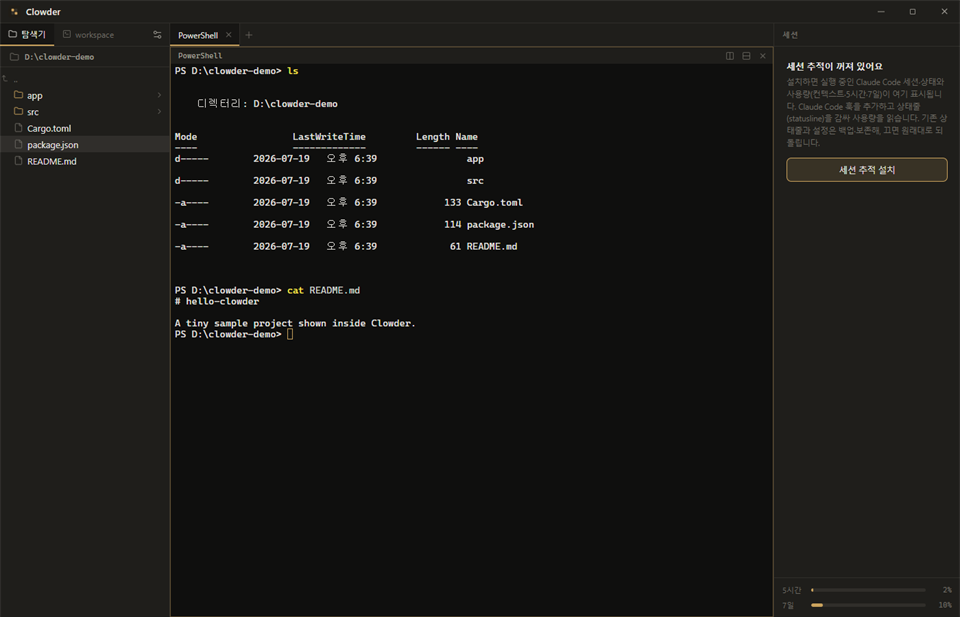
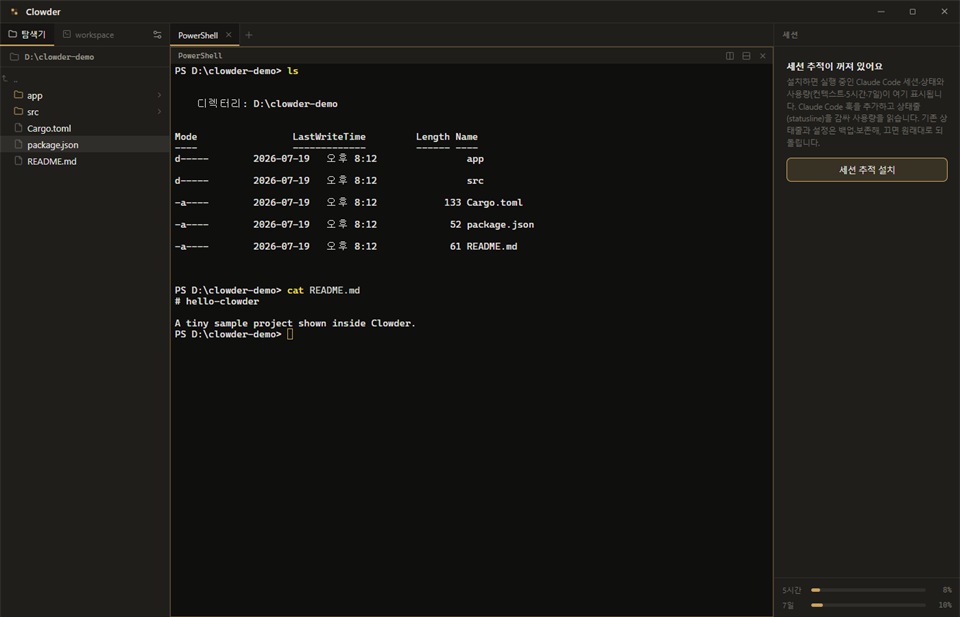
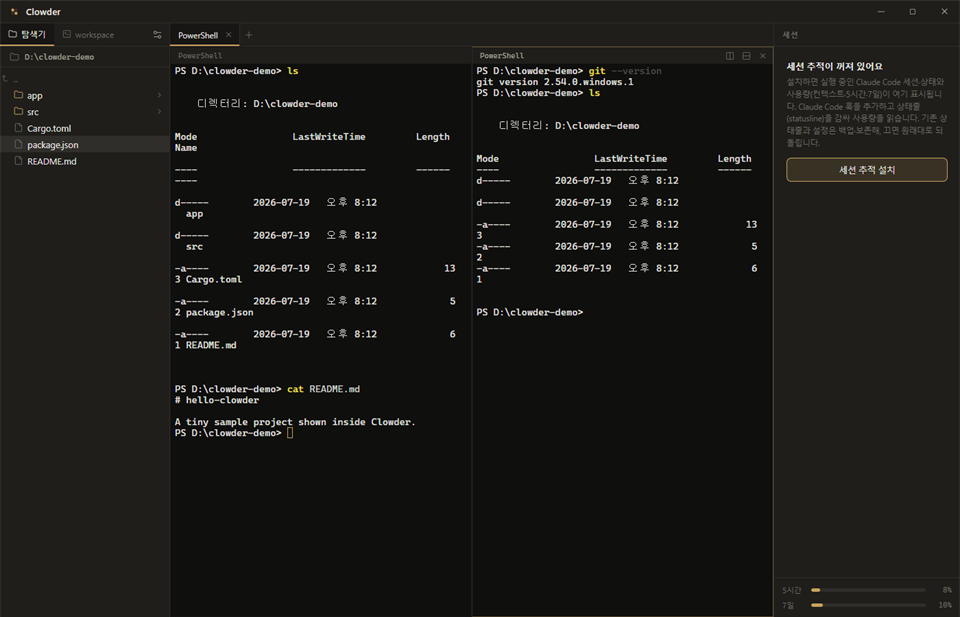
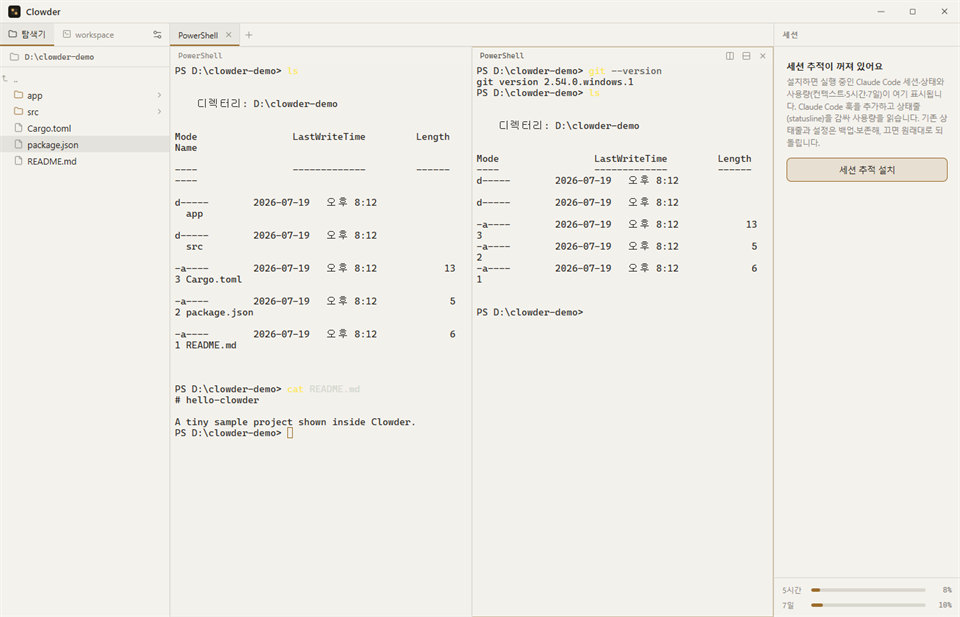
Open a terminal straight from a folder and split panes to lay work out side by side (PowerShell or bash). Terminals live in a keep-alive pool, so they survive tab switches, and CJK output stays intact. Ctrl+V pastes, Shift+drag selects part of the screen — and copy works even in a fullscreen TUI.
VS Code’s explorer is tied to the folder you opened; Clowder’s full file explorer isn’t. Browse anywhere with a single-folder navigator, while the workspace tree follows wherever your active terminal is.
The right rail is a space you fill with the panels you need. Check which ports are listening and kill one with a click (fixes “port 3000 already in use”), read the git status of the active terminal’s folder, connect to an SSH host, work with Docker containers and Kubernetes pods, run a folder’s npm / Make / just scripts, or save commands you use often and re-run them. Every panel’s action leads back to a terminal — connecting, exec’ing, and running all open in a new terminal pane. Panels for tools you don’t have installed hide themselves.
Install the sessions panel to see each running Claude Code session’s status (awaiting permission · waiting · working · idle), its subagents, and context / usage at a glance. It’s one click to install, and your Claude Code settings are backed up and fully restorable at any time. Each card shows the session’s name, and a session that was killed — or any recent session — resumes right where it left off with one click. The recent list works even without session tracking installed.
Read local Markdown and HTML (with math and diagrams) in the built-in viewer — it holds your reading position across tab switches — and work comfortably with deep-dark and light themes and an accent color. The terminal palette is its own setting, separate from the app theme. The UI is available in English and Korean — it follows your system language and switches instantly in settings, with no restart.
It starts fast, stays out of your way, and keeps your data entirely on your device — free for personal and commercial use alike.
Từ nhà phát triển
Danh sách 0
-
 Clowder
Điểm 0
-

- +1 Điểm

Bảng xếp hạng 0
-
- Điểm bạn chấm
Nhà phát triển 7
- SlnU
- Người theo dõi: 0
- Nền tảng: Windows Ứng dụng (7)
- Giảm giá: 0
- Danh sách: 0 0
- Điểm: 0
- Bảng xếp hạng: 0
- Bình luận: 0
- Video: 0
- RSS: Đăng ký
Tính năng mới
- Phiên bản: PC
- Cập nhật lần cuối:
- Resume sessions — a Claude Code session that was killed can be picked up again from the sessions panel. Click “Resume” on an ended card, or any entry under “Recent sessions”, and the conversation continues in a new tab in its original folder.
Session names — session cards and the recent list show each session’s name: the one you gave it, or else the title Claude Code generated.
- A crashed program no longer leaves the terminal broken — when a fullscreen program such as Claude Code was killed, moving the mouse could type characters, push CPU up, and leave the screen stuck. The terminal now puts itself back to normal as soon as the shell prompt returns.
Reset terminal — if anything still looks wrong, “Reset terminal” in the terminal’s right-click menu clears the screen, terminal modes and the input line at once.
Open in File Explorer — from the explorer’s right-click menu, a folder opens straight in Windows File Explorer, and a file opens its folder with the file selected.
Thông tin bổ sung
- Ngày phát hành:
- Danh mục:
Ứng dụng cho Windows›Công cụ cho nhà phát triển - HĐH:
PC - Kích thước:
5 Mb - Ngôn ngữ được hỗ trợ:
Tiếng Anh,Tiếng Hàn - Xếp hạng nội dung:
EVERYONE - Windows Store Điểm đánh giá: ¡
0
Điểm tổng hợp AppAgg
Điểm tổng hợp AppAgg ước tính cho
Clowder
Nhà phát triển: SlnU
Điểm cao hơn thường cho thấy các chỉ số trên AppAgg tốt hơn.
Dựa trên: độ phổ biến · đánh giá của người dùng · độ mới · ưu đãi · dữ liệu cửa hàng · hoạt động cộng đồng
Được tính lại hằng ngày từ dữ liệu AppAgg mới nhất.
Bình luận 0 ¡
Chia sẻ
Clowder URL ngắn: Đã sao chép!- Windows Store

