
Könyvjelzők
Válassz címet ennek a könyvjelzőnek.
Könyvjelző mentve
| Fejlesztő: | MaksIT (1) | ||
| Ár: | Ingyenes Új | ||
| Pontszám: | 1,130 Ezüst | ||
| Rangsorok: | 0 | ||
| Hozzászólások: | 0 Hozzászólás közzététele | ||
| Listák: | 0 + 0 | ||
| Pontok: | 0 + 0 ¡ | ||
| +1 Pontok | |||
Képernyőképek
Hirdetés
Ismertető

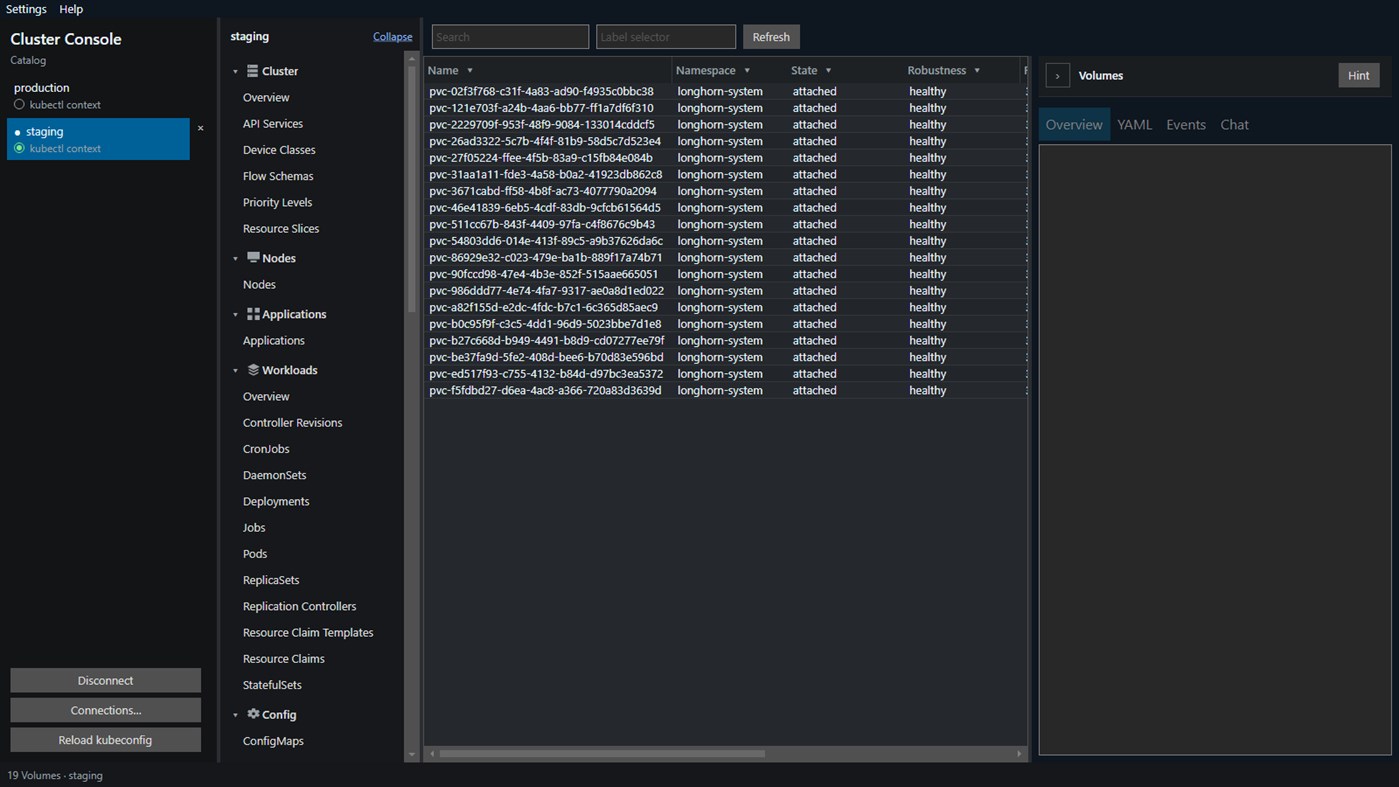
Connect with the kubeconfig you already use. What you can see and change is exactly what that identity is allowed to do. Click a catalog row to open that context in this app. The radio beside the row only writes kubectl current-context, so the command line can follow. This app does not read that field. Several contexts can stay open here while kubectl still has one current context.
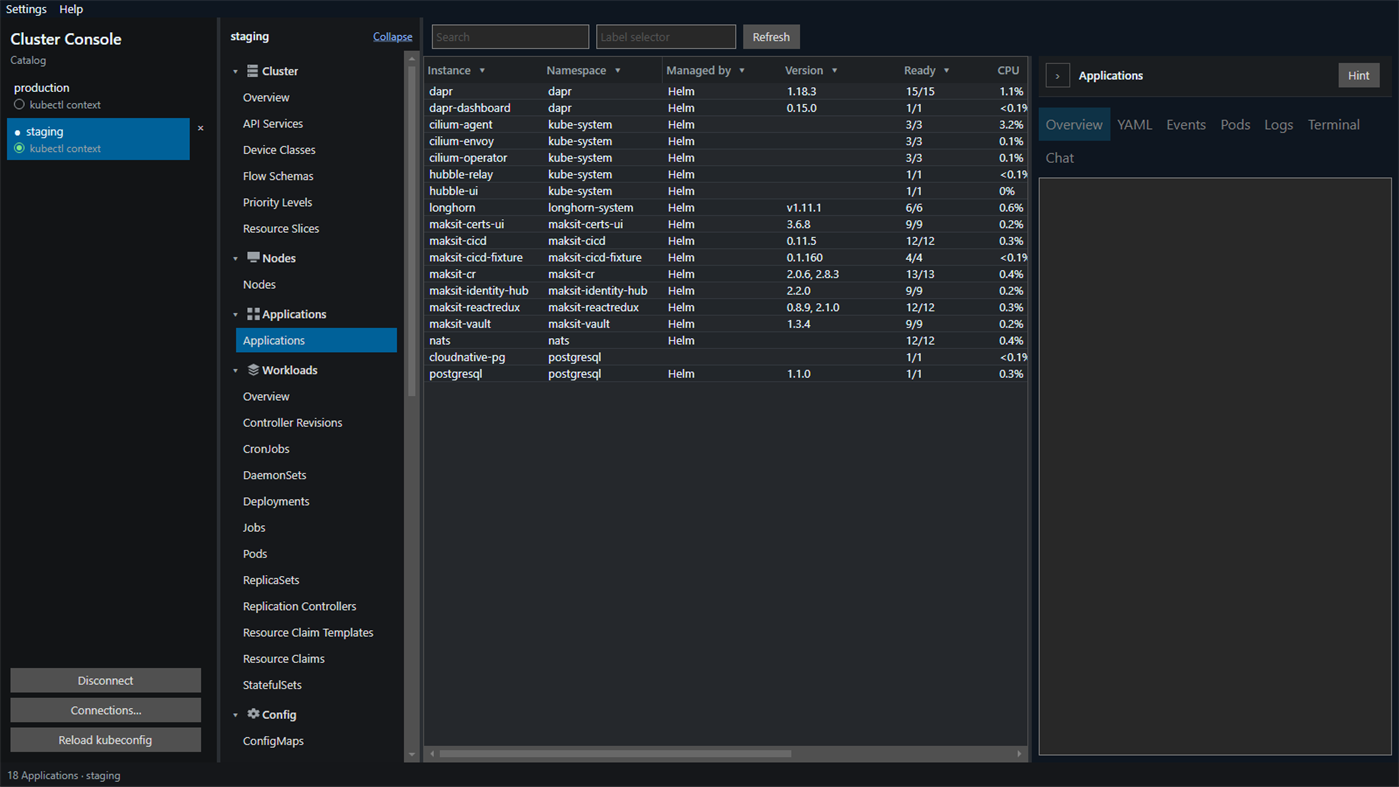
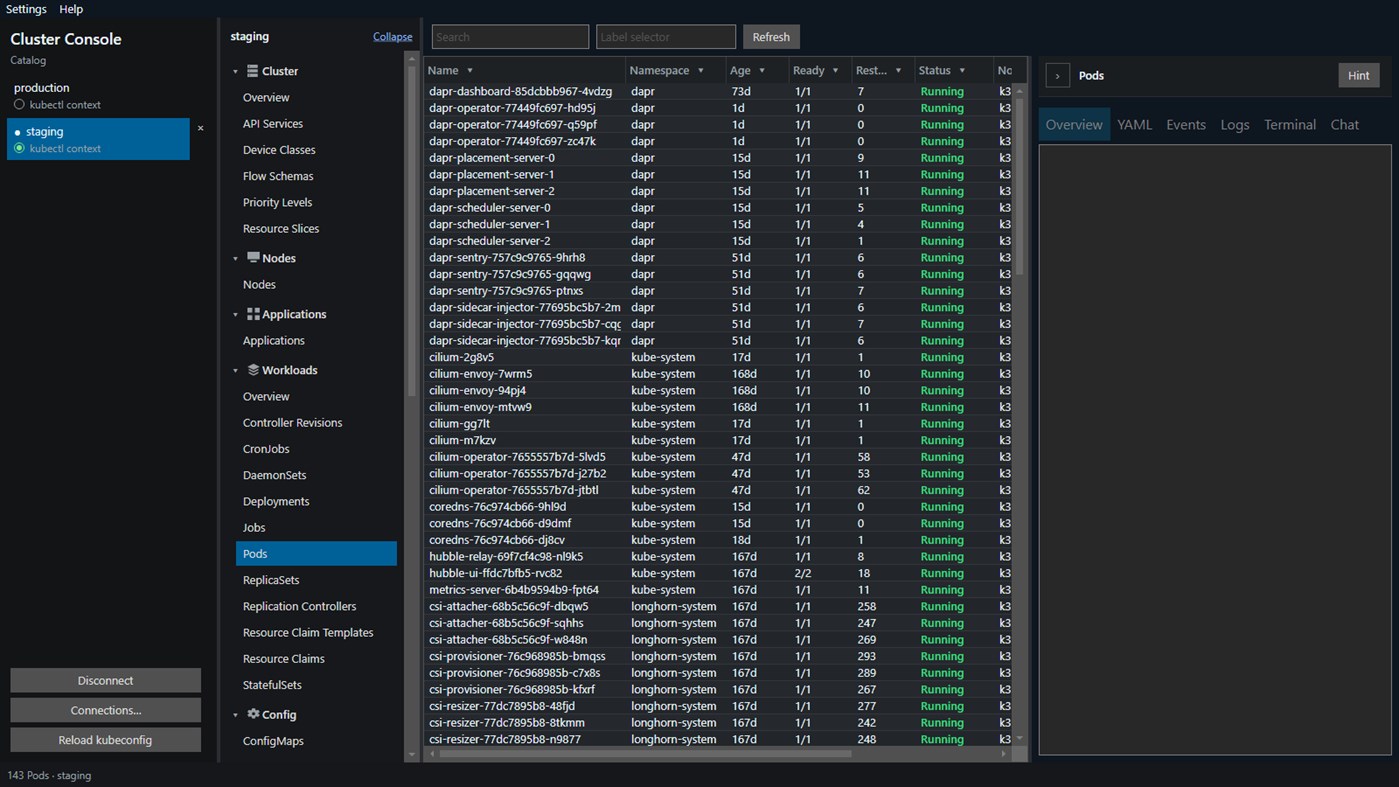
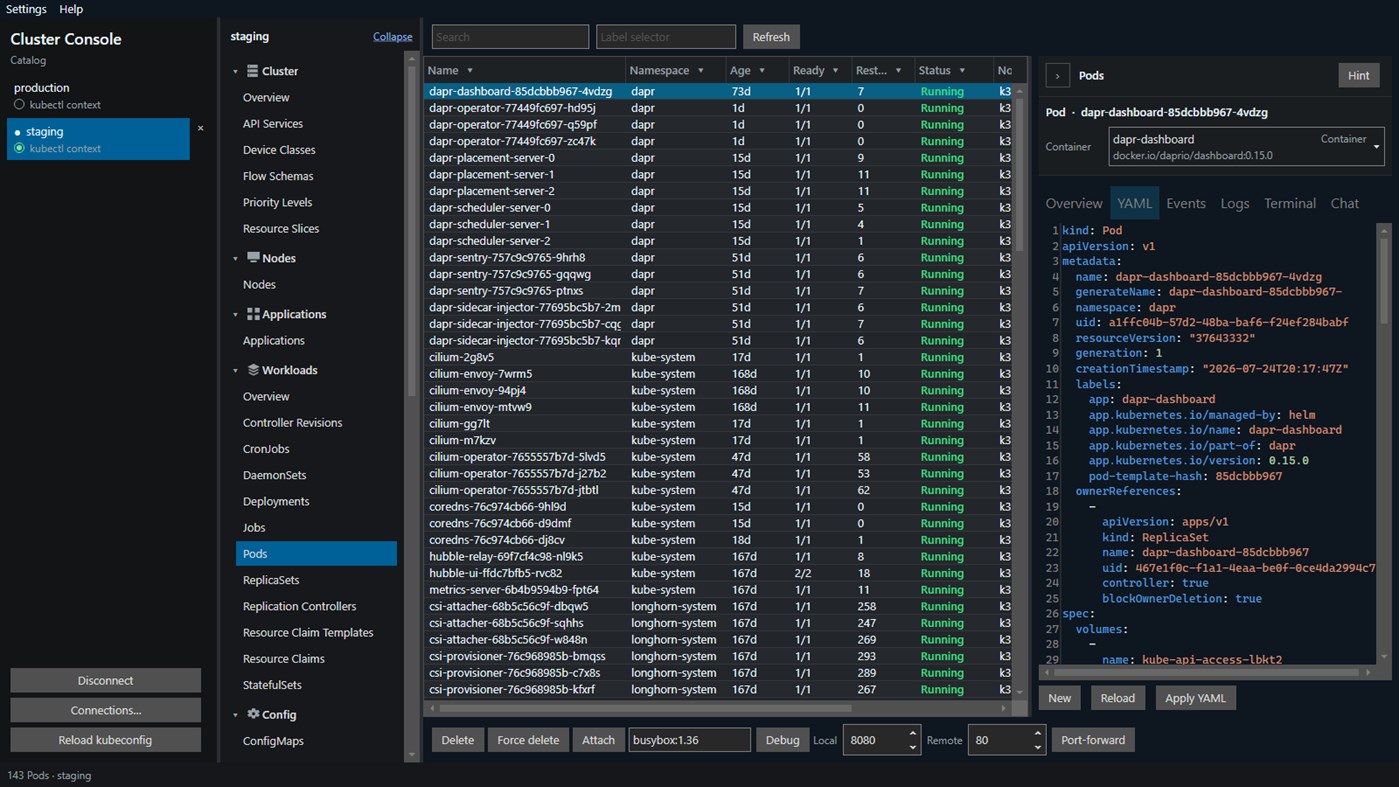
Move through the cluster from one navigator: cluster and nodes, applications, workloads, config, network, storage, namespaces, events, Helm releases, Dapr, access control, and custom resources, including CRDs already installed. Longhorn volumes and nodes, and CloudNativePG clusters, appear when those APIs are installed. Several contexts can stay connected. Add a context with a token, a client certificate, pasted k3s certificate data, or a username and password. The open table watches the API, and a label selector is sent with the list. Search filters the rows already loaded. Filters and sort stay per cluster. Selecting several rows runs a footer action on each of them. Custom resource tables show extra columns from the CRD. Open a row for YAML, events, and status. Hint explains the kind on screen.
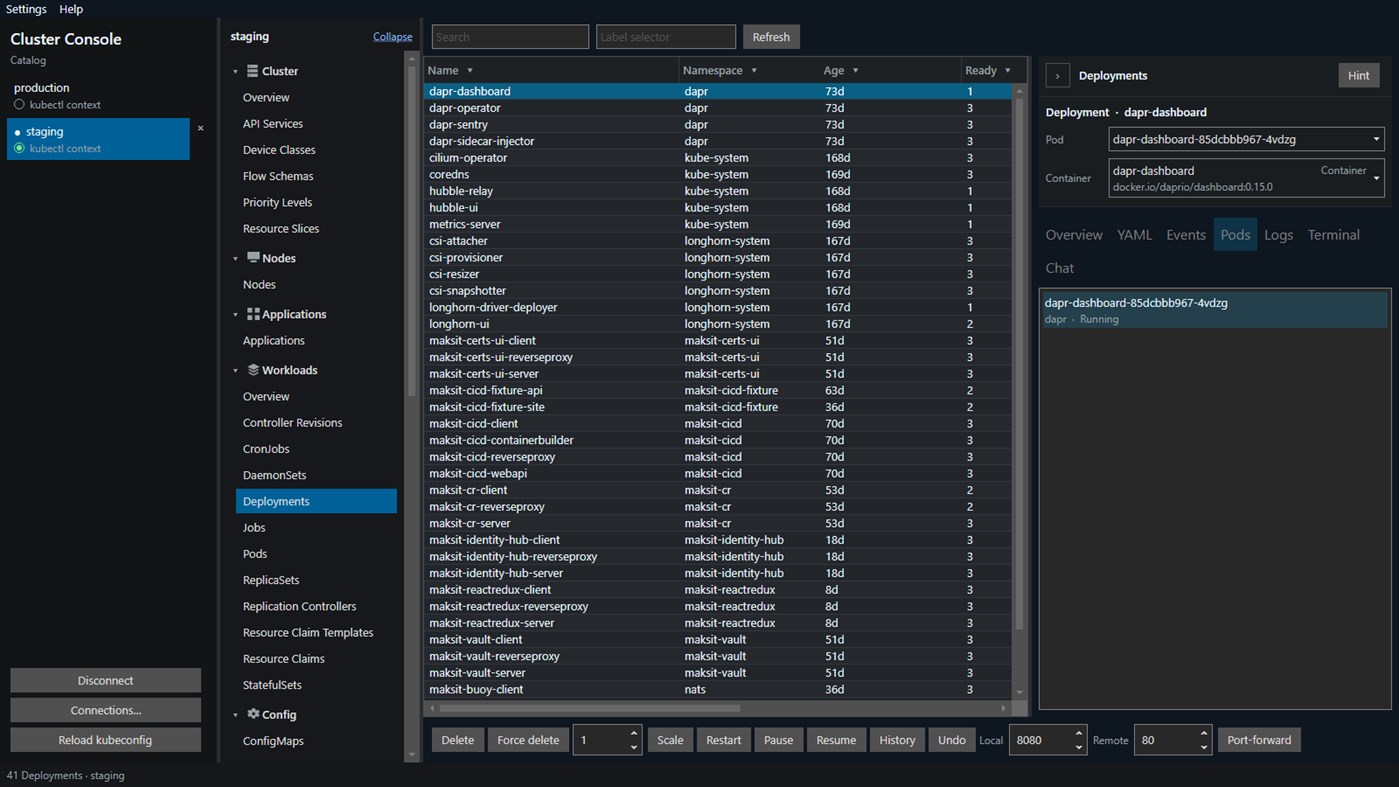
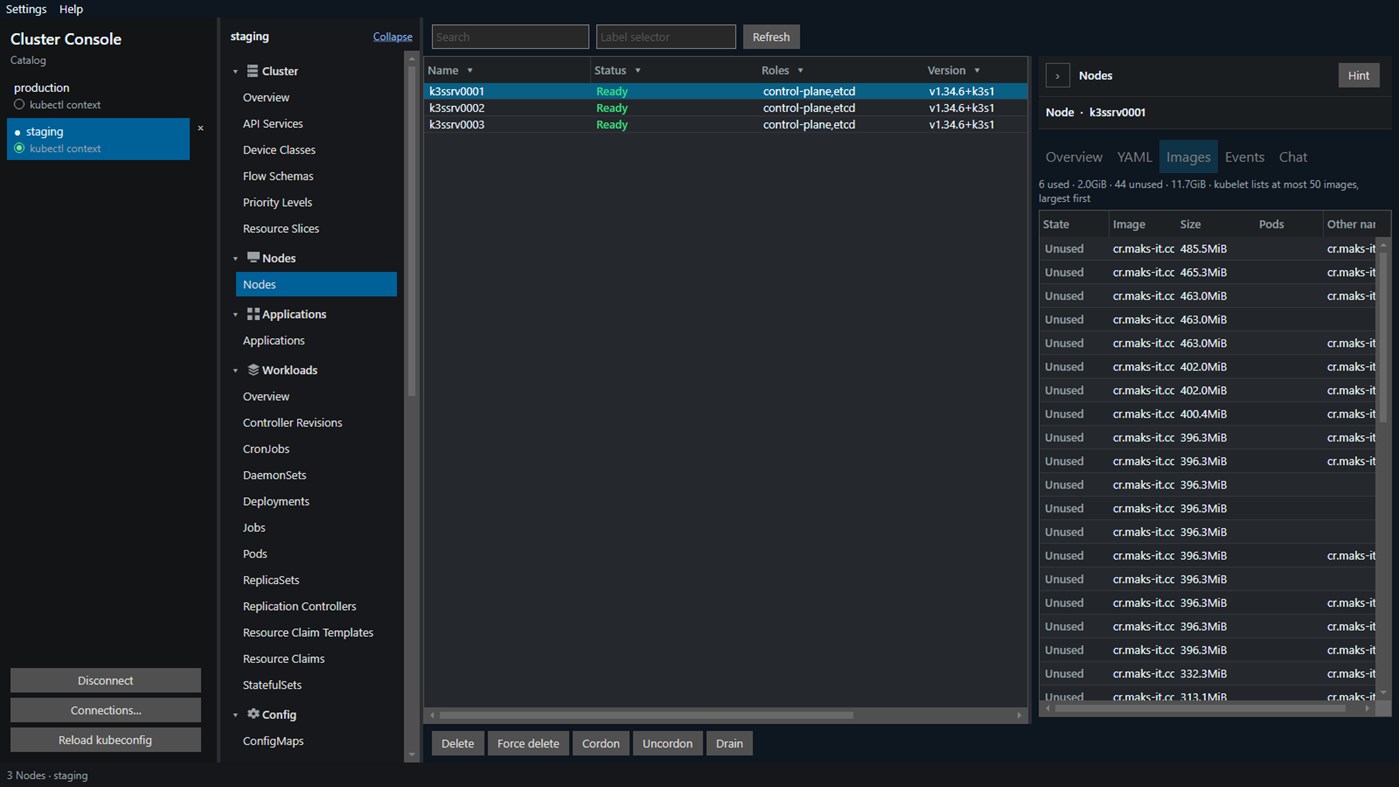
Everyday changes stay in the same window. Apply or create YAML. If the API server rejects an apply patch, apply falls back to create or replace. JSON and YAML highlighting follows the document. Force-delete strips finalizers. Scale a Deployment, StatefulSet, ReplicaSet, or ReplicationController. Restart a Deployment, StatefulSet, or DaemonSet. Pause, resume, and undo a Deployment rollout. Trigger a CronJob. Force delete namespace removes a selected namespace, except default, kube-system, kube-public, and kube-node-lease. Cordon and Drain stay hidden unless another Ready node can still take pods. Uncordon still restores a node that is already cordoned. Drain asks first and shows which pods will move and which will remain, including anything a disruption budget would refuse. When AI is on, that dialog also includes a short note. The note does not drain the node. The Images tab marks cached images Used or Unused from the pods on that node. On a pod, follow the log, open a shell, attach output, or add a debug container. The image defaults to busybox and stays until the pod is recreated. ConfigMaps and Secrets edit as data keys, with a decoded preview. A Service shows Active, Pending, or Unreachable.
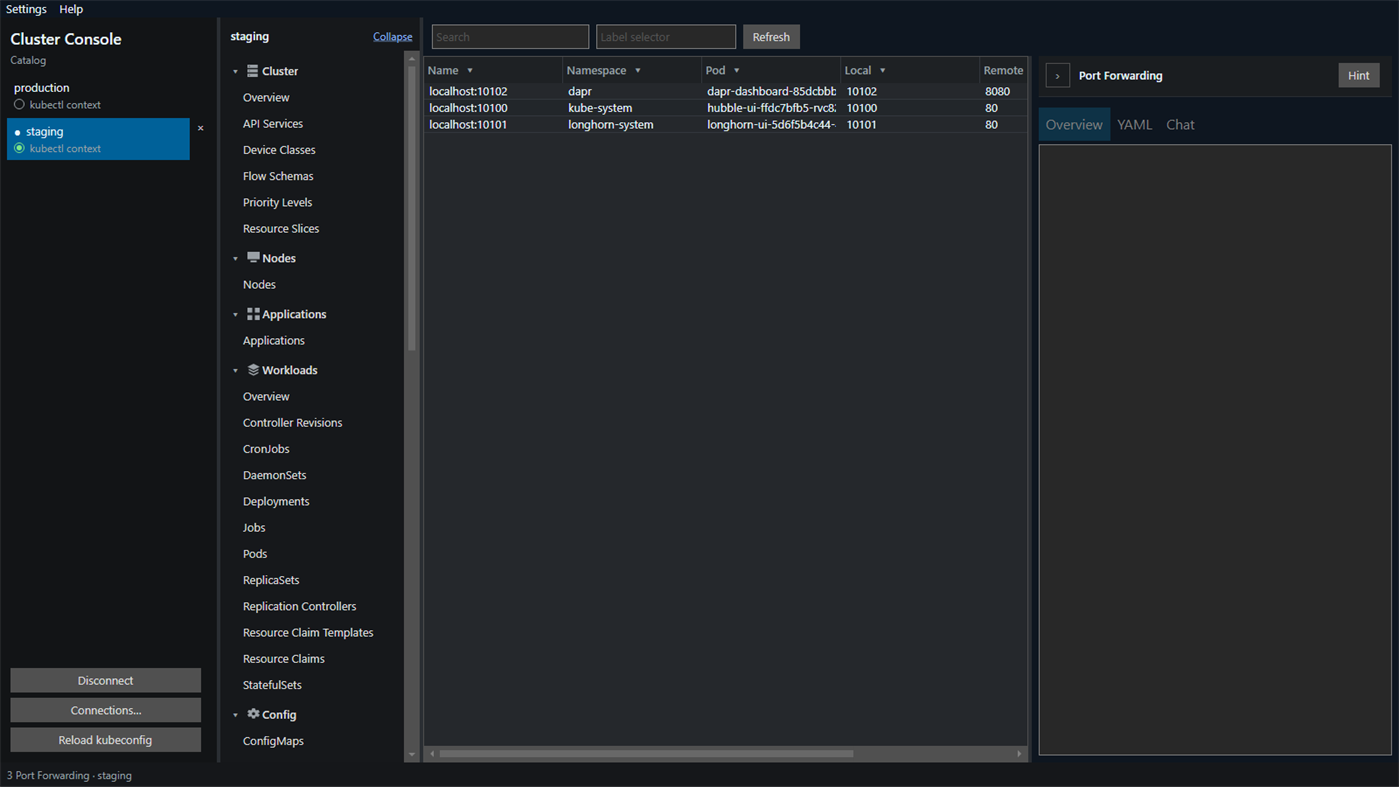
Resize a persistent volume claim, or change reclaim policy on a storage class and its volumes. Approve or deny a certificate signing request, and create a ServiceAccount token that is shown once. Port forwards are saved, restored when you reconnect, and a double-click on an active forward opens it in the browser. Rebind changes the local port.
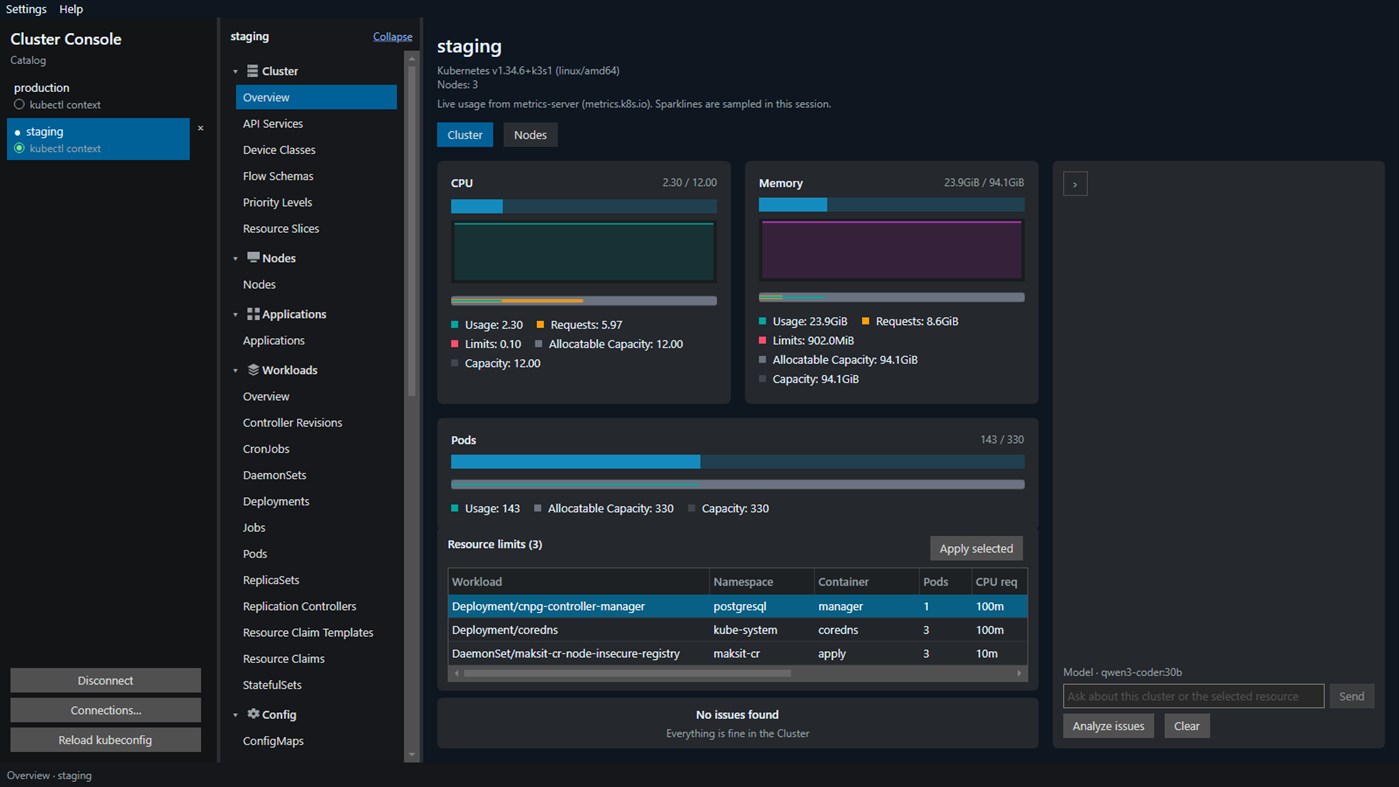
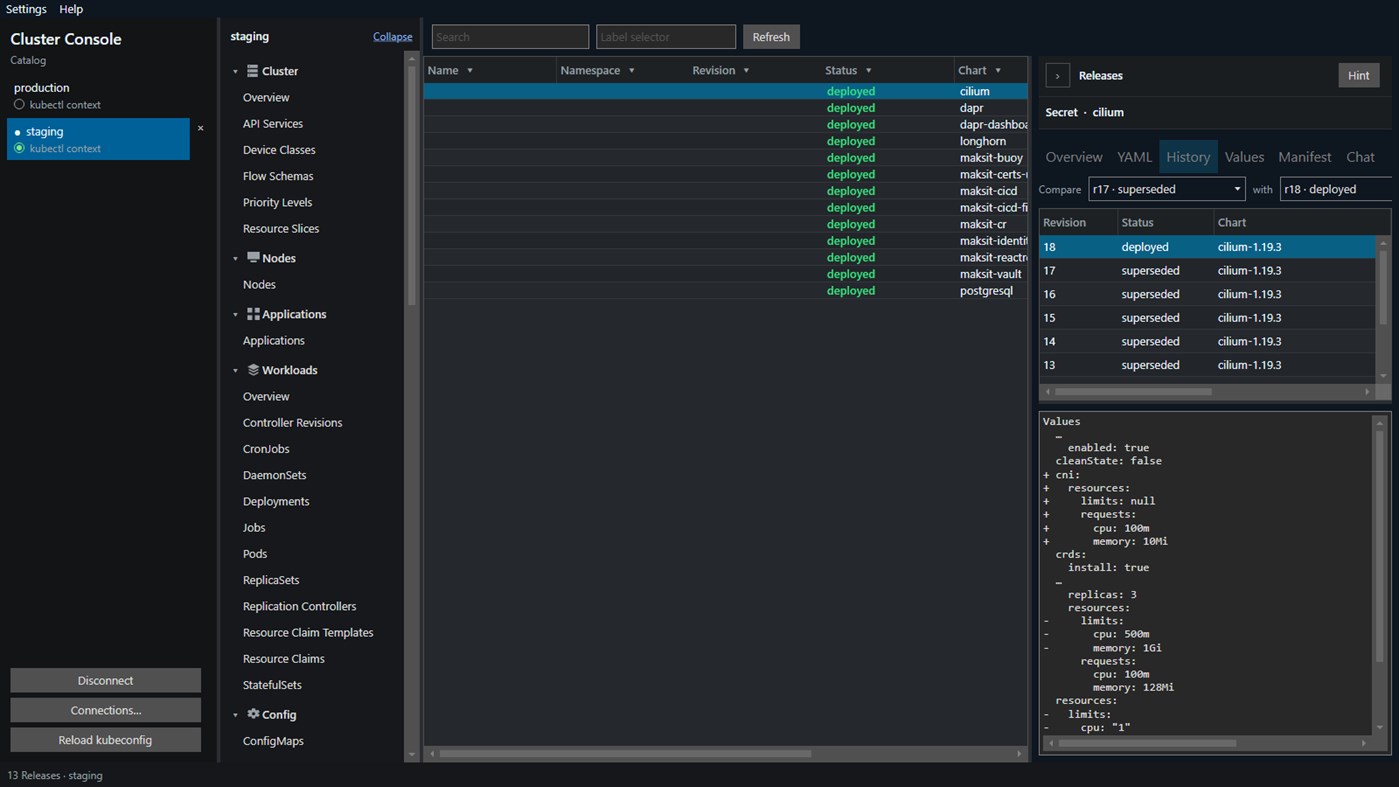
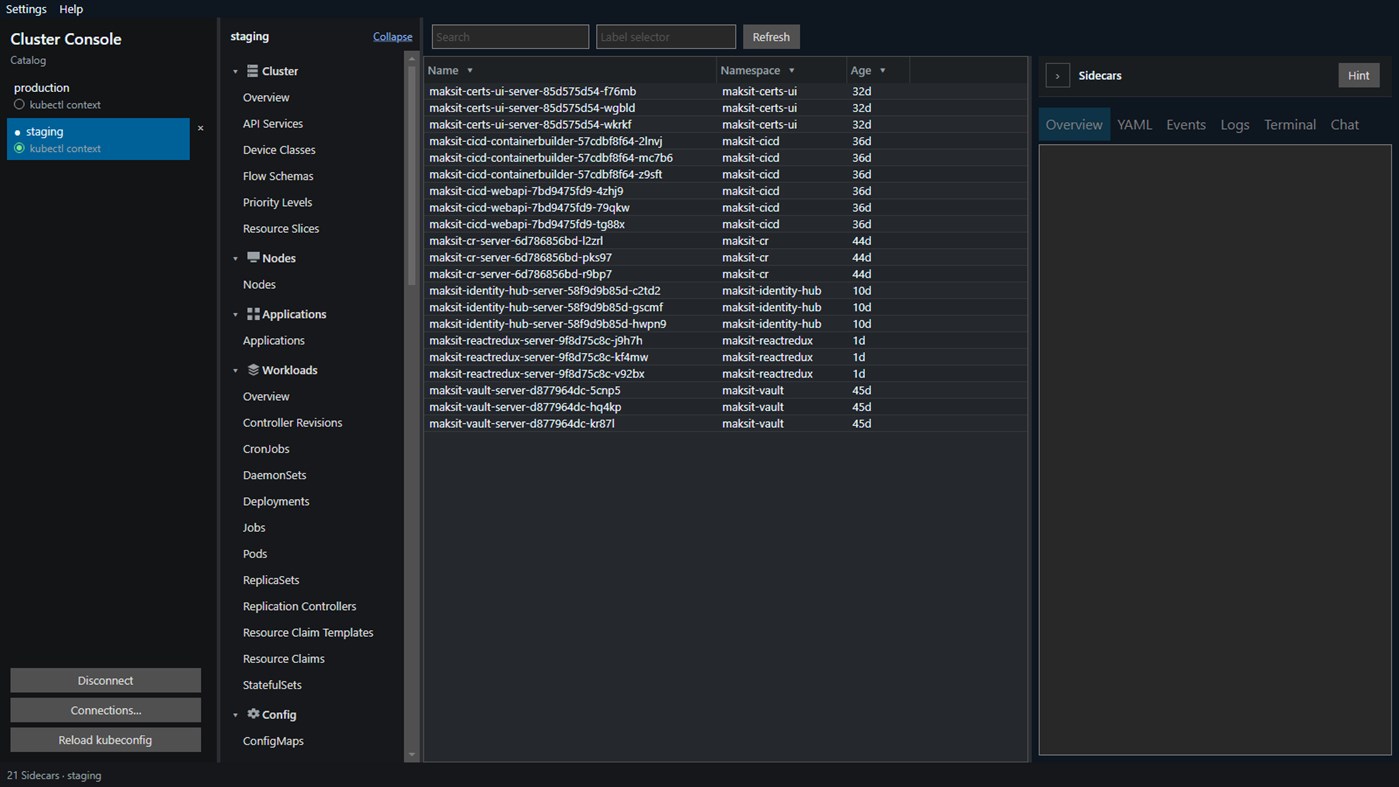
CPU and memory appear on the overview, applications, and workload tables when the cluster has metrics-server. From the overview you can patch container CPU and memory against node capacity. Persistent volumes and claims open a file browser for viewing, editing, downloading, and uploading files. Helm charts list each installed chart version. A release shows revision history, user-supplied values, the rendered manifest, and a diff between two revisions. Chart install and upgrade stay on the Helm CLI. Dapr pages list components, configurations, subscriptions, sidecars, and the control plane that are already in the cluster.
Chat is optional and stays on this PC. It talks to a local Ollama server, on the overview and on a selected resource. The model is any one you have pulled. qwen3:8b is the default and is enough to read issues, YAML, logs, and events. On the overview, Analyze issues explains the current warnings and errors. Repairs work better with a larger model such as qwen3:14b, qwen3:32b, or qwen3-coder:30b. Turn on Allow the assistant to change the cluster and the same chat can restart a workload, delete a pod, scale, or apply YAML. Each of those waits for Approve or Reject. Reject leaves the cluster unchanged. Pod delete here is not force-delete. Cluster data is not sent to a cloud AI service.
Your layout, open clusters, and saved port forwards are stored on this computer. Cluster Console talks to a cluster you already run.
You need 64-bit Windows, a kubeconfig that can reach a running cluster, and a network path to that cluster's API. Install Ollama locally only if you want Chat.
Ártörténet
- Jelenlegi ár: Ingyenes
- Minimális: Ingyenes
- Maximális: Ingyenes
Árak nyomon követése Add egy listához, hogy e-mailben vagy push értesítésben értesülj az akciókról
Más platformok (0)
| Cluster ConsoleWindows StoreItt vagy | Ingyenes |
Jelenleg csak ebben az áruházban.
Listák (0)
0
- Cluster Console
Pontok (0)
0
Rangsorok (0)
0
Hozzászólások (0) ¡
Szólj hozzá elsőként
Fejlesztő
- MaksIT
- Követők: 0
- Platformok: Windows Alkalmazások (1)
- Akciók: 0
- Listák: 0 + 0
- Pontok: 0 + 0 ¡
- Rangsorok: 0
- Hozzászólások: 0
- Videók: 0
- RSS: Feliratkozás
Újdonságok
- Változat: PC
- Utolsó frissítés:
További információk
- Kiadás dátuma:
- Kategória:
Windows-alkalmazások›Fejlesztői eszközök - Operációs rendszer:
PC - Méret:
78 Mb - Támogatott nyelvek:
English - Tartalom besorolása:
EVERYONE - Windows Store Értékelés: ¡
0
 https://maks-it.com/products/cluster-console
AppAgg-pontszám
1,130
Becsült AppAgg-pontszám:
Cluster Console
Fejlesztő: MaksIT
1,130 Ezüst
A magasabb pontszám általában jobb eredményeket tükröz az AppAgg által figyelt mutatókban.
Alapja: népszerűség · felhasználói értékelések · frissesség · akciók · áruházi adatok · közösségi aktivitás
Naponta újraszámítjuk a friss AppAgg-adatok alapján.
Jelvény weboldalra:  Másolva!
Röviden
Cluster Console Rövid URL: Másolva!- Windows Store
Kövesd az AppAggen ezt az alkalmazást: „Cluster Console”. Fejlesztő: MaksIT; platform: Windows; kategória: Fejlesztői eszközök. AppAgg-pontszám: 1,130 (Ezüst). Az alkalmazás AppAgg-pontjai: megerősített — 0; közvetett — 0. Az alkalmazást tartalmazó nyilvános listák száma: 0. Felhasználók, akik privát listákra mentették: 0. Az AppAgg felhasználói még nem értékelték az alkalmazást. A megerősített pontok a bejelentkezett AppAgg-felhasználók áruházi átkattintásait rögzítik. A közvetett pontok az áruházak adatain alapulnak. A két számláló a nyilvános listák számát és a privát listára mentő felhasználók számát mutatja. Az alkalmazás első megjelenése: . Az alkalmazás legutóbbi frissítése: . Az alkalmazás jelenleg ingyenesen érhető el. Az alkalmazás támogatott nyelvei: English. Nézd meg az árelőzményeket, add az alkalmazást egy listához, vagy kövesd a fejlesztőt. Kövesd az alkalmazás jövőbeli akcióit és frissítéseit az RSS-hírcsatornát segítségével. Az AppAgg nem tárolja a szerverein és nem terjeszti ezt az alkalmazást. Az alkalmazáshoz kapcsolódó valamennyi védjegy, logó és képernyőkép a jogos tulajdonosé.
Akár ez is tetszhet
Friss beszélgetések
 AlkalmazásNauticPlayer This app is absolute cinema. Honestly, it’s one of the best media players I’ve ever tried, and I’m s...
  Manuel16
  AlkalmazásScreen Beings - Desktop Pet & Study Companion This is my app so I’m a little bias but as someone from the ADHD community that teaches ADHD and neu...
  Tarelle Irwin6
  AlkalmazásAadi vault good it ia a encrypter and good you my work on office
  Aditya Rai5
  AlkalmazásTyping 365 | Daily Typing Trainer The best typing app ever. With Typing 365 you don’t have to force yourself for couple minutes traini...
  Ahmad Mozaffar5
  AlkalmazásZefir Calendar — Calendar in the Taskbar excelente app! Superando todas as espectativas!
  Diógenes Magnus5
  AlkalmazásLockinRa LockinRa 리뷰 LockinRa는 작업 관리, 집중력 도구, AI 코칭을 하나의 데스크톱 앱으로 통합한 무료 Windows 생산성 프로그램입니다. 클라우드 동기화 없이 로컬 ...
  abhilok reddy6
  AlkalmazásCN Vault I Love this app CN Vault is a user-friendly app that helps keep your passwords safe and secure. If y...
  Marjuk Amin5
