
북마크
이 북마크의 제목을 입력하세요.
북마크가 저장되었습니다
| 개발자: | Ctr-L (11) | ||
| 가격: | $6.99 | ||
| 종합 점수: | 1,400 골드 | ||
| 순위: | 0 | ||
| 댓글: | 0 댓글 게시 | ||
| 목록: | 0 0 | ||
| 포인트: | 0 | ||
| +1 포인트 | |||
요약
소개합니다. Ctr-L에서 만든 ‘개발자 도구’ 카테고리 앱, Code Editor Studio.
-30%, 그리고 이건 기록이에요. AppAgg에서 $6.99보다 싸진 적이 한 번도 없어요.
새로 나온 앱이에요. 에 나왔으니 지금 써 보면 얼리어답터예요.
Microsoft Store는 Windows에 기본으로 들어 있어서 클릭 몇 번이면 설치돼요.
AppAgg 점수는 1,400. 골드 등급이에요.
연령 등급은 ‘EVERYONE’, 아이들에게도 괜찮아요.
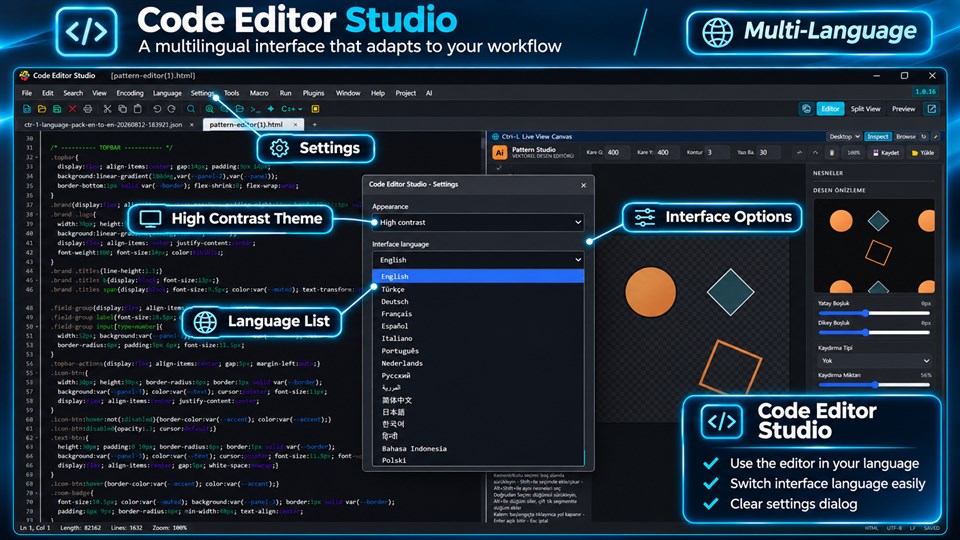
16개 언어를 지원하고, 한국어도 있어요.
사용해 보셨나요? 여기서 첫 리뷰의 주인공이 되어 주세요.
이 개발자의 앱이 AppAgg에 10개 더 있어요. 한번 둘러보세요.
참고로, 이 개발자는 지금 할인 3건 진행 중이에요.
할인, 업데이트, 새 앱 소식을 가장 먼저 받고 싶나요? 가격 알림을 설정하거나 개발자를 팔로우하거나 RSS 피드를 구독하세요. 푸시 알림은 Android와 iOS용 AppAgg Alerts 앱으로 받을 수 있어요.
광고
다른 플랫폼 0
가격 기록 1
- 현재 가격: $6.99
$9.99-30% - 최소: $6.99
- 최대: $9.99
홈 화면의 나만의 피드
“신규 및 업데이트” 피드의 플랫폼을 선택하면 홈 화면에 필요한 앱과 게임만 표시됩니다.
스크린샷 10
설명

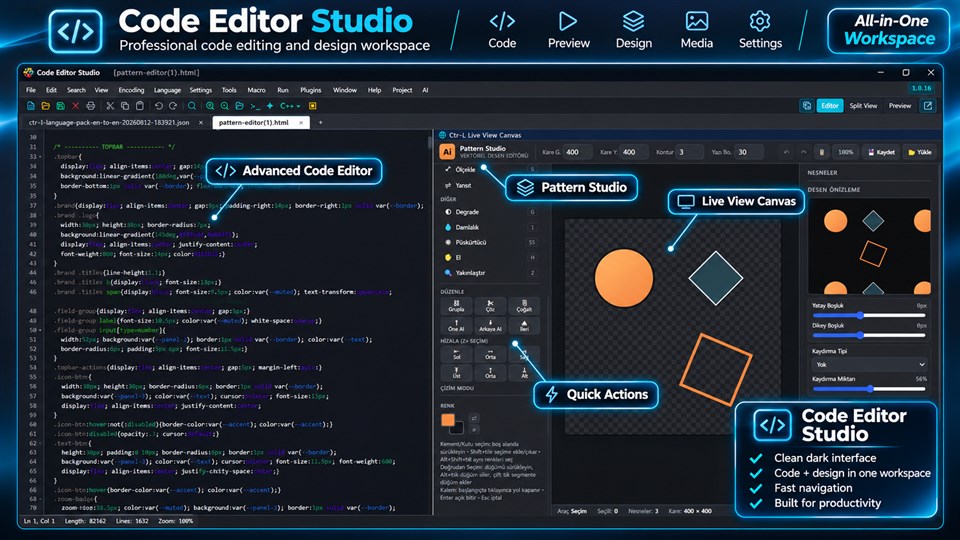
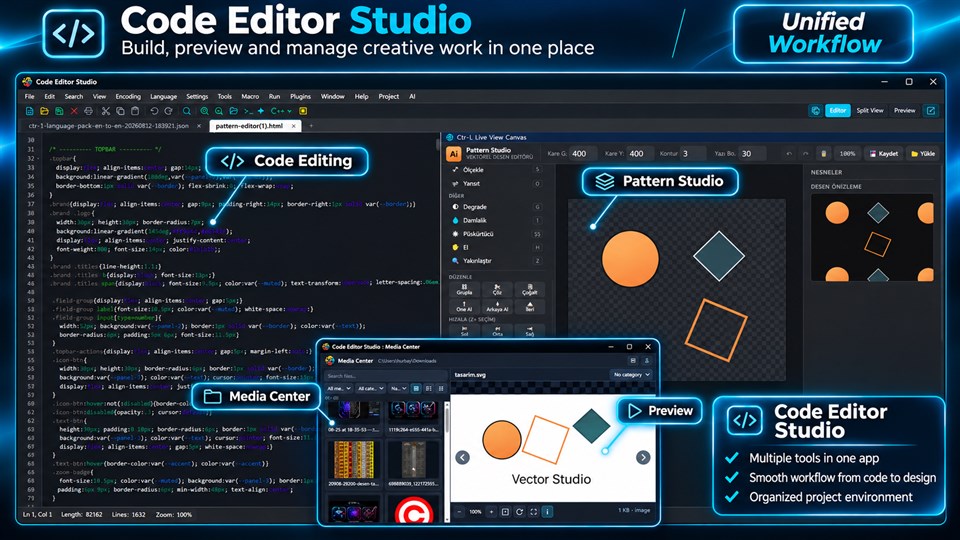
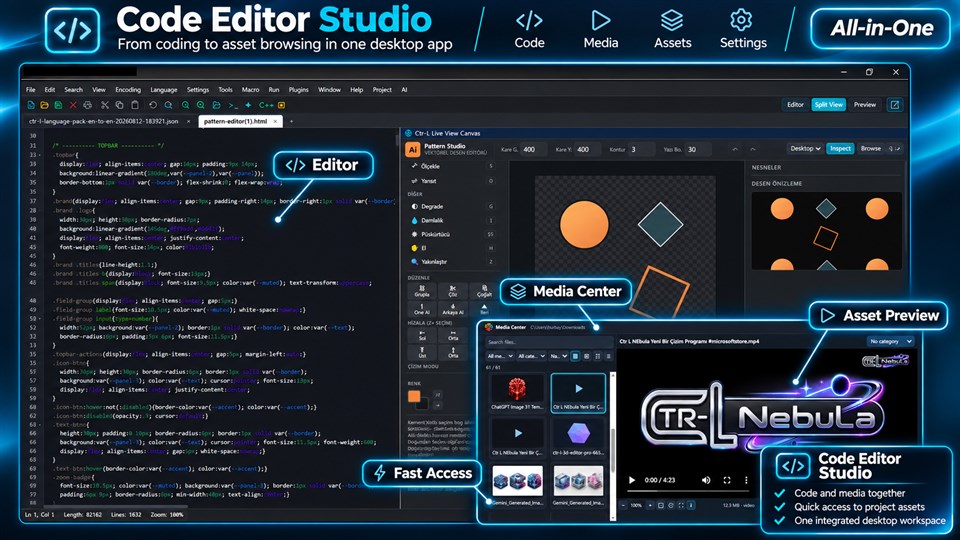
Combining source code editing, live previews, flexible layouts, and media management, Code Editor Studio brings essential development tools together in one application.
**POWERFUL CODE EDITING**
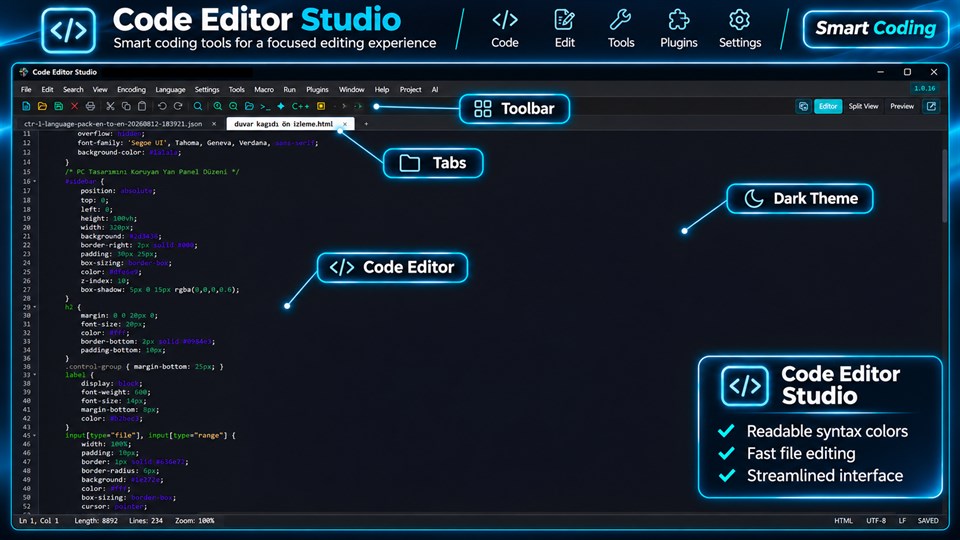
Work with HTML, CSS, JavaScript, JSON, and other text-based files using a clean, syntax-highlighted editor. Navigate through your code, manage multiple open documents, and switch between files using convenient tabs.
**LIVE PREVIEW & SPLIT VIEW**
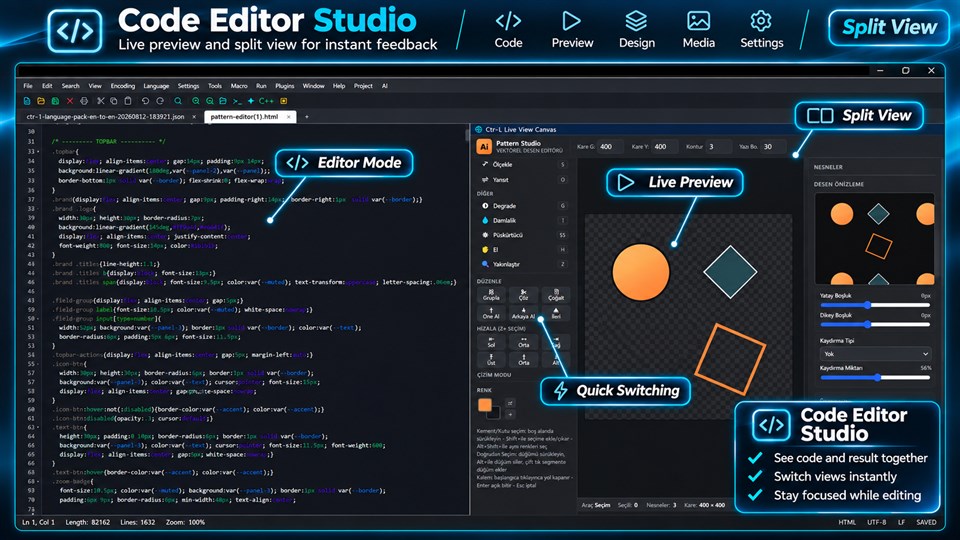
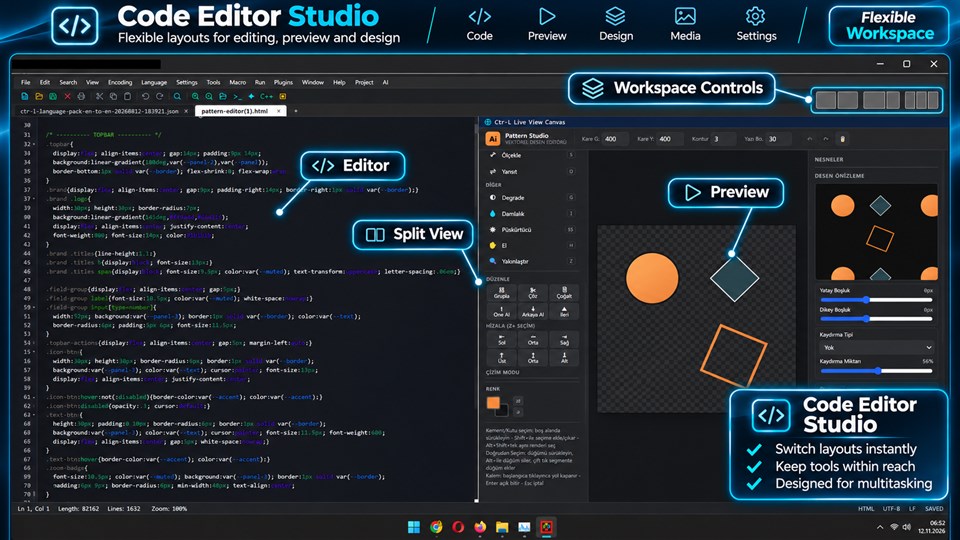
See your code and visual results side by side. Switch between Editor, Split View, and Preview modes to inspect web pages, layouts, and interactive interfaces without losing focus on your code.
**FLEXIBLE WORKSPACE**
Organize your editing environment to match your workflow. Work with resizable panels, flexible window arrangements, and multiple viewing modes to make the most of your screen space.
**MEDIA CENTER & ASSET MANAGEMENT**
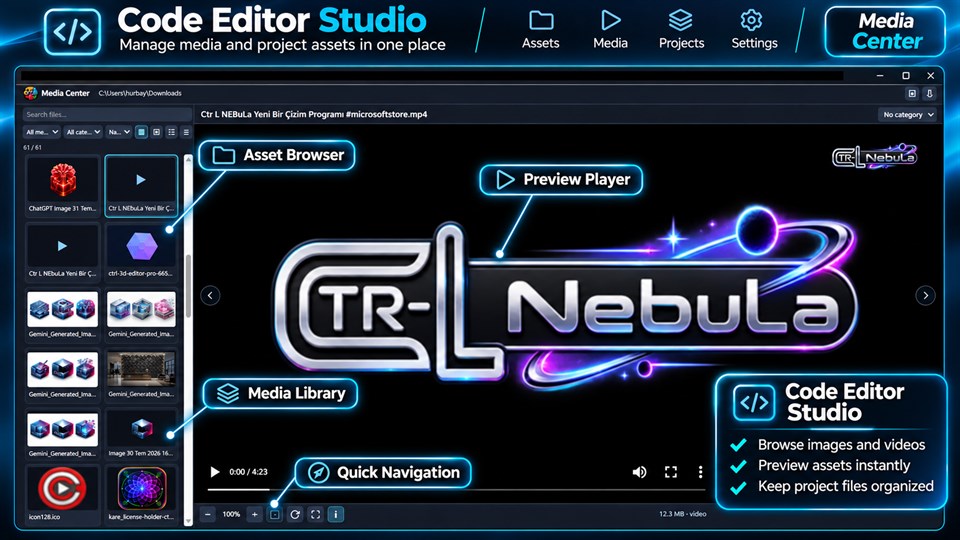
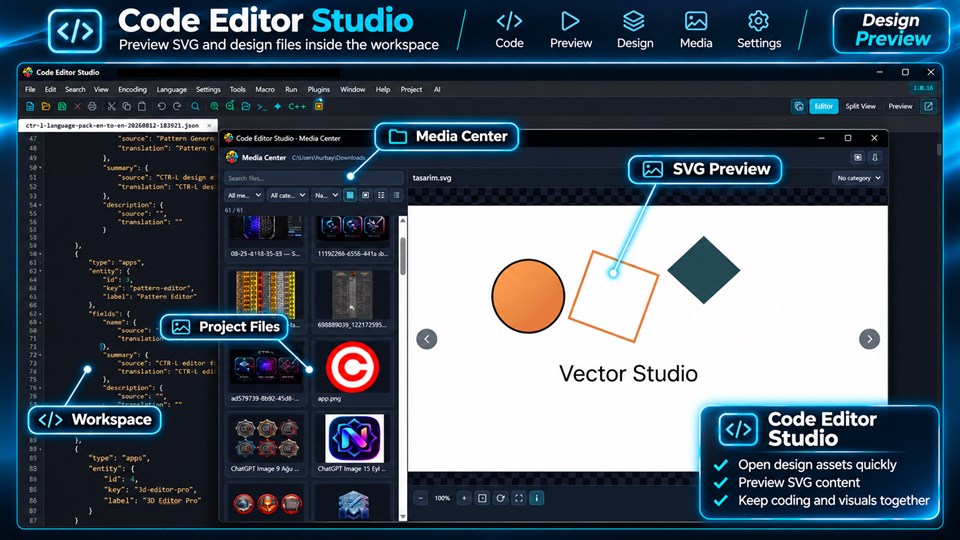
Browse and preview images, videos, SVG graphics, and other project assets through the integrated Media Center. Quickly inspect visual resources while working on your projects.
**VISUAL DESIGN WORKFLOWS**
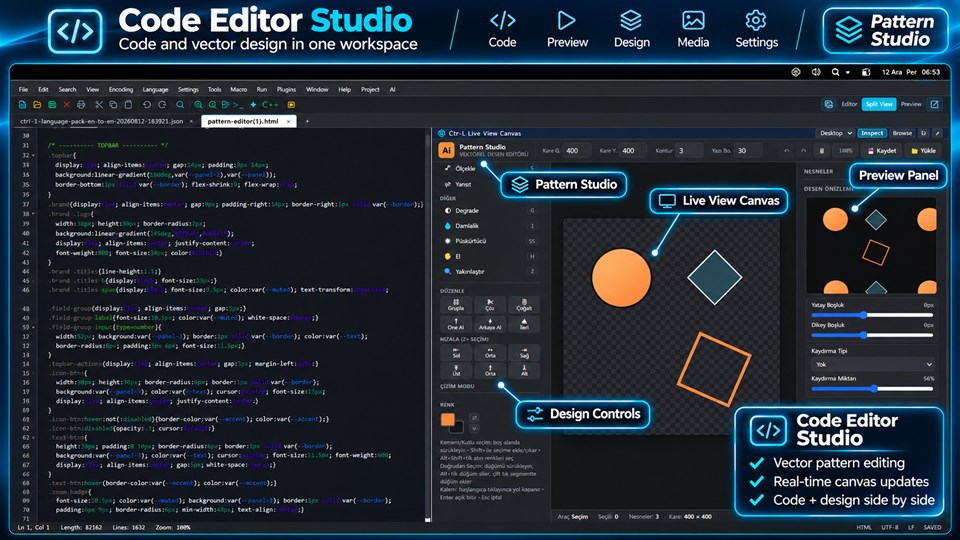
Preview HTML-based design tools, vector graphics, and interactive visual projects directly within your editing environment. Combine coding and visual inspection in a convenient workspace.
**MULTILINGUAL INTERFACE**
Choose from a wide range of interface languages to work in your preferred language. Adjust appearance settings, including high-contrast display options, for a more comfortable experience.
**PRODUCTIVITY-FOCUSED TOOLS**
Take advantage of familiar editing controls, search tools, document tabs, toolbar shortcuts, and organized menus designed to simplify everyday development tasks.
**BUILT FOR WINDOWS**
Code Editor Studio provides a desktop development environment for creating websites, editing source files, reviewing visual projects, and managing project resources.
Whether you are building a website, reviewing code, testing a layout, or exploring creative web projects, Code Editor Studio helps keep your development workflow organized and accessible.
개발자 소식
개발자이신가요?
페이지 맨 위에 소식을 올리면 팔로워에게 이메일로 전달됩니다. YouTube 동영상을 추가하면 “동영상” 블록 맨 앞에 표시됩니다.
목록 0
-
 Code Editor Studio
포인트 0
-

- +1 포인트

순위 0
-
- 내 평점
새로운 기능
- 버전: PC
- 마지막 업데이트:
추가 정보
 https://ctr-l.com/
AppAgg 점수
1,400
AppAgg 예상 점수:
Code Editor Studio
개발자: Ctr-L
1,400 골드
점수가 높을수록 대체로 AppAgg의 여러 지표에서 좋은 결과를 보인다는 뜻입니다.
기준: 인기 · 사용자 평점 · 최신성 · 할인 · 스토어 데이터 · 커뮤니티 활동
최신 AppAgg 데이터를 바탕으로 매일 다시 계산됩니다.
웹사이트용 배지:  복사됨!
댓글 0 ¡
가장 먼저 댓글을 남겨주세요
공유하기
Code Editor Studio 단축 URL: 복사됨!- Windows Store


