
Bookmark
| Pengembang: | Anton Horbatiuk (2) | ||
| Harga: | $2.99 | ||
| Skor: | 670 Perak | ||
| Peringkat: | 0 | ||
| Komentar: | 0 Kirimkan komentar | ||
| Daftar: | 0 0 | ||
| Poin: | 0 | ||
| +1 Poin | |||
Ringkasan
Kenalan dulu dengan Code Vault – offline code snippets manager, aplikasi buatan Anton Horbatiuk di kategori Alat pengembang.
Rilis , masih cukup segar.
$2.99, dan sejauh ini belum pernah diskon sekali pun di AppAgg. Benar-benar susah ditaklukkan.
Microsoft Store sudah jadi bawaan Windows, jadi bisa dipasang dalam beberapa klik.
Skor AppAgg-nya 670. Perak, dan itu sama sekali tidak buruk.
Rating usia “EVERYONE”, jadi aman juga untuk anak-anak.
Menguasai 2 bahasa, tapi bahasa Indonesia belum termasuk.
Sudah memakainya? Ulasanmu bakal jadi yang pertama di sini.
Pengembang ini punya 1 aplikasi lagi di AppAgg. Layak dilihat.
Mau jadi yang pertama tahu soal diskon, pembaruan, dan aplikasi baru? Pasang notifikasi harga, ikuti pengembang, atau berlangganan lewat Umpan RSS. Notifikasi push dikirim lewat aplikasi AppAgg Alerts untuk Android dan iOS.
Platform lain 0
 | Code Vault – offline code snippets managerWindows Store670 PerakWindows | $2.99 |
Saat ini hanya ada di toko ini.
Riwayat harga 0
- Harga saat ini: $2.99
- Minimum: $2.99
- Maksimum: $2.99
Feed Anda sendiri di beranda
Jepretan layar 4
Deskripsi
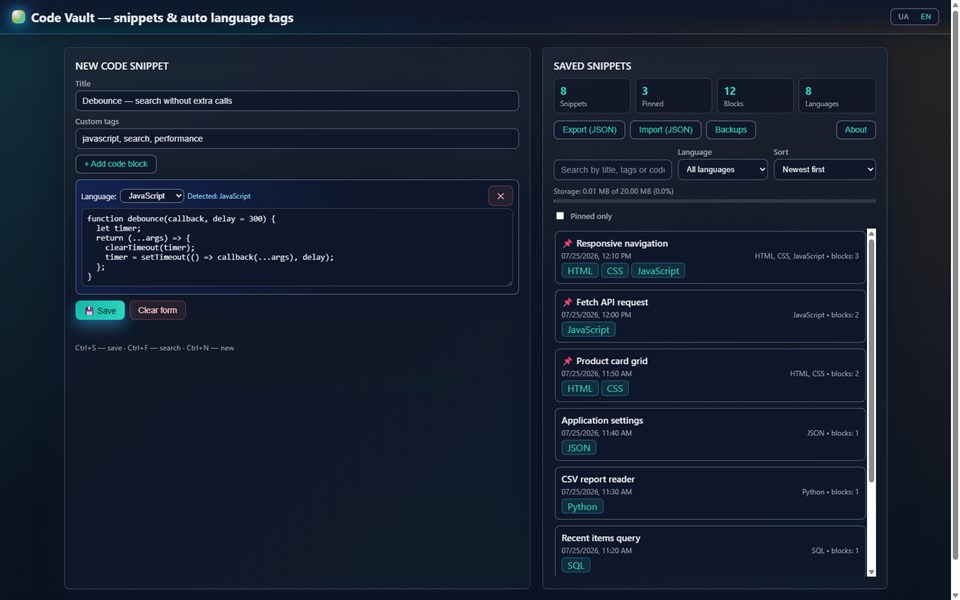
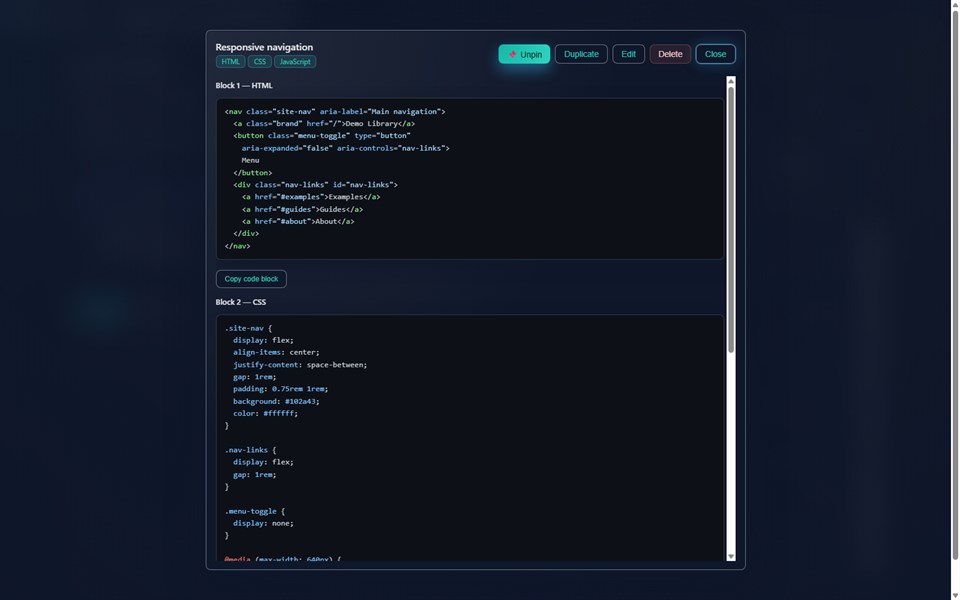
Keep reusable code in one place with multiple blocks per snippet, local syntax highlighting, automatic detection for 22 programming and markup languages, and manual language selection. Organize snippets with custom tags, filter by language or pinned status, search titles, tags, and code using multiple words, and sort or duplicate entries for faster reuse.
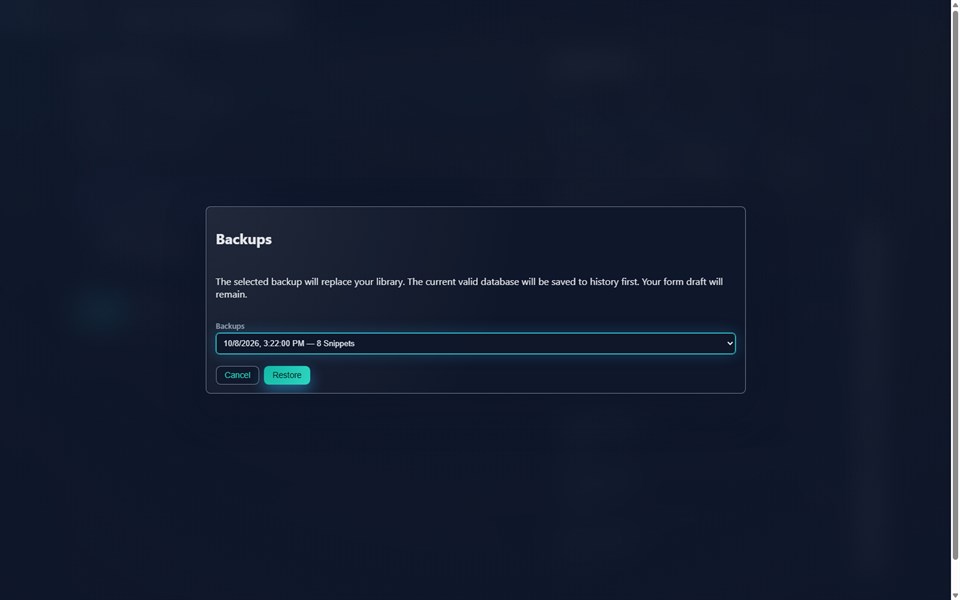
Pick up where you left off: unfinished forms are saved locally as drafts and restored after restarting the app. Undo the last deletion during the current session, or restore an earlier library state from a history of up to 10 local backups. If the primary database is missing or damaged, Code Vault can load a valid backup when one is available.
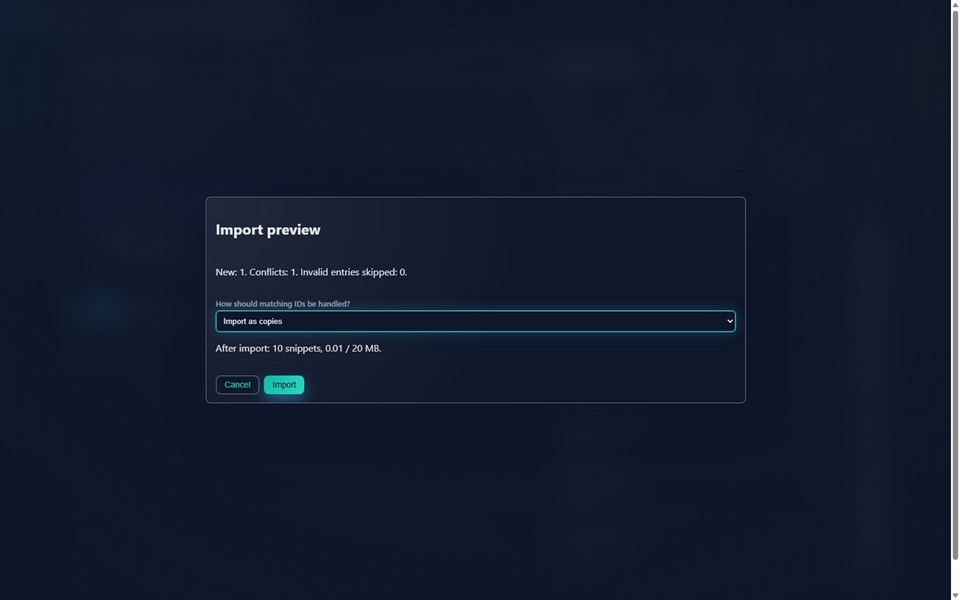
Preview JSON imports before changing your library. Review new entries, conflicts, skipped data, and the resulting database size. Keep existing entries, replace them, or import conflicting entries as copies. Export your library to a portable JSON file whenever needed.
Work faster with Ctrl+S to save, Ctrl+F to search, Ctrl+N to start a new snippet, and keyboard navigation. Soft neon focus highlights active fields, and the app remembers your window size and position. Larger libraries are displayed in pages of 100 entries.
Your library is stored in Documents\CodeVault\Data\snippets.json. The same folder holds a previous database copy, backup history, and your form draft. These JSON files are not encrypted by Code Vault. If Windows synchronizes Documents with OneDrive, they may be copied according to your system settings; Code Vault does not connect to OneDrive directly. A storage meter tracks the 20 MiB database limit.
Available in Ukrainian and English. Core features work without an internet connection or account. No advertising, telemetry, analytics, or tracking.
Dari developer
Daftar 0
-
 Code Vault – offline code snippets manager
Poin 0
-

- +1 Poin

Peringkat 0
-
- Rating Anda
Pengembang 2
- Anton Horbatiuk
- Pengikut: 0
- Platform: Windows Aplikasi (2)
- Diskon: 0
- Daftar: 0 0
- Poin: 0
- Peringkat: 0
- Komentar: 0
- Video: 0
- RSS: Berlangganan
Yang Baru
- Versi: PC
- Terakhir diperbarui:
- Code Vault 1.2.1
- Autosaved local drafts restore your unfinished form after restarting the app.
- Backup history keeps up to 10 previous library snapshots, with a picker for restoring an earlier state.
- JSON import preview shows new entries, conflicts, skipped data, and the resulting database size. Keep existing entries, replace them, or import conflicts as copies.
- Undo the last snippet deletion during the current session.
- Search using multiple words, filter pinned snippets, and browse larger libraries in pages of 100 entries.
- Use Ctrl+S to save, Ctrl+F to search, Ctrl+N for a new snippet, and improved keyboard navigation.
- Soft neon focus highlights input fields and selections. Window size and position are remembered.
- Improved save handling and recovery from valid local backups when the primary database is missing or damaged.
- Visual improvements: refreshed icons, clearer navigation, an improved search layout, and fixes to the app icon appearance in Windows.
Info tambahan
- Tanggal rilis:
- Kategori:
Aplikasi Windows›Alat pengembang - OS:
PC - Ukuran:
144 Mb - Bahasa yang didukung:
Inggris,Ukraina - Rating Konten:
EVERYONE - Windows Store Rating: ¡
0 - Situs Web:
 https://teacher.cv.ua/codevault
Skor AppAgg
Perkiraan Skor AppAgg untuk
Code Vault – offline code snippets manager
Pengembang: Anton Horbatiuk
Skor yang lebih tinggi biasanya menunjukkan indikator yang lebih kuat di AppAgg.
Berdasarkan: popularitas · rating pengguna · kebaruan · promo · data toko · aktivitas komunitas
Dihitung ulang setiap hari dari data AppAgg terbaru.
Komentar 0 ¡
Bagikan
Code Vault – offline code snippets manager URL singkat: Disalin!- Windows Store

