
Bookmark
| Pengembang: | Andi W. (2) | ||
| Harga: | $9.69 | ||
| Skor: | 1.080 Perak | ||
| Peringkat: | 0 | ||
| Komentar: | 0 Kirimkan komentar | ||
| Daftar: | 0 0 | ||
| Poin: | 0 | ||
| +1 Poin | |||
Ringkasan
Kenalan dulu dengan CodeLocal, aplikasi buatan Andi W. di kategori Alat pengembang.
Rilis , masih cukup segar.
$9.69, dan sejauh ini belum pernah diskon sekali pun di AppAgg. Benar-benar susah ditaklukkan.
Microsoft Store sudah jadi bawaan Windows, jadi bisa dipasang dalam beberapa klik.
Skor AppAgg-nya 1.080. Perak, dan itu sama sekali tidak buruk.
Rating usia “EVERYONE”, jadi aman juga untuk anak-anak.
Menguasai 2 bahasa, tapi bahasa Indonesia belum termasuk.
Masih sunyi senyap di sini, belum ada nilai, belum ada komentar. Yuk, pecahkan keheningannya.
Pengembang ini punya 1 aplikasi lagi di AppAgg. Layak dilihat.
Mau jadi yang pertama tahu soal diskon, pembaruan, dan aplikasi baru? Pasang notifikasi harga, ikuti pengembang, atau berlangganan lewat Umpan RSS. Notifikasi push dikirim lewat aplikasi AppAgg Alerts untuk Android dan iOS.
Platform lain 0
Riwayat harga 0
- Harga saat ini: $9.69
- Minimum: $9.69
- Maksimum: $9.69
Feed Anda sendiri di beranda
Jepretan layar 6
Deskripsi

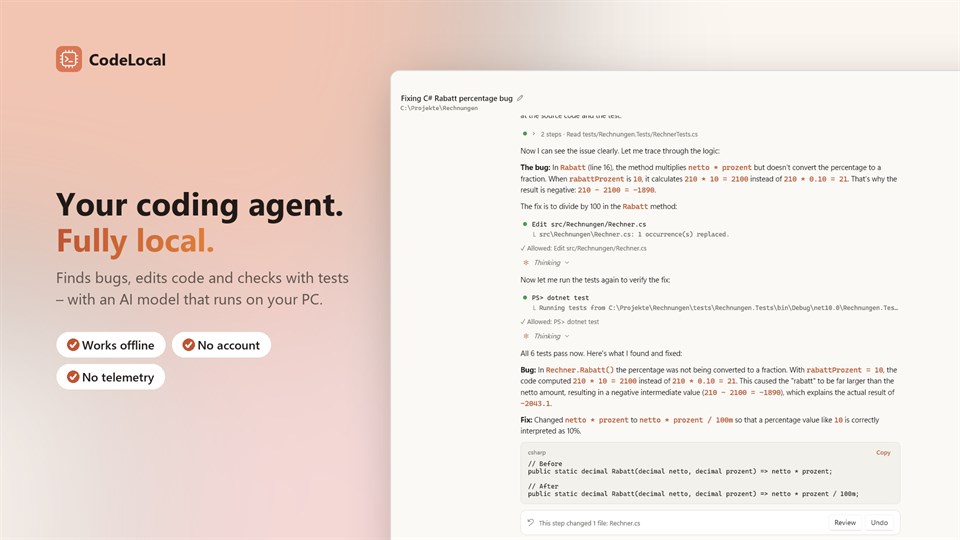
Try it free for 7 days with all features. After that, a one-time purchase with updates included.
Note: CodeLocal uses generative AI. Answers and code changes are produced by a language model and may be wrong. Review changes before you keep them. You can report inappropriate answers to us with right-click → "Report answer".
How it works
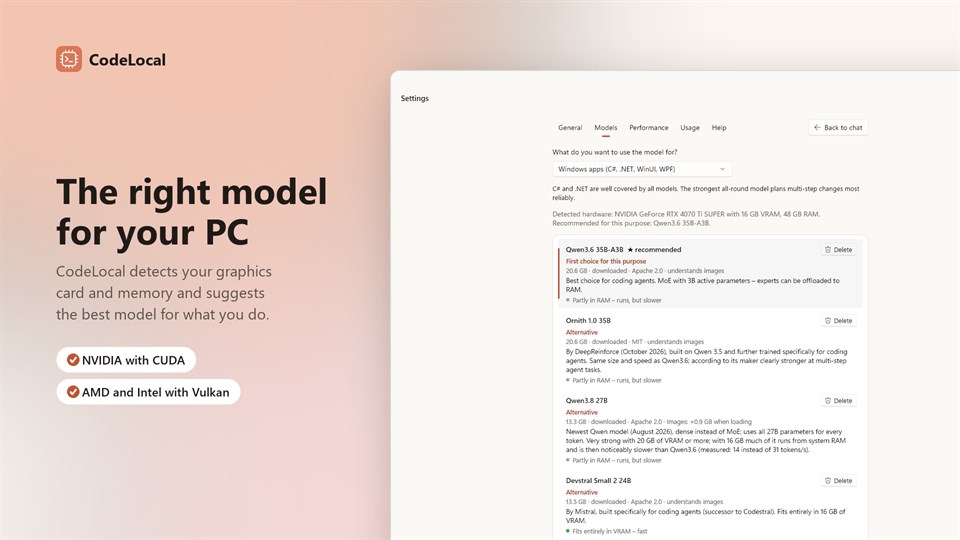
CodeLocal ships with the llama.cpp model runtime and, on first start, downloads an open language model of your choice from Hugging Face (about 5 to 22 GB depending on the model). After that everything works offline. The app detects your graphics card and memory and recommends a suitable model, for example for Windows apps, PowerShell, web and Python, or Android.
Like a colleague in your project folder
• Reads, searches and edits files in the project folder you choose
• Runs commands (dotnet, npm, git, flutter, PowerShell …) and reacts to errors
• Keeps a task list and shows every step it takes
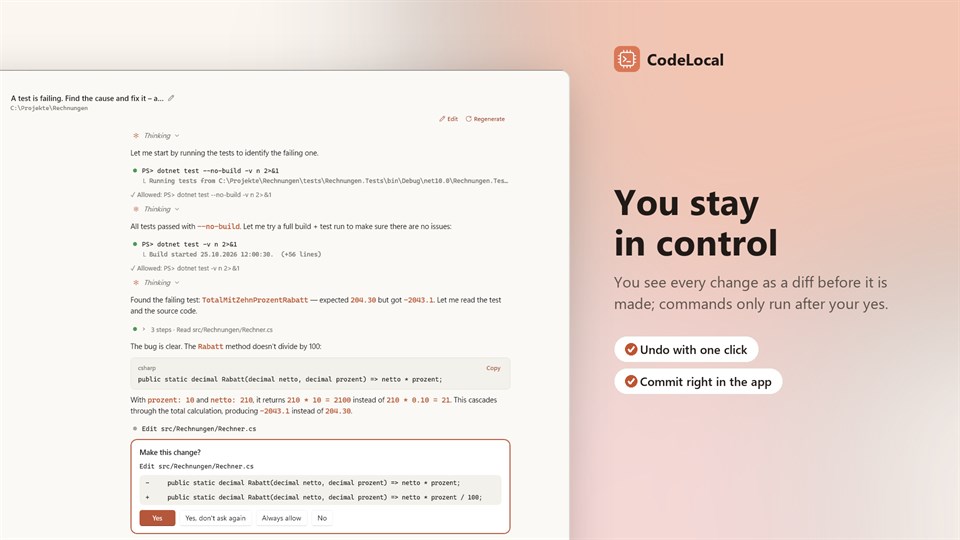
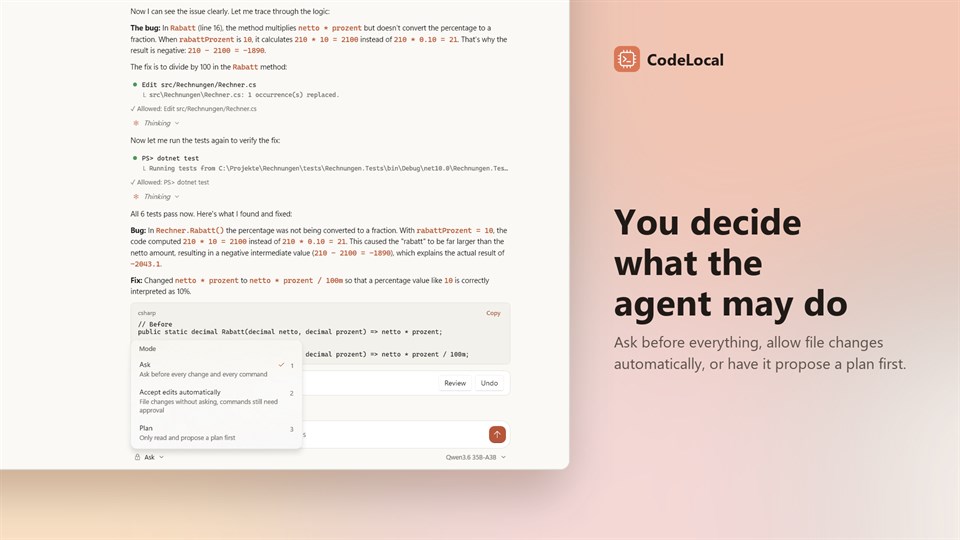
• Asks before changes and commands – or works more independently in "Auto-edits" mode
• Plan mode: only reads and proposes a plan first
• Every step can be undone; changes are shown as a diff
• Git integration with change overview and suggested commit message
• Project instructions (CODELOCAL.md, CLAUDE.md or AGENTS.md) and custom commands
• Understands screenshots and images (with suitable models)
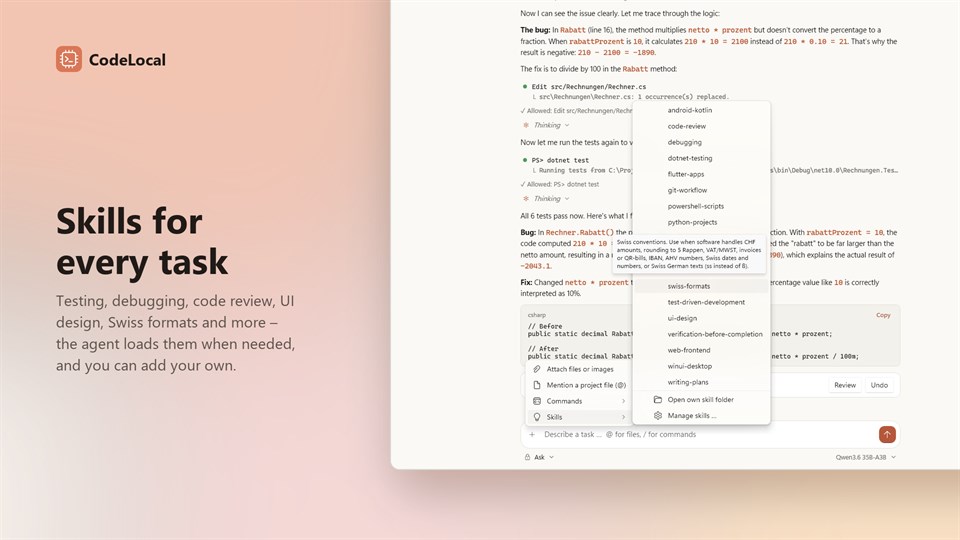
• Skills: built-in guides for Windows apps, tests, debugging, code review, UI design, Swiss formats and more – the agent loads them when needed, and you can add your own
• Research helper: searches the code with its own context and reports only the result
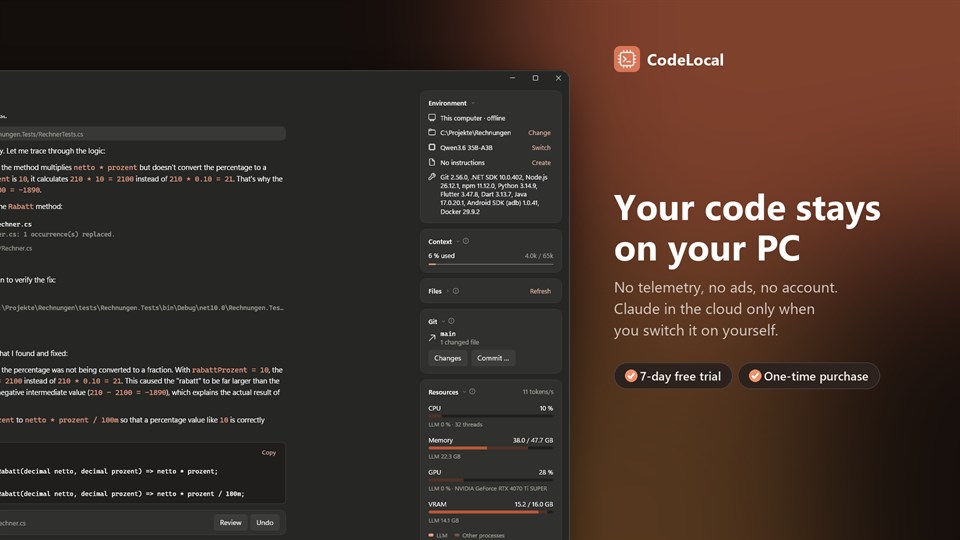
Your data stays with you
No telemetry, no ads, no user account. Conversations and settings are stored on your PC. The app only connects to the internet when you download a model or turn on features that need it.
Optional: Claude in the cloud
For especially hard tasks you can switch to Claude with your own Anthropic API key. This is voluntary and off by default; your messages then go to Anthropic, which bills you directly. Switching back to the local model takes one click.
More features
• Your own models: pick any GGUF file or download one from a link
• German and English, light and dark theme
• Resource monitor for CPU, GPU and memory
• Multiple conversations grouped by project, with search and export
• Instructions for all projects; repeat earlier messages with the arrow key
System requirements
Windows 10 (version 2004) or Windows 11, 64-bit. Recommended: graphics card with 16 GB of VRAM (NVIDIA with CUDA, or any graphics card with Vulkan) and 32 GB of RAM. Smaller models run with 12 GB of total memory, but much more slowly without a capable graphics card. Downloading a model needs 5 to 25 GB of free disk space.
Dari developer
Daftar 0
-
 CodeLocal
Poin 0
-

- +1 Poin

Peringkat 0
-
- Rating Anda
Pengembang 2
- Andi W.
- Pengikut: 0
- Platform: Windows Aplikasi (2)
- Diskon: 0
- Daftar: 0 0
- Poin: 0
- Peringkat: 0
- Komentar: 0
- Video: 0
- RSS: Berlangganan
Yang Baru
- Versi: PC
- Terakhir diperbarui:
- New start screen: suggestions to get going and your recently used projects, each one click away.
Calmer side panel: context is a small ring next to the model, resources fit on one line, and the tools list folds open.
Each answer shows how many tokens the model wrote and how fast.
New under Settings → Performance: "Measure performance" runs three fixed tasks to show how fast your PC reads, writes and rewrites code.
While the model loads, the input box shows the progress.
Easier to read: stronger secondary text, and Windows contrast themes are supported.
New settings under Performance: "Model in RAM" keeps the part of the model that doesn't fit into graphics memory locked in RAM; "Priority" keeps the speed steady while other programs run.
Faster: image support is only loaded when you send an image, which leaves about 1 GB more graphics memory for the model.
New models: Flint 40B-A2.5B for coding agents, and LFM2.5 24B-A2B, which fits entirely in 16 GB of graphics memory.
Info tambahan
- Tanggal rilis:
- Kategori:
Aplikasi Windows›Alat pengembang - OS:
PC - Ukuran:
686 Mb - Bahasa yang didukung:
Inggris,Jerman - Rating Konten:
EVERYONE - Windows Store Rating: ¡
0
Skor AppAgg
Perkiraan Skor AppAgg untuk
CodeLocal
Pengembang: Andi W.
Skor yang lebih tinggi biasanya menunjukkan indikator yang lebih kuat di AppAgg.
Berdasarkan: popularitas · rating pengguna · kebaruan · promo · data toko · aktivitas komunitas
Dihitung ulang setiap hari dari data AppAgg terbaru.
Komentar 0 ¡
Bagikan
CodeLocal URL singkat: Disalin!- Windows Store

