
Dấu trang
| Nhà phát triển: | Andi W. (2) | ||
| Giá: | $9.69 | ||
| Điểm tổng hợp: | 1.080 Bạc | ||
| Bảng xếp hạng: | 0 | ||
| Bình luận: | 0 Đăng bình luận | ||
| Danh sách: | 0 0 | ||
| Điểm: | 0 | ||
| +1 Điểm | |||
Tóm tắt
Làm quen với CodeLocal, ứng dụng thuộc danh mục Công cụ cho nhà phát triển đến từ Andi W..
Ra mắt , vẫn còn khá nóng hổi.
$9.69, và chưa từng giảm giá lần nào trên AppAgg. Đúng là khó nhằn.
Microsoft Store có sẵn trong Windows, nên cài chỉ mất vài cú nhấp.
Điểm tổng hợp AppAgg là 1.080. Hạng Bạc, vậy là không tệ chút nào.
Xếp hạng độ tuổi “EVERYONE”, nên trẻ em cũng dùng được.
Biết 2 thứ tiếng, nhưng vẫn chưa có tiếng Việt.
Ở đây vẫn im phăng phắc, chưa có đánh giá, chưa có bình luận. Hãy phá vỡ sự im lặng.
Nhà phát triển còn 1 ứng dụng khác trên AppAgg. Đáng xem đấy.
Muốn biết sớm nhất về giảm giá, cập nhật và ứng dụng mới? Hãy đặt thông báo giá, theo dõi nhà phát triển hoặc đăng ký nguồn RSS. Thông báo đẩy được gửi qua ứng dụng AppAgg Alerts cho Android và iOS.
Nền tảng khác 0
Lịch sử giá 0
- Giá hiện tại: $9.69
- Tối thiểu: $9.69
- Tối đa: $9.69
Bảng tin riêng của bạn trên trang chủ
Ảnh chụp màn hình 6
Mô tả

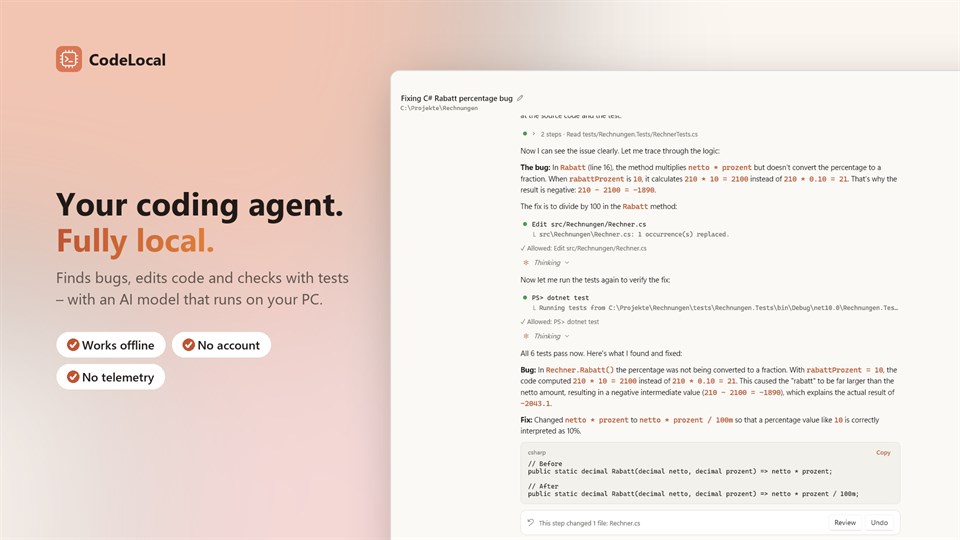
Try it free for 7 days with all features. After that, a one-time purchase with updates included.
Note: CodeLocal uses generative AI. Answers and code changes are produced by a language model and may be wrong. Review changes before you keep them. You can report inappropriate answers to us with right-click → "Report answer".
How it works
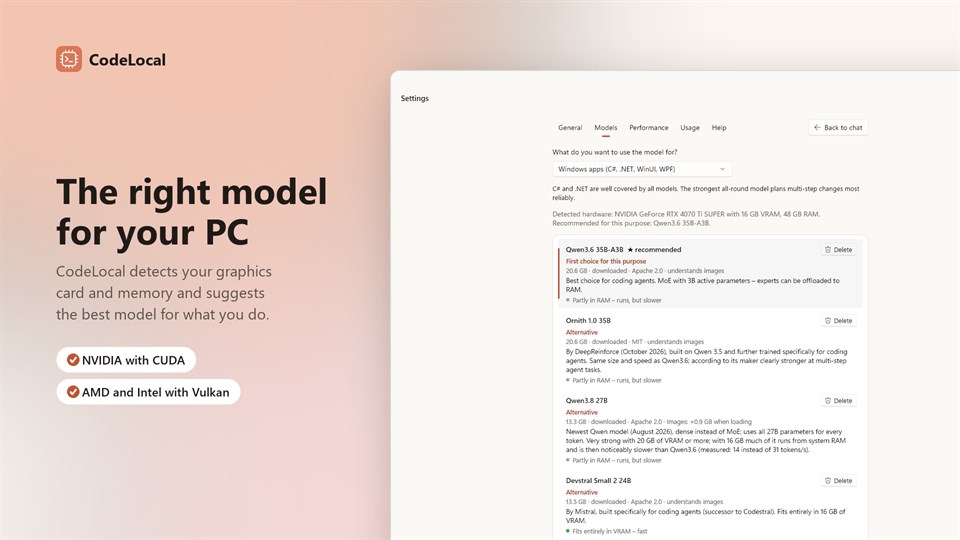
CodeLocal ships with the llama.cpp model runtime and, on first start, downloads an open language model of your choice from Hugging Face (about 5 to 22 GB depending on the model). After that everything works offline. The app detects your graphics card and memory and recommends a suitable model, for example for Windows apps, PowerShell, web and Python, or Android.
Like a colleague in your project folder
• Reads, searches and edits files in the project folder you choose
• Runs commands (dotnet, npm, git, flutter, PowerShell …) and reacts to errors
• Keeps a task list and shows every step it takes
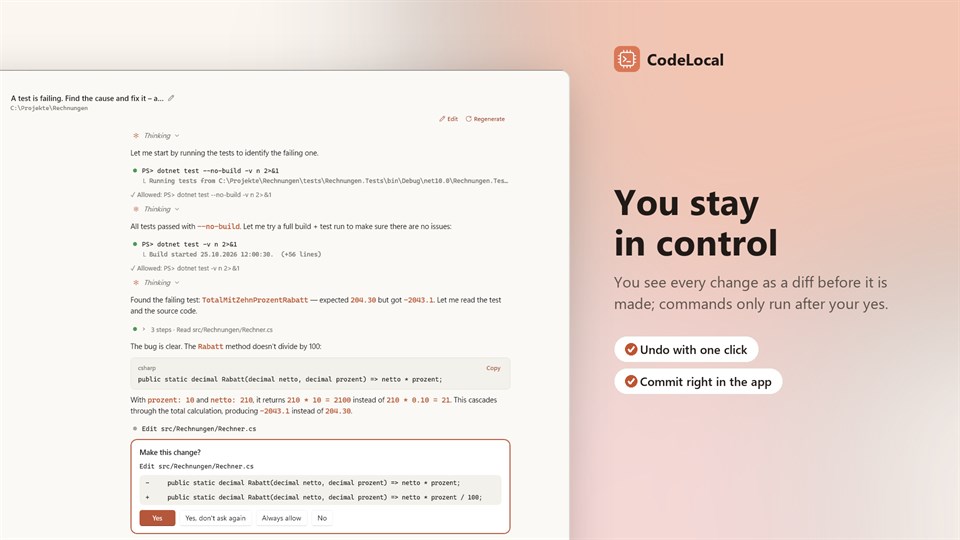
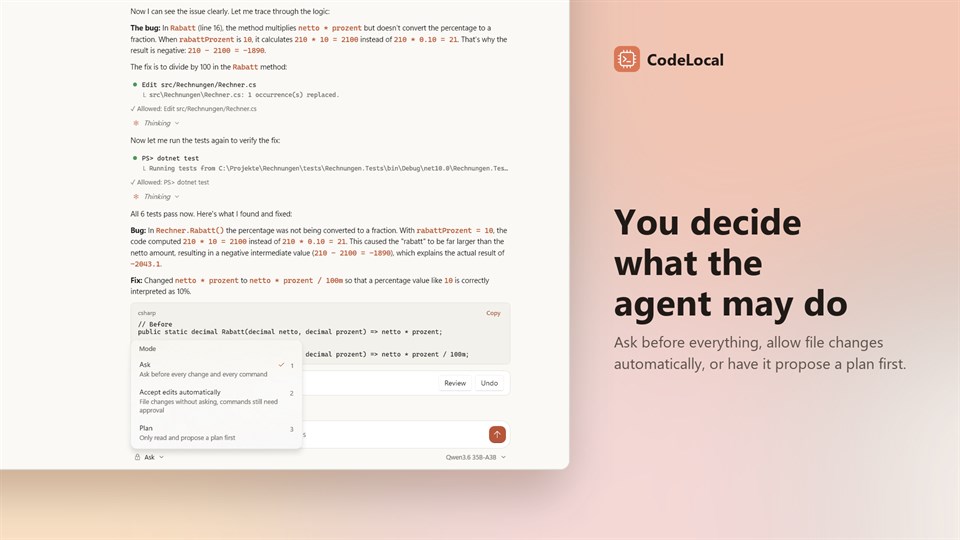
• Asks before changes and commands – or works more independently in "Auto-edits" mode
• Plan mode: only reads and proposes a plan first
• Every step can be undone; changes are shown as a diff
• Git integration with change overview and suggested commit message
• Project instructions (CODELOCAL.md, CLAUDE.md or AGENTS.md) and custom commands
• Understands screenshots and images (with suitable models)
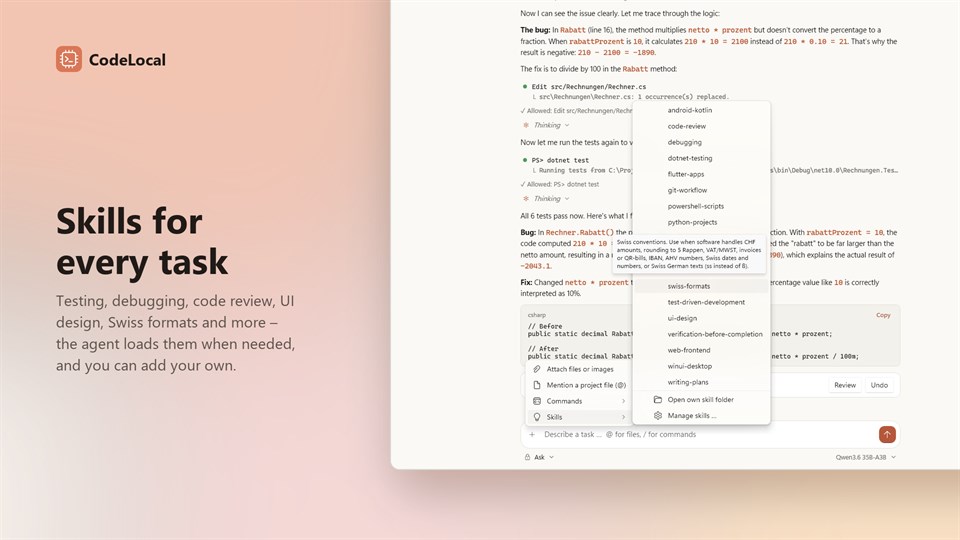
• Skills: built-in guides for Windows apps, tests, debugging, code review, UI design, Swiss formats and more – the agent loads them when needed, and you can add your own
• Research helper: searches the code with its own context and reports only the result
Your data stays with you
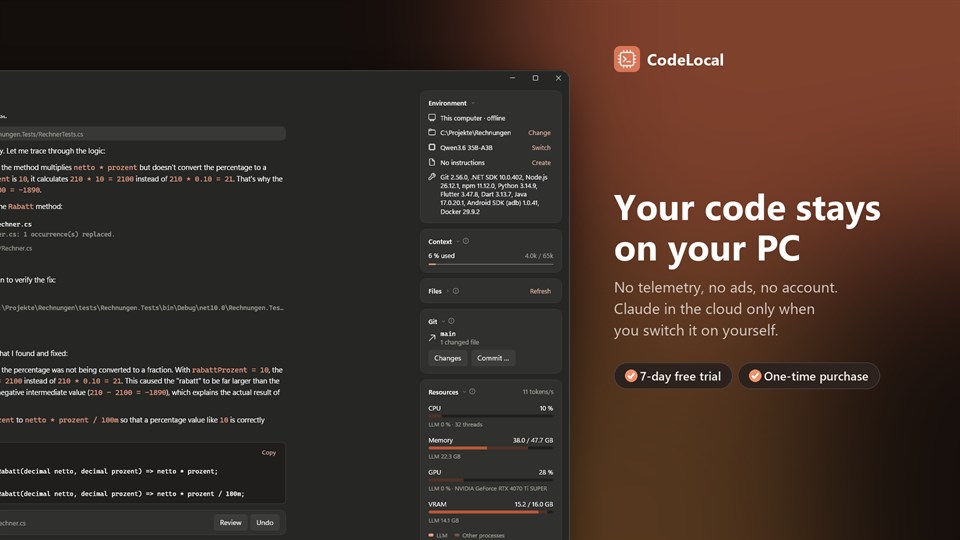
No telemetry, no ads, no user account. Conversations and settings are stored on your PC. The app only connects to the internet when you download a model or turn on features that need it.
Optional: Claude in the cloud
For especially hard tasks you can switch to Claude with your own Anthropic API key. This is voluntary and off by default; your messages then go to Anthropic, which bills you directly. Switching back to the local model takes one click.
More features
• Your own models: pick any GGUF file or download one from a link
• German and English, light and dark theme
• Resource monitor for CPU, GPU and memory
• Multiple conversations grouped by project, with search and export
• Instructions for all projects; repeat earlier messages with the arrow key
System requirements
Windows 10 (version 2004) or Windows 11, 64-bit. Recommended: graphics card with 16 GB of VRAM (NVIDIA with CUDA, or any graphics card with Vulkan) and 32 GB of RAM. Smaller models run with 12 GB of total memory, but much more slowly without a capable graphics card. Downloading a model needs 5 to 25 GB of free disk space.
Từ nhà phát triển
Danh sách 0
-
 CodeLocal
Điểm 0
-

- +1 Điểm

Bảng xếp hạng 0
-
- Điểm bạn chấm
Nhà phát triển 2
- Andi W.
- Người theo dõi: 0
- Nền tảng: Windows Ứng dụng (2)
- Giảm giá: 0
- Danh sách: 0 0
- Điểm: 0
- Bảng xếp hạng: 0
- Bình luận: 0
- Video: 0
- RSS: Đăng ký
Tính năng mới
- Phiên bản: PC
- Cập nhật lần cuối:
- New start screen: suggestions to get going and your recently used projects, each one click away.
Calmer side panel: context is a small ring next to the model, resources fit on one line, and the tools list folds open.
Each answer shows how many tokens the model wrote and how fast.
New under Settings → Performance: "Measure performance" runs three fixed tasks to show how fast your PC reads, writes and rewrites code.
While the model loads, the input box shows the progress.
Easier to read: stronger secondary text, and Windows contrast themes are supported.
New settings under Performance: "Model in RAM" keeps the part of the model that doesn't fit into graphics memory locked in RAM; "Priority" keeps the speed steady while other programs run.
Faster: image support is only loaded when you send an image, which leaves about 1 GB more graphics memory for the model.
New models: Flint 40B-A2.5B for coding agents, and LFM2.5 24B-A2B, which fits entirely in 16 GB of graphics memory.
Thông tin bổ sung
- Ngày phát hành:
- Danh mục:
Ứng dụng cho Windows›Công cụ cho nhà phát triển - HĐH:
PC - Kích thước:
686 Mb - Ngôn ngữ được hỗ trợ:
Tiếng Anh,Tiếng Đức - Xếp hạng nội dung:
EVERYONE - Windows Store Điểm đánh giá: ¡
0
Điểm tổng hợp AppAgg
Điểm tổng hợp AppAgg ước tính cho
CodeLocal
Nhà phát triển: Andi W.
Điểm cao hơn thường cho thấy các chỉ số trên AppAgg tốt hơn.
Dựa trên: độ phổ biến · đánh giá của người dùng · độ mới · ưu đãi · dữ liệu cửa hàng · hoạt động cộng đồng
Được tính lại hằng ngày từ dữ liệu AppAgg mới nhất.
Bình luận 0 ¡
Chia sẻ
CodeLocal URL ngắn: Đã sao chép!- Windows Store

