
書籤
為此書籤設定標題。
書籤已儲存
摘要
來認識一下 CodeLocal,Andi W. 打造的應用程式,歸在「開發人員工具」分類。
推出,還相當新鮮。
$9.69,在 AppAgg 上到現在一次折扣都沒有。真是塊難啃的骨頭。
Microsoft Store 內建在 Windows 裡,點幾下就裝好了。
AppAgg 評分 1,080。白銀級,已經相當不錯了。
年齡分級為「EVERYONE」,小朋友也適合。
會 2 種語言,但還沒學會中文。
這裡目前一片安靜:沒有評分,也沒有留言。來打破沉默吧。
這位開發者在 AppAgg 上還有 1 款 App,值得逛逛。
想搶先知道折扣、更新和新應用程式?設定降價提醒、追蹤開發者或訂閱RSS 訂閱來源。推播通知會透過 AppAgg Alerts App 傳送,支援 Android 和 iOS。
廣告
其他平台 0
價格紀錄 0
- 目前價格: $9.69
- 最小值: $9.69
- 最大值: $9.69
首頁專屬動態
為「最新與更新」選擇平台,首頁就只會顯示你需要的 App 和遊戲。
螢幕擷取畫面 6
描述

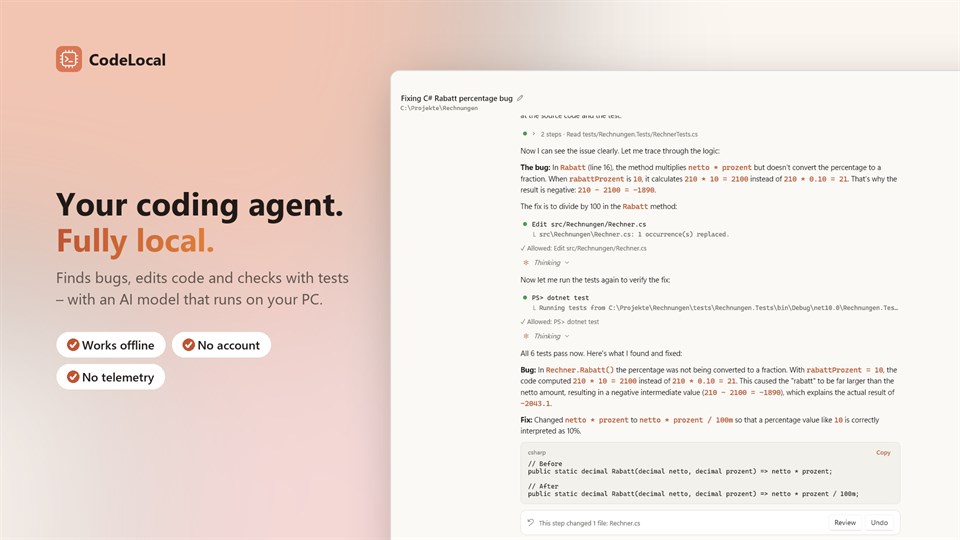
Try it free for 7 days with all features. After that, a one-time purchase with updates included.
Note: CodeLocal uses generative AI. Answers and code changes are produced by a language model and may be wrong. Review changes before you keep them. You can report inappropriate answers to us with right-click → "Report answer".
How it works
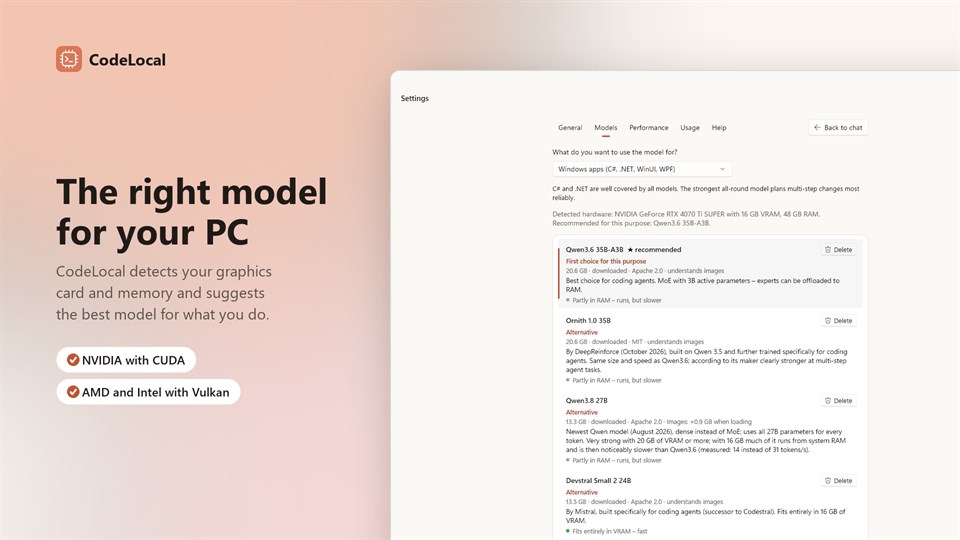
CodeLocal ships with the llama.cpp model runtime and, on first start, downloads an open language model of your choice from Hugging Face (about 5 to 22 GB depending on the model). After that everything works offline. The app detects your graphics card and memory and recommends a suitable model, for example for Windows apps, PowerShell, web and Python, or Android.
Like a colleague in your project folder
• Reads, searches and edits files in the project folder you choose
• Runs commands (dotnet, npm, git, flutter, PowerShell …) and reacts to errors
• Keeps a task list and shows every step it takes
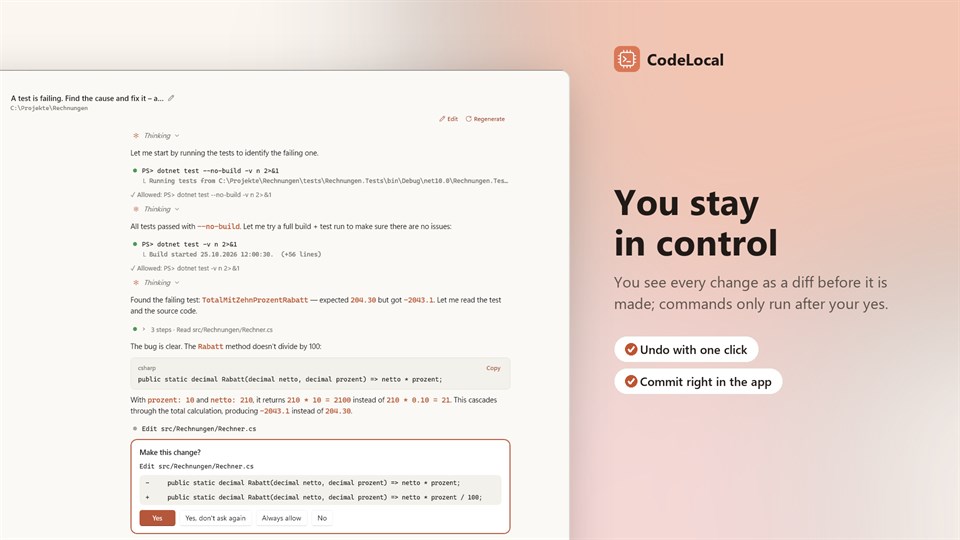
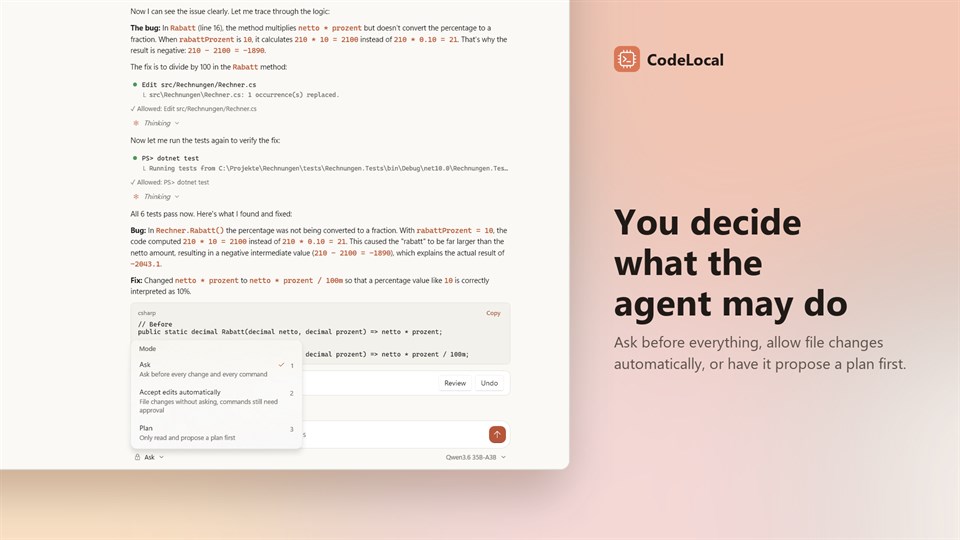
• Asks before changes and commands – or works more independently in "Auto-edits" mode
• Plan mode: only reads and proposes a plan first
• Every step can be undone; changes are shown as a diff
• Git integration with change overview and suggested commit message
• Project instructions (CODELOCAL.md, CLAUDE.md or AGENTS.md) and custom commands
• Understands screenshots and images (with suitable models)
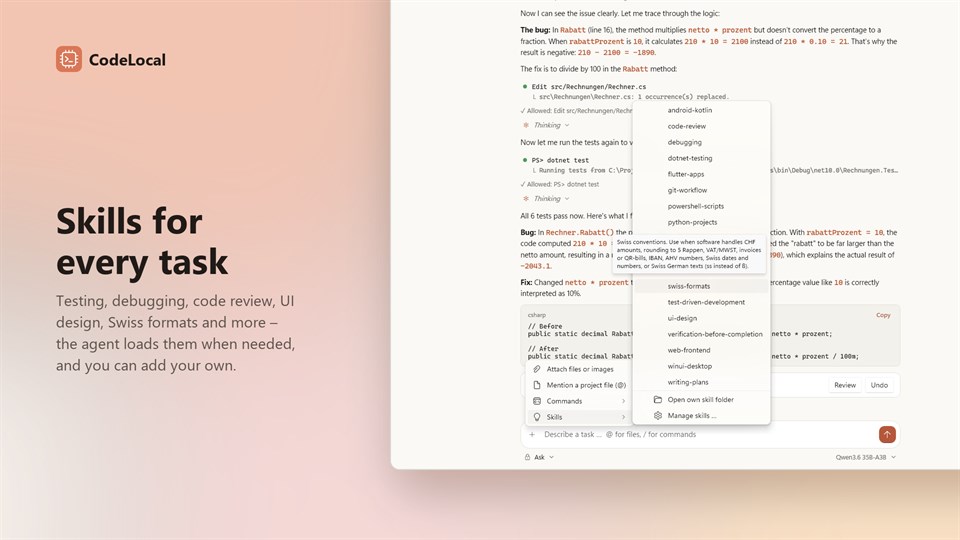
• Skills: built-in guides for Windows apps, tests, debugging, code review, UI design, Swiss formats and more – the agent loads them when needed, and you can add your own
• Research helper: searches the code with its own context and reports only the result
Your data stays with you
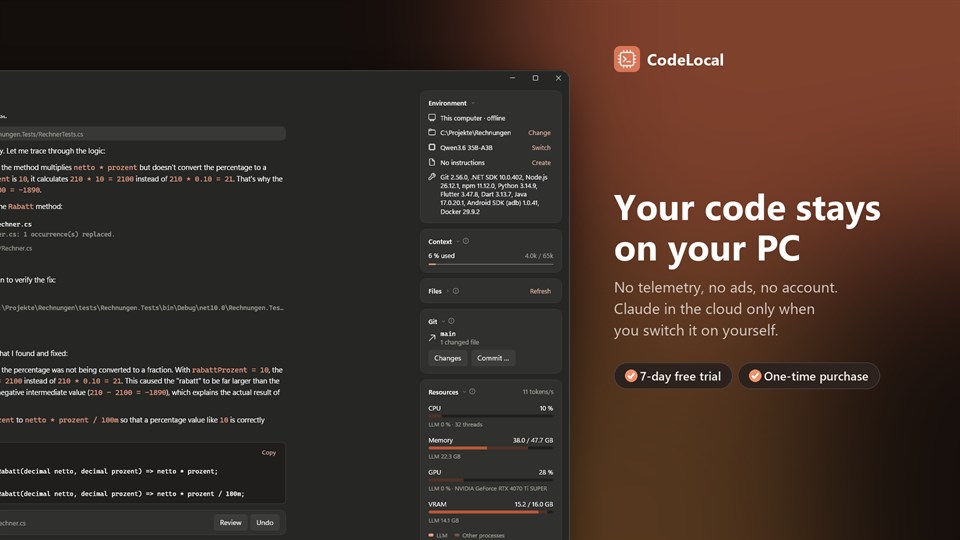
No telemetry, no ads, no user account. Conversations and settings are stored on your PC. The app only connects to the internet when you download a model or turn on features that need it.
Optional: Claude in the cloud
For especially hard tasks you can switch to Claude with your own Anthropic API key. This is voluntary and off by default; your messages then go to Anthropic, which bills you directly. Switching back to the local model takes one click.
More features
• Your own models: pick any GGUF file or download one from a link
• German and English, light and dark theme
• Resource monitor for CPU, GPU and memory
• Multiple conversations grouped by project, with search and export
• Instructions for all projects; repeat earlier messages with the arrow key
System requirements
Windows 10 (version 2004) or Windows 11, 64-bit. Recommended: graphics card with 16 GB of VRAM (NVIDIA with CUDA, or any graphics card with Vulkan) and 32 GB of RAM. Smaller models run with 12 GB of total memory, but much more slowly without a capable graphics card. Downloading a model needs 5 to 25 GB of free disk space.
來自開發者
你是開發者嗎?
在頁面頂部發布消息,追蹤者會透過電子郵件收到。新增你的 YouTube 影片,它們會排在「影片」區塊最前面。
清單 0
-
 CodeLocal
點數 0
-

- +1 點

排名 0
-
- 您的評分
開發者 2
- Andi W.
- 追蹤者: 0
- 平台: Windows 應用程式 (2)
- 折扣: 0
- 清單: 0 0
- 點數: 0
- 排名: 0
- 留言: 0
- 影片: 0
- RSS: 訂閱
新功能
- 版本: PC
- 最後更新:
- New start screen: suggestions to get going and your recently used projects, each one click away.
Calmer side panel: context is a small ring next to the model, resources fit on one line, and the tools list folds open.
Each answer shows how many tokens the model wrote and how fast.
New under Settings → Performance: "Measure performance" runs three fixed tasks to show how fast your PC reads, writes and rewrites code.
While the model loads, the input box shows the progress.
Easier to read: stronger secondary text, and Windows contrast themes are supported.
New settings under Performance: "Model in RAM" keeps the part of the model that doesn't fit into graphics memory locked in RAM; "Priority" keeps the speed steady while other programs run.
Faster: image support is only loaded when you send an image, which leaves about 1 GB more graphics memory for the model.
New models: Flint 40B-A2.5B for coding agents, and LFM2.5 24B-A2B, which fits entirely in 16 GB of graphics memory.
其他資訊
AppAgg 評分
1,080
AppAgg 預估評分:
CodeLocal
開發者: Andi W.
1,080 白銀
評分越高,通常代表其在 AppAgg 上的各項指標表現越好。
基於: 人氣 · 使用者評分 · 新鮮度 · 優惠 · 商店資料 · 社群活躍度
根據最新 AppAgg 資料每日重新計算。
網站徽章:  已複製!
留言 0 ¡
搶先留下第一則留言
分享
CodeLocal 短網址: 已複製!- Windows Store

