
북마크
이 북마크의 제목을 입력하세요.
북마크가 저장되었습니다
| 개발자: | Manuel Steinhilber (3) | ||
| 가격: | 무료 신규 | ||
| 종합 점수: | 1,100 실버 | ||
| 순위: | 0 | ||
| 댓글: | 0 댓글 게시 | ||
| 목록: | 0 0 | ||
| 포인트: | 0 | ||
| +1 포인트 | |||
요약
Command Tool: Manuel Steinhilber에서 만든 ‘개발자 도구’ 카테고리의 앱이에요.
새로 나온 앱이에요. 에 나왔으니 지금 써 보면 얼리어답터예요.
무료. 광고도 인앱 구매도 없어요. 앱에만 집중하면 돼요.
Microsoft Store는 Windows에 기본으로 들어 있어서 클릭 몇 번이면 설치돼요.
AppAgg 점수는 1,100. 실버 등급, 이 정도면 꽤 괜찮아요.
연령 등급은 ‘EVERYONE’, 아이들에게도 괜찮아요.
13개 언어를 지원하고, 한국어도 있어요.
아직 여기는 조용해요. 평점도, 댓글도 없어요. 침묵을 깨 주세요.
이 개발자의 앱이 AppAgg에 2개 더 있어요. 한번 둘러보세요.
업데이트와 새 앱 소식을 가장 먼저 받고 싶나요? 개발자를 팔로우하거나 RSS 피드를 구독하세요. 푸시 알림은 Android와 iOS용 AppAgg Alerts 앱으로 받을 수 있어요.
광고
다른 플랫폼 0
가격 기록 0
- 현재 가격: 무료
- 최소: 무료
- 최대: 무료
홈 화면의 나만의 피드
“신규 및 업데이트” 피드의 플랫폼을 선택하면 홈 화면에 필요한 앱과 게임만 표시됩니다.
스크린샷 10
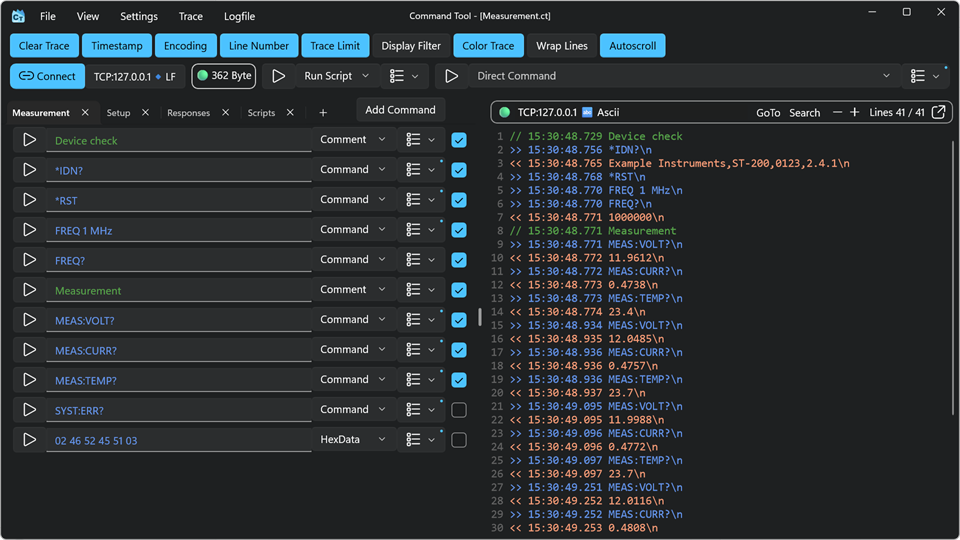
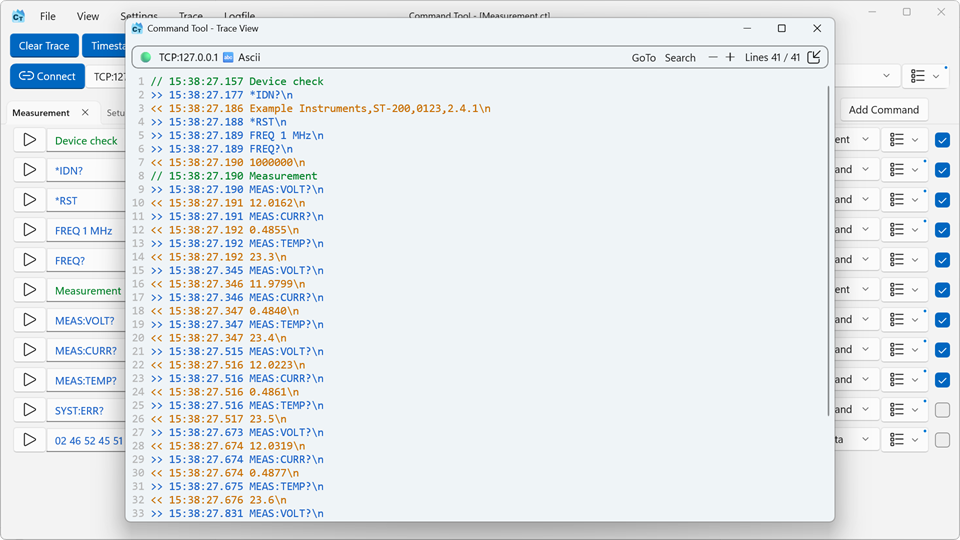
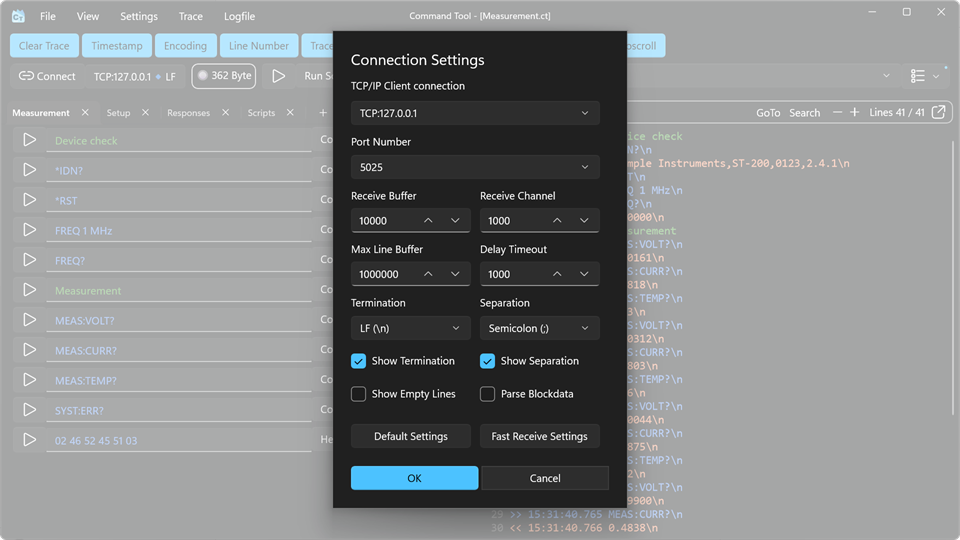
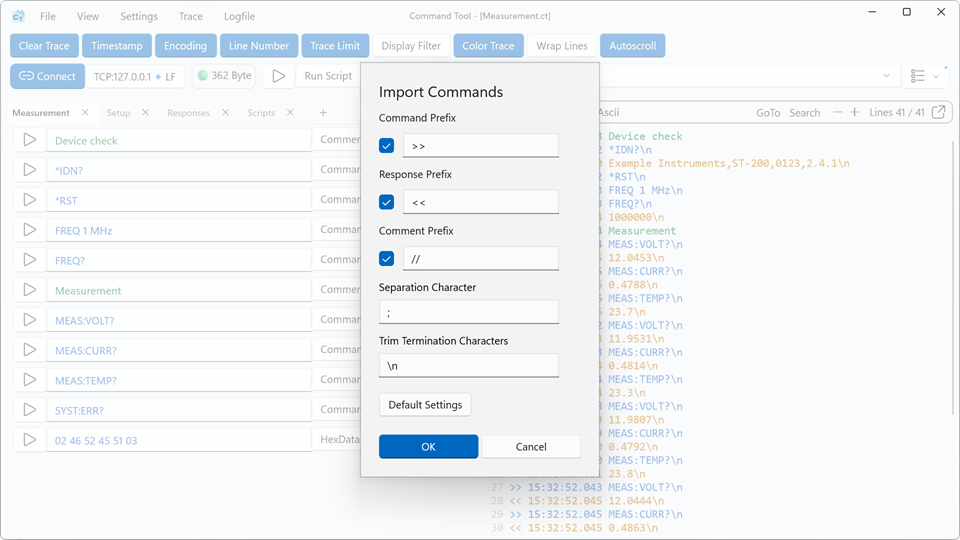
설명

🔗 Connections
• TCP client and server, UDP, serial ports
• VISA instruments (NI-VISA, Keysight or R&S VISA): USB, LAN, GPIB
• Text, hexadecimal and block data
📋 Commands
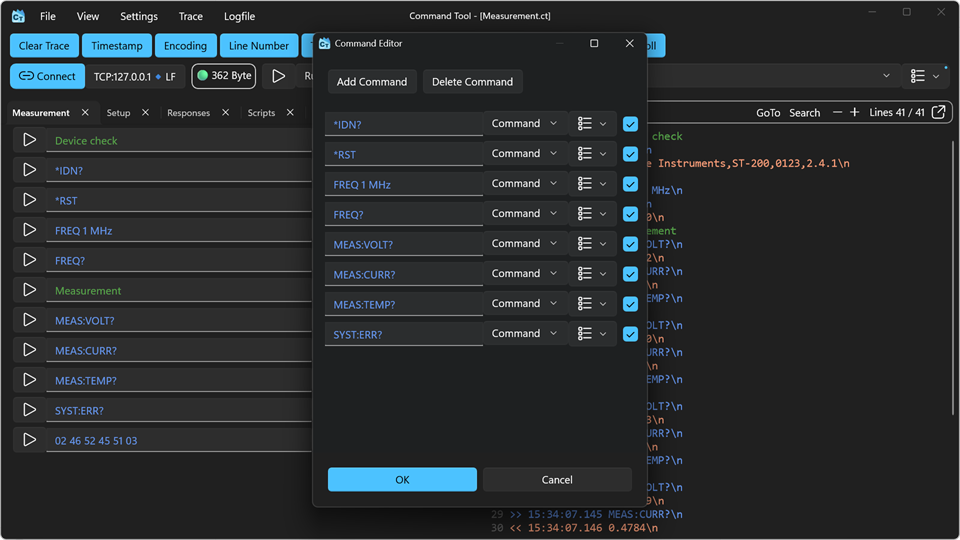
• Command tables in tabs, send with one click
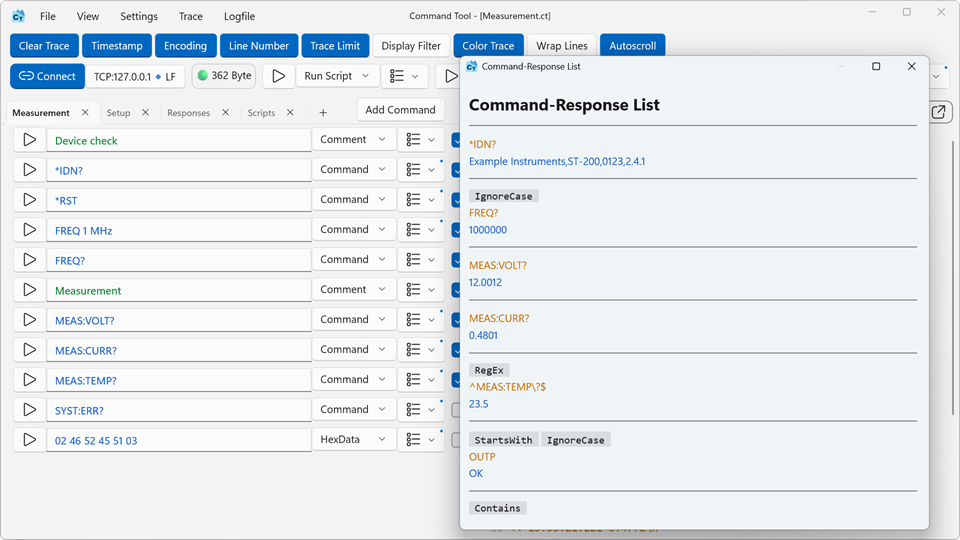
• Templates for parameters, responses checked with regular expressions
⚡ Automation
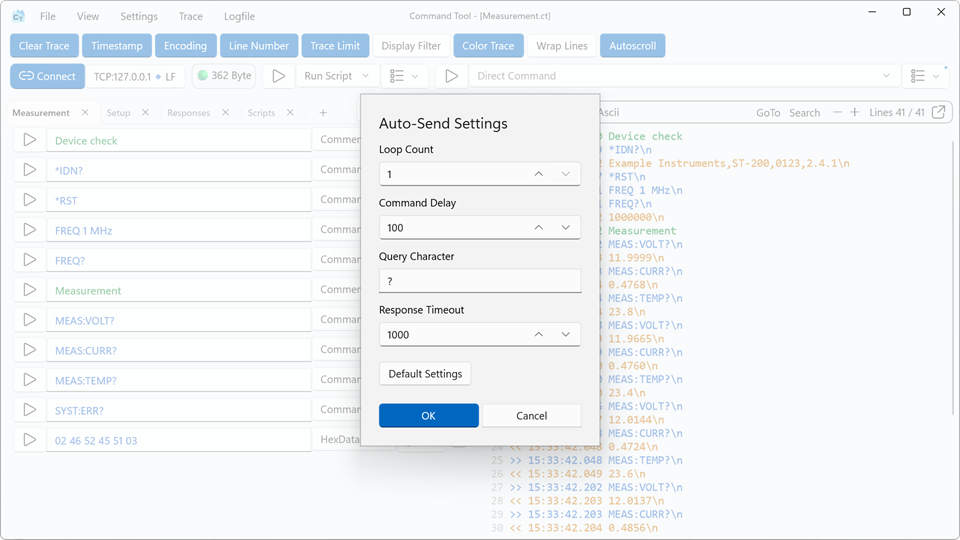
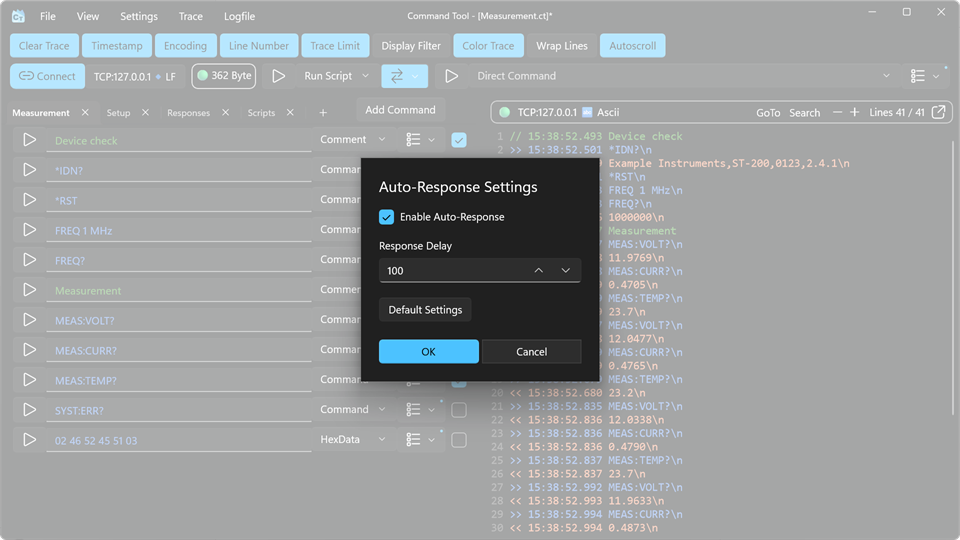
• Auto Send in loops, Auto Response to simulate a device
• Write your own scripts in C#, Python or Lua, with dialogs and progress
🖥️ Trace and logfiles
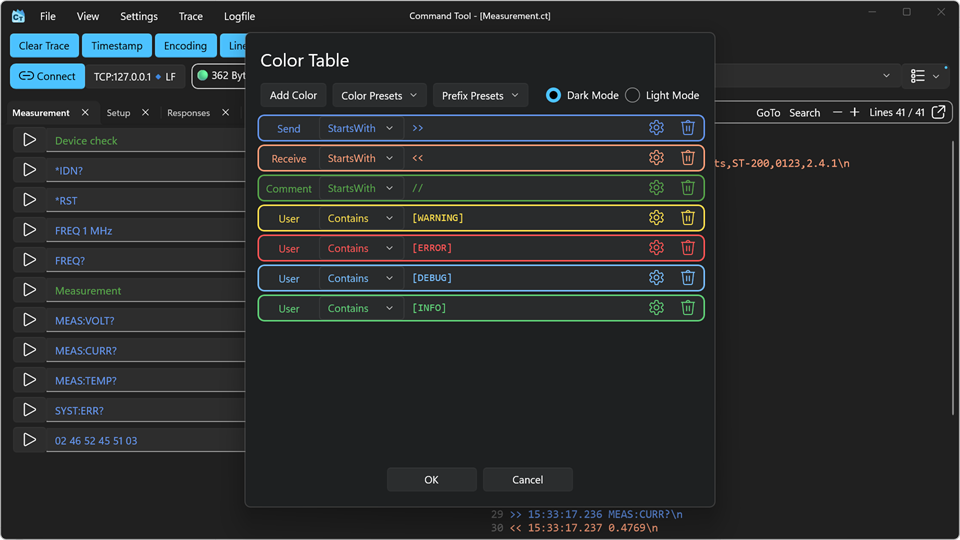
• Fast, colored trace with timestamps, search and display filter
• Many encodings: ASCII, UTF-8, hexadecimal, Base64 and more
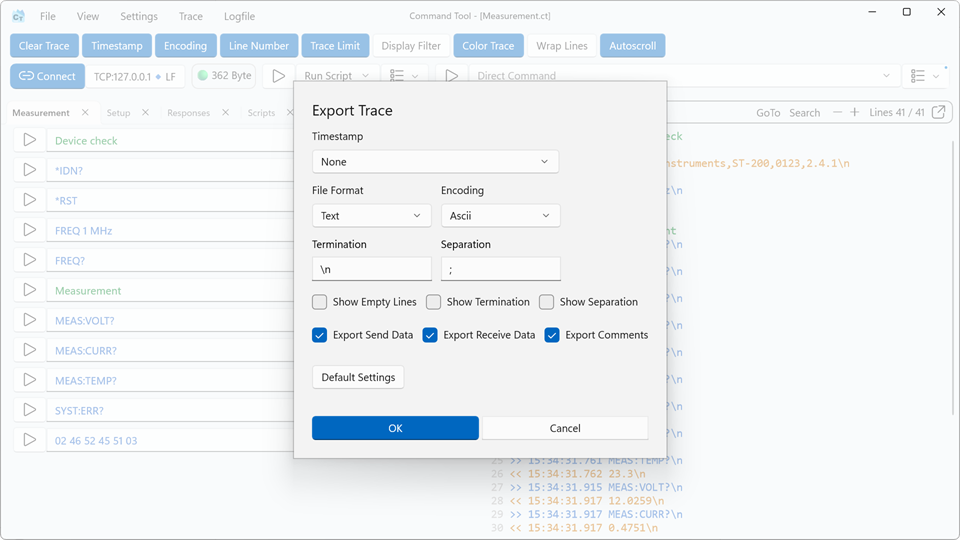
• Logfiles as text, HTML or binary data, log viewer with live monitoring
🌍 More highlights
• 13 languages, dark mode and compact mode
• Trace and command tables in their own windows
• Open files by drag and drop, recent files in the File menu
개발자 소식
개발자이신가요?
페이지 맨 위에 소식을 올리면 팔로워에게 이메일로 전달됩니다. YouTube 동영상을 추가하면 “동영상” 블록 맨 앞에 표시됩니다.
목록 0
-
 Command Tool
포인트 0
-

- +1 포인트

순위 0
-
- 내 평점
개발자 3
- Manuel Steinhilber
- 팔로워: 0
- 플랫폼: Windows 앱 (3)
- 할인: 0
- 목록: 0 0
- 포인트: 0
- 순위: 0
- 댓글: 0
- 동영상: 0
- RSS: 구독
새로운 기능
- 버전: PC
- 마지막 업데이트:
- Version 1.2.0
Data rate in the connection bar (a click switches to the bytes) and in the info line of the trace
Serial ports: no more lost data with large transfers
Serial ports: a device that does not take data no longer blocks the app
Larger receive buffer for VISA serial ports and UDP
Option "Append LF" shown correctly in all languages
버전 기록2
- Version 1.1.0
Menu in the title bar
Language menu with countries
Color panel: show only your own colors
Same settings for the portable and the Store version - Connects over TCP (client and server), UDP and serial ports
Command tables in tabs with one-click sending
Colored trace of all sent and received data with timestamps
Auto Send of command lists in loops
Auto Response to simulate a device
Scripts in C#, Python and Lua with dialogs and own windows
Debugging of C# scripts with breakpoints in Visual Studio
Templates for parameters and regular expressions for responses
Hexadecimal, block data and many encodings (ASCII, UTF-8, Base64, ...)
Logfiles as text, HTML, binary data or trace files, export of the trace
Log and trace viewer with live monitoring of growing logfiles
Search, go to line, display filter and color table
13 languages, dark mode and compact mode
추가 정보
AppAgg 점수
1,100
AppAgg 예상 점수:
Command Tool
개발자: Manuel Steinhilber
1,100 실버
점수가 높을수록 대체로 AppAgg의 여러 지표에서 좋은 결과를 보인다는 뜻입니다.
기준: 인기 · 사용자 평점 · 최신성 · 할인 · 스토어 데이터 · 커뮤니티 활동
최신 AppAgg 데이터를 바탕으로 매일 다시 계산됩니다.
웹사이트용 배지:  복사됨!
댓글 0 ¡
가장 먼저 댓글을 남겨주세요
공유하기
Command Tool 단축 URL: 복사됨!- Windows Store


