
บุ๊กมาร์ก
| ผู้พัฒนา: | Manuel Steinhilber (3) | ||
| ราคา: | ฟรี ใหม่ | ||
| คะแนน: | 1,100 เงิน | ||
| การจัดอันดับ: | 0 | ||
| ความคิดเห็น: | 0 โพสต์ความคิดเห็น | ||
| รายการ: | 0 0 | ||
| แต้ม: | 0 | ||
| +1 แต้ม | |||
สรุป
Command Tool เป็นแอปในหมวด “เครื่องมือสำหรับนักพัฒนา” จาก Manuel Steinhilber
มาใหม่ ออกเมื่อ คุณได้เป็นหนึ่งในคนกลุ่มแรก
ฟรี ไม่มีโฆษณา ไม่มีการซื้อภายในแอป มีแค่คุณกับแอป
Microsoft Store มีมาในตัว Windows อยู่แล้ว ติดตั้งได้ในไม่กี่คลิก
คะแนน AppAgg คือ 1,100 ระดับ “เงิน” ถือว่าไม่เลวเลย
จัดเรต “EVERYONE” เหมาะกับเด็ก ๆ ด้วย
รองรับ 13 ภาษา แต่ยังไม่มีภาษาไทย
ตอนนี้ที่นี่ยังเงียบกริบ ไม่มีคะแนน ไม่มีความคิดเห็น มาทำลายความเงียบกันเถอะ
ผู้พัฒนารายนี้มีแอปอื่นบน AppAgg อีก 2 แอป ลองไปดูกัน
อยากรู้เรื่องอัปเดตและแอปใหม่ก่อนใครไหม? ติดตาม ผู้พัฒนา หรือกดติดตาม ฟีด RSS ได้เลย การแจ้งเตือนแบบพุชส่งผ่านแอป AppAgg Alerts สำหรับ Android และ iOS
แพลตฟอร์มอื่น 0
ประวัติราคา 0
- ราคาปัจจุบัน: ฟรี
- ต่ำสุด: ฟรี
- สูงสุด: ฟรี
ฟีดของคุณเองบนหน้าแรก
ภาพหน้าจอ 10
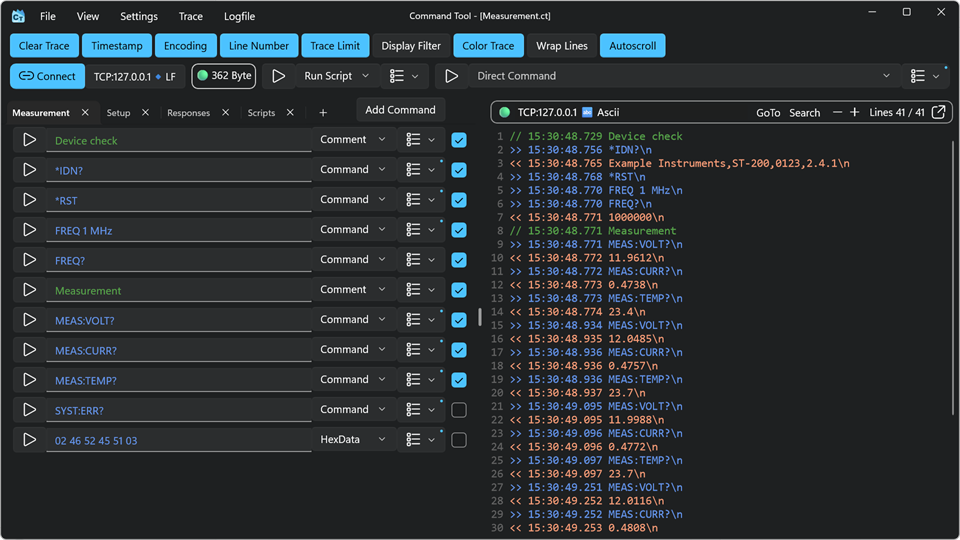
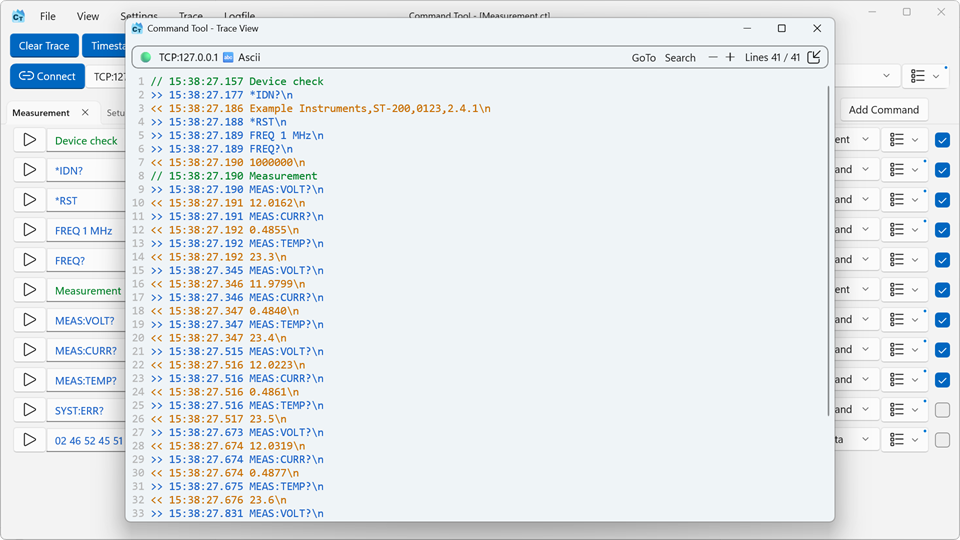
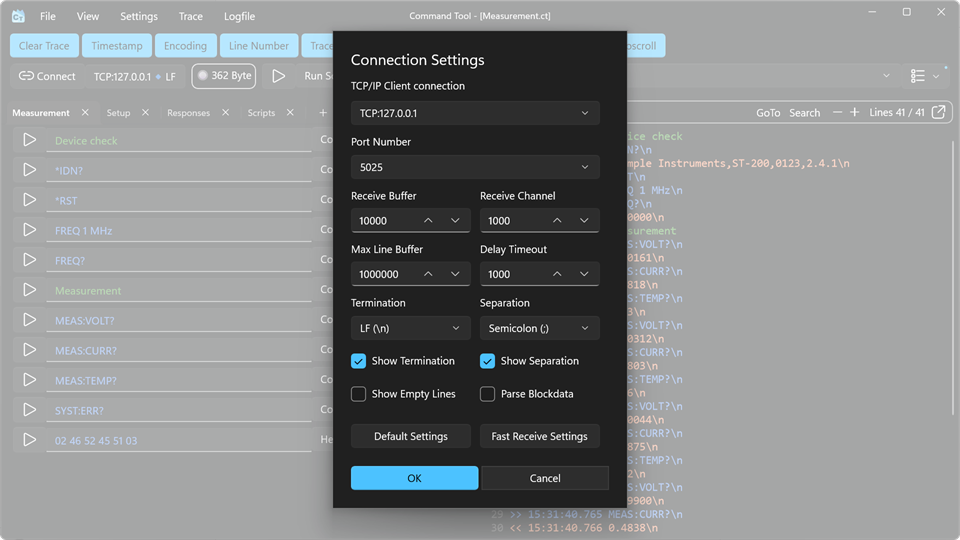
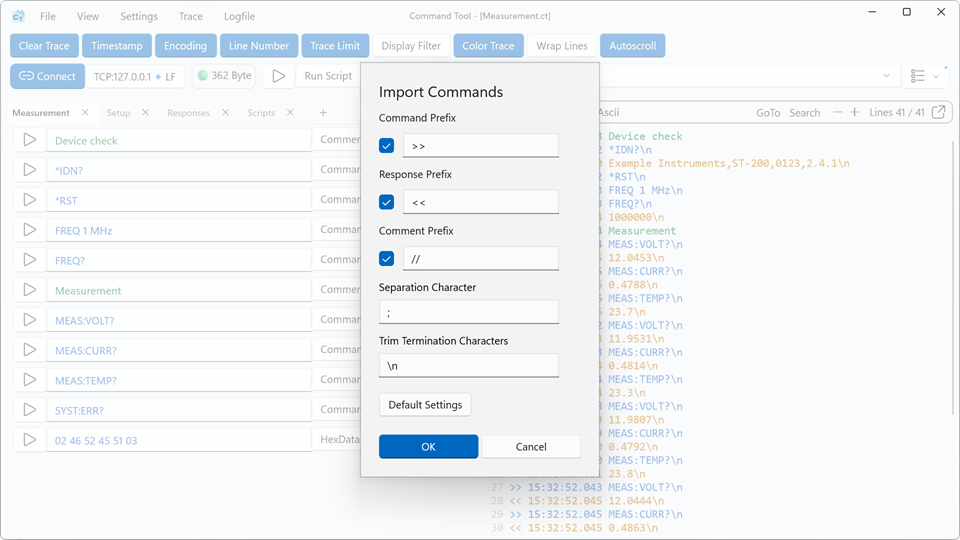
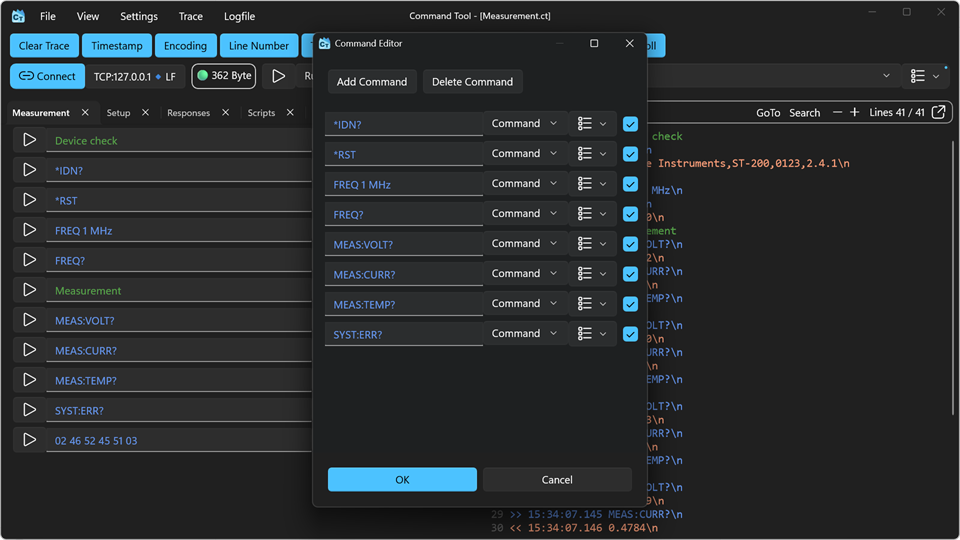
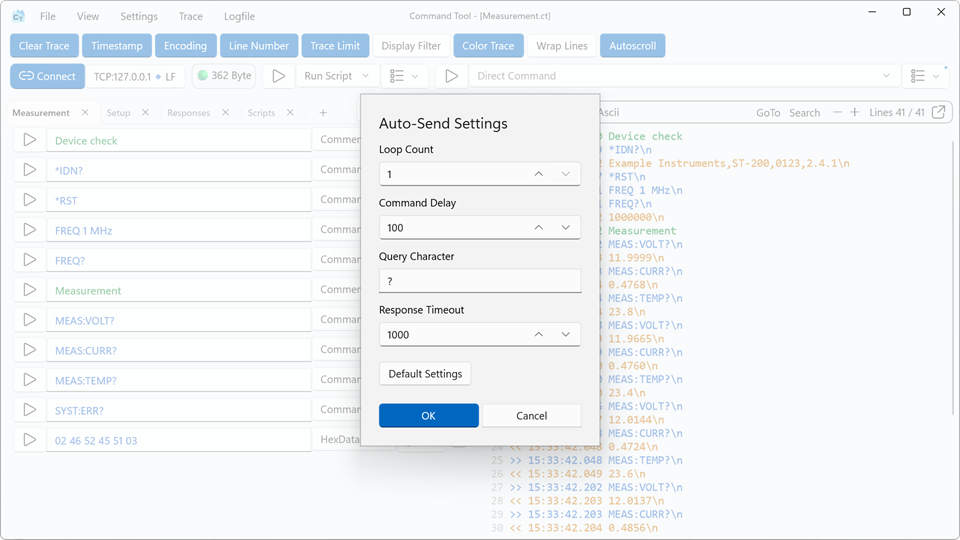
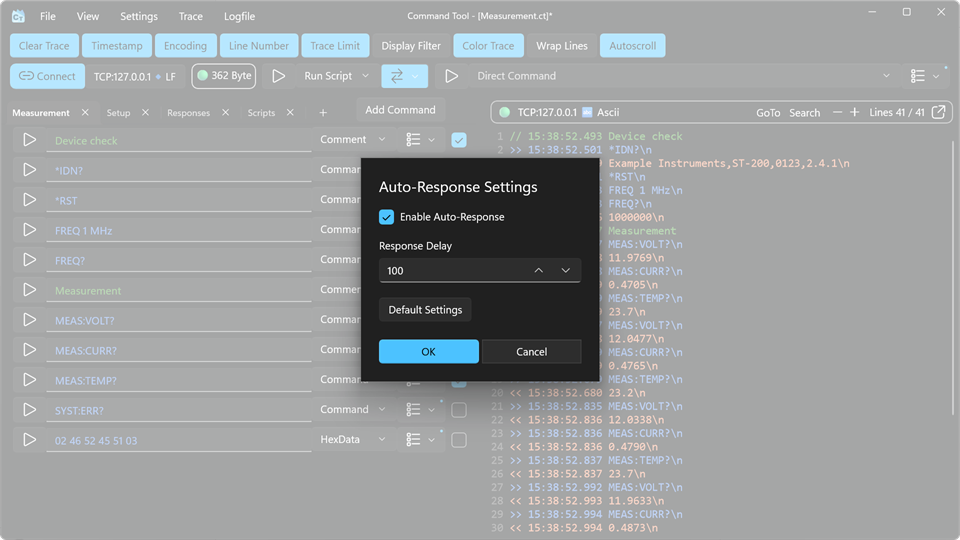
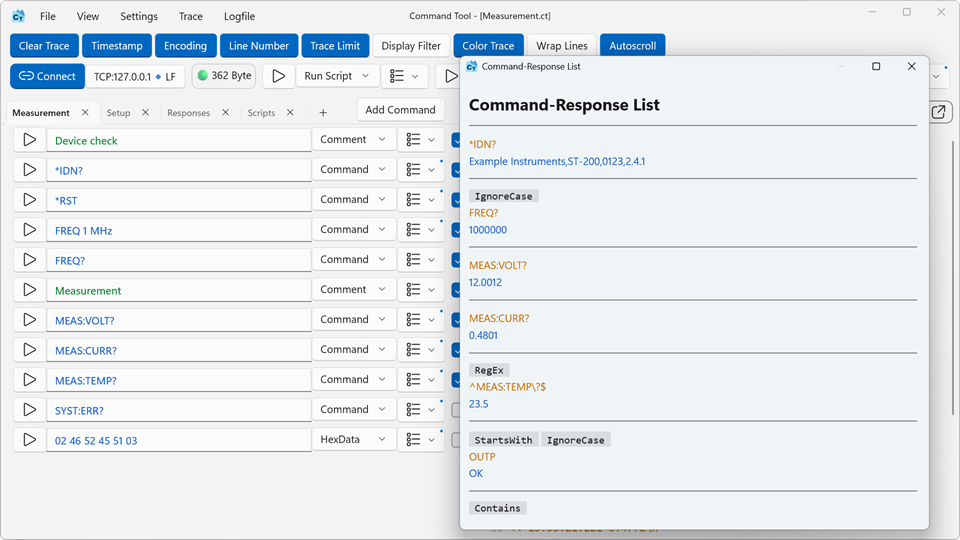
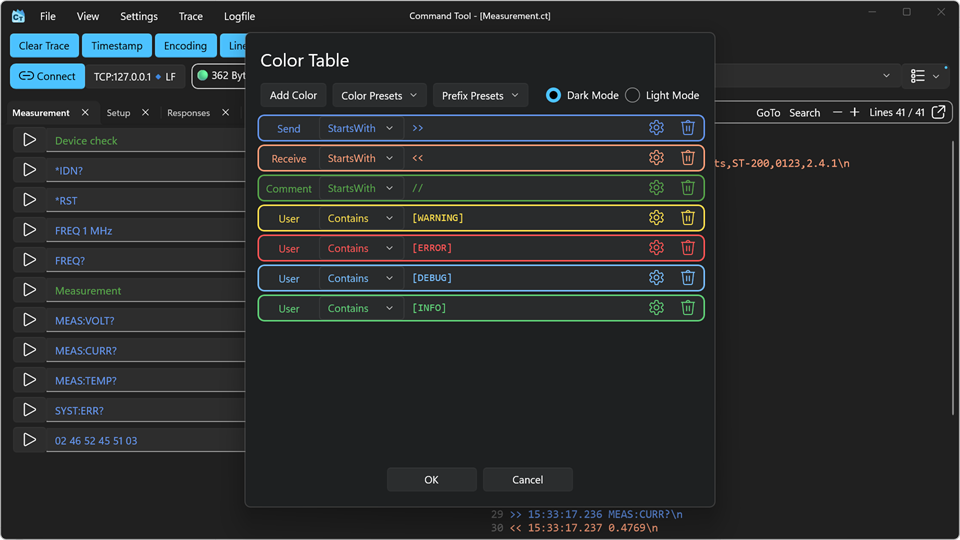
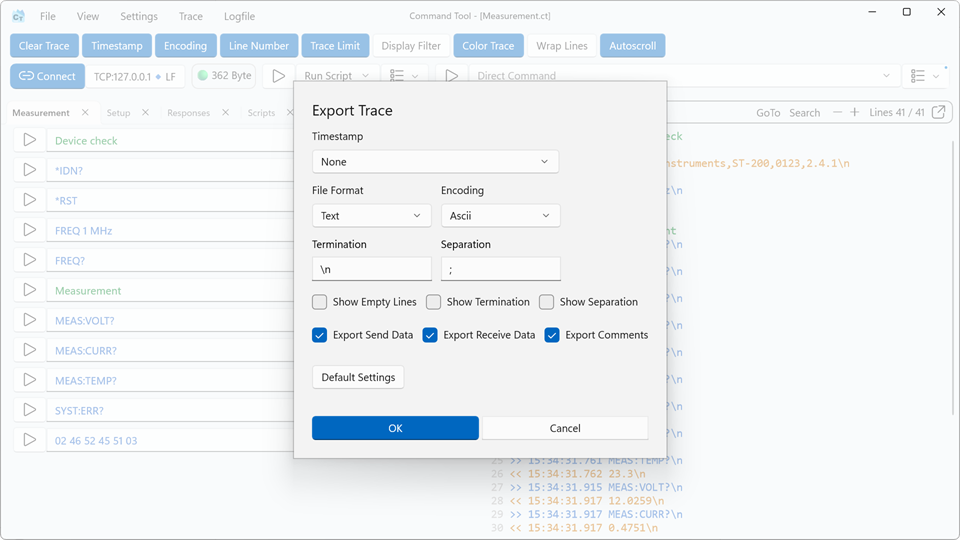
คำอธิบาย

🔗 Connections
• TCP client and server, UDP, serial ports
• VISA instruments (NI-VISA, Keysight or R&S VISA): USB, LAN, GPIB
• Text, hexadecimal and block data
📋 Commands
• Command tables in tabs, send with one click
• Templates for parameters, responses checked with regular expressions
⚡ Automation
• Auto Send in loops, Auto Response to simulate a device
• Write your own scripts in C#, Python or Lua, with dialogs and progress
🖥️ Trace and logfiles
• Fast, colored trace with timestamps, search and display filter
• Many encodings: ASCII, UTF-8, hexadecimal, Base64 and more
• Logfiles as text, HTML or binary data, log viewer with live monitoring
🌍 More highlights
• 13 languages, dark mode and compact mode
• Trace and command tables in their own windows
• Open files by drag and drop, recent files in the File menu
จากนักพัฒนา
รายการ 0
-
 Command Tool
แต้ม 0
-

- +1 แต้ม

การจัดอันดับ 0
-
- คะแนนของคุณ
ผู้พัฒนา 3
- Manuel Steinhilber
- ผู้ติดตาม: 0
- แพลตฟอร์ม: Windows แอป (3)
- ลดราคา: 0
- รายการ: 0 0
- แต้ม: 0
- การจัดอันดับ: 0
- ความคิดเห็น: 0
- วิดีโอ: 0
- RSS: ติดตาม
มีอะไรใหม่
- เวอร์ชัน: PC
- อัปเดตล่าสุด:
- Version 1.2.0
Data rate in the connection bar (a click switches to the bytes) and in the info line of the trace
Serial ports: no more lost data with large transfers
Serial ports: a device that does not take data no longer blocks the app
Larger receive buffer for VISA serial ports and UDP
Option "Append LF" shown correctly in all languages
- Version 1.1.0
Menu in the title bar
Language menu with countries
Color panel: show only your own colors
Same settings for the portable and the Store version - Connects over TCP (client and server), UDP and serial ports
Command tables in tabs with one-click sending
Colored trace of all sent and received data with timestamps
Auto Send of command lists in loops
Auto Response to simulate a device
Scripts in C#, Python and Lua with dialogs and own windows
Debugging of C# scripts with breakpoints in Visual Studio
Templates for parameters and regular expressions for responses
Hexadecimal, block data and many encodings (ASCII, UTF-8, Base64, ...)
Logfiles as text, HTML, binary data or trace files, export of the trace
Log and trace viewer with live monitoring of growing logfiles
Search, go to line, display filter and color table
13 languages, dark mode and compact mode
ข้อมูลเพิ่มเติม
คะแนน AppAgg
คะแนน AppAgg โดยประมาณของ
Command Tool
ผู้พัฒนา: Manuel Steinhilber
คะแนนที่สูงขึ้นมักสะท้อนตัวชี้วัดที่ดีกว่าบน AppAgg
อิงจาก: ความนิยม · คะแนนจากผู้ใช้ · ความสดใหม่ · ดีล · ข้อมูลร้านค้า · กิจกรรมชุมชน
คำนวณใหม่ทุกวันจากข้อมูล AppAgg ล่าสุด
ความคิดเห็น 0 ¡
แชร์
Command Tool URL แบบสั้น: คัดลอกแล้ว!- Windows Store

