
Bookmark
| Pengembang: | mcp-tool-shop (9) | ||
| Harga: | Gratis | ||
| Skor: | 600 Perak | ||
| Peringkat: | 0 | ||
| Komentar: | 0 Kirimkan komentar | ||
| Daftar: | 0 0 | ||
| Poin: | 0 | ||
| +1 Poin | |||
Ringkasan
CommandUI adalah aplikasi buatan mcp-tool-shop di kategori Alat pengembang.
Rilis , masih cukup segar.
Gratis, tanpa iklan, tanpa pembelian dalam aplikasi. Cuma kamu dan aplikasinya.
Microsoft Store sudah jadi bawaan Windows, jadi bisa dipasang dalam beberapa klik.
Skor AppAgg-nya 600. Perak, dan itu sama sekali tidak buruk.
Cuma 6 megabyte, muat bahkan di penyimpanan yang sudah penuh.
Rating usia “EVERYONE”, jadi aman juga untuk anak-anak.
Cuma bisa satu bahasa, dan itu bukan bahasa Indonesia.
Belum ada yang menilainya di AppAgg. Kesempatanmu jadi yang pertama ada sekarang.
Pengembang ini punya 8 aplikasi lagi di AppAgg. Layak dilihat.
Mau jadi yang pertama tahu soal pembaruan dan aplikasi baru? Ikuti pengembang atau berlangganan lewat Umpan RSS. Notifikasi push dikirim lewat aplikasi AppAgg Alerts untuk Android dan iOS.
Platform lain 0
Riwayat harga 0
- Harga saat ini: Gratis
- Minimum: Gratis
- Maksimum: Gratis
Feed Anda sendiri di beranda
Jepretan layar 5
Deskripsi

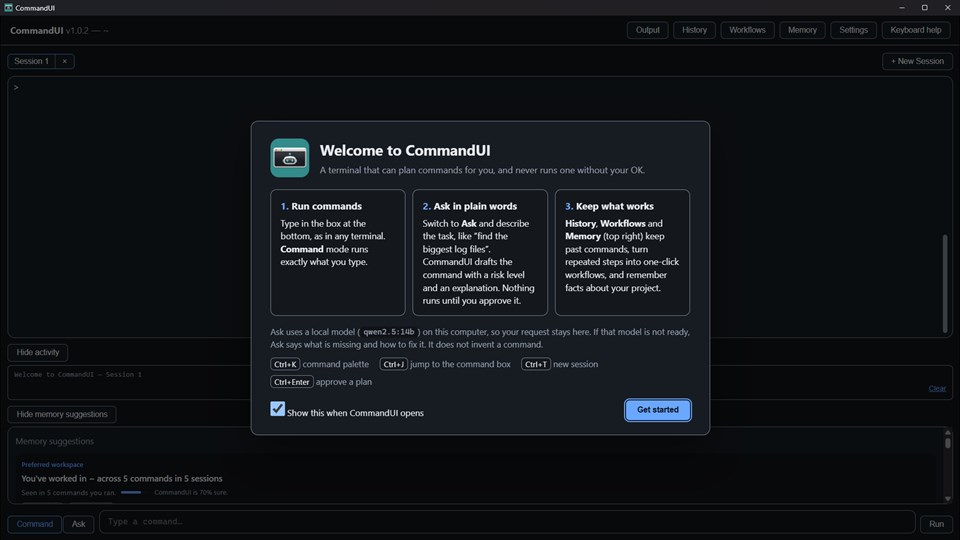
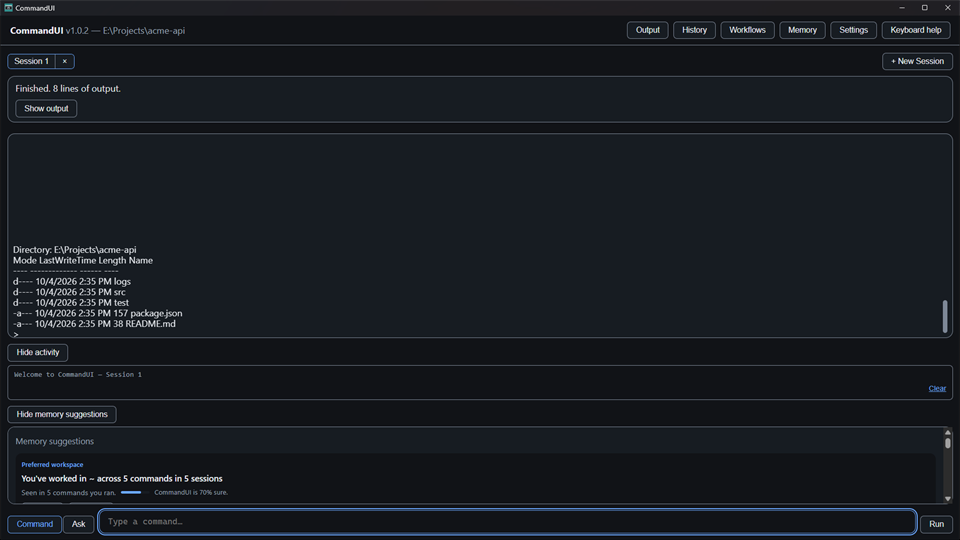
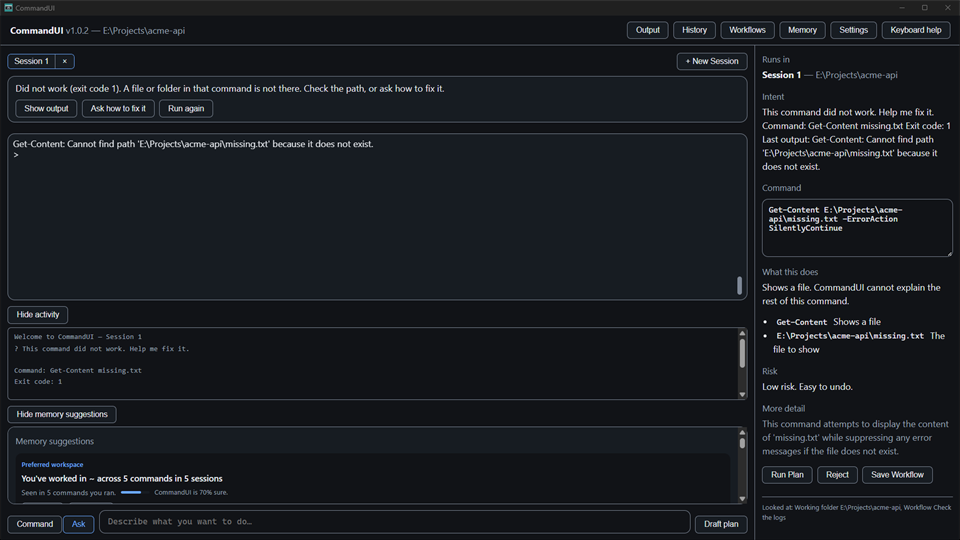
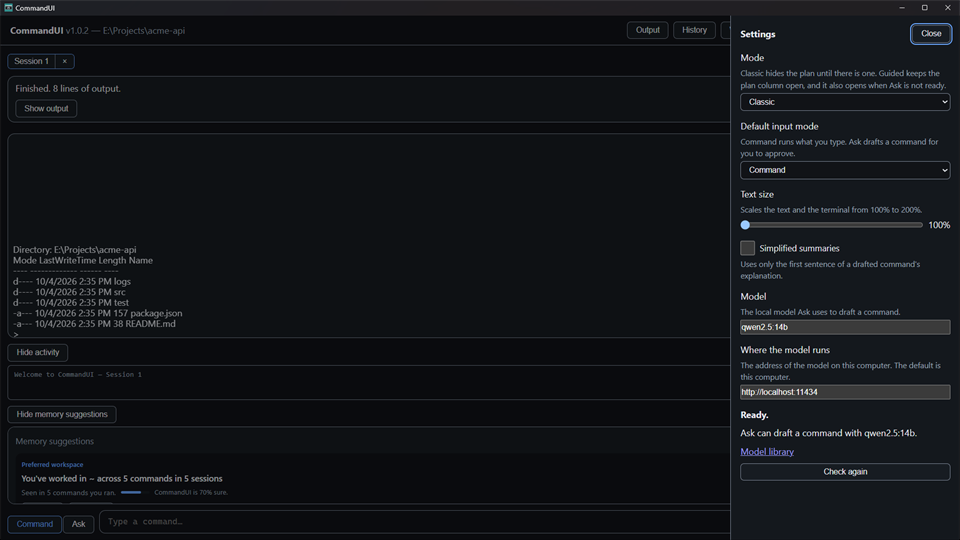
Every command ends with one plain sentence that says whether it worked, and what to do if it did not. A failure offers Ask how to fix it and Run again.
Ask lets you describe what you want in plain words. CommandUI drafts a command, explains it, and shows its risk in words. Nothing runs until you choose Run Plan. A command that deletes files or needs higher permissions also waits until you type the folder name.
Designed for the keyboard and for screen readers:
• Results and errors are announced once, without moving your focus.
• Output lists each command as plain text, one region per command.
• F1 opens keyboard help. Ctrl+Shift+R jumps to the last result. Ctrl+Shift+A switches between Command and Ask.
• Text from 100% to 200%, panels you can hide, and Windows contrast themes and reduced motion respected.
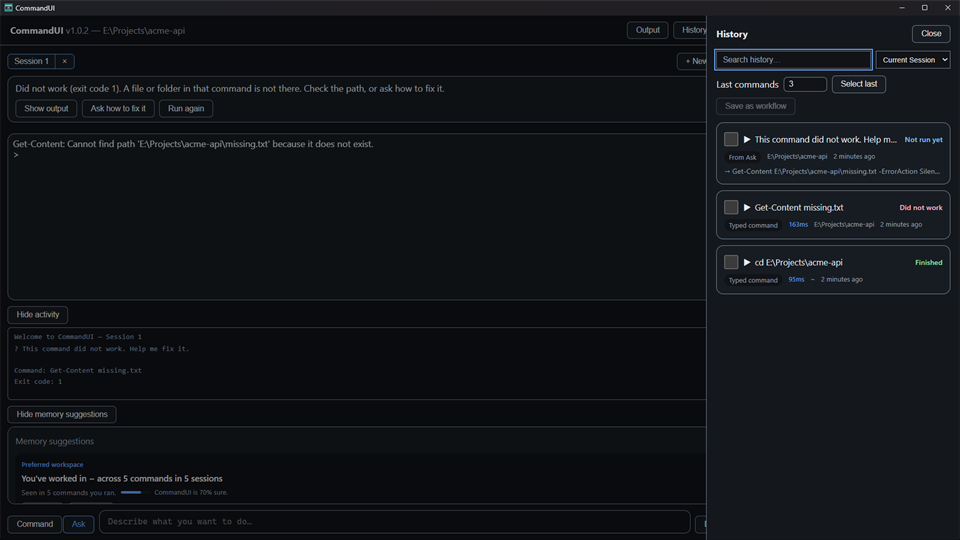
You still get a real shell, with your own profile and more than one session. Make workflows from the commands you run, search your history, and read or delete what CommandUI has noticed.
Everything stays on your computer. Ask uses a model on this computer through Ollama (qwen2.5:14b). If that model is not installed or not running, CommandUI says so and does not invent a command. CommandUI sends no telemetry.
Dari developer
Daftar 0
-
 CommandUI
Poin 0
-

- +1 Poin

Peringkat 0
-
- Rating Anda
Pengembang 9
- mcp-tool-shop
- Pengikut: 0
- Platform: Windows Aplikasi (9)
- Diskon: 0
- Daftar: 0 0
- Poin: 0
- Peringkat: 0
- Komentar: 0
- Video: 0
- RSS: Berlangganan
Yang Baru
- Versi: PC
- Terakhir diperbarui:
- A new design around accessibility. Every result now ends in a plain sentence, with Ask how to fix it and Run again. Results and errors are announced to screen readers, Output shows each command as plain text, and every action has a keyboard path (F1 lists them). Text size goes from 100% to 200%. Workflows can be created and edited, and a delete can be undone. PowerShell sessions start cleanly in your home folder. Ask says when its local model is not ready instead of guessing, and the first request waits while the model loads. New icon. Testing with Narrator, NVDA and Windows contrast themes comes in a later update.
Info tambahan
- Tanggal rilis:
- Kategori:
Aplikasi Windows›Alat pengembang - OS:
PC - Ukuran:
6 Mb - Bahasa yang didukung:
Inggris - Rating Konten:
EVERYONE - Windows Store Rating: ¡
0 - Situs Web:
 https://mcptoolshop.com/
Skor AppAgg
Perkiraan Skor AppAgg untuk
CommandUI
Pengembang: mcp-tool-shop
Skor yang lebih tinggi biasanya menunjukkan indikator yang lebih kuat di AppAgg.
Berdasarkan: popularitas · rating pengguna · kebaruan · promo · data toko · aktivitas komunitas
Dihitung ulang setiap hari dari data AppAgg terbaru.
Komentar 0 ¡
Bagikan
CommandUI URL singkat: Disalin!- Windows Store

