
ブックマーク
このブックマークのタイトルを入力してください。
ブックマークを保存しました
| 開発者: | mcp-tool-shop (9) | ||
| 価格: | 無料 | ||
| スコア: | 600 シルバー | ||
| ランキング: | 0 | ||
| コメント: | 0 コメントを投稿する | ||
| リスト: | 0 0 | ||
| ポイント: | 0 | ||
| +1 ポイント | |||
概要
CommandUIは、mcp-tool-shopが手がける「開発者ツール」カテゴリのアプリです。
にリリース。まだまだフレッシュです。
無料。広告なし、アプリ内課金なし。あなたとアプリだけです。
Microsoft StoreはWindowsに組み込まれているので、数クリックでインストールできます。
AppAggスコアは600。「シルバー」なら、なかなかのものです。
たった6メガバイト。空きの少ないドライブにも収まります。
年齢区分は「EVERYONE」なので、子どもでも安心です。
対応言語はひとつだけ、しかも日本語ではありません。
AppAggではまだ誰も評価していません。一番乗りのチャンスは今です。
この開発者のアプリは、AppAggにほかに8個あります。のぞいてみては?
アップデートや新しいアプリを誰よりも早く知りたい?開発者をフォローするか、RSS フィードを購読しましょう。プッシュ通知は Android と iOS 向けの AppAgg Alerts アプリで届きます。
広告
他のプラットフォーム 0
価格履歴 0
- 現在の価格: 無料
- 最小値: 無料
- 最大値: 無料
ホームに自分だけのフィード
「新着・アップデート」のプラットフォームを選ぶと、ホームには必要なアプリとゲームだけが表示されます。
スクリーンショット 5
説明

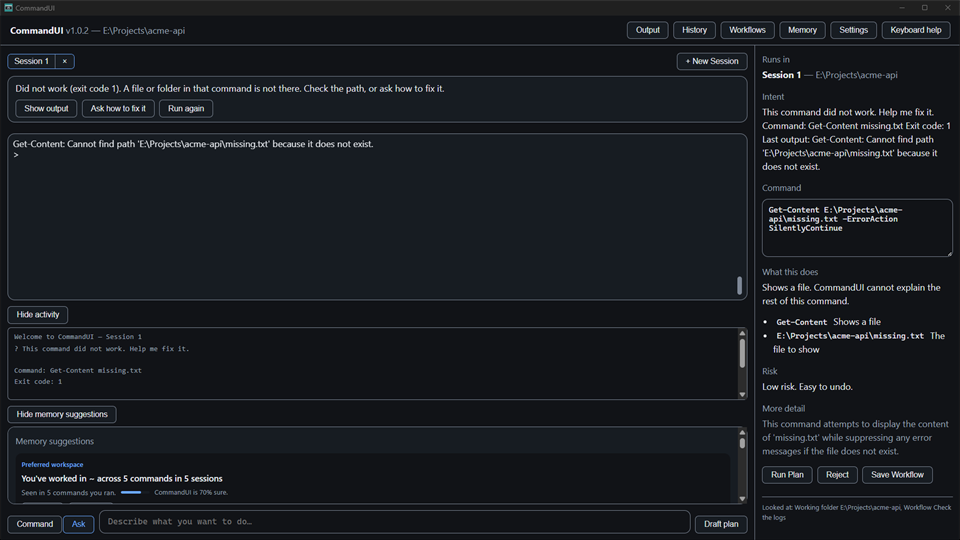
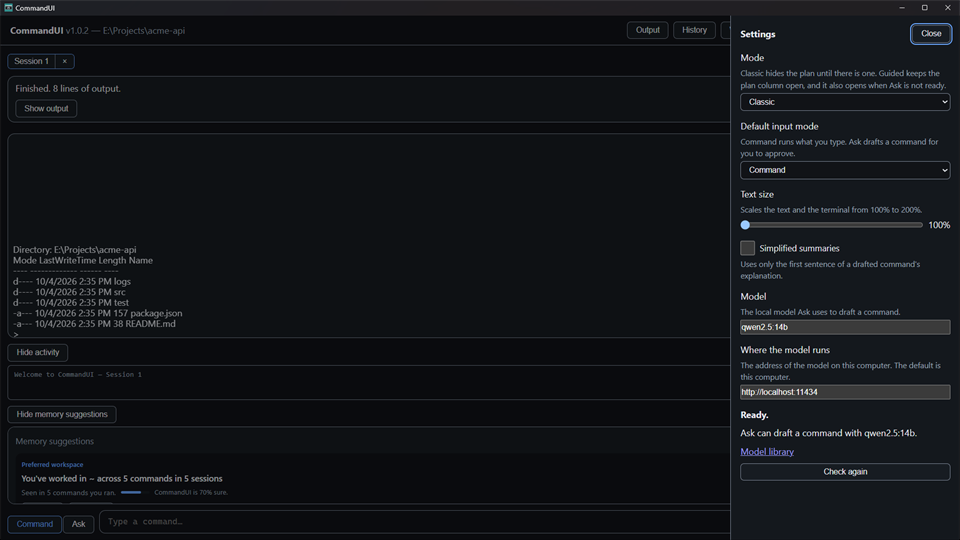
Every command ends with one plain sentence that says whether it worked, and what to do if it did not. A failure offers Ask how to fix it and Run again.
Ask lets you describe what you want in plain words. CommandUI drafts a command, explains it, and shows its risk in words. Nothing runs until you choose Run Plan. A command that deletes files or needs higher permissions also waits until you type the folder name.
Designed for the keyboard and for screen readers:
• Results and errors are announced once, without moving your focus.
• Output lists each command as plain text, one region per command.
• F1 opens keyboard help. Ctrl+Shift+R jumps to the last result. Ctrl+Shift+A switches between Command and Ask.
• Text from 100% to 200%, panels you can hide, and Windows contrast themes and reduced motion respected.
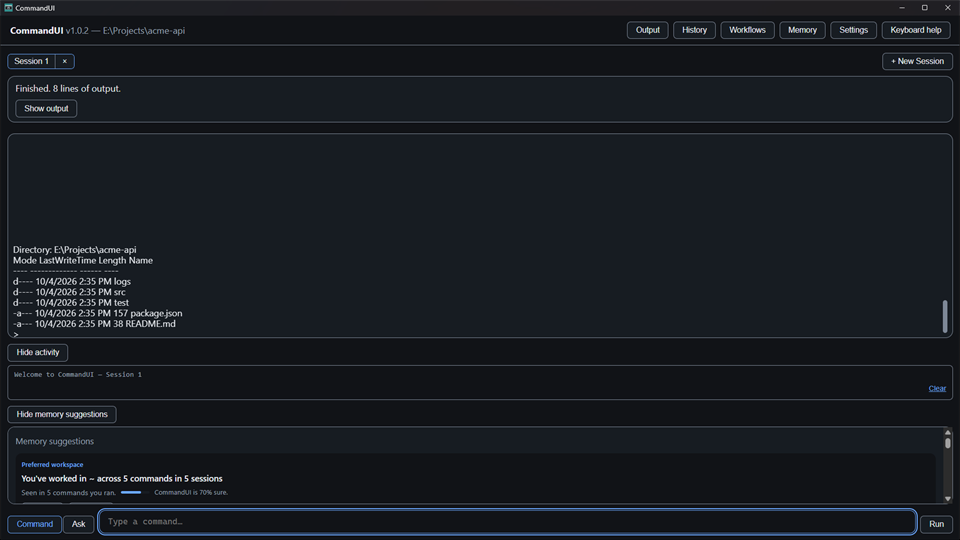
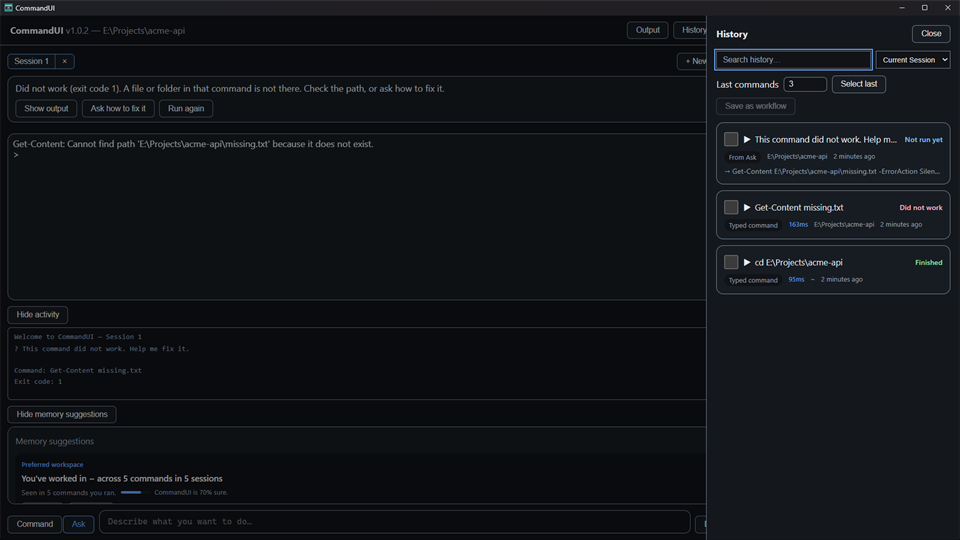
You still get a real shell, with your own profile and more than one session. Make workflows from the commands you run, search your history, and read or delete what CommandUI has noticed.
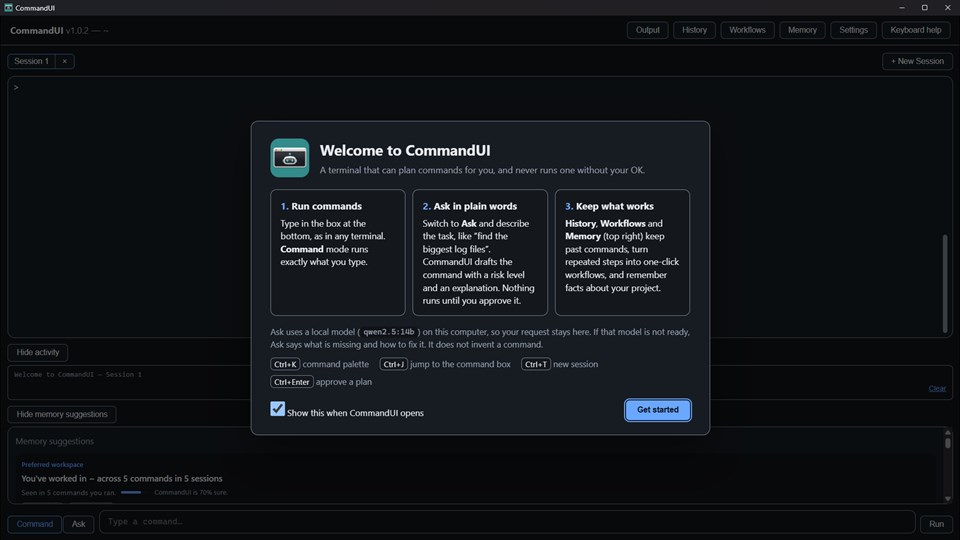
Everything stays on your computer. Ask uses a model on this computer through Ollama (qwen2.5:14b). If that model is not installed or not running, CommandUI says so and does not invent a command. CommandUI sends no telemetry.
デベロッパーから
デベロッパーの方ですか?
ページの一番上にニュースを投稿すると、フォロワーにメールで届きます。YouTube 動画を追加すると、「動画」の一番上に表示されます。
リスト 0
-
 CommandUI
ポイント 0
-

- +1 ポイント

ランキング 0
-
- あなたの評価
開発者 9
- mcp-tool-shop
- フォロワー: 0
- プラットフォーム: Windows アプリ (9)
- セール: 0
- リスト: 0 0
- ポイント: 0
- ランキング: 0
- コメント: 0
- 動画: 0
- RSS: 購読する
新機能
- バージョン: PC
- 最終更新:
- A new design around accessibility. Every result now ends in a plain sentence, with Ask how to fix it and Run again. Results and errors are announced to screen readers, Output shows each command as plain text, and every action has a keyboard path (F1 lists them). Text size goes from 100% to 200%. Workflows can be created and edited, and a delete can be undone. PowerShell sessions start cleanly in your home folder. Ask says when its local model is not ready instead of guessing, and the first request waits while the model loads. New icon. Testing with Narrator, NVDA and Windows contrast themes comes in a later update.
情報
- リリース日:
- カテゴリ:
Windows向けアプリ›開発者ツール - オペレーティング システム:
PC - サイズ:
6 Mb - サポートされる言語:
英語 - コンテンツのレーティング:
EVERYONE - Windows Store 評価: ¡
0 - ウェブサイト:
 https://mcptoolshop.com/
AppAggスコア
600
AppAgg推定スコア:
CommandUI
開発者: mcp-tool-shop
600 シルバー
スコアが高いほど、AppAgg上の各指標が良好な傾向にあります。
基準: 人気 · ユーザー評価 · 新しさ · セール · ストアデータ · コミュニティ活動
最新のAppAggデータに基づいて毎日再計算されます。
ウェブサイト用バッジ:  コピーしました!
コメント 0 ¡
最初のコメントを書きましょう
シェア
CommandUI 短縮 URL: コピーしました!- Windows Store

