
북마크
이 북마크의 제목을 입력하세요.
북마크가 저장되었습니다
| 개발자: | mcp-tool-shop (9) | ||
| 가격: | 무료 | ||
| 종합 점수: | 600 실버 | ||
| 순위: | 0 | ||
| 댓글: | 0 댓글 게시 | ||
| 목록: | 0 0 | ||
| 포인트: | 0 | ||
| +1 포인트 | |||
요약
CommandUI: mcp-tool-shop에서 만든 ‘개발자 도구’ 카테고리의 앱이에요.
에 출시됐어요. 아직 꽤 따끈따끈해요.
무료. 광고도 인앱 구매도 없어요. 앱에만 집중하면 돼요.
Microsoft Store는 Windows에 기본으로 들어 있어서 클릭 몇 번이면 설치돼요.
AppAgg 점수는 600. 실버 등급, 이 정도면 꽤 괜찮아요.
겨우 6메가바이트. 꽉 찬 드라이브에도 쏙 들어가요.
연령 등급은 ‘EVERYONE’, 아이들에게도 괜찮아요.
지원 언어는 딱 하나, 그런데 한국어는 아니에요.
AppAgg에서는 아직 아무도 평가하지 않았어요. 첫 번째가 될 기회는 바로 지금이에요.
이 개발자의 앱이 AppAgg에 8개 더 있어요. 한번 둘러보세요.
업데이트와 새 앱 소식을 가장 먼저 받고 싶나요? 개발자를 팔로우하거나 RSS 피드를 구독하세요. 푸시 알림은 Android와 iOS용 AppAgg Alerts 앱으로 받을 수 있어요.
광고
다른 플랫폼 0
가격 기록 0
- 현재 가격: 무료
- 최소: 무료
- 최대: 무료
홈 화면의 나만의 피드
“신규 및 업데이트” 피드의 플랫폼을 선택하면 홈 화면에 필요한 앱과 게임만 표시됩니다.
스크린샷 5
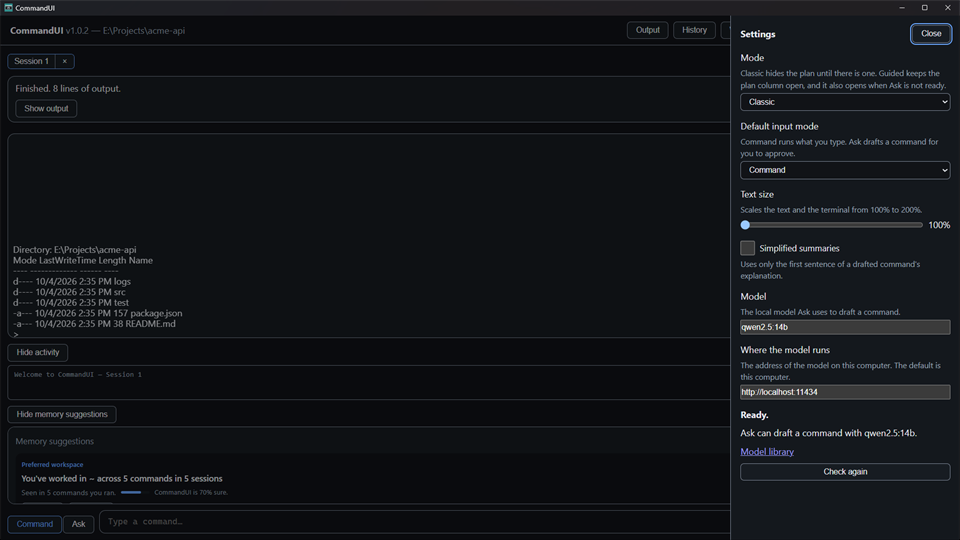
설명

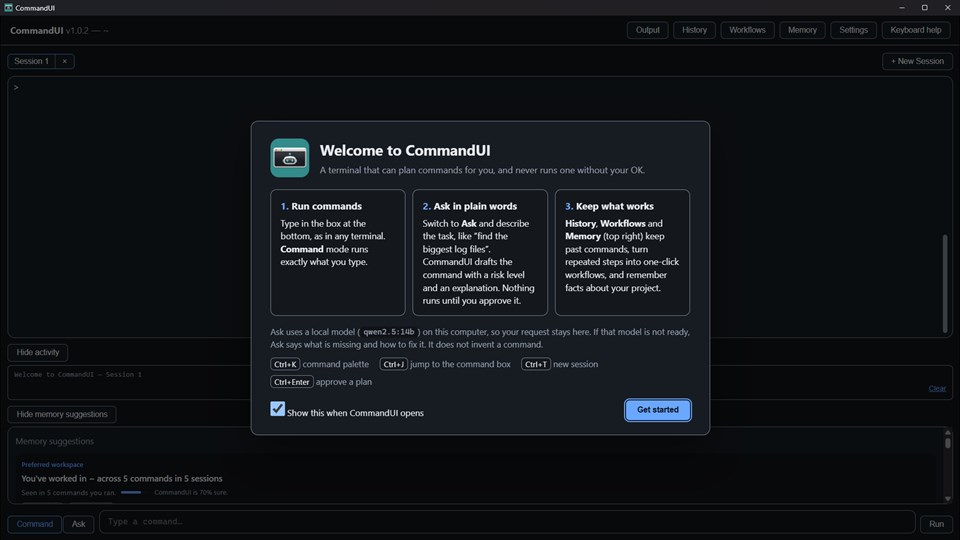
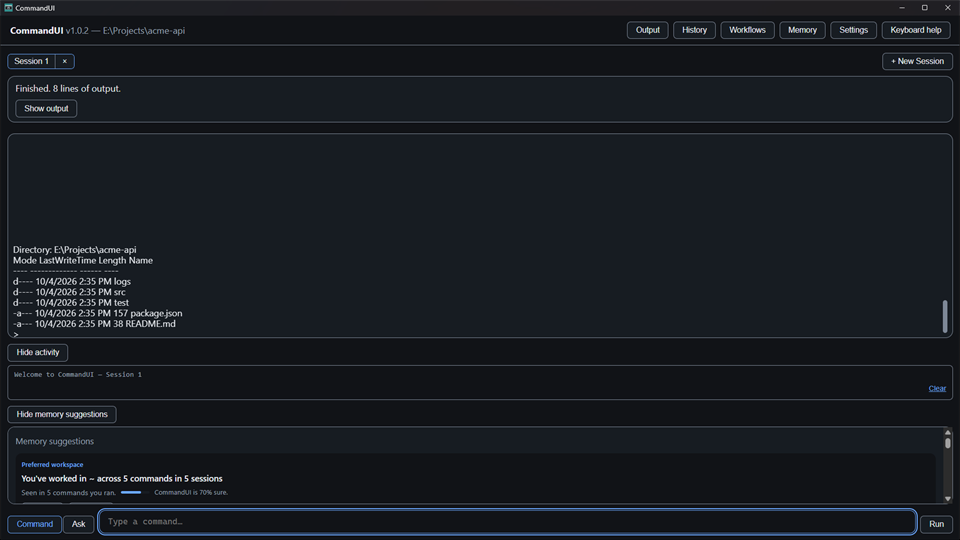
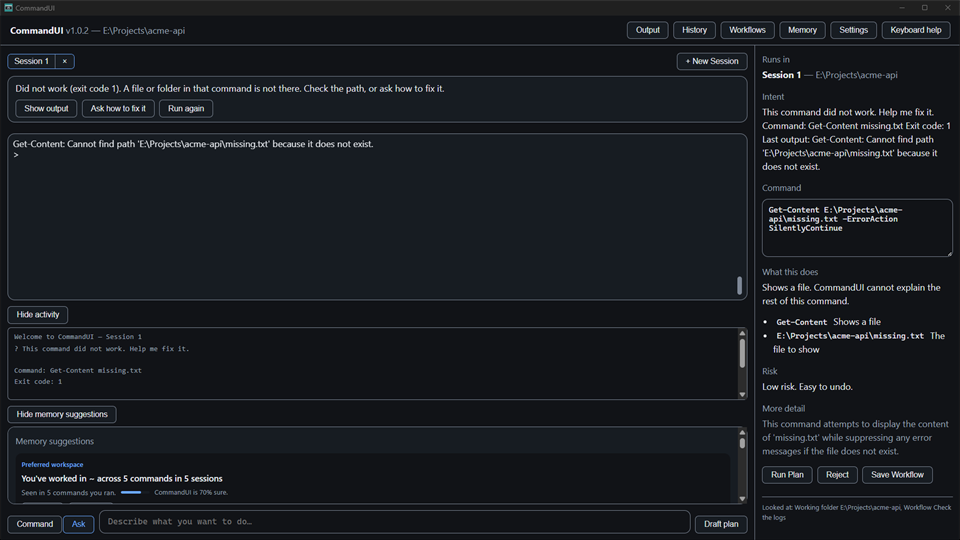
Every command ends with one plain sentence that says whether it worked, and what to do if it did not. A failure offers Ask how to fix it and Run again.
Ask lets you describe what you want in plain words. CommandUI drafts a command, explains it, and shows its risk in words. Nothing runs until you choose Run Plan. A command that deletes files or needs higher permissions also waits until you type the folder name.
Designed for the keyboard and for screen readers:
• Results and errors are announced once, without moving your focus.
• Output lists each command as plain text, one region per command.
• F1 opens keyboard help. Ctrl+Shift+R jumps to the last result. Ctrl+Shift+A switches between Command and Ask.
• Text from 100% to 200%, panels you can hide, and Windows contrast themes and reduced motion respected.
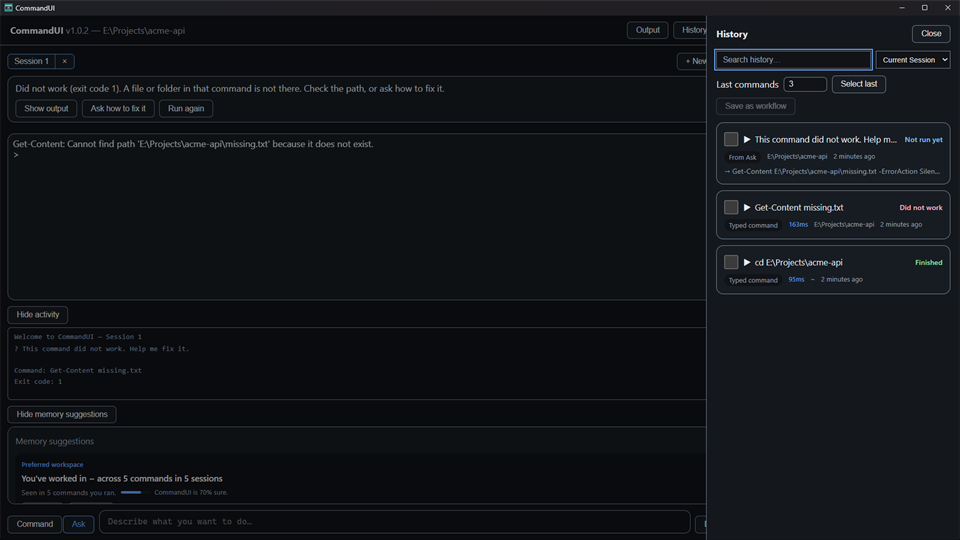
You still get a real shell, with your own profile and more than one session. Make workflows from the commands you run, search your history, and read or delete what CommandUI has noticed.
Everything stays on your computer. Ask uses a model on this computer through Ollama (qwen2.5:14b). If that model is not installed or not running, CommandUI says so and does not invent a command. CommandUI sends no telemetry.
개발자 소식
개발자이신가요?
페이지 맨 위에 소식을 올리면 팔로워에게 이메일로 전달됩니다. YouTube 동영상을 추가하면 “동영상” 블록 맨 앞에 표시됩니다.
목록 0
-
 CommandUI
포인트 0
-

- +1 포인트

순위 0
-
- 내 평점
개발자 9
- mcp-tool-shop
- 팔로워: 0
- 플랫폼: Windows 앱 (9)
- 할인: 0
- 목록: 0 0
- 포인트: 0
- 순위: 0
- 댓글: 0
- 동영상: 0
- RSS: 구독
새로운 기능
- 버전: PC
- 마지막 업데이트:
- A new design around accessibility. Every result now ends in a plain sentence, with Ask how to fix it and Run again. Results and errors are announced to screen readers, Output shows each command as plain text, and every action has a keyboard path (F1 lists them). Text size goes from 100% to 200%. Workflows can be created and edited, and a delete can be undone. PowerShell sessions start cleanly in your home folder. Ask says when its local model is not ready instead of guessing, and the first request waits while the model loads. New icon. Testing with Narrator, NVDA and Windows contrast themes comes in a later update.
추가 정보
 https://mcptoolshop.com/
AppAgg 점수
600
AppAgg 예상 점수:
CommandUI
개발자: mcp-tool-shop
600 실버
점수가 높을수록 대체로 AppAgg의 여러 지표에서 좋은 결과를 보인다는 뜻입니다.
기준: 인기 · 사용자 평점 · 최신성 · 할인 · 스토어 데이터 · 커뮤니티 활동
최신 AppAgg 데이터를 바탕으로 매일 다시 계산됩니다.
웹사이트용 배지:  복사됨!
댓글 0 ¡
가장 먼저 댓글을 남겨주세요
공유하기
CommandUI 단축 URL: 복사됨!- Windows Store


