
Dấu trang
| Nhà phát triển: | mcp-tool-shop (9) | ||
| Giá: | Miễn phí | ||
| Điểm tổng hợp: | 600 Bạc | ||
| Bảng xếp hạng: | 0 | ||
| Bình luận: | 0 Đăng bình luận | ||
| Danh sách: | 0 0 | ||
| Điểm: | 0 | ||
| +1 Điểm | |||
Tóm tắt
CommandUI là ứng dụng thuộc danh mục Công cụ cho nhà phát triển của mcp-tool-shop.
Ra mắt , vẫn còn khá nóng hổi.
Miễn phí, không quảng cáo, không mua hàng trong ứng dụng. Chỉ có bạn và ứng dụng.
Microsoft Store có sẵn trong Windows, nên cài chỉ mất vài cú nhấp.
Điểm tổng hợp AppAgg là 600. Hạng Bạc, vậy là không tệ chút nào.
Chỉ 6 megabyte, ổ đĩa đầy vẫn chứa vừa.
Xếp hạng độ tuổi “EVERYONE”, nên trẻ em cũng dùng được.
Chỉ biết một thứ tiếng, và đó không phải tiếng Việt.
Chưa ai trên AppAgg đánh giá. Cơ hội làm người đầu tiên là ngay bây giờ.
Nhà phát triển còn 8 ứng dụng khác trên AppAgg. Đáng xem đấy.
Muốn biết sớm nhất về cập nhật và ứng dụng mới? Hãy theo dõi nhà phát triển hoặc đăng ký nguồn RSS. Thông báo đẩy được gửi qua ứng dụng AppAgg Alerts cho Android và iOS.
Nền tảng khác 0
Lịch sử giá 0
- Giá hiện tại: Miễn phí
- Tối thiểu: Miễn phí
- Tối đa: Miễn phí
Bảng tin riêng của bạn trên trang chủ
Ảnh chụp màn hình 5
Mô tả

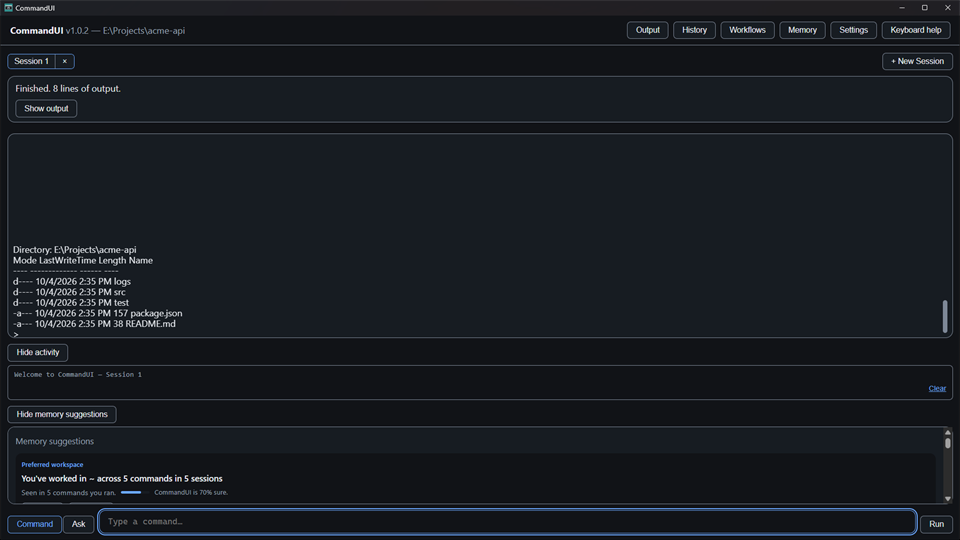
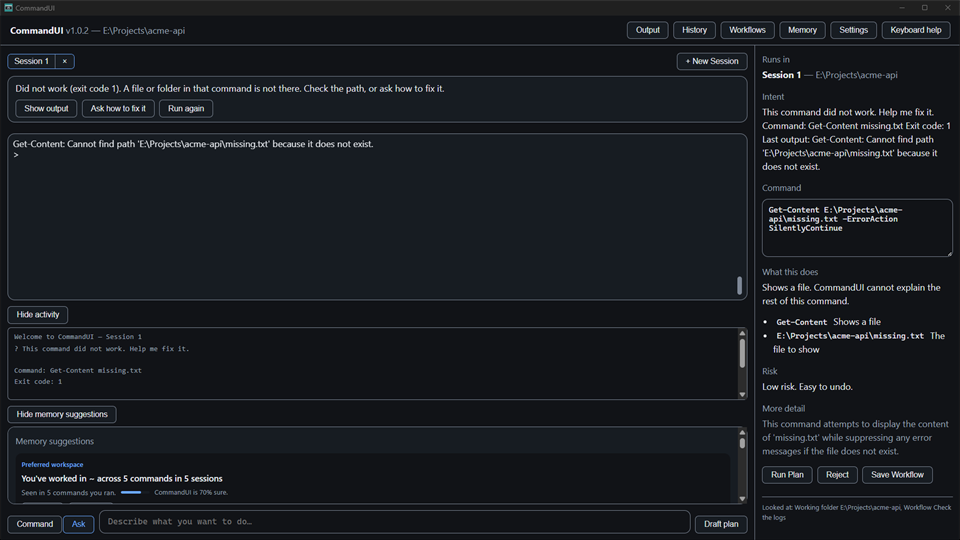
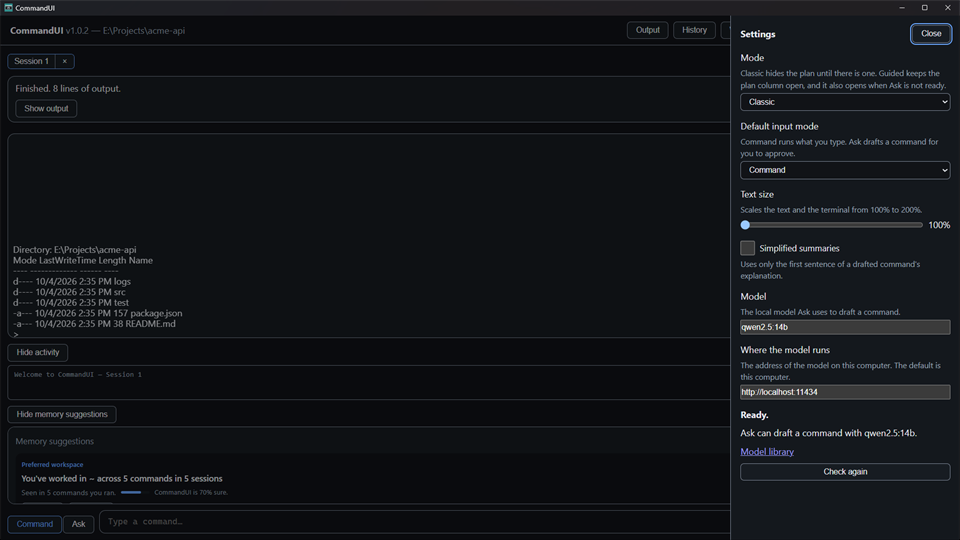
Every command ends with one plain sentence that says whether it worked, and what to do if it did not. A failure offers Ask how to fix it and Run again.
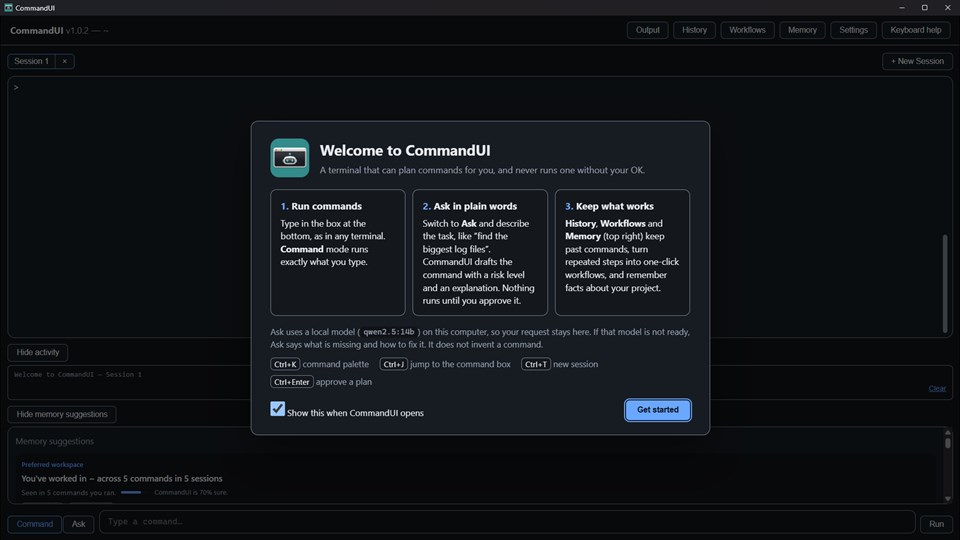
Ask lets you describe what you want in plain words. CommandUI drafts a command, explains it, and shows its risk in words. Nothing runs until you choose Run Plan. A command that deletes files or needs higher permissions also waits until you type the folder name.
Designed for the keyboard and for screen readers:
• Results and errors are announced once, without moving your focus.
• Output lists each command as plain text, one region per command.
• F1 opens keyboard help. Ctrl+Shift+R jumps to the last result. Ctrl+Shift+A switches between Command and Ask.
• Text from 100% to 200%, panels you can hide, and Windows contrast themes and reduced motion respected.
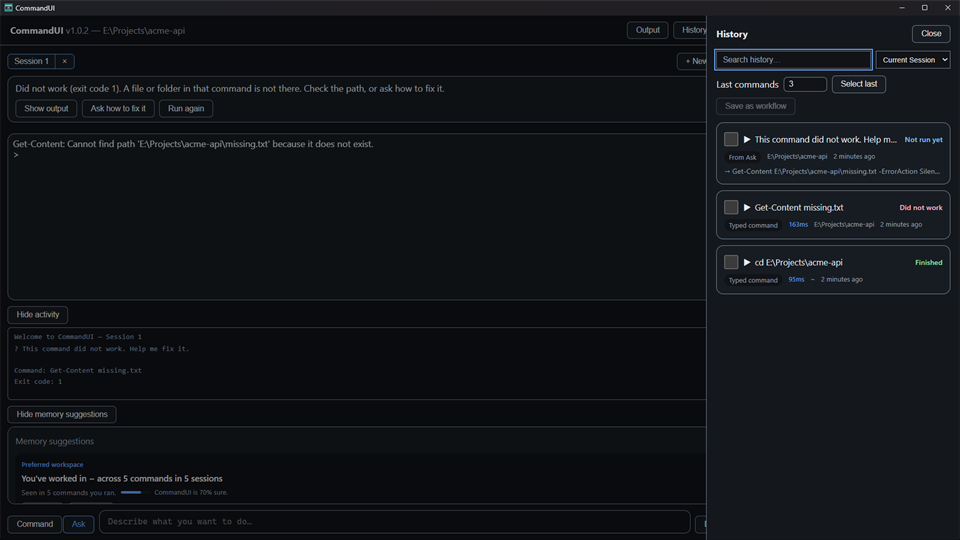
You still get a real shell, with your own profile and more than one session. Make workflows from the commands you run, search your history, and read or delete what CommandUI has noticed.
Everything stays on your computer. Ask uses a model on this computer through Ollama (qwen2.5:14b). If that model is not installed or not running, CommandUI says so and does not invent a command. CommandUI sends no telemetry.
Từ nhà phát triển
Danh sách 0
-
 CommandUI
Điểm 0
-

- +1 Điểm

Bảng xếp hạng 0
-
- Điểm bạn chấm
Nhà phát triển 9
- mcp-tool-shop
- Người theo dõi: 0
- Nền tảng: Windows Ứng dụng (9)
- Giảm giá: 0
- Danh sách: 0 0
- Điểm: 0
- Bảng xếp hạng: 0
- Bình luận: 0
- Video: 0
- RSS: Đăng ký
Tính năng mới
- Phiên bản: PC
- Cập nhật lần cuối:
- A new design around accessibility. Every result now ends in a plain sentence, with Ask how to fix it and Run again. Results and errors are announced to screen readers, Output shows each command as plain text, and every action has a keyboard path (F1 lists them). Text size goes from 100% to 200%. Workflows can be created and edited, and a delete can be undone. PowerShell sessions start cleanly in your home folder. Ask says when its local model is not ready instead of guessing, and the first request waits while the model loads. New icon. Testing with Narrator, NVDA and Windows contrast themes comes in a later update.
Thông tin bổ sung
- Ngày phát hành:
- Danh mục:
Ứng dụng cho Windows›Công cụ cho nhà phát triển - HĐH:
PC - Kích thước:
6 Mb - Ngôn ngữ được hỗ trợ:
Tiếng Anh - Xếp hạng nội dung:
EVERYONE - Windows Store Điểm đánh giá: ¡
0 - Trang web:
 https://mcptoolshop.com/
Điểm tổng hợp AppAgg
Điểm tổng hợp AppAgg ước tính cho
CommandUI
Nhà phát triển: mcp-tool-shop
Điểm cao hơn thường cho thấy các chỉ số trên AppAgg tốt hơn.
Dựa trên: độ phổ biến · đánh giá của người dùng · độ mới · ưu đãi · dữ liệu cửa hàng · hoạt động cộng đồng
Được tính lại hằng ngày từ dữ liệu AppAgg mới nhất.
Bình luận 0 ¡
Chia sẻ
CommandUI URL ngắn: Đã sao chép!- Windows Store

