
Dấu trang
| Nhà phát triển: | Gunatit Solutions (1) | ||
| Giá: | Miễn phí Mới | ||
| Điểm tổng hợp: | 1.110 Bạc | ||
| Bảng xếp hạng: | 0 | ||
| Bình luận: | 0 Đăng bình luận | ||
| Danh sách: | 0 0 | ||
| Điểm: | 0 | ||
| +1 Điểm | |||
Tóm tắt
ControlsTwin là ứng dụng thuộc danh mục Công cụ cho nhà phát triển của Gunatit Solutions.
Mới phát hành, ra mắt , nên bạn nằm trong số những người đầu tiên.
Miễn phí, không quảng cáo, không mua hàng trong ứng dụng. Chỉ có bạn và ứng dụng.
Microsoft Store có sẵn trong Windows, nên cài chỉ mất vài cú nhấp.
Điểm tổng hợp AppAgg là 1.110. Hạng Bạc, vậy là không tệ chút nào.
Chỉ 38 megabyte, ổ đĩa đầy vẫn chứa vừa.
Xếp hạng độ tuổi “EVERYONE”, nên trẻ em cũng dùng được.
Chỉ biết một thứ tiếng, và đó không phải tiếng Việt.
Ở đây vẫn im phăng phắc, chưa có đánh giá, chưa có bình luận. Hãy phá vỡ sự im lặng.
Đây là ứng dụng duy nhất của nhà phát triển trên AppAgg. Tạm thời là vậy.
Muốn biết sớm nhất về cập nhật và ứng dụng mới? Hãy theo dõi nhà phát triển hoặc đăng ký nguồn RSS. Thông báo đẩy được gửi qua ứng dụng AppAgg Alerts cho Android và iOS.
Nền tảng khác 0
Lịch sử giá 0
- Giá hiện tại: Miễn phí
- Tối thiểu: Miễn phí
- Tối đa: Miễn phí
Bảng tin riêng của bạn trên trang chủ
Ảnh chụp màn hình 10
Mô tả

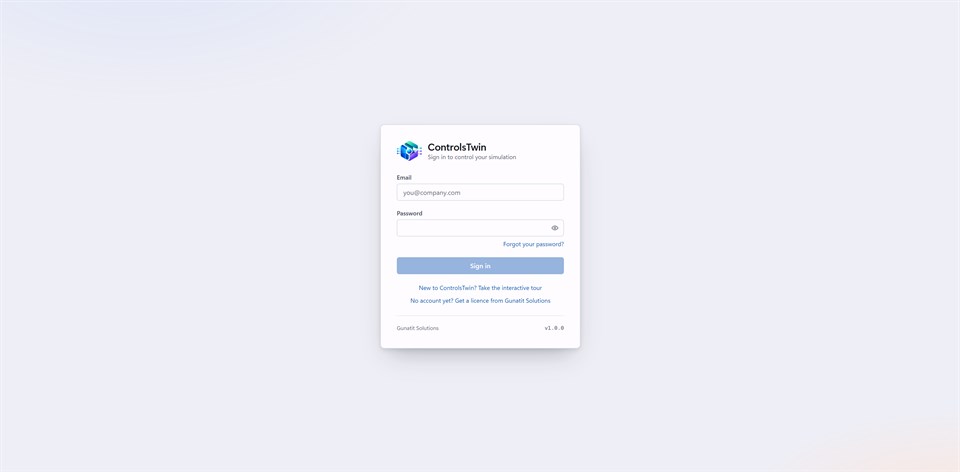
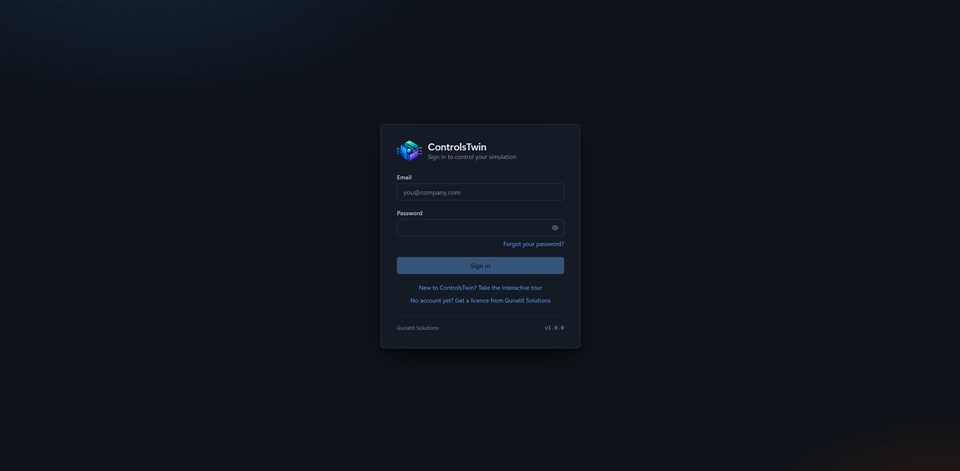
S7-PLCSIM Advanced is sold and licensed by Siemens, is not available in the Microsoft Store, and must be installed on the same PC. ControlsTwin licences are sold by Gunatit Solutions: a licence is for one named user and can be in use on one PC at a time. Signing in needs an internet connection. Without S7-PLCSIM Advanced, ControlsTwin tells you what is missing and offers an interactive tour of its screens.
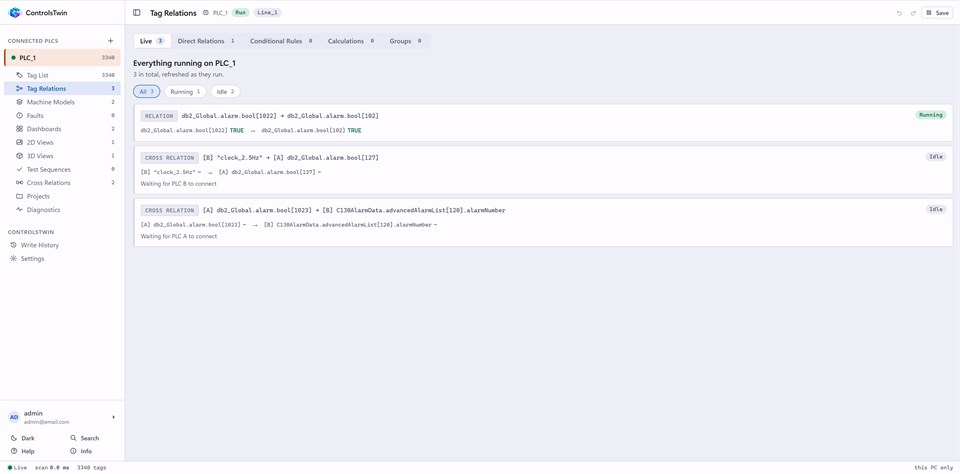
ControlsTwin helps automation engineers test a Siemens PLC program in simulation, on their own PC, before they go to site. Download your program from TIA Portal into S7-PLCSIM Advanced as usual. ControlsTwin connects to that simulated PLC and reads its tags. You then surround your program with simple machine models, faults and test sequences, and see how your logic responds to the situations you set up.
WHAT YOU CAN DO
• See every tag with its live value, search tags and write values.
• Add ready-made machine models that respond to the PLC: cylinder, valve, motor or pump, conveyor with parts, tank level, analog sensor and output, first-order process for PID tests, and counter or encoder.
• Switch on faults to check that your program notices them: a jam, a trip, a sensor that never comes on, or a tag that is stuck, frozen, inverted, chattering, noisy or has a broken wire. A red warning shows on every screen while a fault is on.
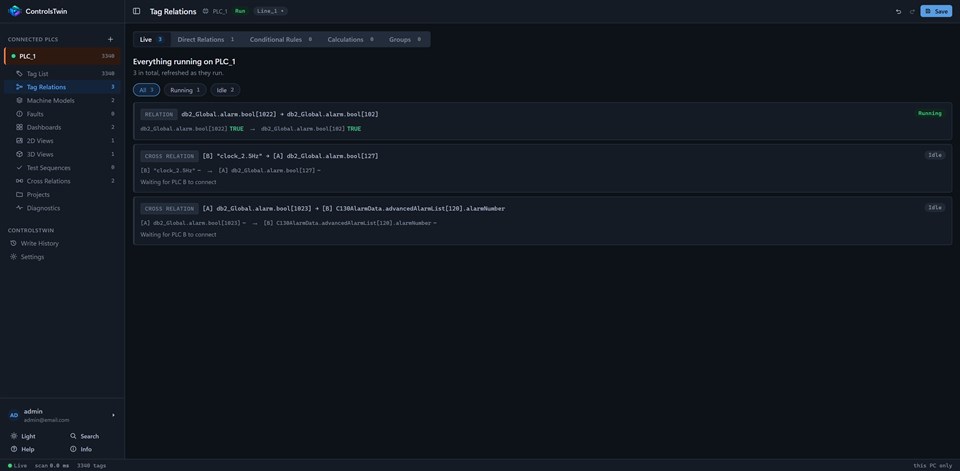
• Build rules that run continuously: direct relations, conditional rules with up to eight AND/OR conditions and an ELSE value, edge triggers, and calculations that write a formula's result to a tag.
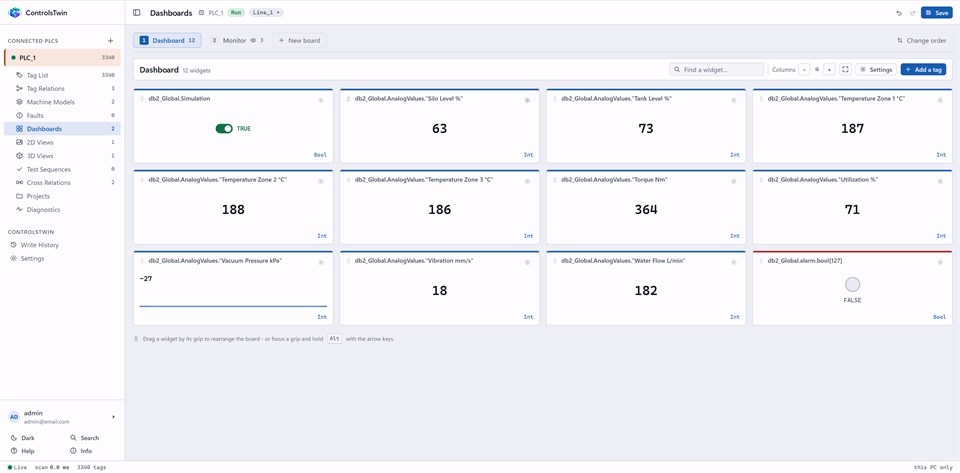
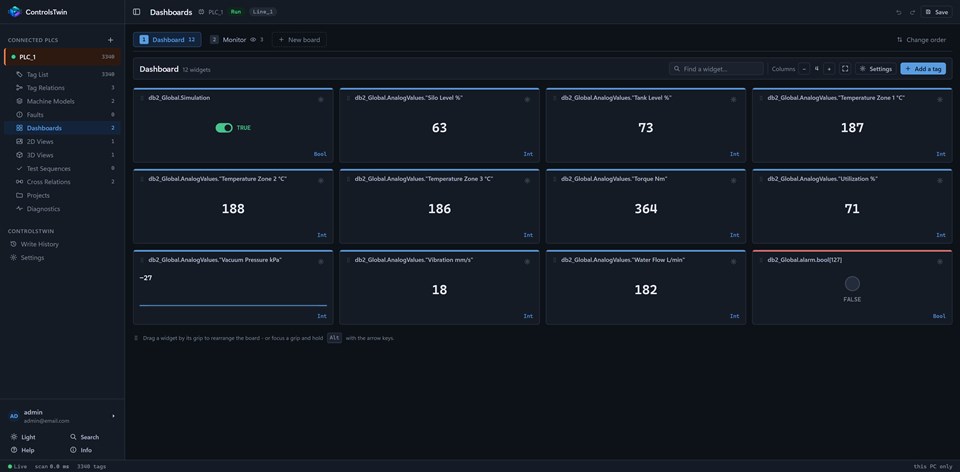
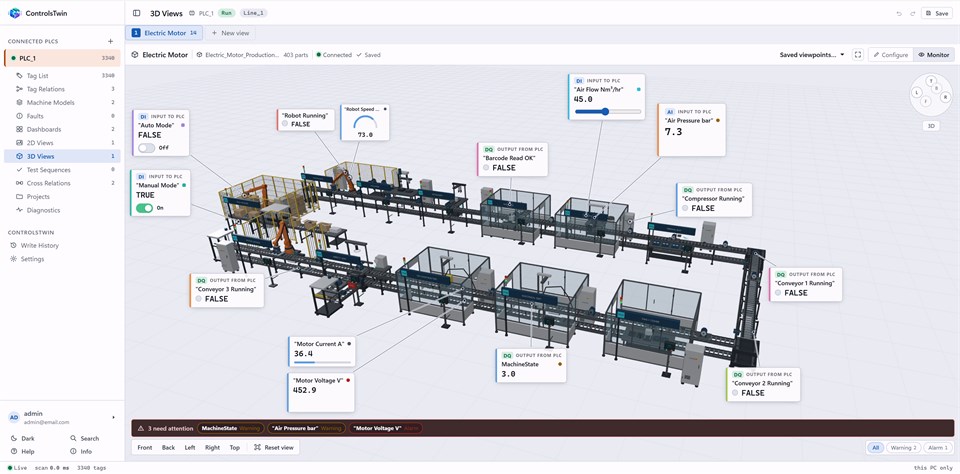
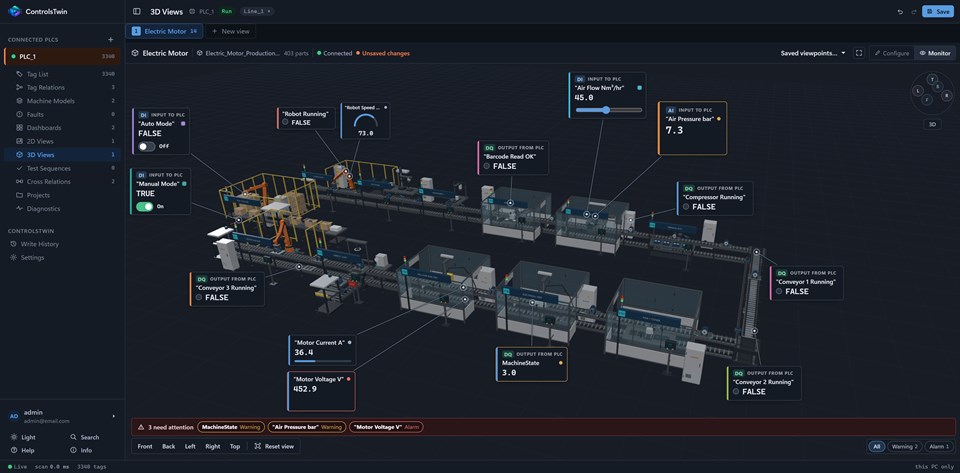
• Arrange live readings on dashboards (including trend charts), on a photo of the machine (2D views) or on a 3D model (3D views).
• Run test sequences that end in a plain pass or fail.
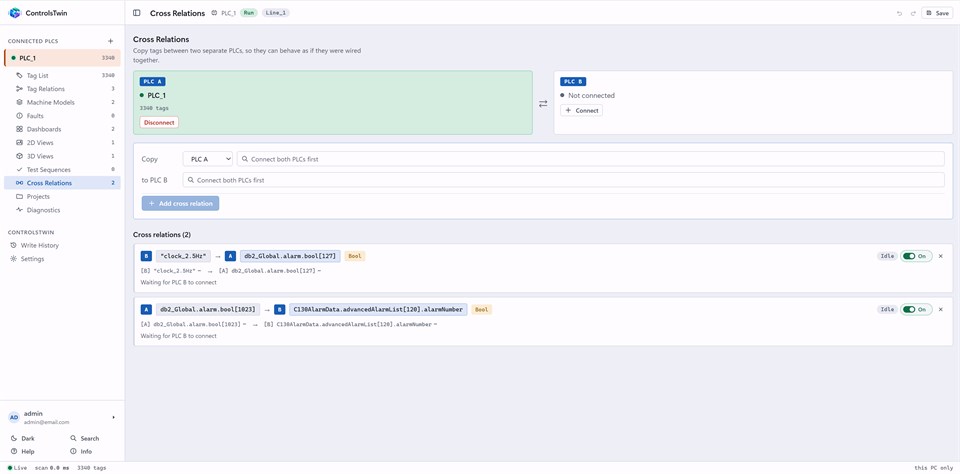
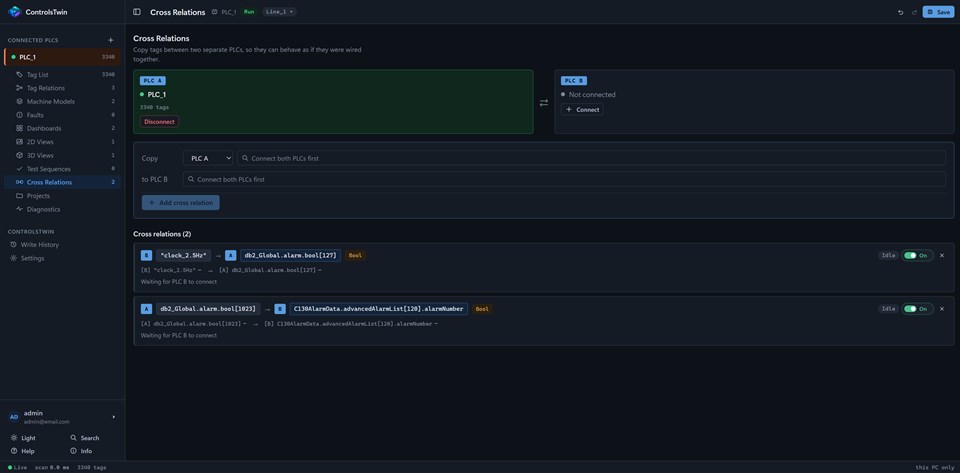
• Link tags between PLCs, and look back at every value written in a write history that survives restarts.
• Keep everything in one project file, with autosave and one-click backups.
• Start quickly with the built-in user manual and two reference projects.
HOW IT RUNS
ControlsTwin runs on your PC and opens in your web browser. It works only on that PC: it accepts no connections from other computers and never connects to a real PLC. Projects are saved in Documents\ControlsTwin Projects. S7-PLCSIM Advanced has its own Siemens system requirements; for example, Siemens does not support it on Windows Home editions.
SIMULATION ONLY
ControlsTwin is a simulation and engineering aid. Its machine models are simplified approximations, and its results reflect idealized conditions: real machines, PLCs and processes will behave differently. Never use ControlsTwin, or the simulation it works with, to read from or write to a real PLC or to control real equipment. Check everything on the real equipment with qualified people and your own safety and commissioning procedures.
LICENCE
ControlsTwin is free to download. To use it, you need a ControlsTwin licence account from Gunatit Solutions; see the publisher's website and support contact on this page. The ControlsTwin licence agreement is shown the first time you open the app and must be accepted before use.
Siemens, SIMATIC, S7-PLCSIM and TIA Portal are trademarks of Siemens AG. Gunatit Solutions is not affiliated with or endorsed by Siemens AG.
Từ nhà phát triển
Danh sách 0
-
 ControlsTwin
Điểm 0
-

- +1 Điểm

Bảng xếp hạng 0
-
- Điểm bạn chấm
Nhà phát triển 1
- Gunatit Solutions
- Người theo dõi: 0
- Nền tảng: Windows Ứng dụng (1)
- Giảm giá: 0
- Danh sách: 0 0
- Điểm: 0
- Bảng xếp hạng: 0
- Bình luận: 0
- Video: 0
- RSS: Đăng ký
Tính năng mới
- Phiên bản: PC
- Cập nhật lần cuối:
Thông tin bổ sung
- Ngày phát hành:
- Danh mục:
Ứng dụng cho Windows›Công cụ cho nhà phát triển - HĐH:
PC - Kích thước:
38 Mb - Ngôn ngữ được hỗ trợ:
Tiếng Anh - Xếp hạng nội dung:
EVERYONE - Windows Store Điểm đánh giá: ¡
0 - Trang web:
 https://www.gunatitsolutions.com/
Điểm tổng hợp AppAgg
Điểm tổng hợp AppAgg ước tính cho
ControlsTwin
Nhà phát triển: Gunatit Solutions
Điểm cao hơn thường cho thấy các chỉ số trên AppAgg tốt hơn.
Dựa trên: độ phổ biến · đánh giá của người dùng · độ mới · ưu đãi · dữ liệu cửa hàng · hoạt động cộng đồng
Được tính lại hằng ngày từ dữ liệu AppAgg mới nhất.
Bình luận 0 ¡
Chia sẻ
ControlsTwin URL ngắn: Đã sao chép!- Windows Store

