
Yer imleri
| Geliştirici: | Dhiva-Labs (9) | ||
| Fiyat: | Ücretsiz Yeni | ||
| Skor: | 710 Gümüş | ||
| Sıralamalar: | 0 | ||
| Yorumlar: | 0 Yorum gönder | ||
| Listeler: | 0 0 | ||
| Puanlar: | 0 | ||
| +1 Puan | |||
Özet
Karşında CrossShell, Dhiva-Labs imzalı, Geliştirici araçları kategorisinde bir uygulama.
Yeni çıktı. yayınlandı, yani ilk deneyenlerden birisin.
Ücretsiz, reklam yok, uygulama içi satın alma yok. Sadece sen ve uygulama.
Microsoft Store, Windows’a yerleşik. Birkaç tıkla kuruluyor.
AppAgg skoru 710. Gümüş, hiç de fena değil.
Sadece 16 megabayt, dolu bir diske bile sığar.
Yaş sınırı “EVERYONE”, yani çocuklar için de uygun.
Tek bir dil konuşuyor, o da Türkçe değil.
AppAgg’de henüz kimse puan vermedi. İlk olma şansın tam şu an.
Geliştiricinin AppAgg’de 8 uygulaması daha var. Bir göz at.
Güncellemeleri ve yeni uygulamaları ilk sen mi duymak istiyorsun? Hemen geliştiriciyi takip et ya da RSS akışı ile haberdar ol. Push bildirimleri Android ve iOS için AppAgg Alerts uygulamasıyla gelir.
Diğer platformlar 0
Fiyat Geçmişi 0
- Güncel fiyat: Ücretsiz
- En az: Ücretsiz
- En fazla: Ücretsiz
Ana sayfada kendi akışınız
Ekran görüntüleri 5
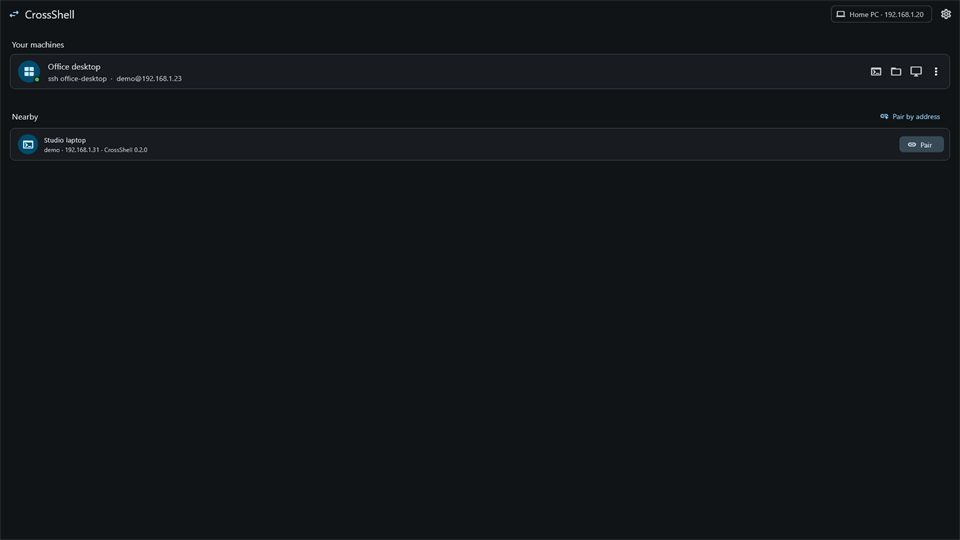
Açıklama

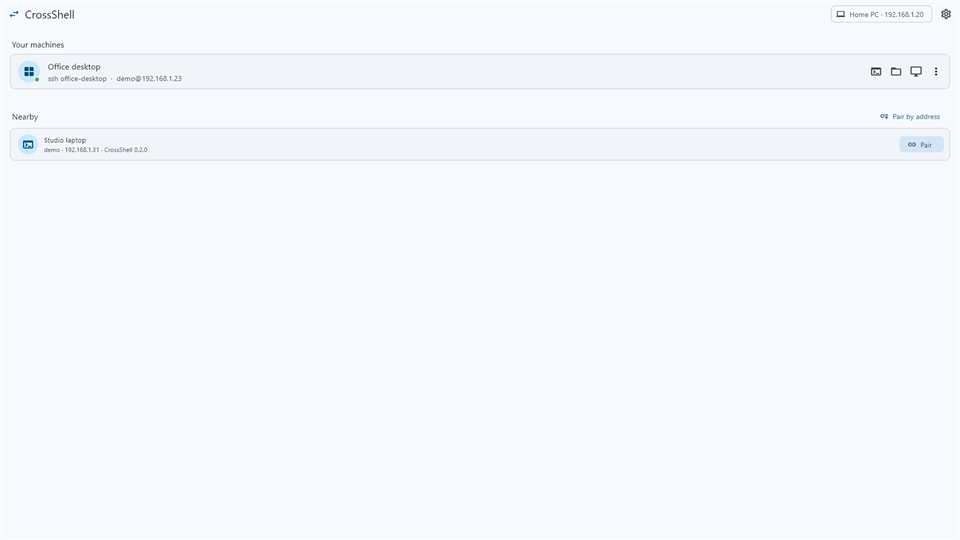
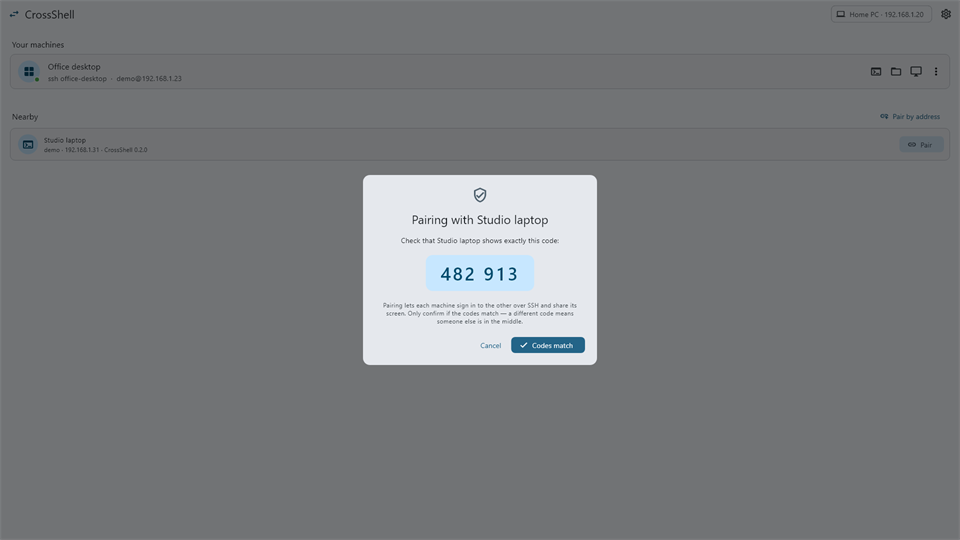
CrossShell connects your own computers on the same local network: Windows to Windows, or Windows to Linux. Pair two PCs once, by checking that both screens show the same 6-digit code, and each can then reach the other over SSH.
WHAT YOU CAN DO
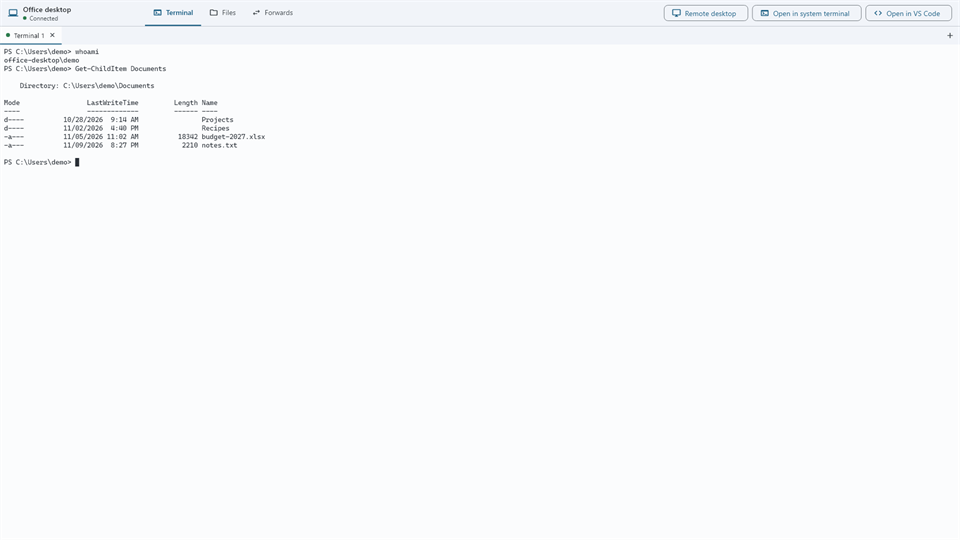
• SSH both ways: a terminal on the other PC, in tabs, and "ssh " from any terminal, VS Code Remote-SSH, git or rsync
• Files: a two-pane file manager to copy, rename and delete files on either PC (SFTP)
• Port forwards: reach a port on the other PC from this one, or the other way round
• Remote view and control: see the other PC's screen and use its mouse and keyboard, or view only, with clipboard text shared both ways
UNATTENDED ACCESS, ONLY FOR PAIRED PCs
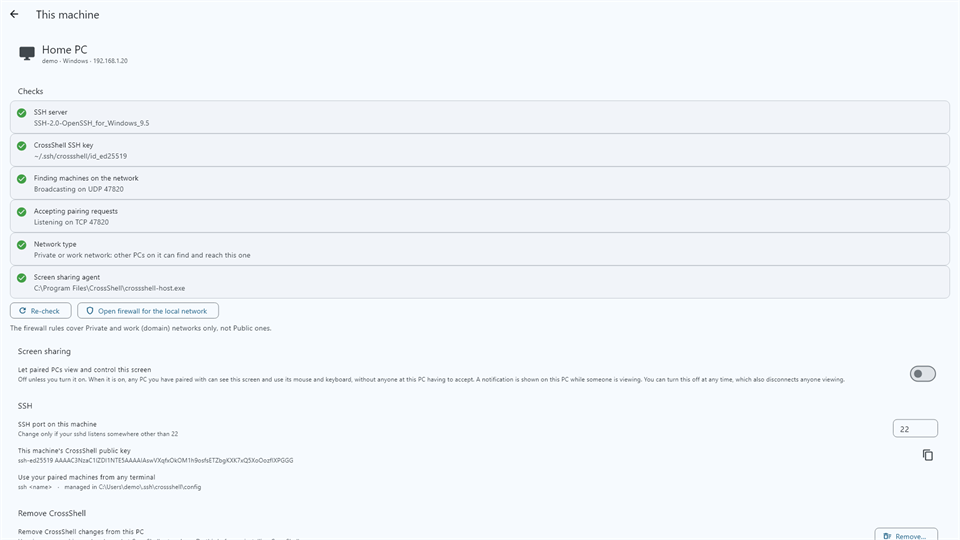
Screen sharing is off until you turn it on under This machine. When it is on, a PC you have paired with can view and control this screen without anyone at this PC accepting each time. While someone is viewing, this PC shows a notification ("Your screen is being viewed and controlled from ..."), and CrossShell shows a banner with a button to disconnect them. Turning screen sharing off stops it at once.
WHAT IT CHANGES ON YOUR PC
Setting up the SSH server takes one administrator prompt and:
• installs and starts Windows' OpenSSH Server optional feature (the sshd service, set to start automatically)
• adds three firewall rules, "CrossShell SSH", "CrossShell Discovery" and "CrossShell Pairing", for the local subnet on Private and work networks only
• can set OpenSSH's default shell to PowerShell, if no default shell was set
Pairing adds the other PC's key to your SSH authorized keys (for administrators, to Windows' administrators_authorized_keys, with an administrator prompt) and adds an Include line and a crossshell folder to your ~/.ssh. Starting screen sharing from the other PC creates a scheduled task, "CrossShellHost", that runs the sharing agent in your desktop session.
"Remove CrossShell changes from this PC" on the This machine page undoes all of this before you uninstall: it unpairs every PC, deletes the scheduled task, the firewall rules and the keys CrossShell added, removes CrossShell's SSH files and settings lines, and puts the default shell back if CrossShell set it. It leaves the OpenSSH Server feature installed, as you may use it for other things; you can remove it in Settings, System, Optional features.
PRIVATE BY DESIGN
• Local network only. No account, no cloud service, no telemetry. To connect across the internet, put both PCs on a VPN and pair by address.
• Everything between paired PCs (terminal, files, screen, keyboard, mouse, clipboard) goes through SSH, with keys exchanged when you pair.
• While open, CrossShell announces itself on the local network every 3 seconds so your other PCs can find it: the computer name, user name and a random ID, unencrypted, readable by other devices on that network.
LIMITS
• Windows' secure desktop (UAC prompts, the lock screen, the sign-in screen) can't be shown or controlled remotely; the viewer says so until it goes away.
• Windows that run as administrator can only be controlled when the sharing agent itself runs with administrator rights.
• Pairing and discovery need both PCs on the same network, set to Private (not Public) on Windows.
• The built-in terminal does not support input methods (IME) or dead keys; use "Open in system terminal" for those.
Geliştiriciden
Listeler 0
-
 CrossShell
Puanlar 0
-

- +1 Puan

Sıralamalar 0
-
- Puanınız
Geliştirici 9
- Dhiva-Labs
- Takipçiler: 0
- Platformlar: Windows Uygulamalar (9)
- İndirimler: 0
- Listeler: 0 0
- Puanlar: 0
- Sıralamalar: 0
- Yorumlar: 0
- Video: 0
- RSS: Abone ol
Yenilikler
- Sürüm: PC
- Son güncelleme:
- First Microsoft Store release.
• Screen sharing is now off until you turn it on, with a plain explanation of what it allows.
• New "Remove CrossShell changes from this PC" action.
• Firewall rules now apply to Private and work networks only, and CrossShell tells you when your network is set to Public.
• A notification on the shared PC while it is being viewed.
Ek Bilgi
- Çıkış tarihi:
- Kategori:
Windows uygulamaları›Geliştirici araçları - İşletim Sistemleri:
PC - Boyut:
16 Mb - Desteklenen diller:
İngilizce - İçerik Derecelendirmesi:
EVERYONE - Windows Store Puan: ¡
0 - Web sitesi:
 https://github.com/Dhiva-Labs/CrossShell
AppAgg Skoru
Tahmini AppAgg skoru:
CrossShell
Geliştirici: Dhiva-Labs
Daha yüksek skorlar genellikle AppAgg’deki göstergelerin daha güçlü olduğunu belirtir.
Şunlara göre: popülerlik · kullanıcı puanları · güncellik · fırsatlar · mağaza verileri · topluluk etkinliği
Güncel AppAgg verileriyle her gün yeniden hesaplanır.
Yorumlar 0 ¡
Paylaş
CrossShell Kısa URL: Kopyalandı!- Windows Store

