
Dấu trang
| Nhà phát triển: | Dhiva-Labs (9) | ||
| Giá: | Miễn phí Mới | ||
| Điểm tổng hợp: | 710 Bạc | ||
| Bảng xếp hạng: | 0 | ||
| Bình luận: | 0 Đăng bình luận | ||
| Danh sách: | 0 0 | ||
| Điểm: | 0 | ||
| +1 Điểm | |||
Tóm tắt
Làm quen với CrossShell, ứng dụng thuộc danh mục Công cụ cho nhà phát triển đến từ Dhiva-Labs.
Mới phát hành, ra mắt , nên bạn nằm trong số những người đầu tiên.
Miễn phí, không quảng cáo, không mua hàng trong ứng dụng. Chỉ có bạn và ứng dụng.
Microsoft Store có sẵn trong Windows, nên cài chỉ mất vài cú nhấp.
Điểm tổng hợp AppAgg là 710. Hạng Bạc, vậy là không tệ chút nào.
Chỉ 16 megabyte, ổ đĩa đầy vẫn chứa vừa.
Xếp hạng độ tuổi “EVERYONE”, nên trẻ em cũng dùng được.
Chỉ biết một thứ tiếng, và đó không phải tiếng Việt.
Chưa ai trên AppAgg đánh giá. Cơ hội làm người đầu tiên là ngay bây giờ.
Nhà phát triển còn 8 ứng dụng khác trên AppAgg. Đáng xem đấy.
Muốn biết sớm nhất về cập nhật và ứng dụng mới? Hãy theo dõi nhà phát triển hoặc đăng ký nguồn RSS. Thông báo đẩy được gửi qua ứng dụng AppAgg Alerts cho Android và iOS.
Nền tảng khác 0
Lịch sử giá 0
- Giá hiện tại: Miễn phí
- Tối thiểu: Miễn phí
- Tối đa: Miễn phí
Bảng tin riêng của bạn trên trang chủ
Ảnh chụp màn hình 5
Mô tả

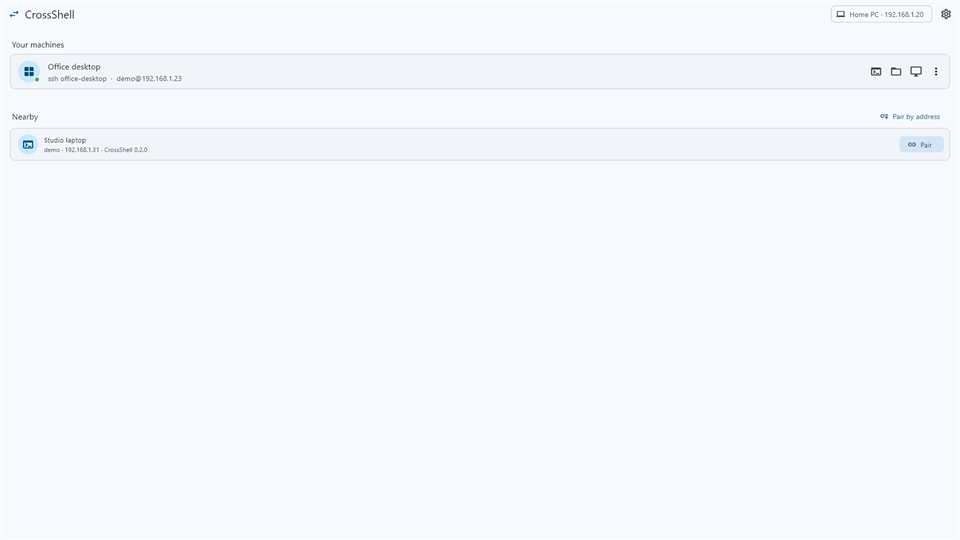
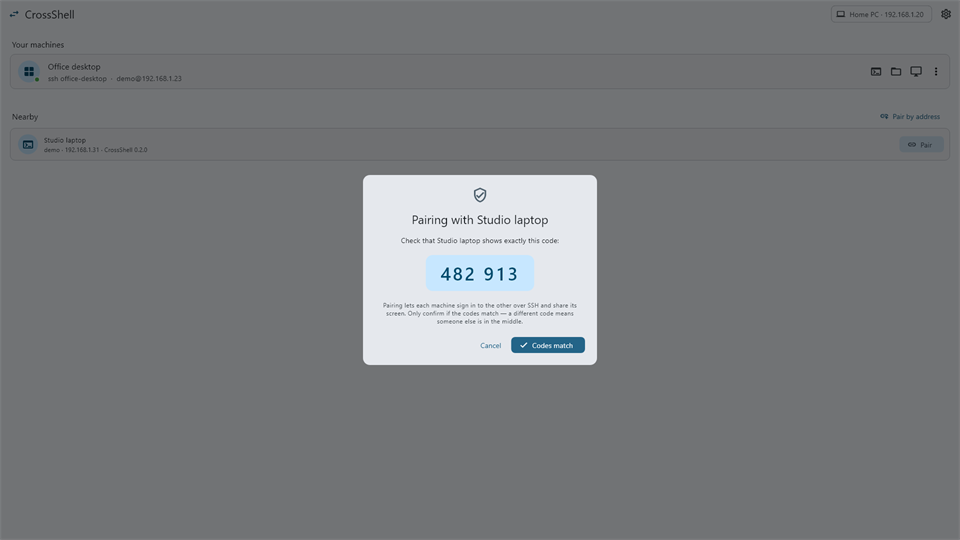
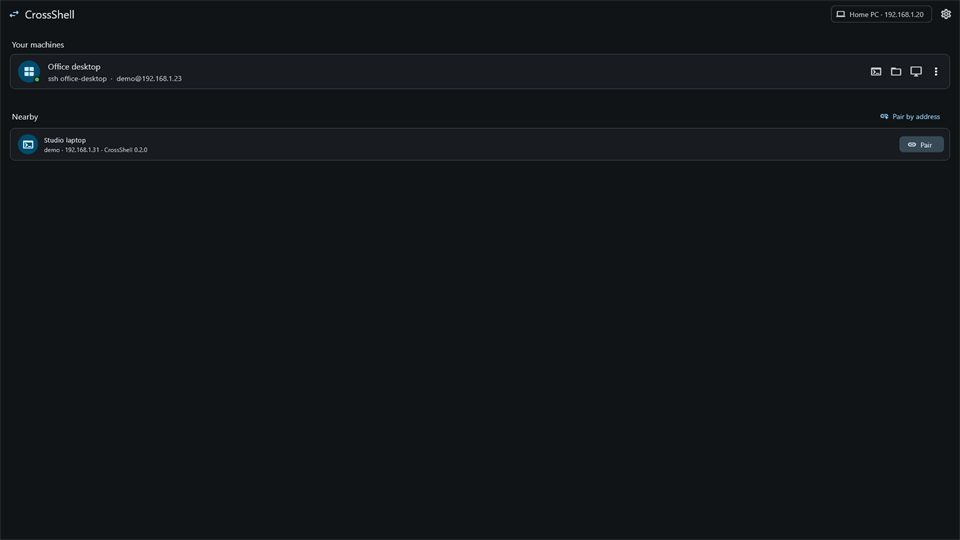
CrossShell connects your own computers on the same local network: Windows to Windows, or Windows to Linux. Pair two PCs once, by checking that both screens show the same 6-digit code, and each can then reach the other over SSH.
WHAT YOU CAN DO
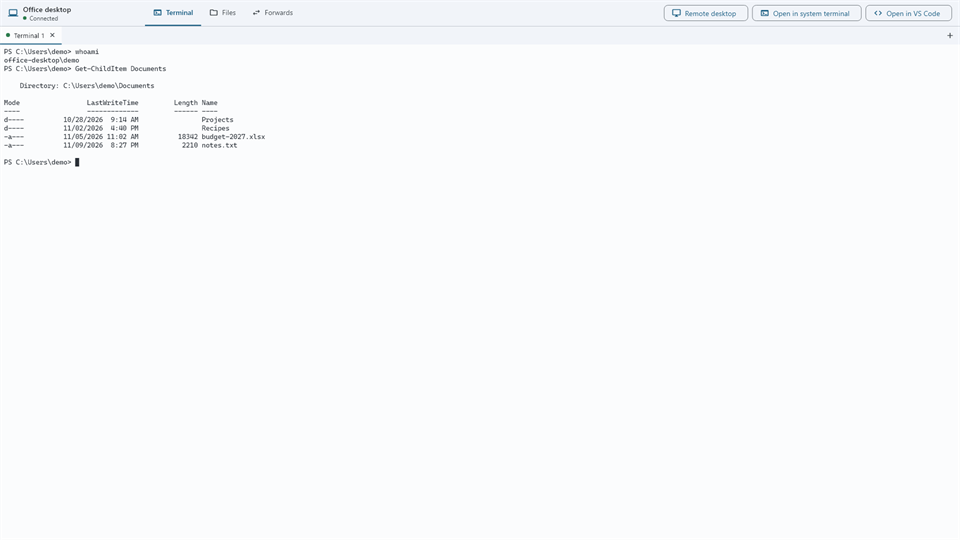
• SSH both ways: a terminal on the other PC, in tabs, and "ssh " from any terminal, VS Code Remote-SSH, git or rsync
• Files: a two-pane file manager to copy, rename and delete files on either PC (SFTP)
• Port forwards: reach a port on the other PC from this one, or the other way round
• Remote view and control: see the other PC's screen and use its mouse and keyboard, or view only, with clipboard text shared both ways
UNATTENDED ACCESS, ONLY FOR PAIRED PCs
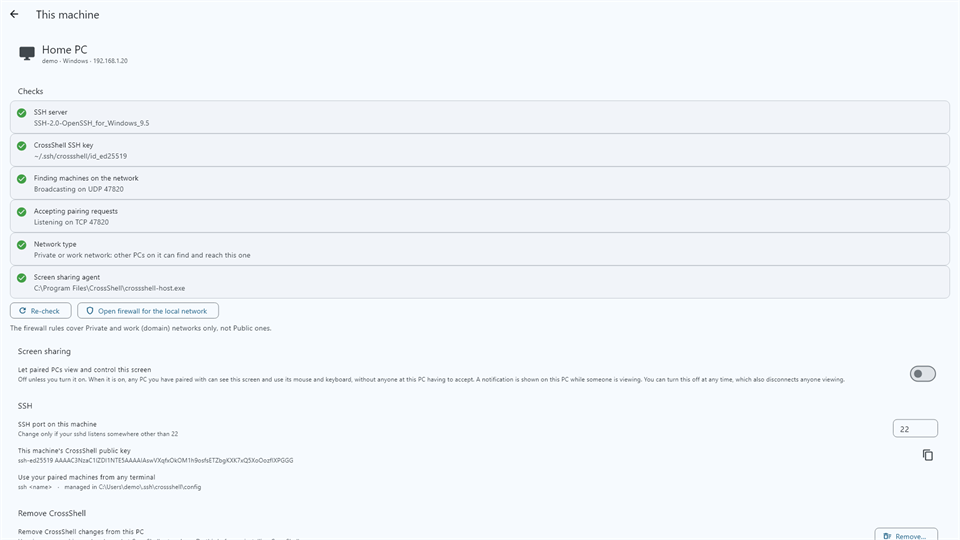
Screen sharing is off until you turn it on under This machine. When it is on, a PC you have paired with can view and control this screen without anyone at this PC accepting each time. While someone is viewing, this PC shows a notification ("Your screen is being viewed and controlled from ..."), and CrossShell shows a banner with a button to disconnect them. Turning screen sharing off stops it at once.
WHAT IT CHANGES ON YOUR PC
Setting up the SSH server takes one administrator prompt and:
• installs and starts Windows' OpenSSH Server optional feature (the sshd service, set to start automatically)
• adds three firewall rules, "CrossShell SSH", "CrossShell Discovery" and "CrossShell Pairing", for the local subnet on Private and work networks only
• can set OpenSSH's default shell to PowerShell, if no default shell was set
Pairing adds the other PC's key to your SSH authorized keys (for administrators, to Windows' administrators_authorized_keys, with an administrator prompt) and adds an Include line and a crossshell folder to your ~/.ssh. Starting screen sharing from the other PC creates a scheduled task, "CrossShellHost", that runs the sharing agent in your desktop session.
"Remove CrossShell changes from this PC" on the This machine page undoes all of this before you uninstall: it unpairs every PC, deletes the scheduled task, the firewall rules and the keys CrossShell added, removes CrossShell's SSH files and settings lines, and puts the default shell back if CrossShell set it. It leaves the OpenSSH Server feature installed, as you may use it for other things; you can remove it in Settings, System, Optional features.
PRIVATE BY DESIGN
• Local network only. No account, no cloud service, no telemetry. To connect across the internet, put both PCs on a VPN and pair by address.
• Everything between paired PCs (terminal, files, screen, keyboard, mouse, clipboard) goes through SSH, with keys exchanged when you pair.
• While open, CrossShell announces itself on the local network every 3 seconds so your other PCs can find it: the computer name, user name and a random ID, unencrypted, readable by other devices on that network.
LIMITS
• Windows' secure desktop (UAC prompts, the lock screen, the sign-in screen) can't be shown or controlled remotely; the viewer says so until it goes away.
• Windows that run as administrator can only be controlled when the sharing agent itself runs with administrator rights.
• Pairing and discovery need both PCs on the same network, set to Private (not Public) on Windows.
• The built-in terminal does not support input methods (IME) or dead keys; use "Open in system terminal" for those.
Từ nhà phát triển
Danh sách 0
-
 CrossShell
Điểm 0
-

- +1 Điểm

Bảng xếp hạng 0
-
- Điểm bạn chấm
Nhà phát triển 9
- Dhiva-Labs
- Người theo dõi: 0
- Nền tảng: Windows Ứng dụng (9)
- Giảm giá: 0
- Danh sách: 0 0
- Điểm: 0
- Bảng xếp hạng: 0
- Bình luận: 0
- Video: 0
- RSS: Đăng ký
Tính năng mới
- Phiên bản: PC
- Cập nhật lần cuối:
- First Microsoft Store release.
• Screen sharing is now off until you turn it on, with a plain explanation of what it allows.
• New "Remove CrossShell changes from this PC" action.
• Firewall rules now apply to Private and work networks only, and CrossShell tells you when your network is set to Public.
• A notification on the shared PC while it is being viewed.
Thông tin bổ sung
- Ngày phát hành:
- Danh mục:
Ứng dụng cho Windows›Công cụ cho nhà phát triển - HĐH:
PC - Kích thước:
16 Mb - Ngôn ngữ được hỗ trợ:
Tiếng Anh - Xếp hạng nội dung:
EVERYONE - Windows Store Điểm đánh giá: ¡
0 - Trang web:
 https://github.com/Dhiva-Labs/CrossShell
Điểm tổng hợp AppAgg
Điểm tổng hợp AppAgg ước tính cho
CrossShell
Nhà phát triển: Dhiva-Labs
Điểm cao hơn thường cho thấy các chỉ số trên AppAgg tốt hơn.
Dựa trên: độ phổ biến · đánh giá của người dùng · độ mới · ưu đãi · dữ liệu cửa hàng · hoạt động cộng đồng
Được tính lại hằng ngày từ dữ liệu AppAgg mới nhất.
Bình luận 0 ¡
Chia sẻ
CrossShell URL ngắn: Đã sao chép!- Windows Store

