
Marcadores
| Desarrollador: | TST Technology (1) | ||
| Precio: | Gratis | ||
| Puntuación: | 1140 Plata | ||
| Clasificaciones: | 0 | ||
| Comentarios: | 0 Publicar comentario | ||
| Listas: | 0 0 | ||
| Puntos: | 0 | ||
| +1 Punto | |||
Resumen
Te presentamos CtrlOps - Linux Server Manager, una app de TST Technology de la categoría «Herramientas de desarrollo».
Salió , todavía está bastante fresca.
Gratis: sin anuncios ni compras integradas. Solo tú y la app.
La Microsoft Store viene integrada en Windows, así que se instala en un par de clics.
Su Puntuación de AppAgg es 1140. Nivel Plata, y eso no está nada mal.
Solo 19 megabytes. Cabe hasta en un disco lleno a reventar.
Clasificación «EVERYONE»: sirve también para los más pequeños.
Habla un solo idioma, y no es el español.
¿Ya la has usado? Tu reseña sería la primera aquí.
Es la única app del desarrollador en AppAgg. Por ahora.
¿Quieres enterarte antes que nadie de actualizaciones y apps nuevas? Sigue al desarrollador o suscríbete al canal RSS. Las notificaciones push llegan con la app AppAgg Alerts para Android y iOS.
Otras plataformas 0
Historial de precios 0
- Precio actual: Gratis
- Mínimo: Gratis
- Máximo: Gratis
Tu propio feed en la página de inicio
Capturas de pantalla 7
Vídeo 1
Descripción

Who it's for
Developers, DevOps engineers, sysadmins, and IT agencies managing their own Linux servers, without needing a dedicated ops hire or a pile of separate tools.
What you get
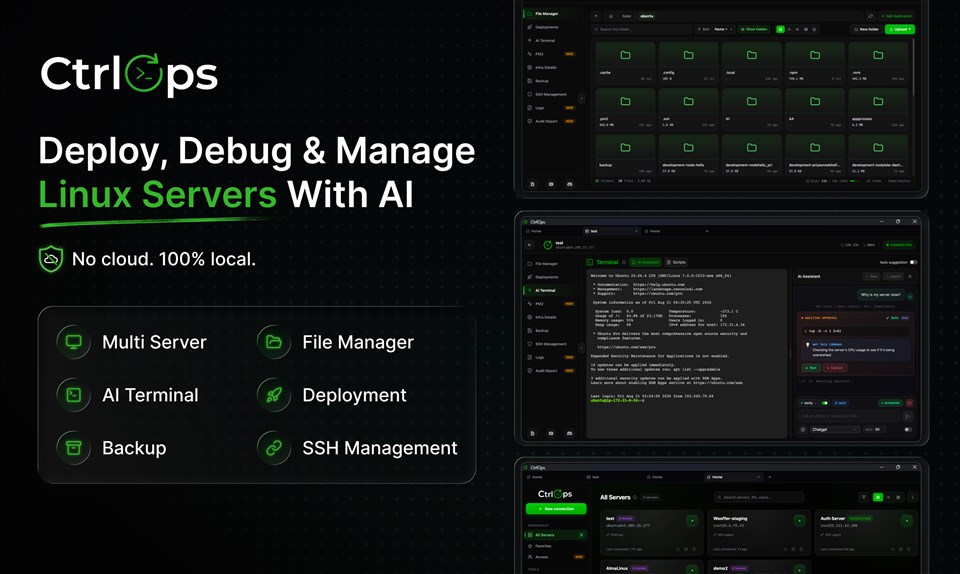
SSH terminal and server manager. Connect to every server by name, not raw IP. Switch between multiple servers in isolated tabs, each with its own persistent session.
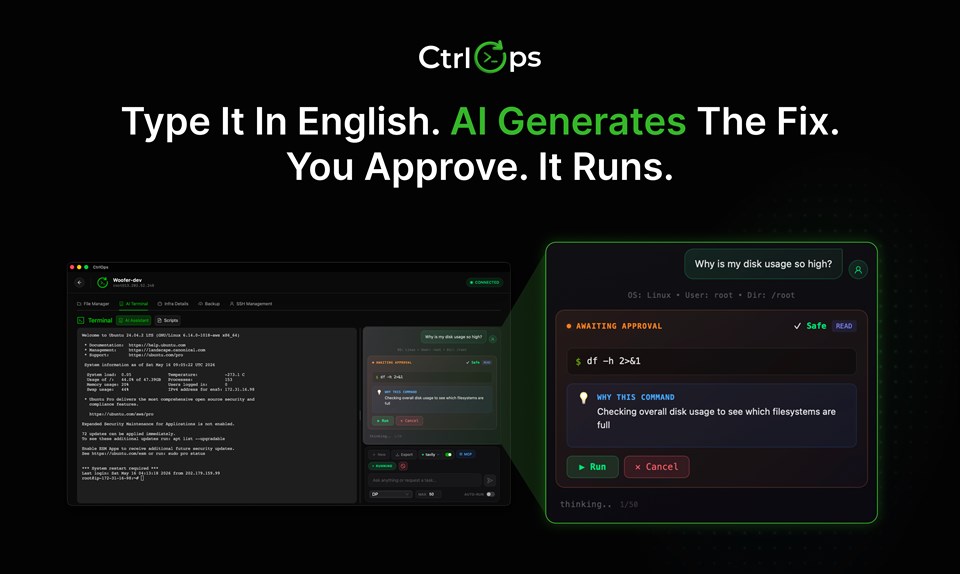
AI Terminal. Describe a problem in plain English. The AI investigates your server's real state, proposes a fix, explains what it does, and only runs after you approve it.
Real-time monitoring. Live CPU, memory, disk, and network for every connected server, no SSH session required to check.
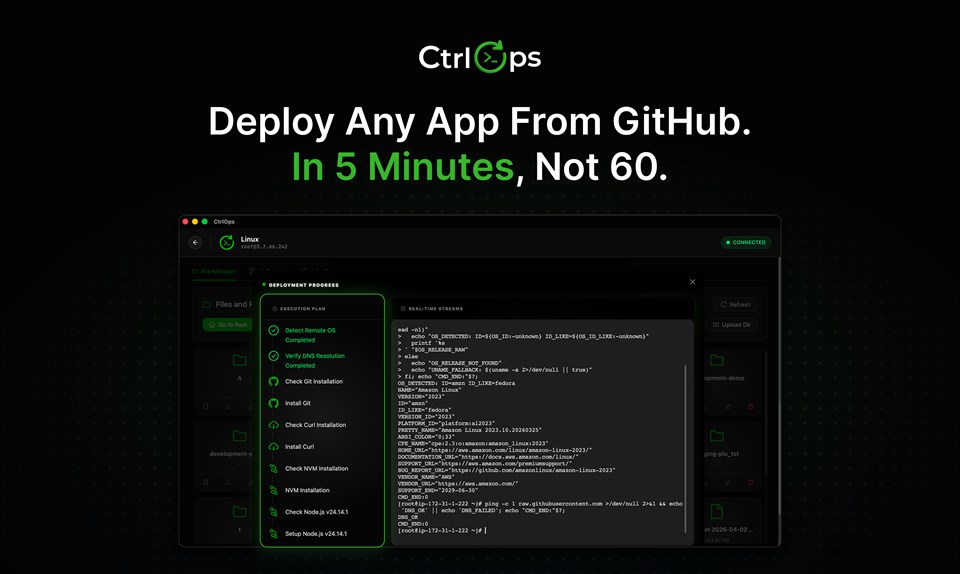
One-click deployment. Ship Node, React, and Next.js apps straight from GitHub. PM2, Nginx or Apache, and SSL are configured automatically.
File manager. Browse, upload, download, and unzip remote files visually. Set permissions from a checkbox grid, no chmod required.
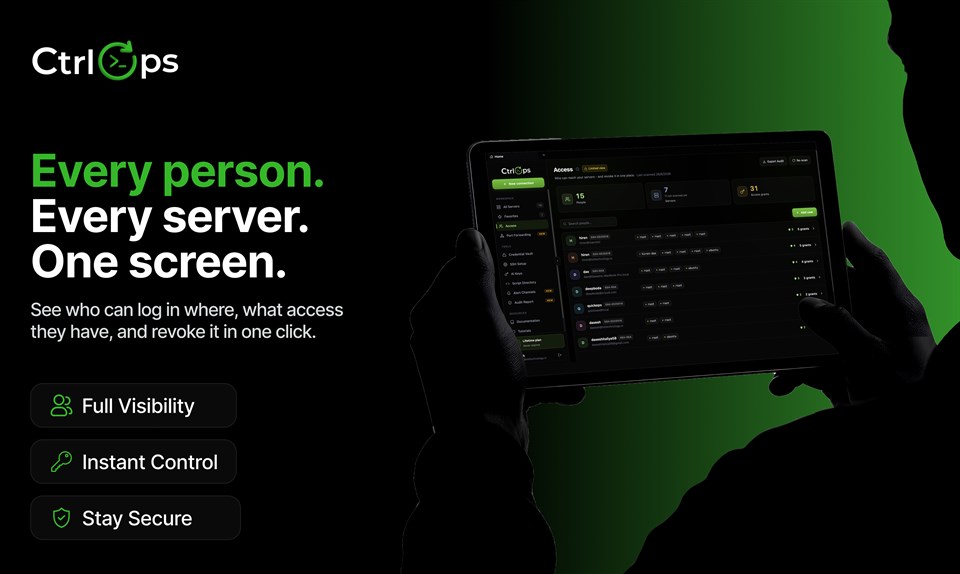
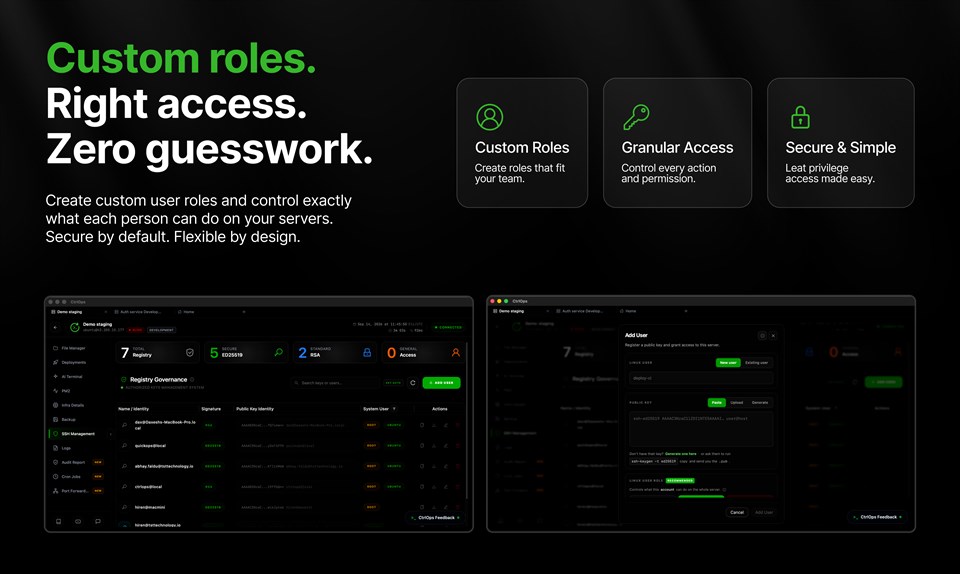
Access management. Scan your whole fleet to see who has access to what, and offboard someone from every server in one action.
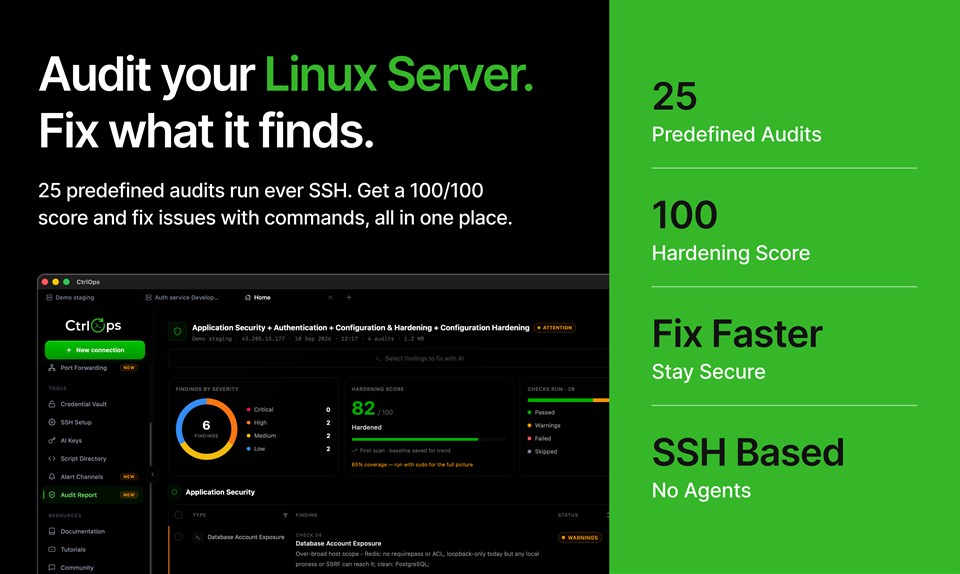
Security audits. Run 25 checks over SSH for a hardening score, a downloadable PDF report, and AI-assisted fixes with your approval.
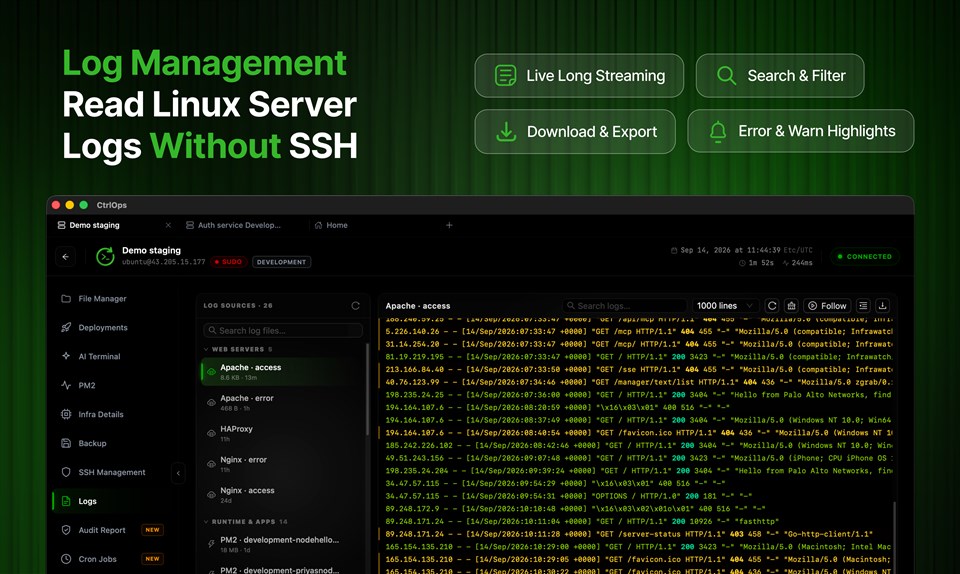
Backups, cron jobs, log management, PM2 process management, port forwarding, and a script directory for the commands you retype every week.
LICENSE
CtrlOps is free to download. Full access requires a license, which is
purchased on our website and activated inside the app. Purchases are not
processed through the Microsoft Store commerce system.
Looking for a Termius alternative for Windows? Try CtrlOps for SSH, SFTP, server monitoring, and AI-powered server management.
Learn more at https://ctrlops.io
Del desarrollador
Listas 0
-
 CtrlOps - Linux Server Manager
Puntos 0
-

- +1 Punto

Clasificaciones 0
-
- Tu valoración
Desarrollador 1
- TST Technology
- Seguidores: 0
- Plataformas: Windows Aplicaciones (1)
- Ofertas: 0
- Listas: 0 0
- Puntos: 0
- Clasificaciones: 0
- Comentarios: 0
- Vídeos: 1
- RSS: Suscribirse
Novedades
- Versión: PC
- Última actualización:
- November 14, 2026·8 new · 3 fixes (v2.0.0)
New | 8
1. Docker Management
2. Compose Stacks and Builds from Code
3. One-Click Apps and Databases
4. Domains and HTTPS for Containers
5. Volume Backups
6. Free, Personal, Team, and Enterprise Plans
7. Easier Add Server
8. Password-Protected Keys
Fixes | 2
1. Tabs Stay Loaded
2. Error Details You Can Copy
- CtrlOps 1.1.6 - The Server Alerts Update
• Server Alerts - A new Alerts tab on every server. Turn on ready-made alerts for high CPU, memory or swap, low disk space or inodes, a stopped service, failed systemd units, a reboot, a website going down, an expiring SSL certificate, SSH brute force or a failed cron job. Alerts reach Slack, Telegram or a webhook, even while CtrlOps is closed.
• Set alerts from Infra Details - Turn on or edit the CPU, memory and storage alerts right from their cards.
• Feedback inside the app - Report a bug or share an idea with screenshots from Feedback in the sidebar, and see every release under What's New.
• Quicker everyday work - Double-click a server card to connect, open a PM2 process's logs from its row, and select and copy text in the AI chat and log viewers, with a copy button on every suggested command.
• Safer editing - The cron job wizard asks before discarding unsaved work, and Keep editing takes you straight to the tab with your unsaved file.
• Room for longer names - File and folder names up to 255 characters, and app names up to 80 in one-click deployment. Long names no longer break dialogs or notifications.
• Fixes - Clearer names for downloaded cron logs, a wider Git tooltip, Credential Vault colors that match the app, a disconnect prompt that stays on top, and a feedback form that starts fresh after you send.
Información adicional
- Fecha de lanzamiento:
- Categoría:
Aplicaciones para Windows›Herramientas de desarrollo - Sistemas operativos:
PC - Tamaño:
19 Mb - Idiomas admitidos:
Inglés - Clasificación de contenido:
EVERYONE - Windows Store Valoración: ¡
0 - Sitio web:
 https://tsttechnology.io/
Puntuación de AppAgg
Puntuación estimada de AppAgg para
CtrlOps - Linux Server Manager
Desarrollador: TST Technology
Una puntuación más alta suele reflejar mejores resultados en los indicadores de AppAgg.
Basado en: popularidad · valoraciones de usuarios · actualidad · ofertas · datos de tiendas · actividad de la comunidad
Se recalcula a diario con datos actualizados de AppAgg.
Comentarios 0 ¡
Compartir
CtrlOps - Linux Server Manager URL corta: Copiado!- Windows Store

