
북마크
이 북마크의 제목을 입력하세요.
북마크가 저장되었습니다
| 개발자: | TST Technology (1) | ||
| 가격: | 무료 | ||
| 종합 점수: | 1,140 실버 | ||
| 순위: | 0 | ||
| 댓글: | 0 댓글 게시 | ||
| 목록: | 0 0 | ||
| 포인트: | 0 | ||
| +1 포인트 | |||
요약
소개합니다. TST Technology에서 만든 ‘개발자 도구’ 카테고리 앱, CtrlOps - Linux Server Manager.
에 출시됐어요. 아직 꽤 따끈따끈해요.
무료. 광고도 인앱 구매도 없어요. 앱에만 집중하면 돼요.
Microsoft Store는 Windows에 기본으로 들어 있어서 클릭 몇 번이면 설치돼요.
AppAgg 점수는 1,140. 실버 등급, 이 정도면 꽤 괜찮아요.
겨우 19메가바이트. 꽉 찬 드라이브에도 쏙 들어가요.
연령 등급은 ‘EVERYONE’, 아이들에게도 괜찮아요.
지원 언어는 딱 하나, 그런데 한국어는 아니에요.
사용해 보셨나요? 여기서 첫 리뷰의 주인공이 되어 주세요.
AppAgg에 있는 이 개발자의 유일한 앱이에요. 아직까지는요.
업데이트와 새 앱 소식을 가장 먼저 받고 싶나요? 개발자를 팔로우하거나 RSS 피드를 구독하세요. 푸시 알림은 Android와 iOS용 AppAgg Alerts 앱으로 받을 수 있어요.
광고
다른 플랫폼 0
가격 기록 0
- 현재 가격: 무료
- 최소: 무료
- 최대: 무료
홈 화면의 나만의 피드
“신규 및 업데이트” 피드의 플랫폼을 선택하면 홈 화면에 필요한 앱과 게임만 표시됩니다.
스크린샷 7
동영상 1
설명

Who it's for
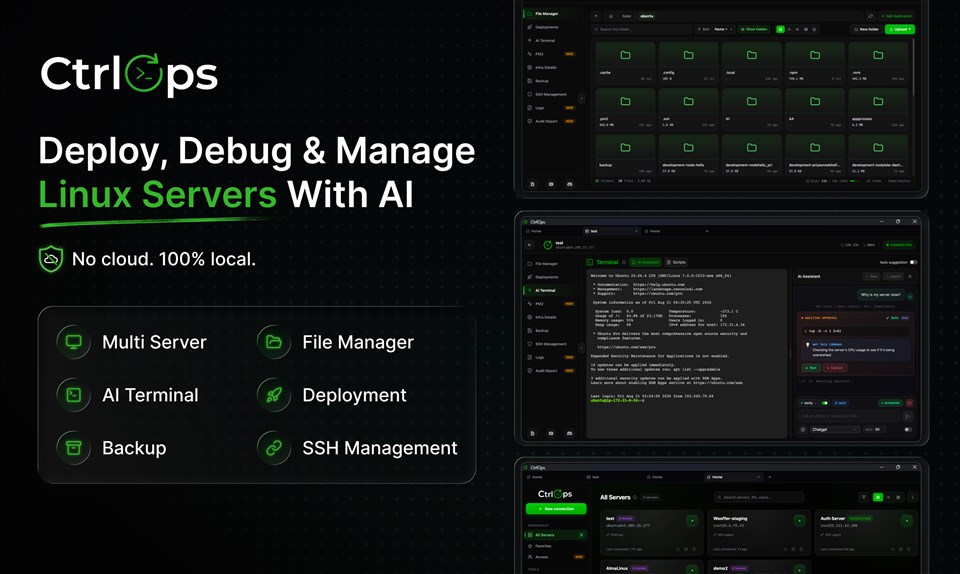
Developers, DevOps engineers, sysadmins, and IT agencies managing their own Linux servers, without needing a dedicated ops hire or a pile of separate tools.
What you get
SSH terminal and server manager. Connect to every server by name, not raw IP. Switch between multiple servers in isolated tabs, each with its own persistent session.
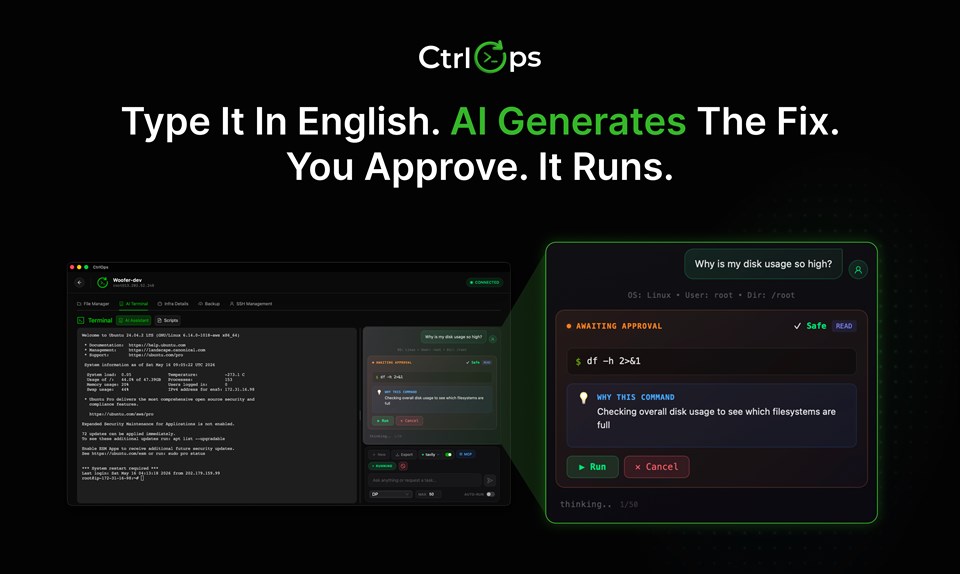
AI Terminal. Describe a problem in plain English. The AI investigates your server's real state, proposes a fix, explains what it does, and only runs after you approve it.
Real-time monitoring. Live CPU, memory, disk, and network for every connected server, no SSH session required to check.
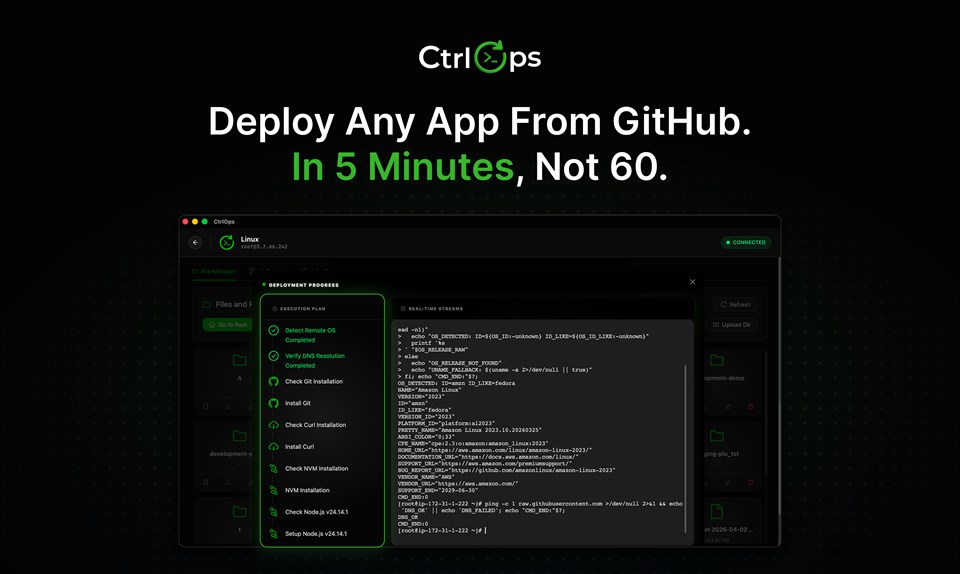
One-click deployment. Ship Node, React, and Next.js apps straight from GitHub. PM2, Nginx or Apache, and SSL are configured automatically.
File manager. Browse, upload, download, and unzip remote files visually. Set permissions from a checkbox grid, no chmod required.
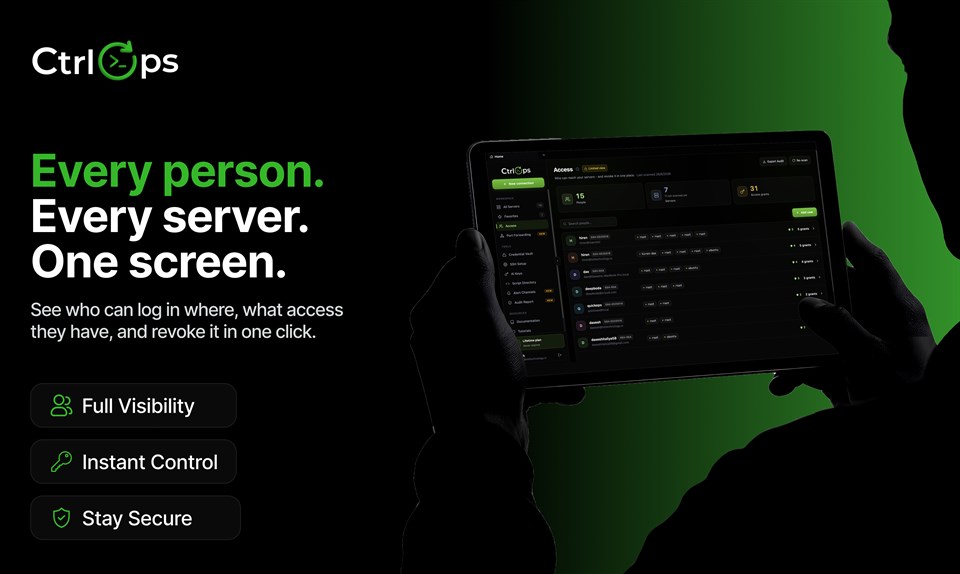
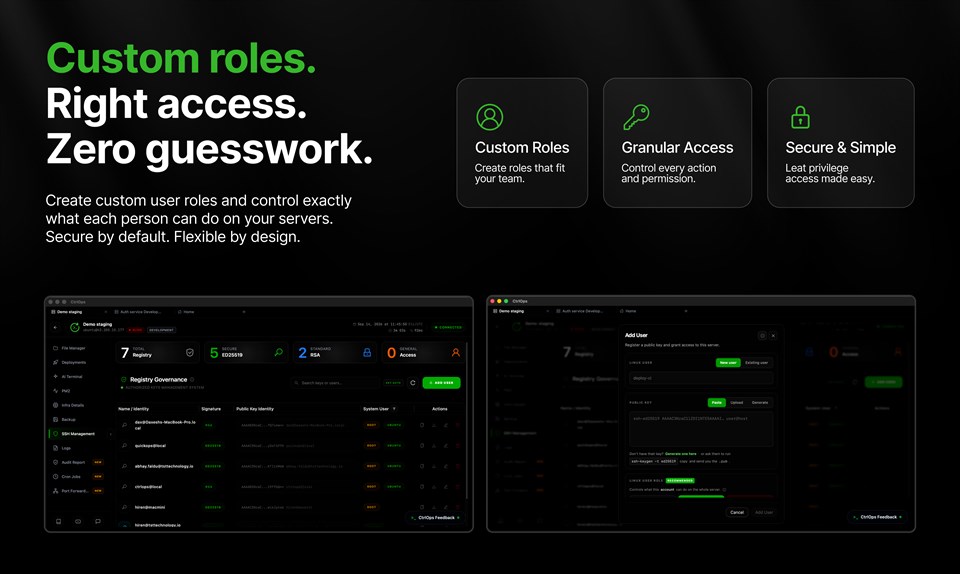
Access management. Scan your whole fleet to see who has access to what, and offboard someone from every server in one action.
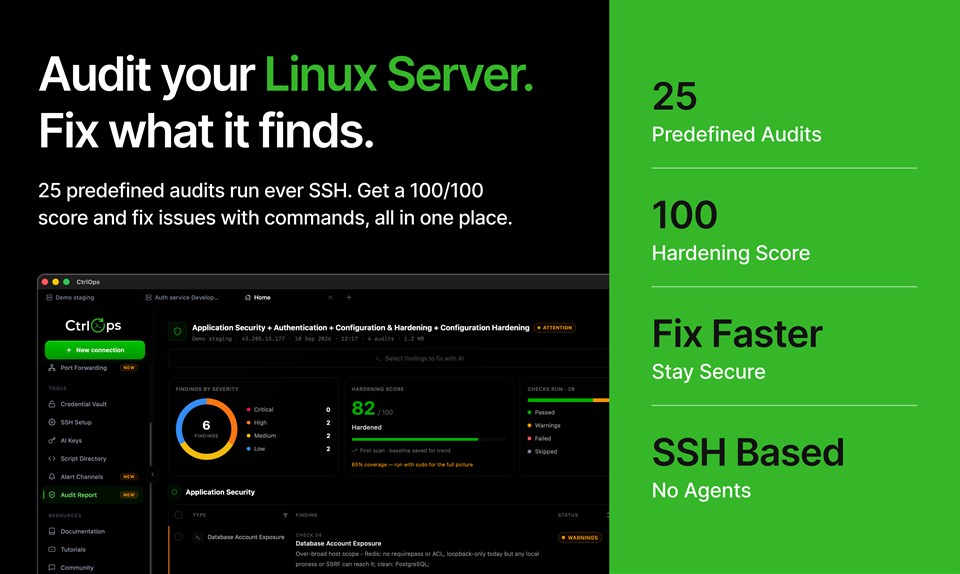
Security audits. Run 25 checks over SSH for a hardening score, a downloadable PDF report, and AI-assisted fixes with your approval.
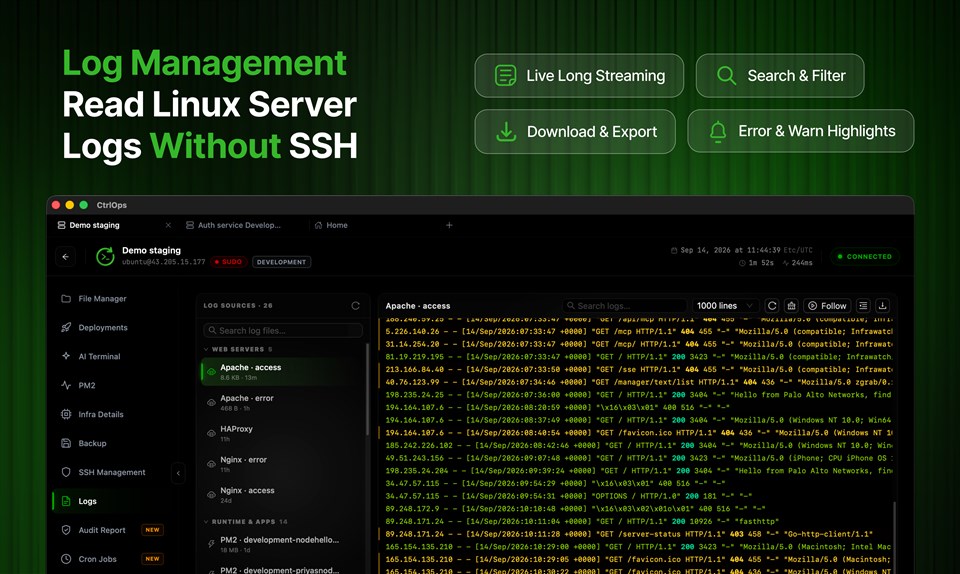
Backups, cron jobs, log management, PM2 process management, port forwarding, and a script directory for the commands you retype every week.
LICENSE
CtrlOps is free to download. Full access requires a license, which is
purchased on our website and activated inside the app. Purchases are not
processed through the Microsoft Store commerce system.
Looking for a Termius alternative for Windows? Try CtrlOps for SSH, SFTP, server monitoring, and AI-powered server management.
Learn more at https://ctrlops.io
개발자 소식
개발자이신가요?
페이지 맨 위에 소식을 올리면 팔로워에게 이메일로 전달됩니다. YouTube 동영상을 추가하면 “동영상” 블록 맨 앞에 표시됩니다.
목록 0
-
 CtrlOps - Linux Server Manager
포인트 0
-

- +1 포인트

순위 0
-
- 내 평점
개발자 1
- TST Technology
- 팔로워: 0
- 플랫폼: Windows 앱 (1)
- 할인: 0
- 목록: 0 0
- 포인트: 0
- 순위: 0
- 댓글: 0
- 동영상: 1
- RSS: 구독
새로운 기능
- 버전: PC
- 마지막 업데이트:
- November 14, 2026·8 new · 3 fixes (v2.0.0)
New | 8
1. Docker Management
2. Compose Stacks and Builds from Code
3. One-Click Apps and Databases
4. Domains and HTTPS for Containers
5. Volume Backups
6. Free, Personal, Team, and Enterprise Plans
7. Easier Add Server
8. Password-Protected Keys
Fixes | 2
1. Tabs Stay Loaded
2. Error Details You Can Copy
버전 기록
- CtrlOps 1.1.6 - The Server Alerts Update
• Server Alerts - A new Alerts tab on every server. Turn on ready-made alerts for high CPU, memory or swap, low disk space or inodes, a stopped service, failed systemd units, a reboot, a website going down, an expiring SSL certificate, SSH brute force or a failed cron job. Alerts reach Slack, Telegram or a webhook, even while CtrlOps is closed.
• Set alerts from Infra Details - Turn on or edit the CPU, memory and storage alerts right from their cards.
• Feedback inside the app - Report a bug or share an idea with screenshots from Feedback in the sidebar, and see every release under What's New.
• Quicker everyday work - Double-click a server card to connect, open a PM2 process's logs from its row, and select and copy text in the AI chat and log viewers, with a copy button on every suggested command.
• Safer editing - The cron job wizard asks before discarding unsaved work, and Keep editing takes you straight to the tab with your unsaved file.
• Room for longer names - File and folder names up to 255 characters, and app names up to 80 in one-click deployment. Long names no longer break dialogs or notifications.
• Fixes - Clearer names for downloaded cron logs, a wider Git tooltip, Credential Vault colors that match the app, a disconnect prompt that stays on top, and a feedback form that starts fresh after you send.
추가 정보
 https://tsttechnology.io/
AppAgg 점수
1,140
AppAgg 예상 점수:
CtrlOps - Linux Server Manager
개발자: TST Technology
1,140 실버
점수가 높을수록 대체로 AppAgg의 여러 지표에서 좋은 결과를 보인다는 뜻입니다.
기준: 인기 · 사용자 평점 · 최신성 · 할인 · 스토어 데이터 · 커뮤니티 활동
최신 AppAgg 데이터를 바탕으로 매일 다시 계산됩니다.
웹사이트용 배지:  복사됨!
댓글 0 ¡
가장 먼저 댓글을 남겨주세요
공유하기
CtrlOps - Linux Server Manager 단축 URL: 복사됨!- Windows Store


