
บุ๊กมาร์ก
| ผู้พัฒนา: | TST Technology (1) | ||
| ราคา: | ฟรี | ||
| คะแนน: | 1,140 เงิน | ||
| การจัดอันดับ: | 0 | ||
| ความคิดเห็น: | 0 โพสต์ความคิดเห็น | ||
| รายการ: | 0 0 | ||
| แต้ม: | 0 | ||
| +1 แต้ม | |||
สรุป
มาทำความรู้จัก CtrlOps - Linux Server Manager แอปในหมวด “เครื่องมือสำหรับนักพัฒนา” จาก TST Technology
ออกเมื่อ ยังสดใหม่อยู่เลย
ฟรี ไม่มีโฆษณา ไม่มีการซื้อภายในแอป มีแค่คุณกับแอป
Microsoft Store มีมาในตัว Windows อยู่แล้ว ติดตั้งได้ในไม่กี่คลิก
คะแนน AppAgg คือ 1,140 ระดับ “เงิน” ถือว่าไม่เลวเลย
แค่ 19 เมกะไบต์ ต่อให้ไดรฟ์เต็มก็ยังลงได้
จัดเรต “EVERYONE” เหมาะกับเด็ก ๆ ด้วย
รองรับแค่ภาษาเดียว และไม่ใช่ภาษาไทย
เคยใช้แล้วเหรอ? รีวิวของคุณจะเป็นรีวิวแรกที่นี่
เป็นแอปเดียวของผู้พัฒนารายนี้บน AppAgg อย่างน้อยก็ตอนนี้
อยากรู้เรื่องอัปเดตและแอปใหม่ก่อนใครไหม? ติดตาม ผู้พัฒนา หรือกดติดตาม ฟีด RSS ได้เลย การแจ้งเตือนแบบพุชส่งผ่านแอป AppAgg Alerts สำหรับ Android และ iOS
แพลตฟอร์มอื่น 0
ประวัติราคา 0
- ราคาปัจจุบัน: ฟรี
- ต่ำสุด: ฟรี
- สูงสุด: ฟรี
ฟีดของคุณเองบนหน้าแรก
ภาพหน้าจอ 7
วิดีโอ 1
คำอธิบาย

Who it's for
Developers, DevOps engineers, sysadmins, and IT agencies managing their own Linux servers, without needing a dedicated ops hire or a pile of separate tools.
What you get
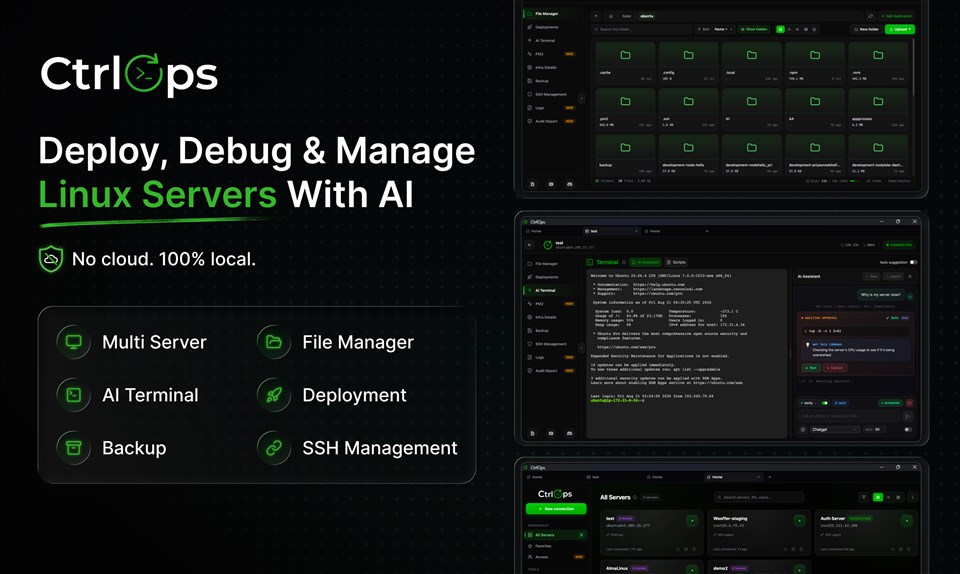
SSH terminal and server manager. Connect to every server by name, not raw IP. Switch between multiple servers in isolated tabs, each with its own persistent session.
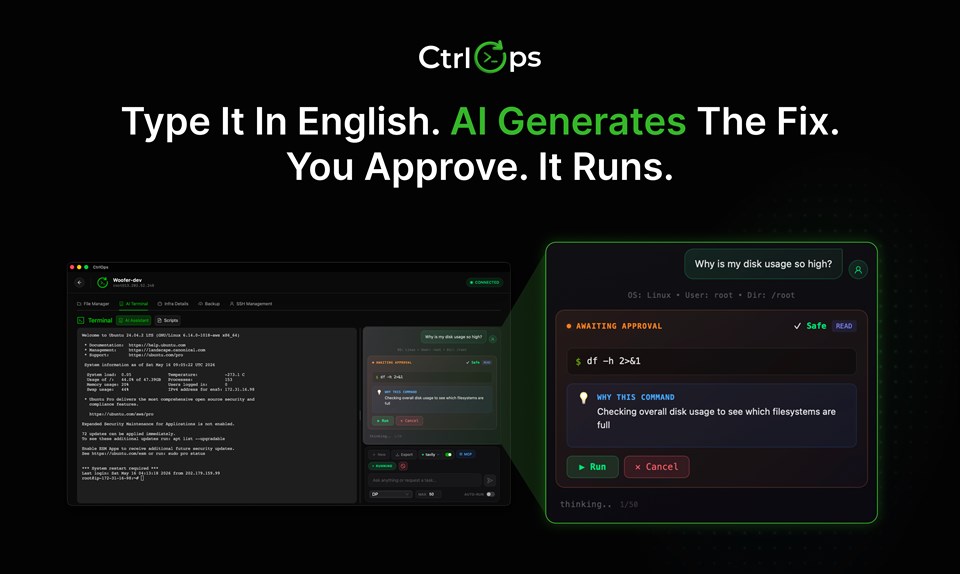
AI Terminal. Describe a problem in plain English. The AI investigates your server's real state, proposes a fix, explains what it does, and only runs after you approve it.
Real-time monitoring. Live CPU, memory, disk, and network for every connected server, no SSH session required to check.
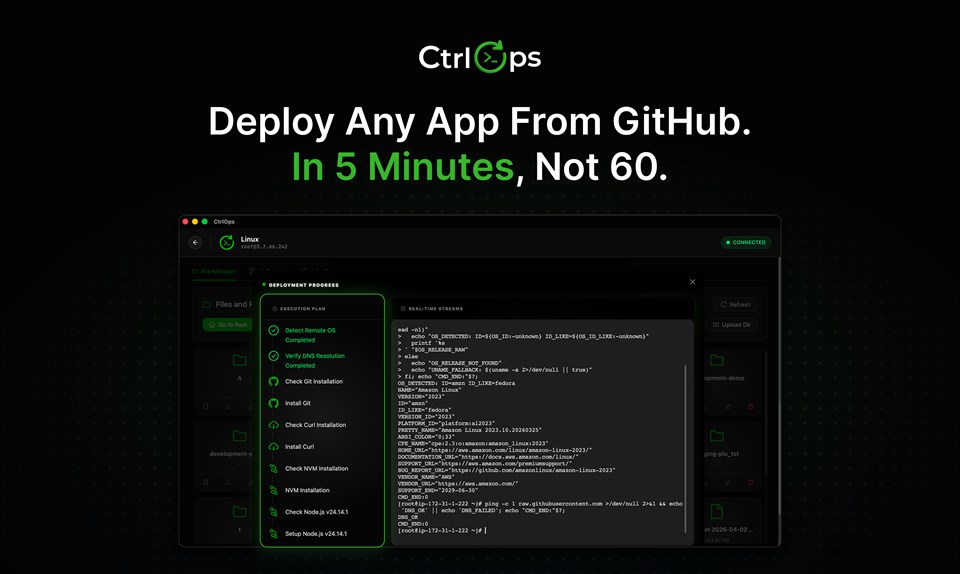
One-click deployment. Ship Node, React, and Next.js apps straight from GitHub. PM2, Nginx or Apache, and SSL are configured automatically.
File manager. Browse, upload, download, and unzip remote files visually. Set permissions from a checkbox grid, no chmod required.
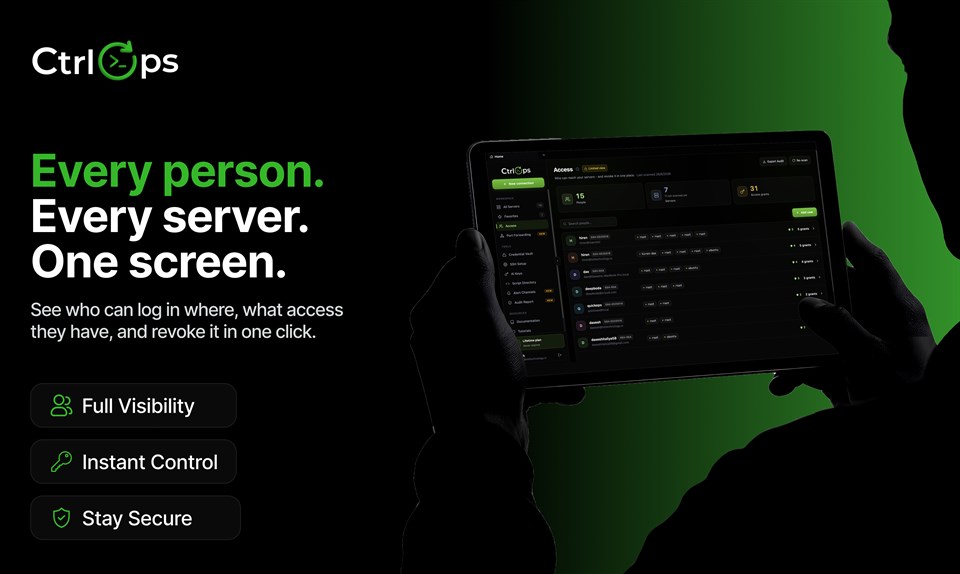
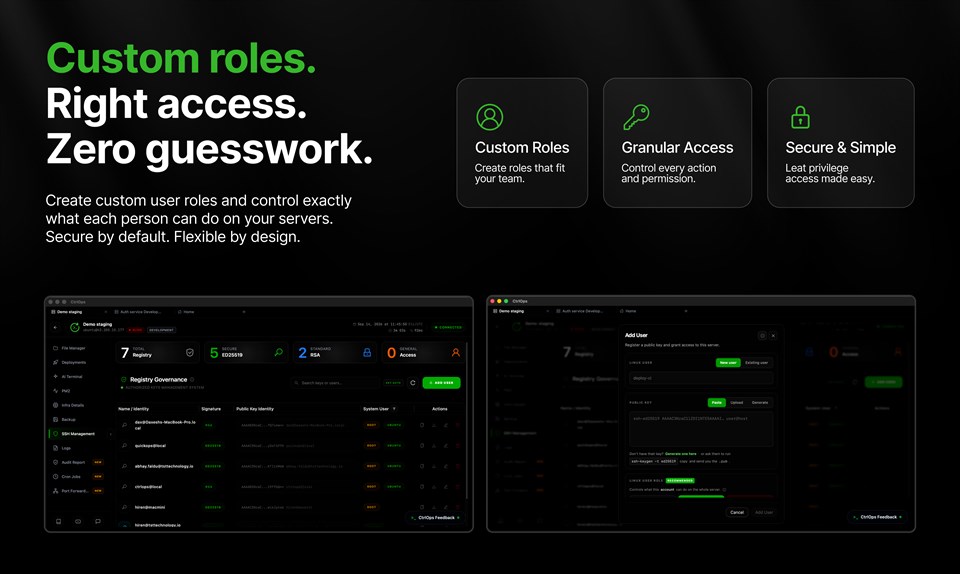
Access management. Scan your whole fleet to see who has access to what, and offboard someone from every server in one action.
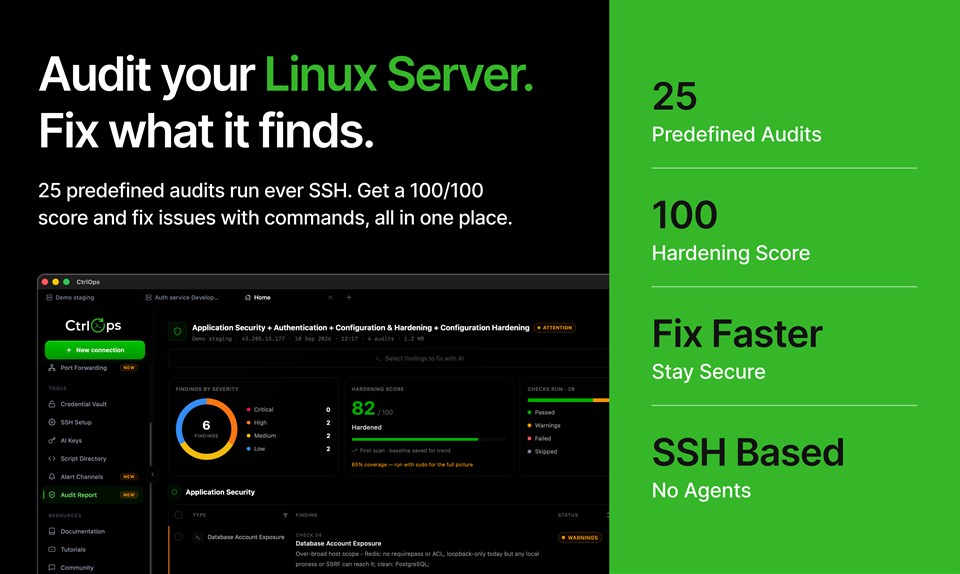
Security audits. Run 25 checks over SSH for a hardening score, a downloadable PDF report, and AI-assisted fixes with your approval.
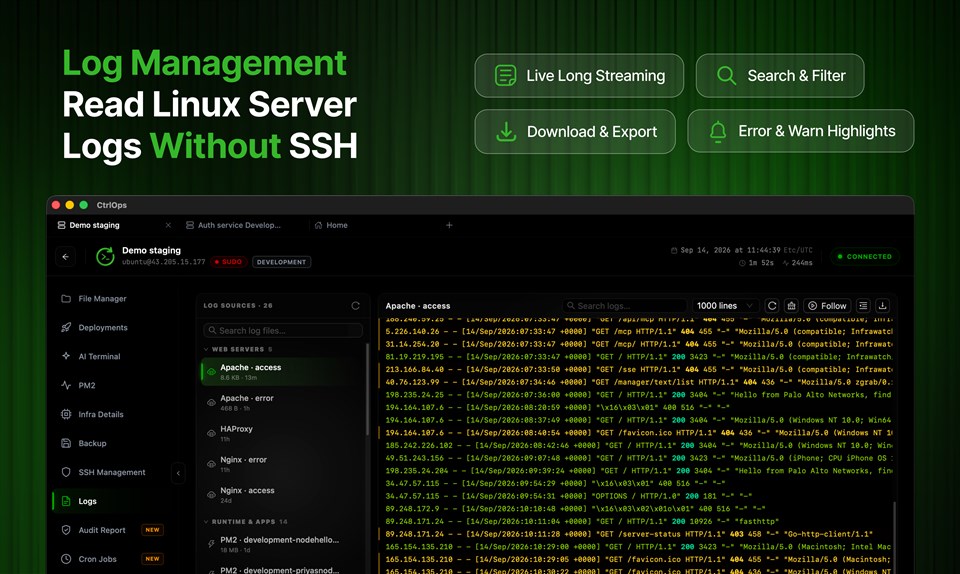
Backups, cron jobs, log management, PM2 process management, port forwarding, and a script directory for the commands you retype every week.
LICENSE
CtrlOps is free to download. Full access requires a license, which is
purchased on our website and activated inside the app. Purchases are not
processed through the Microsoft Store commerce system.
Looking for a Termius alternative for Windows? Try CtrlOps for SSH, SFTP, server monitoring, and AI-powered server management.
Learn more at https://ctrlops.io
จากนักพัฒนา
รายการ 0
-
 CtrlOps - Linux Server Manager
แต้ม 0
-

- +1 แต้ม

การจัดอันดับ 0
-
- คะแนนของคุณ
ผู้พัฒนา 1
- TST Technology
- ผู้ติดตาม: 0
- แพลตฟอร์ม: Windows แอป (1)
- ลดราคา: 0
- รายการ: 0 0
- แต้ม: 0
- การจัดอันดับ: 0
- ความคิดเห็น: 0
- วิดีโอ: 1
- RSS: ติดตาม
มีอะไรใหม่
- เวอร์ชัน: PC
- อัปเดตล่าสุด:
- November 14, 2026·8 new · 3 fixes (v2.0.0)
New | 8
1. Docker Management
2. Compose Stacks and Builds from Code
3. One-Click Apps and Databases
4. Domains and HTTPS for Containers
5. Volume Backups
6. Free, Personal, Team, and Enterprise Plans
7. Easier Add Server
8. Password-Protected Keys
Fixes | 2
1. Tabs Stay Loaded
2. Error Details You Can Copy
- CtrlOps 1.1.6 - The Server Alerts Update
• Server Alerts - A new Alerts tab on every server. Turn on ready-made alerts for high CPU, memory or swap, low disk space or inodes, a stopped service, failed systemd units, a reboot, a website going down, an expiring SSL certificate, SSH brute force or a failed cron job. Alerts reach Slack, Telegram or a webhook, even while CtrlOps is closed.
• Set alerts from Infra Details - Turn on or edit the CPU, memory and storage alerts right from their cards.
• Feedback inside the app - Report a bug or share an idea with screenshots from Feedback in the sidebar, and see every release under What's New.
• Quicker everyday work - Double-click a server card to connect, open a PM2 process's logs from its row, and select and copy text in the AI chat and log viewers, with a copy button on every suggested command.
• Safer editing - The cron job wizard asks before discarding unsaved work, and Keep editing takes you straight to the tab with your unsaved file.
• Room for longer names - File and folder names up to 255 characters, and app names up to 80 in one-click deployment. Long names no longer break dialogs or notifications.
• Fixes - Clearer names for downloaded cron logs, a wider Git tooltip, Credential Vault colors that match the app, a disconnect prompt that stays on top, and a feedback form that starts fresh after you send.
ข้อมูลเพิ่มเติม
- วันที่วางจำหน่าย:
- หมวดหมู่:
แอปสำหรับ Windows›เครื่องมือสำหรับนักพัฒนา - ระบบปฏิบัติการ:
PC - ขนาด:
19 Mb - ภาษาที่รองรับ:
อังกฤษ - การจัดประเภทเนื้อหา:
EVERYONE - Windows Store คะแนน: ¡
0 - เว็บไซต์:
 https://tsttechnology.io/
คะแนน AppAgg
คะแนน AppAgg โดยประมาณของ
CtrlOps - Linux Server Manager
ผู้พัฒนา: TST Technology
คะแนนที่สูงขึ้นมักสะท้อนตัวชี้วัดที่ดีกว่าบน AppAgg
อิงจาก: ความนิยม · คะแนนจากผู้ใช้ · ความสดใหม่ · ดีล · ข้อมูลร้านค้า · กิจกรรมชุมชน
คำนวณใหม่ทุกวันจากข้อมูล AppAgg ล่าสุด
ความคิดเห็น 0 ¡
แชร์
CtrlOps - Linux Server Manager URL แบบสั้น: คัดลอกแล้ว!- Windows Store

