
Dấu trang
| Nhà phát triển: | TST Technology (1) | ||
| Giá: | Miễn phí | ||
| Điểm tổng hợp: | 1.140 Bạc | ||
| Bảng xếp hạng: | 0 | ||
| Bình luận: | 0 Đăng bình luận | ||
| Danh sách: | 0 0 | ||
| Điểm: | 0 | ||
| +1 Điểm | |||
Tóm tắt
Làm quen với CtrlOps - Linux Server Manager, ứng dụng thuộc danh mục Công cụ cho nhà phát triển đến từ TST Technology.
Ra mắt , vẫn còn khá nóng hổi.
Miễn phí, không quảng cáo, không mua hàng trong ứng dụng. Chỉ có bạn và ứng dụng.
Microsoft Store có sẵn trong Windows, nên cài chỉ mất vài cú nhấp.
Điểm tổng hợp AppAgg là 1.140. Hạng Bạc, vậy là không tệ chút nào.
Chỉ 19 megabyte, ổ đĩa đầy vẫn chứa vừa.
Xếp hạng độ tuổi “EVERYONE”, nên trẻ em cũng dùng được.
Chỉ biết một thứ tiếng, và đó không phải tiếng Việt.
Đã dùng rồi? Bài đánh giá của bạn sẽ là bài đầu tiên ở đây.
Đây là ứng dụng duy nhất của nhà phát triển trên AppAgg. Tạm thời là vậy.
Muốn biết sớm nhất về cập nhật và ứng dụng mới? Hãy theo dõi nhà phát triển hoặc đăng ký nguồn RSS. Thông báo đẩy được gửi qua ứng dụng AppAgg Alerts cho Android và iOS.
Nền tảng khác 0
Lịch sử giá 0
- Giá hiện tại: Miễn phí
- Tối thiểu: Miễn phí
- Tối đa: Miễn phí
Bảng tin riêng của bạn trên trang chủ
Ảnh chụp màn hình 7
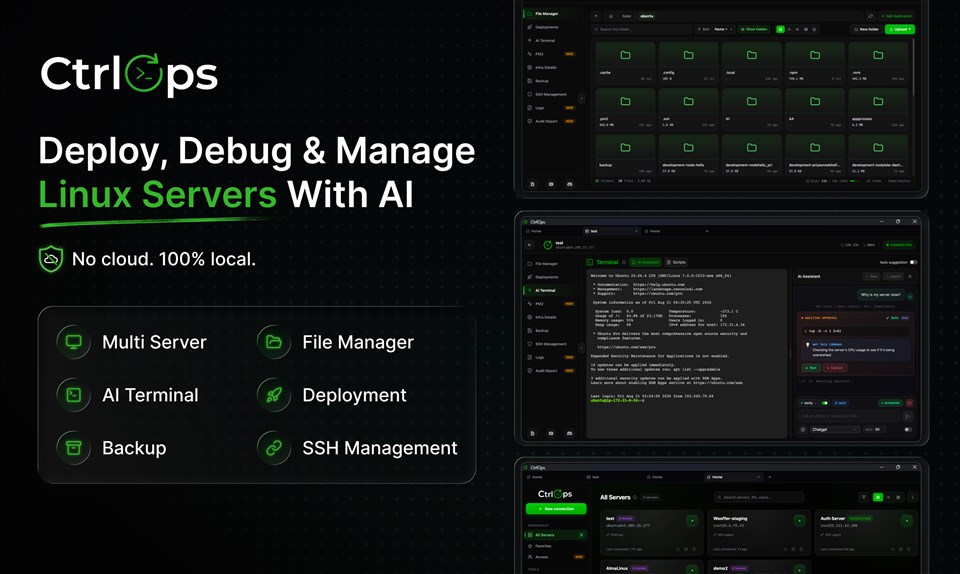
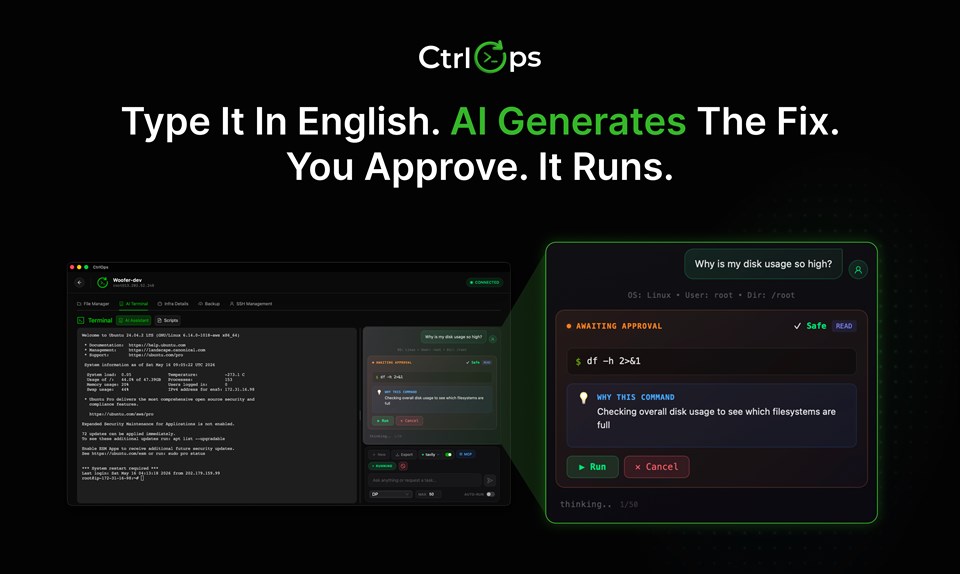
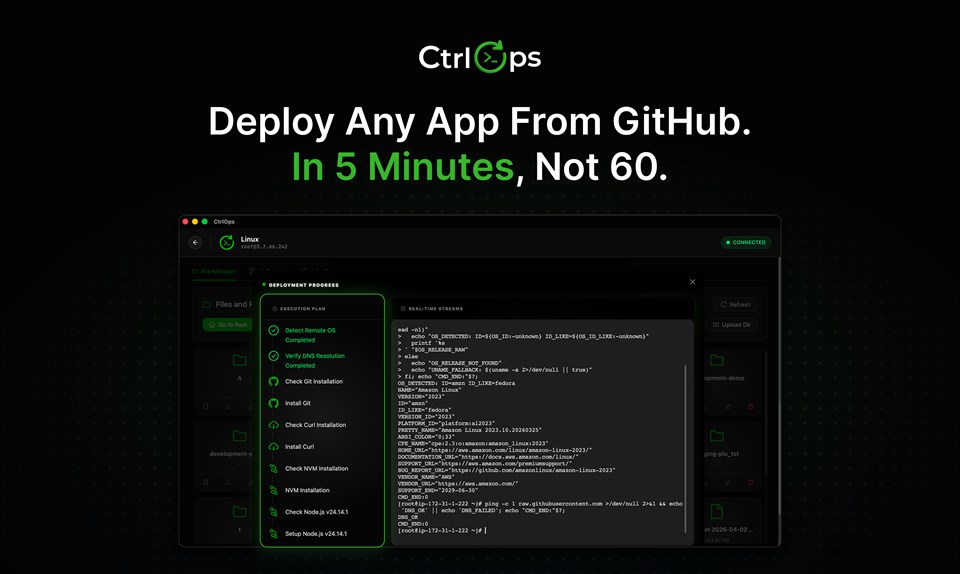
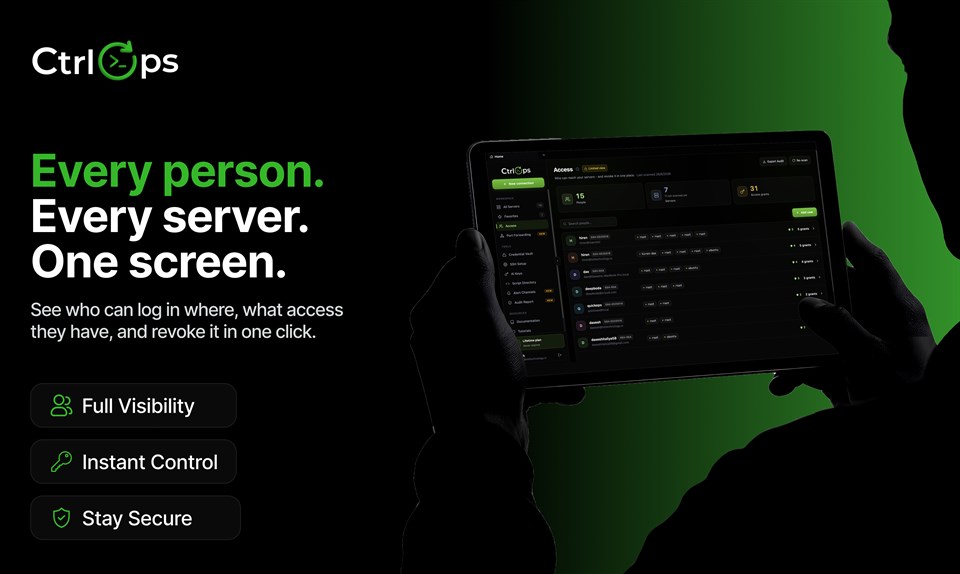
Video 1
Mô tả

Who it's for
Developers, DevOps engineers, sysadmins, and IT agencies managing their own Linux servers, without needing a dedicated ops hire or a pile of separate tools.
What you get
SSH terminal and server manager. Connect to every server by name, not raw IP. Switch between multiple servers in isolated tabs, each with its own persistent session.
AI Terminal. Describe a problem in plain English. The AI investigates your server's real state, proposes a fix, explains what it does, and only runs after you approve it.
Real-time monitoring. Live CPU, memory, disk, and network for every connected server, no SSH session required to check.
One-click deployment. Ship Node, React, and Next.js apps straight from GitHub. PM2, Nginx or Apache, and SSL are configured automatically.
File manager. Browse, upload, download, and unzip remote files visually. Set permissions from a checkbox grid, no chmod required.
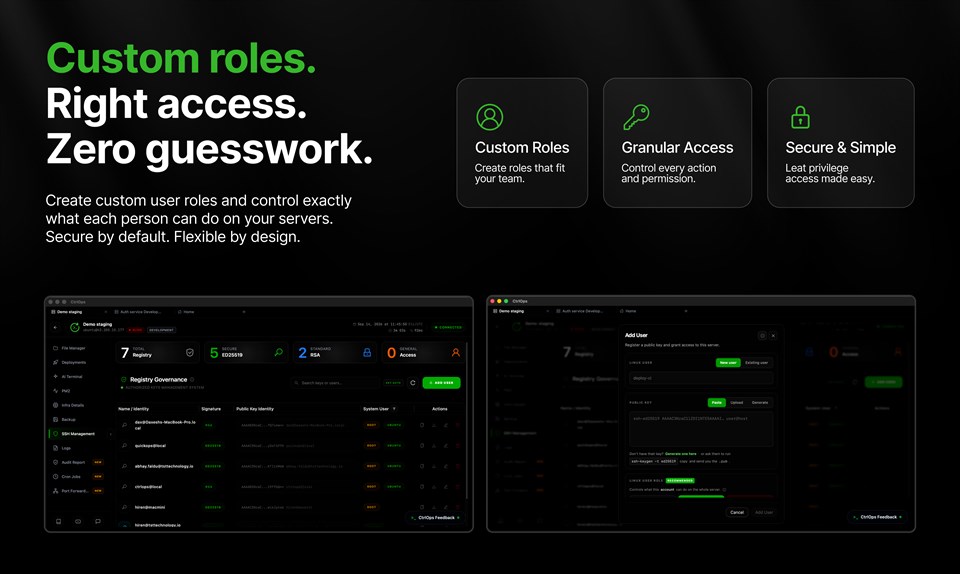
Access management. Scan your whole fleet to see who has access to what, and offboard someone from every server in one action.
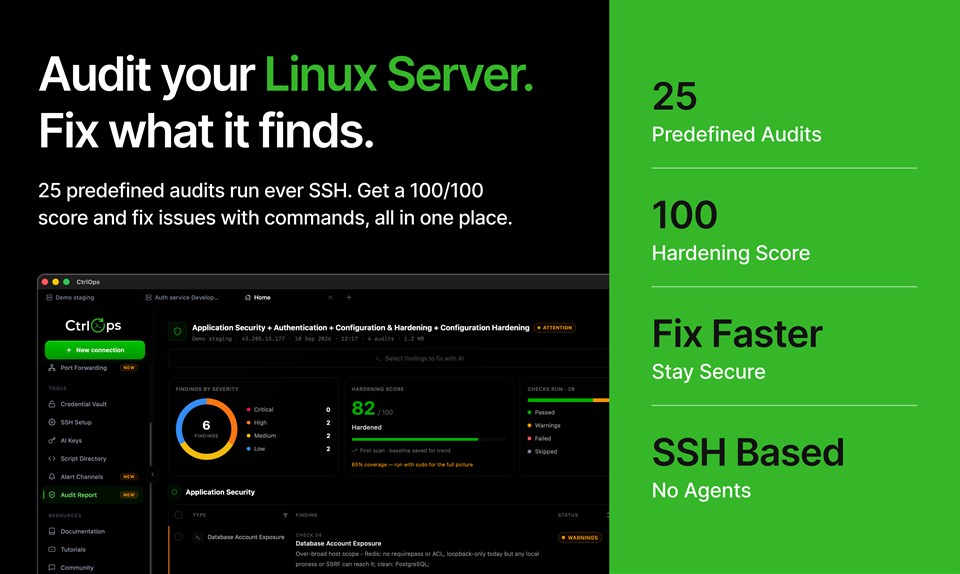
Security audits. Run 25 checks over SSH for a hardening score, a downloadable PDF report, and AI-assisted fixes with your approval.
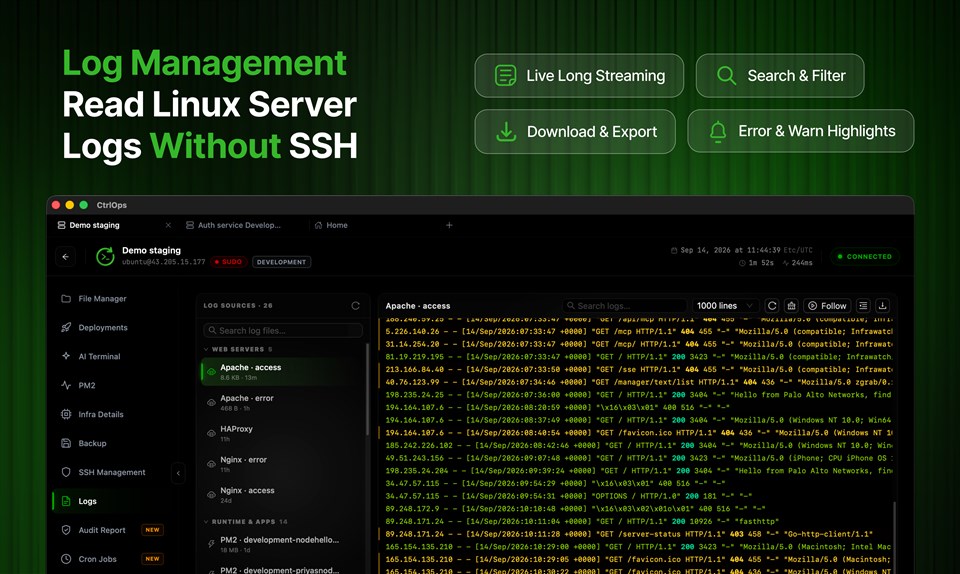
Backups, cron jobs, log management, PM2 process management, port forwarding, and a script directory for the commands you retype every week.
LICENSE
CtrlOps is free to download. Full access requires a license, which is
purchased on our website and activated inside the app. Purchases are not
processed through the Microsoft Store commerce system.
Looking for a Termius alternative for Windows? Try CtrlOps for SSH, SFTP, server monitoring, and AI-powered server management.
Learn more at https://ctrlops.io
Từ nhà phát triển
Danh sách 0
-
 CtrlOps - Linux Server Manager
Điểm 0
-

- +1 Điểm

Bảng xếp hạng 0
-
- Điểm bạn chấm
Nhà phát triển 1
- TST Technology
- Người theo dõi: 0
- Nền tảng: Windows Ứng dụng (1)
- Giảm giá: 0
- Danh sách: 0 0
- Điểm: 0
- Bảng xếp hạng: 0
- Bình luận: 0
- Video: 1
- RSS: Đăng ký
Tính năng mới
- Phiên bản: PC
- Cập nhật lần cuối:
- November 14, 2026·8 new · 3 fixes (v2.0.0)
New | 8
1. Docker Management
2. Compose Stacks and Builds from Code
3. One-Click Apps and Databases
4. Domains and HTTPS for Containers
5. Volume Backups
6. Free, Personal, Team, and Enterprise Plans
7. Easier Add Server
8. Password-Protected Keys
Fixes | 2
1. Tabs Stay Loaded
2. Error Details You Can Copy
- CtrlOps 1.1.6 - The Server Alerts Update
• Server Alerts - A new Alerts tab on every server. Turn on ready-made alerts for high CPU, memory or swap, low disk space or inodes, a stopped service, failed systemd units, a reboot, a website going down, an expiring SSL certificate, SSH brute force or a failed cron job. Alerts reach Slack, Telegram or a webhook, even while CtrlOps is closed.
• Set alerts from Infra Details - Turn on or edit the CPU, memory and storage alerts right from their cards.
• Feedback inside the app - Report a bug or share an idea with screenshots from Feedback in the sidebar, and see every release under What's New.
• Quicker everyday work - Double-click a server card to connect, open a PM2 process's logs from its row, and select and copy text in the AI chat and log viewers, with a copy button on every suggested command.
• Safer editing - The cron job wizard asks before discarding unsaved work, and Keep editing takes you straight to the tab with your unsaved file.
• Room for longer names - File and folder names up to 255 characters, and app names up to 80 in one-click deployment. Long names no longer break dialogs or notifications.
• Fixes - Clearer names for downloaded cron logs, a wider Git tooltip, Credential Vault colors that match the app, a disconnect prompt that stays on top, and a feedback form that starts fresh after you send.
Thông tin bổ sung
- Ngày phát hành:
- Danh mục:
Ứng dụng cho Windows›Công cụ cho nhà phát triển - HĐH:
PC - Kích thước:
19 Mb - Ngôn ngữ được hỗ trợ:
Tiếng Anh - Xếp hạng nội dung:
EVERYONE - Windows Store Điểm đánh giá: ¡
0 - Trang web:
 https://tsttechnology.io/
Điểm tổng hợp AppAgg
Điểm tổng hợp AppAgg ước tính cho
CtrlOps - Linux Server Manager
Nhà phát triển: TST Technology
Điểm cao hơn thường cho thấy các chỉ số trên AppAgg tốt hơn.
Dựa trên: độ phổ biến · đánh giá của người dùng · độ mới · ưu đãi · dữ liệu cửa hàng · hoạt động cộng đồng
Được tính lại hằng ngày từ dữ liệu AppAgg mới nhất.
Bình luận 0 ¡
Chia sẻ
CtrlOps - Linux Server Manager URL ngắn: Đã sao chép!- Windows Store

