
บุ๊กมาร์ก
| ผู้พัฒนา: | Václav Mudra (1) | ||
| ราคา: | ฟรี ใหม่ | ||
| คะแนน: | 1,140 เงิน | ||
| การจัดอันดับ: | 0 | ||
| ความคิดเห็น: | 0 โพสต์ความคิดเห็น | ||
| รายการ: | 0 0 | ||
| แต้ม: | 0 | ||
| +1 แต้ม | |||
สรุป
DB Mastermind เป็นแอปในหมวด “เครื่องมือสำหรับนักพัฒนา” จาก Václav Mudra
มาใหม่ ออกเมื่อ คุณได้เป็นหนึ่งในคนกลุ่มแรก
ฟรี ไม่มีโฆษณา ไม่มีการซื้อภายในแอป มีแค่คุณกับแอป
Microsoft Store มีมาในตัว Windows อยู่แล้ว ติดตั้งได้ในไม่กี่คลิก
คะแนน AppAgg คือ 1,140 ระดับ “เงิน” ถือว่าไม่เลวเลย
จัดเรต “EVERYONE” เหมาะกับเด็ก ๆ ด้วย
รองรับ 2 ภาษา แต่ยังไม่มีภาษาไทย
เคยใช้แล้วเหรอ? รีวิวของคุณจะเป็นรีวิวแรกที่นี่
เป็นแอปเดียวของผู้พัฒนารายนี้บน AppAgg อย่างน้อยก็ตอนนี้
อยากรู้เรื่องอัปเดตและแอปใหม่ก่อนใครไหม? ติดตาม ผู้พัฒนา หรือกดติดตาม ฟีด RSS ได้เลย การแจ้งเตือนแบบพุชส่งผ่านแอป AppAgg Alerts สำหรับ Android และ iOS
แพลตฟอร์มอื่น 0
ประวัติราคา 0
- ราคาปัจจุบัน: ฟรี
- ต่ำสุด: ฟรี
- สูงสุด: ฟรี
ฟีดของคุณเองบนหน้าแรก
ภาพหน้าจอ 9
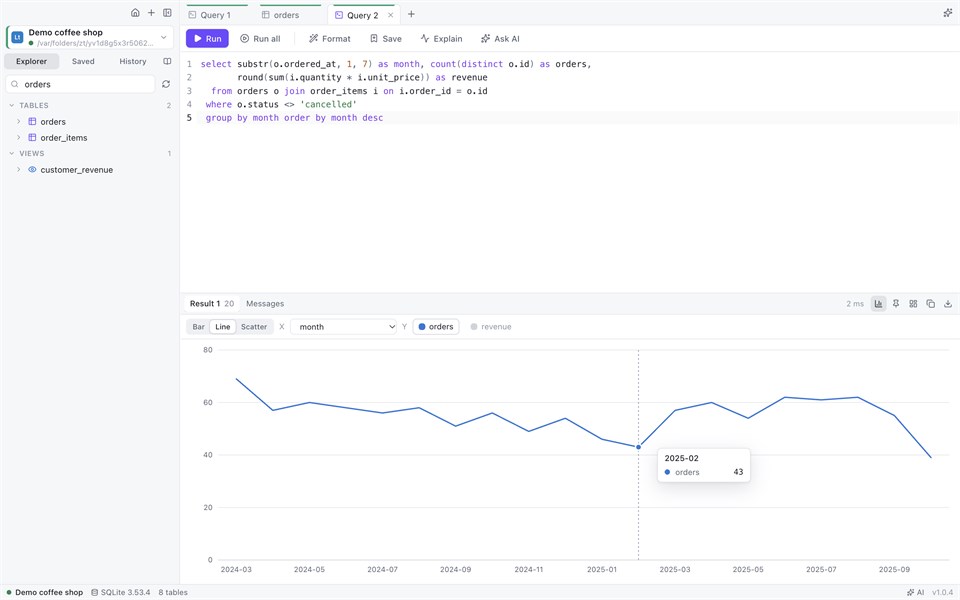
คำอธิบาย

EVERYDAY WORK, DONE WELL
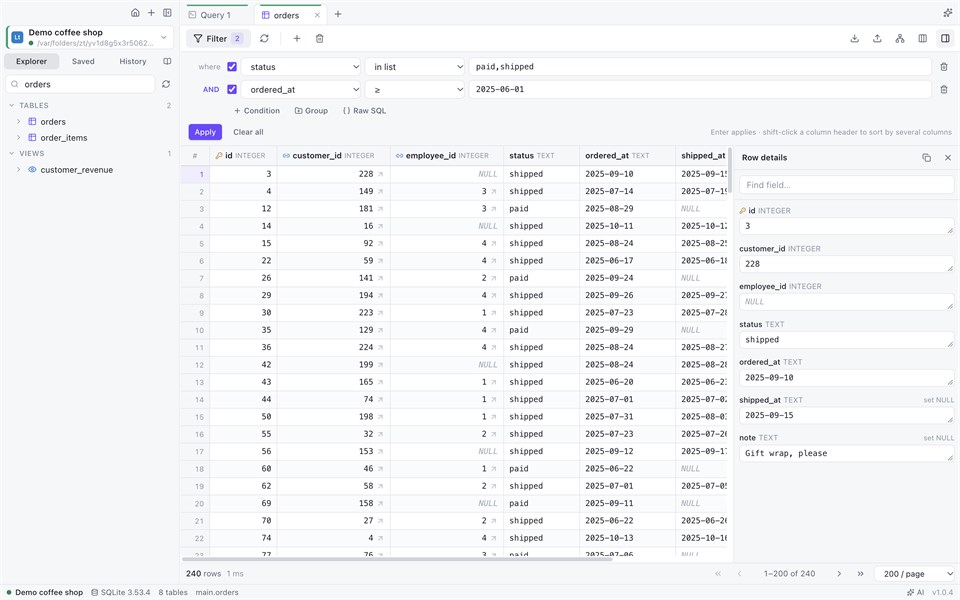
• Data browser for millions of rows with advanced filters: nested AND/OR groups, 25+ operators, raw SQL conditions.
• Inline editing with a reviewed change set, paste from Excel, copy as CSV, JSON, Markdown or SQL.
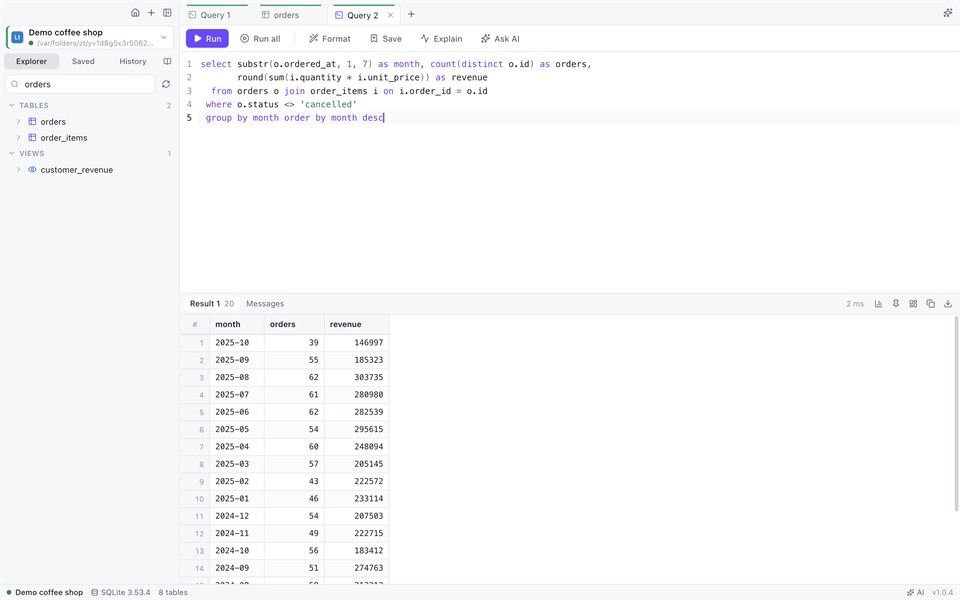
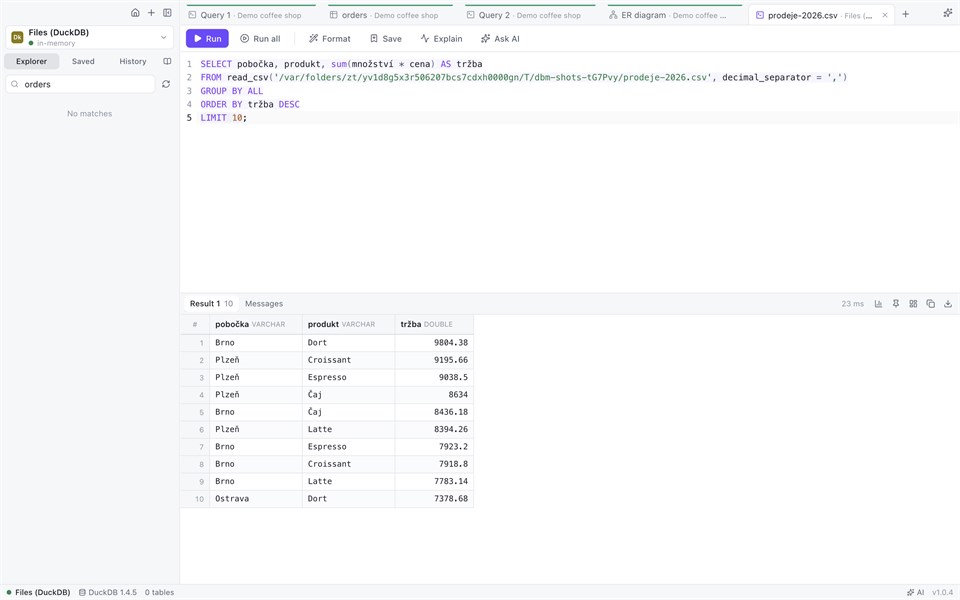
• SQL editor with schema-aware autocomplete that writes whole JOINs from foreign keys and knows every function of the database (extensions too), snippets, history, saved queries and execution plans, also for INSERT, UPDATE and DELETE.
• Export everything to CSV, Excel, JSON or SQL, and query CSV, Parquet, JSON and Excel files with SQL.
• Transactions you can see: commit changes yourself, per connection; every open transaction and every lock is shown.
• Open a view, function or table as SQL and change it; open and save .sql files; warnings while you type (unknown table, UPDATE or DELETE without WHERE).
• Totals of selected cells, find a value anywhere in a database, value profile of a column.
• PostgreSQL in depth: partitions, sequences, types, triggers and row-level security in the explorer, and definitions that re-create what the server has.
MODEL, UNDERSTAND AND REDESIGN
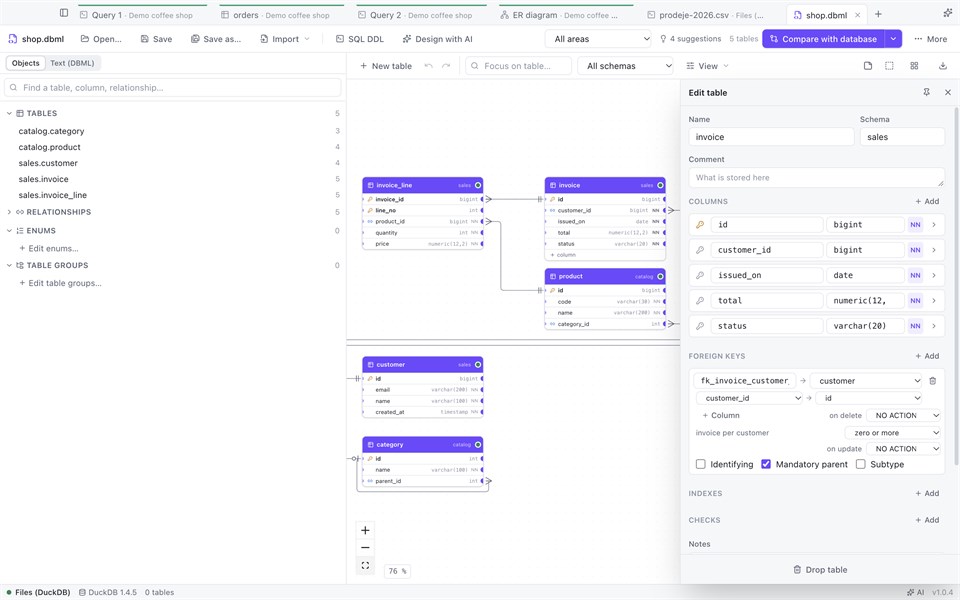
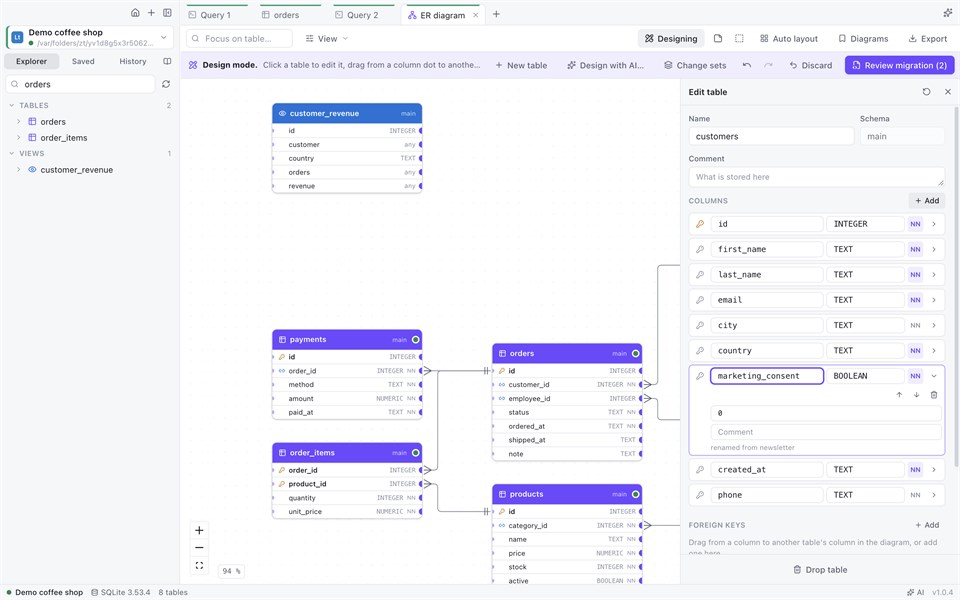
• Model a new database without one: draw tables and relationships, rename and retype right on the diagram; models are DBML text files you can keep in Git, with SQL for any supported database.
• Opens and saves DeZign for Databases projects (.dez, .dezproj) with their diagrams, domains, subtypes, triggers and versions, without DeZign installed.
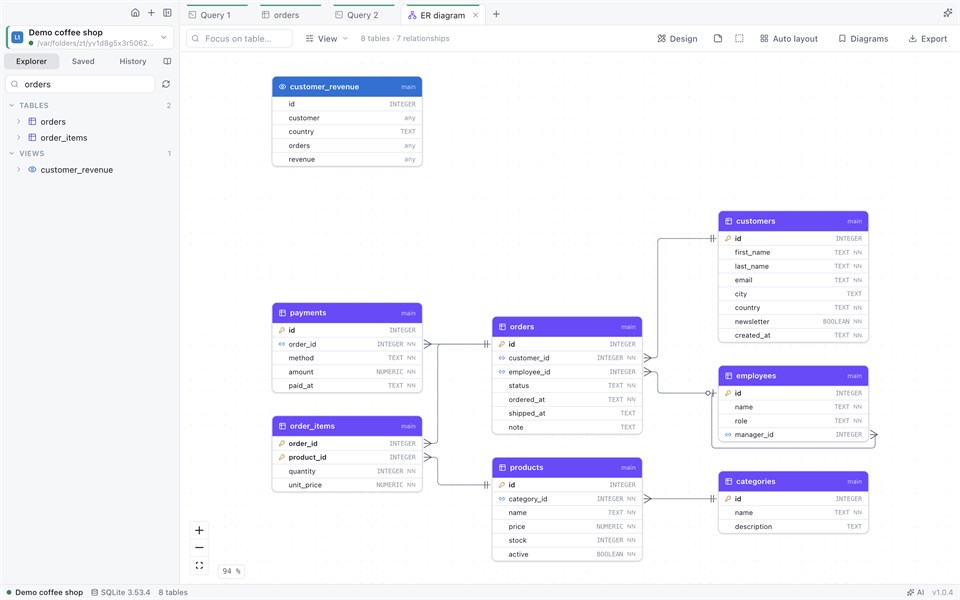
• Interactive ER diagrams with automatic layout, saved diagrams and the join path between any two tables.
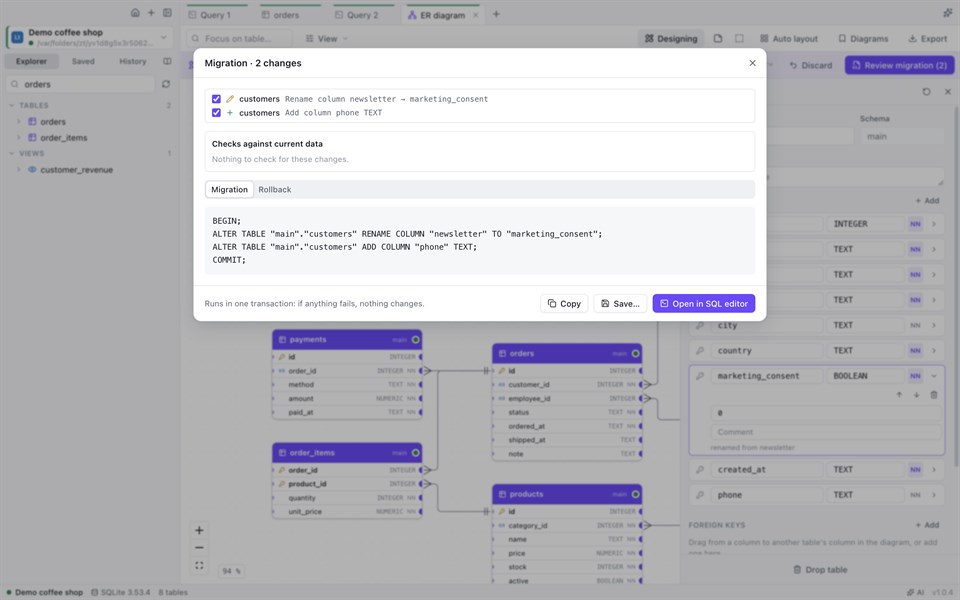
• Design tables, columns, keys and indexes right on the diagram; DB Mastermind writes the migration, checks your data first and gives you the rollback.
• Compare schemas and data between databases.
SERVERS AND TEAMS
• Server activity: running sessions, the slowest queries and storage, including unused and duplicate indexes.
• Copy tables to another database (even another engine), run one script on several connections, import JSON and Parquet.
• Passwords from your password manager (1Password, Bitwarden, Vault), SSH through a jump host, SQL Server with Microsoft Entra ID.
AI THAT KNOWS YOUR DATABASE
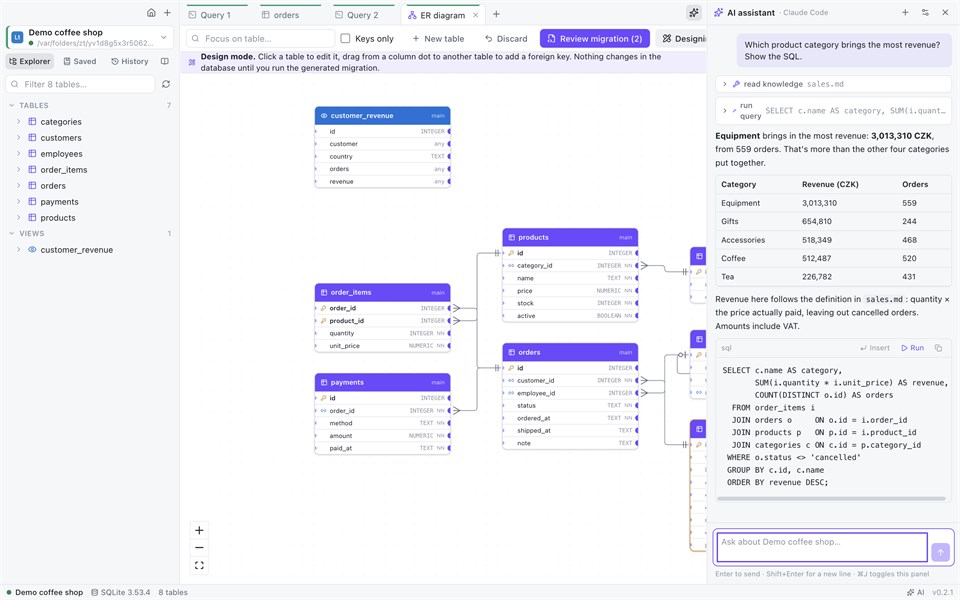
• Use your own API key (Anthropic, OpenAI, OpenRouter, Gemini, Azure), a local Ollama model, or your Claude Code / Codex subscription.
• The assistant explores the schema and runs read-only queries; it asks before any change.
• A Markdown knowledge base teaches it what your tables and codes mean.
• Built-in MCP server for Claude Code, Codex, Cursor, VS Code and other agents.
PRIVATE BY DESIGN
• No telemetry, no account. Passwords are encrypted with Windows.
• AI is off until you set it up, and can be turned off per connection or by your IT department.
DATABASES: PostgreSQL, SQL Server (including Windows authentication), Oracle, MySQL, MariaDB, SQLite, DuckDB, ClickHouse, CockroachDB, BigQuery, Trino.
English and Czech. Light, dark and high-contrast themes.
Open source under the MIT license: https://github.com/eLh0m3r0/db-mastermind
จากนักพัฒนา
รายการ 0
-
 DB Mastermind
แต้ม 0
-

- +1 แต้ม

การจัดอันดับ 0
-
- คะแนนของคุณ
ผู้พัฒนา 1
- Václav Mudra
- ผู้ติดตาม: 0
- แพลตฟอร์ม: Windows แอป (1)
- ลดราคา: 0
- รายการ: 0 0
- แต้ม: 0
- การจัดอันดับ: 0
- ความคิดเห็น: 0
- วิดีโอ: 0
- RSS: ติดตาม
มีอะไรใหม่
- เวอร์ชัน: PC
- อัปเดตล่าสุด:
- PostgreSQL polished for daily work: completions know every function (extensions too) and offer columns without the table name; any number of query tabs without the app stalling; NOTICE and RAISE messages in Messages; partitions, sequences, types, triggers and row-level security in the explorer; definitions that re-create what the server has; tables without a primary key edited through a unique index; EXPLAIN of INSERT, UPDATE and DELETE; default schema and query timeout per connection. Server messages on SQL Server, MySQL, MariaDB and Oracle too. And a full review of the last releases: manual commit now holds in the cases it missed, unsaved cell edits survive Commit and Roll back, a grid save can never change more than the edited row, Copy tables asks before replacing rows, the data modeler no longer deletes or renames by accident, and many more fixes.
- Data modeling without a database: start a model on the home page, rename tables and columns and change types right on the diagram, everything else in one panel next to it; changes are kept as you make them, with undo. Models are DBML text files: generate SQL for any supported database or compare a model with a database for the migration. Opens and saves DeZign for Databases projects (.dez, .dezproj), including diagrams, domains, subtypes, labels, triggers, procedures, sequences and archived versions.
- Run all with several result sets: Copy all (TSV, JSON or Markdown, optionally with each statement) and Download all (one Excel workbook with a sheet per result, or a ZIP with a file per result). Copying a single result offers JSON and Markdown too. After a VPN or network drop, the table explorer reconnects by itself as soon as the server is reachable again.
- Command palette lists commands first; more reliable Excel export; link to the website in Help.
ข้อมูลเพิ่มเติม
- วันที่วางจำหน่าย:
- หมวดหมู่:
แอปสำหรับ Windows›เครื่องมือสำหรับนักพัฒนา - ระบบปฏิบัติการ:
PC - ขนาด:
185 Mb - ภาษาที่รองรับ:
อังกฤษ,เช็ก - การจัดประเภทเนื้อหา:
EVERYONE - Windows Store คะแนน: ¡
0 - เว็บไซต์:
 https://dbmastermind.app
คะแนน AppAgg
คะแนน AppAgg โดยประมาณของ
DB Mastermind
ผู้พัฒนา: Václav Mudra
คะแนนที่สูงขึ้นมักสะท้อนตัวชี้วัดที่ดีกว่าบน AppAgg
อิงจาก: ความนิยม · คะแนนจากผู้ใช้ · ความสดใหม่ · ดีล · ข้อมูลร้านค้า · กิจกรรมชุมชน
คำนวณใหม่ทุกวันจากข้อมูล AppAgg ล่าสุด
ความคิดเห็น 0 ¡
แชร์
DB Mastermind URL แบบสั้น: คัดลอกแล้ว!- Windows Store

