
Marque-pages
| Développeur: | CodeSand Co. Ltd. (14) | ||
| Prix: | * Gratuit | ||
| Score: | 670 Argent | ||
| Classements: | 0 | ||
| Commentaires: | 0 Publier un commentaire | ||
| Listes: | 0 0 | ||
| Points: | 0 | ||
| +1 Point | |||
Résumé
DBerio est une application de CodeSand Co. Ltd., dans la catégorie « Outils de développement ».
Sortie , elle est encore toute fraîche.
Aussi disponible sur Mac App Store. Choisissez la boutique qui vous arrange.
L’entrée est gratuite, mais la boutique à l’intérieur est bien ouverte.
Le Microsoft Store est intégré à Windows, ça s’installe en deux clics.
Son Score AppAgg est de 670. Niveau Argent, et c’est déjà pas mal du tout.
Seulement 14 mégaoctets. Ça tiendra même sur un disque plein à craquer.
Classification « EVERYONE » : ça convient aussi aux enfants.
Connaît 3 langues, mais pas encore le français.
Vous l’avez utilisée ? Votre avis serait le premier ici.
Ce développeur a encore 13 applications sur AppAgg. Ça vaut le coup d’œil.
Envie de connaître les mises à jour et les nouvelles apps avant tout le monde ? Suivez le développeur ou abonnez-vous au Flux RSS. Les notifications push arrivent via l’app AppAgg Alerts pour Android et iOS.
Autres plateformes 1
 | DBerioWindows Store670 ArgentWindowsAchats intégrés | Gratuit |
 | DBerio - Database ClientMac App Store980 ArgentmacOSAchats intégrés $4.99 – $39.99 | Gratuit |
Historique des prix 0
- Prix actuel : Gratuit
- Minimum: Gratuit
- Maximum: Gratuit
Votre propre fil sur la page d’accueil
Captures d'écran 5
Description
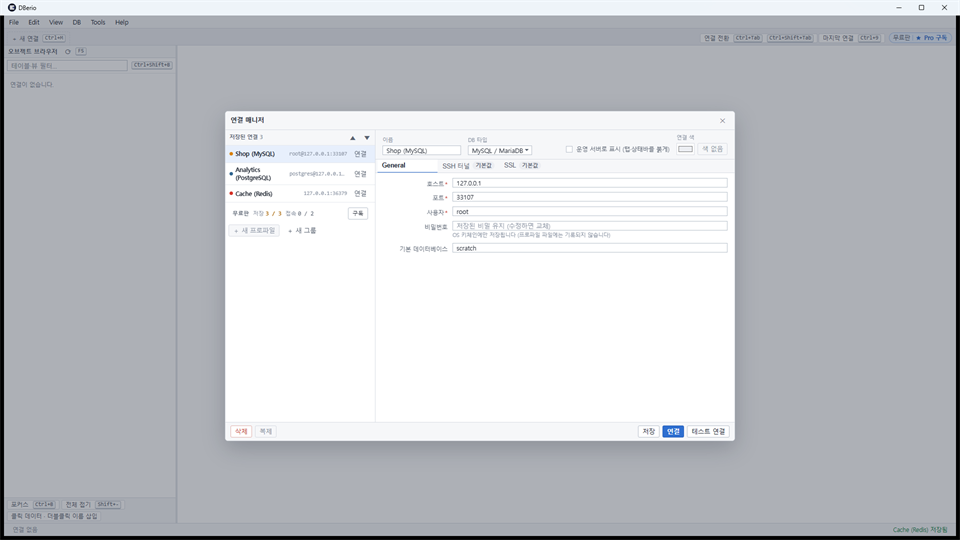
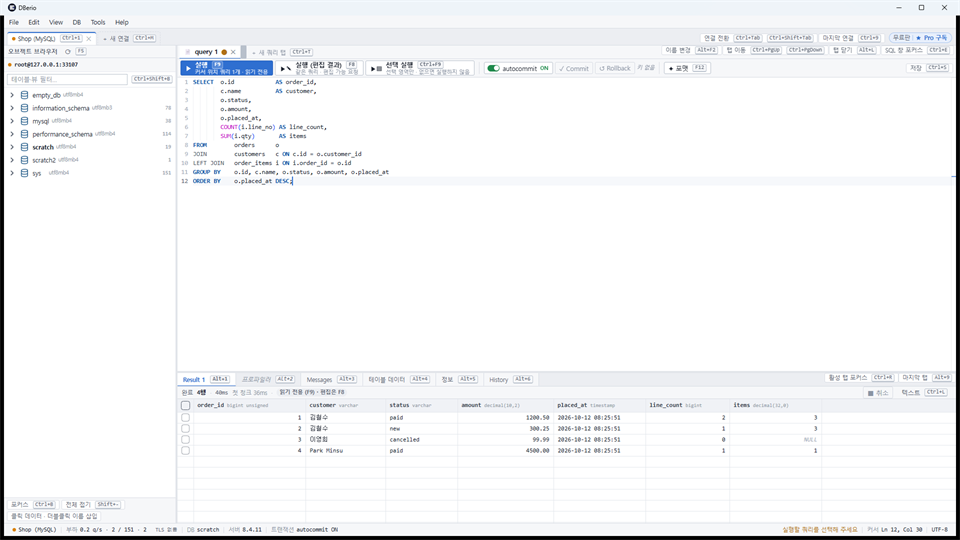
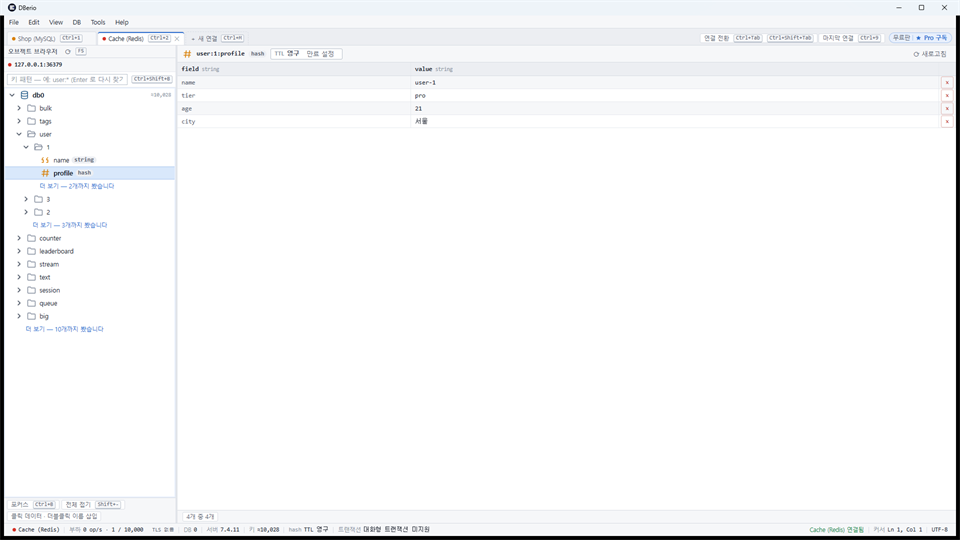
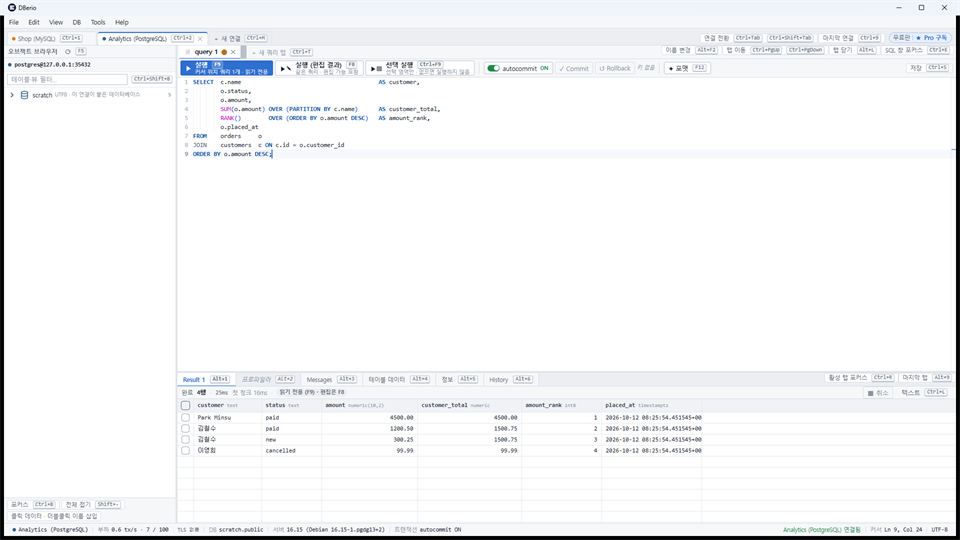
DBerio is a database client for managing MySQL, MariaDB, PostgreSQL, SQLite and Redis in one app. You don't need a separate program for each database. Browse tables, write queries, change table structures, and add, edit and delete data, all on the same screen.
Edit data right in the grid
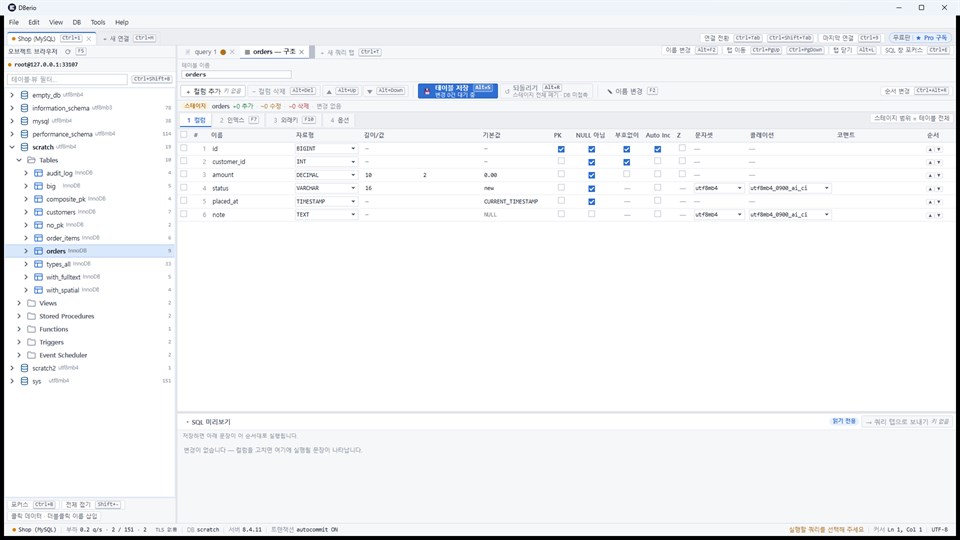
Select a table and its data opens in a grid. Double-click a cell to change its value, add or delete rows, then save. You can work with your data even if you don't know SQL. When you change a table's structure, DBerio shows the SQL it will run before you save.
See the data behind your AI-built app
Apps built with AI most often use MySQL, SQLite, PostgreSQL (including Supabase) or Redis. But it is hard to see how your app actually stores its data. Connect with DBerio to view your tables, keys and stored data, and edit them right away.
Windows and macOS
DBerio has the same screens, features and shortcuts on Windows and macOS. If you switch operating systems, you don't need to learn a new program.
Shortcuts
Every feature has a keyboard shortcut, shown next to its button.
Protecting connections and production servers
• Passwords are stored only in Windows Credential Manager (Keychain on macOS), never in the settings file.
• SSH tunnels and TLS connections are supported.
• Connections you mark as production turn their tab and status bar red.
• Redis keys are listed with SCAN only, so browsing never blocks the server.
• No sign-up is required. Queries and data go only between your PC and your own servers. Usage statistics are sent to Google Analytics; turn them off in Settings.
Free and Pro
You can use up to 3 connection profiles and 2 simultaneous connections for free. All other features are the same. DBerio Pro removes both limits and is available as a monthly or yearly auto-renewing subscription. New subscribers get a 7-day free trial. You can cancel your subscription anytime from your Microsoft account.
Du développeur
Listes 0
-
 DBerio
Points 0
-

- +1 Point

Classements 0
-
- Votre note
Développeur 14
- CodeSand Co. Ltd.
- Abonnés: 0
- Plateformes: Android Applications (6) iOS Applications (6) macOS Applications (1) Windows Applications (1)
- Promotions: 0
- Listes: 0 0
- Points: 0
- Classements: 0
- Commentaires: 0
- Vidéos: 3
- RSS: S'abonner
Nouveautés
- Version: PC
- Dernière mise à jour:
- New
• Query plans — see the execution plan of PostgreSQL, MySQL and MariaDB queries as a tree in the result panel's Profiler tab, with the slowest step and points to check highlighted.
• Plan report — sum up a plan on one page, then print it or save it as an A4 PDF.
• Dark mode — choose Use System Setting, Light or Dark under View ▸ Theme.
• Settings window — open it from File ▸ Settings….
• The query editor toolbar now uses icons with tooltips.
• Database and table names that need quoting, such as names with hyphens, are quoted as you type.
Safety improvements
• DROP, TRUNCATE and ALTER … DROP run from the editor now ask for confirmation. On connections marked as production, you type the target name to run them.
• Canceling now responds right away even while a run is waiting for another task.
Usage statistics
• To improve the app, DBerio sends usage statistics to Google Analytics (United States), and a window explains this the first time you open version 1.2.0. After you close that window, basic statistics send the days the app is opened with the app version, OS, store channel and language, using a new random value per request that is never stored. Detailed statistics are sent only if you choose them in that window or turn them on in Settings. Query text, connection details, table names and data are never sent, and you can turn statistics off anytime in Settings ▸ Usage Statistics. See the Privacy Policy for details.
- New
• Create a view from a query — save the SELECT query in your editor as a view. Open it from the editor's right-click menu or the toolbar icon.
• Open a view in the query editor — open a view's SELECT body in a new tab, edit it, and save it again.
• Favorite queries — keep the queries you use often for each database and pick them from the tree. Favorites are saved on this PC only.
• Ctrl+F9 now runs exactly the text you selected.
• Menu names (File, Edit, View, Tools, Help) now appear in the language you choose.
Safety improvements
• While a query is running on a connection, pressing a run key again no longer replaces it — DBerio asks you to cancel first.
• More careful confirmation before risky statements, such as an UPDATE or DELETE without a WHERE clause.
• On connections marked as production, changes to databases, accounts and privileges ask for confirmation first.
• Data search is more accurate, and canceling a search responds better.
• Very large values show only their beginning in the result grid, so the app stays responsive.
• Opening and saving files is limited to the files you choose, for better protection.
• CSV and TSV exports now block values that a spreadsheet could run as formulas, by default. - Bug fixes and improvements:
• F9 now runs the query your cursor just finished, even when the cursor sits right after the semicolon.
• Disconnecting now asks before discarding unsaved queries, the same way quitting does.
• The status bar no longer keeps old messages from a previous run or another connection.
• The Messages tab now records the correct row count for large results.
• The query toolbar fits narrow windows, so the Format button is no longer cut off.
• Connecting to an SSH server for the first time now shows the host key fingerprint so you can trust it.
• If the connection list file is damaged, DBerio now sets it aside, tells you, and starts with an empty list instead of closing. - Fixed an issue where the subscription screen showed a price of 0.
Informations supplémentaires
- Date de sortie:
- Catégorie:
Applications pour Windows›Outils de développement - Systèmes d'exploitation:
PC - Taille:
14 Mb - Langues prises en charge:
Anglais,Coréen,Japonais - Classification du contenu:
EVERYONE - Windows Store Note: ¡
0 - Site Web:
 https://codesand.co.kr/
Score AppAgg
Score AppAgg estimé pour
DBerio
Développeur: CodeSand Co. Ltd.
Un score plus élevé reflète généralement de meilleurs résultats selon les indicateurs d’AppAgg.
Basé sur : popularité · notes des utilisateurs · actualité · promos · données des boutiques · activité de la communauté
Recalculé chaque jour à partir des données AppAgg les plus récentes.
Commentaires 0 ¡
Partager
DBerio URL courte: Copié!- Windows Store

