
ブックマーク
このブックマークのタイトルを入力してください。
ブックマークを保存しました
| 開発者: | CodeSand Co. Ltd. (14) | ||
| 価格: | * 無料 | ||
| スコア: | 670 シルバー | ||
| ランキング: | 0 | ||
| コメント: | 0 コメントを投稿する | ||
| リスト: | 0 0 | ||
| ポイント: | 0 | ||
| +1 ポイント | |||
概要
DBerioは、CodeSand Co. Ltd.が手がける「開発者ツール」カテゴリのアプリです。
にリリース。まだまだフレッシュです。
Mac App Storeにもあります。使いやすいところでどうぞ。
入るのは無料。でも中のショップはしっかり営業中です。
Microsoft StoreはWindowsに組み込まれているので、数クリックでインストールできます。
AppAggスコアは670。「シルバー」なら、なかなかのものです。
たった14メガバイト。空きの少ないドライブにも収まります。
年齢区分は「EVERYONE」なので、子どもでも安心です。
3言語に対応していて、日本語もあります。
使ってみましたか?あなたのレビューがここで最初の一件になります。
この開発者のアプリは、AppAggにほかに13個あります。のぞいてみては?
アップデートや新しいアプリを誰よりも早く知りたい?開発者をフォローするか、RSS フィードを購読しましょう。プッシュ通知は Android と iOS 向けの AppAgg Alerts アプリで届きます。
広告
他のプラットフォーム 1
 | DBerioWindows Store670 シルバーWindowsアプリ内購入 | 無料 |
 | DBerio - Database ClientMac App Store980 シルバーmacOSアプリ内購入 $4.99 – $39.99 | 無料 |
価格履歴 0
- 現在の価格: 無料
- 最小値: 無料
- 最大値: 無料
ホームに自分だけのフィード
「新着・アップデート」のプラットフォームを選ぶと、ホームには必要なアプリとゲームだけが表示されます。
スクリーンショット 5
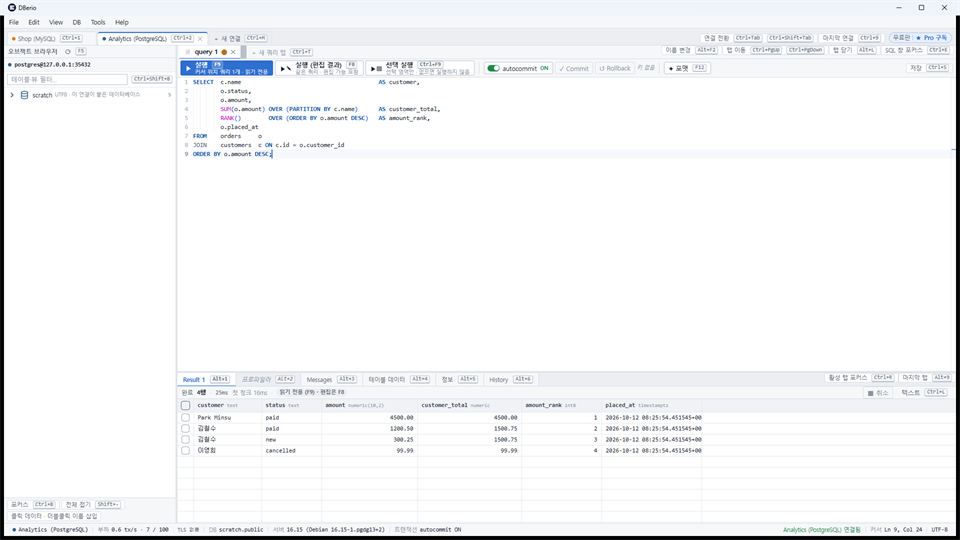
説明
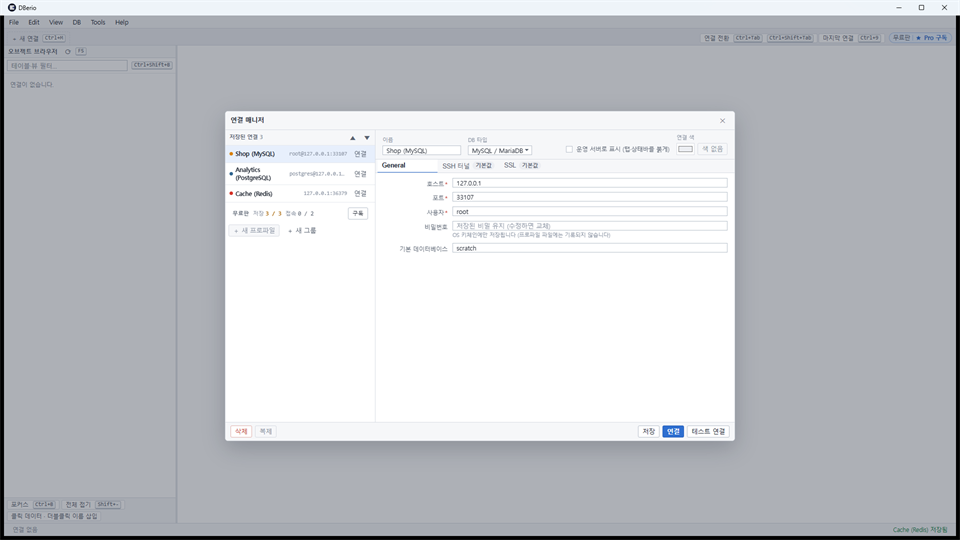
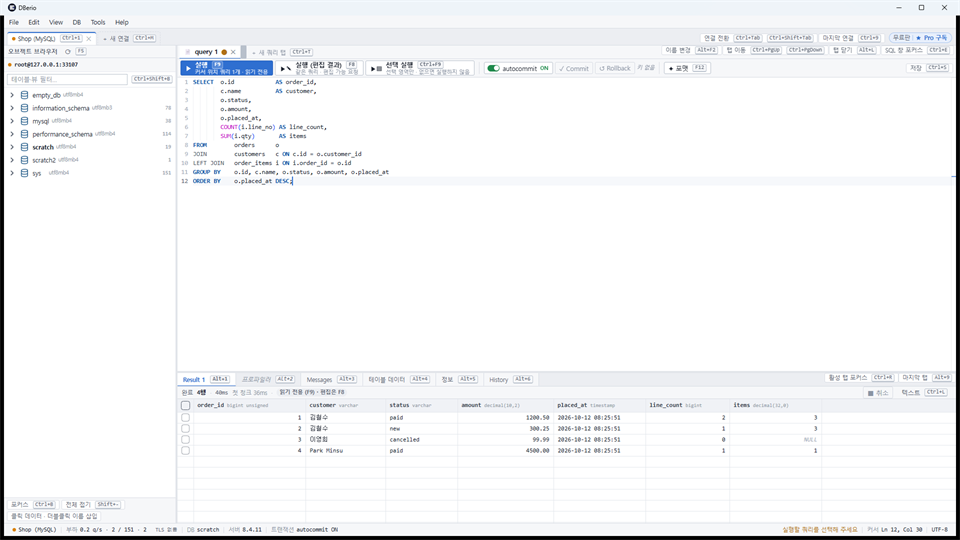
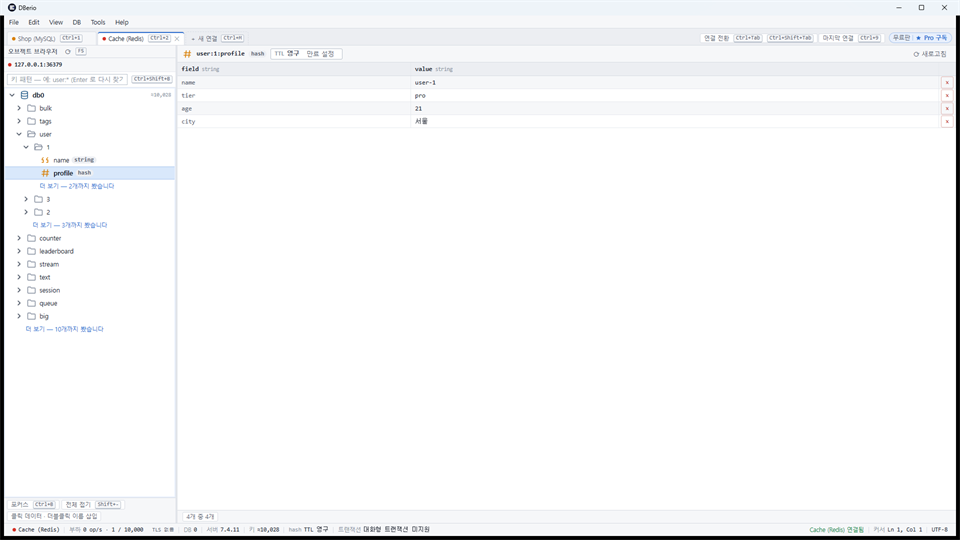
DBerio is a database client for managing MySQL, MariaDB, PostgreSQL, SQLite and Redis in one app. You don't need a separate program for each database. Browse tables, write queries, change table structures, and add, edit and delete data, all on the same screen.
Edit data right in the grid
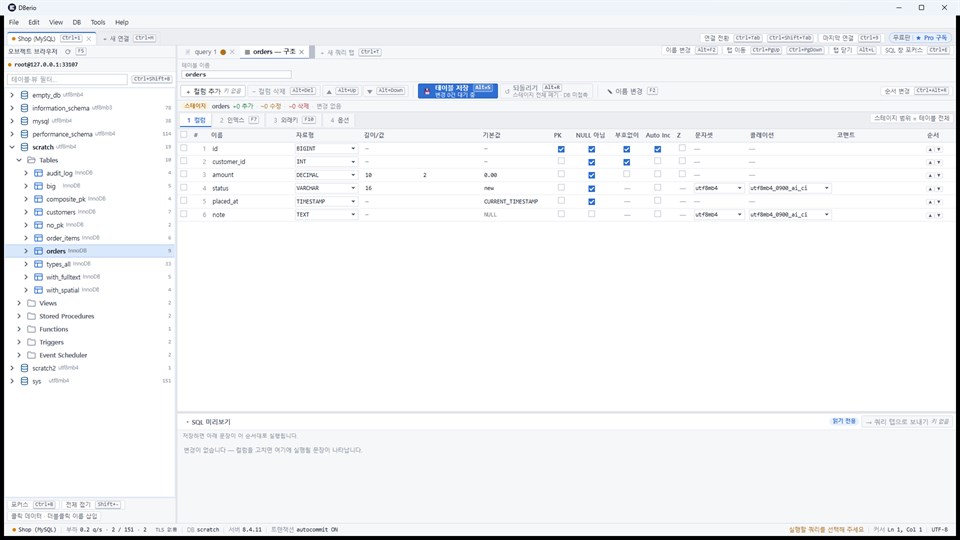
Select a table and its data opens in a grid. Double-click a cell to change its value, add or delete rows, then save. You can work with your data even if you don't know SQL. When you change a table's structure, DBerio shows the SQL it will run before you save.
See the data behind your AI-built app
Apps built with AI most often use MySQL, SQLite, PostgreSQL (including Supabase) or Redis. But it is hard to see how your app actually stores its data. Connect with DBerio to view your tables, keys and stored data, and edit them right away.
Windows and macOS
DBerio has the same screens, features and shortcuts on Windows and macOS. If you switch operating systems, you don't need to learn a new program.
Shortcuts
Every feature has a keyboard shortcut, shown next to its button.
Protecting connections and production servers
• Passwords are stored only in Windows Credential Manager (Keychain on macOS), never in the settings file.
• SSH tunnels and TLS connections are supported.
• Connections you mark as production turn their tab and status bar red.
• Redis keys are listed with SCAN only, so browsing never blocks the server.
• No sign-up is required. Queries and data go only between your PC and your own servers. Usage statistics are sent to Google Analytics; turn them off in Settings.
Free and Pro
You can use up to 3 connection profiles and 2 simultaneous connections for free. All other features are the same. DBerio Pro removes both limits and is available as a monthly or yearly auto-renewing subscription. New subscribers get a 7-day free trial. You can cancel your subscription anytime from your Microsoft account.
デベロッパーから
デベロッパーの方ですか?
ページの一番上にニュースを投稿すると、フォロワーにメールで届きます。YouTube 動画を追加すると、「動画」の一番上に表示されます。
リスト 0
-
 DBerio
ポイント 0
-

- +1 ポイント

ランキング 0
-
- あなたの評価
開発者 14
- CodeSand Co. Ltd.
- フォロワー: 0
- プラットフォーム: Android アプリ (6) iOS アプリ (6) macOS アプリ (1) Windows アプリ (1)
- セール: 0
- リスト: 0 0
- ポイント: 0
- ランキング: 0
- コメント: 0
- 動画: 3
- RSS: 購読する
新機能
- バージョン: PC
- 最終更新:
- New
• Query plans — see the execution plan of PostgreSQL, MySQL and MariaDB queries as a tree in the result panel's Profiler tab, with the slowest step and points to check highlighted.
• Plan report — sum up a plan on one page, then print it or save it as an A4 PDF.
• Dark mode — choose Use System Setting, Light or Dark under View ▸ Theme.
• Settings window — open it from File ▸ Settings….
• The query editor toolbar now uses icons with tooltips.
• Database and table names that need quoting, such as names with hyphens, are quoted as you type.
Safety improvements
• DROP, TRUNCATE and ALTER … DROP run from the editor now ask for confirmation. On connections marked as production, you type the target name to run them.
• Canceling now responds right away even while a run is waiting for another task.
Usage statistics
• To improve the app, DBerio sends usage statistics to Google Analytics (United States), and a window explains this the first time you open version 1.2.0. After you close that window, basic statistics send the days the app is opened with the app version, OS, store channel and language, using a new random value per request that is never stored. Detailed statistics are sent only if you choose them in that window or turn them on in Settings. Query text, connection details, table names and data are never sent, and you can turn statistics off anytime in Settings ▸ Usage Statistics. See the Privacy Policy for details.
バージョン履歴3
- New
• Create a view from a query — save the SELECT query in your editor as a view. Open it from the editor's right-click menu or the toolbar icon.
• Open a view in the query editor — open a view's SELECT body in a new tab, edit it, and save it again.
• Favorite queries — keep the queries you use often for each database and pick them from the tree. Favorites are saved on this PC only.
• Ctrl+F9 now runs exactly the text you selected.
• Menu names (File, Edit, View, Tools, Help) now appear in the language you choose.
Safety improvements
• While a query is running on a connection, pressing a run key again no longer replaces it — DBerio asks you to cancel first.
• More careful confirmation before risky statements, such as an UPDATE or DELETE without a WHERE clause.
• On connections marked as production, changes to databases, accounts and privileges ask for confirmation first.
• Data search is more accurate, and canceling a search responds better.
• Very large values show only their beginning in the result grid, so the app stays responsive.
• Opening and saving files is limited to the files you choose, for better protection.
• CSV and TSV exports now block values that a spreadsheet could run as formulas, by default. - Bug fixes and improvements:
• F9 now runs the query your cursor just finished, even when the cursor sits right after the semicolon.
• Disconnecting now asks before discarding unsaved queries, the same way quitting does.
• The status bar no longer keeps old messages from a previous run or another connection.
• The Messages tab now records the correct row count for large results.
• The query toolbar fits narrow windows, so the Format button is no longer cut off.
• Connecting to an SSH server for the first time now shows the host key fingerprint so you can trust it.
• If the connection list file is damaged, DBerio now sets it aside, tells you, and starts with an empty list instead of closing. - Fixed an issue where the subscription screen showed a price of 0.
情報
- リリース日:
- カテゴリ:
Windows向けアプリ›開発者ツール - オペレーティング システム:
PC - サイズ:
14 Mb - サポートされる言語:
日本語,英語,韓国語 - コンテンツのレーティング:
EVERYONE - Windows Store 評価: ¡
0 - ウェブサイト:
 https://codesand.co.kr/
AppAggスコア
670
AppAgg推定スコア:
DBerio
開発者: CodeSand Co. Ltd.
670 シルバー
スコアが高いほど、AppAgg上の各指標が良好な傾向にあります。
基準: 人気 · ユーザー評価 · 新しさ · セール · ストアデータ · コミュニティ活動
最新のAppAggデータに基づいて毎日再計算されます。
ウェブサイト用バッジ:  コピーしました!
コメント 0 ¡
最初のコメントを書きましょう
シェア
DBerio 短縮 URL: コピーしました!- Windows Store

