
الإشارات المرجعية
| المطوّر: | Floweare (1) | ||
| السعر: | مجاني جديد | ||
| الدرجة: | 660 فضة | ||
| الترتيب: | 0 | ||
| تعليقات: | 0 انشر تعليقًا | ||
| قوائم: | 0 0 | ||
| النقاط: | 0 | ||
| +1 نقطة | |||
ملخص
تعرّف على Design System Graph، تطبيق من Floweare ضمن فئة «أدوات المطور».
إصدار جديد: صدر ، فأنت من الأوائل.
بلا مقابل، لا إعلانات ولا مشتريات داخلية. فقط أنت والتطبيق.
متجر Microsoft مدمج في Windows، فالتثبيت يتم بنقرتين.
درجة AppAgg هي 660. فضة، وهذا ليس سيئًا أبدًا.
التصنيف العمري «EVERYONE»، أي أنه مناسب للأطفال أيضًا.
يتحدث لغة واحدة فقط، وليست العربية.
لم يقيّمه أحد على AppAgg بعد. فرصتك لتكون الأول الآن.
إنه التطبيق الوحيد لهذا المطوّر على AppAgg. حتى الآن.
تريد أن تعرف بالتحديثات والتطبيقات الجديدة أولًا؟ تابع المطور أو اشترك في موجز RSS. تصلك الإشعارات عبر تطبيق AppAgg Alerts لنظامي Android وiOS.
منصات أخرى 0
سجل الأسعار 0
- السعر الحالي: مجاني
- الحد الأدنى: مجاني
- الحد الأقصى: مجاني
خلاصتك الخاصة في الصفحة الرئيسية
لقطات الشاشة 4
الوصف

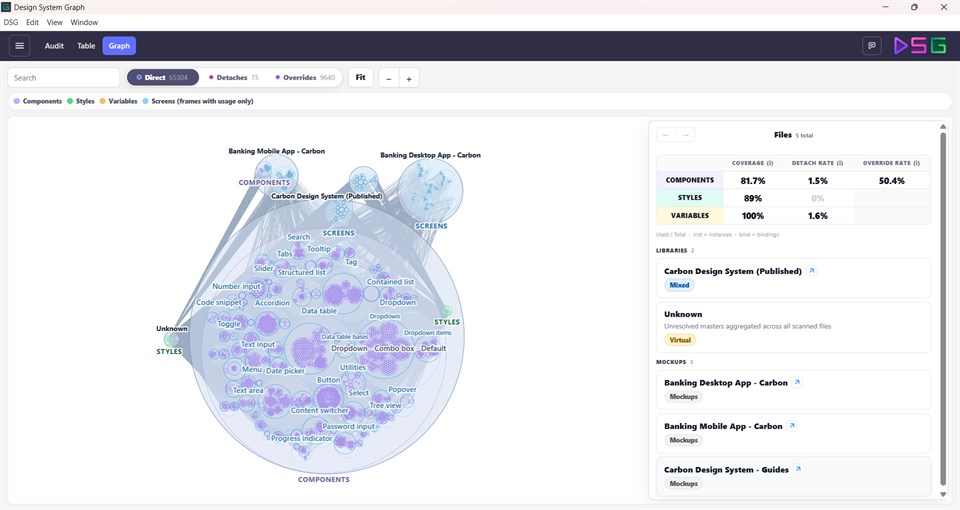
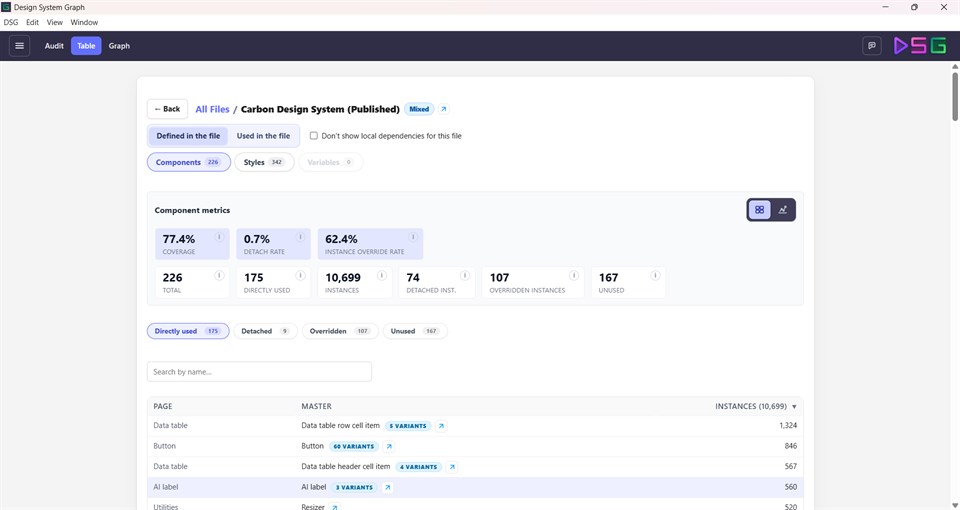
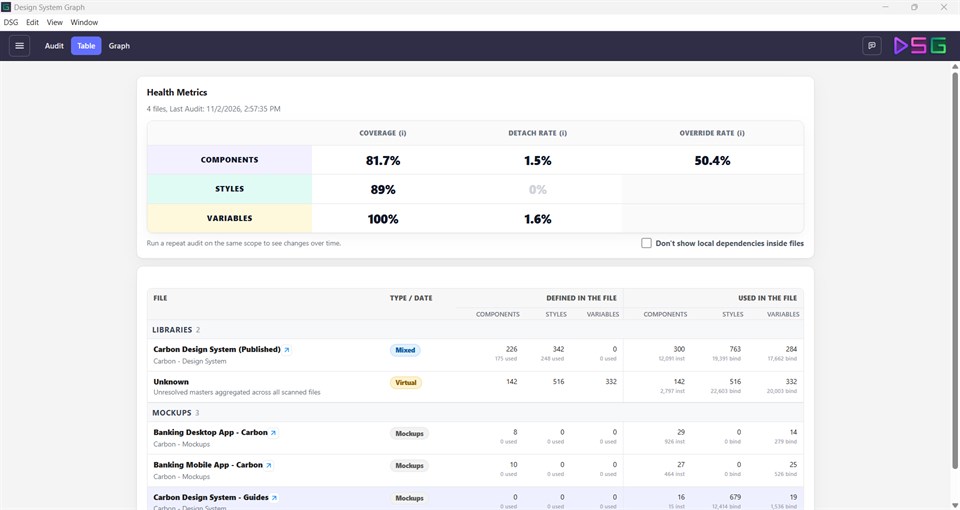
Design System Graph (DSG) is a Windows desktop app that analyzes components, styles, and variables across your Figma libraries and design files. Explore dependencies, review usage metrics, and identify areas for cleanup.
A Figma account, a Figma personal access token, and access to the files you want to analyze are required.
EXPLORE YOUR DESIGN SYSTEM
• Graph View: Explore connections between files, components, styles, and variables on an interactive, zoomable canvas.
• Table View: Review usage, unused assets, detaches, and overrides in detailed tables.
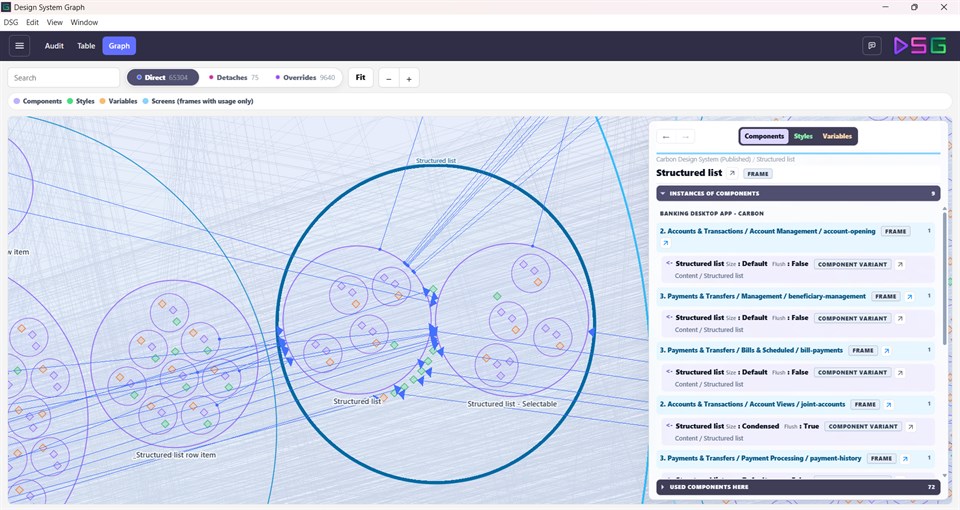
• Inspect the evidence: Drill down into the instances and bindings behind each count, then open the corresponding location in Figma.
• Choose your audit scope: Select the teams, projects, and files you want to analyze.
TURN AUDIT RESULTS INTO ACTION
• Trace where a component, style, or variable is used across files.
• See which component variants are used and inspect their instances.
• Review the library resources used by a product design file.
• Identify unused assets and inspect their dependencies before making changes.
• Investigate detached components and review instance overrides.
• Bring usage metrics and concrete examples into design system adoption reviews.
Audit results are stored locally on your Windows PC.
GET STARTED
1. Install and open DSG on Windows.
2. Enter your Figma personal access token.
3. Add your Figma team link and select projects and files.
4. Run an audit and explore the results in Graph View and Table View.
To include local variables, export them to the desktop app using the DSG companion plugin for Figma.
FREE TRIAL AND LICENSE
The free trial includes 3 audits covering up to 3 projects across 2 teams, including all files within the selected projects.
A paid license is required to run additional audits. Licenses are sold separately through Gumroad as a one-time purchase.
من المطوّر
قوائم 0
-
 Design System Graph
النقاط 0
-

- +1 نقطة

الترتيب 0
-
- تقييمك
المطوّر 1
- Floweare
- المتابعون: 0
- المنصات: Windows تطبيقات (1)
- العروض: 0
- قوائم: 0 0
- النقاط: 0
- الترتيب: 0
- تعليقات: 0
- الفيديوهات: 0
- RSS: اشتراك
ما الجديد
- الإصدار: PC
- آخر تحديث:
معلومات إضافية
- تاريخ الإصدار:
- الفئة:
تطبيقات Windows›أدوات المطور - نظام التشغيل:
PC - الحجم:
137 Mb - اللغات المدعومة:
الإنجليزية - تقييم المحتوى:
EVERYONE - Windows Store تقييم: ¡
0
درجة AppAgg
درجة AppAgg التقديرية لـ
Design System Graph
المطوّر: Floweare
تشير الدرجة الأعلى عادةً إلى أداء أفضل في مؤشرات AppAgg.
استنادًا إلى: الشعبية · تقييمات المستخدمين · الحداثة · العروض · بيانات المتاجر · نشاط المجتمع
يُعاد حسابها يوميًا بناءً على أحدث بيانات AppAgg.
تعليقات 0 ¡
مشاركة
Design System Graph عنوان URL مختصر: تم النسخ!- Windows Store

