
บุ๊กมาร์ก
| ผู้พัฒนา: | Floweare (1) | ||
| ราคา: | ฟรี ใหม่ | ||
| คะแนน: | 660 เงิน | ||
| การจัดอันดับ: | 0 | ||
| ความคิดเห็น: | 0 โพสต์ความคิดเห็น | ||
| รายการ: | 0 0 | ||
| แต้ม: | 0 | ||
| +1 แต้ม | |||
สรุป
มาทำความรู้จัก Design System Graph แอปในหมวด “เครื่องมือสำหรับนักพัฒนา” จาก Floweare
มาใหม่ ออกเมื่อ คุณได้เป็นหนึ่งในคนกลุ่มแรก
ฟรี ไม่มีโฆษณา ไม่มีการซื้อภายในแอป มีแค่คุณกับแอป
Microsoft Store มีมาในตัว Windows อยู่แล้ว ติดตั้งได้ในไม่กี่คลิก
คะแนน AppAgg คือ 660 ระดับ “เงิน” ถือว่าไม่เลวเลย
จัดเรต “EVERYONE” เหมาะกับเด็ก ๆ ด้วย
รองรับแค่ภาษาเดียว และไม่ใช่ภาษาไทย
ยังไม่มีใครบน AppAgg ให้คะแนนเลย โอกาสเป็นคนแรกอยู่ตรงนี้แล้ว
เป็นแอปเดียวของผู้พัฒนารายนี้บน AppAgg อย่างน้อยก็ตอนนี้
อยากรู้เรื่องอัปเดตและแอปใหม่ก่อนใครไหม? ติดตาม ผู้พัฒนา หรือกดติดตาม ฟีด RSS ได้เลย การแจ้งเตือนแบบพุชส่งผ่านแอป AppAgg Alerts สำหรับ Android และ iOS
แพลตฟอร์มอื่น 0
ประวัติราคา 0
- ราคาปัจจุบัน: ฟรี
- ต่ำสุด: ฟรี
- สูงสุด: ฟรี
ฟีดของคุณเองบนหน้าแรก
ภาพหน้าจอ 4
คำอธิบาย

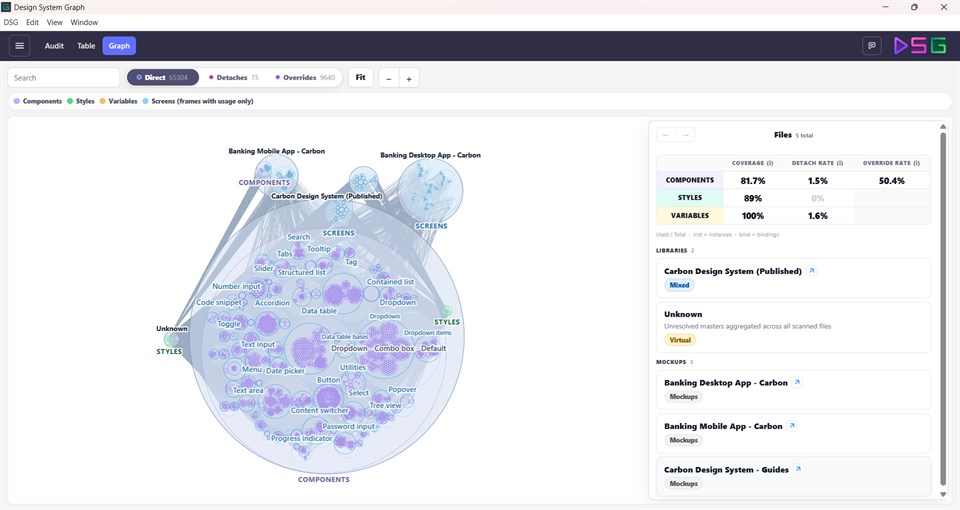
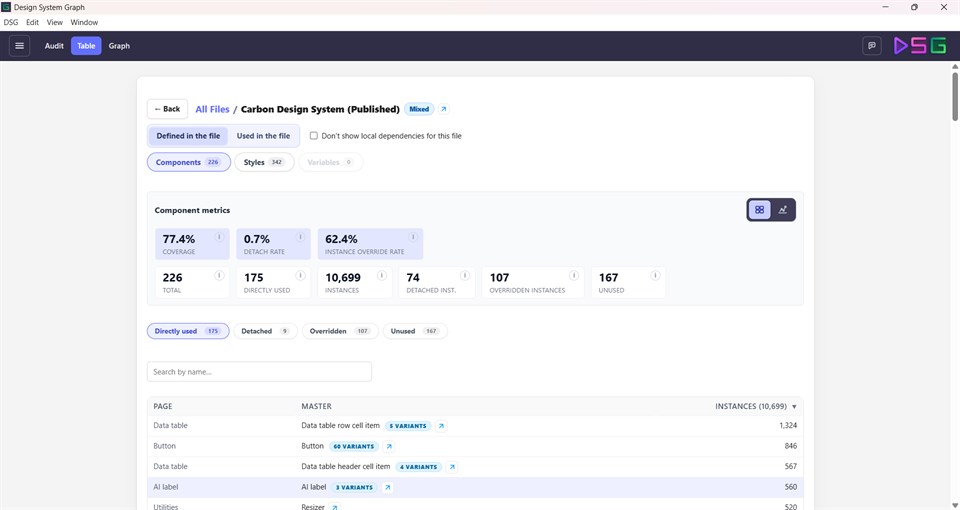
Design System Graph (DSG) is a Windows desktop app that analyzes components, styles, and variables across your Figma libraries and design files. Explore dependencies, review usage metrics, and identify areas for cleanup.
A Figma account, a Figma personal access token, and access to the files you want to analyze are required.
EXPLORE YOUR DESIGN SYSTEM
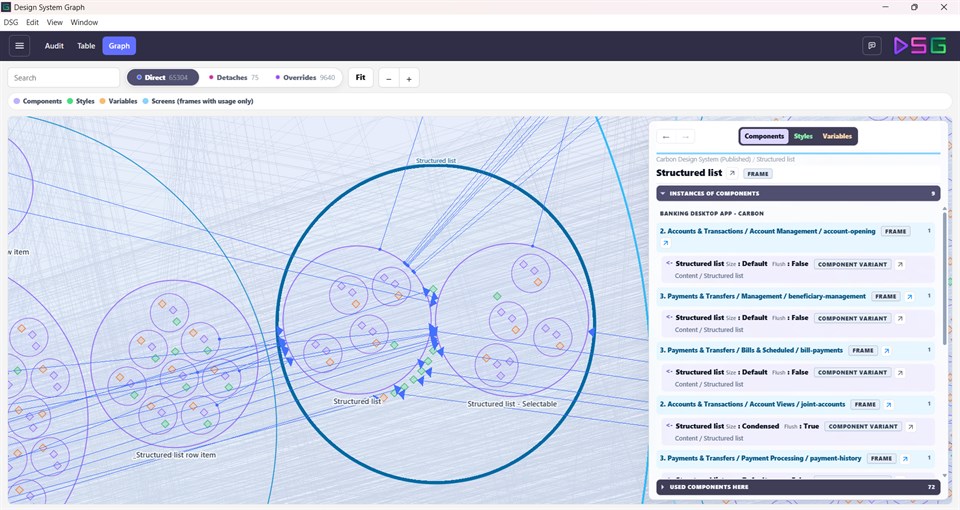
• Graph View: Explore connections between files, components, styles, and variables on an interactive, zoomable canvas.
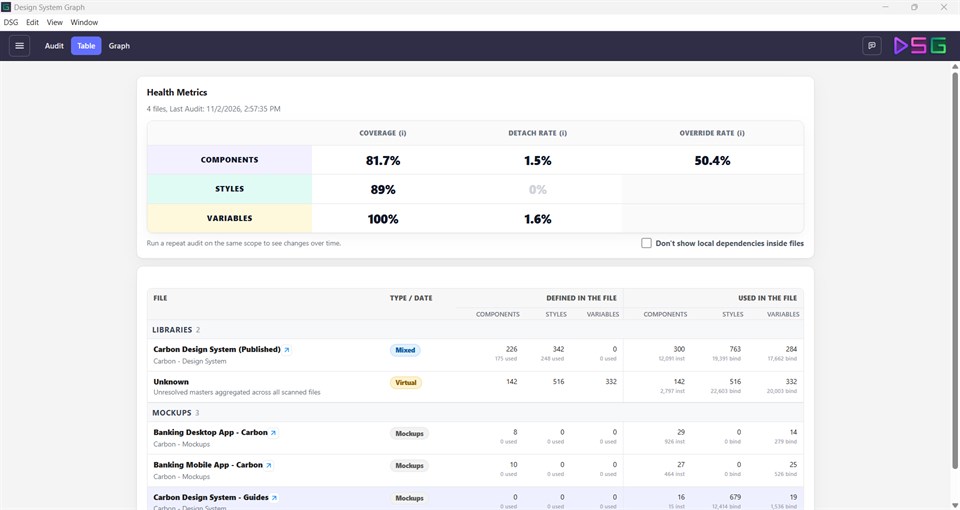
• Table View: Review usage, unused assets, detaches, and overrides in detailed tables.
• Inspect the evidence: Drill down into the instances and bindings behind each count, then open the corresponding location in Figma.
• Choose your audit scope: Select the teams, projects, and files you want to analyze.
TURN AUDIT RESULTS INTO ACTION
• Trace where a component, style, or variable is used across files.
• See which component variants are used and inspect their instances.
• Review the library resources used by a product design file.
• Identify unused assets and inspect their dependencies before making changes.
• Investigate detached components and review instance overrides.
• Bring usage metrics and concrete examples into design system adoption reviews.
Audit results are stored locally on your Windows PC.
GET STARTED
1. Install and open DSG on Windows.
2. Enter your Figma personal access token.
3. Add your Figma team link and select projects and files.
4. Run an audit and explore the results in Graph View and Table View.
To include local variables, export them to the desktop app using the DSG companion plugin for Figma.
FREE TRIAL AND LICENSE
The free trial includes 3 audits covering up to 3 projects across 2 teams, including all files within the selected projects.
A paid license is required to run additional audits. Licenses are sold separately through Gumroad as a one-time purchase.
จากนักพัฒนา
รายการ 0
-
 Design System Graph
แต้ม 0
-

- +1 แต้ม

การจัดอันดับ 0
-
- คะแนนของคุณ
ผู้พัฒนา 1
- Floweare
- ผู้ติดตาม: 0
- แพลตฟอร์ม: Windows แอป (1)
- ลดราคา: 0
- รายการ: 0 0
- แต้ม: 0
- การจัดอันดับ: 0
- ความคิดเห็น: 0
- วิดีโอ: 0
- RSS: ติดตาม
มีอะไรใหม่
- เวอร์ชัน: PC
- อัปเดตล่าสุด:
ข้อมูลเพิ่มเติม
- วันที่วางจำหน่าย:
- หมวดหมู่:
แอปสำหรับ Windows›เครื่องมือสำหรับนักพัฒนา - ระบบปฏิบัติการ:
PC - ขนาด:
137 Mb - ภาษาที่รองรับ:
อังกฤษ - การจัดประเภทเนื้อหา:
EVERYONE - Windows Store คะแนน: ¡
0
คะแนน AppAgg
คะแนน AppAgg โดยประมาณของ
Design System Graph
ผู้พัฒนา: Floweare
คะแนนที่สูงขึ้นมักสะท้อนตัวชี้วัดที่ดีกว่าบน AppAgg
อิงจาก: ความนิยม · คะแนนจากผู้ใช้ · ความสดใหม่ · ดีล · ข้อมูลร้านค้า · กิจกรรมชุมชน
คำนวณใหม่ทุกวันจากข้อมูล AppAgg ล่าสุด
ความคิดเห็น 0 ¡
แชร์
Design System Graph URL แบบสั้น: คัดลอกแล้ว!- Windows Store

