
ブックマーク
このブックマークのタイトルを入力してください。
ブックマークを保存しました
| 開発者: | Detent Point, LLC (1) | ||
| 価格: | $49.99 | ||
| スコア: | 1,400 ゴールド | ||
| ランキング: | 0 | ||
| コメント: | 0 コメントを投稿する | ||
| リスト: | 0 + 0 | ||
| ポイント: | 0 + 0 ¡ | ||
| +1 ポイント | |||
スクリーンショット 10
広告
説明

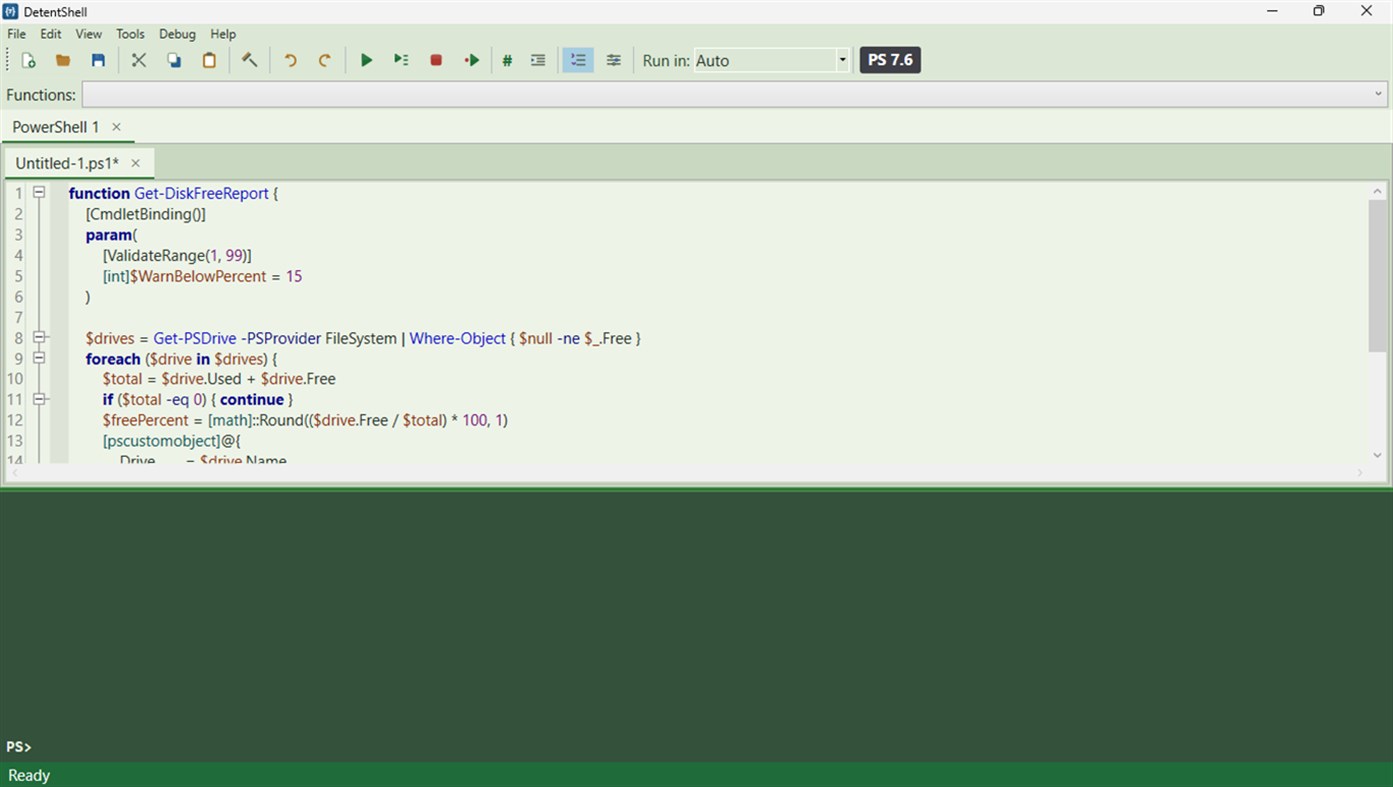
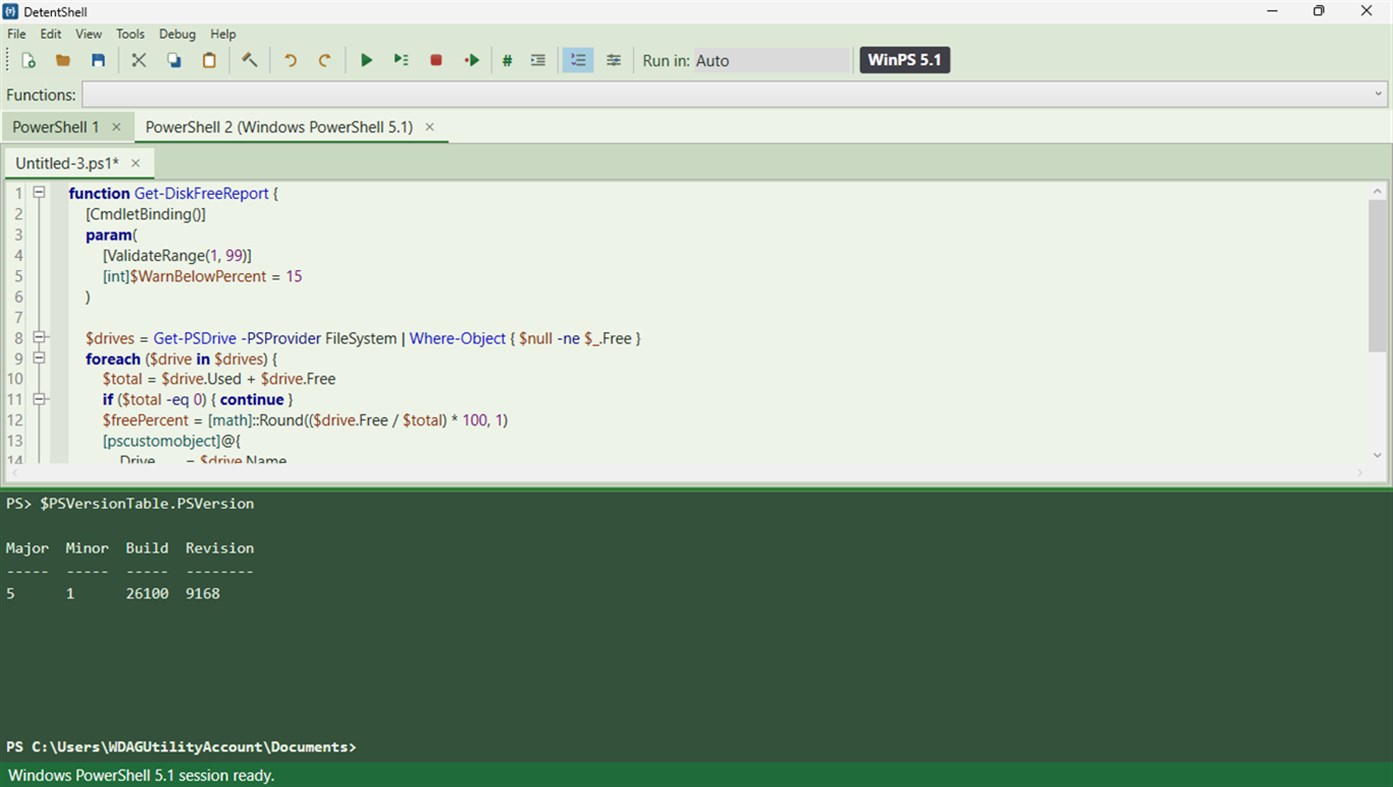
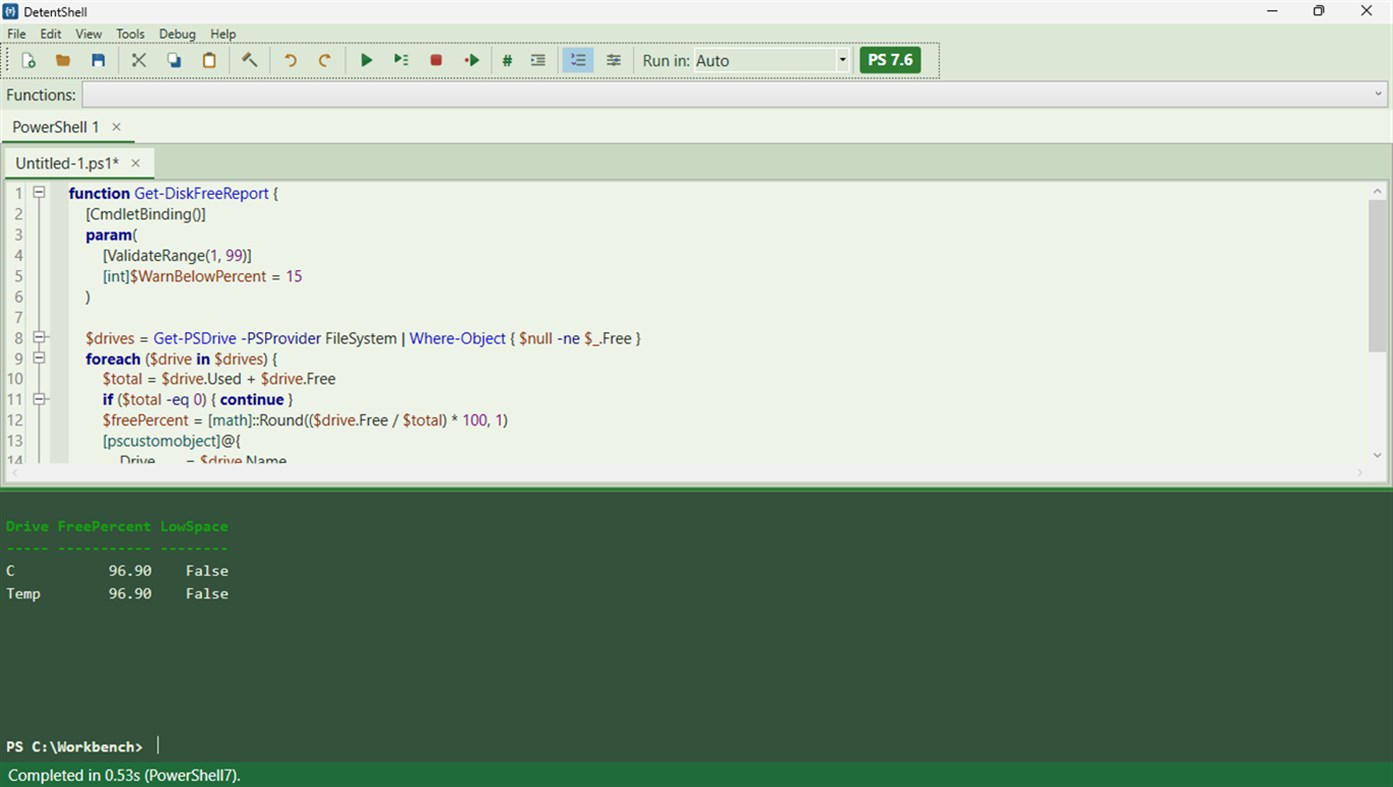
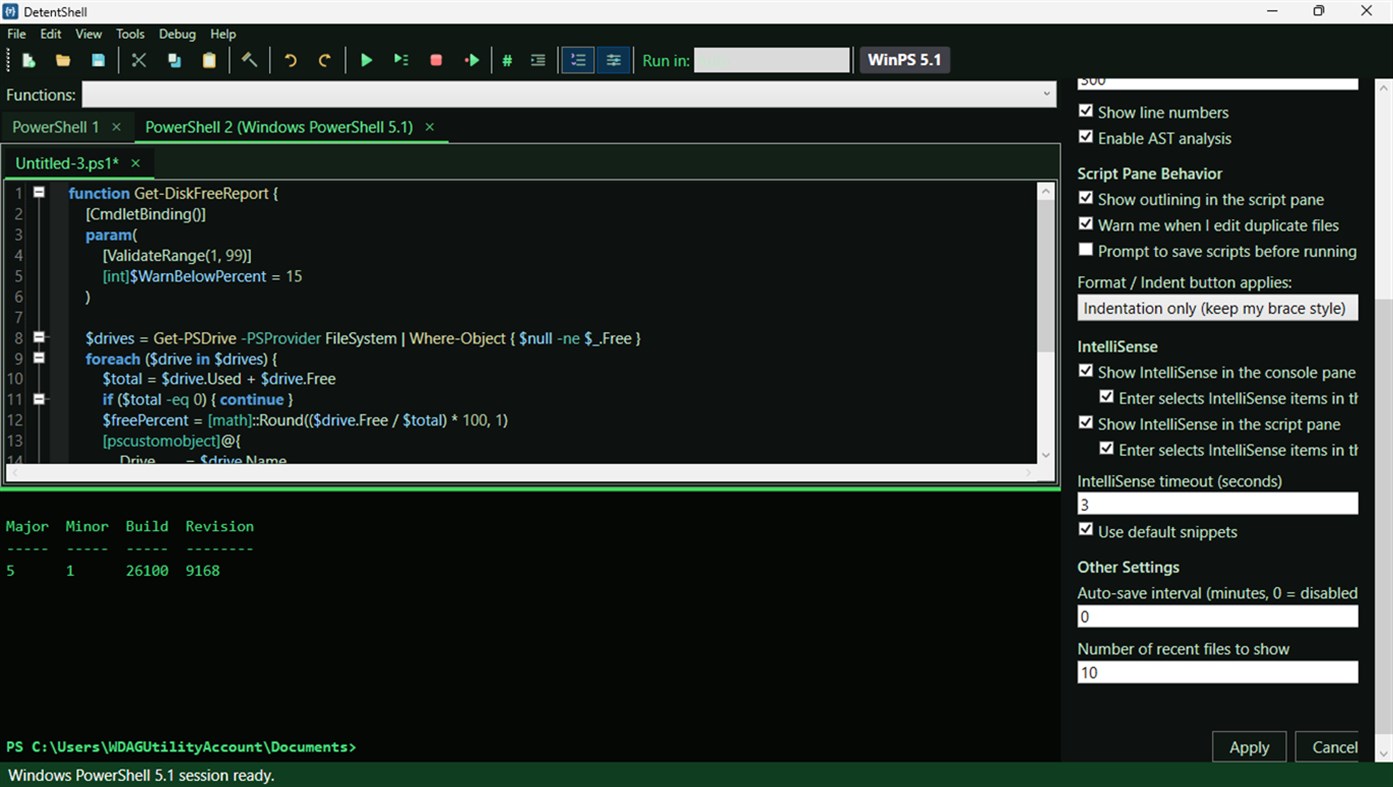
Underneath, the engine is PowerShell 7 itself, hosted in-process through Microsoft's PowerShell SDK. Scripts behave the way they do in pwsh: captured and redirected output comes back clean, color renders in the console, and variables survive between runs so you can poke at results at the prompt. Because plenty of work still lives on Windows PowerShell 5.1, you can open a 5.1 session in a tab next to your PowerShell 7 one. Both in the same window, isolated from each other.
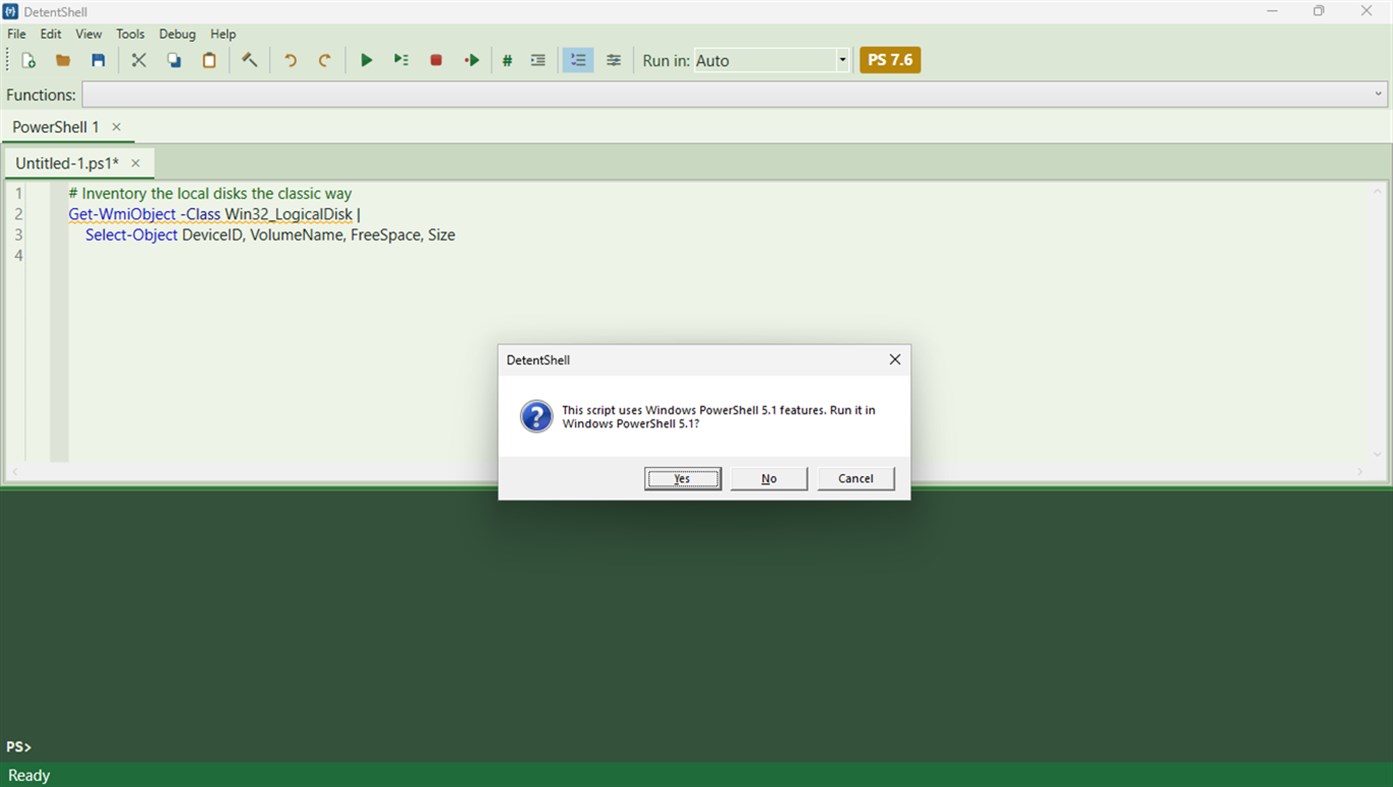
As you edit, a badge grades each script's PowerShell 7 compatibility: green, yellow, or red. A flagged script asks one routing question before anything executes: run this on 5.1? Your answer sticks until the script changes.
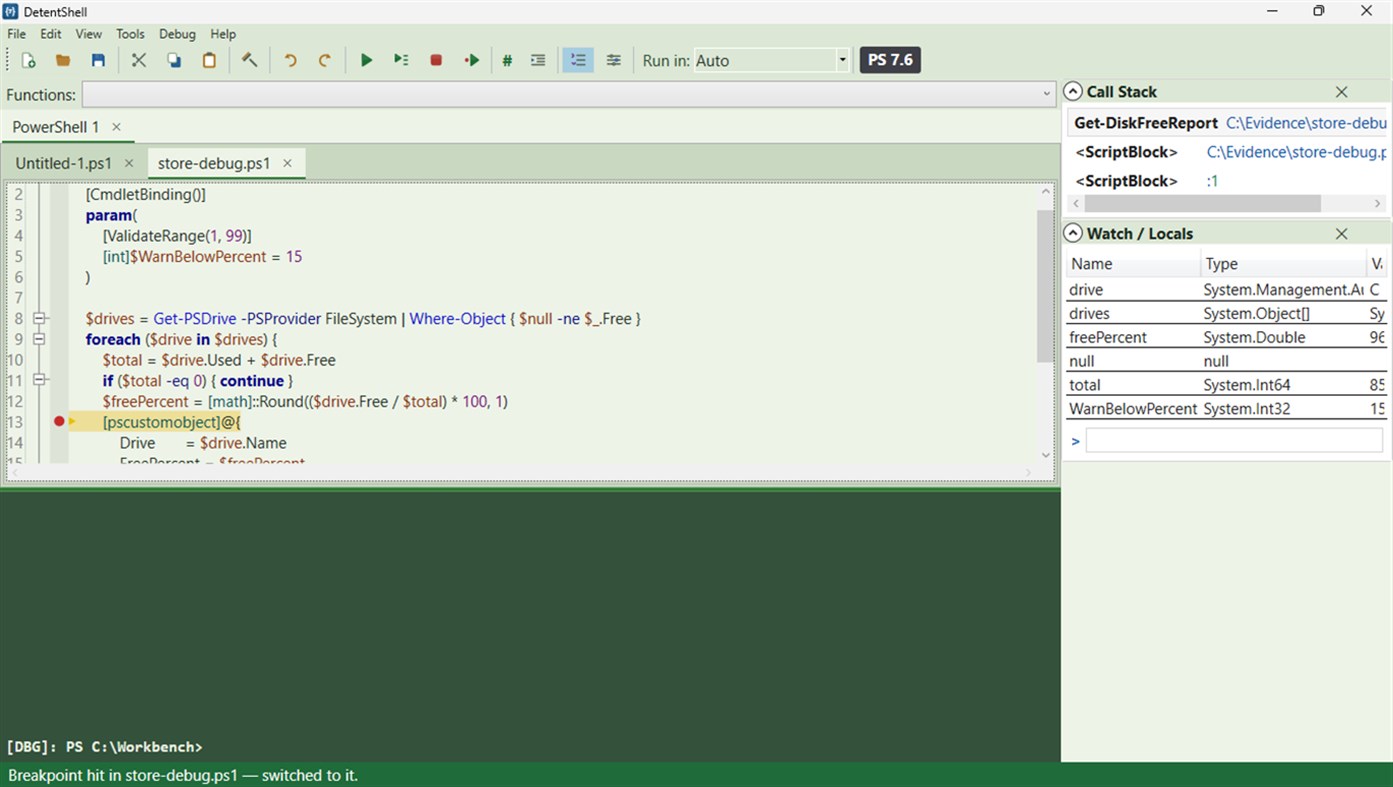
Debugging works the way your hands expect. Click the gutter to set a breakpoint, press F5, and execution stops on the red dot. F10 steps over, F11 steps into, Shift+F11 steps out. The Call Stack and Watch panels re-scope as you select frames, and the debugger is wired to the engine's own debugging API.
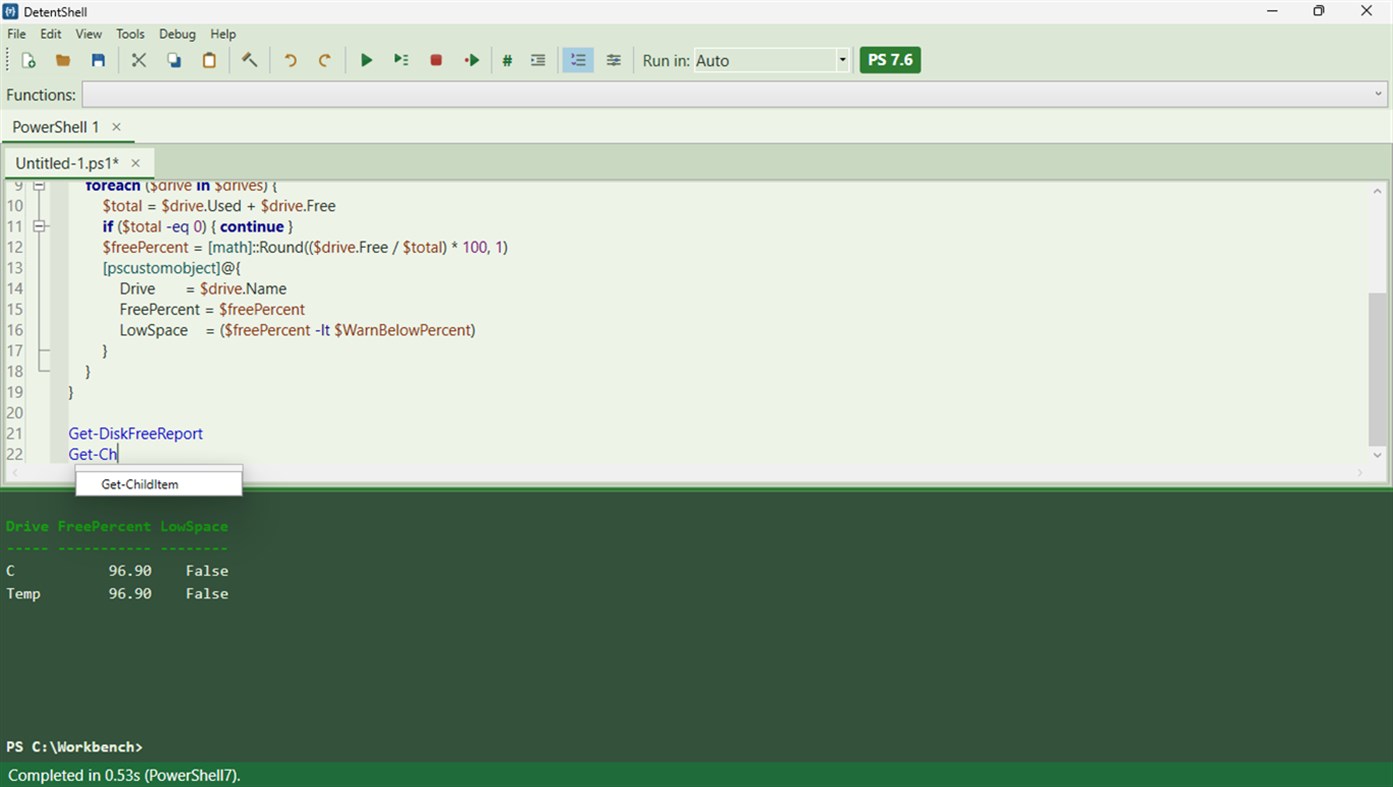
The editor completes by asking your live session what exists, so suggestions cover the modules and functions you have loaded, including your own. Snippets, folding, navigation, comment toggling, and a formatter with an indentation-only mode for people with brace opinions.
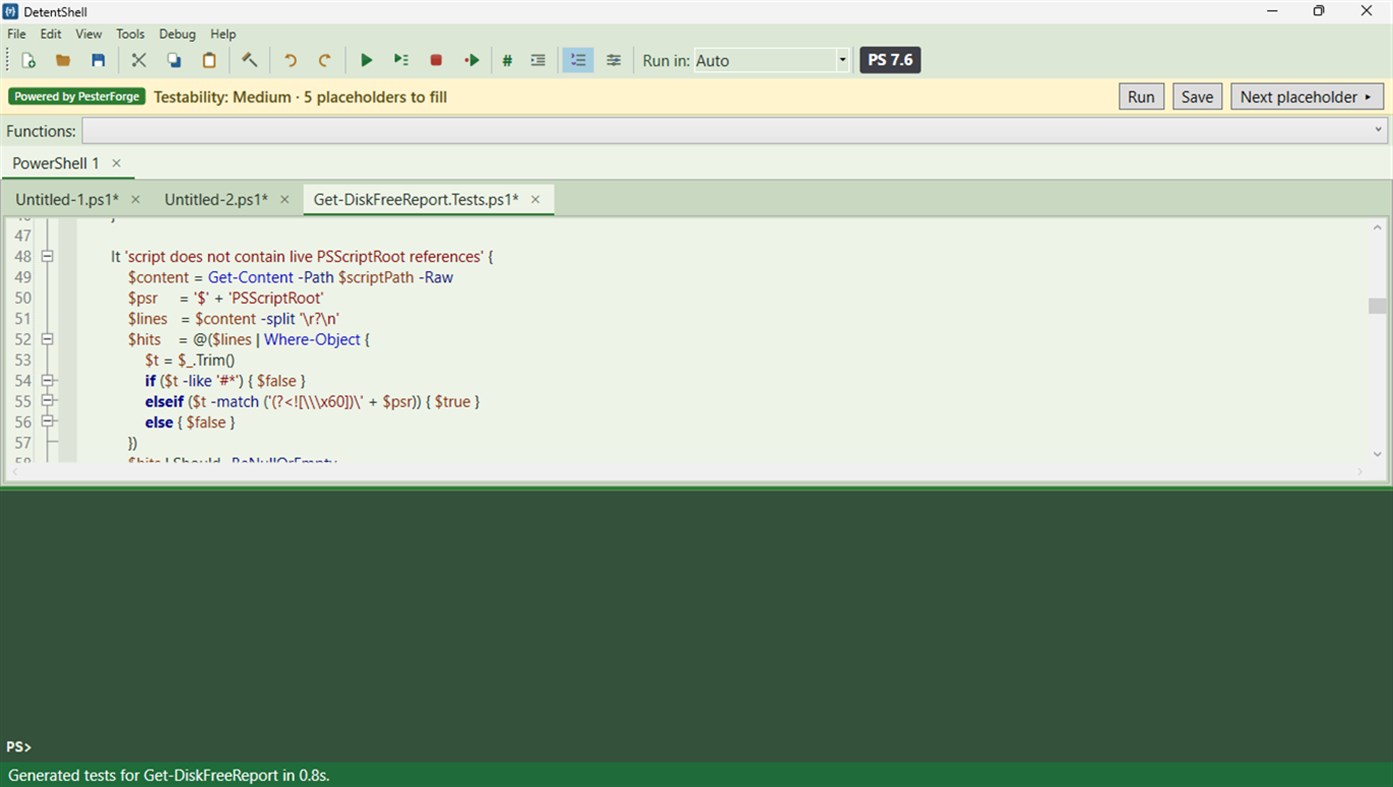
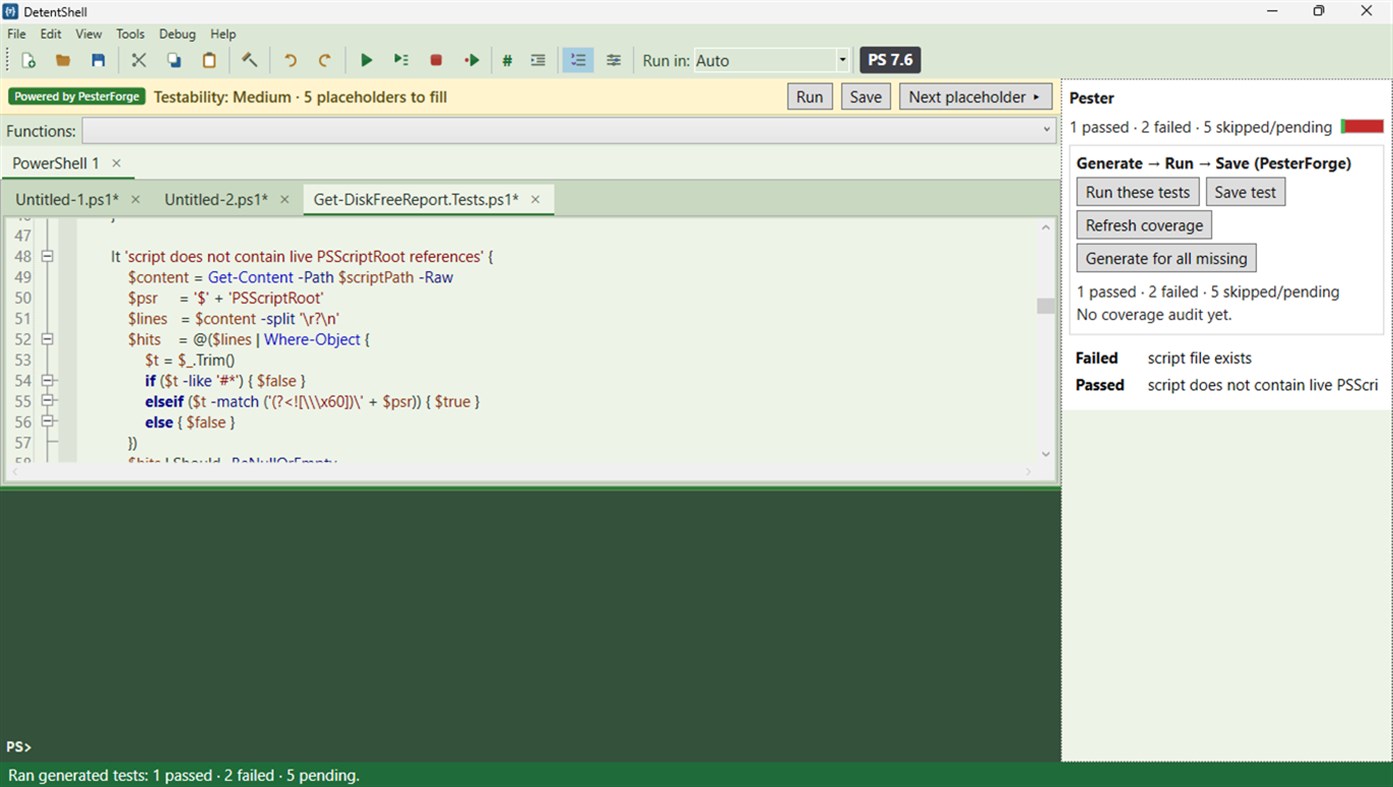
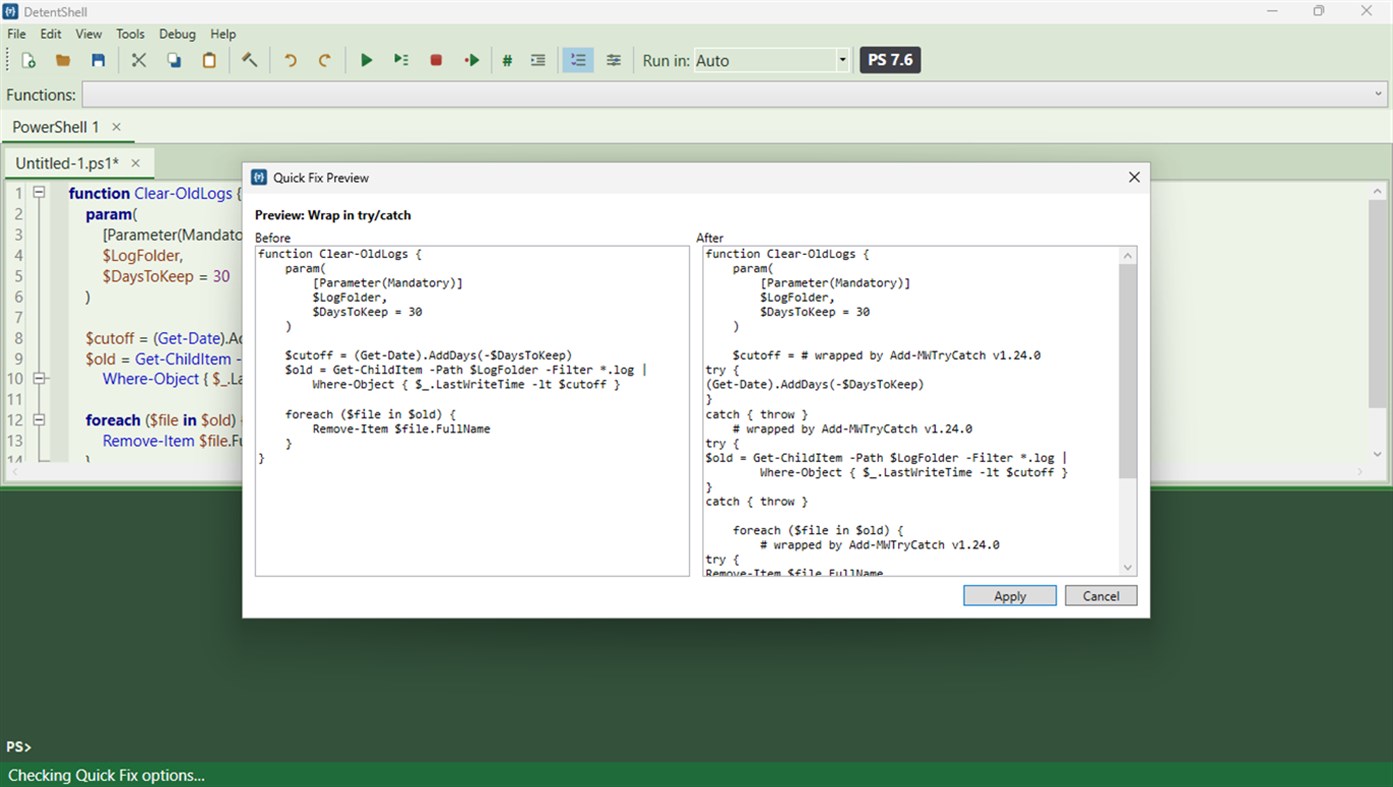
Two tools do the chores reviewers ask about. The test generator points at a function and produces a Pester v5 file with the provable parts asserted and everything else marked FILL IN instead of guessed. Quick Fix runs five hardening transforms: try/catch wrapping, strict mode, parameter validation, dangerous-command guards, and secure error messages. Each is previewed side by side and applied only when you click Apply.
Remote tabs connect over WinRM, the transport your organization already governs, and the tab title keeps user@computer in front of your eyes the whole session.
Accessibility: every theme is contrast-tested against WCAG AA (High Contrast included) as part of the build, and automated accessibility checks can be run against any build on demand. We haven't finished end-to-end testing with Narrator, Magnifier, or keyboard-only navigation, so we're not claiming the Store's accessibility declaration. We'd rather tell you where we actually are than wear a tag we haven't earned.
If you rely on assistive technology, we'd welcome either a specific report of what broke, naming the screen, the tool and what happened, or your help testing properly. Write to support@detentpoint.com and we'll set you up with a license. We're a small shop, and help from people who'd actually use this would mean a lot.
The footprint stays small. No telemetry, no data collection, and no network traffic the app starts on its own. Per-user MSIX install, clean uninstall, and elevation is never required to install or run. Help ships with the app: press F1 on any command, or open the bundled user guide in HTML Help or PDF.
DetentShell comes from Detent Point, built by people who use an ISE everywhere the work happens, including the servers where nothing gets installed without an approval.
他のプラットフォーム 0
| DetentShellWindows Store1K ゴールド現在のページ | $49.99 |
現在はこのストアでのみ配信中です。
価格履歴 0
- 現在の価格: $49.99
- 最小値: $49.99
- 最大値: $49.99
リスト 0
0
-
 DetentShell
ポイント 0
0
ランキング 0
-

- あなたの評価

コメント 0 ¡
最初にコメントしてください
開発者 1
- Detent Point, LLC
- フォロワー: 0
- プラットフォーム: Windows アプリ (1)
- セール: 0
- リスト: 0 + 0
- ポイント: 0 + 0 ¡
- ランキング: 0
- コメント: 0
- 動画: 0
- RSS: 購読する
新機能
- バージョン: PC
- 最終更新:
- Install-Module and Install-PSResource now work out of the box: PowerShellGet, PackageManagement and PSResourceGet ship with the app, so there's no NuGet-provider prompt and no need for a separate pwsh install. Write-Host output no longer prints twice in PowerShell 7 sessions. The console shows your real prompt as soon as a session opens and keeps it after each command, and a run started right after opening a session is no longer refused. Launching DetentShell with a file opens one session with that file. The app is per-monitor DPI aware, so it stays crisp when moved between displays with different scaling. Toolbar controls, combo boxes and the Pester and console panels now carry names for screen readers.
バージョン履歴
- Listing update only. Refreshed screenshots and corrected the accessibility description to match what we have actually verified. The app itself is unchanged from the previous release.
情報
 https://detentpoint.com/detentshell
AppAggスコア
1,400
AppAgg推定スコア:
DetentShell
開発者: Detent Point, LLC
1,400 ゴールド
スコアが高いほど、AppAgg上の各指標が良好な傾向にあります。
基準: 人気 · ユーザー評価 · 新しさ · セール · ストアデータ · コミュニティ活動
最新のAppAggデータに基づいて毎日再計算されます。
Webサイト用バッジ:  コピーしました!
概要
DetentShell 短縮 URL: コピーしました!- Windows Store
AppAggでは、Detent Point, LLCが開発したアプリ「DetentShell」の情報を確認できます。対応プラットフォーム:Windows。カテゴリ:開発者ツール。 AppAggスコア:1,400(ゴールド)。 このアプリのAppAggポイント:確認済み 0、間接 0。 このアプリを含む公開リスト:0件。非公開リストに保存しているユーザー:0人。 このアプリには、AppAggユーザーからの評価はまだありません。 確認済みポイントは、ログインしたAppAggユーザーのストアへのアクセスを記録します。間接ポイントはストアのデータに基づきます。 2つの数字は、公開リストの数と、非公開リストに保存したユーザー数を表します。 このアプリの初回リリースはです。 このアプリの最終更新はです。 このアプリの現在の価格は$49.99です。 このアプリは次の言語に対応しています:英語。 価格履歴を確認したり、アプリをリストに追加したり、開発者をフォローしたりできます。 このアプリの今後のセールや更新はRSS フィードで確認できます。 AppAggはこのアプリをホストまたは配布していません。 このアプリに関連する商標、ロゴ、スクリーンショットはすべて各権利者に帰属します。

