
북마크
이 북마크의 제목을 입력하세요.
북마크가 저장되었습니다
| 개발자: | TriptoAfsin (5) | ||
| 가격: | 무료 신규 | ||
| 종합 점수: | 620 실버 | ||
| 순위: | 0 | ||
| 댓글: | 0 댓글 게시 | ||
| 목록: | 0 0 | ||
| 포인트: | 0 | ||
| +1 포인트 | |||
요약
dev-cleaner: TriptoAfsin에서 만든 ‘개발자 도구’ 카테고리의 앱이에요.
새로 나온 앱이에요. 에 나왔으니 지금 써 보면 얼리어답터예요.
무료. 광고도 인앱 구매도 없어요. 앱에만 집중하면 돼요.
Microsoft Store는 Windows에 기본으로 들어 있어서 클릭 몇 번이면 설치돼요.
AppAgg 점수는 620. 실버 등급, 이 정도면 꽤 괜찮아요.
겨우 3메가바이트. 꽉 찬 드라이브에도 쏙 들어가요.
연령 등급은 ‘EVERYONE’, 아이들에게도 괜찮아요.
지원 언어는 딱 하나, 그런데 한국어는 아니에요.
아직 여기는 조용해요. 평점도, 댓글도 없어요. 침묵을 깨 주세요.
이 개발자의 앱이 AppAgg에 4개 더 있어요. 한번 둘러보세요.
업데이트와 새 앱 소식을 가장 먼저 받고 싶나요? 개발자를 팔로우하거나 RSS 피드를 구독하세요. 푸시 알림은 Android와 iOS용 AppAgg Alerts 앱으로 받을 수 있어요.
광고
스크린샷 5
다른 플랫폼 0
가격 기록 0
- 현재 가격: 무료
- 최소: 무료
- 최대: 무료
홈 화면의 나만의 피드
“신규 및 업데이트” 피드의 플랫폼을 선택하면 홈 화면에 필요한 앱과 게임만 표시됩니다.
설명

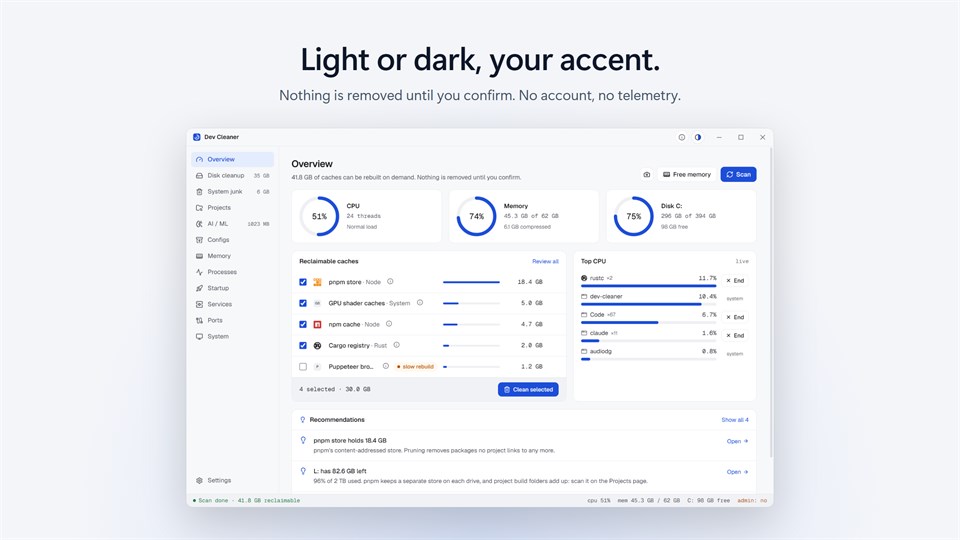
Nothing is removed until you confirm.
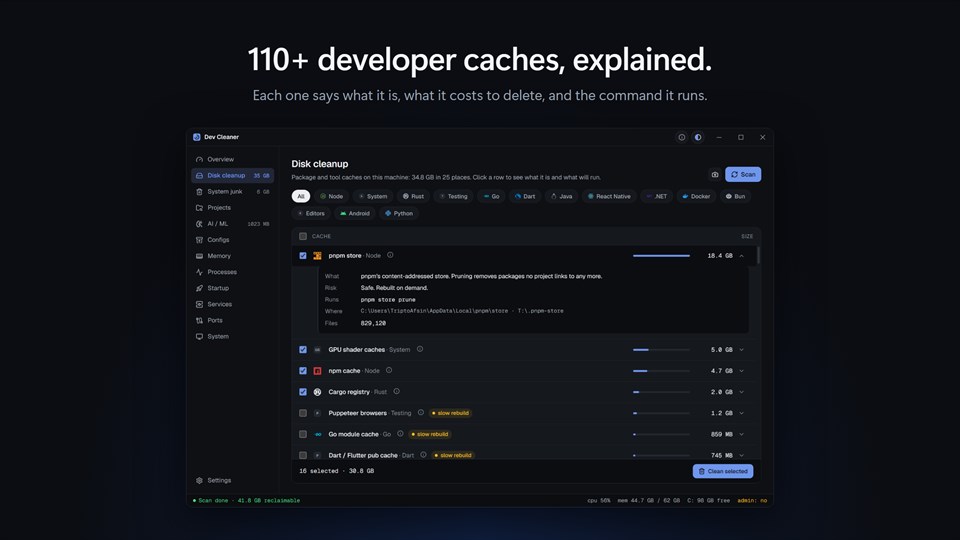
DISK CLEANUP
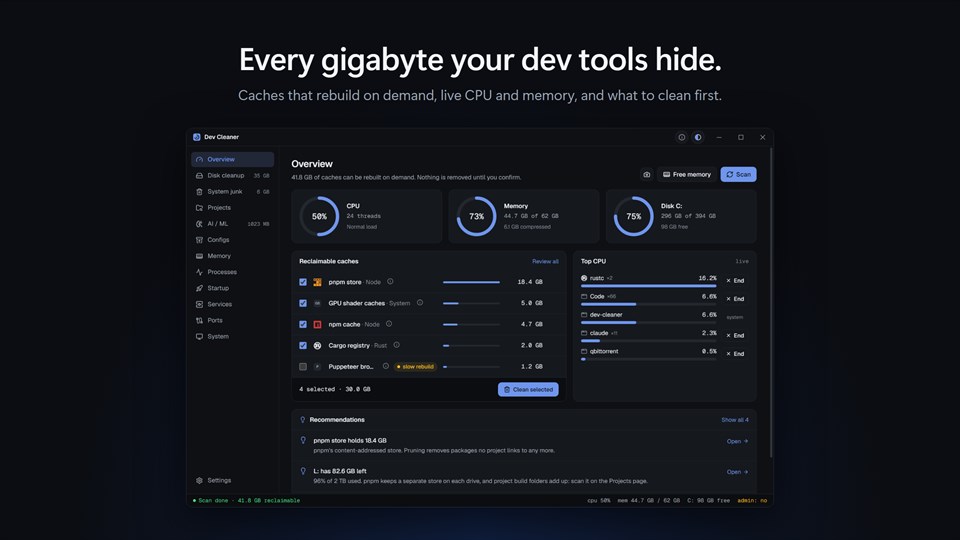
• 110+ developer caches: Node and its version managers, Bun, Deno, Rust, Python, Go, Java, Kotlin, Android and Android Studio, .NET, Ruby, PHP, Swift, Dart and Flutter, Docker, Kubernetes, Terraform, Bazel, game engines, editors and many more
• pnpm stores found on every drive, and each tool asked where its cache really is
• A "slow rebuild" tag on caches that take a while to fill again
SYSTEM JUNK
• Temp folders, Windows Update and Delivery Optimization leftovers, error reports, memory dumps, thumbnail caches, browser and chat-app caches, unfinished downloads and the Recycle Bin
• Items that need admin rights run together after one UAC prompt, and are never pre-selected
PROJECTS
• Point it at your code folders or whole drives to find node_modules, Python venvs, Rust and Maven target, Gradle build, .NET bin/obj, .next, .turbo, Flutter, Unity, Unreal and CMake build trees
• See when each project was last used and delete only the build folders you pick. Source code is never touched
AI / ML
• Ollama, LM Studio and Hugging Face models, plus loose .gguf, .safetensors, .ckpt, .pt and .onnx files
• What AI coding agents leave behind: Claude Code, Codex, Copilot CLI, OpenCode, Qwen Code and more, never their transcripts, memory or settings
• Hugging Face, PyTorch, Keras, wandb and Gradio caches
PROCESSES, MEMORY AND PORTS
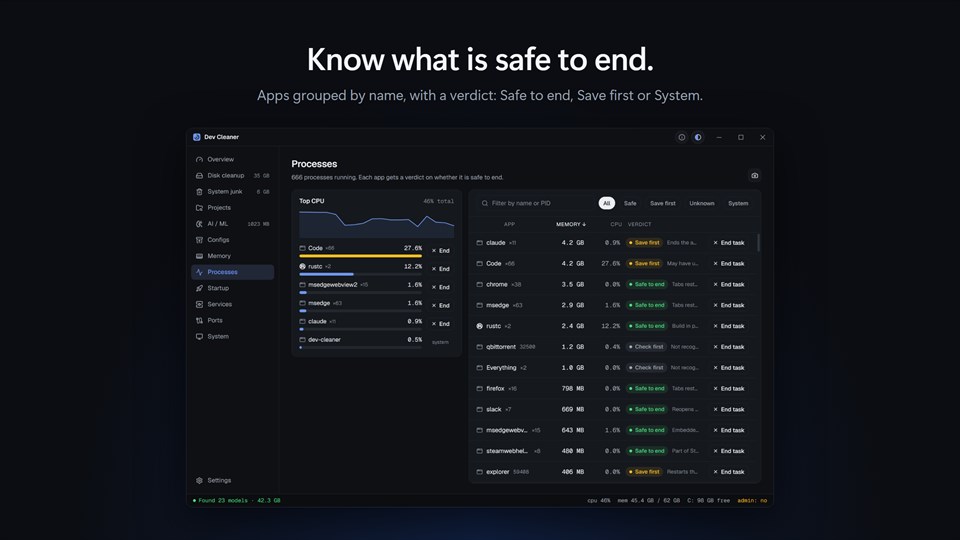
• Apps grouped by name and sorted by RAM or CPU, each marked Safe to end, Save first or System
• Free memory trims idle pages without closing anything
• See which process holds 3000, 5173, 5432, 8080 and other dev ports, with its command line and project folder, and free the port in one click
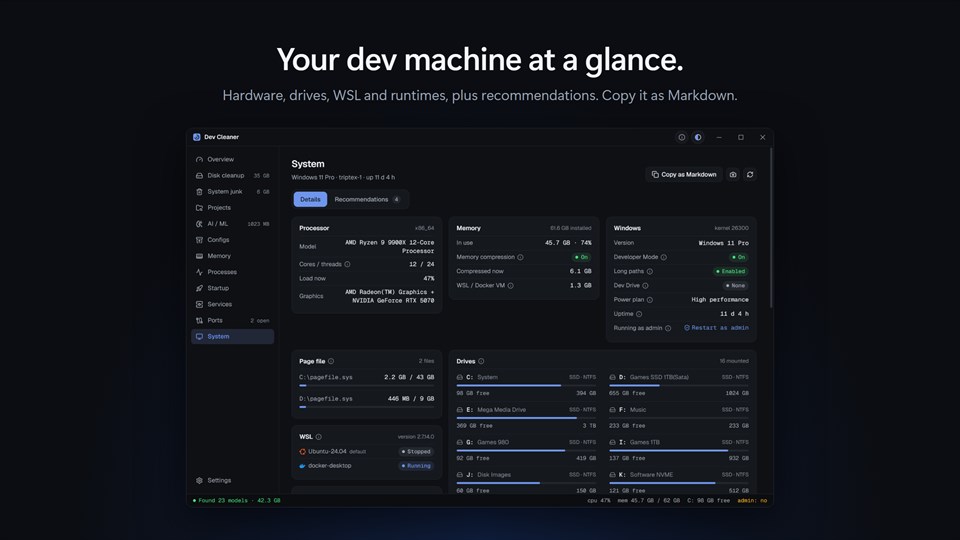
SYSTEM AND CONFIGS
• OS, CPU, memory, drives, WSL, runtimes, editors and AI coding CLIs, with recommendations, copyable as Markdown
• Back up VS Code, Cursor, Zed, JetBrains, Claude Code, Codex and more to one zip, and copy settings, extensions and MCP servers between tools
SAFE BY DESIGN
• Scans are read-only. The backend re-checks every delete against known cache locations
• Browser cookies, history and passwords, Windows Prefetch and WinSxS are never cleaned
• Processes Windows needs can't be ended
PRIVATE
No account, no ads, no analytics, no telemetry. The only network requests are an update check and a definitions download (a list of cache locations) from the app's public GitHub repository, and both can be turned off.
Deletes are permanent. Dev Cleaner is provided as is under the MIT License; read what each item does before cleaning.
Free and open source: github.com/TriptoAfsin/dev-cleaner
개발자 소식
개발자이신가요?
페이지 맨 위에 소식을 올리면 팔로워에게 이메일로 전달됩니다. YouTube 동영상을 추가하면 “동영상” 블록 맨 앞에 표시됩니다.
목록 0
-
 dev-cleaner
포인트 0
-

- +1 포인트

순위 0
-
- 내 평점
개발자 5
- TriptoAfsin
- 팔로워: 0
- 플랫폼: Windows 앱 (5)
- 할인: 0
- 목록: 0 0
- 포인트: 0
- 순위: 0
- 댓글: 0
- 동영상: 0
- RSS: 구독
새로운 기능
- 버전: PC
- 마지막 업데이트:
- Version 0.6.0
• A tidier sidebar: pages are grouped into Clean up, Manage and Machine, and each section folds away
• Memory sits right under Overview and shows how much RAM is free
• Click the CPU, Memory or Disk card on the Overview to jump to that page
• Update checks keep working when GitHub is busy
추가 정보
 https://github.com/TriptoAfsin/dev-cleaner
AppAgg 점수
620
AppAgg 예상 점수:
dev-cleaner
개발자: TriptoAfsin
620 실버
점수가 높을수록 대체로 AppAgg의 여러 지표에서 좋은 결과를 보인다는 뜻입니다.
기준: 인기 · 사용자 평점 · 최신성 · 할인 · 스토어 데이터 · 커뮤니티 활동
최신 AppAgg 데이터를 바탕으로 매일 다시 계산됩니다.
웹사이트용 배지:  복사됨!
댓글 0 ¡
가장 먼저 댓글을 남겨주세요
공유하기
dev-cleaner 단축 URL: 복사됨!- Windows Store


