
บุ๊กมาร์ก
| ผู้พัฒนา: | Akilan Ragavaswamy (3) | ||
| ราคา: | ฟรี | ||
| คะแนน: | 770 เงิน | ||
| การจัดอันดับ: | 0 | ||
| ความคิดเห็น: | 0 โพสต์ความคิดเห็น | ||
| รายการ: | 0 0 | ||
| แต้ม: | 0 | ||
| +1 แต้ม | |||
สรุป
มาทำความรู้จัก Dev Tools - JSON, SQL, Regex, Base64 แอปในหมวด “เครื่องมือสำหรับนักพัฒนา” จาก Akilan Ragavaswamy
ออกเมื่อ ยังสดใหม่อยู่เลย
ฟรี ไม่มีโฆษณา ไม่มีการซื้อภายในแอป มีแค่คุณกับแอป
Microsoft Store มีมาในตัว Windows อยู่แล้ว ติดตั้งได้ในไม่กี่คลิก
คะแนน AppAgg คือ 770 ระดับ “เงิน” ถือว่าไม่เลวเลย
จัดเรต “EVERYONE” เหมาะกับเด็ก ๆ ด้วย
รองรับแค่ภาษาเดียว และไม่ใช่ภาษาไทย
ยังไม่มีใครบน AppAgg ให้คะแนนเลย โอกาสเป็นคนแรกอยู่ตรงนี้แล้ว
ผู้พัฒนารายนี้มีแอปอื่นบน AppAgg อีก 2 แอป ลองไปดูกัน
อยากรู้เรื่องอัปเดตและแอปใหม่ก่อนใครไหม? ติดตาม ผู้พัฒนา หรือกดติดตาม ฟีด RSS ได้เลย การแจ้งเตือนแบบพุชส่งผ่านแอป AppAgg Alerts สำหรับ Android และ iOS
แพลตฟอร์มอื่น 0
ประวัติราคา 0
- ราคาปัจจุบัน: ฟรี
- ต่ำสุด: ฟรี
- สูงสุด: ฟรี
ฟีดของคุณเองบนหน้าแรก
ภาพหน้าจอ 5
คำอธิบาย

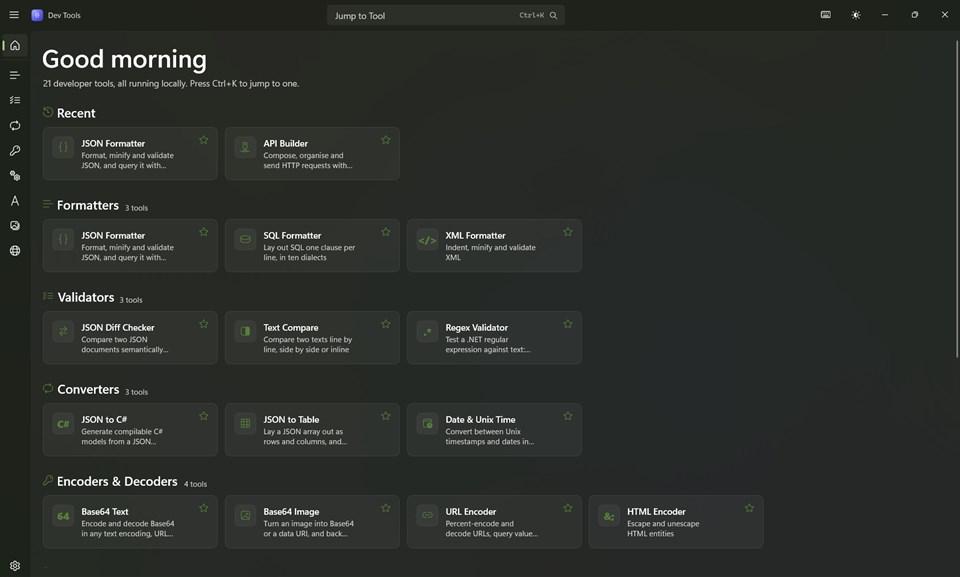
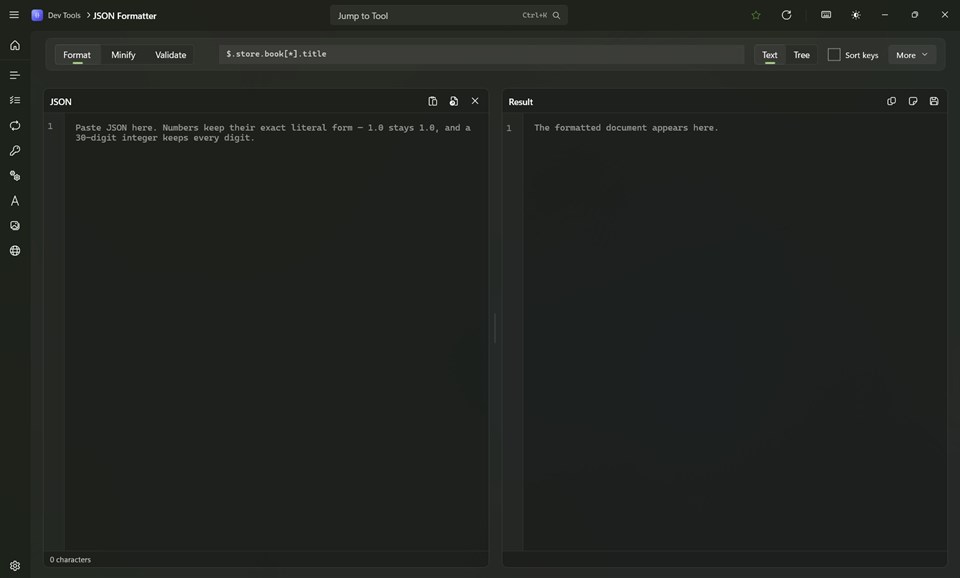
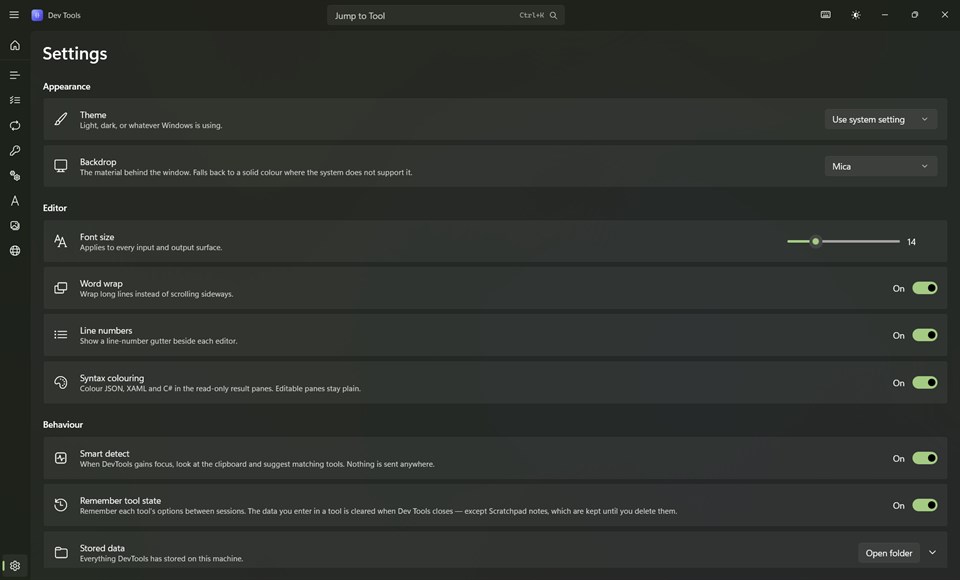
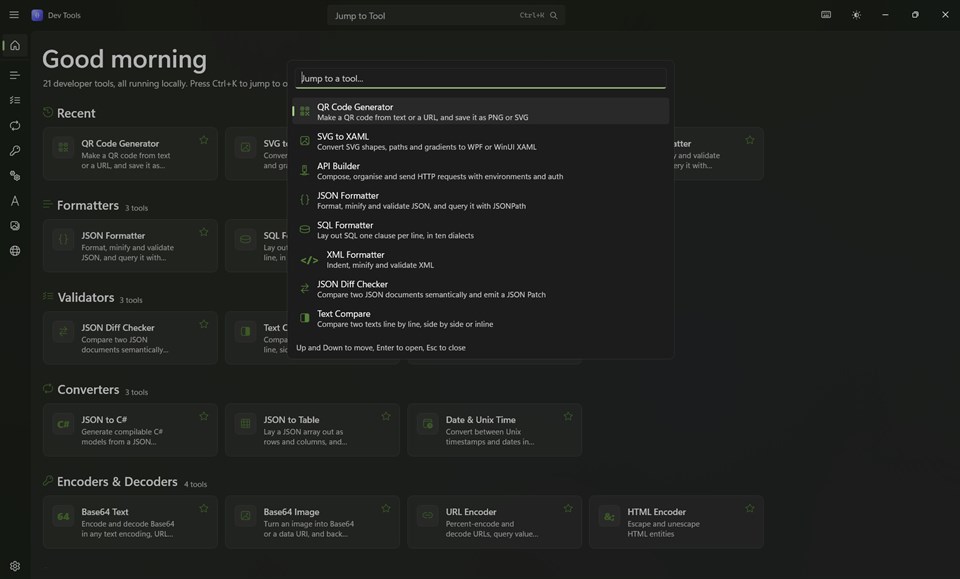
Dev Tools puts the small jobs you do every day into one quick, native Windows app — no browser tabs, no sign-in, no telemetry. Paste or drop a file and it just works, with a clean light/dark UI, a command palette, and keyboard shortcuts throughout.
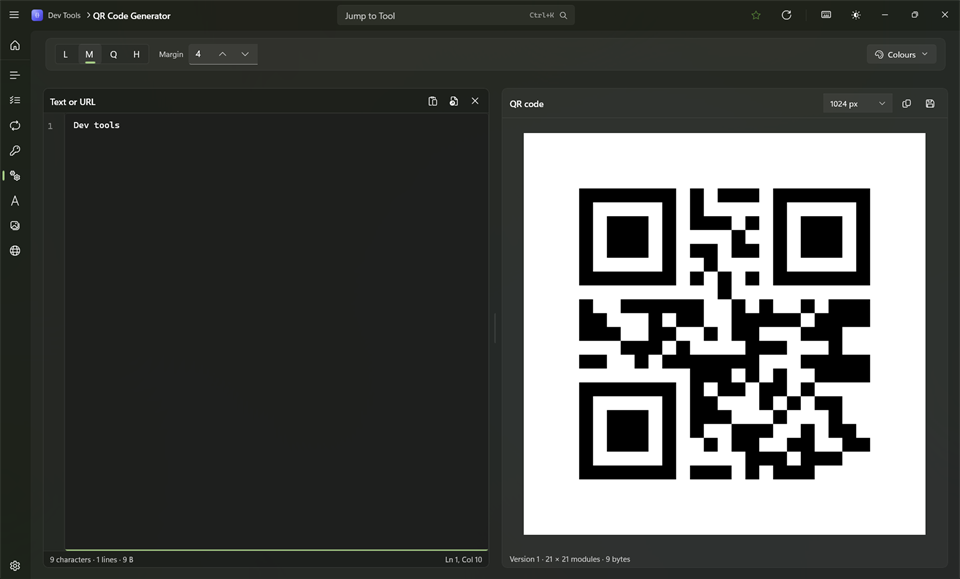
Twenty-one tools in one place: JSON, SQL and XML formatters; JSON diff, text compare and a regex validator; JSON-to-C#, JSON-to-table and date and Unix-timestamp converters; Base64 text and image, URL and HTML encoders; UUID and QR code generators; a character counter, a live Markdown preview, an HTML viewer and a scratchpad that saves as you type and does sums line by line; SVG to XAML; and an HTTP API builder. Copy something to the clipboard and Dev Tools suggests the tool for it.
Everything runs on your machine. Every tool except the API Builder works with no network access at all; the API Builder sends only the requests you compose, and secrets stay in the Windows credential vault — never written to a file.
จากนักพัฒนา
รายการ 0
-
 Dev Tools - JSON, SQL, Regex, Base64
แต้ม 0
-

- +1 แต้ม

การจัดอันดับ 0
-
- คะแนนของคุณ
ผู้พัฒนา 3
- Akilan Ragavaswamy
- ผู้ติดตาม: 0
- แพลตฟอร์ม: Windows แอป (3)
- ลดราคา: 0
- รายการ: 0 0
- แต้ม: 0
- การจัดอันดับ: 0
- ความคิดเห็น: 0
- วิดีโอ: 0
- RSS: ติดตาม
มีอะไรใหม่
- เวอร์ชัน: PC
- อัปเดตล่าสุด:
- Fold the result, and find your way around a big document.
• Collapse any object or array straight in the text view — click the chevron in the margin, and the section folds to a one-line summary like "customers": [ … 3 items ] • Collapse all, Expand all, and Fold to level 1, 2 or 3 from the Result toolbar • Line numbers keep naming the document, so they jump where something is folded away • Folding is a view, never an edit: Copy and Save still give you the whole document • Find still searches all of it, reports the true count, and opens a fold when you step onto a match inside it • The same folding in the XML Formatter
Fixed: line numbers drifted out of step with the text in every coloured result pane — on a long document they ended up labelling the wrong lines. Find now scrolls to the match it highlights.
The app is now called Dev Tools.
- The first public release of ForgeKitRk — the full toolkit, running natively and privately on Windows.
1. JSON Formatter — format, validate, minify and query JSON with JSONPath, with syntax colouring and large-file handling.
2. JSON Diff Checker — semantic, structure-aware diff with side-by-side and tree views, best-match array pairing, and RFC 6902 patch export.
3. JSON to C# — generate compilable C# models from a JSON sample, with configurable types, members, serializer attributes and number types.
4. SVG to XAML — convert SVG shapes, paths and gradients to WPF / WinUI XAML with a live preview.
5. API Builder — build and send HTTP requests with headers, auth, environments and cURL import/export.
6. Recent tools on the Home dashboard and at the top of the command palette.
7. Light, dark and system themes, a command palette, and keyboard shortcuts throughout.
8. Fully offline for the JSON, SVG and code tools; secrets stored in the Windows Credential Manager.
ข้อมูลเพิ่มเติม
- วันที่วางจำหน่าย:
- หมวดหมู่:
แอปสำหรับ Windows›เครื่องมือสำหรับนักพัฒนา - ระบบปฏิบัติการ:
PC - ขนาด:
123 Mb - ภาษาที่รองรับ:
อังกฤษ - การจัดประเภทเนื้อหา:
EVERYONE - Windows Store คะแนน: ¡
0
 https://akilanragavaswamy.github.io/Developer-Tools/Docs/index.html
คะแนน AppAgg
คะแนน AppAgg โดยประมาณของ
Dev Tools - JSON, SQL, Regex, Base64
ผู้พัฒนา: Akilan Ragavaswamy
คะแนนที่สูงขึ้นมักสะท้อนตัวชี้วัดที่ดีกว่าบน AppAgg
อิงจาก: ความนิยม · คะแนนจากผู้ใช้ · ความสดใหม่ · ดีล · ข้อมูลร้านค้า · กิจกรรมชุมชน
คำนวณใหม่ทุกวันจากข้อมูล AppAgg ล่าสุด
ความคิดเห็น 0 ¡
แชร์
Dev Tools - JSON, SQL, Regex, Base64 URL แบบสั้น: คัดลอกแล้ว!- Windows Store

