
ブックマーク
このブックマークのタイトルを入力してください。
ブックマークを保存しました
| 開発者: | EarnToLink (20) | ||
| 価格: | * 無料 新着 | ||
| スコア: | 1,310 ゴールド | ||
| ランキング: | 0 | ||
| コメント: | 0 コメントを投稿する | ||
| リスト: | 0 0 | ||
| ポイント: | 0 | ||
| +1 ポイント | |||
概要
Dev Tray: Developer Toolboxは、EarnToLinkが手がける「開発者ツール」カテゴリのアプリです。
に出たばかりの新作。今なら一番乗りのひとりです。
入るのは無料。でも中のショップはしっかり営業中です。
Microsoft StoreはWindowsに組み込まれているので、数クリックでインストールできます。
AppAggスコアは1,310。「ゴールド」です。
たった22メガバイト。空きの少ないドライブにも収まります。
年齢区分は「EVERYONE」なので、子どもでも安心です。
9言語に対応していて、日本語もあります。
AppAggではまだ誰も評価していません。一番乗りのチャンスは今です。
この開発者のアプリは、AppAggにほかに19個あります。のぞいてみては?
アップデートや新しいアプリを誰よりも早く知りたい?開発者をフォローするか、RSS フィードを購読しましょう。プッシュ通知は Android と iOS 向けの AppAgg Alerts アプリで届きます。
広告
他のプラットフォーム 0
価格履歴 0
- 現在の価格: 無料
- 最小値: 無料
- 最大値: 無料
ホームに自分だけのフィード
「新着・アップデート」のプラットフォームを選ぶと、ホームには必要なアプリとゲームだけが表示されます。
スクリーンショット 10
説明

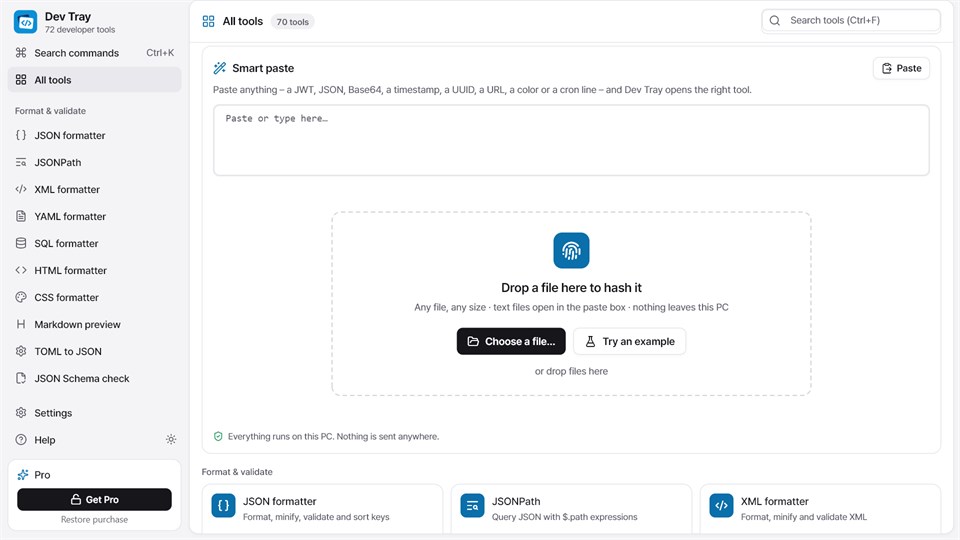
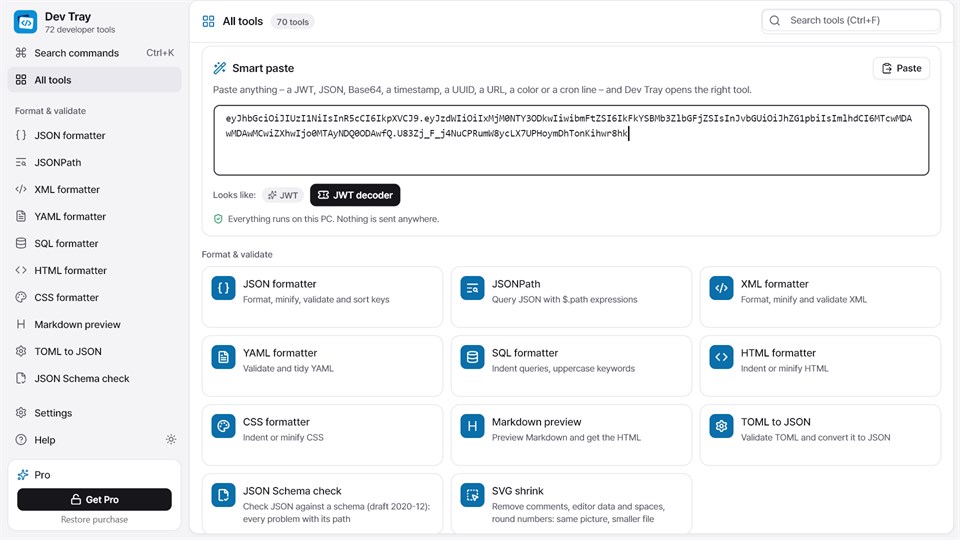
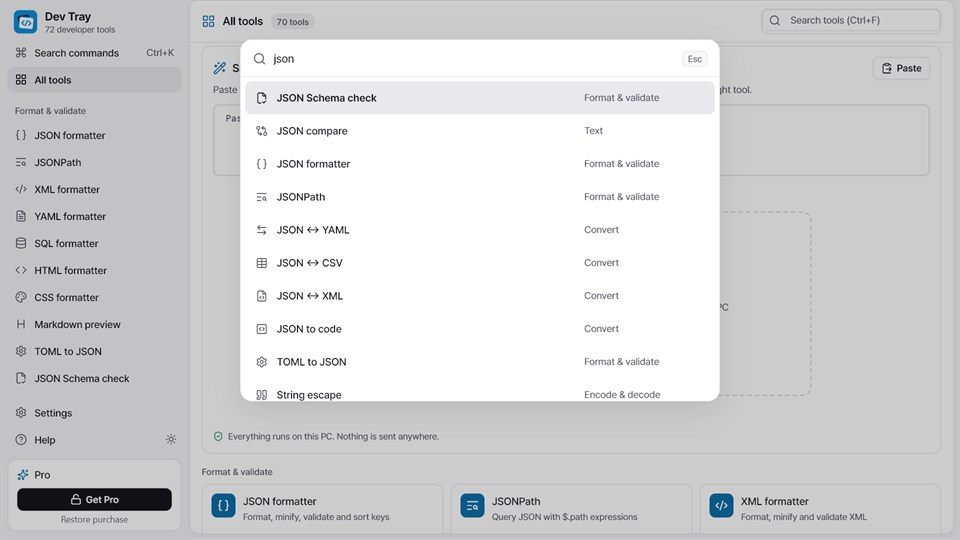
• Smart paste: Dev Tray recognizes JWTs, JSON, Base64, timestamps, UUIDs, URLs, colors, cron lines, IP ranges and hashes and opens the matching tool
• Quick window: press Ctrl+Alt+D in any app, paste, copy the result and get back to work; Dev Tray can stay in the tray
• Format and validate: JSON (sort keys, JSONPath), XML, YAML, SQL, HTML, CSS, TOML and a Markdown preview
• Convert: JSON ↔ YAML, CSV and XML, JSON to TypeScript, C#, Dart, Go, Python, Java, Kotlin and Rust classes, number bases, Unix time, colors with WCAG contrast, cron, chmod and naming case
• Encode and decode: Base64 for text and images, Base32, URL, HTML entities, Unicode and string escapes, hex dump, GZip
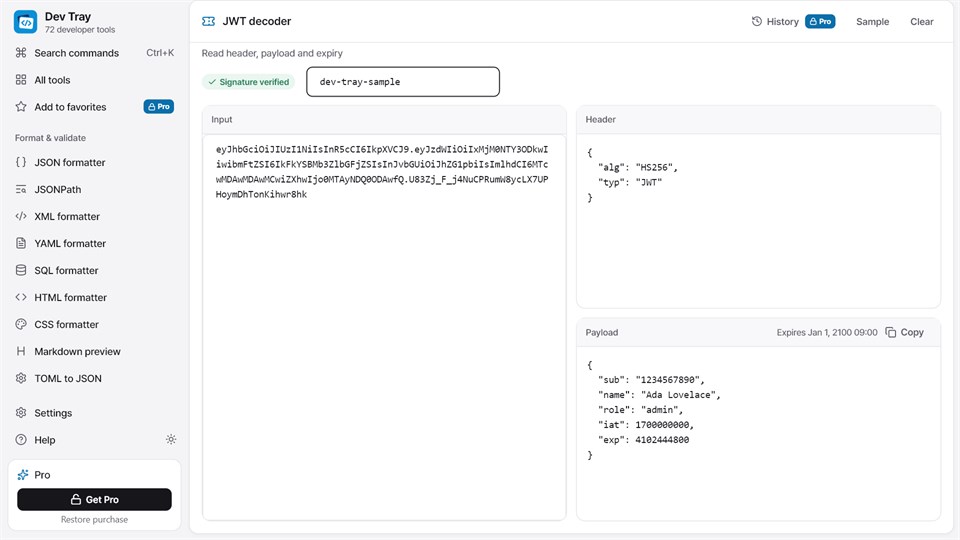
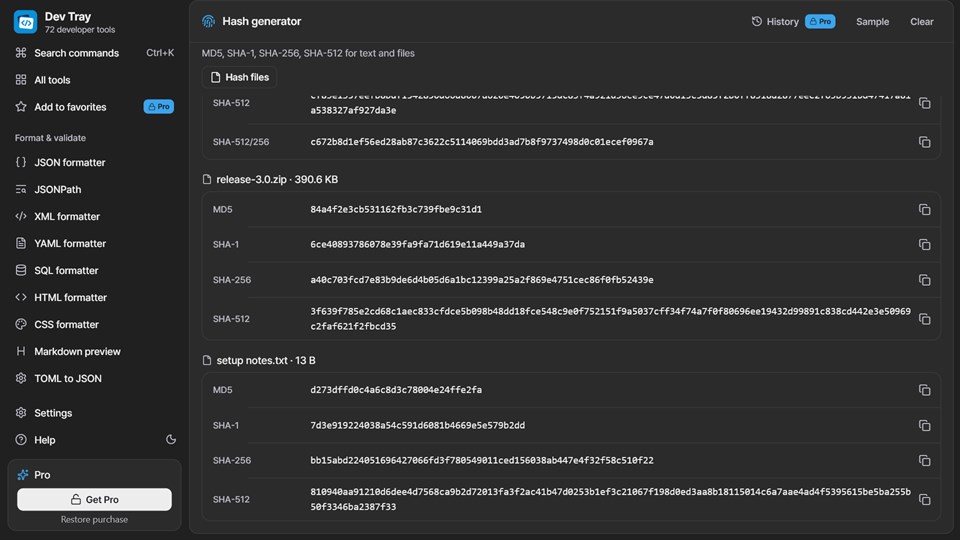
• Hashes and security: MD5, SHA-1, SHA-256 and SHA-512 for text and files of any size, HMAC, CRC-32 and other checksums, bcrypt, JWT decode, sign and verify, certificate decoder
• Generate and edit text: UUID v1/v4/v7, ULID, NanoID, passwords, Lorem ipsum, QR codes; text compare, regex tester, line tools, text counter; IPv4/IPv6 subnets, MAC, HTTP status codes, MIME types, User-Agent
• Private: everything runs on your PC and works offline. No account, no ads, no tracking
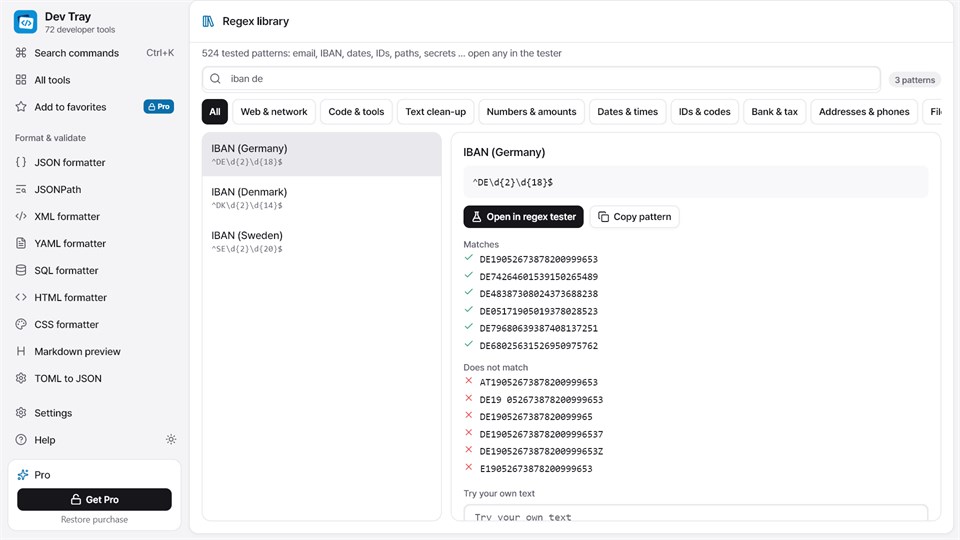
• Regex library: 524 patterns tested against their examples (email, URLs, IBAN for 76 countries, VAT numbers, postal codes, phone numbers, dates, IDs) – open any of them in the tester
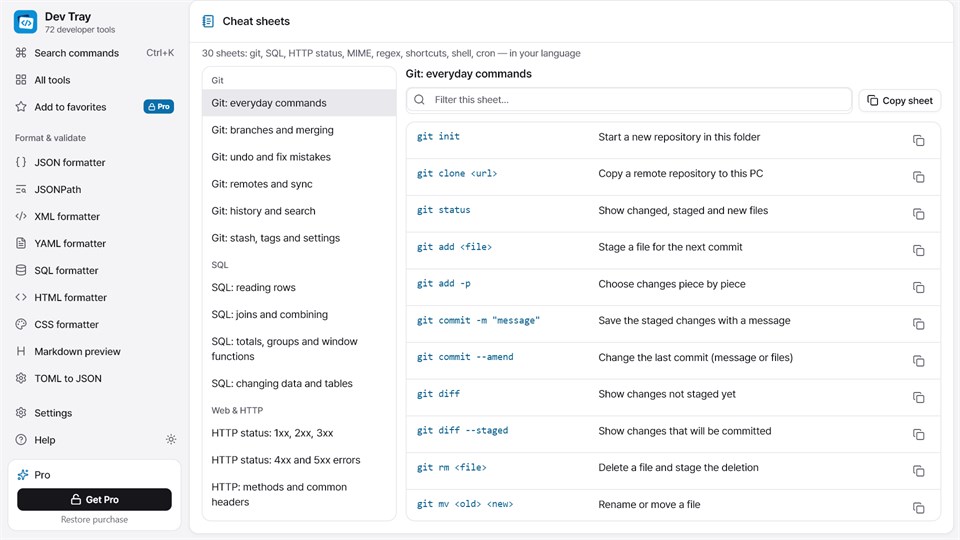
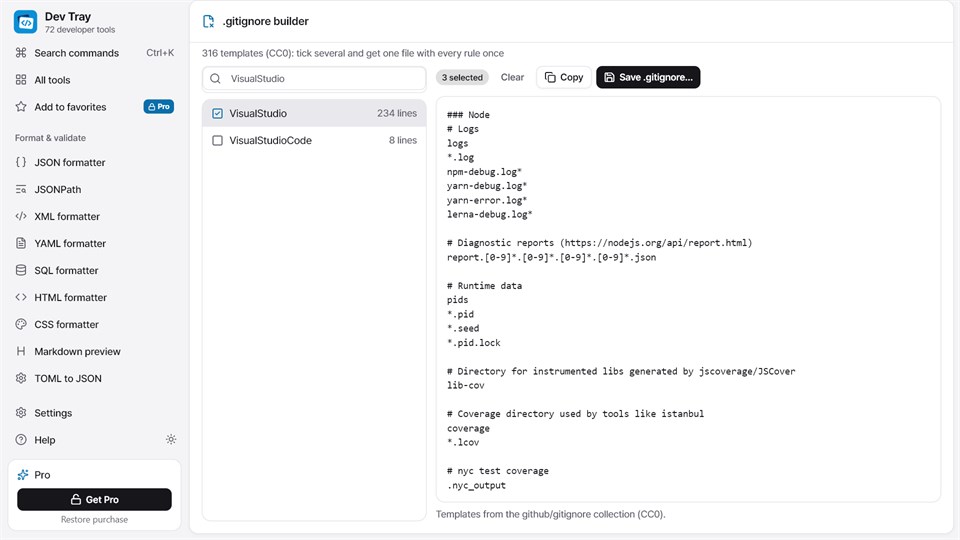
• 30 cheat sheets (Git, SQL, HTTP, regex, keyboard shortcuts, shell, data formats) and 316 .gitignore templates you can combine and save
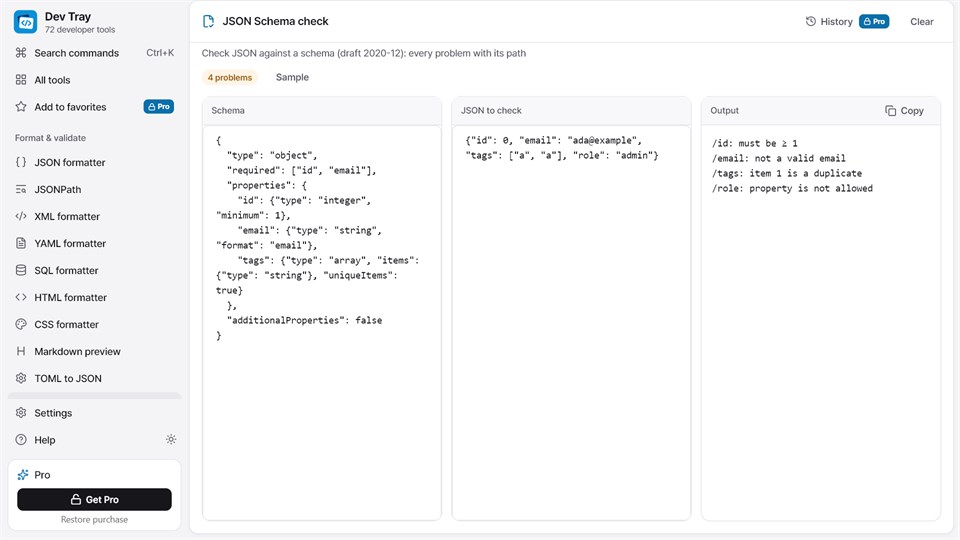
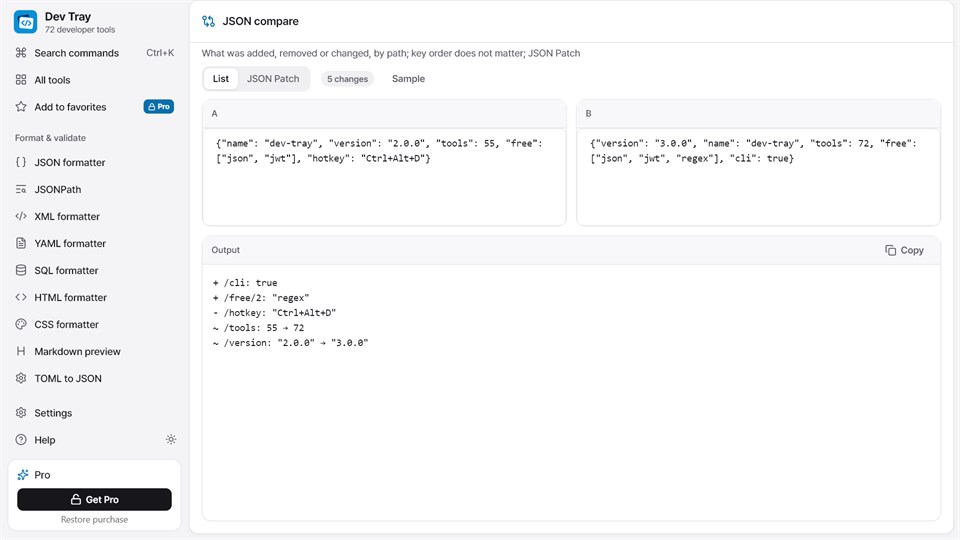
• New tools: JSON Schema check, JSON diff and patch, semantic versions, .env compare, invisible and look-alike characters, MessagePack, CBOR, protobuf, CSV ↔ SQL, curl to code, SVG minify
• Command line: every text tool as devtray with standard input and output and --json; chain tools in one line (base64:decode gzip:decode json)
• Calculate hash with Dev Tray from the File Explorer menu for up to 50 files; Dev Tray can start with Windows in the tray (off until you turn it on)
Free for personal and business use. No ads, no account, no subscription. No charge at the last step: limits are shown up front. Works offline. Never changes your default apps without asking.
No usage tracking or analytics. Sharp on high-DPI screens and across monitors with different scaling. Help › About › Delete all app data removes its settings, history and caches.
FREE VS PRO
Free version:
• 70 of the 72 tools without limits (everything except folder checksums and multi-file replace), including file hashes of any size, HMAC, bcrypt, JWT signing, regex replace and text compare
• Smart paste, the quick window with a global shortcut and the tray icon
• Regex library (524), 30 cheat sheets, 316 .gitignore templates, the command line for every text tool and chains of up to 3 tools
Pro (optional one-time in-app purchase, no subscription):
• Recognize what you copy, shown on the tray icon (Pro only)
• Input history and saved snippets for every tool (Pro only)
• Folder checksums: create and verify SHA256SUMS (Pro only)
• Find and replace in many files, with preview and undo (Pro only)
• Code generation options: nullable fields and naming (Pro only)
• Favorite tools pinned at the top, in your order (Pro only)
• Saved tool chains of any length, devtray recipe and folder commands (folderhash, replace) on the command line (Pro only)
デベロッパーから
デベロッパーの方ですか?
ページの一番上にニュースを投稿すると、フォロワーにメールで届きます。YouTube 動画を追加すると、「動画」の一番上に表示されます。
リスト 0
-
 Dev Tray: Developer Toolbox
ポイント 0
-

- +1 ポイント

ランキング 0
-
- あなたの評価
開発者 20
- EarnToLink
- フォロワー: 0
- プラットフォーム: Windows アプリ (20)
- セール: 0
- リスト: 0 0
- ポイント: 0
- ランキング: 0
- コメント: 0
- 動画: 0
- RSS: 購読する
新機能
- バージョン: PC
- 最終更新:
- Dev Tray 3.0 – 72 tools (70 free). New: regex library with 524 patterns tested against their examples, 30 cheat sheets and 316 .gitignore templates you can merge. New tools: JSON Schema check, JSON diff, semver, .env compare, invisible characters, MessagePack, CBOR, protobuf, CSV ↔ SQL, curl to code, SVG minify. Every text tool on the command line (devtray), chains of up to 3 tools. Calculate hash with Dev Tray in File Explorer. Ctrl+K command palette. Large JSON (50 MB) stays smooth.
情報
 https://earntolink.com/help/dev-tray/
AppAggスコア
1,310
AppAgg推定スコア:
Dev Tray: Developer Toolbox
開発者: EarnToLink
1,310 ゴールド
スコアが高いほど、AppAgg上の各指標が良好な傾向にあります。
基準: 人気 · ユーザー評価 · 新しさ · セール · ストアデータ · コミュニティ活動
最新のAppAggデータに基づいて毎日再計算されます。
ウェブサイト用バッジ:  コピーしました!
コメント 0 ¡
最初のコメントを書きましょう
シェア
Dev Tray: Developer Toolbox 短縮 URL: コピーしました!- Windows Store

