
북마크
이 북마크의 제목을 입력하세요.
북마크가 저장되었습니다
| 개발자: | EarnToLink (20) | ||
| 가격: | * 무료 신규 | ||
| 종합 점수: | 1,310 골드 | ||
| 순위: | 0 | ||
| 댓글: | 0 댓글 게시 | ||
| 목록: | 0 0 | ||
| 포인트: | 0 | ||
| +1 포인트 | |||
요약
Dev Tray: Developer Toolbox: EarnToLink에서 만든 ‘개발자 도구’ 카테고리의 앱이에요.
새로 나온 앱이에요. 에 나왔으니 지금 써 보면 얼리어답터예요.
입장은 무료지만, 안에 상점이 열려 있어요.
Microsoft Store는 Windows에 기본으로 들어 있어서 클릭 몇 번이면 설치돼요.
AppAgg 점수는 1,310. 골드 등급이에요.
겨우 22메가바이트. 꽉 찬 드라이브에도 쏙 들어가요.
연령 등급은 ‘EVERYONE’, 아이들에게도 괜찮아요.
9개 언어를 지원하고, 한국어도 있어요.
AppAgg에서는 아직 아무도 평가하지 않았어요. 첫 번째가 될 기회는 바로 지금이에요.
이 개발자의 앱이 AppAgg에 19개 더 있어요. 한번 둘러보세요.
업데이트와 새 앱 소식을 가장 먼저 받고 싶나요? 개발자를 팔로우하거나 RSS 피드를 구독하세요. 푸시 알림은 Android와 iOS용 AppAgg Alerts 앱으로 받을 수 있어요.
광고
다른 플랫폼 0
가격 기록 0
- 현재 가격: 무료
- 최소: 무료
- 최대: 무료
홈 화면의 나만의 피드
“신규 및 업데이트” 피드의 플랫폼을 선택하면 홈 화면에 필요한 앱과 게임만 표시됩니다.
스크린샷 10
설명

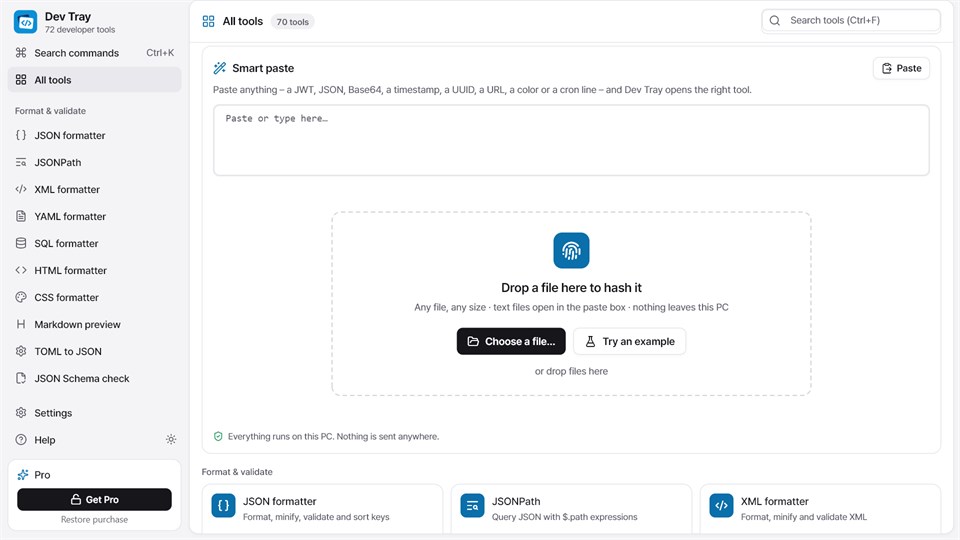
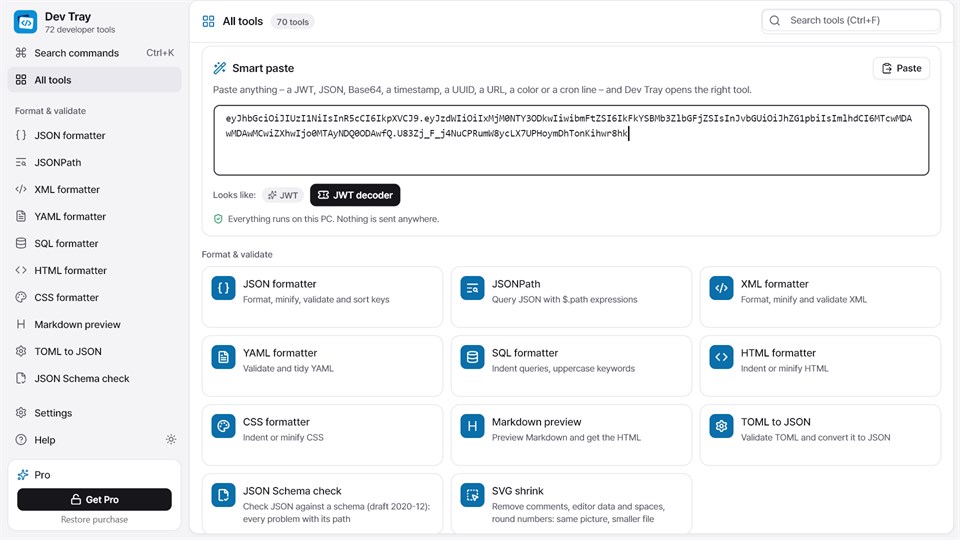
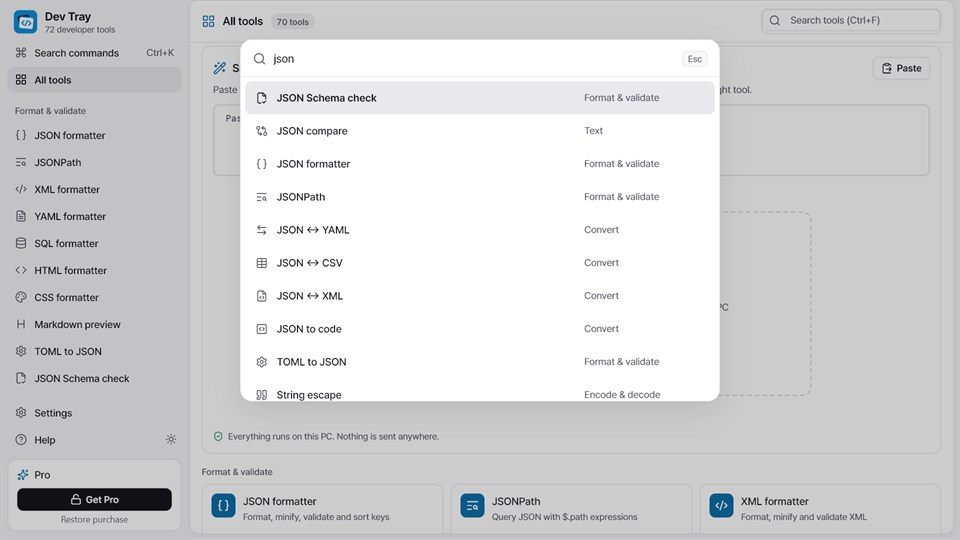
• Smart paste: Dev Tray recognizes JWTs, JSON, Base64, timestamps, UUIDs, URLs, colors, cron lines, IP ranges and hashes and opens the matching tool
• Quick window: press Ctrl+Alt+D in any app, paste, copy the result and get back to work; Dev Tray can stay in the tray
• Format and validate: JSON (sort keys, JSONPath), XML, YAML, SQL, HTML, CSS, TOML and a Markdown preview
• Convert: JSON ↔ YAML, CSV and XML, JSON to TypeScript, C#, Dart, Go, Python, Java, Kotlin and Rust classes, number bases, Unix time, colors with WCAG contrast, cron, chmod and naming case
• Encode and decode: Base64 for text and images, Base32, URL, HTML entities, Unicode and string escapes, hex dump, GZip
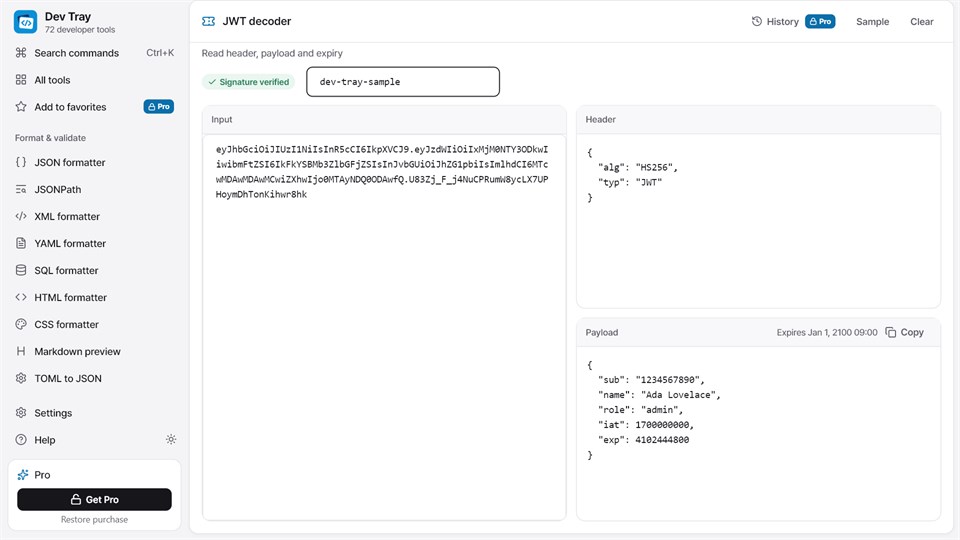
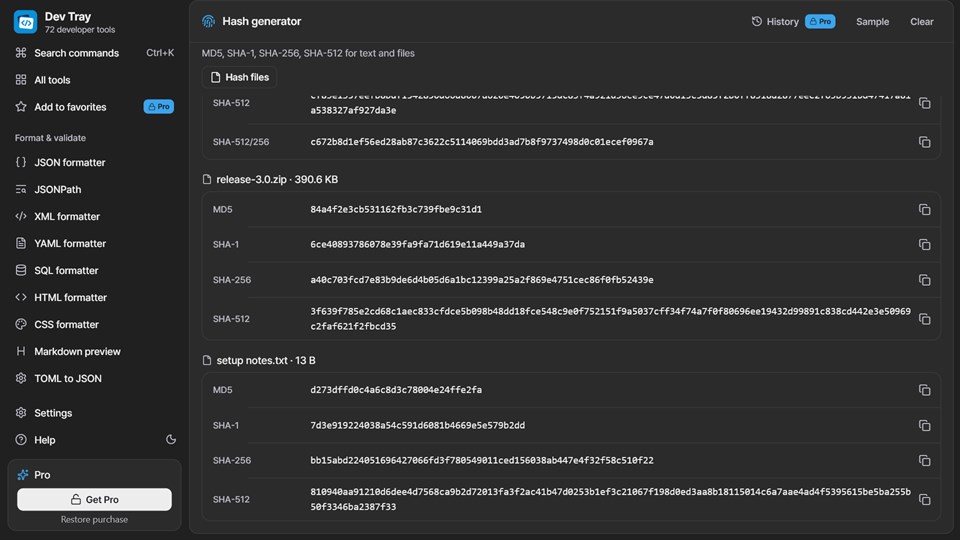
• Hashes and security: MD5, SHA-1, SHA-256 and SHA-512 for text and files of any size, HMAC, CRC-32 and other checksums, bcrypt, JWT decode, sign and verify, certificate decoder
• Generate and edit text: UUID v1/v4/v7, ULID, NanoID, passwords, Lorem ipsum, QR codes; text compare, regex tester, line tools, text counter; IPv4/IPv6 subnets, MAC, HTTP status codes, MIME types, User-Agent
• Private: everything runs on your PC and works offline. No account, no ads, no tracking
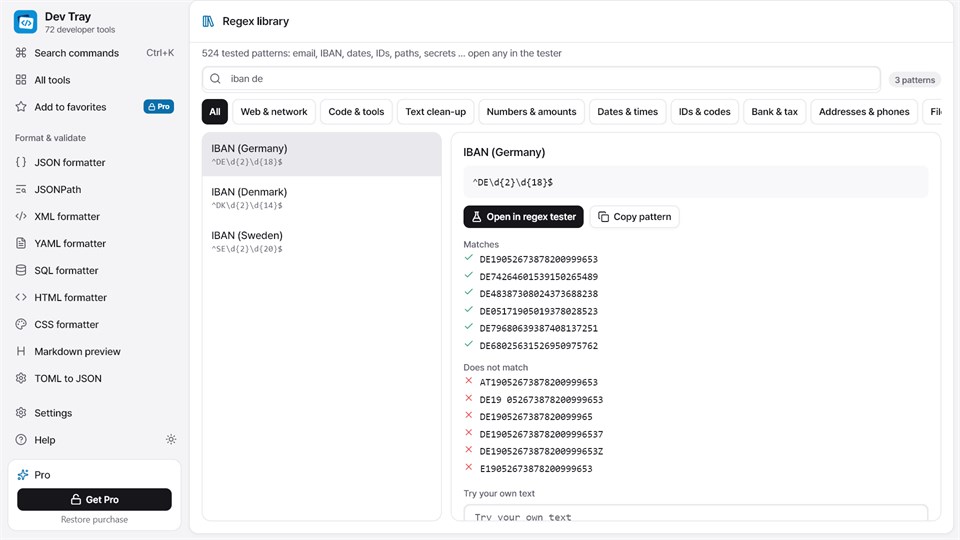
• Regex library: 524 patterns tested against their examples (email, URLs, IBAN for 76 countries, VAT numbers, postal codes, phone numbers, dates, IDs) – open any of them in the tester
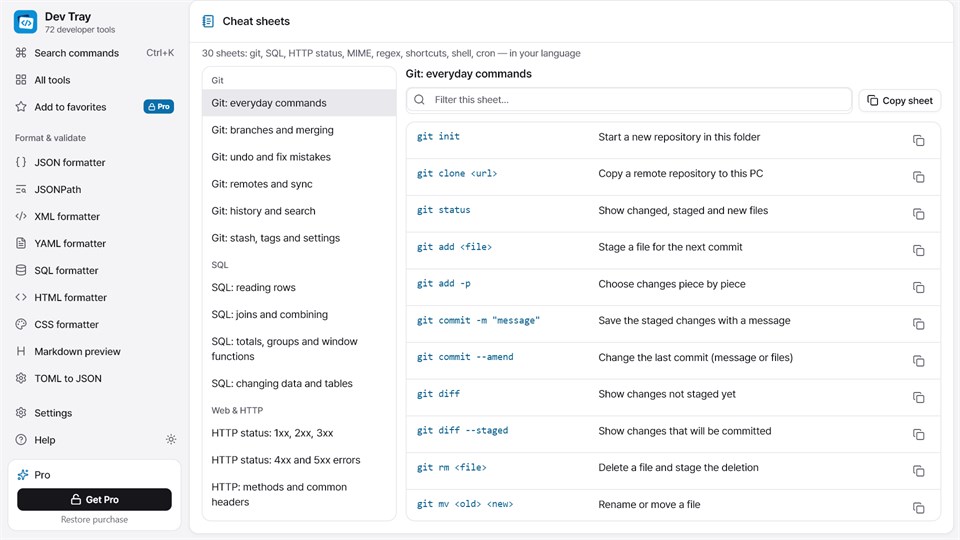
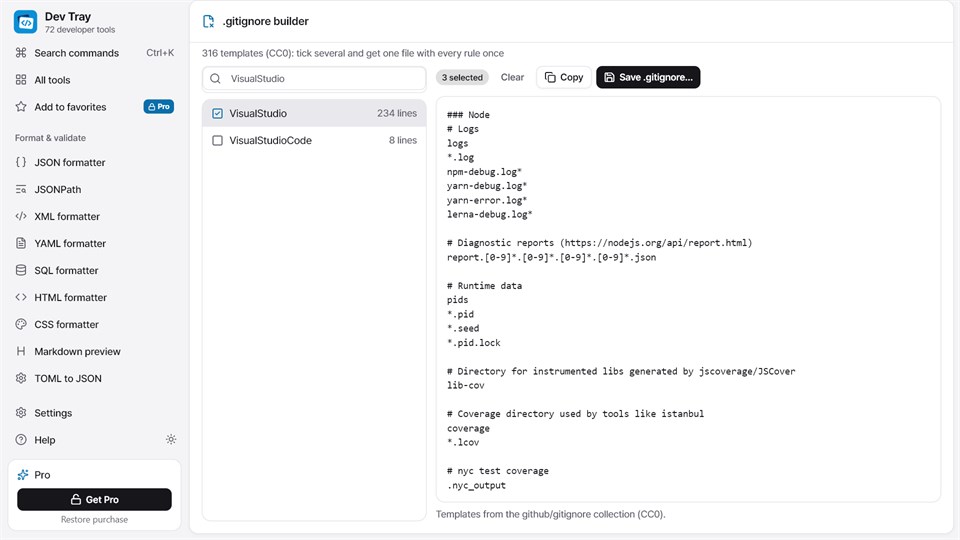
• 30 cheat sheets (Git, SQL, HTTP, regex, keyboard shortcuts, shell, data formats) and 316 .gitignore templates you can combine and save
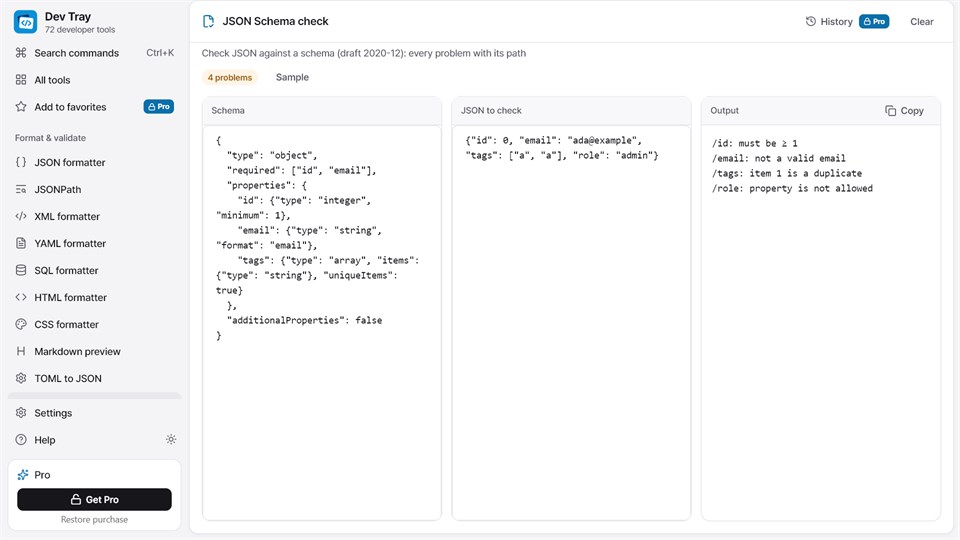
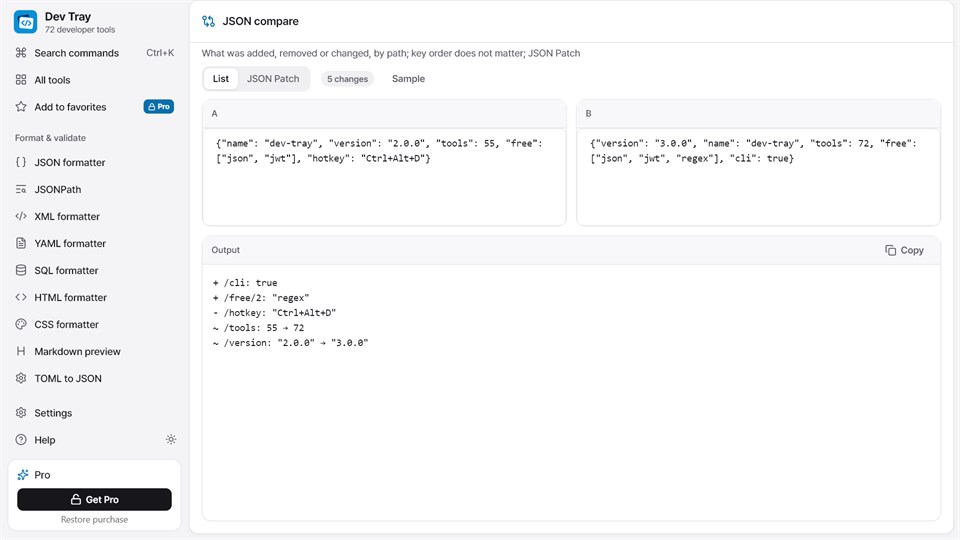
• New tools: JSON Schema check, JSON diff and patch, semantic versions, .env compare, invisible and look-alike characters, MessagePack, CBOR, protobuf, CSV ↔ SQL, curl to code, SVG minify
• Command line: every text tool as devtray with standard input and output and --json; chain tools in one line (base64:decode gzip:decode json)
• Calculate hash with Dev Tray from the File Explorer menu for up to 50 files; Dev Tray can start with Windows in the tray (off until you turn it on)
Free for personal and business use. No ads, no account, no subscription. No charge at the last step: limits are shown up front. Works offline. Never changes your default apps without asking.
No usage tracking or analytics. Sharp on high-DPI screens and across monitors with different scaling. Help › About › Delete all app data removes its settings, history and caches.
FREE VS PRO
Free version:
• 70 of the 72 tools without limits (everything except folder checksums and multi-file replace), including file hashes of any size, HMAC, bcrypt, JWT signing, regex replace and text compare
• Smart paste, the quick window with a global shortcut and the tray icon
• Regex library (524), 30 cheat sheets, 316 .gitignore templates, the command line for every text tool and chains of up to 3 tools
Pro (optional one-time in-app purchase, no subscription):
• Recognize what you copy, shown on the tray icon (Pro only)
• Input history and saved snippets for every tool (Pro only)
• Folder checksums: create and verify SHA256SUMS (Pro only)
• Find and replace in many files, with preview and undo (Pro only)
• Code generation options: nullable fields and naming (Pro only)
• Favorite tools pinned at the top, in your order (Pro only)
• Saved tool chains of any length, devtray recipe and folder commands (folderhash, replace) on the command line (Pro only)
개발자 소식
개발자이신가요?
페이지 맨 위에 소식을 올리면 팔로워에게 이메일로 전달됩니다. YouTube 동영상을 추가하면 “동영상” 블록 맨 앞에 표시됩니다.
목록 0
-
 Dev Tray: Developer Toolbox
포인트 0
-

- +1 포인트

순위 0
-
- 내 평점
개발자 20
- EarnToLink
- 팔로워: 0
- 플랫폼: Windows 앱 (20)
- 할인: 0
- 목록: 0 0
- 포인트: 0
- 순위: 0
- 댓글: 0
- 동영상: 0
- RSS: 구독
새로운 기능
- 버전: PC
- 마지막 업데이트:
- Dev Tray 3.0 – 72 tools (70 free). New: regex library with 524 patterns tested against their examples, 30 cheat sheets and 316 .gitignore templates you can merge. New tools: JSON Schema check, JSON diff, semver, .env compare, invisible characters, MessagePack, CBOR, protobuf, CSV ↔ SQL, curl to code, SVG minify. Every text tool on the command line (devtray), chains of up to 3 tools. Calculate hash with Dev Tray in File Explorer. Ctrl+K command palette. Large JSON (50 MB) stays smooth.
추가 정보
 https://earntolink.com/help/dev-tray/
AppAgg 점수
1,310
AppAgg 예상 점수:
Dev Tray: Developer Toolbox
개발자: EarnToLink
1,310 골드
점수가 높을수록 대체로 AppAgg의 여러 지표에서 좋은 결과를 보인다는 뜻입니다.
기준: 인기 · 사용자 평점 · 최신성 · 할인 · 스토어 데이터 · 커뮤니티 활동
최신 AppAgg 데이터를 바탕으로 매일 다시 계산됩니다.
웹사이트용 배지:  복사됨!
댓글 0 ¡
가장 먼저 댓글을 남겨주세요
공유하기
Dev Tray: Developer Toolbox 단축 URL: 복사됨!- Windows Store


