
Favoritos
| Desenvolvedor: | EarnToLink (20) | ||
| Preço: | * Grátis Novo | ||
| Pontuação: | 1.310 Ouro | ||
| Classificações: | 0 | ||
| Comentários: | 0 Postar comentário | ||
| Listas: | 0 0 | ||
| Pontos: | 0 | ||
| +1 Ponto | |||
Resumo
Dev Tray: Developer Toolbox é um app da categoria “Ferramentas de desenvolvedor”, criado por EarnToLink.
Lançamento: saiu , então você está entre os primeiros.
Entrar é grátis, mas a lojinha lá dentro está aberta.
A Microsoft Store já vem integrada ao Windows, então instala em dois cliques.
A Pontuação AppAgg é 1.310. É nível Ouro.
Só 22 megabytes, cabe até num disco lotado.
Classificação indicativa “EVERYONE”: serve para crianças também.
Fala 9 idiomas, inclusive português.
Ninguém no AppAgg avaliou ainda. Sua chance de ser o primeiro é agora.
O desenvolvedor tem mais 19 apps no AppAgg. Vale dar uma olhada.
Quer saber das atualizações e dos apps novos antes de todo mundo? Siga o desenvolvedor ou assine o feed RSS. As notificações push chegam pelo app AppAgg Alerts para Android e iOS.
Outras plataformas 0
 | Dev Tray: Developer ToolboxWindows Store1K OuroWindowsCompras no aplicativo | Grátis |
Por enquanto, só nesta loja.
Histórico de preços 0
- Preço atual: Grátis
- Mínimo: Grátis
- Máximo: Grátis
Seu próprio feed na página inicial
Capturas de tela 10
Descrição
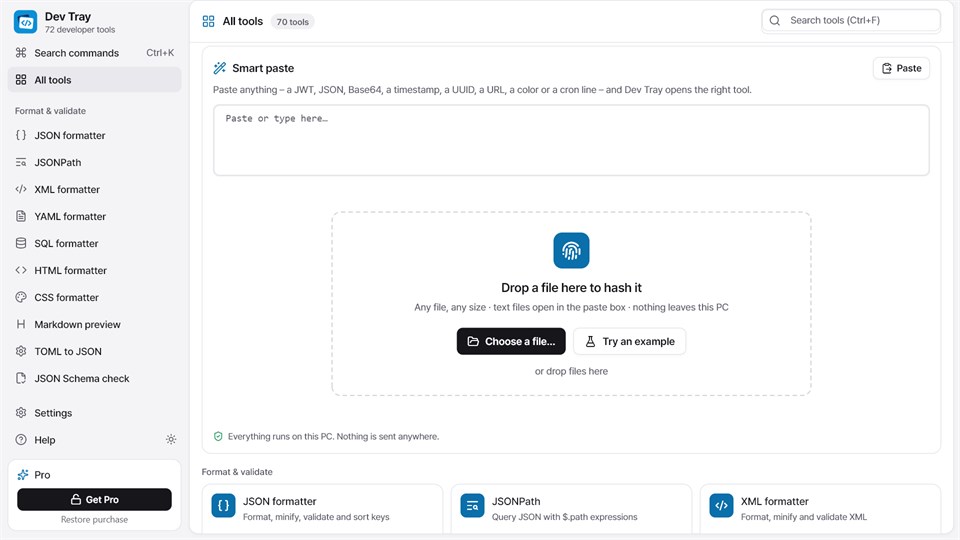
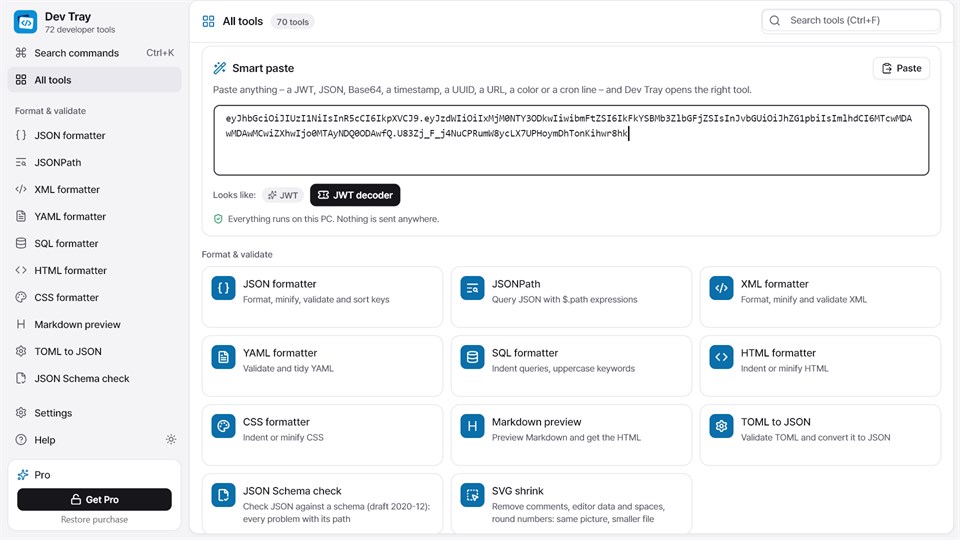
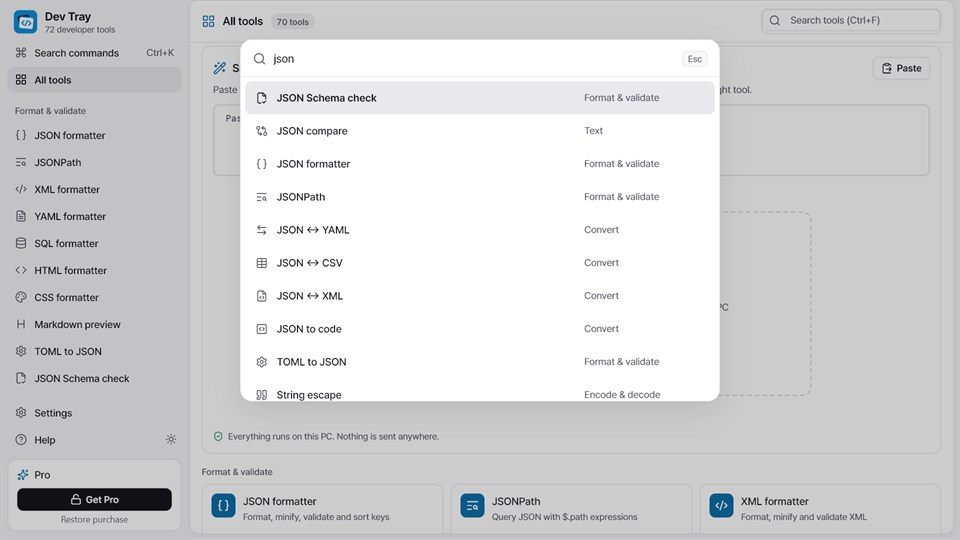
• Smart paste: Dev Tray recognizes JWTs, JSON, Base64, timestamps, UUIDs, URLs, colors, cron lines, IP ranges and hashes and opens the matching tool
• Quick window: press Ctrl+Alt+D in any app, paste, copy the result and get back to work; Dev Tray can stay in the tray
• Format and validate: JSON (sort keys, JSONPath), XML, YAML, SQL, HTML, CSS, TOML and a Markdown preview
• Convert: JSON ↔ YAML, CSV and XML, JSON to TypeScript, C#, Dart, Go, Python, Java, Kotlin and Rust classes, number bases, Unix time, colors with WCAG contrast, cron, chmod and naming case
• Encode and decode: Base64 for text and images, Base32, URL, HTML entities, Unicode and string escapes, hex dump, GZip
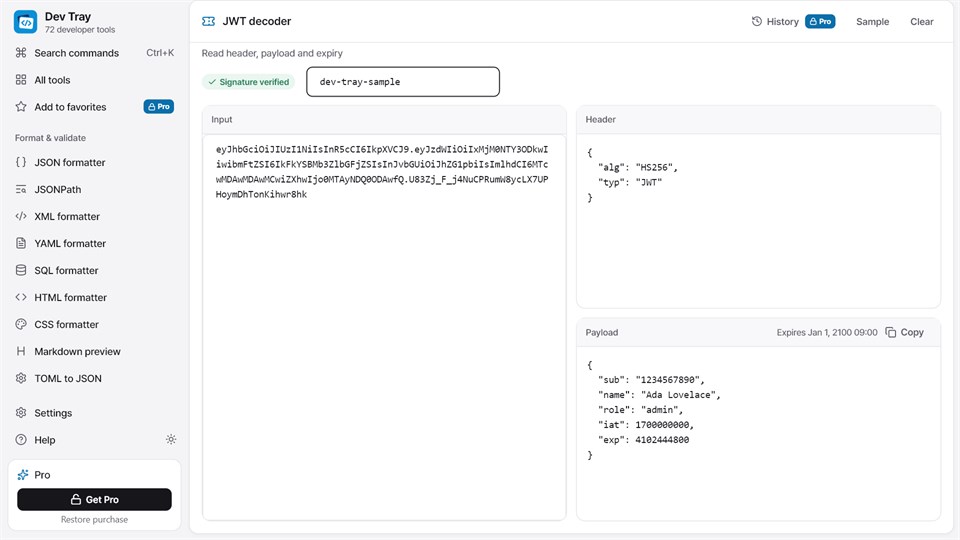
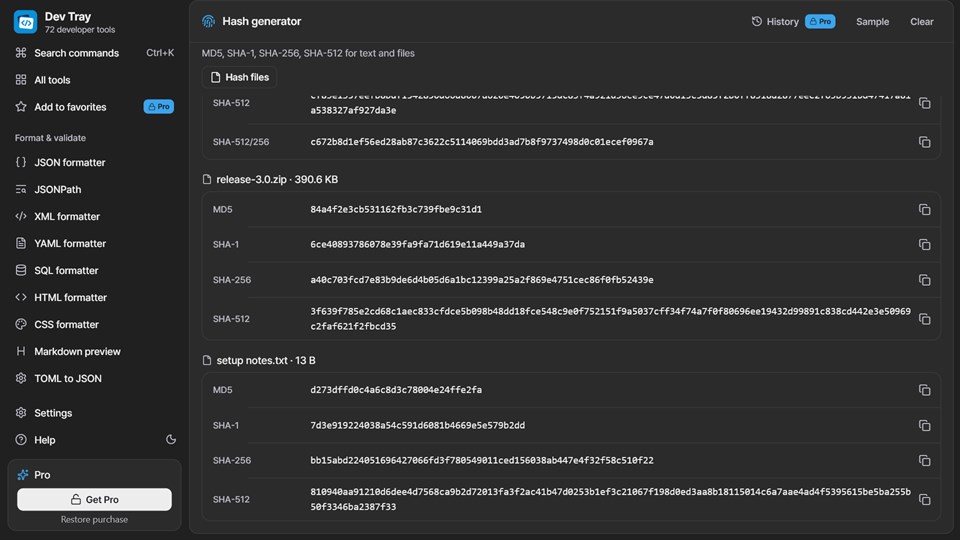
• Hashes and security: MD5, SHA-1, SHA-256 and SHA-512 for text and files of any size, HMAC, CRC-32 and other checksums, bcrypt, JWT decode, sign and verify, certificate decoder
• Generate and edit text: UUID v1/v4/v7, ULID, NanoID, passwords, Lorem ipsum, QR codes; text compare, regex tester, line tools, text counter; IPv4/IPv6 subnets, MAC, HTTP status codes, MIME types, User-Agent
• Private: everything runs on your PC and works offline. No account, no ads, no tracking
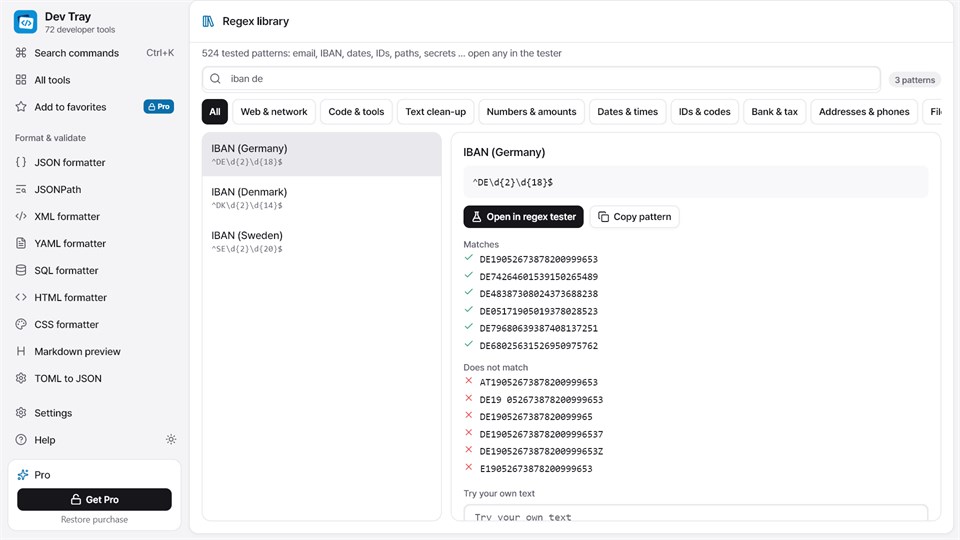
• Regex library: 524 patterns tested against their examples (email, URLs, IBAN for 76 countries, VAT numbers, postal codes, phone numbers, dates, IDs) – open any of them in the tester
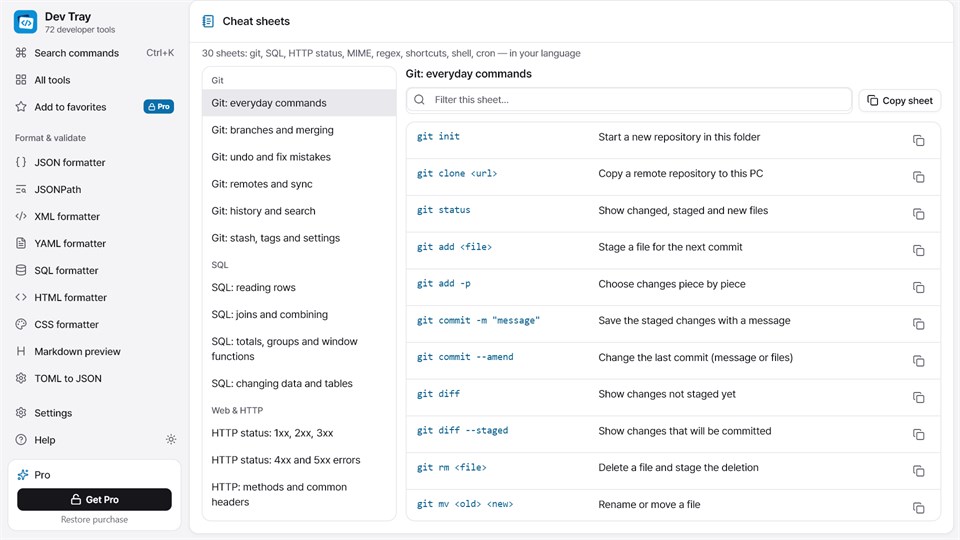
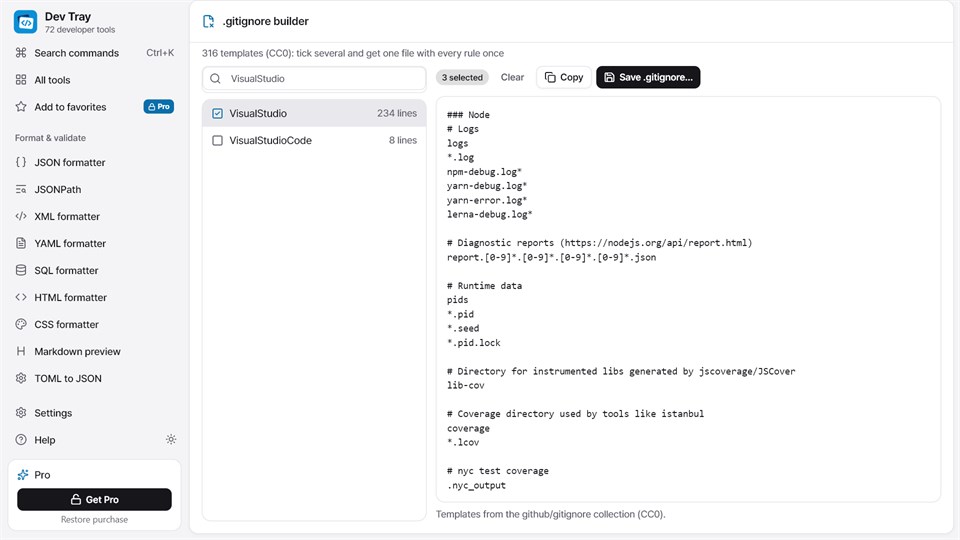
• 30 cheat sheets (Git, SQL, HTTP, regex, keyboard shortcuts, shell, data formats) and 316 .gitignore templates you can combine and save
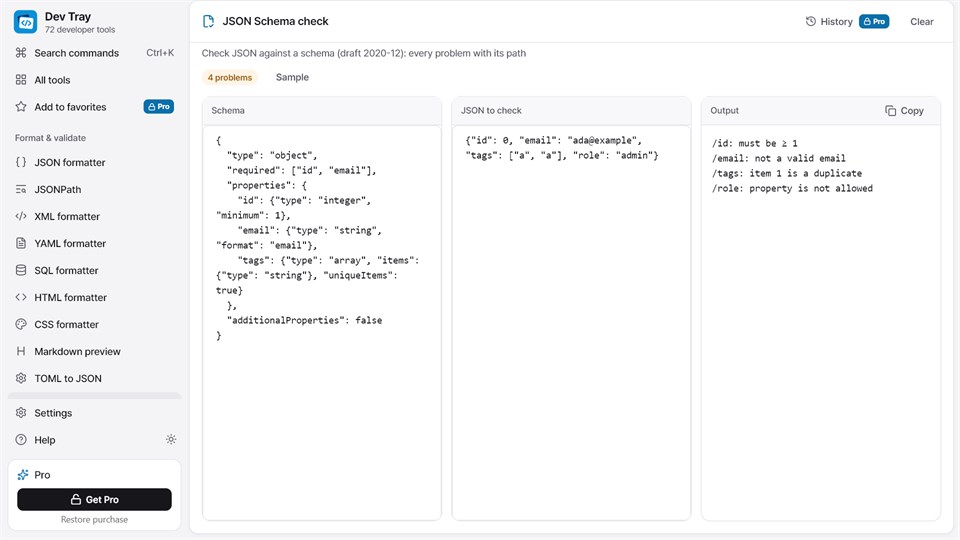
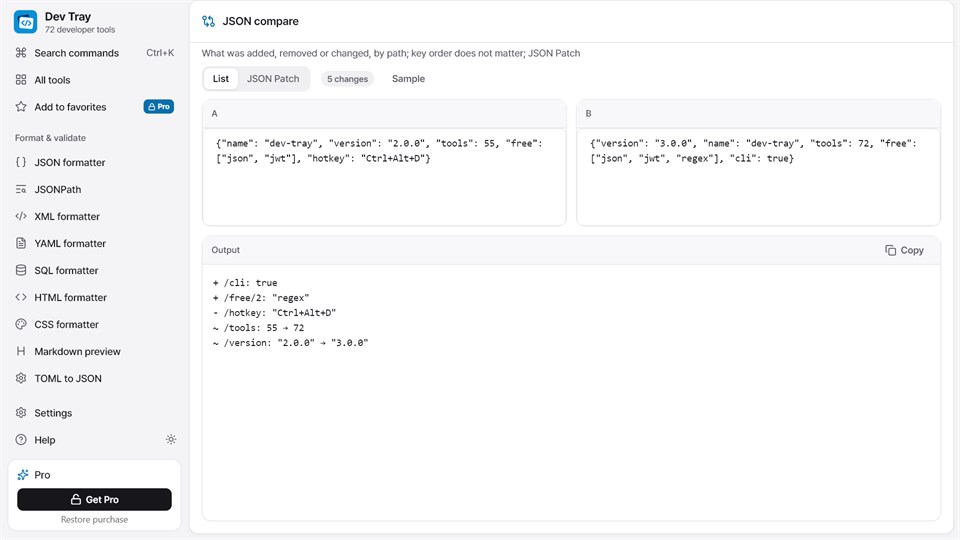
• New tools: JSON Schema check, JSON diff and patch, semantic versions, .env compare, invisible and look-alike characters, MessagePack, CBOR, protobuf, CSV ↔ SQL, curl to code, SVG minify
• Command line: every text tool as devtray with standard input and output and --json; chain tools in one line (base64:decode gzip:decode json)
• Calculate hash with Dev Tray from the File Explorer menu for up to 50 files; Dev Tray can start with Windows in the tray (off until you turn it on)
Free for personal and business use. No ads, no account, no subscription. No charge at the last step: limits are shown up front. Works offline. Never changes your default apps without asking.
No usage tracking or analytics. Sharp on high-DPI screens and across monitors with different scaling. Help › About › Delete all app data removes its settings, history and caches.
FREE VS PRO
Free version:
• 70 of the 72 tools without limits (everything except folder checksums and multi-file replace), including file hashes of any size, HMAC, bcrypt, JWT signing, regex replace and text compare
• Smart paste, the quick window with a global shortcut and the tray icon
• Regex library (524), 30 cheat sheets, 316 .gitignore templates, the command line for every text tool and chains of up to 3 tools
Pro (optional one-time in-app purchase, no subscription):
• Recognize what you copy, shown on the tray icon (Pro only)
• Input history and saved snippets for every tool (Pro only)
• Folder checksums: create and verify SHA256SUMS (Pro only)
• Find and replace in many files, with preview and undo (Pro only)
• Code generation options: nullable fields and naming (Pro only)
• Favorite tools pinned at the top, in your order (Pro only)
• Saved tool chains of any length, devtray recipe and folder commands (folderhash, replace) on the command line (Pro only)
Do desenvolvedor
Listas 0
-
 Dev Tray: Developer Toolbox
Pontos 0
-

- +1 Ponto

Classificações 0
-
- Sua nota
Desenvolvedor 20
- EarnToLink
- Seguidores: 0
- Plataformas: Windows Apps (20)
- Promoções: 0
- Listas: 0 0
- Pontos: 0
- Classificações: 0
- Comentários: 0
- Vídeos: 0
- RSS: Assinar
Novidades
- Versão: PC
- Última atualização:
- Dev Tray 3.0 – 72 tools (70 free). New: regex library with 524 patterns tested against their examples, 30 cheat sheets and 316 .gitignore templates you can merge. New tools: JSON Schema check, JSON diff, semver, .env compare, invisible characters, MessagePack, CBOR, protobuf, CSV ↔ SQL, curl to code, SVG minify. Every text tool on the command line (devtray), chains of up to 3 tools. Calculate hash with Dev Tray in File Explorer. Ctrl+K command palette. Large JSON (50 MB) stays smooth.
Informações adicionais
 https://earntolink.com/help/dev-tray/
Pontuação AppAgg
Pontuação AppAgg estimada de
Dev Tray: Developer Toolbox
Desenvolvedor: EarnToLink
Uma pontuação mais alta geralmente reflete resultados melhores nos indicadores do AppAgg.
Com base em: popularidade · avaliações dos usuários · atualidade · ofertas · dados das lojas · atividade da comunidade
Recalculado diariamente com dados AppAgg atualizados.
Comentários 0 ¡
Compartilhar
Dev Tray: Developer Toolbox URL curta: Copiado!- Windows Store

