
บุ๊กมาร์ก
| ผู้พัฒนา: | EarnToLink (20) | ||
| ราคา: | * ฟรี ใหม่ | ||
| คะแนน: | 1,310 ทอง | ||
| การจัดอันดับ: | 0 | ||
| ความคิดเห็น: | 0 โพสต์ความคิดเห็น | ||
| รายการ: | 0 0 | ||
| แต้ม: | 0 | ||
| +1 แต้ม | |||
สรุป
Dev Tray: Developer Toolbox เป็นแอปในหมวด “เครื่องมือสำหรับนักพัฒนา” จาก EarnToLink
มาใหม่ ออกเมื่อ คุณได้เป็นหนึ่งในคนกลุ่มแรก
เข้าฟรี แต่ร้านค้าข้างในเปิดอยู่นะ
Microsoft Store มีมาในตัว Windows อยู่แล้ว ติดตั้งได้ในไม่กี่คลิก
คะแนน AppAgg คือ 1,310 อยู่ระดับ “ทอง”
แค่ 22 เมกะไบต์ ต่อให้ไดรฟ์เต็มก็ยังลงได้
จัดเรต “EVERYONE” เหมาะกับเด็ก ๆ ด้วย
รองรับ 9 ภาษา แต่ยังไม่มีภาษาไทย
ยังไม่มีใครบน AppAgg ให้คะแนนเลย โอกาสเป็นคนแรกอยู่ตรงนี้แล้ว
ผู้พัฒนารายนี้มีแอปอื่นบน AppAgg อีก 19 แอป ลองไปดูกัน
อยากรู้เรื่องอัปเดตและแอปใหม่ก่อนใครไหม? ติดตาม ผู้พัฒนา หรือกดติดตาม ฟีด RSS ได้เลย การแจ้งเตือนแบบพุชส่งผ่านแอป AppAgg Alerts สำหรับ Android และ iOS
แพลตฟอร์มอื่น 0
ประวัติราคา 0
- ราคาปัจจุบัน: ฟรี
- ต่ำสุด: ฟรี
- สูงสุด: ฟรี
ฟีดของคุณเองบนหน้าแรก
ภาพหน้าจอ 10
คำอธิบาย

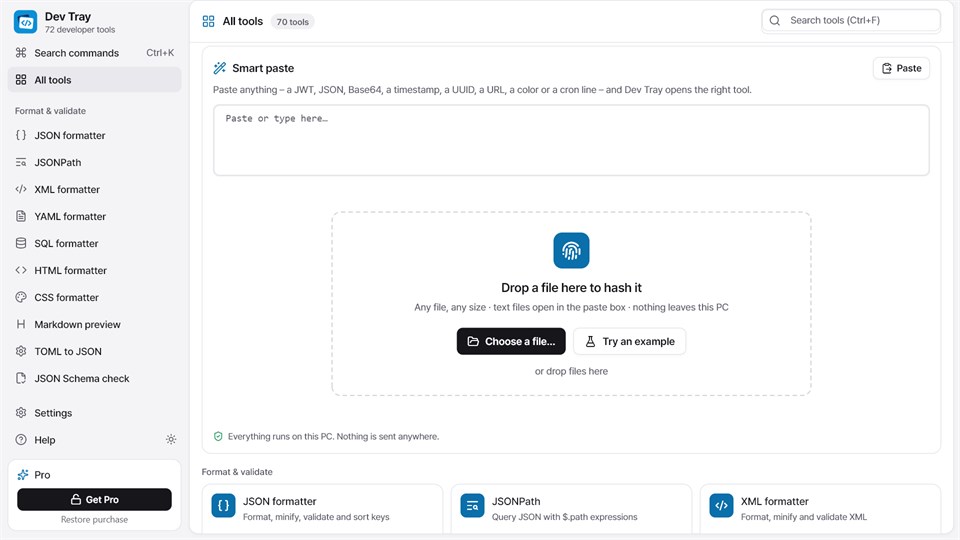
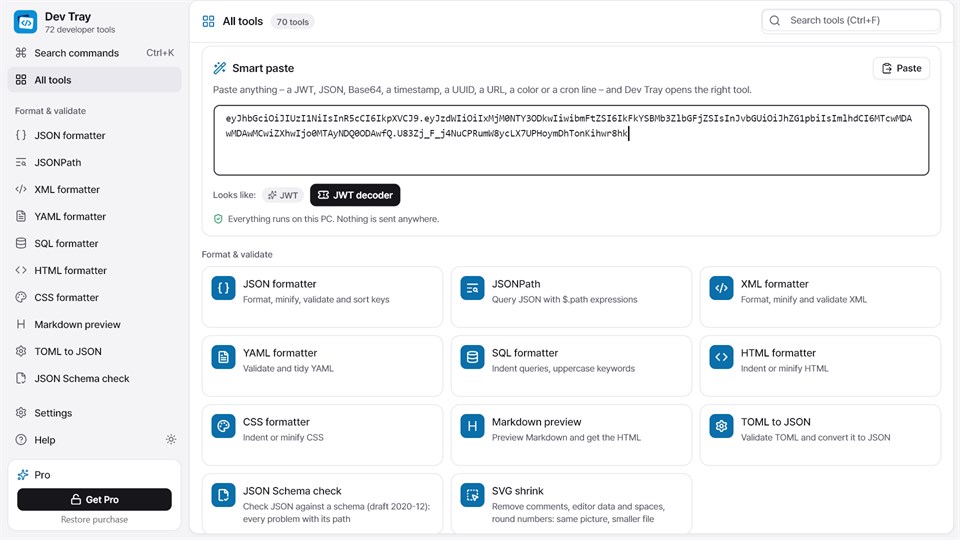
• Smart paste: Dev Tray recognizes JWTs, JSON, Base64, timestamps, UUIDs, URLs, colors, cron lines, IP ranges and hashes and opens the matching tool
• Quick window: press Ctrl+Alt+D in any app, paste, copy the result and get back to work; Dev Tray can stay in the tray
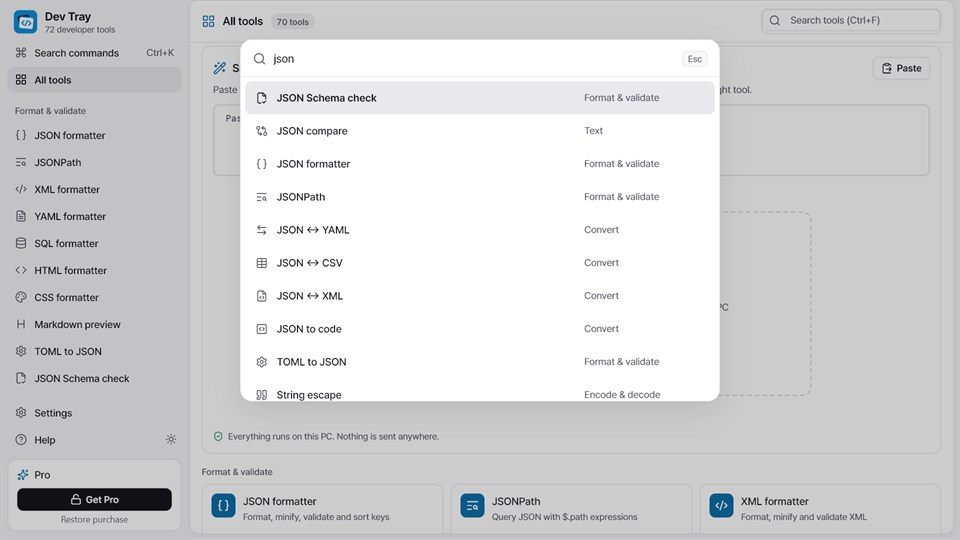
• Format and validate: JSON (sort keys, JSONPath), XML, YAML, SQL, HTML, CSS, TOML and a Markdown preview
• Convert: JSON ↔ YAML, CSV and XML, JSON to TypeScript, C#, Dart, Go, Python, Java, Kotlin and Rust classes, number bases, Unix time, colors with WCAG contrast, cron, chmod and naming case
• Encode and decode: Base64 for text and images, Base32, URL, HTML entities, Unicode and string escapes, hex dump, GZip
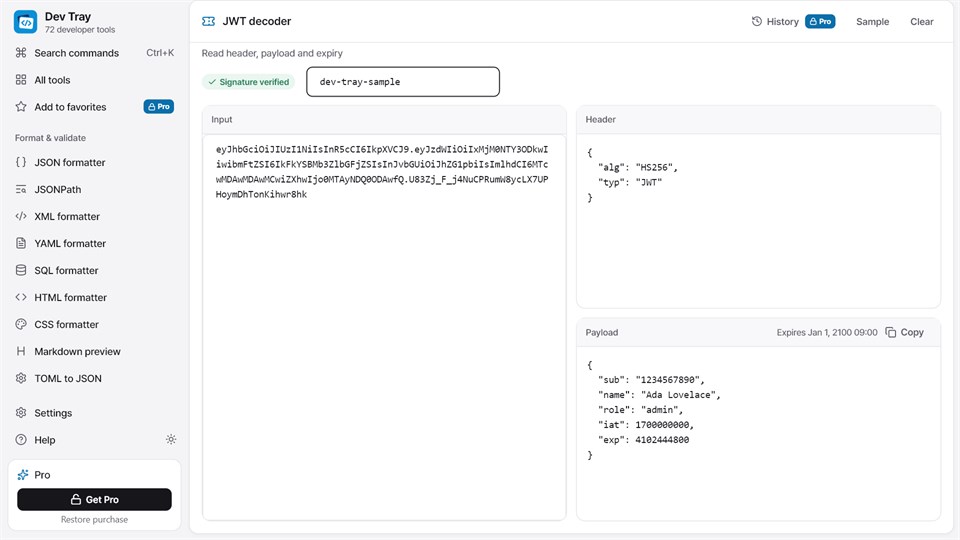
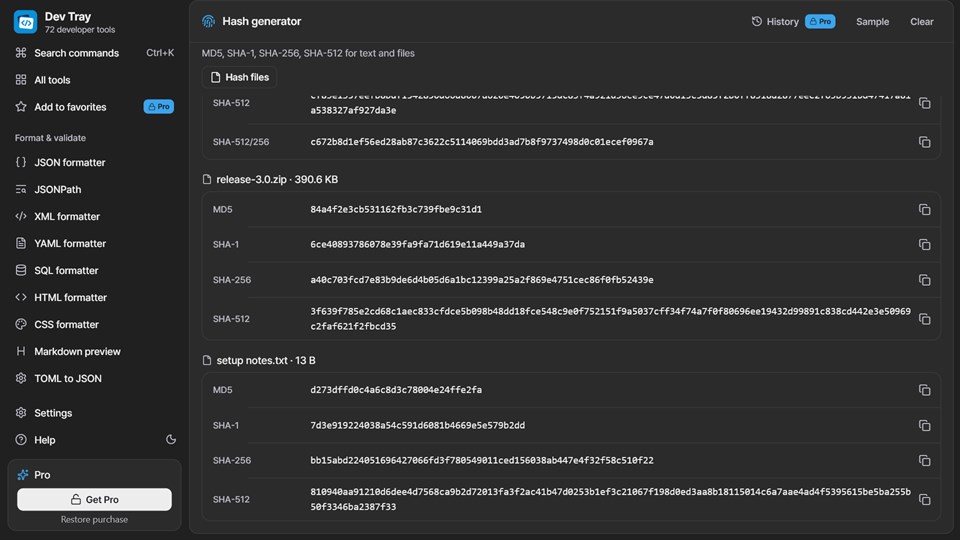
• Hashes and security: MD5, SHA-1, SHA-256 and SHA-512 for text and files of any size, HMAC, CRC-32 and other checksums, bcrypt, JWT decode, sign and verify, certificate decoder
• Generate and edit text: UUID v1/v4/v7, ULID, NanoID, passwords, Lorem ipsum, QR codes; text compare, regex tester, line tools, text counter; IPv4/IPv6 subnets, MAC, HTTP status codes, MIME types, User-Agent
• Private: everything runs on your PC and works offline. No account, no ads, no tracking
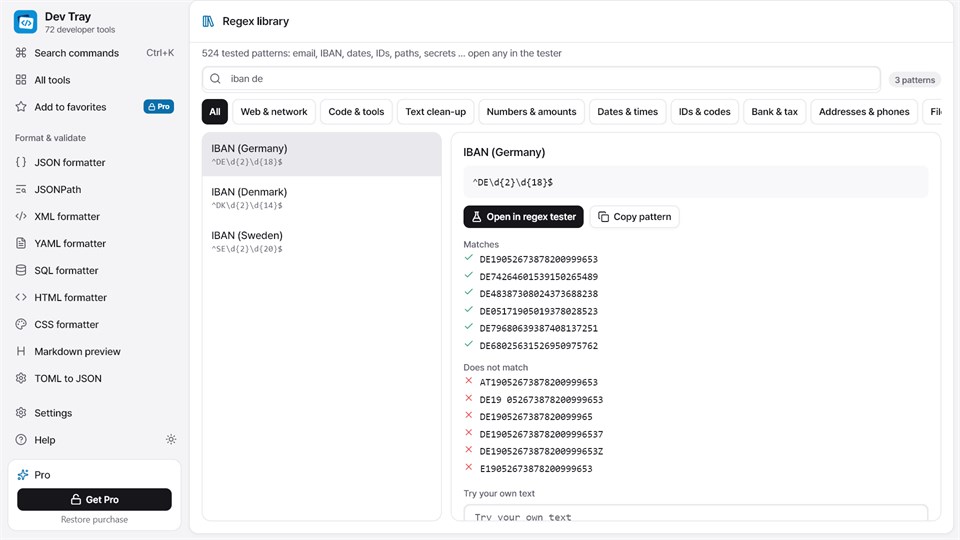
• Regex library: 524 patterns tested against their examples (email, URLs, IBAN for 76 countries, VAT numbers, postal codes, phone numbers, dates, IDs) – open any of them in the tester
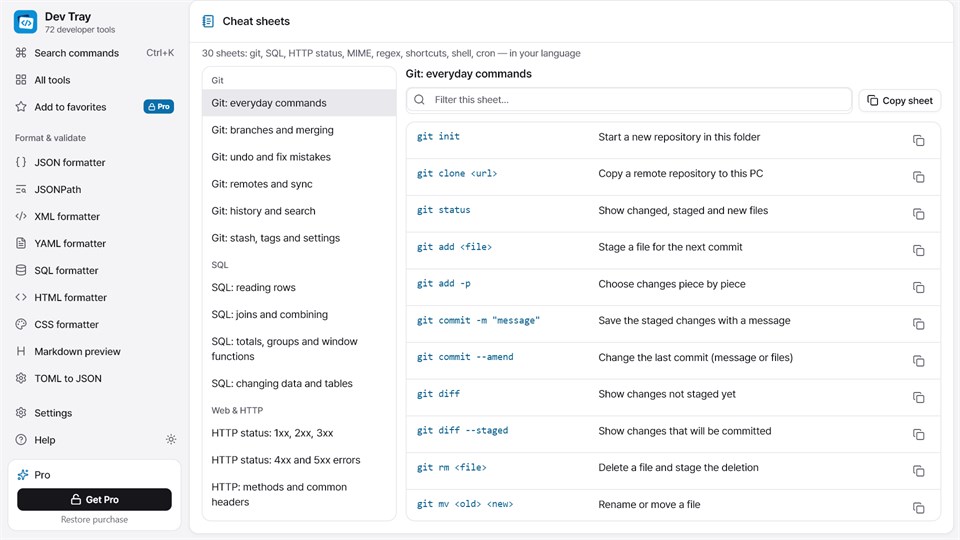
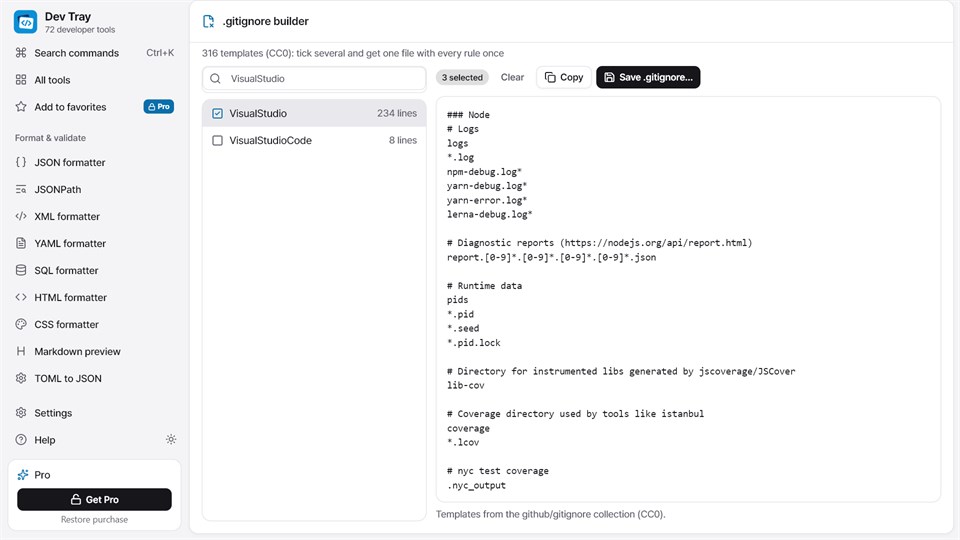
• 30 cheat sheets (Git, SQL, HTTP, regex, keyboard shortcuts, shell, data formats) and 316 .gitignore templates you can combine and save
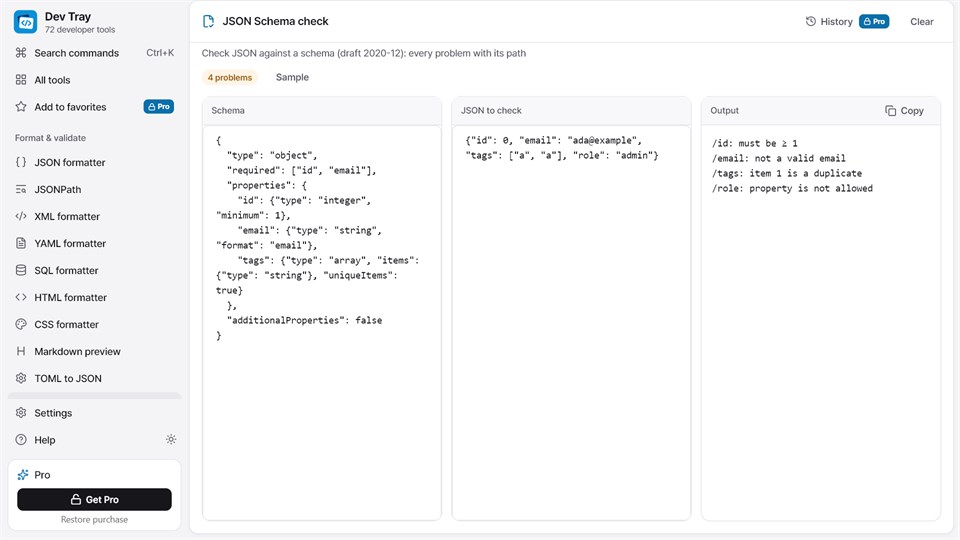
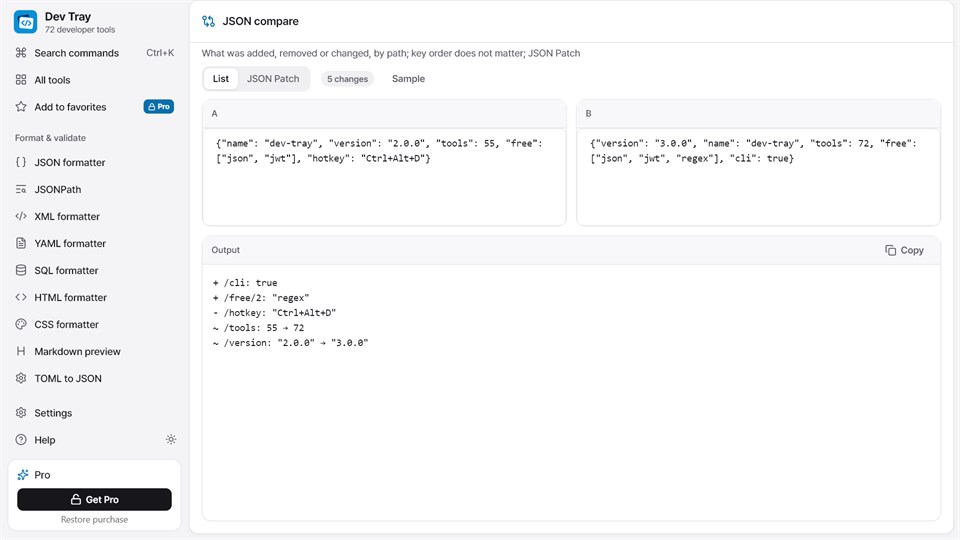
• New tools: JSON Schema check, JSON diff and patch, semantic versions, .env compare, invisible and look-alike characters, MessagePack, CBOR, protobuf, CSV ↔ SQL, curl to code, SVG minify
• Command line: every text tool as devtray with standard input and output and --json; chain tools in one line (base64:decode gzip:decode json)
• Calculate hash with Dev Tray from the File Explorer menu for up to 50 files; Dev Tray can start with Windows in the tray (off until you turn it on)
Free for personal and business use. No ads, no account, no subscription. No charge at the last step: limits are shown up front. Works offline. Never changes your default apps without asking.
No usage tracking or analytics. Sharp on high-DPI screens and across monitors with different scaling. Help › About › Delete all app data removes its settings, history and caches.
FREE VS PRO
Free version:
• 70 of the 72 tools without limits (everything except folder checksums and multi-file replace), including file hashes of any size, HMAC, bcrypt, JWT signing, regex replace and text compare
• Smart paste, the quick window with a global shortcut and the tray icon
• Regex library (524), 30 cheat sheets, 316 .gitignore templates, the command line for every text tool and chains of up to 3 tools
Pro (optional one-time in-app purchase, no subscription):
• Recognize what you copy, shown on the tray icon (Pro only)
• Input history and saved snippets for every tool (Pro only)
• Folder checksums: create and verify SHA256SUMS (Pro only)
• Find and replace in many files, with preview and undo (Pro only)
• Code generation options: nullable fields and naming (Pro only)
• Favorite tools pinned at the top, in your order (Pro only)
• Saved tool chains of any length, devtray recipe and folder commands (folderhash, replace) on the command line (Pro only)
จากนักพัฒนา
รายการ 0
-
 Dev Tray: Developer Toolbox
แต้ม 0
-

- +1 แต้ม

การจัดอันดับ 0
-
- คะแนนของคุณ
ผู้พัฒนา 20
- EarnToLink
- ผู้ติดตาม: 0
- แพลตฟอร์ม: Windows แอป (20)
- ลดราคา: 0
- รายการ: 0 0
- แต้ม: 0
- การจัดอันดับ: 0
- ความคิดเห็น: 0
- วิดีโอ: 0
- RSS: ติดตาม
มีอะไรใหม่
- เวอร์ชัน: PC
- อัปเดตล่าสุด:
- Dev Tray 3.0 – 72 tools (70 free). New: regex library with 524 patterns tested against their examples, 30 cheat sheets and 316 .gitignore templates you can merge. New tools: JSON Schema check, JSON diff, semver, .env compare, invisible characters, MessagePack, CBOR, protobuf, CSV ↔ SQL, curl to code, SVG minify. Every text tool on the command line (devtray), chains of up to 3 tools. Calculate hash with Dev Tray in File Explorer. Ctrl+K command palette. Large JSON (50 MB) stays smooth.
ข้อมูลเพิ่มเติม
 https://earntolink.com/help/dev-tray/
คะแนน AppAgg
คะแนน AppAgg โดยประมาณของ
Dev Tray: Developer Toolbox
ผู้พัฒนา: EarnToLink
คะแนนที่สูงขึ้นมักสะท้อนตัวชี้วัดที่ดีกว่าบน AppAgg
อิงจาก: ความนิยม · คะแนนจากผู้ใช้ · ความสดใหม่ · ดีล · ข้อมูลร้านค้า · กิจกรรมชุมชน
คำนวณใหม่ทุกวันจากข้อมูล AppAgg ล่าสุด
ความคิดเห็น 0 ¡
แชร์
Dev Tray: Developer Toolbox URL แบบสั้น: คัดลอกแล้ว!- Windows Store

