
북마크
이 북마크의 제목을 입력하세요.
북마크가 저장되었습니다
| 개발자: | Ryota Kimura (7) | ||
| 가격: | * 무료 | ||
| 종합 점수: | 1,110 실버 | ||
| 순위: | 0 | ||
| 댓글: | 0 댓글 게시 | ||
| 목록: | 0 + 0 | ||
| 포인트: | 0 + 0 ¡ | ||
| +1 포인트 | |||
스크린샷 8
광고
설명

Checking by eye is slow, things get missed, and it is hard to be sure you caught everything.
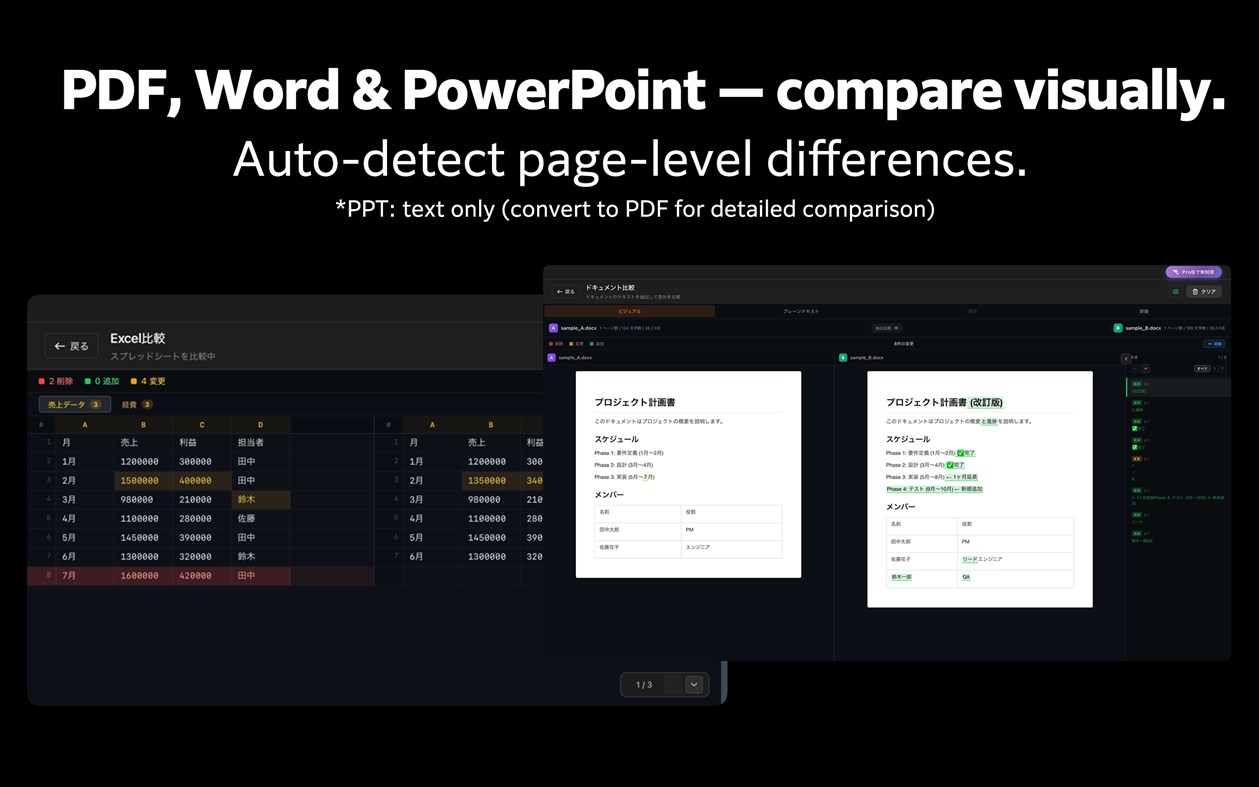
Diff Pro Max highlights the text and values that changed between two versions of a PDF, Excel or Word file. Just drag and drop them. Group versions of the same file as v1, v2… and follow the changes from the first draft to the latest.
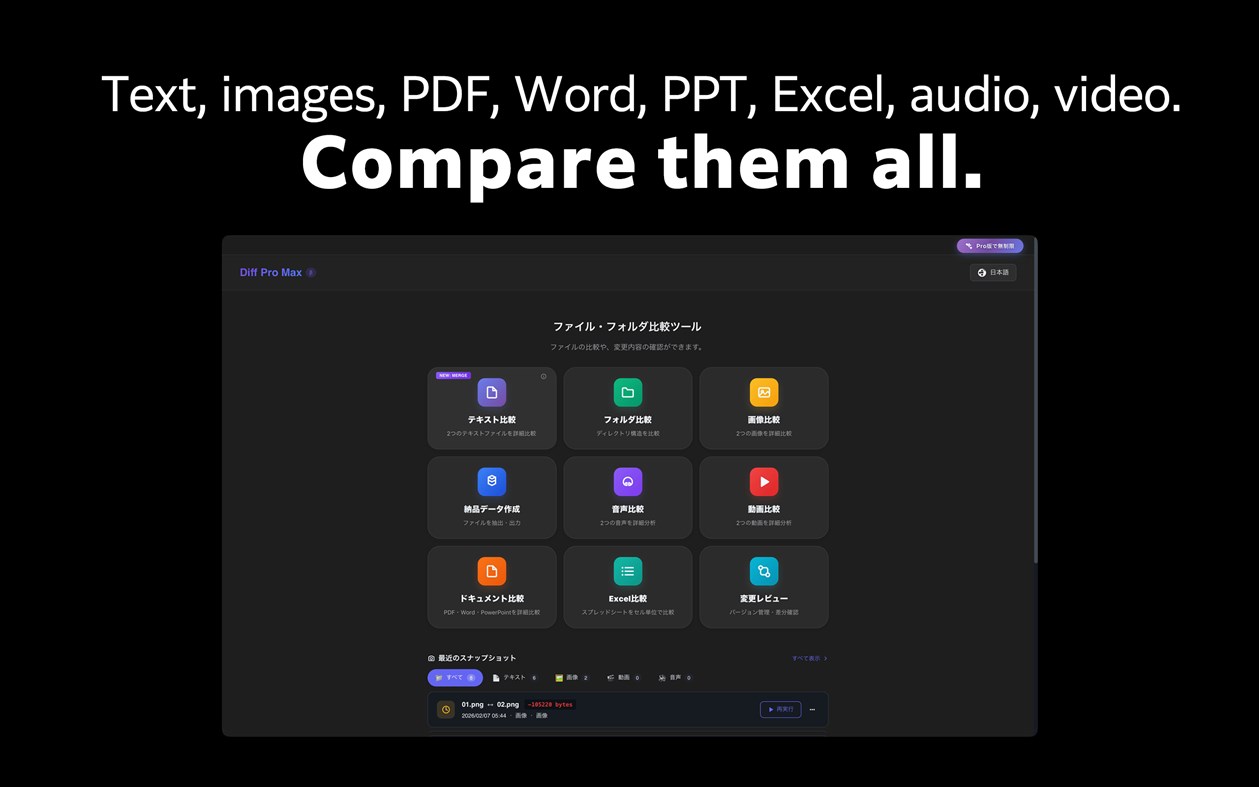
It also compares text, folders, images, audio and video.
Sound familiar?
• You need to verify which version of a document was sent to the client
• You're about to deliver, but want to double-check everything
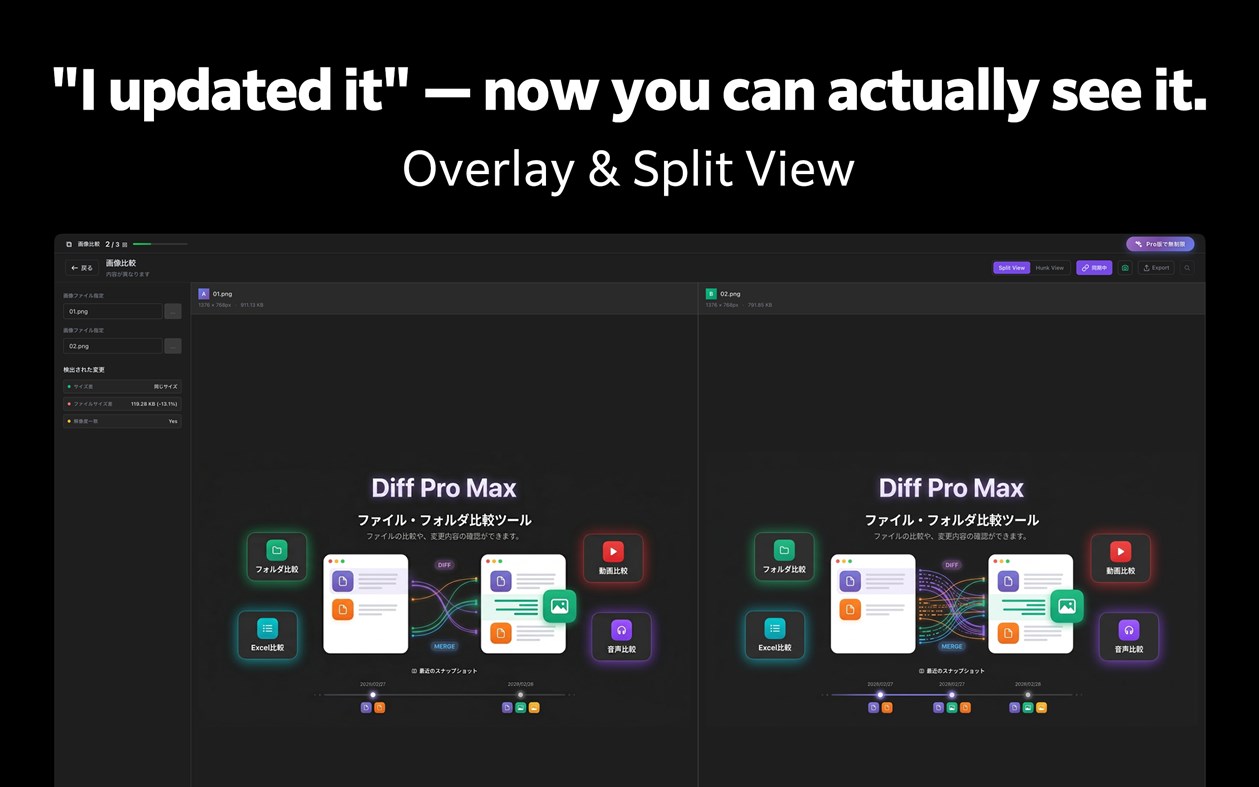
• The designer says "I updated it" but you can't spot the difference
• You edited the code, but can't remember exactly what changed
Diff Pro Max lets you compare, review, and merge — all in one place.
【Key Features】
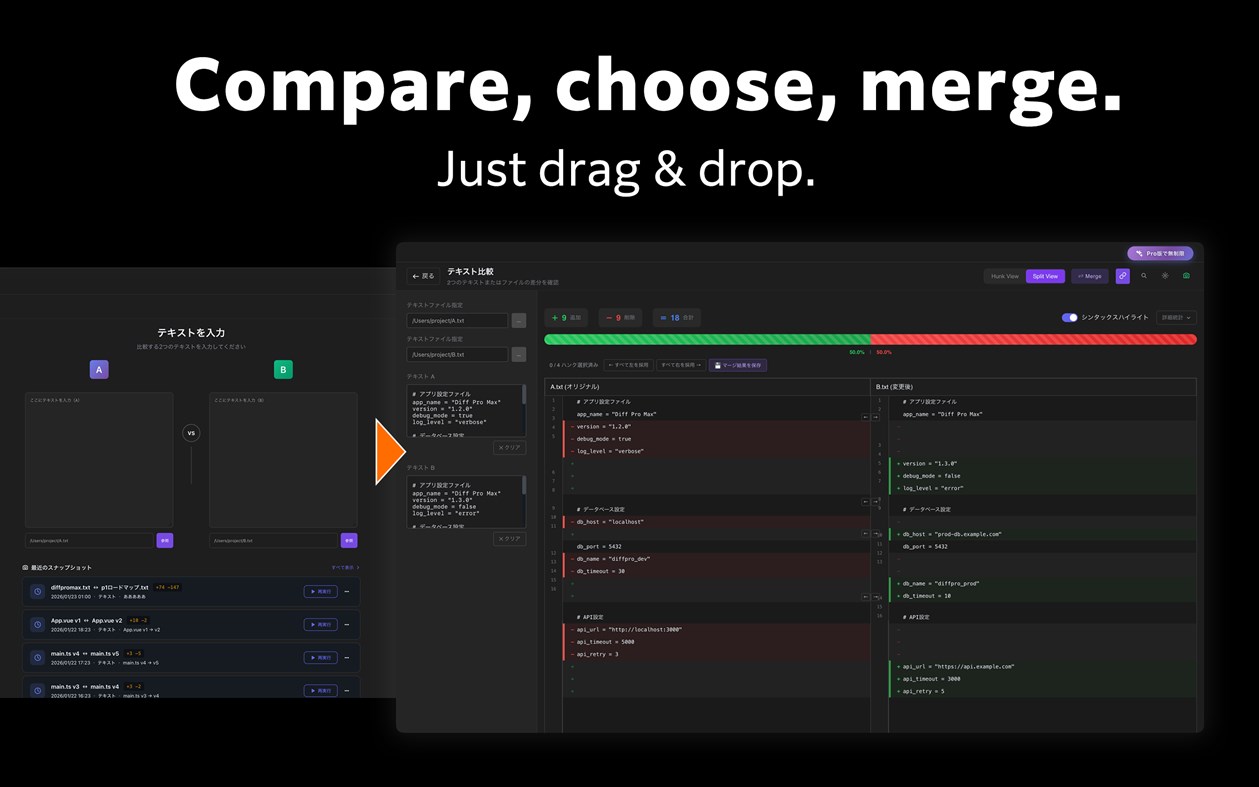
■ Text Compare
- Syntax highlighting for 20+ major languages
- Hunk View and Split View modes
- Inline diff for character-level changes
- Regex search and quick navigation
- Merge mode: select left or right per hunk and save the result [New]
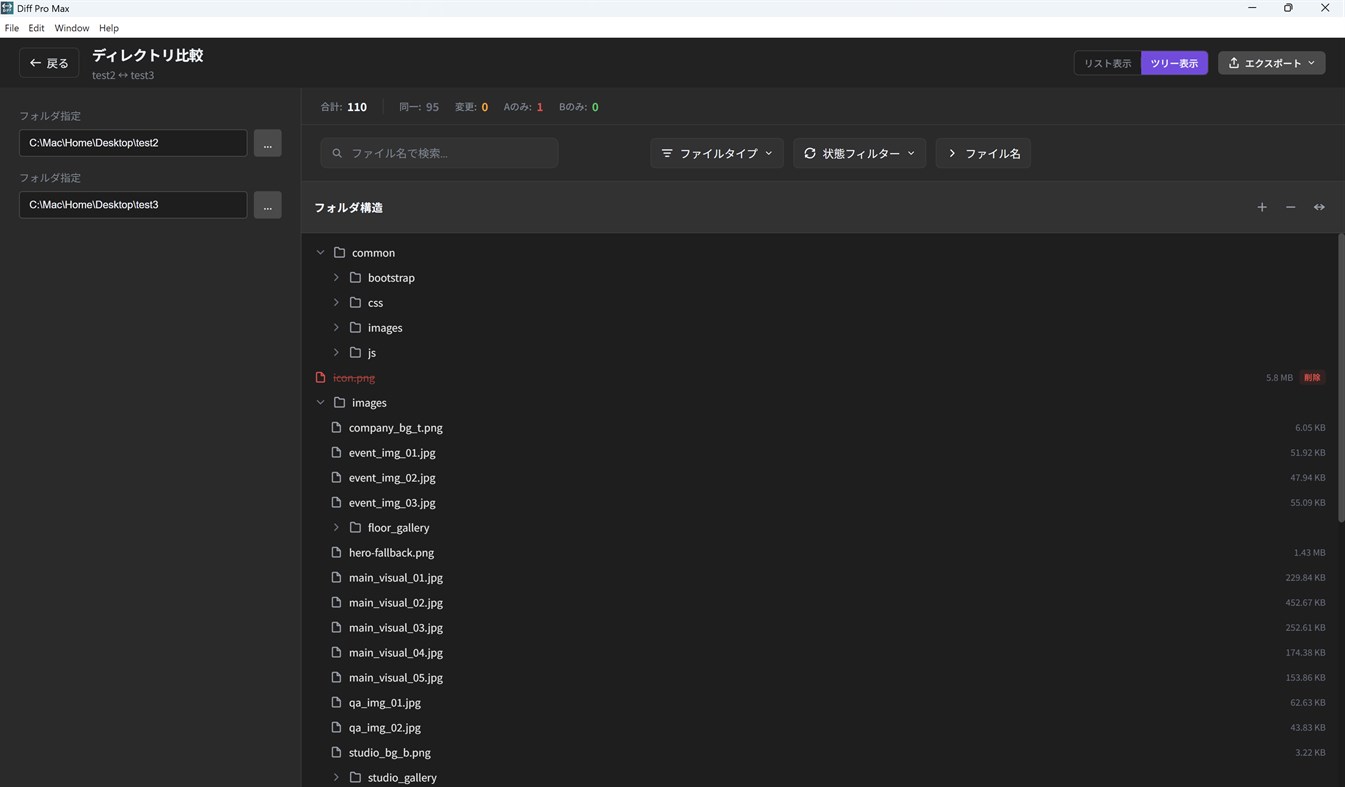
■ Folder Compare
- Hierarchical directory tree view
- Color-coded file status (added, changed, deleted)
- Exclusion patterns to skip unwanted files
- Date range filtering for specific periods
- Fast performance with 1000+ files
■ Image Compare
- Side-by-side visual comparison
- Overlay mode for detailed diff
- Synced zoom and pan controls
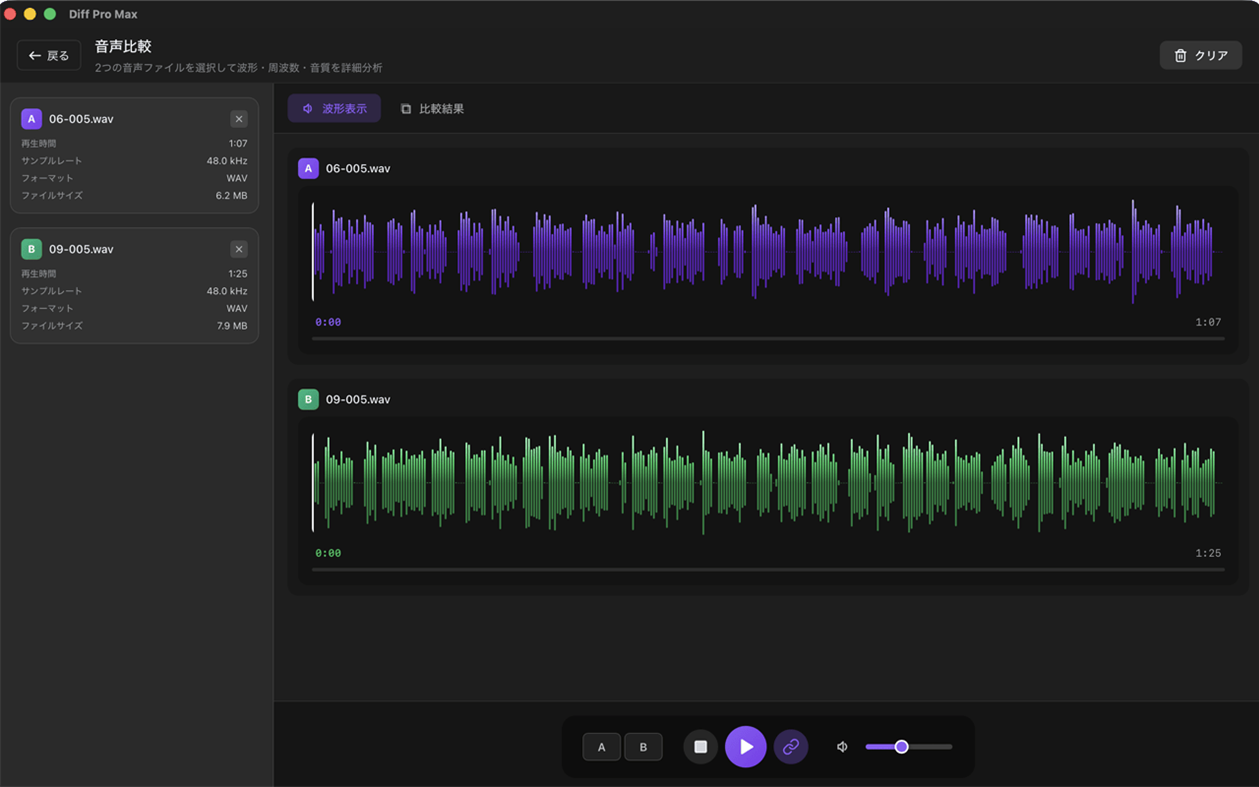
■ Audio Compare
- Waveform visualization for visual comparison
- Synchronized playback to hear differences
- Metadata comparison (format, bitrate, sample rate, etc.)
- Supports MP3, WAV, AAC, FLAC and more
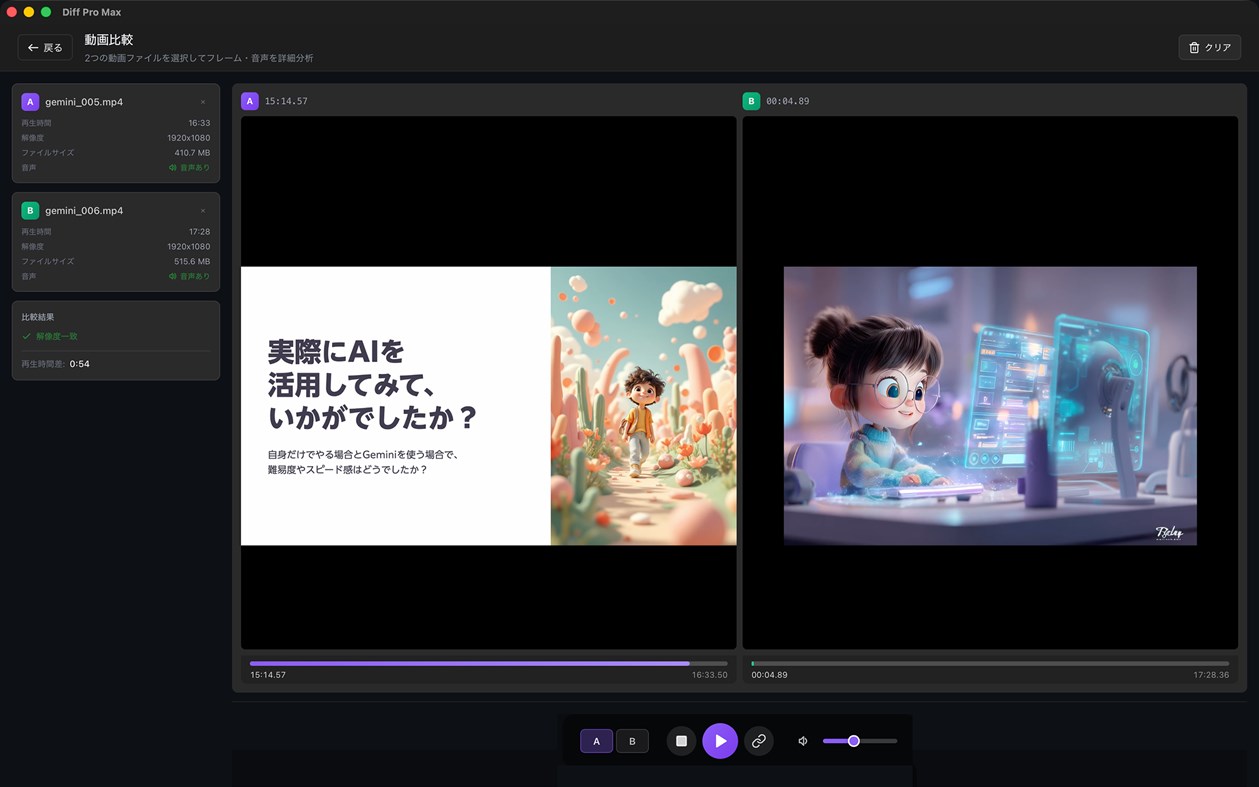
■ Video Compare
- A/B switching for instant comparison
- Synchronized playback mode
- Supports MP4, MOV, WebM, AVI, MKV and more
■ Document Compare [New]
- Visual comparison for PDF, Word, and PowerPoint
- On-device OCR for scanned PDFs with no text layer (Pro) — documents are never uploaded
- Page-level diff detection with overlay view
- Page sync and scroll sync
■ Excel Compare [New]
- Cell-level diff for spreadsheets
- Color-coded additions, changes, and deletions
- Multi-sheet comparison
■ Change Review (Version Compare) [New]
- Group versions of the same file and compare them as v1, v2, …
- Instantly compare with past versions
- Drag to reorder versions; numbers and diff summaries update automatically
- Add a comparison to a group right when you save it
- Supports all file types: text, image, audio, video, documents, Excel
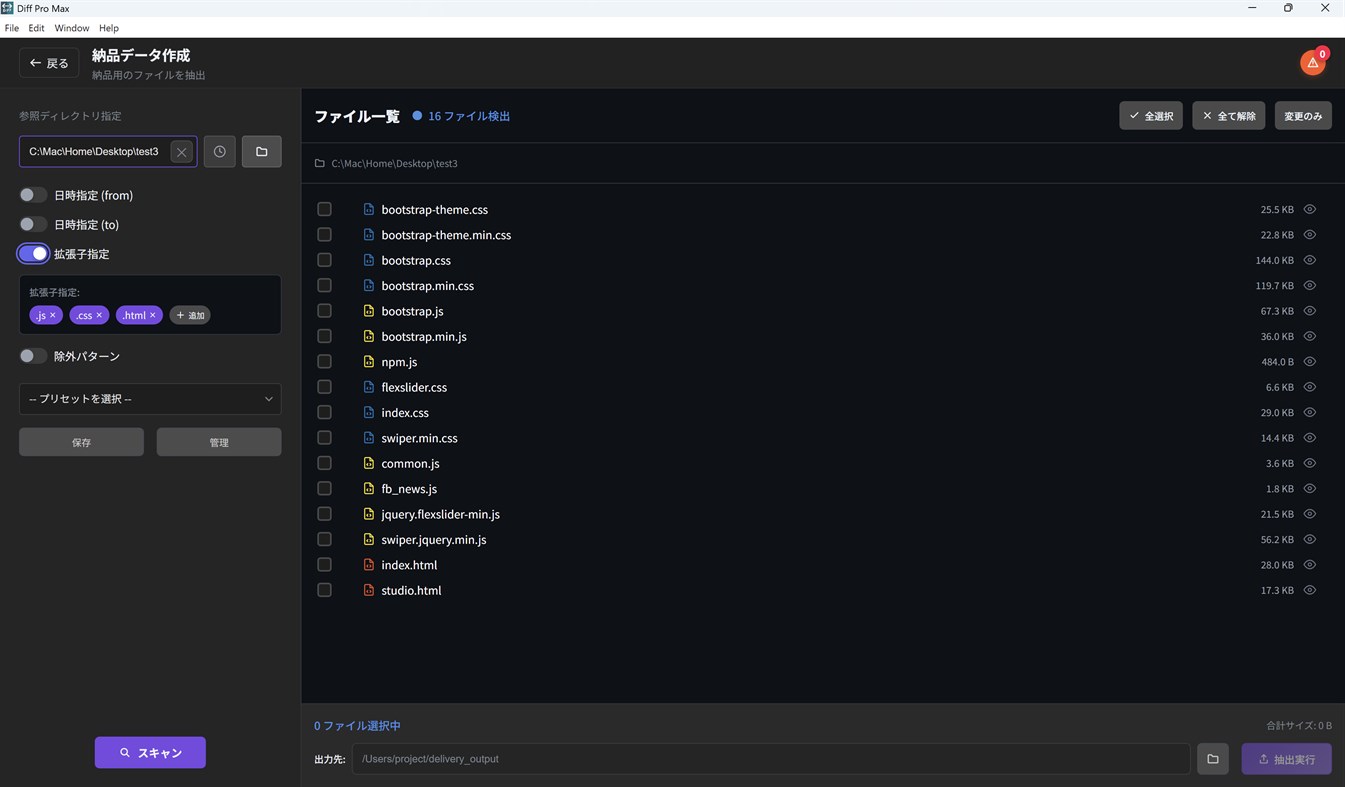
■ Delivery Package
- Extract files for FTP upload efficiently
- Preserve directory structure
- Includes a tree-style folder structure listing (file_tree.txt)
- Auto-detect updated files by date range
- Save and reuse settings with presets
- Preview CSV, TSV, PPTX, and PDF files before extraction
【Additional Features】
- Multilingual support (English / Japanese / German / French)
- Dark mode and Light mode
- Intuitive drag & drop interface
- Preset manager for frequently used settings
- History for quick replay of past comparisons
- Multiple export formats (TXT, CSV, HTML)
【Perfect For】
- Web Designers — Compare design mockups
- Project Managers — Delivery data creation and management
- Writers & Editors — Track manuscript revisions
- Business Professionals — Manage contract and proposal changes
- Video & Audio Creators — Compare edits and mixes
- Students & Researchers — Version control for papers and reports
- Software Engineers — Code diffs, config file merging
- Everyone — Track changes in important documents and files
【Pro】One-time purchase
- Unlimited comparisons for all modes
- Unlimited text merge
- Export to CSV and HTML
- On-device OCR for scanned PDFs
- More groups and versions in Change Review (an add-on removes the limits)
- Advanced filtering and presets
- No watermark
Free version includes unlimited text comparison. Other modes allow 3 uses per day.
다른 플랫폼 1
| Diff Pro Max - File CompareWindows Store1K 실버현재 페이지인앱 구매 | 무료 |
 | Diff Pro Max - File CompareMac App Store1K 실버인앱 구매 $9.99 – $14.99 | 무료 |
가격 내역 0
- 현재 가격: 무료
- 최소: 무료
- 최대: 무료
목록 0
0
-
 Diff Pro Max - File Compare
포인트 0
0
순위 0
-

- 내 평점

댓글 0 ¡
가장 먼저 댓글을 남겨주세요
개발자 7
새로운 기능
- 버전: PC
- 마지막 업데이트:
- Change Review is even easier to use
- Reorder the versions in a group by dragging the handle (the ↑↓ keys work too). Version numbers follow the new order, and the change summary is updated.
- When you save a comparison, you can add it to a group right in the Save dialog — pick an existing group or create a new one.
Image compare
- ICO images can now be compared.
- If you choose an image format that cannot be compared, the app tells you.
Audio compare
- The score is now labeled "File info match", with a note that the audio content itself is not compared.
Bug fixes
- Fixed: rerunning a comparison from "Recent Snapshots" while the same compare screen was open did nothing.
- Fixed: the limit notice on the purchase screen now shows the correct Pro limits for groups and versions.
- Fixed: keeping the store's sign-in window open for a long time during a purchase or restore no longer shows a timeout error.
추가 정보
 https://rkpg.net/diffpromax/index.html
AppAgg 점수
1,110
AppAgg 예상 점수:
Diff Pro Max - File Compare
개발자: Ryota Kimura
1,110 실버
점수가 높을수록 대체로 AppAgg의 여러 지표에서 좋은 결과를 보인다는 뜻입니다.
기준: 인기 · 사용자 평점 · 최신성 · 할인 · 스토어 데이터 · 커뮤니티 활동
최신 AppAgg 데이터를 바탕으로 매일 다시 계산됩니다.
웹사이트용 배지:  복사됨!
복사됨!
요약
Diff Pro Max - File Compare 단축 URL: 복사됨!- Windows Store
AppAgg에서 앱 ‘Diff Pro Max - File Compare’의 정보를 확인할 수 있습니다. 개발자: Ryota Kimura. 플랫폼: Windows. 카테고리: 개발자 도구. AppAgg 점수: 1,110 (실버). 이 앱의 AppAgg 포인트: 확인된 포인트 0, 간접 포인트 0. 이 앱이 포함된 공개 목록: 0개. 비공개 목록에 저장한 사용자: 0명. AppAgg 사용자가 아직 이 앱에 별점을 남기지 않았습니다. 확인된 포인트는 로그인한 AppAgg 사용자가 스토어로 이동한 기록을 반영합니다. 간접 포인트는 스토어 데이터를 바탕으로 합니다. 두 숫자는 공개 목록 수와 비공개 목록에 저장한 사용자 수를 나타냅니다. 이 앱의 최초 출시일은 입니다. 이 앱의 마지막 업데이트 날짜는 입니다. 이 앱은 현재 무료로 이용할 수 있습니다. 이 앱은 다음 언어를 지원합니다: 독일어, 영어, 일본어, 프랑스어. 가격 기록을 확인하거나 앱을 목록에 추가하고 개발자를 팔로우할 수 있습니다. 이 앱의 향후 할인과 업데이트는 RSS 피드에서 확인할 수 있습니다. AppAgg는 이 앱을 호스팅하거나 배포하지 않습니다. 이 앱과 관련된 모든 상표, 로고 및 스크린샷은 각 소유자에게 귀속됩니다.


