
북마크
이 북마크의 제목을 입력하세요.
북마크가 저장되었습니다
요약
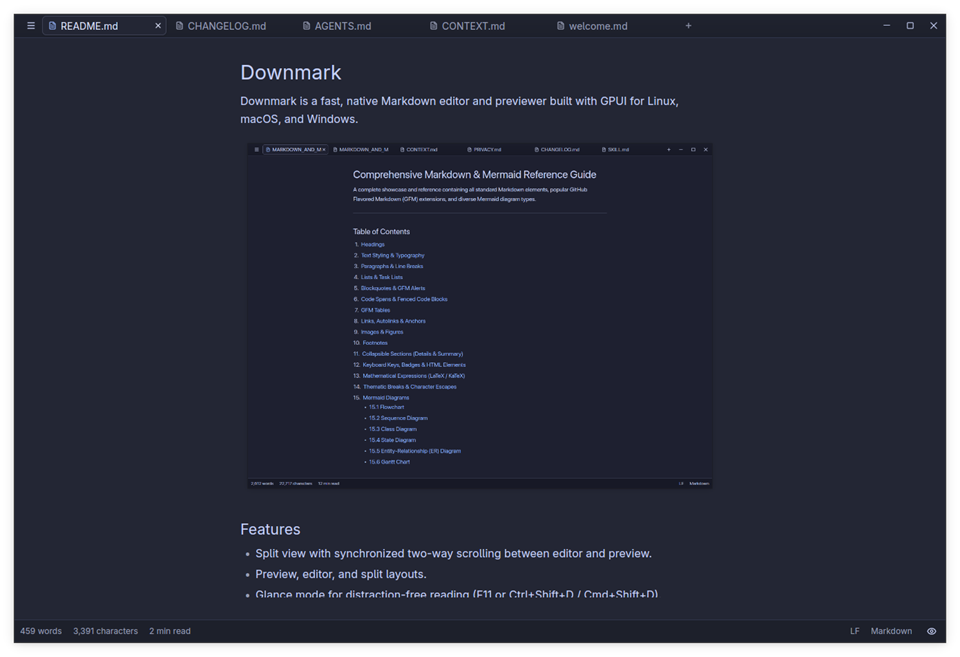
소개합니다. Vidhan에서 만든 ‘개발자 도구’ 카테고리 앱, Downmark.
새로 나온 앱이에요. 에 나왔으니 지금 써 보면 얼리어답터예요.
무료. 광고도 인앱 구매도 없어요. 앱에만 집중하면 돼요.
Microsoft Store는 Windows에 기본으로 들어 있어서 클릭 몇 번이면 설치돼요.
AppAgg 점수는 590. 지금은 브론즈 등급이지만, 성장할 여지가 충분해요.
겨우 41메가바이트. 꽉 찬 드라이브에도 쏙 들어가요.
연령 등급은 ‘EVERYONE’, 아이들에게도 괜찮아요.
지원 언어는 딱 하나, 그런데 한국어는 아니에요.
AppAgg에서는 아직 아무도 평가하지 않았어요. 첫 번째가 될 기회는 바로 지금이에요.
AppAgg에 있는 이 개발자의 유일한 앱이에요. 아직까지는요.
업데이트와 새 앱 소식을 가장 먼저 받고 싶나요? 개발자를 팔로우하거나 RSS 피드를 구독하세요. 푸시 알림은 Android와 iOS용 AppAgg Alerts 앱으로 받을 수 있어요.
광고
스크린샷 4
다른 플랫폼 0
가격 기록 0
- 현재 가격: 무료
- 최소: 무료
- 최대: 무료
홈 화면의 나만의 피드
“신규 및 업데이트” 피드의 플랫폼을 선택하면 홈 화면에 필요한 앱과 게임만 표시됩니다.
설명

Features:
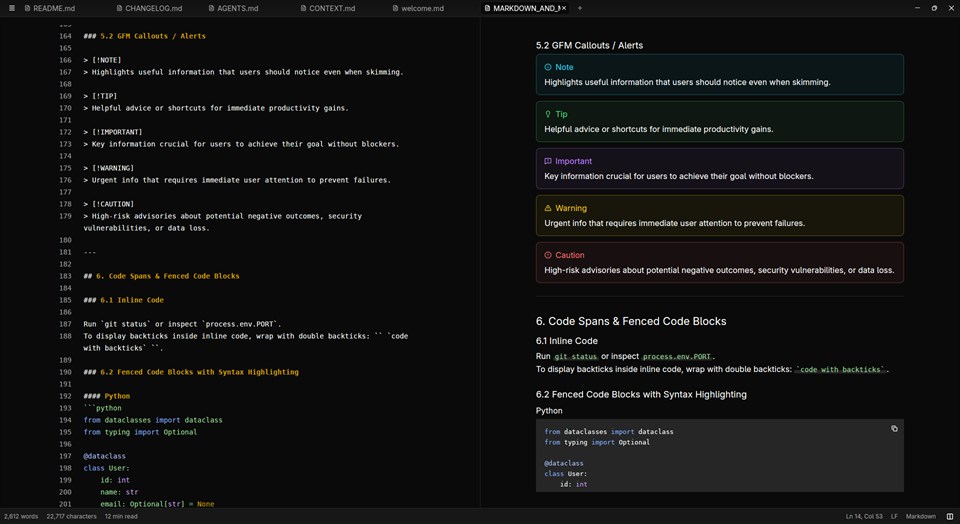
- Side-by-side editing with synchronized scrolling between text and preview
- Native Mermaid diagram rendering with interactive zoom and pan
- Inline and display math equations powered by Typst
- Syntax highlighting across 28 programming languages with one-click code copying
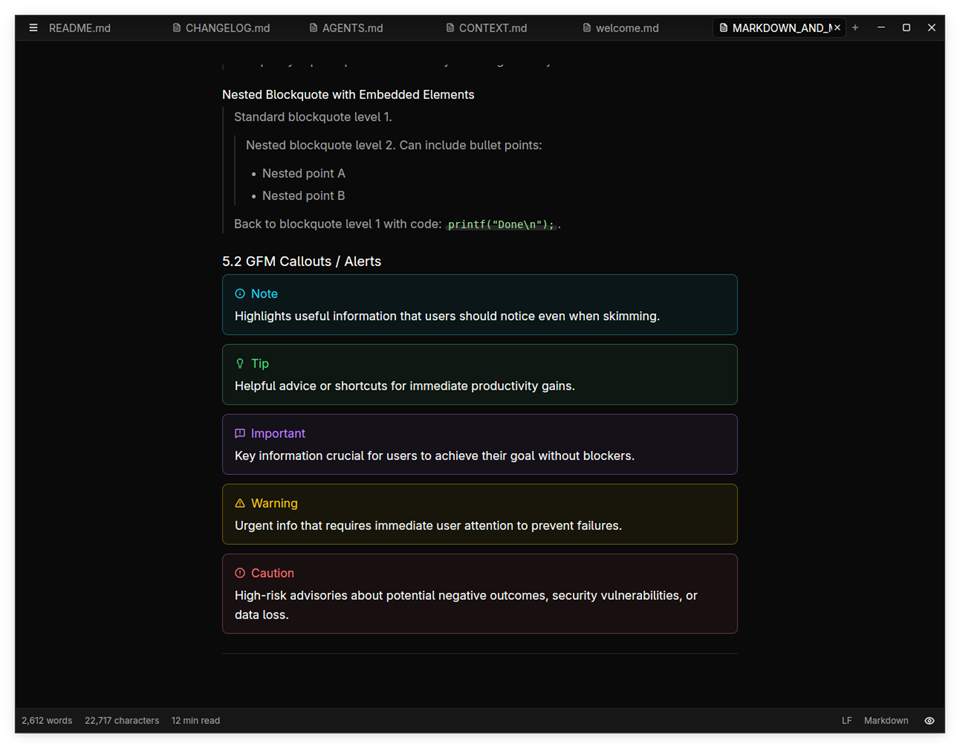
- GitHub-style alert callouts (Note, Tip, Important, Warning, Caution)
- Focus mode for distraction-free writing
- Dark and light color themes
- Native desktop performance with low resource usage
개발자 소식
개발자이신가요?
페이지 맨 위에 소식을 올리면 팔로워에게 이메일로 전달됩니다. YouTube 동영상을 추가하면 “동영상” 블록 맨 앞에 표시됩니다.
목록 0
-
 Downmark
포인트 0
-

- +1 포인트

순위 0
-
- 내 평점
새로운 기능
- 버전: PC
- 마지막 업데이트:
- Added
Interactive task list checkboxes. Clicking checkboxes (- [ ], - [x]) in preview updates source text across all modes (including Preview and Glance) and records undo history.
Search match markers on scrollbars. When search is active, colored tick marks appear on the scrollbar track in Preview, Editor, and Split modes to show match locations, highlighting the active match.
Native link tooltips. Hovering over a link displays its destination type and address (headings, documents, external URLs, emails) via native tooltips.
Reference link resolution. Reference-style links ([text][ref]) and image references resolve destination URLs and titles in preview and table overlays.
Heading search match highlights. The heading picker palette highlights matching query text in results.
Changed
Upgraded gpui-kit to 0.10.0 and aligned HTTP client dependencies.
Migrated GitHub alert callouts ([!NOTE], [!TIP], [!IMPORTANT], [!WARNING], [!CAUTION]) to native block surfaces.
Removed
Status bar link preview text on hover, replaced by native tooltips.
Fixed
Empty tooltips when hovering reference-style links without inline URLs.
Adjacent image layout in preview; Markdown badge rows and adjacent images now render side by side instead of stacking.
HTML code blocks; preview now renders raw blocks as monospace code blocks.
Editor caret movement and deletion for multi-codepoint characters, now operating on Unicode grapheme clusters instead of single code points.
버전 기록2
- - Window drag text selection. Fixed an issue where dragging the window by holding the title bar and then moving the mouse into the document view inadvertently started or resumed text selection.
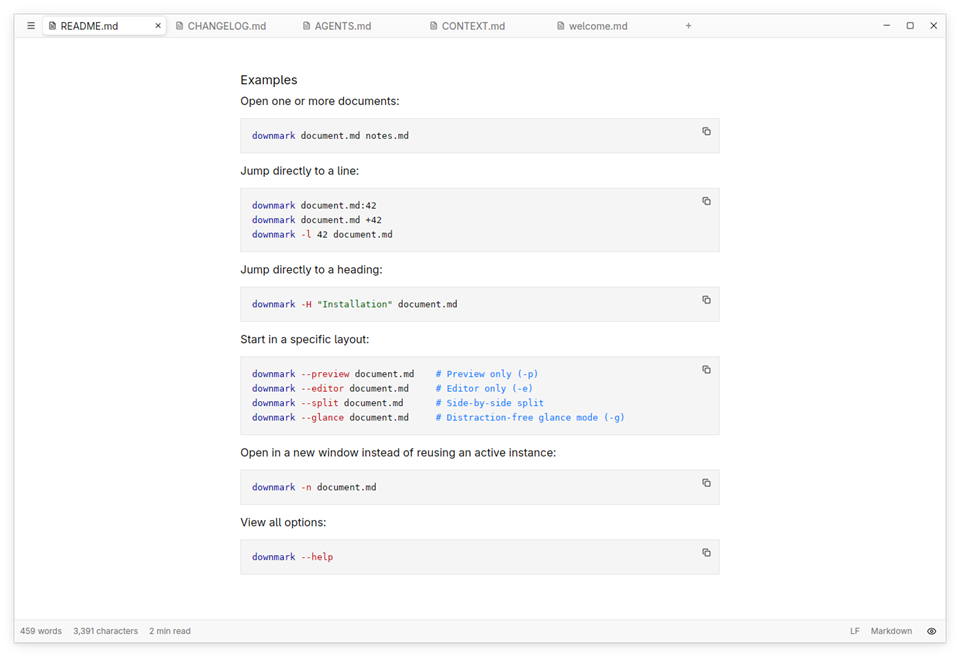
- Command-line interface with options to select the view layout (--preview, --editor, --split), jump to a line number (--line, file:line, or file +line), and jump to a heading (--heading).
- Single-instance window reuse. Opening a document from the terminal or file manager brings the active window forward and creates a new tab instead of launching a separate instance. Unix systems communicate through local domain sockets; Windows systems use named pipes. - Initial release of Downmark.
추가 정보
 https://downmark.vidhan.tech
댓글 0 ¡
가장 먼저 댓글을 남겨주세요
AppAgg 점수
590
AppAgg 예상 점수:
Downmark
개발자: Vidhan
590 브론즈
점수가 높을수록 대체로 AppAgg의 여러 지표에서 좋은 결과를 보인다는 뜻입니다.
기준: 인기 · 사용자 평점 · 최신성 · 할인 · 스토어 데이터 · 커뮤니티 활동
최신 AppAgg 데이터를 바탕으로 매일 다시 계산됩니다.
웹사이트용 배지:  복사됨!
Downmark 단축 URL: 복사됨!- Windows Store


