
Bookmark
| Pengembang: | Gus Catalano (7) | ||
| Harga: | Gratis | ||
| Skor: | 1.020 Perak | ||
| Peringkat: | 0 | ||
| Komentar: | 0 Kirimkan komentar | ||
| Daftar: | 0 0 | ||
| Poin: | 0 | ||
| +1 Poin | |||
Ringkasan
Kenalan dulu dengan DriveVisualizer, aplikasi buatan Gus Catalano di kategori Alat pengembang.
Bahkan jalan di HoloLens (Windows dalam realitas campuran).
Bahkan ada versi Windows Mobile. Salam dari masa lalu.
Gratis, tanpa iklan, tanpa pembelian dalam aplikasi. Cuma kamu dan aplikasinya.
Rilis , masih cukup segar.
Bahkan siap untuk Surface Hub, buat ruang rapat yang besar.
Skor AppAgg-nya 1.020. Perak, dan itu sama sekali tidak buruk.
Cuma 28 megabyte, muat bahkan di penyimpanan yang sudah penuh.
Rating usia “EVERYONE”, jadi aman juga untuk anak-anak.
Cuma bisa satu bahasa, dan itu bukan bahasa Indonesia.
Belum ada yang menilainya di AppAgg. Kesempatanmu jadi yang pertama ada sekarang.
Pengembang ini punya 6 aplikasi lagi di AppAgg. Layak dilihat.
Mau jadi yang pertama tahu soal pembaruan dan aplikasi baru? Ikuti pengembang atau berlangganan lewat Umpan RSS. Notifikasi push dikirim lewat aplikasi AppAgg Alerts untuk Android dan iOS.
Platform lain 0
Riwayat harga 0
- Harga saat ini: Gratis
- Minimum: Gratis
- Maksimum: Gratis
Feed Anda sendiri di beranda
Jepretan layar 7
Deskripsi

unlike every other space analyzer, it keeps watching, so next time you'll know
exactly what grew, when, and by how much.
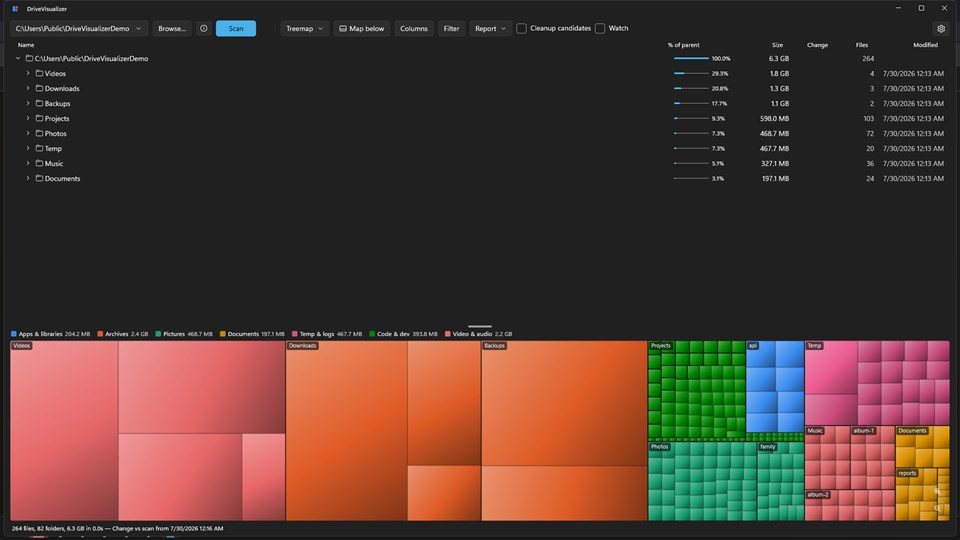
See your whole drive at once
A parallel scanner tears through a million files in seconds while the map builds
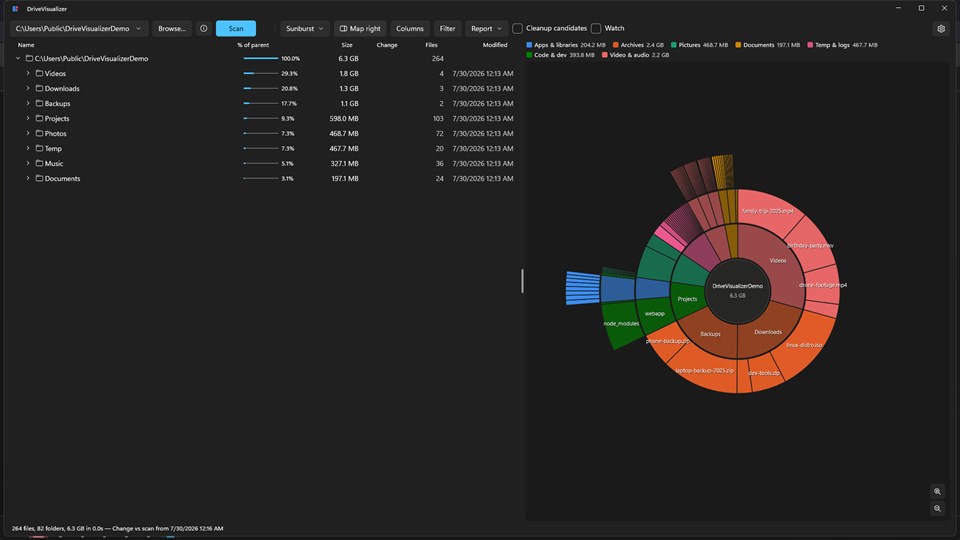
live in front of you. Explore the result as a classic cushion-shaded treemap,
a sunburst of rings, or a flame-style icicle view — every shape sized by what it
actually costs you on disk. Hover for details, click to jump to the folder tree,
double-click to dive deeper.
Colors that actually mean something
Video, pictures, code, archives, documents, temp & logs, apps, disk images — nine
categories, one legend, one-click filtering, and a colorblind-validated palette.
One glance tells you whether that mystery folder is your vacation footage or a
node_modules graveyard.
Catch what changed — the feature nobody else has
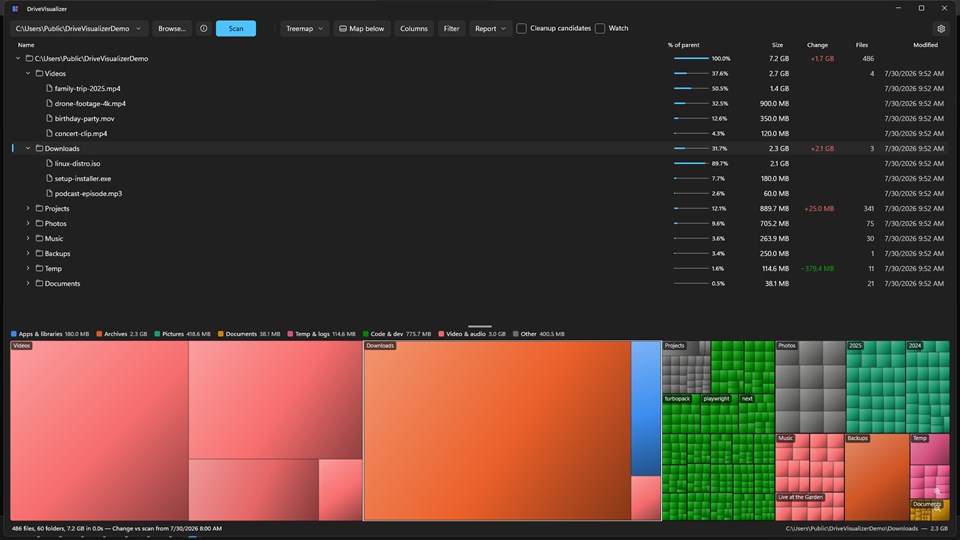
Every scan saves a snapshot. From then on:
• A red/green Change column shows what grew and what shrank, folder by folder.
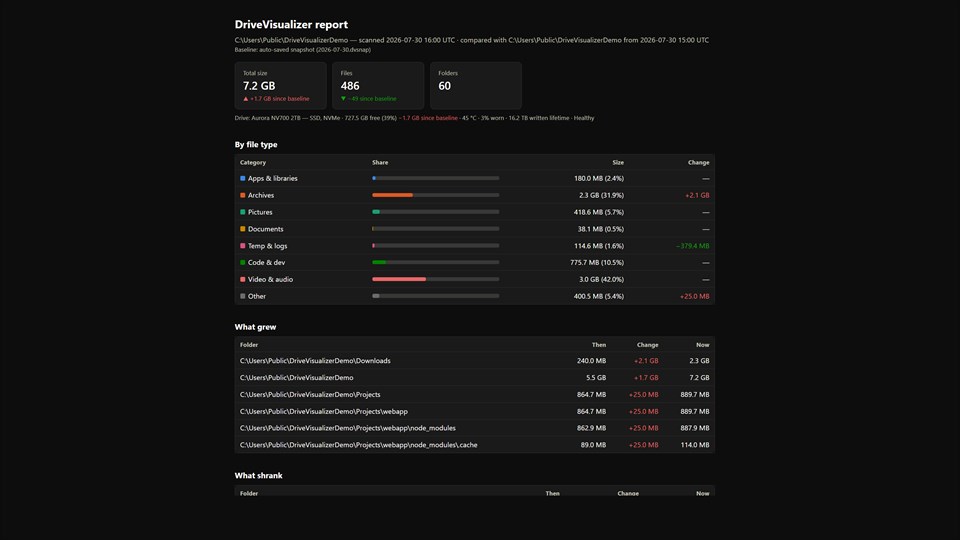
• One click opens a then/change/now report naming the exact folders and files
that moved.
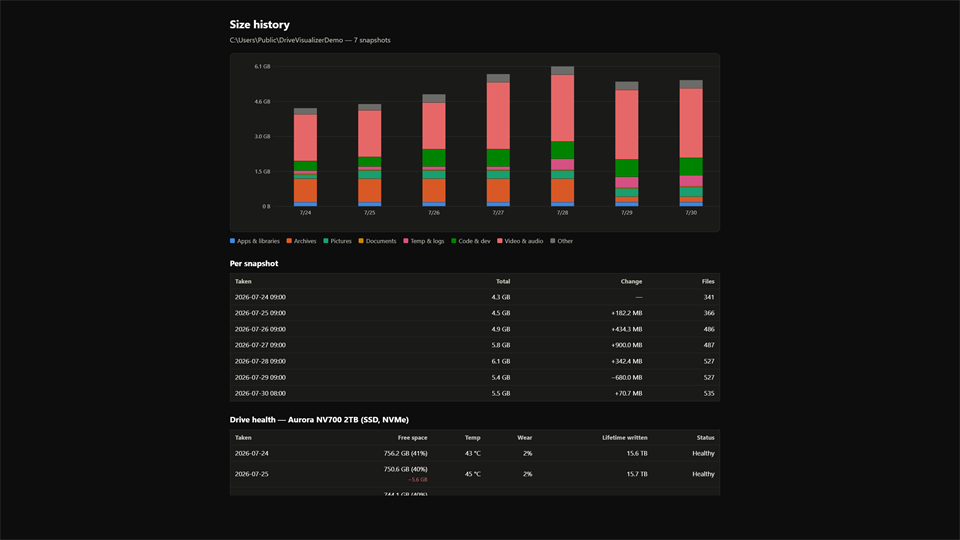
• Size history charts weeks of growth, stacked by category, snapshot by snapshot.
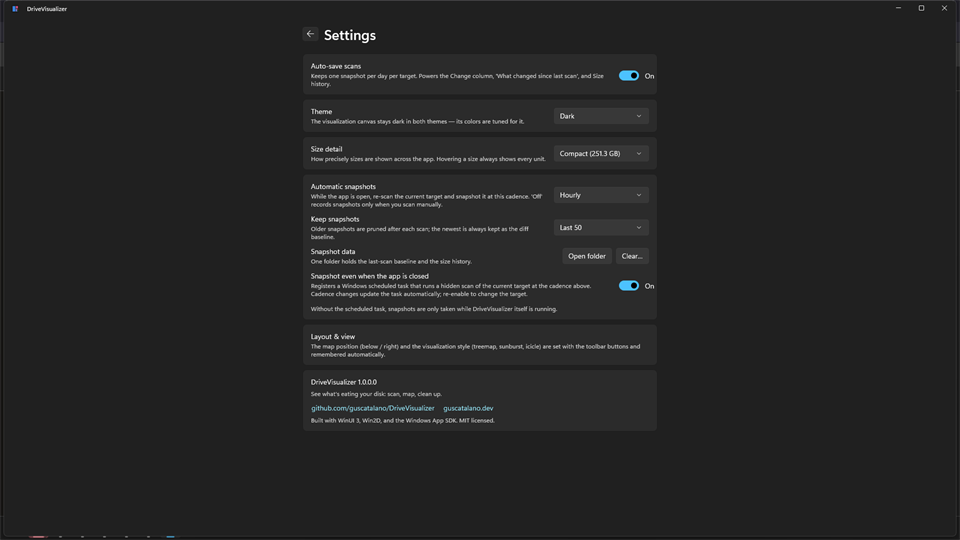
• Snapshots take themselves — hourly, daily, or weekly, even while the app is
closed — with retention limits you control. Come back from vacation and see
precisely what your PC did without you.
Clean up with confidence
Flip on "Cleanup candidates" to highlight only the safe wins: temp folders,
caches, logs, recycle bin, node_modules. Right-click anything to send it to the
Recycle Bin, delete it permanently, or compress it to a zip and drop the
original. Sizes update instantly as you go.
Know your drive's health
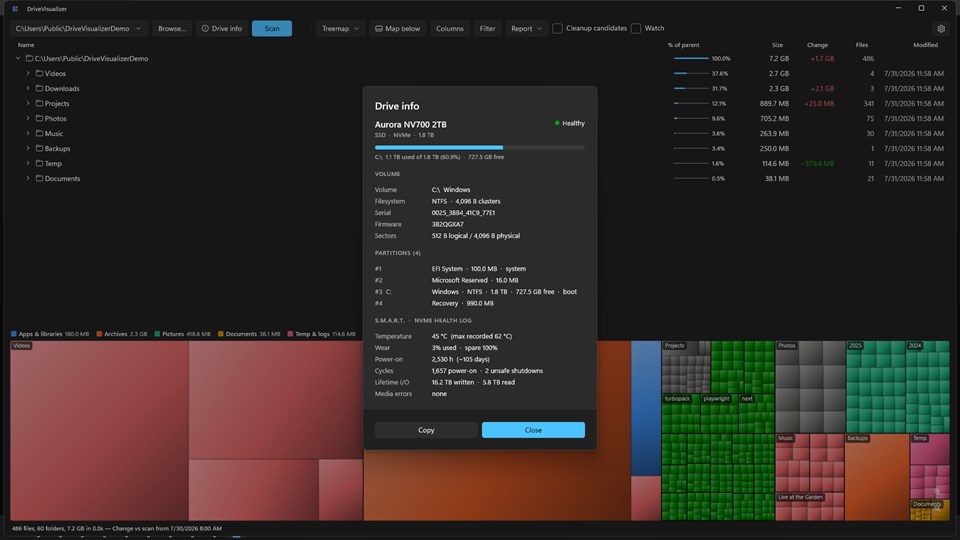
Full S.M.A.R.T. detail without running as administrator: temperature, wear,
power-on hours, lifetime data written, unsafe shutdowns, media errors — plus
model, bus (NVMe/SATA/USB), and SSD vs HDD. Health is stamped into every
snapshot, so you can watch wear and free space trend over months, not just
read today's numbers.
Accurate where it counts
Junctions and symlinks are never double-counted. 260+ character paths just work.
Compressed, sparse, and cloud-placeholder files report their true size on disk,
so the numbers add up to what Windows really uses.
Yours, privately
No accounts, no ads, no telemetry, no network access — your file names never
leave your machine. Free and open source (MIT) at
github.com/guscatalano/DriveVisualizer.
Dari developer
Daftar 0
-
 DriveVisualizer
Poin 0
-

- +1 Poin

Peringkat 0
-
- Rating Anda
Pengembang 7
- Gus Catalano
- Pengikut: 0
- Platform: Windows Aplikasi (7)
- Diskon: 0
- Daftar: 0 0
- Poin: 0
- Peringkat: 0
- Komentar: 0
- Video: 0
- RSS: Berlangganan
Yang Baru
- Versi: PC
- Terakhir diperbarui:
Info tambahan
- Tanggal rilis:
- Kategori:
Aplikasi Windows›Alat pengembang - OS:
HoloLensMobilePCSurface Hub - Ukuran:
28 Mb - Bahasa yang didukung:
Inggris - Rating Konten:
EVERYONE - Windows Store Rating: ¡
0 - Situs Web:
 http://guscatalano.dev
Skor AppAgg
Perkiraan Skor AppAgg untuk
DriveVisualizer
Pengembang: Gus Catalano
Skor yang lebih tinggi biasanya menunjukkan indikator yang lebih kuat di AppAgg.
Berdasarkan: popularitas · rating pengguna · kebaruan · promo · data toko · aktivitas komunitas
Dihitung ulang setiap hari dari data AppAgg terbaru.
Komentar 0 ¡
Bagikan
DriveVisualizer URL singkat: Disalin!- Windows Store

