
บุ๊กมาร์ก
| ผู้พัฒนา: | Gus Catalano (7) | ||
| ราคา: | ฟรี | ||
| คะแนน: | 1,020 เงิน | ||
| การจัดอันดับ: | 0 | ||
| ความคิดเห็น: | 0 โพสต์ความคิดเห็น | ||
| รายการ: | 0 0 | ||
| แต้ม: | 0 | ||
| +1 แต้ม | |||
สรุป
มาทำความรู้จัก DriveVisualizer แอปในหมวด “เครื่องมือสำหรับนักพัฒนา” จาก Gus Catalano
ใช้ได้แม้แต่บน HoloLens (Windows ในโลกความเป็นจริงผสม)
มีเวอร์ชัน Windows Mobile ด้วยนะ สวัสดีจากอดีต
ฟรี ไม่มีโฆษณา ไม่มีการซื้อภายในแอป มีแค่คุณกับแอป
ออกเมื่อ ยังสดใหม่อยู่เลย
รองรับแม้แต่ Surface Hub เหมาะกับห้องประชุมใหญ่ ๆ
คะแนน AppAgg คือ 1,020 ระดับ “เงิน” ถือว่าไม่เลวเลย
แค่ 28 เมกะไบต์ ต่อให้ไดรฟ์เต็มก็ยังลงได้
จัดเรต “EVERYONE” เหมาะกับเด็ก ๆ ด้วย
รองรับแค่ภาษาเดียว และไม่ใช่ภาษาไทย
ยังไม่มีใครบน AppAgg ให้คะแนนเลย โอกาสเป็นคนแรกอยู่ตรงนี้แล้ว
ผู้พัฒนารายนี้มีแอปอื่นบน AppAgg อีก 6 แอป ลองไปดูกัน
อยากรู้เรื่องอัปเดตและแอปใหม่ก่อนใครไหม? ติดตาม ผู้พัฒนา หรือกดติดตาม ฟีด RSS ได้เลย การแจ้งเตือนแบบพุชส่งผ่านแอป AppAgg Alerts สำหรับ Android และ iOS
แพลตฟอร์มอื่น 0
ประวัติราคา 0
- ราคาปัจจุบัน: ฟรี
- ต่ำสุด: ฟรี
- สูงสุด: ฟรี
ฟีดของคุณเองบนหน้าแรก
ภาพหน้าจอ 7
คำอธิบาย

unlike every other space analyzer, it keeps watching, so next time you'll know
exactly what grew, when, and by how much.
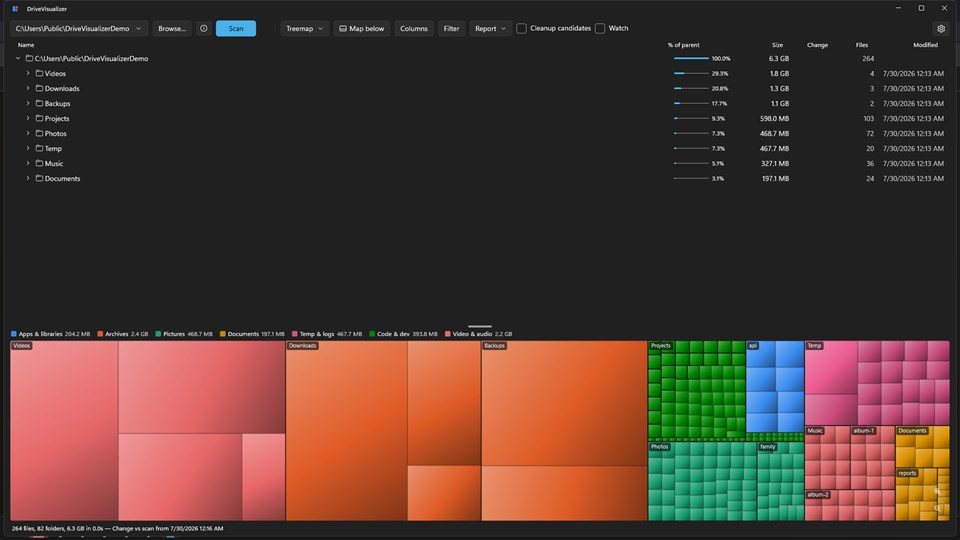
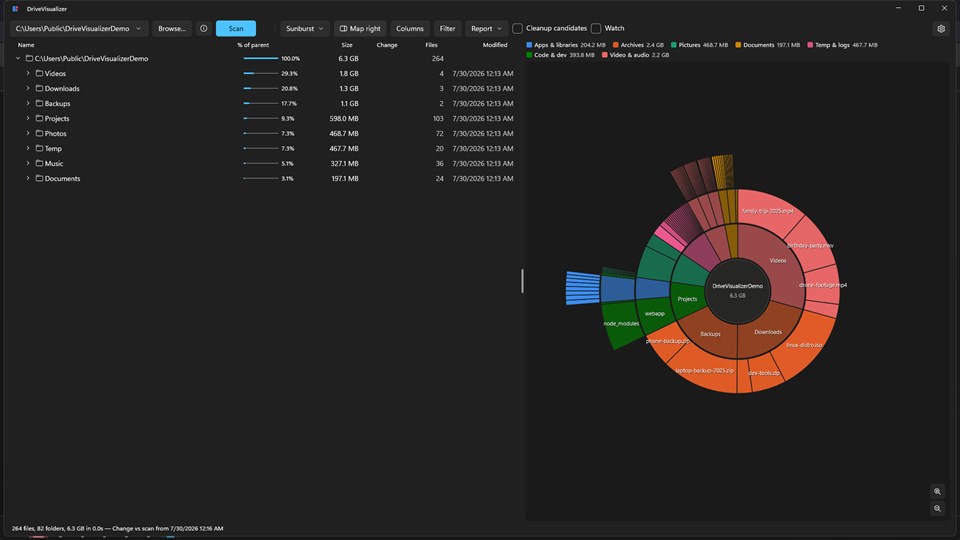
See your whole drive at once
A parallel scanner tears through a million files in seconds while the map builds
live in front of you. Explore the result as a classic cushion-shaded treemap,
a sunburst of rings, or a flame-style icicle view — every shape sized by what it
actually costs you on disk. Hover for details, click to jump to the folder tree,
double-click to dive deeper.
Colors that actually mean something
Video, pictures, code, archives, documents, temp & logs, apps, disk images — nine
categories, one legend, one-click filtering, and a colorblind-validated palette.
One glance tells you whether that mystery folder is your vacation footage or a
node_modules graveyard.
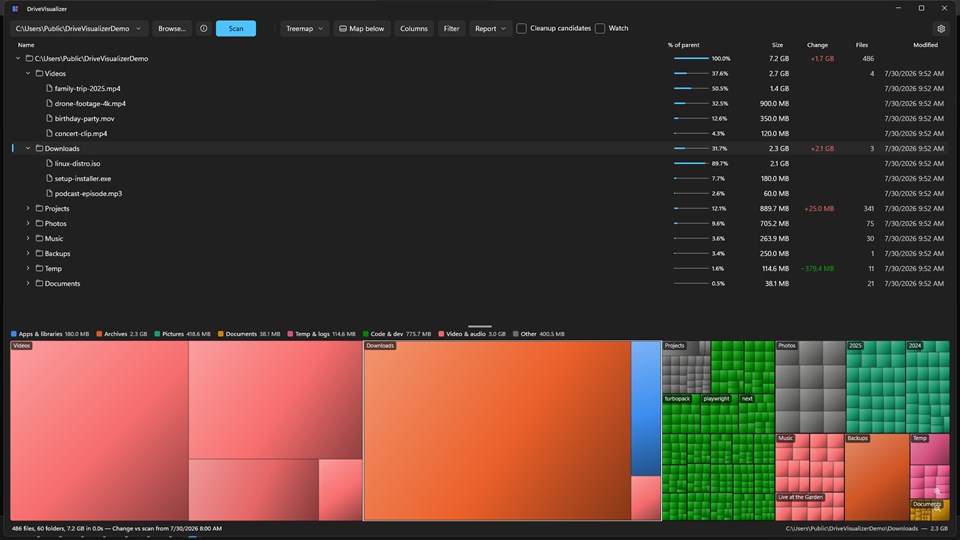
Catch what changed — the feature nobody else has
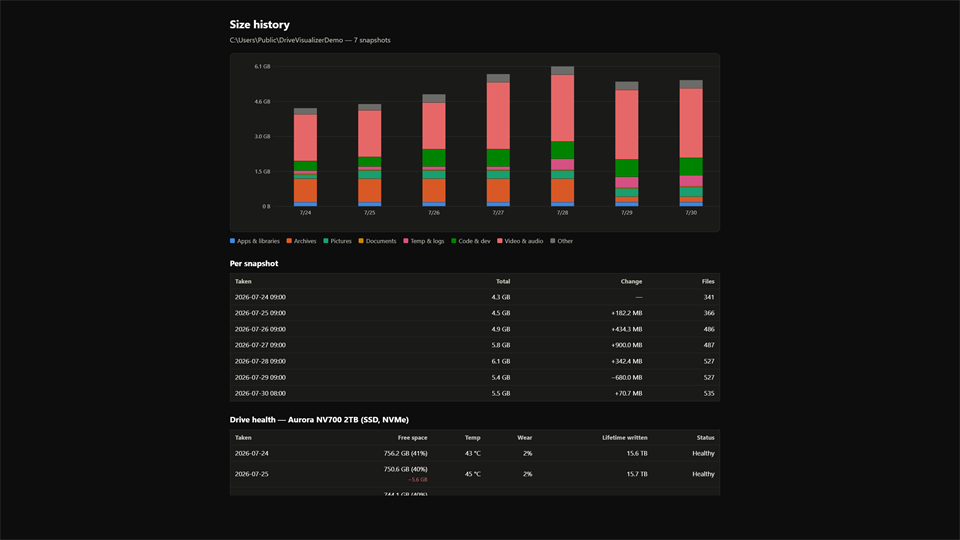
Every scan saves a snapshot. From then on:
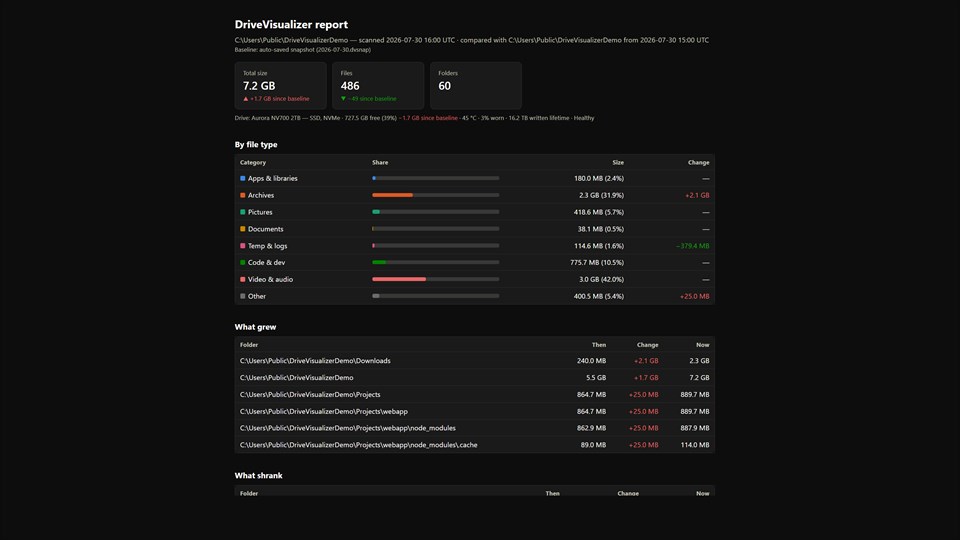
• A red/green Change column shows what grew and what shrank, folder by folder.
• One click opens a then/change/now report naming the exact folders and files
that moved.
• Size history charts weeks of growth, stacked by category, snapshot by snapshot.
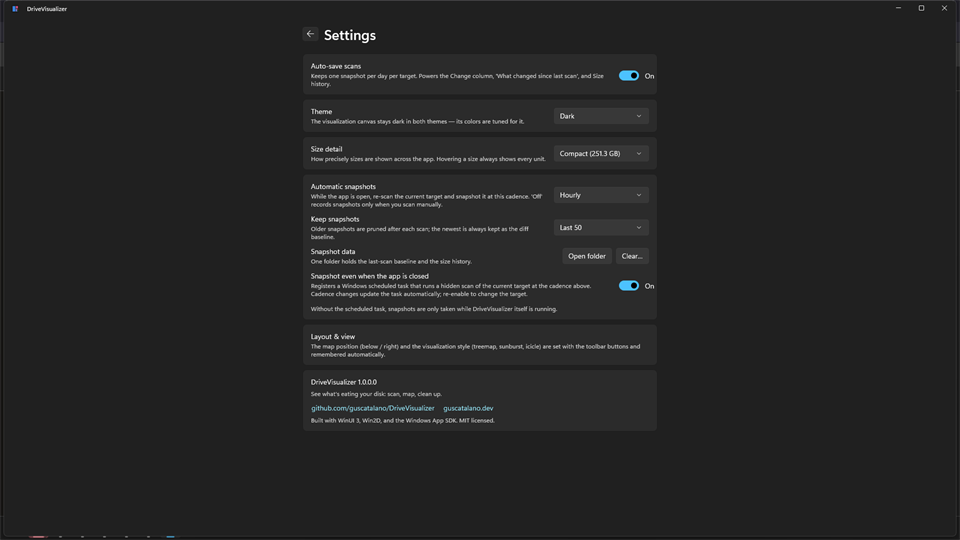
• Snapshots take themselves — hourly, daily, or weekly, even while the app is
closed — with retention limits you control. Come back from vacation and see
precisely what your PC did without you.
Clean up with confidence
Flip on "Cleanup candidates" to highlight only the safe wins: temp folders,
caches, logs, recycle bin, node_modules. Right-click anything to send it to the
Recycle Bin, delete it permanently, or compress it to a zip and drop the
original. Sizes update instantly as you go.
Know your drive's health
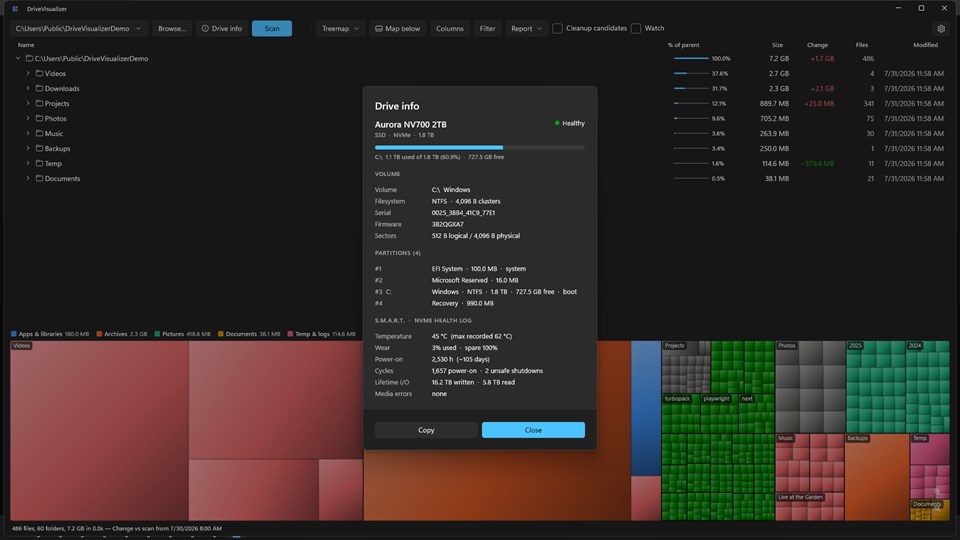
Full S.M.A.R.T. detail without running as administrator: temperature, wear,
power-on hours, lifetime data written, unsafe shutdowns, media errors — plus
model, bus (NVMe/SATA/USB), and SSD vs HDD. Health is stamped into every
snapshot, so you can watch wear and free space trend over months, not just
read today's numbers.
Accurate where it counts
Junctions and symlinks are never double-counted. 260+ character paths just work.
Compressed, sparse, and cloud-placeholder files report their true size on disk,
so the numbers add up to what Windows really uses.
Yours, privately
No accounts, no ads, no telemetry, no network access — your file names never
leave your machine. Free and open source (MIT) at
github.com/guscatalano/DriveVisualizer.
จากนักพัฒนา
รายการ 0
-
 DriveVisualizer
แต้ม 0
-

- +1 แต้ม

การจัดอันดับ 0
-
- คะแนนของคุณ
ผู้พัฒนา 7
- Gus Catalano
- ผู้ติดตาม: 0
- แพลตฟอร์ม: Windows แอป (7)
- ลดราคา: 0
- รายการ: 0 0
- แต้ม: 0
- การจัดอันดับ: 0
- ความคิดเห็น: 0
- วิดีโอ: 0
- RSS: ติดตาม
มีอะไรใหม่
- เวอร์ชัน: PC
- อัปเดตล่าสุด:
ข้อมูลเพิ่มเติม
- วันที่วางจำหน่าย:
- หมวดหมู่:
แอปสำหรับ Windows›เครื่องมือสำหรับนักพัฒนา - ระบบปฏิบัติการ:
HoloLensMobilePCSurface Hub - ขนาด:
28 Mb - ภาษาที่รองรับ:
อังกฤษ - การจัดประเภทเนื้อหา:
EVERYONE - Windows Store คะแนน: ¡
0 - เว็บไซต์:
 http://guscatalano.dev
คะแนน AppAgg
คะแนน AppAgg โดยประมาณของ
DriveVisualizer
ผู้พัฒนา: Gus Catalano
คะแนนที่สูงขึ้นมักสะท้อนตัวชี้วัดที่ดีกว่าบน AppAgg
อิงจาก: ความนิยม · คะแนนจากผู้ใช้ · ความสดใหม่ · ดีล · ข้อมูลร้านค้า · กิจกรรมชุมชน
คำนวณใหม่ทุกวันจากข้อมูล AppAgg ล่าสุด
ความคิดเห็น 0 ¡
แชร์
DriveVisualizer URL แบบสั้น: คัดลอกแล้ว!- Windows Store

