
Dấu trang
| Nhà phát triển: | Gus Catalano (7) | ||
| Giá: | Miễn phí | ||
| Điểm tổng hợp: | 1.020 Bạc | ||
| Bảng xếp hạng: | 0 | ||
| Bình luận: | 0 Đăng bình luận | ||
| Danh sách: | 0 0 | ||
| Điểm: | 0 | ||
| +1 Điểm | |||
Tóm tắt
Làm quen với DriveVisualizer, ứng dụng thuộc danh mục Công cụ cho nhà phát triển đến từ Gus Catalano.
Chạy được cả trên HoloLens (Windows trong thực tế hỗn hợp).
Còn có cả bản Windows Mobile. Lời chào từ quá khứ.
Miễn phí, không quảng cáo, không mua hàng trong ứng dụng. Chỉ có bạn và ứng dụng.
Ra mắt , vẫn còn khá nóng hổi.
Thậm chí sẵn sàng cho Surface Hub, dành cho các phòng họp lớn.
Điểm tổng hợp AppAgg là 1.020. Hạng Bạc, vậy là không tệ chút nào.
Chỉ 28 megabyte, ổ đĩa đầy vẫn chứa vừa.
Xếp hạng độ tuổi “EVERYONE”, nên trẻ em cũng dùng được.
Chỉ biết một thứ tiếng, và đó không phải tiếng Việt.
Chưa ai trên AppAgg đánh giá. Cơ hội làm người đầu tiên là ngay bây giờ.
Nhà phát triển còn 6 ứng dụng khác trên AppAgg. Đáng xem đấy.
Muốn biết sớm nhất về cập nhật và ứng dụng mới? Hãy theo dõi nhà phát triển hoặc đăng ký nguồn RSS. Thông báo đẩy được gửi qua ứng dụng AppAgg Alerts cho Android và iOS.
Nền tảng khác 0
Lịch sử giá 0
- Giá hiện tại: Miễn phí
- Tối thiểu: Miễn phí
- Tối đa: Miễn phí
Bảng tin riêng của bạn trên trang chủ
Ảnh chụp màn hình 7
Mô tả

unlike every other space analyzer, it keeps watching, so next time you'll know
exactly what grew, when, and by how much.
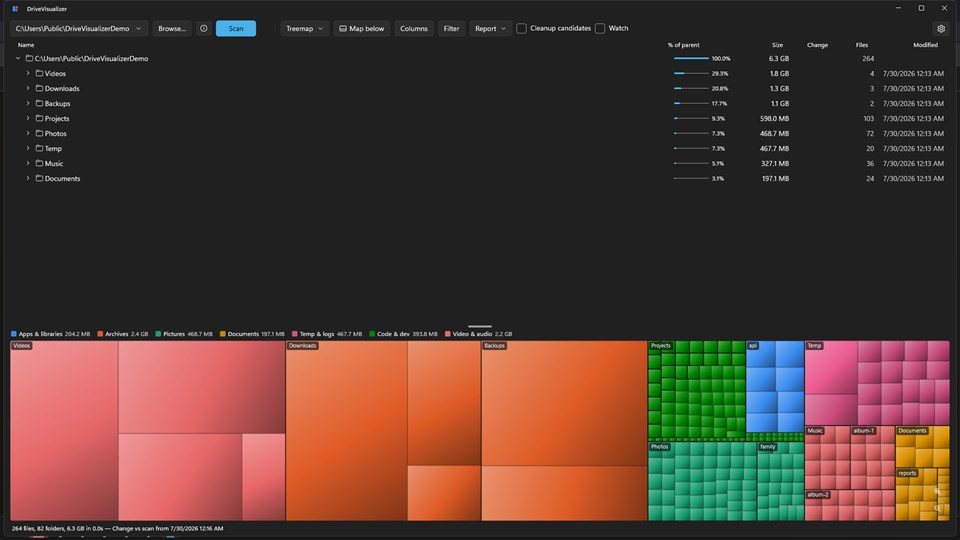
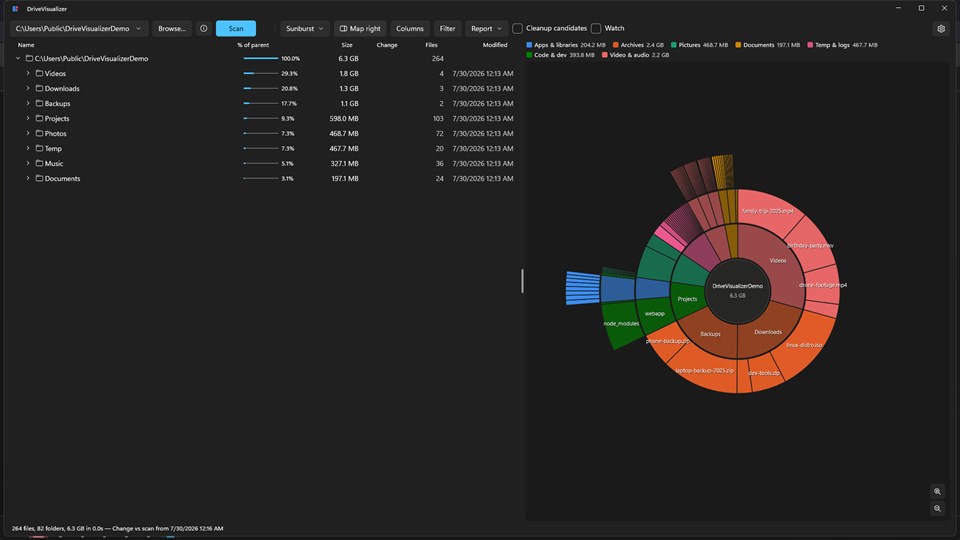
See your whole drive at once
A parallel scanner tears through a million files in seconds while the map builds
live in front of you. Explore the result as a classic cushion-shaded treemap,
a sunburst of rings, or a flame-style icicle view — every shape sized by what it
actually costs you on disk. Hover for details, click to jump to the folder tree,
double-click to dive deeper.
Colors that actually mean something
Video, pictures, code, archives, documents, temp & logs, apps, disk images — nine
categories, one legend, one-click filtering, and a colorblind-validated palette.
One glance tells you whether that mystery folder is your vacation footage or a
node_modules graveyard.
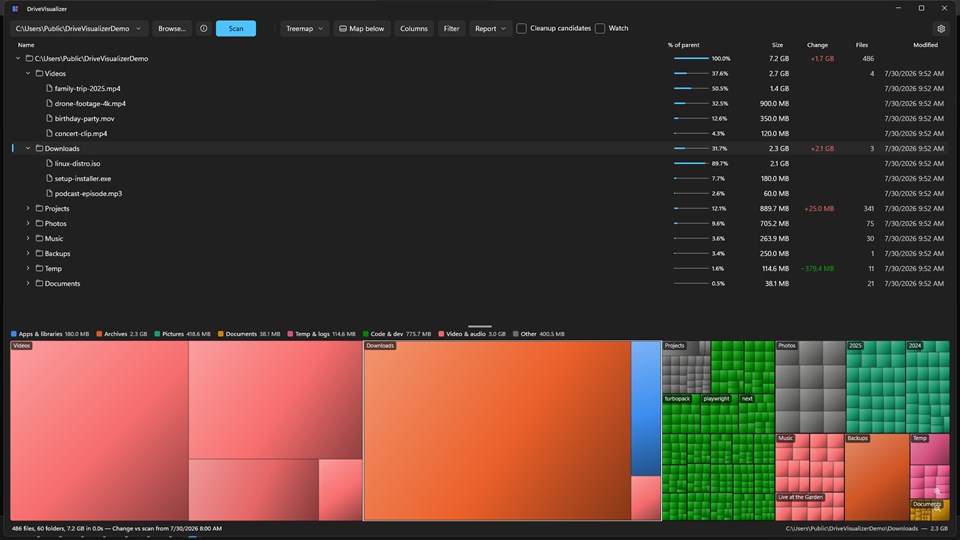
Catch what changed — the feature nobody else has
Every scan saves a snapshot. From then on:
• A red/green Change column shows what grew and what shrank, folder by folder.
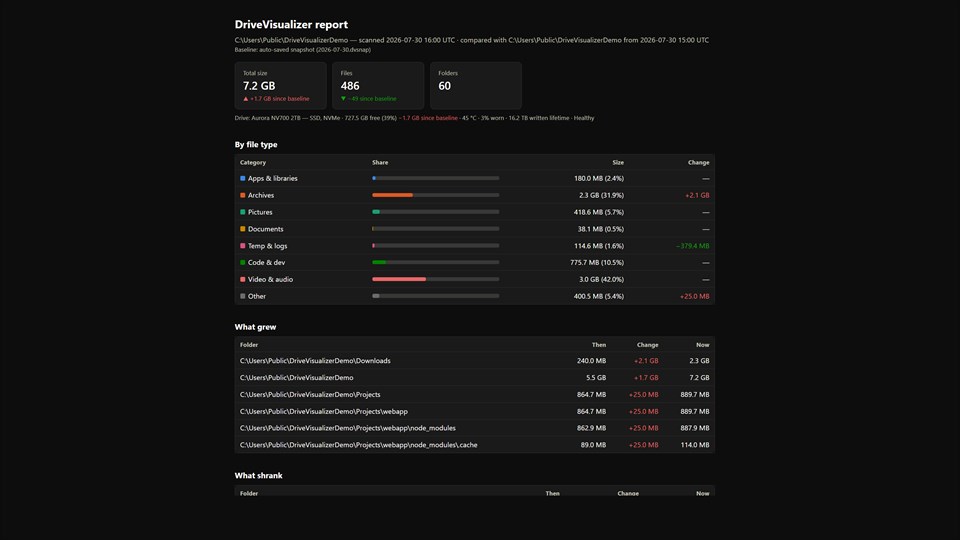
• One click opens a then/change/now report naming the exact folders and files
that moved.
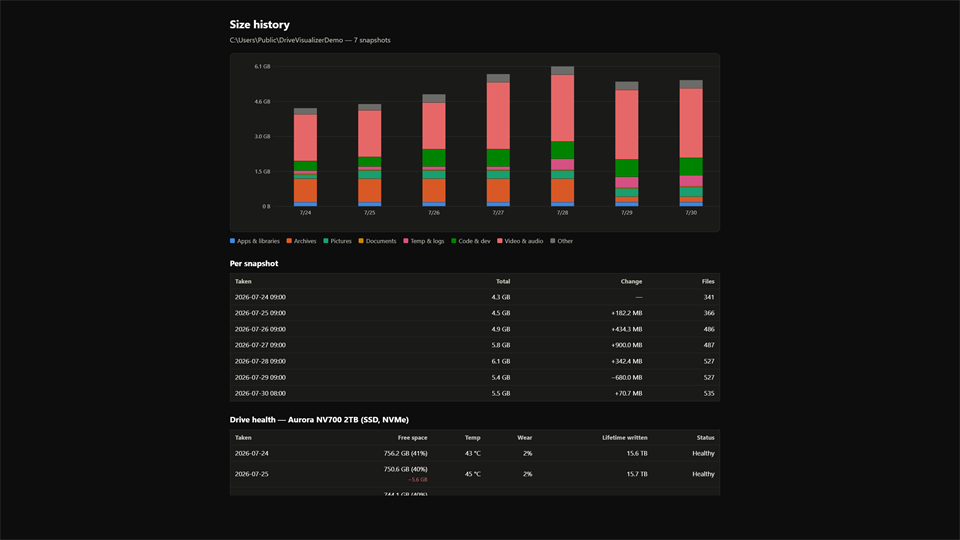
• Size history charts weeks of growth, stacked by category, snapshot by snapshot.
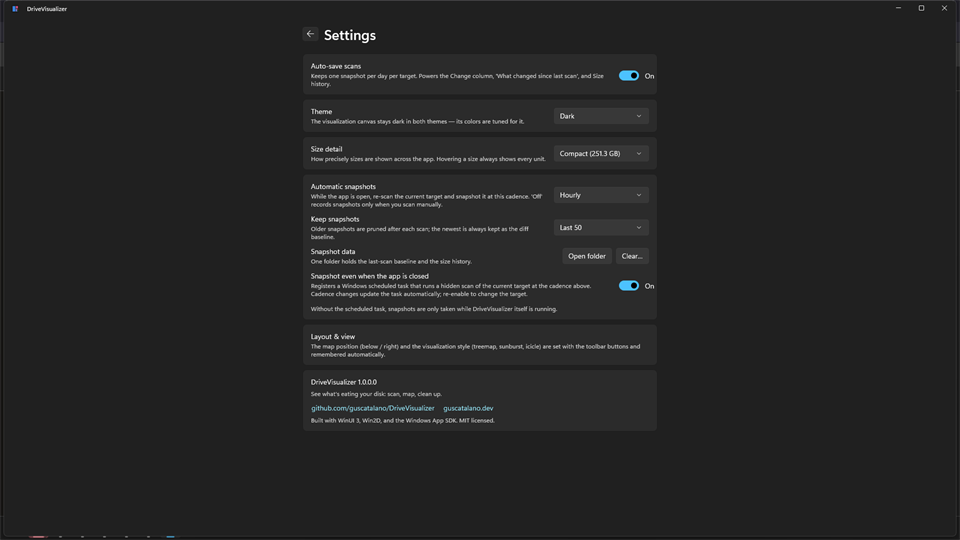
• Snapshots take themselves — hourly, daily, or weekly, even while the app is
closed — with retention limits you control. Come back from vacation and see
precisely what your PC did without you.
Clean up with confidence
Flip on "Cleanup candidates" to highlight only the safe wins: temp folders,
caches, logs, recycle bin, node_modules. Right-click anything to send it to the
Recycle Bin, delete it permanently, or compress it to a zip and drop the
original. Sizes update instantly as you go.
Know your drive's health
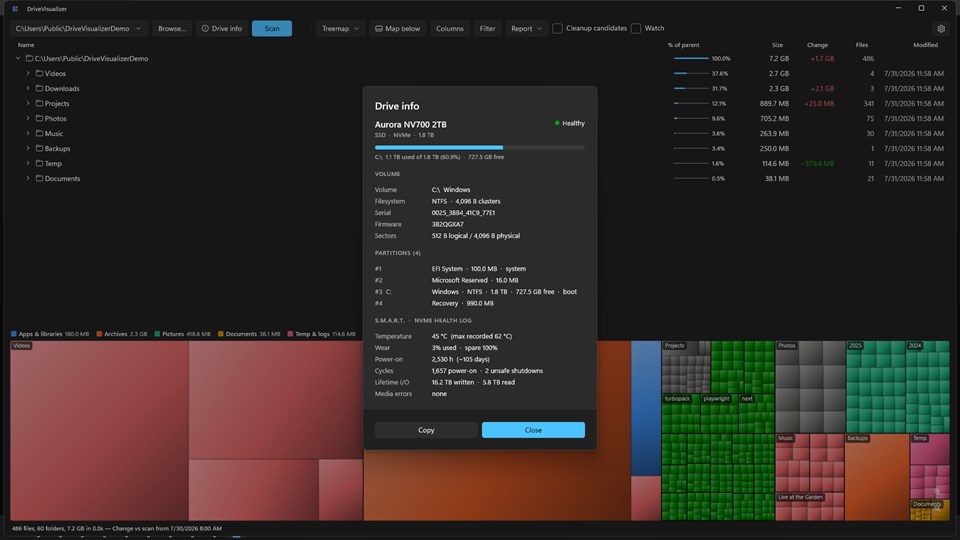
Full S.M.A.R.T. detail without running as administrator: temperature, wear,
power-on hours, lifetime data written, unsafe shutdowns, media errors — plus
model, bus (NVMe/SATA/USB), and SSD vs HDD. Health is stamped into every
snapshot, so you can watch wear and free space trend over months, not just
read today's numbers.
Accurate where it counts
Junctions and symlinks are never double-counted. 260+ character paths just work.
Compressed, sparse, and cloud-placeholder files report their true size on disk,
so the numbers add up to what Windows really uses.
Yours, privately
No accounts, no ads, no telemetry, no network access — your file names never
leave your machine. Free and open source (MIT) at
github.com/guscatalano/DriveVisualizer.
Từ nhà phát triển
Danh sách 0
-
 DriveVisualizer
Điểm 0
-

- +1 Điểm

Bảng xếp hạng 0
-
- Điểm bạn chấm
Nhà phát triển 7
- Gus Catalano
- Người theo dõi: 0
- Nền tảng: Windows Ứng dụng (7)
- Giảm giá: 0
- Danh sách: 0 0
- Điểm: 0
- Bảng xếp hạng: 0
- Bình luận: 0
- Video: 0
- RSS: Đăng ký
Tính năng mới
- Phiên bản: PC
- Cập nhật lần cuối:
Thông tin bổ sung
- Ngày phát hành:
- Danh mục:
Ứng dụng cho Windows›Công cụ cho nhà phát triển - HĐH:
HoloLensMobilePCSurface Hub - Kích thước:
28 Mb - Ngôn ngữ được hỗ trợ:
Tiếng Anh - Xếp hạng nội dung:
EVERYONE - Windows Store Điểm đánh giá: ¡
0 - Trang web:
 http://guscatalano.dev
Điểm tổng hợp AppAgg
Điểm tổng hợp AppAgg ước tính cho
DriveVisualizer
Nhà phát triển: Gus Catalano
Điểm cao hơn thường cho thấy các chỉ số trên AppAgg tốt hơn.
Dựa trên: độ phổ biến · đánh giá của người dùng · độ mới · ưu đãi · dữ liệu cửa hàng · hoạt động cộng đồng
Được tính lại hằng ngày từ dữ liệu AppAgg mới nhất.
Bình luận 0 ¡
Chia sẻ
DriveVisualizer URL ngắn: Đã sao chép!- Windows Store

