
書籤
為此書籤設定標題。
書籤已儲存
| 開發者: | Web Platinum (44) | ||
| 價格: | 免費 全新 | ||
| 評分: | 760 白銀 | ||
| 排名: | 0 | ||
| 留言: | 0 發表留言 | ||
| 清單: | 0 + 0 | ||
| 點數: | 0 + 0 ¡ | ||
| +1 點數 | |||
螢幕擷取畫面
廣告
描述

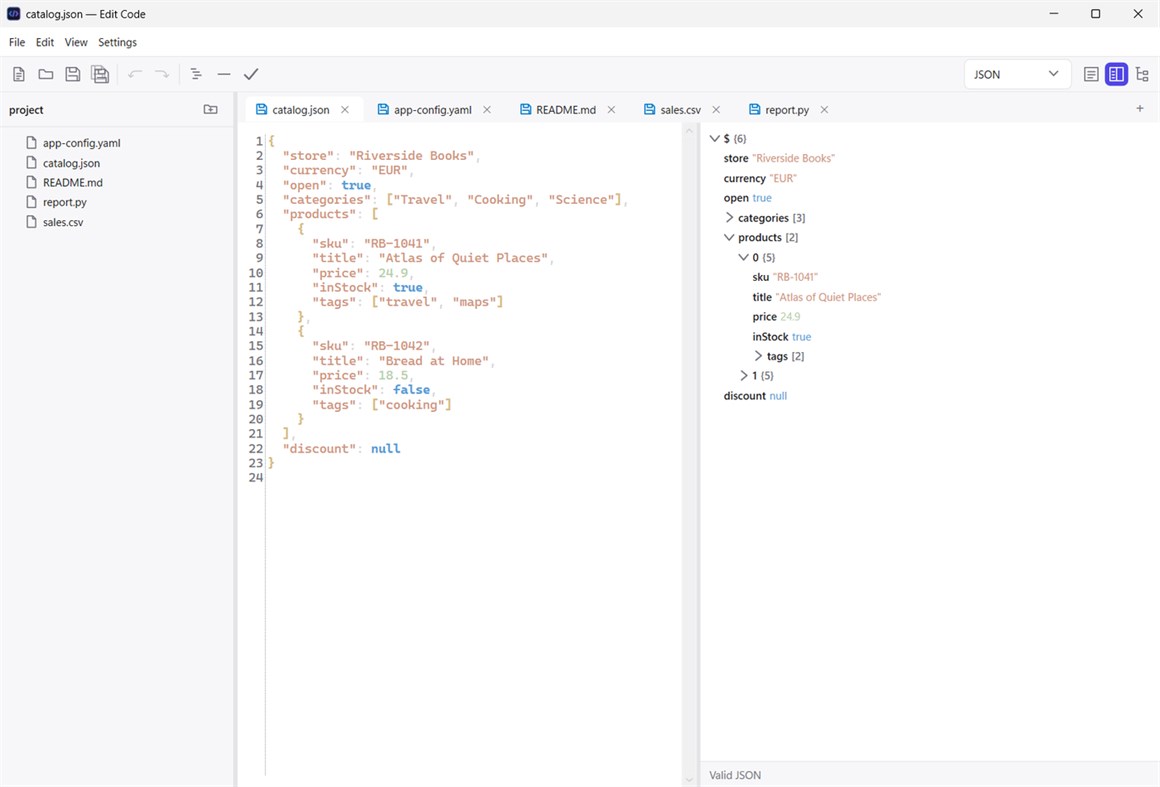
JSON sits beside a live structure tree that follows your typing. Format it with indentation, minify it to a single line, or validate it and see exactly where it goes wrong.
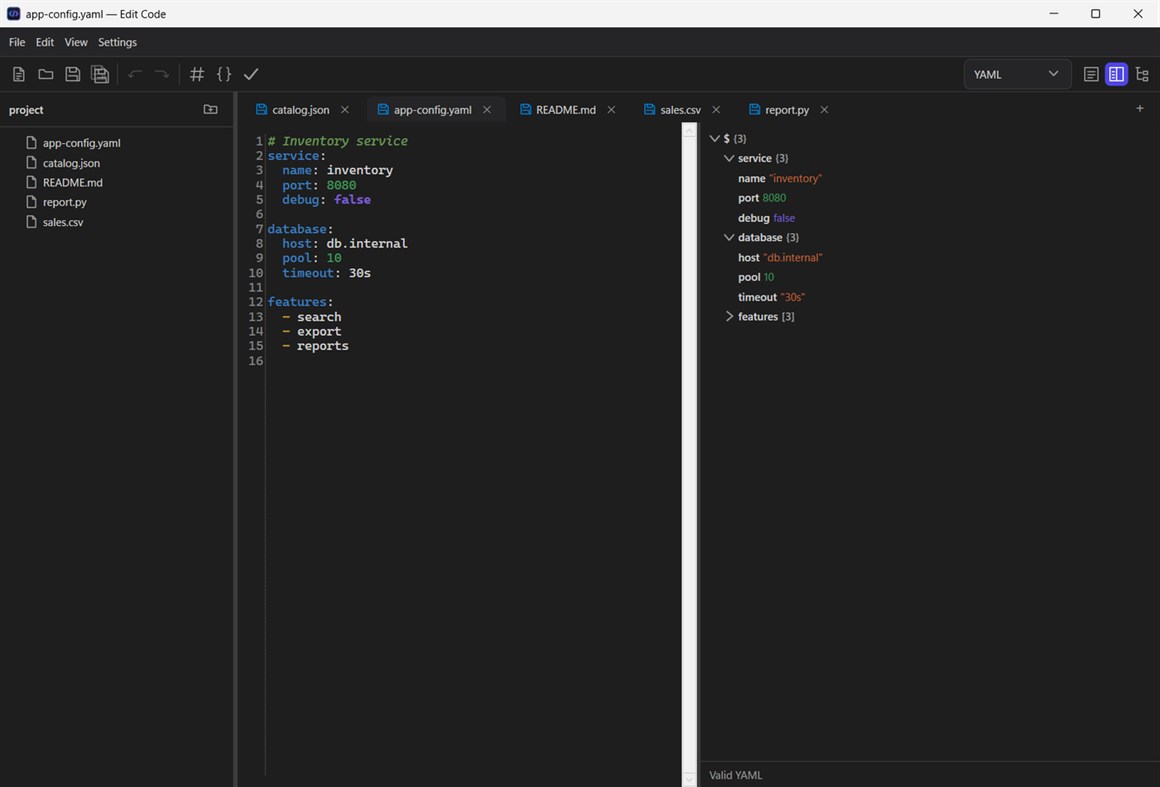
YAML gets the same live tree, with support for files that hold several documents. Comment or uncomment a block of lines in one click, copy the whole document as JSON, and indent with spaces as YAML requires.
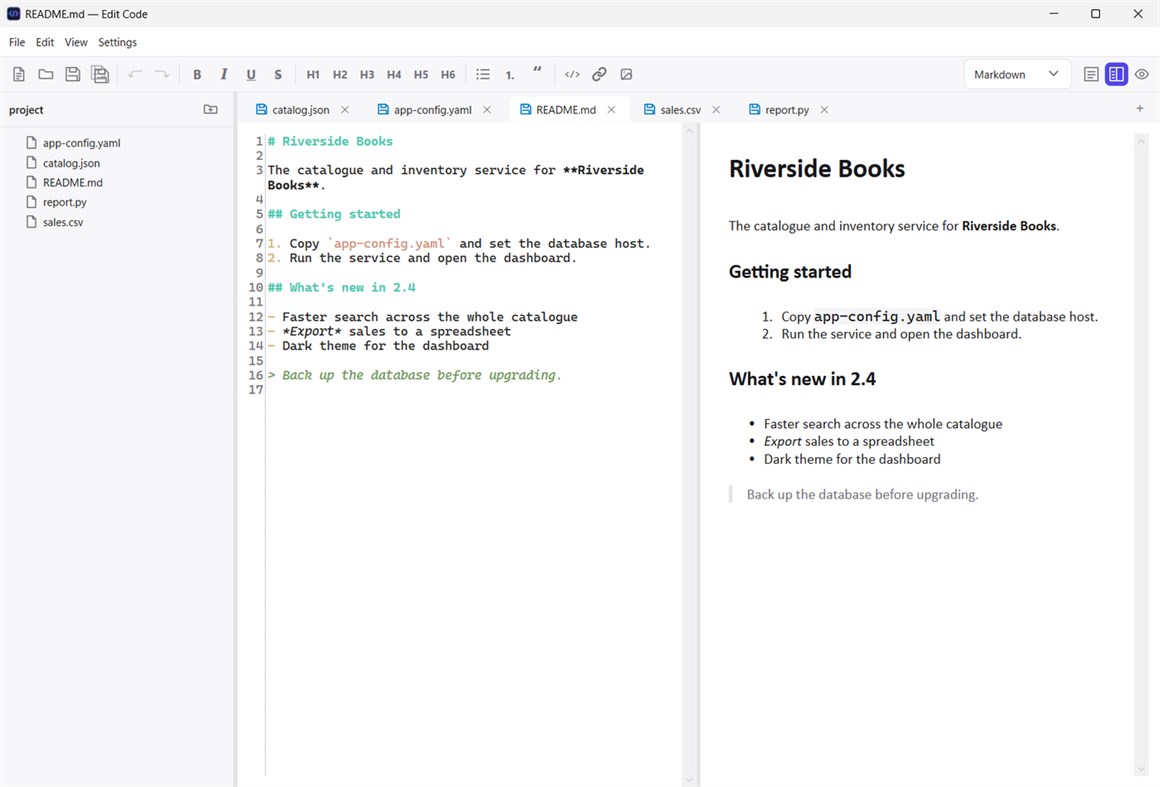
Markdown shows a rendered preview next to the source as you write. The toolbar adds bold, italic, underline, strikethrough, headings, lists, quotes, inline code, links and images to whatever is selected.
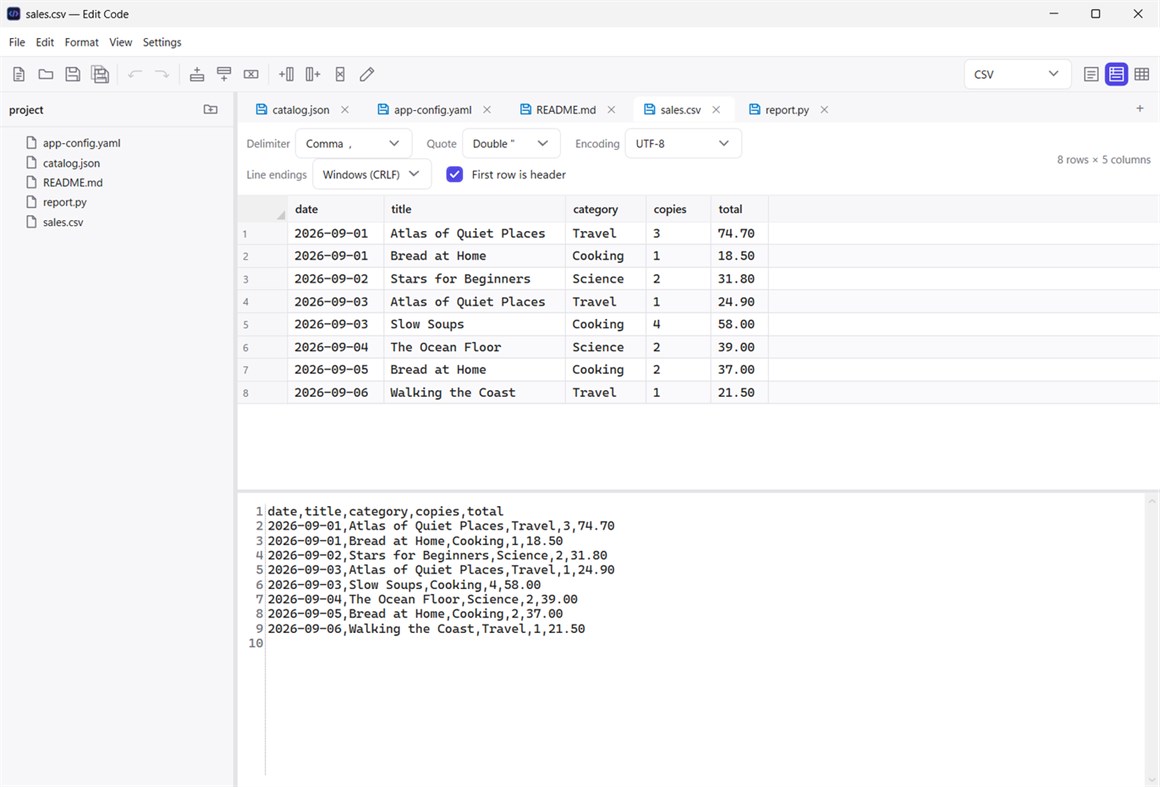
CSV opens as a spreadsheet-style table above its text, and both stay in step. Insert and delete rows and columns, rename columns, and paste straight from a spreadsheet. The delimiter, quoting, encoding and line endings are detected when a file opens and kept when it's saved, and you can change or convert any of them. Excel and OpenDocument spreadsheets open with one tab per sheet, and any table can be exported to JSON, Excel, OpenDocument or an aligned text table.
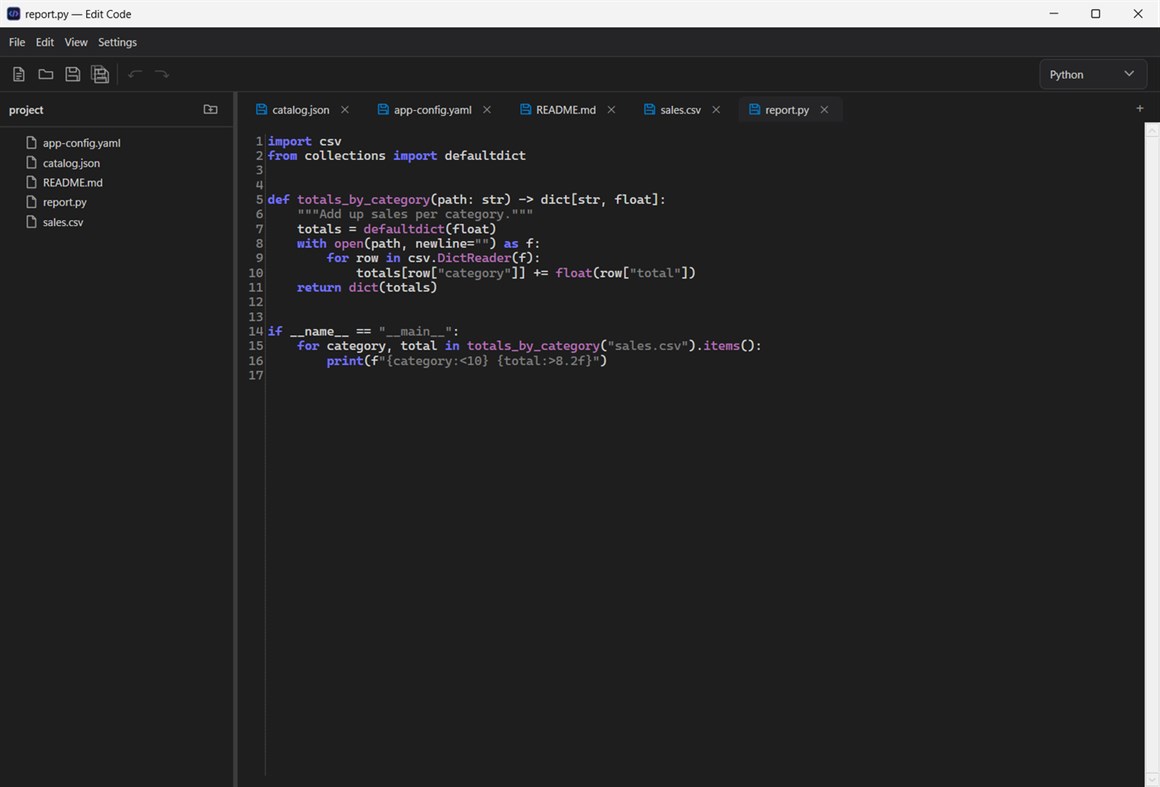
Everything else, from C#, Python and PowerShell to XML, HTML, CSS and SQL, opens with syntax highlighting for its language. Pick a different file type at any time and the tab switches its tools and view on the spot.
Open a whole folder to browse its files in a side panel that follows changes on disk, or list your open documents instead. Your tabs, including unsaved text, come back exactly as you left them the next time you start the app. Light and dark themes, a choice of accent colors, editor fonts and sizes, and a choice of interface languages are all in Settings.
其他平台
| Edit CodeWindows Store760 白銀目前頁面 | 免費 |
目前僅在此商店提供。
價格紀錄
- 目前價格: 免費
- 最小值: 免費
- 最大值: 免費
清單 (0)
0
- Edit Code
點數 (0)
0
排名 (0)
-

- 您的評分

留言 (0) ¡
搶先留下第一則留言
開發者
- Web Platinum
- 追蹤者: 0
- 平台: Windows 應用程式 (11) Windows 遊戲 (32) Xbox 遊戲 (1)
- 折扣: 0
- 清單: 0 + 0
- 點數: 0 + 4 ¡
- 排名: 0
- 留言: 0
- 影片: 0
- RSS: 訂閱
新功能
- 版本: PC
- 最後更新:
其他資訊
- 發行日期:
- 類別:
Windows 應用程式›開發人員工具 - OS:
PC - 大小:
74 Mb - 支援的語言 :
English,Portuguese - 內容分級:
EVERYONE - Windows Store 評分: ¡
0
 https://wplatinum.com
AppAgg 評分
760
AppAgg 預估評分:
Edit Code
開發者: Web Platinum
760 白銀
評分越高,通常代表其在 AppAgg 上的各項指標表現越好。
基於: 人氣 · 使用者評分 · 新鮮度 · 優惠 · 商店資料 · 社群活躍度
根據最新 AppAgg 資料每日重新計算。
網站徽章:  已複製!
已複製!
摘要
Edit Code 短網址: 已複製!- Windows Store
在 AppAgg 上,您可以追蹤由 Web Platinum 開發的「Edit Code」應用程式。適用平台:Windows;分類:開發人員工具。 AppAgg 評分:760(白銀)。 AppAgg 為此應用程式記錄的點數:已確認 0,間接 0。 收錄此應用程式的公開清單:0 個。將其儲存至私人清單的使用者:0 人。 AppAgg 使用者尚未對此應用程式評分。 已確認點數記錄已登入 AppAgg 的使用者前往商店的操作,間接點數則以商店資料為依據。 兩個計數分別表示公開清單數量,以及將應用程式或遊戲存入私人清單的使用者人數。 此應用程式首次發布於。 此應用程式最近更新於。 此應用程式目前可免費取得。 此應用程式支援以下語言:English, Portuguese。 查看價格紀錄、將應用程式加入清單,或追蹤開發者。 透過RSS 訂閱來源追蹤此應用程式日後的優惠和更新。 AppAgg 不代管或散布此應用程式。 與此應用程式相關的所有商標、標誌和螢幕截圖均屬於其各自的所有者。
您可能還喜歡
最新討論
 應用程式LocalDub – Real-Time Game Dubbing Hello Kırtay Interactive, I am using LocalDub - Real-Time Game Dubbing. I would like to know if Hind...
  rashid game5
  應用程式NauticPlayer This app is absolute cinema. Honestly, it’s one of the best media players I’ve ever tried, and I’m s...
  Manuel16
  應用程式Screen Beings - Desktop Pet & Study Companion This is my app so I’m a little bias but as someone from the ADHD community that teaches ADHD and neu...
  Tarelle Irwin6
  應用程式Aadi vault good it ia a encrypter and good you my work on office
  Aditya Rai5
  應用程式Typing 365 | Daily Typing Trainer The best typing app ever. With Typing 365 you don’t have to force yourself for couple minutes traini...
  Ahmad Mozaffar5
  應用程式Zefir Calendar — Calendar in the Taskbar excelente app! Superando todas as espectativas!
  Diógenes Magnus5
  應用程式LockinRa LockinRa 리뷰 LockinRa는 작업 관리, 집중력 도구, AI 코칭을 하나의 데스크톱 앱으로 통합한 무료 Windows 생산성 프로그램입니다. 클라우드 동기화 없이 로컬 ...
  abhilok reddy6
  應用程式CN Vault I Love this app CN Vault is a user-friendly app that helps keep your passwords safe and secure. If y...
  Marjuk Amin5
