
북마크
이 북마크의 제목을 입력하세요.
북마크가 저장되었습니다
요약
edplus: Rdam.io에서 만든 ‘개발자 도구’ 카테고리의 앱이에요.
에 출시됐어요. 아직 꽤 따끈따끈해요.
무료. 광고도 인앱 구매도 없어요. 앱에만 집중하면 돼요.
Microsoft Store는 Windows에 기본으로 들어 있어서 클릭 몇 번이면 설치돼요.
AppAgg 점수는 600. 실버 등급, 이 정도면 꽤 괜찮아요.
겨우 7메가바이트. 꽉 찬 드라이브에도 쏙 들어가요.
연령 등급은 ‘EVERYONE’, 아이들에게도 괜찮아요.
지원 언어는 딱 하나, 그런데 한국어는 아니에요.
사용해 보셨나요? 여기서 첫 리뷰의 주인공이 되어 주세요.
이 개발자의 앱이 AppAgg에 3개 더 있어요. 한번 둘러보세요.
업데이트와 새 앱 소식을 가장 먼저 받고 싶나요? 개발자를 팔로우하거나 RSS 피드를 구독하세요. 푸시 알림은 Android와 iOS용 AppAgg Alerts 앱으로 받을 수 있어요.
광고
스크린샷 4
다른 플랫폼 0
가격 기록 0
- 현재 가격: 무료
- 최소: 무료
- 최대: 무료
홈 화면의 나만의 피드
“신규 및 업데이트” 피드의 플랫폼을 선택하면 홈 화면에 필요한 앱과 게임만 표시됩니다.
설명

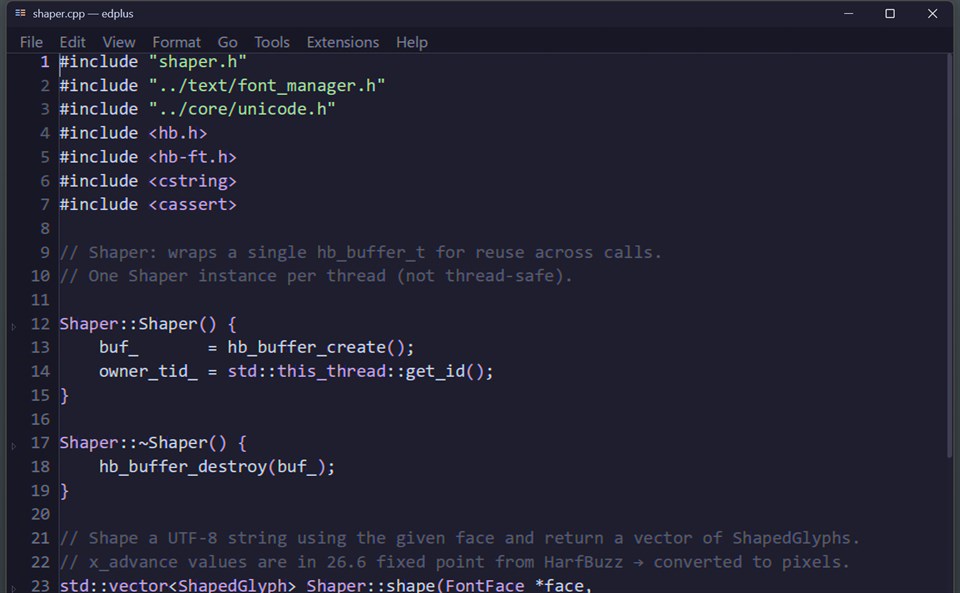
It is built in C++ on top of SDL3, and every glyph goes through a real text-shaping pipeline (FreeType and HarfBuzz) into a GPU texture atlas, with subpixel antialiasing. There is no browser engine, no Electron, no Node, and no .NET. It starts immediately and idles at almost no cost, because the event loop waits for input instead of redrawing continuously.
Large files stay responsive. The buffer is a piece table, and the line index is updated incrementally, so editing a big file does not get slower in proportion to its size.
Code editing is built on tree-sitter, which parses your file into a real syntax tree and reparses only what changed — syntax highlighting for C, C++, Rust, Go, Python, JavaScript, TypeScript and JSON. Point edplus at a language server and you also get completion, go to definition, hover information and rename. Git repositories show changed-line markers in the gutter and the current branch in the status bar.
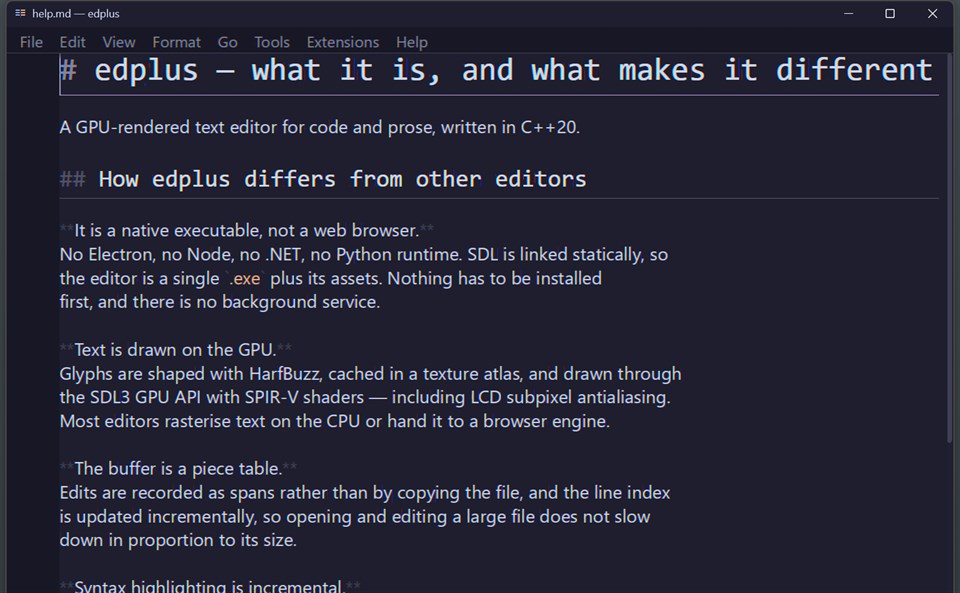
Prose is treated properly rather than as an afterthought. Markdown documents are laid out with their own proportional font and heading sizes, kept separate from the font used for the menus and tabs, so you can style a document without restyling the application.
A terminal comes with it. edplus term is a terminal emulator built on the same GPU text stack, installed alongside the editor with its own Start menu entry.
edplus runs entirely offline. There is no account, no sign-in, no telemetry and no network code of any kind — your files never leave your machine. Autosave and crash recovery mean unsaved work survives an unexpected close.
What you get:
• GPU-rendered text with subpixel antialiasing and proper font shaping
• A single native executable — no runtime, no installer dependencies
• Piece-table buffer that stays fast on large files
• Incremental tree-sitter syntax highlighting for eight languages
• Language server support: completion, go to definition, hover, rename
• Git diff markers in the gutter and branch name in the status bar
• Markdown prose mode with its own font and heading scale
• Multiple cursors, select next occurrence, and bookmarks
• Code folding, word wrap, and jump history
• Find and Replace, Go to Line, and a command palette
• Line operations: duplicate, join, comment toggle, and case transforms
• Recorded macros
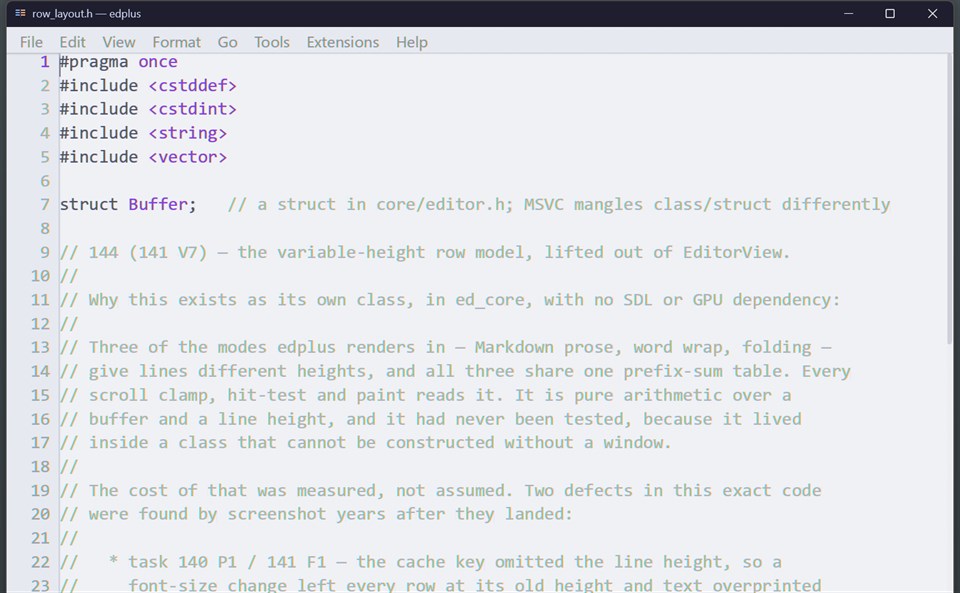
• Six themes: Catppuccin Mocha, Latte and Frappe, One Dark, Solarized Dark, High Contrast
• Configurable fonts, sizes, weights and antialiasing
• A bundled terminal emulator, edplus term
• Lua extensions, sandboxed with no file, process or network access
• Runs fully offline — no account, no telemetry
개발자 소식
개발자이신가요?
페이지 맨 위에 소식을 올리면 팔로워에게 이메일로 전달됩니다. YouTube 동영상을 추가하면 “동영상” 블록 맨 앞에 표시됩니다.
목록 0
-
 edplus
포인트 0
-

- +1 포인트

순위 0
-
- 내 평점
새로운 기능
- 버전: PC
- 마지막 업데이트:
- First release of edplus — a native, GPU-rendered text editor for code and prose. Includes tree-sitter syntax highlighting, language server support, git gutter markers, Markdown prose mode, a bundled terminal emulator, and sandboxed Lua extensions. Runs entirely offline with no telemetry.
추가 정보
AppAgg 점수
600
AppAgg 예상 점수:
edplus
개발자: Rdam.io
600 실버
점수가 높을수록 대체로 AppAgg의 여러 지표에서 좋은 결과를 보인다는 뜻입니다.
기준: 인기 · 사용자 평점 · 최신성 · 할인 · 스토어 데이터 · 커뮤니티 활동
최신 AppAgg 데이터를 바탕으로 매일 다시 계산됩니다.
웹사이트용 배지:  복사됨!
댓글 0 ¡
가장 먼저 댓글을 남겨주세요
공유하기
edplus 단축 URL: 복사됨!- Windows Store


