
북마크
이 북마크의 제목을 입력하세요.
북마크가 저장되었습니다
| 개발자: | engenious GmbH (1) | ||
| 가격: | $0.99 | ||
| 종합 점수: | 1,520 골드 | ||
| 순위: | 0 | ||
| 댓글: | 0 댓글 게시 | ||
| 목록: | 0 0 | ||
| 포인트: | 0 | ||
| +1 포인트 | |||
요약
engiggler: engenious GmbH에서 만든 ‘개발자 도구’ 카테고리의 앱이에요.
HoloLens에서도 쓸 수 있어요. 혼합 현실 속 Windows예요.
Windows Mobile 버전까지 있어요. 과거에서 안부 전해요.
$0.99. AppAgg에서 할인한 적이 한 번도 없어요. 가격 알림을 설정해 두세요. 여러분은 잊어도 저희는 안 잊어요.
에 출시됐어요. 아직 꽤 따끈따끈해요.
Surface Hub도 지원해요. 큰 회의실에 딱이에요.
AppAgg 점수는 1,520. 골드 등급이에요.
연령 등급은 ‘EVERYONE’, 아이들에게도 괜찮아요.
지원 언어는 딱 하나, 그런데 한국어는 아니에요.
사용해 보셨나요? 여기서 첫 리뷰의 주인공이 되어 주세요.
AppAgg에 있는 이 개발자의 유일한 앱이에요. 아직까지는요.
할인, 업데이트, 새 앱 소식을 가장 먼저 받고 싶나요? 가격 알림을 설정하거나 개발자를 팔로우하거나 RSS 피드를 구독하세요. 푸시 알림은 Android와 iOS용 AppAgg Alerts 앱으로 받을 수 있어요.
광고
다른 플랫폼 0
가격 기록 0
- 현재 가격: $0.99
- 최소: $0.99
- 최대: $0.99
홈 화면의 나만의 피드
“신규 및 업데이트” 피드의 플랫폼을 선택하면 홈 화면에 필요한 앱과 게임만 표시됩니다.
스크린샷 8
동영상 1
설명

🔑 Key Features:
🕹️ Mouse Movement (Jiggling)
- Simulates subtle, timed mouse movements
- Adjustable interval and movement size
- Optional rectangular motion pattern
- Can be fully disabled in VM mode
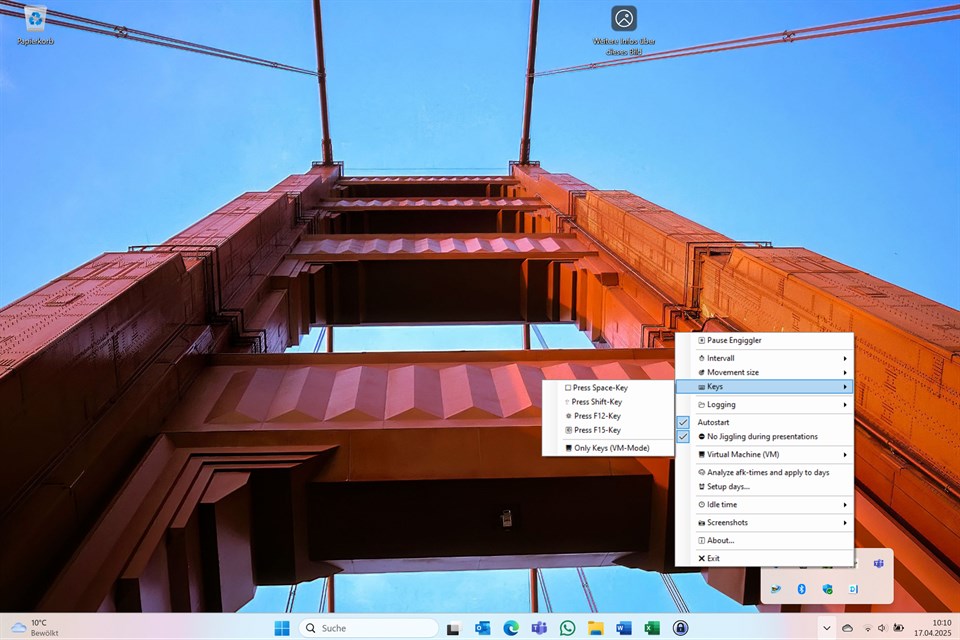
⌨️ Key Press Simulation
- Simulate periodic key presses: Space, F12, F15, or Shift
- Ideal for virtual environments and remote desktops
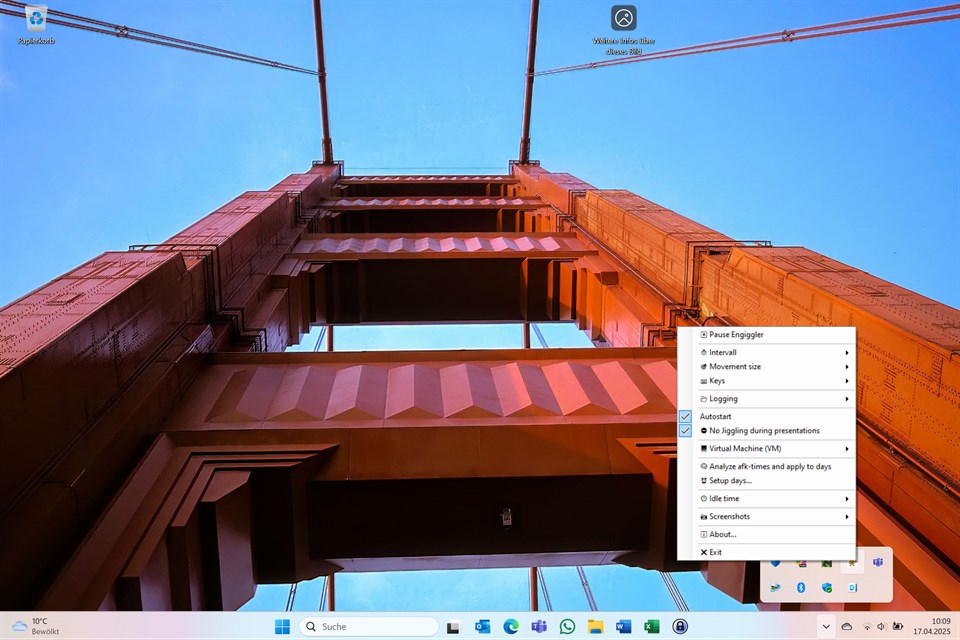
- Toggle keys individually via tray menu
🖥️ VM Mode Support
- Keyboard-only mode for use in remote desktop or virtual machines
- Optional focus-setting for VM window
- Select target window by title or from open windows
🌐 Browser Auto-Refresh
- Automatically refresh all open browser windows (Chrome, Edge, Firefox) at user-defined intervals
- Instantly refresh any specific browser window or all browsers at once
- Simple on/off toggle via system tray
📅 Work Schedule
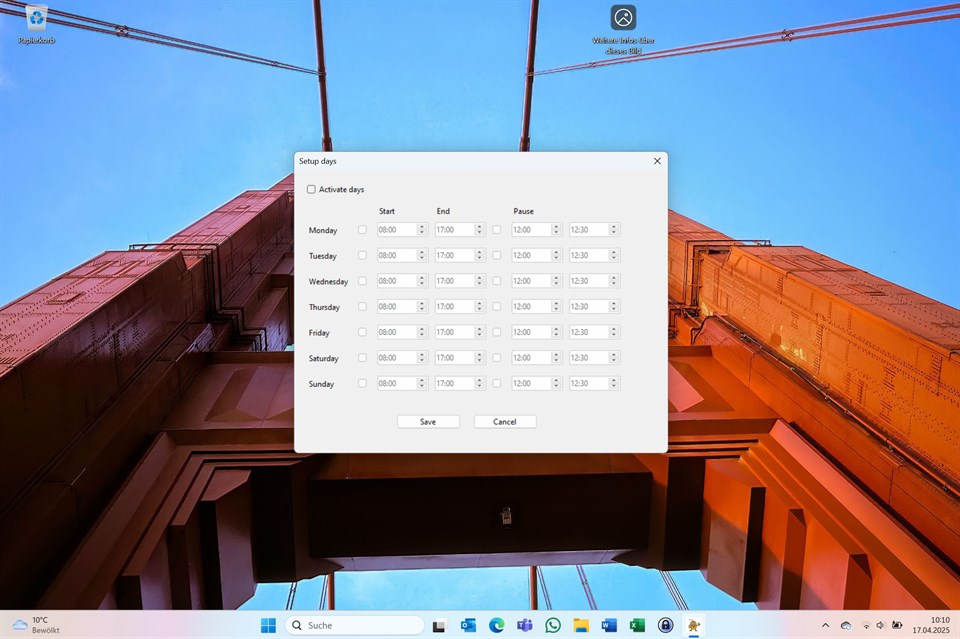
- Configure working hours per weekday
- Optional break times
- All logic runs only during active time slots (if enabled)
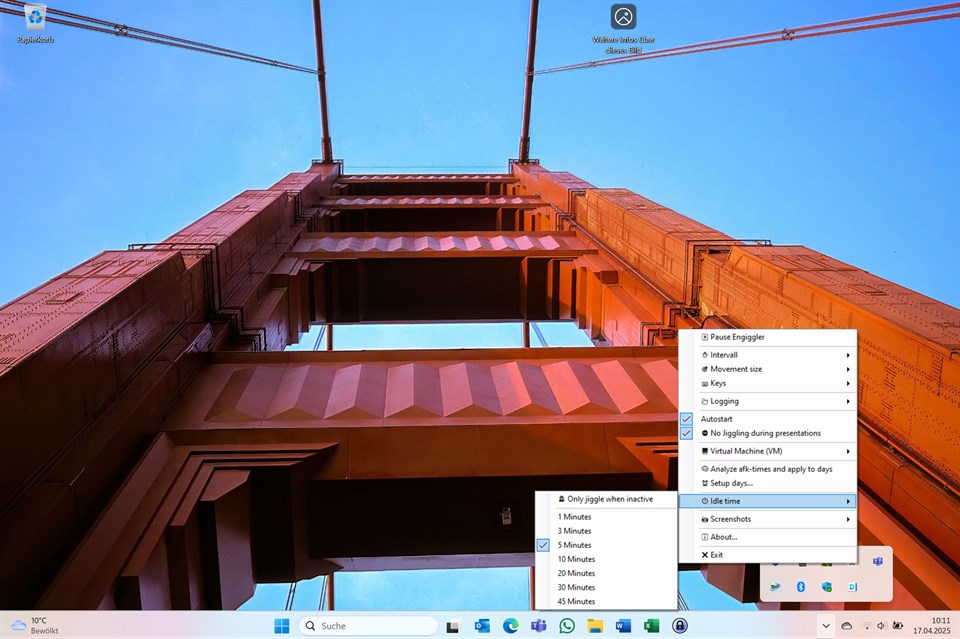
⏱️ Idle-Based Activation
- Jiggler activates only if user is inactive for X minutes (configurable)
- Idle detection toggleable via tray menu
⛔ App-Aware Pausing
- Automatically suspends jiggling and logging while apps like Zoom, Teams, or PowerPoint are active
- Manage app blocklist in settings
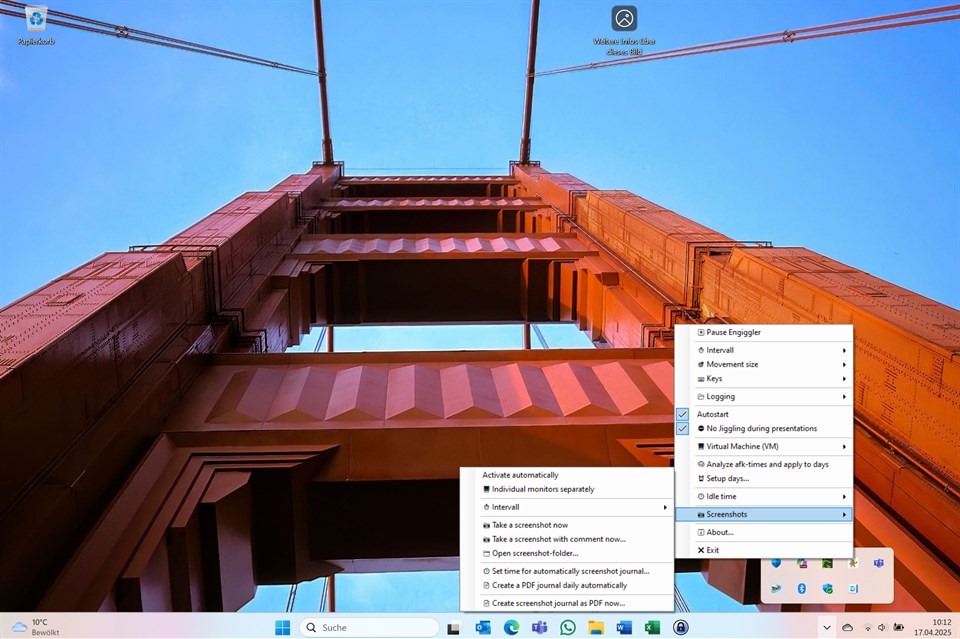
📸 Screenshot & Journal System
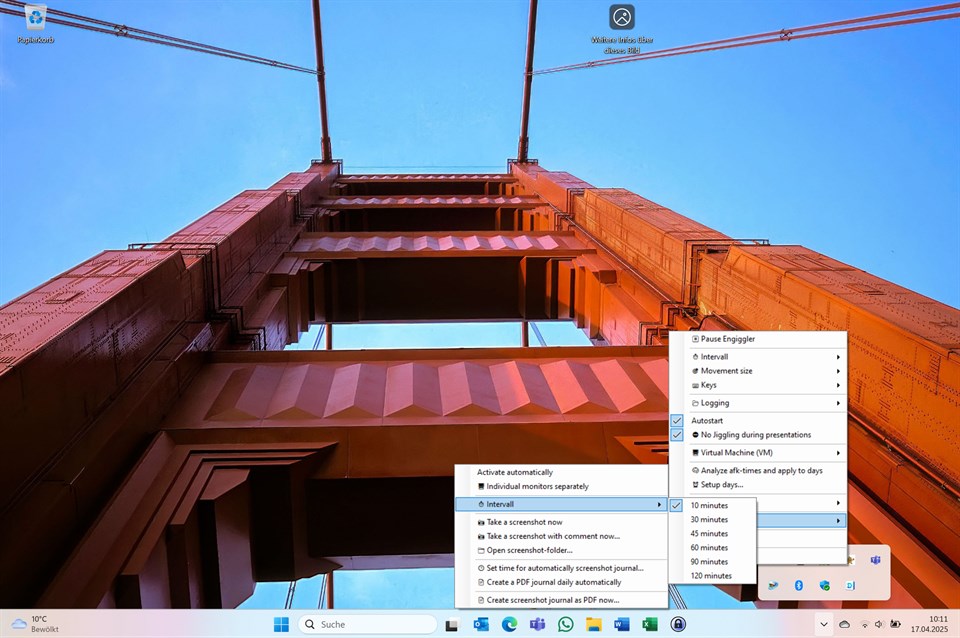
- Take screenshots automatically at fixed intervals (e.g. every 10 minutes)
- Choose between:
- One screenshot of all monitors
- Separate screenshots per monitor
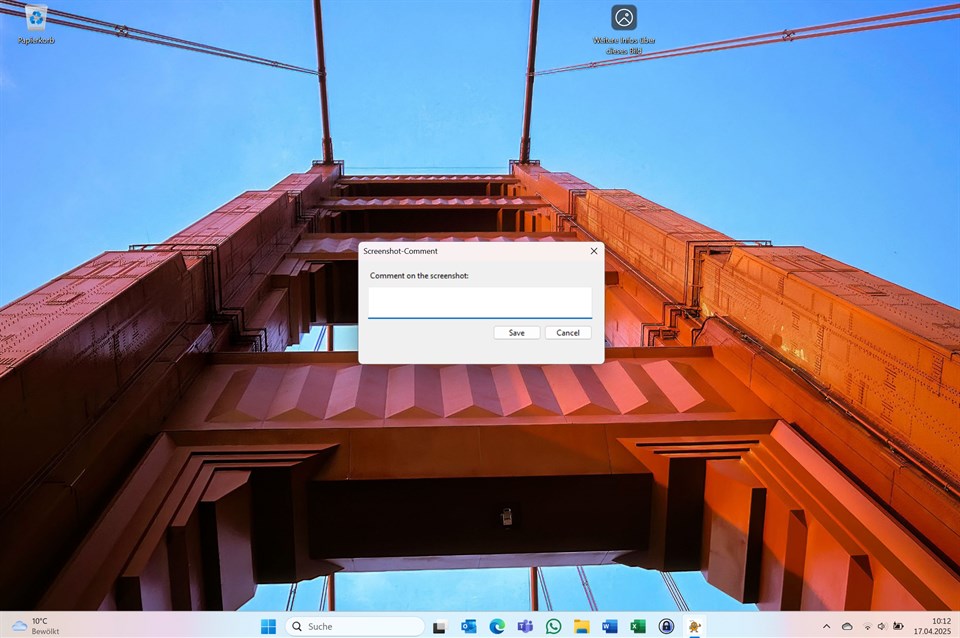
- Optionally add a comment for each screenshot
- Export full journal as PDF with:
- Timestamp
- Screenshot preview
- Associated comments
- Schedule daily automatic PDF journal creation (e.g. at 18:00)
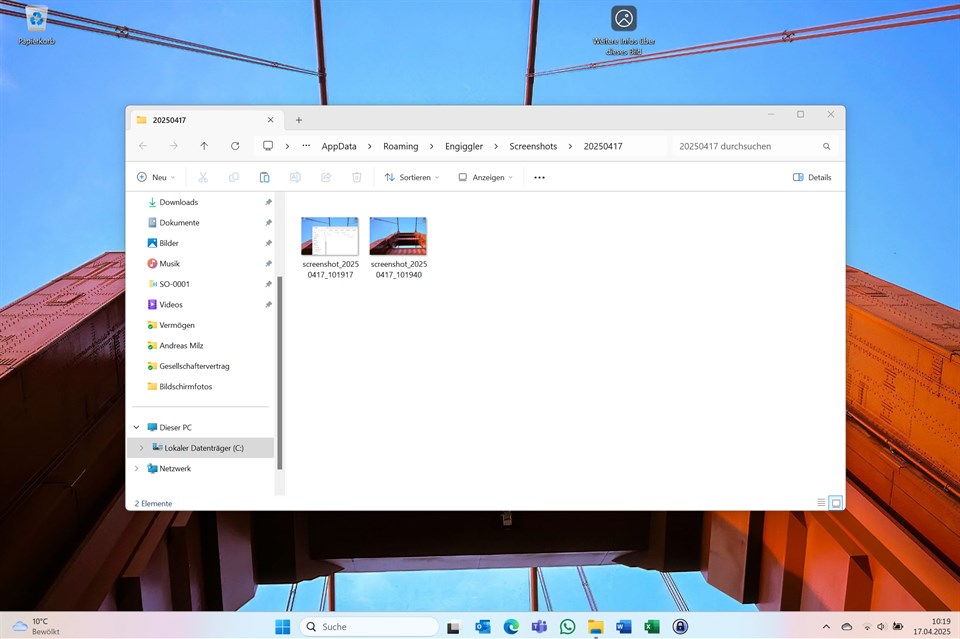
- All screenshots saved locally in organized folders
🛠️ System Integration
- Resides silently in the system tray
- No window clutter or pop-ups
- Autostart option on system boot
- Configurable via context menu and dialogs
- All settings saved locally in config.json
🧠 Activity Logging & AI Mode
- Logs active/idle status to CSV file
- Can learn and suggest ideal working hours based on usage patterns
- Logging and auto-learning fully toggleable
- Export logs or clear them directly via tray menu
🔒 Privacy & Compatibility
- Fully local – no internet access or data collection
- Lightweight, efficient, and resource-friendly
- Works on Windows 10 / 11 (x64), no admin rights required
- Ideal for IT admins, developers, presenters, and remote workers
개발자 소식
개발자이신가요?
페이지 맨 위에 소식을 올리면 팔로워에게 이메일로 전달됩니다. YouTube 동영상을 추가하면 “동영상” 블록 맨 앞에 표시됩니다.
목록 0
-
 engiggler
포인트 0
-

- +1 포인트

순위 0
-
- 내 평점
개발자 1
- engenious GmbH
- 팔로워: 0
- 플랫폼: Windows 앱 (1)
- 할인: 0
- 목록: 0 0
- 포인트: 0
- 순위: 0
- 댓글: 0
- 동영상: 1
- RSS: 구독
새로운 기능
- 버전: PC
- 마지막 업데이트:
추가 정보
 https://engenious.de
AppAgg 점수
1,520
AppAgg 예상 점수:
engiggler
개발자: engenious GmbH
1,520 골드
점수가 높을수록 대체로 AppAgg의 여러 지표에서 좋은 결과를 보인다는 뜻입니다.
기준: 인기 · 사용자 평점 · 최신성 · 할인 · 스토어 데이터 · 커뮤니티 활동
최신 AppAgg 데이터를 바탕으로 매일 다시 계산됩니다.
웹사이트용 배지:  복사됨!
댓글 0 ¡
가장 먼저 댓글을 남겨주세요
공유하기
engiggler 단축 URL: 복사됨!- Windows Store


