
Bookmark
| Pengembang: | Rever Chan (1) | ||
| Harga: | $4.99 | ||
| Skor: | 630 Perak | ||
| Peringkat: | 0 | ||
| Komentar: | 0 Kirimkan komentar | ||
| Daftar: | 0 0 | ||
| Poin: | 0 | ||
| +1 Poin | |||
Ringkasan
Kenalan dulu dengan Ex-Snap, aplikasi buatan Rever Chan di kategori Alat pengembang.
Rilis , masih cukup segar.
$4.99, dan sejauh ini belum pernah diskon sekali pun di AppAgg. Benar-benar susah ditaklukkan.
Microsoft Store sudah jadi bawaan Windows, jadi bisa dipasang dalam beberapa klik.
Skor AppAgg-nya 630. Perak, dan itu sama sekali tidak buruk.
Rating usia “EVERYONE”, jadi aman juga untuk anak-anak.
Menguasai 3 bahasa, tapi bahasa Indonesia belum termasuk.
Belum ada yang menilainya di AppAgg. Kesempatanmu jadi yang pertama ada sekarang.
Ini satu-satunya aplikasi dari pengembang ini di AppAgg. Untuk sekarang.
Mau jadi yang pertama tahu soal diskon, pembaruan, dan aplikasi baru? Pasang notifikasi harga, ikuti pengembang, atau berlangganan lewat Umpan RSS. Notifikasi push dikirim lewat aplikasi AppAgg Alerts untuk Android dan iOS.
Jepretan layar 4
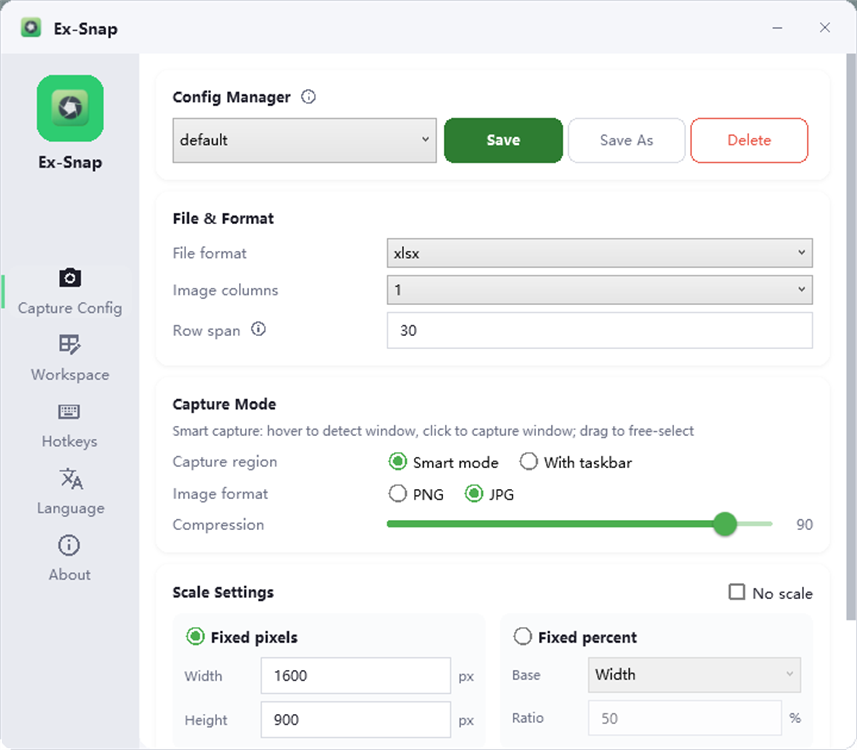
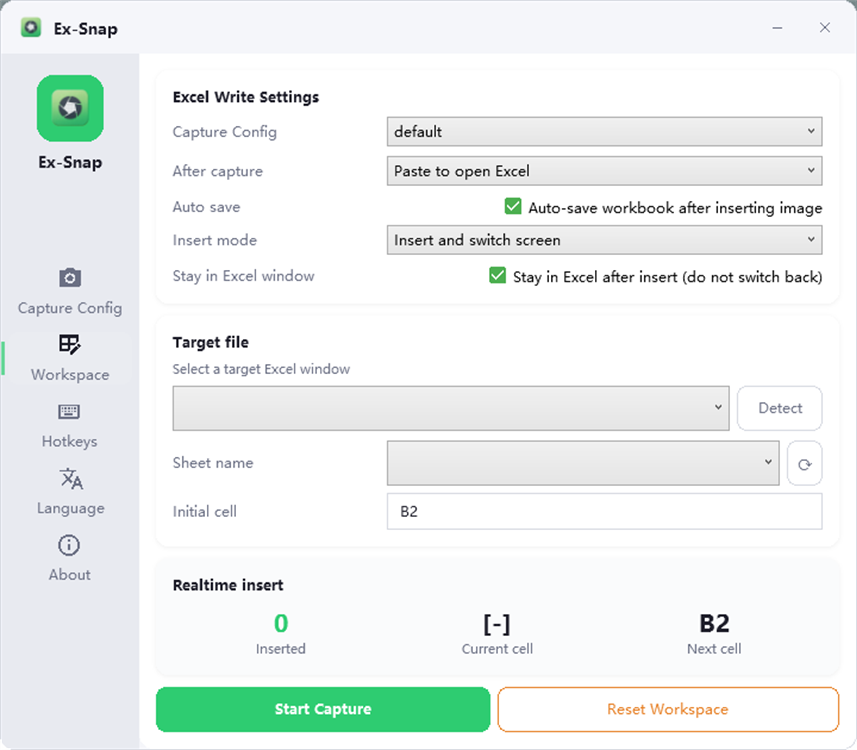
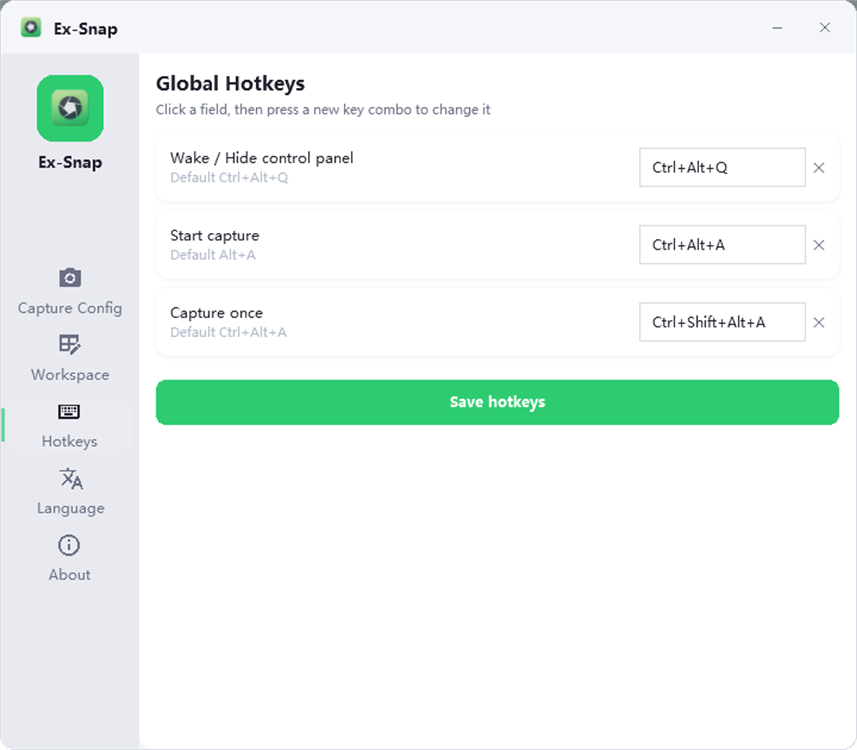
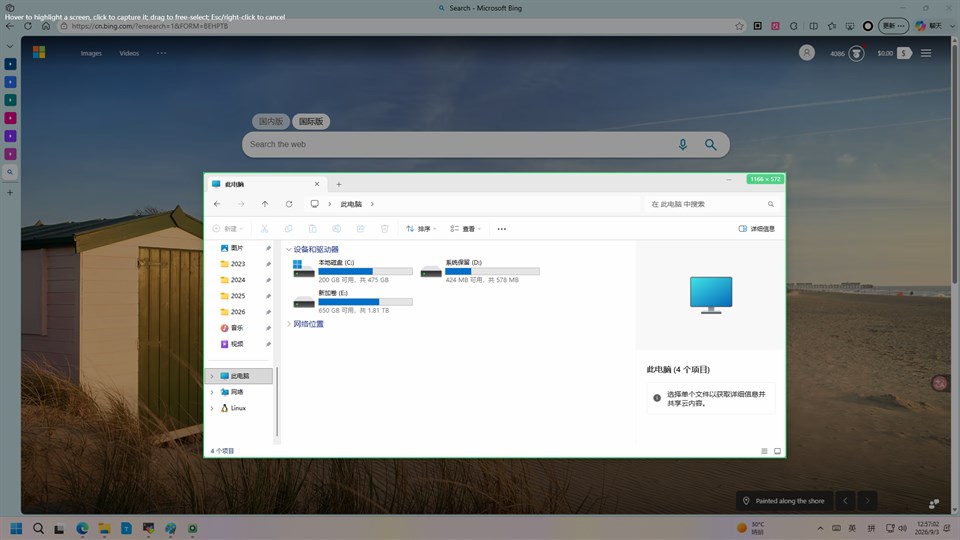
Platform lain 0
Riwayat harga 0
- Harga saat ini: $4.99
- Minimum: $4.99
- Maksimum: $4.99
Feed Anda sendiri di beranda
Deskripsi

Do you often need to organize lots of screenshots into Excel? Doing it manually - capture, open Excel, paste, adjust row height, align - is tedious and time-consuming. Ex-Snap compresses all of this into a single action.
【Key Features】
■ Screenshot & auto-insert into Excel
- Two writing modes:
· Paste into open Excel: silent COM insertion, no extra steps
· Write to a closed file: edit .xlsx directly, no Excel installation needed
- Images are anchored to the target cell and arranged automatically by row spacing - one screenshot, one insertion
■ Smart capture
- Window capture: hover to highlight any window, click to capture
- Free-form capture: drag to select any screen region
- Multi-monitor support with DPI-aware scaling
■ Batch continuous capture
- Enter "armed" mode, press one hotkey per screenshot - each one is inserted into the next cell automatically
- Multi-column layout with adjustable row offsets, ideal for long capture sessions
■ Flexible customization
- Image format (PNG/JPG), size, compression quality, fixed-percentage scaling
- File size threshold reminder
- Multiple named capture profiles for different projects
■ Efficiency details
- Always available from the system tray
- Customizable global hotkeys (wake / start capture / quick snap)
- Auto-selects the target cell; optionally stays on the Excel window briefly for confirmation
■ Multilingual
- Chinese / English / Japanese, auto-detected from system language
【Typical Use Cases】
- Build software manuals / QA reports by arranging screenshots row by row in Excel
- Inventory checklists, data verification, screenshot-based logging
- Any repetitive task of turning screen content into Excel rows
【Privacy】Runs fully offline; screenshots stay on your device. No network, no upload.
Windows 10/11 (64-bit)
Dari developer
Daftar 0
-
 Ex-Snap
Poin 0
-

- +1 Poin

Peringkat 0
-
- Rating Anda
Pengembang 1
- Rever Chan
- Pengikut: 0
- Platform: Windows Aplikasi (1)
- Diskon: 0
- Daftar: 0 0
- Poin: 0
- Peringkat: 0
- Komentar: 0
- Video: 0
- RSS: Berlangganan
Yang Baru
- Versi: PC
- Terakhir diperbarui:
Info tambahan
- Tanggal rilis:
- Kategori:
Aplikasi Windows›Alat pengembang - OS:
PC - Ukuran:
84 Mb - Bahasa yang didukung:
Inggris,Jepang,Tionghoa - Rating Konten:
EVERYONE - Windows Store Rating: ¡
0
Skor AppAgg
Perkiraan Skor AppAgg untuk
Ex-Snap
Pengembang: Rever Chan
Skor yang lebih tinggi biasanya menunjukkan indikator yang lebih kuat di AppAgg.
Berdasarkan: popularitas · rating pengguna · kebaruan · promo · data toko · aktivitas komunitas
Dihitung ulang setiap hari dari data AppAgg terbaru.
Komentar 0 ¡
Bagikan
Ex-Snap URL singkat: Disalin!- Windows Store

