
북마크
이 북마크의 제목을 입력하세요.
북마크가 저장되었습니다
| 개발자: | PengCheng Tech Studio (1) | ||
| 가격: | 무료 | ||
| 종합 점수: | 680 실버 | ||
| 순위: | 0 | ||
| 댓글: | 0 댓글 게시 | ||
| 목록: | 0 + 0 | ||
| 포인트: | 0 + 0 ¡ | ||
| +1 포인트 | |||
스크린샷 5
광고
설명

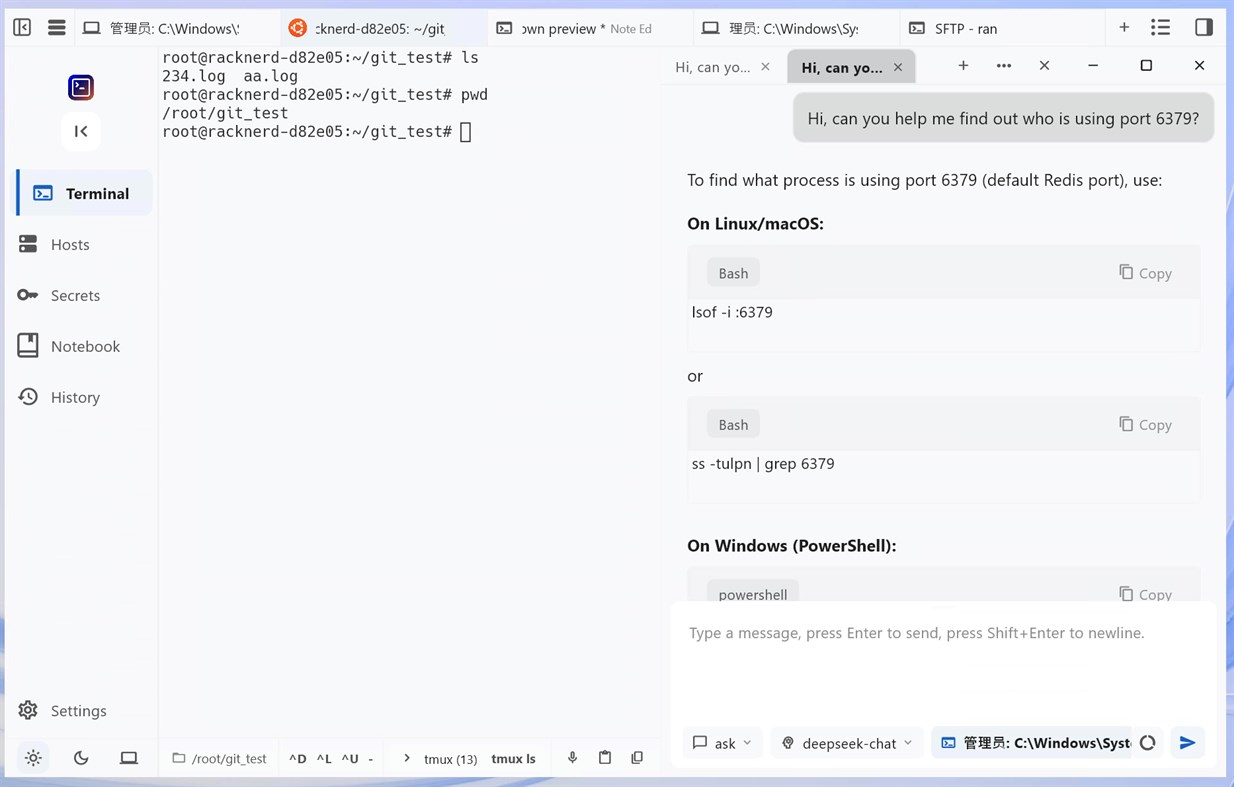
AI Terminal Desktop Client
Adopts modern glassmorphism design style with dark and light theme modes. Clean and intuitive interface provides a comfortable visual experience.
✨ Glassmorphism Effects
🌙 Dark/Light Theme Toggle
📱 Responsive Layout Design
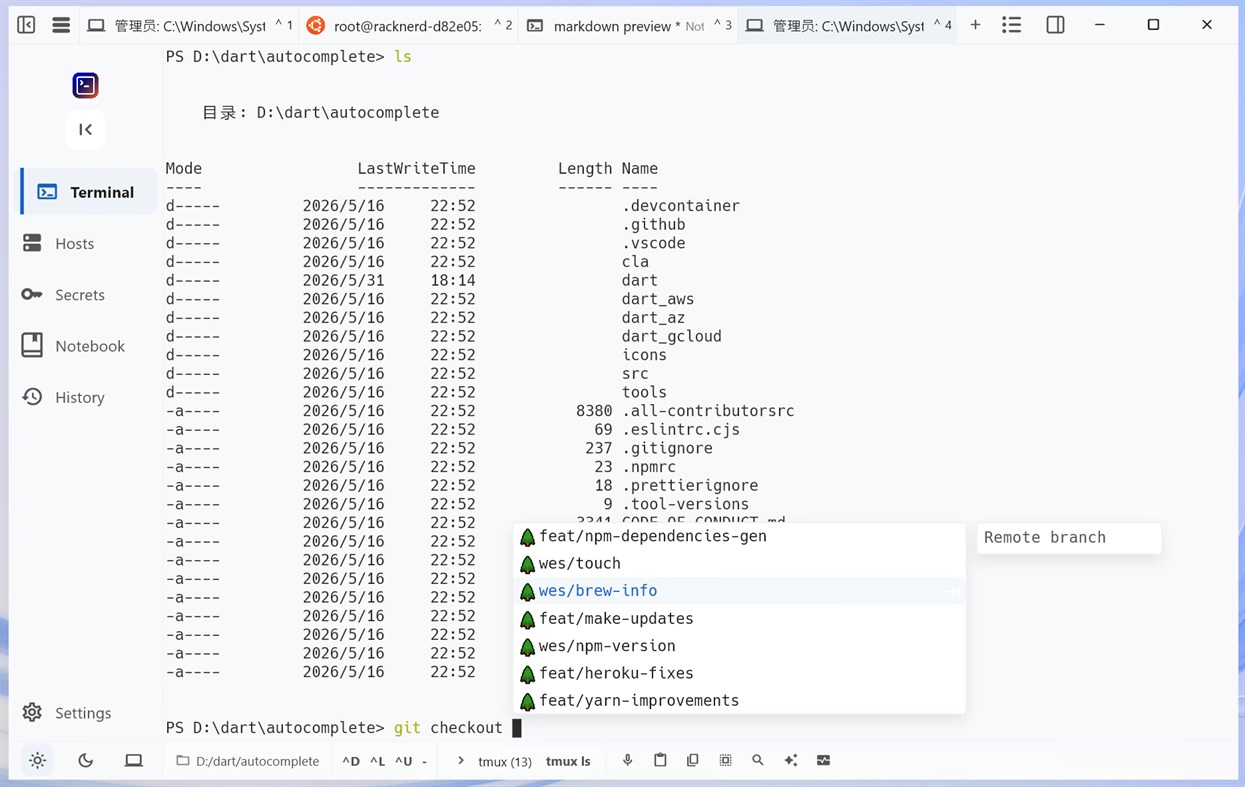
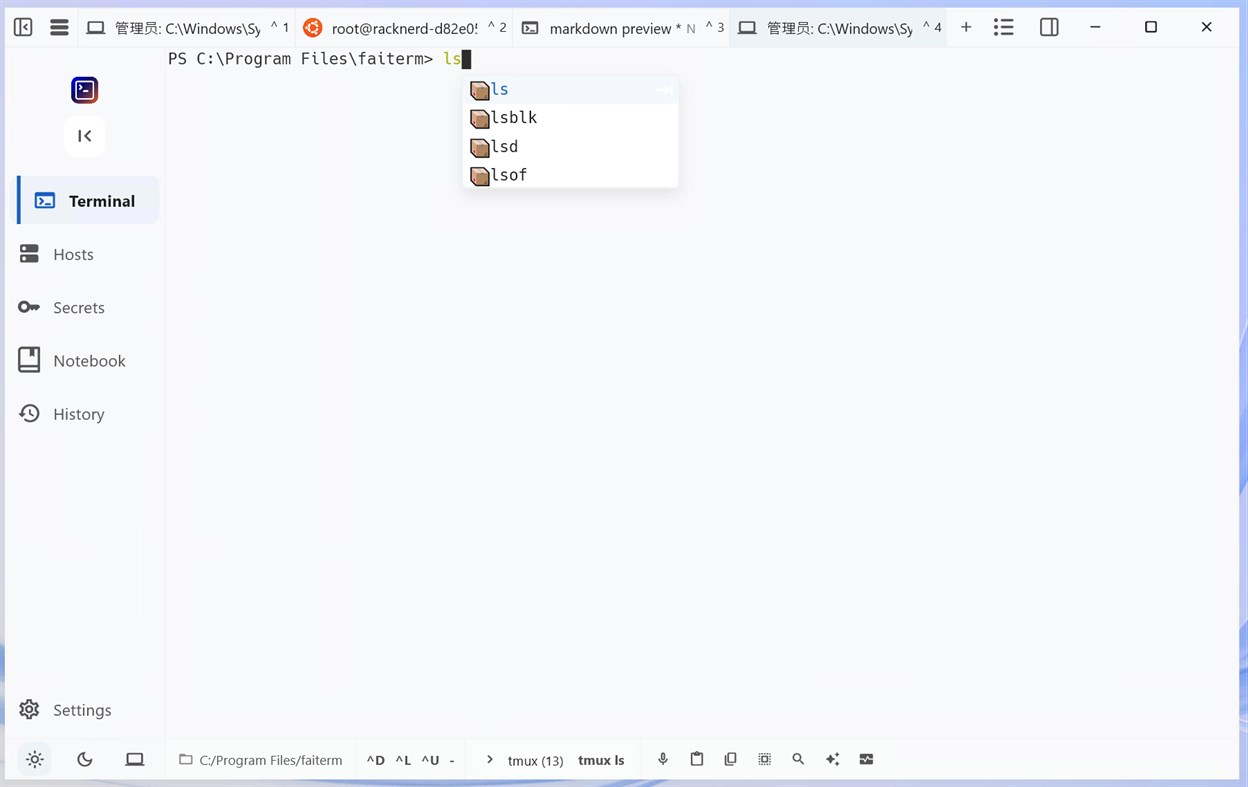
Supports local terminal operations and remote server management with multi-tab, command history, and auto-completion features for efficient terminal operations.
📋 Multi-tab Terminal
🔐 SSH Remote Connection
⚡ Command Auto-completion
📚 Command History
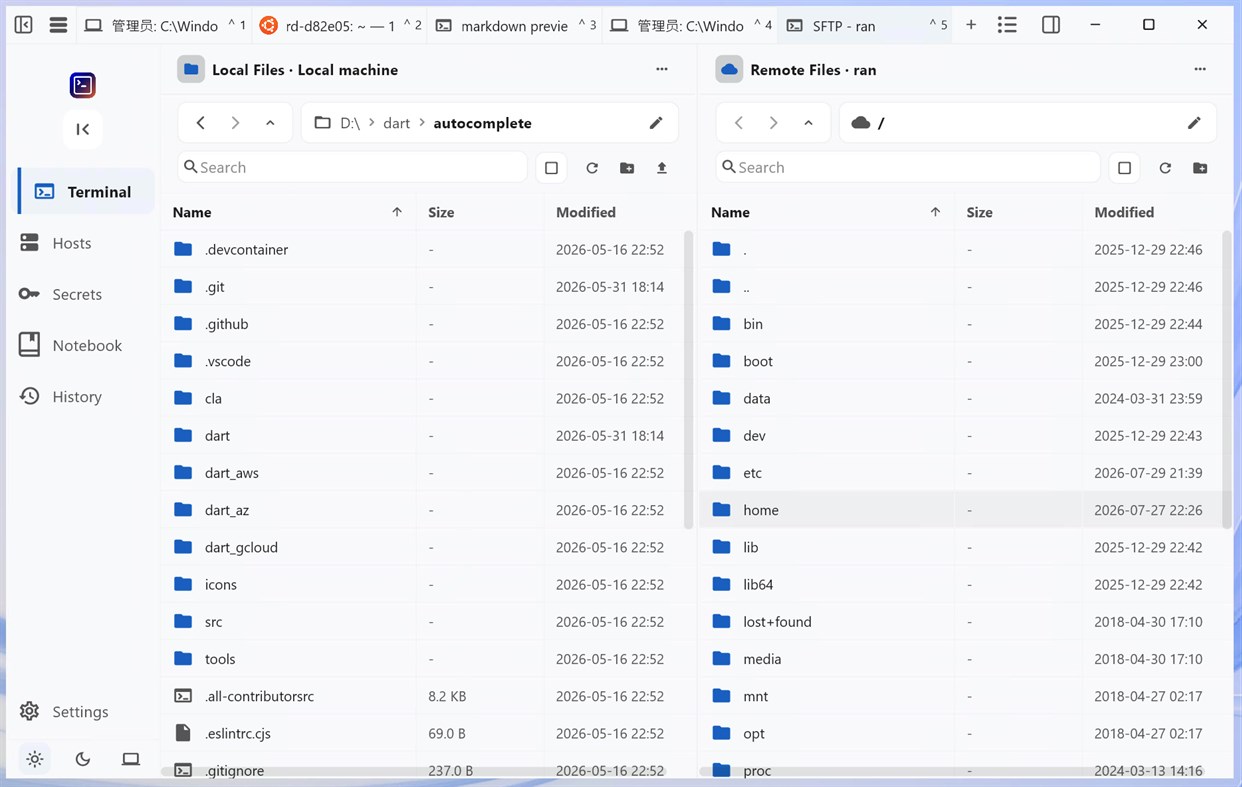
Integrated SFTP file management and sz/rz file transfer with visual file browsing, drag-and-drop operations, and batch processing for simple and efficient file management.
📂 Visual File Browser
🔄 Drag & Drop Upload/Download
📦 Batch File Operations
🚀 High-speed File Transfer
Integrated AI Q&A assistant and intelligent command completion supporting Shell scripting, operations, and development-related problem solving to significantly boost productivity.
💡 AI Agent
❓ Smart Q&A Assistant
🔧 Operations Problem Solving
💻 Development Assistance
다른 플랫폼 0
| FaiTermWindows Store680 실버현재 페이지 | 무료 |
현재 이 스토어에서만 이용할 수 있습니다.
가격 내역 0
- 현재 가격: 무료
- 최소: 무료
- 최대: 무료
목록 0
0
-
 FaiTerm
포인트 0
0
순위 0
-

- 내 평점

댓글 0 ¡
가장 먼저 댓글을 남겨주세요
개발자 1
- PengCheng Tech Studio
- 팔로워: 0
- 플랫폼: Windows 앱 (1)
- 할인: 0
- 목록: 0 + 0
- 포인트: 0 + 0 ¡
- 순위: 0
- 댓글: 0
- 동영상: 0
- RSS: 구독
새로운 기능
- 버전: PC
- 마지막 업데이트:
- v1.0.9 · 2026-10-22
• Terminal splits — split any pane left/right or top/bottom, build nested layouts, and connect each pane to a different host.
• Redesigned Command Palette — run commands, open hosts, insert snippets, or switch themes, with recent items at hand.
• 600+ terminal themes grouped by family, each with light and dark variants, plus search and curated views.
• Terminal notifications — program alerts, AI task completion, and progress shown in the session list.
• Clickable URLs and file links in the terminal, with the full target shown on hover.
• Mobile keyboard panel with custom key groups, Ctrl/Alt, multiline send, history, quick commands and vault passwords.
• Host Tools gain Disks and Logs, fuller process, Docker, service, scheduled task and port actions, and a full-page mobile view.
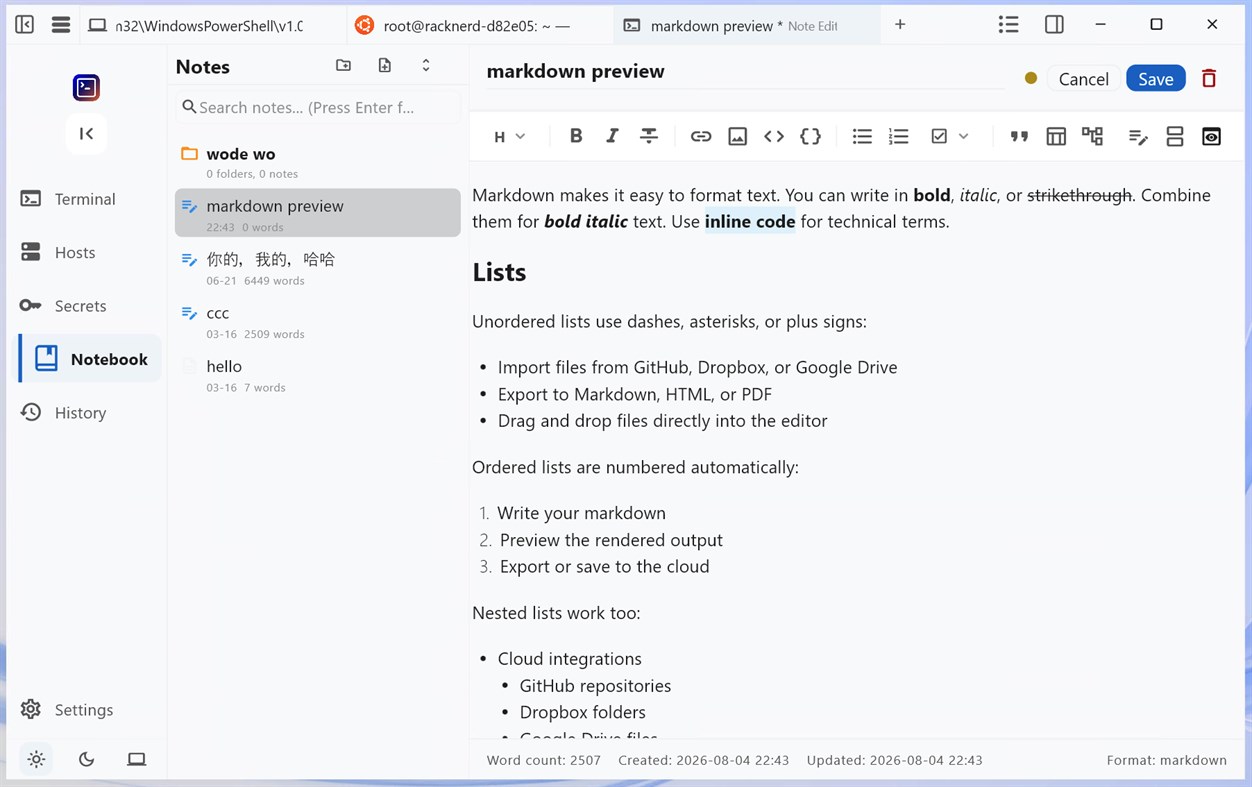
• AI composer: note and context mentions, slash commands, context usage, conversation compaction, tool inspection and queued messages.
• Better shell integration for zsh, fish, Nushell and PowerShell.
• Shared SSH/SFTP/Host Tools connection, smoother AI streaming, unified desktop styling, and many fixes.
추가 정보
 https://www.faiterm.com
AppAgg 점수
680
AppAgg 예상 점수:
FaiTerm
개발자: PengCheng Tech Studio
680 실버
점수가 높을수록 대체로 AppAgg의 여러 지표에서 좋은 결과를 보인다는 뜻입니다.
기준: 인기 · 사용자 평점 · 최신성 · 할인 · 스토어 데이터 · 커뮤니티 활동
최신 AppAgg 데이터를 바탕으로 매일 다시 계산됩니다.
웹사이트용 배지:  복사됨!
복사됨!
요약
FaiTerm 단축 URL: 복사됨!- Windows Store
AppAgg에서 앱 ‘FaiTerm’의 정보를 확인할 수 있습니다. 개발자: PengCheng Tech Studio. 플랫폼: Windows. 카테고리: 개발자 도구. AppAgg 점수: 680 (실버). 이 앱의 AppAgg 포인트: 확인된 포인트 0, 간접 포인트 0. 이 앱이 포함된 공개 목록: 0개. 비공개 목록에 저장한 사용자: 0명. AppAgg 사용자가 아직 이 앱에 별점을 남기지 않았습니다. 확인된 포인트는 로그인한 AppAgg 사용자가 스토어로 이동한 기록을 반영합니다. 간접 포인트는 스토어 데이터를 바탕으로 합니다. 두 숫자는 공개 목록 수와 비공개 목록에 저장한 사용자 수를 나타냅니다. 이 앱의 최초 출시일은 입니다. 이 앱의 마지막 업데이트 날짜는 입니다. 이 앱은 현재 무료로 이용할 수 있습니다. 이 앱은 다음 언어를 지원합니다: 영어. 가격 기록을 확인하거나 앱을 목록에 추가하고 개발자를 팔로우할 수 있습니다. 이 앱의 향후 할인과 업데이트는 RSS 피드에서 확인할 수 있습니다. AppAgg는 이 앱을 호스팅하거나 배포하지 않습니다. 이 앱과 관련된 모든 상표, 로고 및 스크린샷은 각 소유자에게 귀속됩니다.


