
북마크
이 북마크의 제목을 입력하세요.
북마크가 저장되었습니다
요약
Framekeep: Ngo Trung에서 만든 ‘개발자 도구’ 카테고리의 앱이에요.
에 출시됐어요. 아직 꽤 따끈따끈해요.
무료. 광고도 인앱 구매도 없어요. 앱에만 집중하면 돼요.
Microsoft Store는 Windows에 기본으로 들어 있어서 클릭 몇 번이면 설치돼요.
AppAgg 점수는 600. 실버 등급, 이 정도면 꽤 괜찮아요.
연령 등급은 ‘EVERYONE’, 아이들에게도 괜찮아요.
지원 언어는 딱 하나, 그런데 한국어는 아니에요.
사용해 보셨나요? 여기서 첫 리뷰의 주인공이 되어 주세요.
이 개발자의 앱이 AppAgg에 5개 더 있어요. 한번 둘러보세요.
업데이트와 새 앱 소식을 가장 먼저 받고 싶나요? 개발자를 팔로우하거나 RSS 피드를 구독하세요. 푸시 알림은 Android와 iOS용 AppAgg Alerts 앱으로 받을 수 있어요.
광고
다른 플랫폼 0
가격 기록 0
- 현재 가격: 무료
- 최소: 무료
- 최대: 무료
홈 화면의 나만의 피드
“신규 및 업데이트” 피드의 플랫폼을 선택하면 홈 화면에 필요한 앱과 게임만 표시됩니다.
스크린샷 4
설명

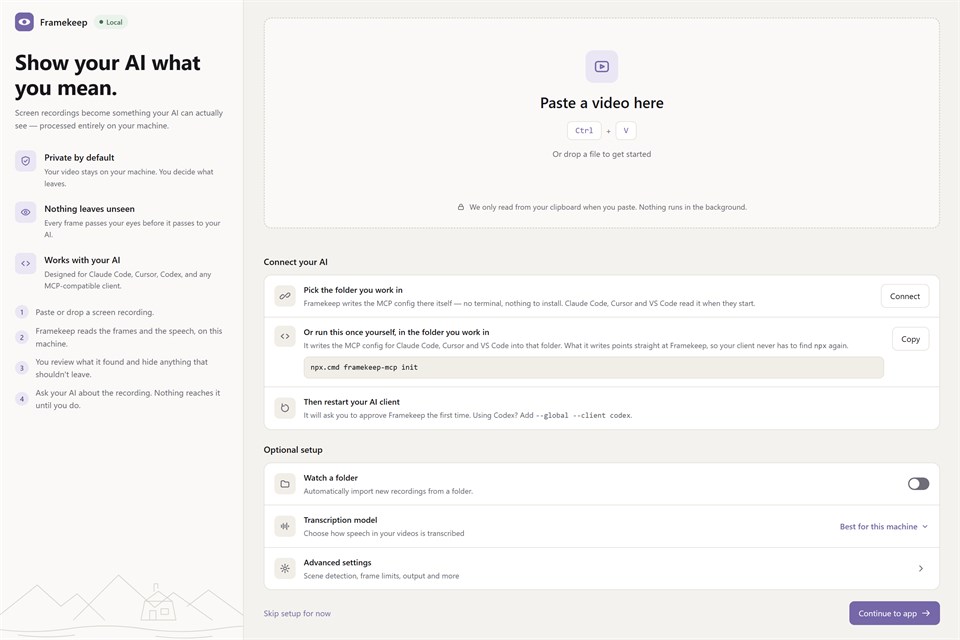
Framekeep turns a screen recording into something the AI you are already
talking to can actually see: key frames and a transcript, prepared on your
own machine.
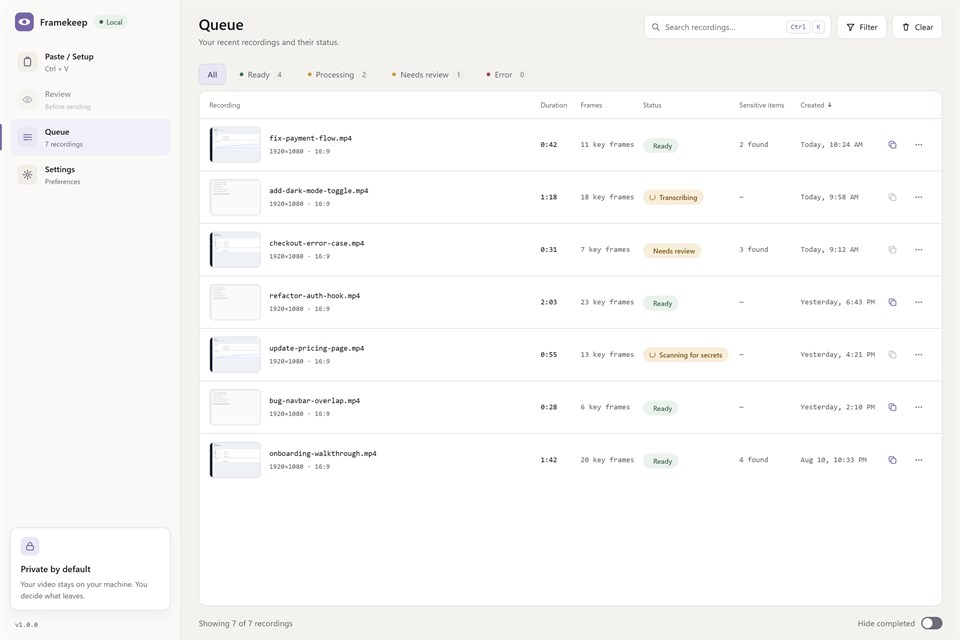
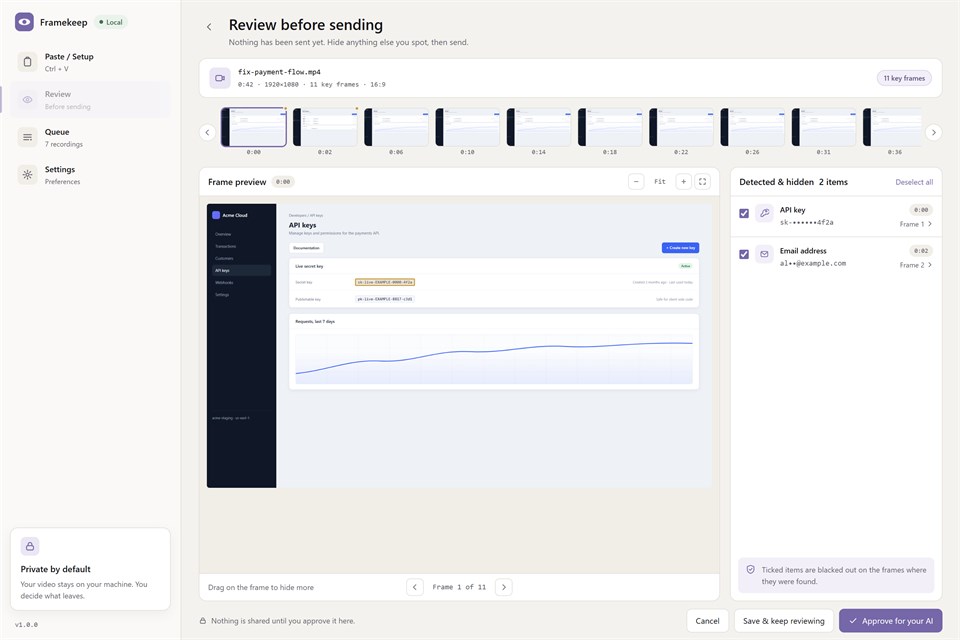
Paste a recording. Framekeep pulls out the frames that matter, transcribes
the speech, and shows you everything before any of it moves. You tick what
to hide, drag over anything else, and only then does it go anywhere.
- Private by default. Your video stays on your machine. You decide what leaves.
- Nothing leaves unseen. Every frame passes your eyes before it passes to
your AI.
- Works with your AI. Designed for Claude Code, Cursor, Codex, and any
MCP-compatible client.
Framekeep scans each frame for things you would not want to send -- API keys,
tokens, email addresses, card numbers, private keys -- and blacks out the ones
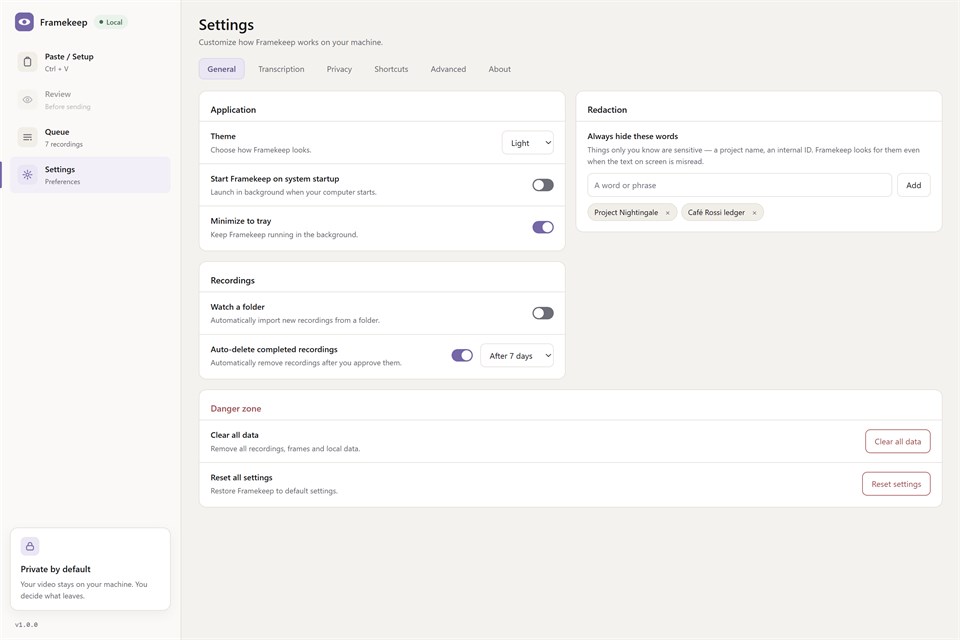
you tick. It also learns words only you would know are sensitive, like an
internal project name.
The scan is a helper, not a guarantee. It reads text off pixels, and small
text is hard to read. That is why nothing is ever sent without you looking
at it first.
Framekeep uses a local speech-to-text model, Whisper, to turn the audio in
your recording into a written transcript. That text is generated by an AI
model running on your own machine and is never uploaded. The model is
downloaded only when you ask for it. If a transcript ever produces something
that looks wrong or inappropriate, write to support@framekeep.app.
개발자 소식
개발자이신가요?
페이지 맨 위에 소식을 올리면 팔로워에게 이메일로 전달됩니다. YouTube 동영상을 추가하면 “동영상” 블록 맨 앞에 표시됩니다.
목록 0
-
 Framekeep
포인트 0
-

- +1 포인트

순위 0
-
- 내 평점
새로운 기능
- 버전: PC
- 마지막 업데이트:
추가 정보
 https://framekeep.app
AppAgg 점수
600
AppAgg 예상 점수:
Framekeep
개발자: Ngo Trung
600 실버
점수가 높을수록 대체로 AppAgg의 여러 지표에서 좋은 결과를 보인다는 뜻입니다.
기준: 인기 · 사용자 평점 · 최신성 · 할인 · 스토어 데이터 · 커뮤니티 활동
최신 AppAgg 데이터를 바탕으로 매일 다시 계산됩니다.
웹사이트용 배지:  복사됨!
댓글 0 ¡
가장 먼저 댓글을 남겨주세요
공유하기
Framekeep 단축 URL: 복사됨!- Windows Store


