
ブックマーク
このブックマークのタイトルを入力してください。
ブックマークを保存しました
| 開発者: | Frog Software (1) | ||
| 価格: | 無料 | ||
| スコア: | 550 ブロンズ | ||
| ランキング: | 0 | ||
| コメント: | 0 コメントを投稿する | ||
| リスト: | 0 0 | ||
| ポイント: | 0 | ||
| +1 ポイント | |||
概要
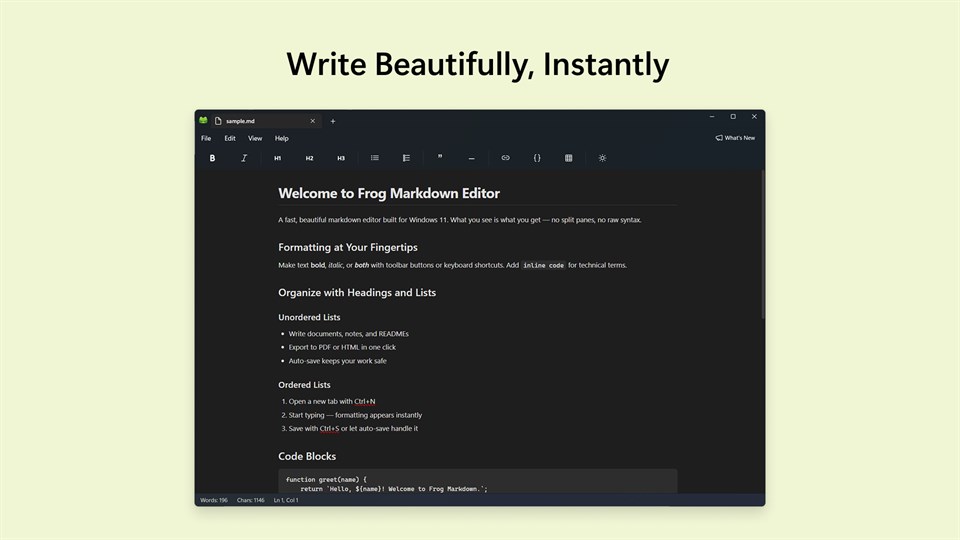
Frog Markdown Editorは、Frog Softwareが手がける「開発者ツール」カテゴリのアプリです。
にリリース。まだまだフレッシュです。
無料。広告なし、アプリ内課金なし。あなたとアプリだけです。
Microsoft StoreはWindowsに組み込まれているので、数クリックでインストールできます。
AppAggスコアは550。今は「ブロンズ」ですが、伸びしろはたっぷり。
たった32メガバイト。空きの少ないドライブにも収まります。
年齢区分は「EVERYONE」なので、子どもでも安心です。
対応言語はひとつだけ、しかも日本語ではありません。
ここはまだ静まり返っています。評価もコメントもなし。沈黙を破ってみませんか?
AppAggにあるこの開発者のアプリはこれだけ。今のところは。
アップデートや新しいアプリを誰よりも早く知りたい?開発者をフォローするか、RSS フィードを購読しましょう。プッシュ通知は Android と iOS 向けの AppAgg Alerts アプリで届きます。
広告
スクリーンショット 4
他のプラットフォーム 0
価格履歴 0
- 現在の価格: 無料
- 最小値: 無料
- 最大値: 無料
ホームに自分だけのフィード
「新着・アップデート」のプラットフォームを選ぶと、ホームには必要なアプリとゲームだけが表示されます。
説明

デベロッパーから
デベロッパーの方ですか?
ページの一番上にニュースを投稿すると、フォロワーにメールで届きます。YouTube 動画を追加すると、「動画」の一番上に表示されます。
開発者
- Frog Software
- フォロワー: 0
- プラットフォーム: Windows アプリ (1)
- セール: 0
- リスト: 0 0
- ポイント: 0
- ランキング: 0
- コメント: 0
- 動画: 0
- RSS: 購読する
リスト 0
-
 Frog Markdown Editor
ポイント 0
-

- +1 ポイント

ランキング 0
-
- あなたの評価
新機能
- バージョン: PC
- 最終更新:
- The Frog is snacking on bugs!
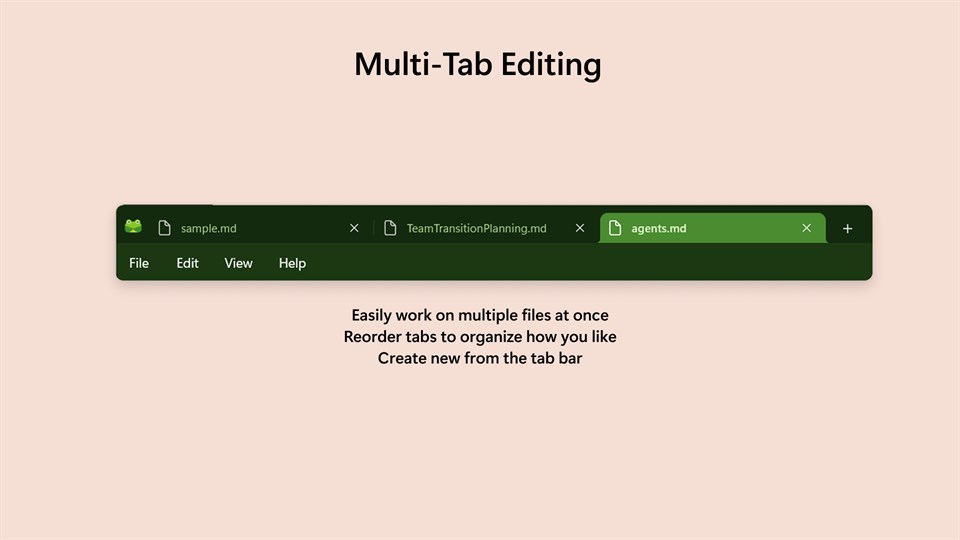
1. Small-window tab overlap: window controls covered the last tab’s close button and the new-tab button.
2. Selected tabs disappearing offscreen: resizing or adding many tabs could leave the active tab’s close button inaccessible.
3. Mermaid rendering freezes: diagrams entered a repeated rendering loop. Invalid diagrams now show an error without disabling the editor or losing their source.
4. Pasted images disappearing after saving or moving documents: temporary images weren’t copied beside the document. First save, Save As, and save-on-close now preserve portable image references.
5. Broken image paths: filenames containing spaces, parentheses, # , or encoded characters could fail; relative paths could resolve against the wrong folder.
6. Image file locks: displaying images kept their files locked, interfering with replacement, renaming, or synchronization. Reads also no longer block the UI thread.
7. First paste/edit not marked unsaved: change suppression could swallow the first real change, preventing normal auto-save and save prompts.
8. Previous document appearing in a new tab: creating a tab while another document loaded could display the old document’s contents.
情報
コメント 0 ¡
最初のコメントを書きましょう
AppAggスコア
550
AppAgg推定スコア:
Frog Markdown Editor
開発者: Frog Software
550 ブロンズ
スコアが高いほど、AppAgg上の各指標が良好な傾向にあります。
基準: 人気 · ユーザー評価 · 新しさ · セール · ストアデータ · コミュニティ活動
最新のAppAggデータに基づいて毎日再計算されます。
ウェブサイト用バッジ:  コピーしました!
Frog Markdown Editor 短縮 URL: コピーしました!- Windows Store

